




















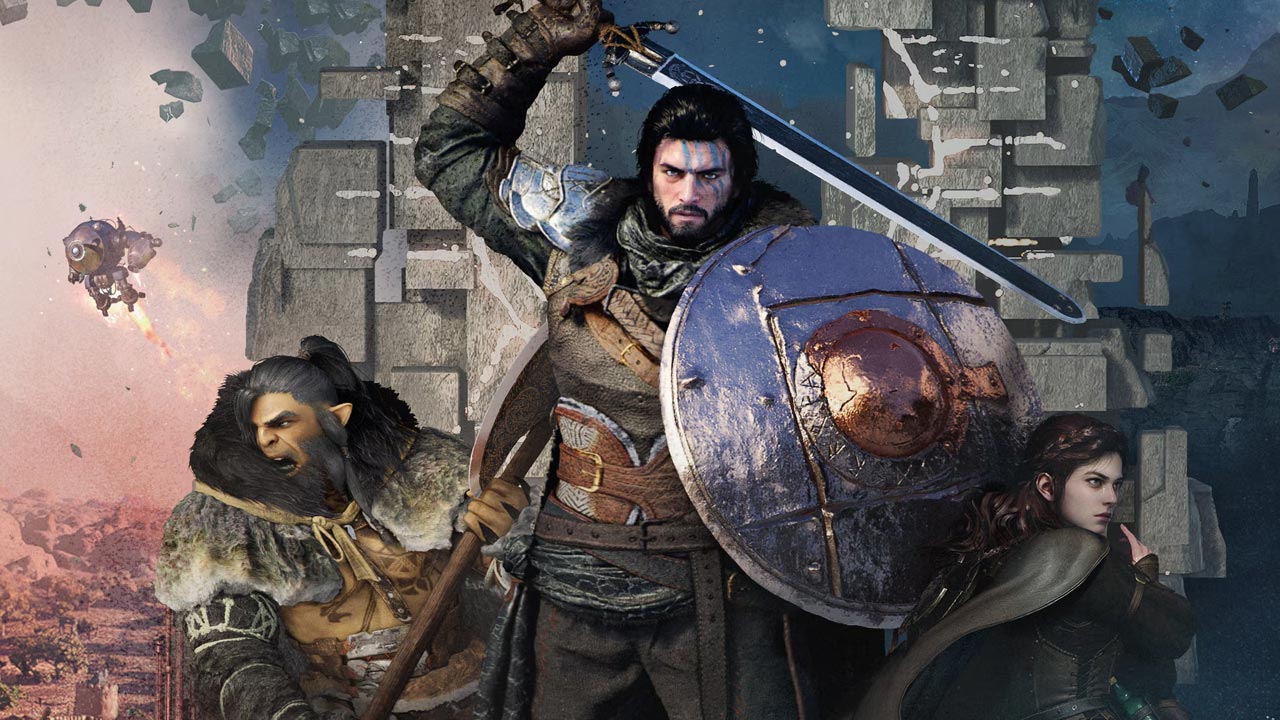
Gaming PC for New Games in Canada: What Crimson Desert Coming to Switch 2 Says About Your Next Custom Build
Crimson Desert becoming one of the year’s biggest open-world action games and now being planned for Switch 2 next year is more than a simple platform announcement. For Canadian gamers, streamers, creators, and workstation buyers, it is a clear reminder that modern games are getting larger, more cinematic, more technically demanding, and more cross-platform than ever. If you are shopping for a Gaming PC for New Games, this is exactly the kind of headline that should make you ask: is your current system ready for the next wave of massive open-world releases, or are you already one upgrade behind?
The original news is straightforward: Pearl Abyss has confirmed that Crimson Desert is planned for Nintendo’s next hybrid platform, with the company targeting a release window in the first half of next year. The developer also noted that the Switch 2 version has reached a playable baseline and is undergoing technical review for performance optimization and platform quality standards. That matters because a game this ambitious being adapted to a hybrid console shows how far scaling technology has come, but it also highlights something PC buyers already know: the best experience often depends on the hardware you choose.
For many players, the question is not simply, “Can this game run?” The better question is, “How do I want this game to look and feel?” Do you want smooth 1080p gaming, high-refresh 1440p performance, 4K ultra settings, ray tracing, streaming, recording, modding, editing, or creator workflows on the same machine? That is where a properly configured custom gaming PC becomes more than a purchase. It becomes a long-term performance decision.
Why the Crimson Desert Switch 2 News Matters for PC Gamers
When a large open-world game expands to another platform, it usually tells us a few things. First, the game has enough commercial momentum to justify additional development. Second, the technical team is working hard to adapt the experience across different hardware profiles. Third, players are interested in accessing the game in more ways, whether that means console, handheld, living room, desktop, or high-end PC.
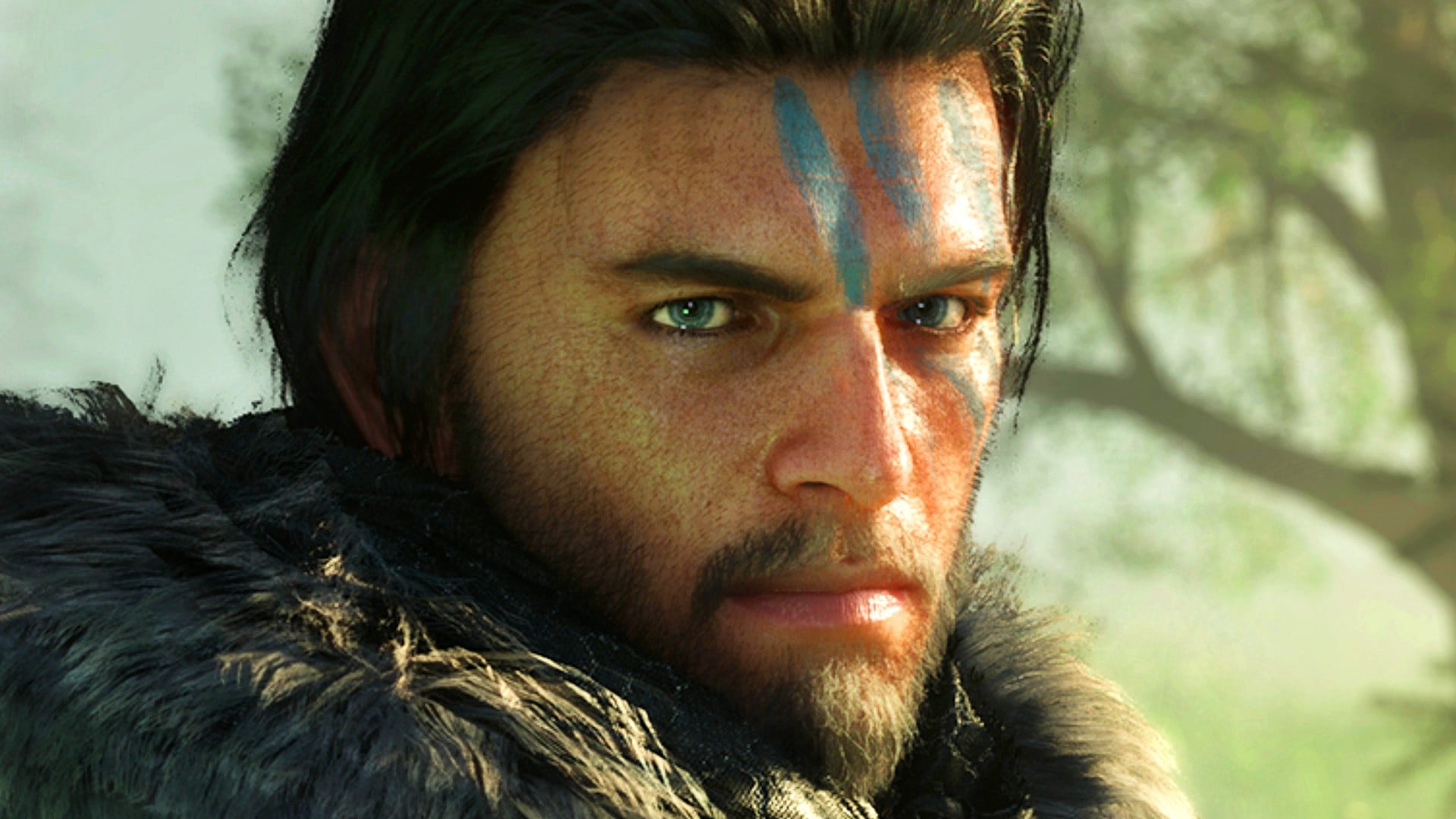
Crimson Desert has already been described as a major success on PC and current-generation consoles, with millions of copies sold and major revenue behind it. Its scale matters. Games like this are not just about basic graphics settings. They often involve dense environments, physics interactions, fast combat, complex animation, high-resolution textures, open-world streaming, and large CPU and GPU workloads happening at the same time.
That is why Canadian buyers should treat this news as a buying signal. If one of the year’s biggest games is expanding to more platforms, the next wave of AAA games will likely continue pushing system requirements upward. Are you buying a PC only for today’s games, or are you buying for the games you already know you will want to play next year?
What Do You Want Your Next PC to Do for You?
Before comparing graphics cards, CPUs, memory, and storage, start with a more practical question: what do you actually want your next PC to do for you?
Do you want a budget gaming computer that plays new titles at 1080p without overspending? Do you want a high FPS gaming PC for esports and competitive games? Do you want a 1440p gaming PC in Canada that balances visual quality and smooth performance? Are you aiming for a 4K gaming PC that can handle ultra settings, ray tracing, and demanding open-world games? Or are you building a machine that needs to game, stream, edit video, design graphics, and render projects after hours?
Those answers matter more than a generic “best PC” label. A system built for a student playing Fortnite, Minecraft, Valorant, Roblox, and occasional AAA releases should not be configured the same way as a premium buyer who wants 4K open-world gaming, livestreaming, and video editing. A creator working in Premiere Pro, DaVinci Resolve, Photoshop, Lightroom, Blender, or Unreal Engine needs different priorities again.
At Groovy Computers, the goal is not to push every customer into the same build. The goal is to match your real workload to the right custom PC category, whether that is a Custom Gaming PC Canada build, a streaming PC, a creator desktop, a video editing workstation, a graphic design PC, or a 3D rendering workstation.
What PC Do You Need for New Open-World Games?
Open-world games are some of the hardest titles to plan for because they stress multiple parts of a computer at once. The GPU controls much of the visual workload, including resolution, texture quality, shadows, effects, ray tracing, and frame output. The CPU helps drive game logic, world simulation, background tasks, NPC behaviour, physics, and high frame rates. RAM affects smoothness when large assets are being loaded and swapped. Storage speed matters because modern games constantly stream data from the drive.
So when someone asks, “What gaming PC do I need for new games?” the honest answer is: it depends on the experience you want. A game may technically run on modest hardware, but that does not mean it will feel smooth, look sharp, or hold up well over the next several years.
Do You Want 1080p, 1440p, or 4K Gaming?
If you want reliable 1080p gaming, you can often choose a more value-focused system with a balanced CPU, a modern mid-range GPU, 16GB to 32GB of RAM, and fast NVMe storage. This tier is ideal for many Canadian gamers who want strong performance without paying for features they may not use.
If you want 1440p gaming, the GPU becomes more important. This is one of the most popular sweet spots for modern PC gaming because it offers a sharper image than 1080p without the extreme GPU demand of 4K. A strong 1440p Gaming PC Canada build should be designed with enough graphics performance, cooling, and power supply headroom to stay comfortable in demanding AAA titles.
If you want 4K gaming, especially with ultra settings or ray tracing, you should look at a premium GPU tier, stronger CPU pairing, more memory, excellent airflow, and a higher-quality power supply. A 4K gaming PC is not just about buying the biggest graphics card you can afford. It is about making sure every component supports the experience without thermal throttling, bottlenecks, or premature upgrade pressure.
Do You Care About Ray Tracing and Ultra Settings?
Ray tracing can make lighting, reflections, shadows, and atmosphere look more realistic, but it also increases GPU demand. If you want ray tracing in cinematic open-world games, you should not shop the same way as someone who only plays competitive shooters on low settings for maximum FPS.
Ask yourself: do you want the game to feel like a visual showcase, or do you mainly care about frame rate? Do you want to turn settings up and forget about tweaking, or are you comfortable adjusting shadows, reflections, and upscaling options? These questions help determine whether a mid-range, upper-mid-range, or flagship-class custom gaming PC makes sense.
Which Performance Tier Fits You Best?
Choosing the right performance tier is one of the most important parts of buying a gaming desktop in Canada. Too little performance can lead to frustration and another upgrade sooner than expected. Too much performance can waste money if your games, monitor, and workload do not benefit from it. The best system is the one that fits your actual use case.
Budget Gaming PC Canada: Who Should Choose It?
A budget gaming PC is ideal if you are focused on 1080p gaming, esports titles, school use, everyday productivity, and occasional AAA games with reasonable settings. This tier can be excellent for first-time buyers, students, families, and gamers upgrading from older desktops or consoles.
But here is the key question: are you buying a budget system because it truly matches your needs, or because you are trying to keep the upfront cost low? If you already know you want to play demanding games at higher settings, stream gameplay, or edit videos, buying too low can cost more later.
1440p Gaming PC Canada: The Sweet Spot for Many Players
A 1440p gaming PC is often the best balance for modern gaming. It gives you noticeably sharper visuals than 1080p, strong frame rates with the right GPU, and a better long-term path for new games. If you are excited about open-world releases, action RPGs, survival games, racing games, shooters, and cinematic single-player titles, this tier deserves serious consideration.
Do you already own a 1440p high-refresh monitor, or are you planning to buy one? If yes, your PC should be built to match that display. A great monitor paired with an underpowered PC is disappointing. A strong PC paired with a low-end display can also limit what you actually experience.
High End Gaming PC Canada: When Premium Hardware Makes Sense
A high-end gaming PC makes sense if you want 4K resolution, ultra settings, ray tracing, high-refresh 1440p, VR, streaming, recording, heavy multitasking, or a longer upgrade cycle. This is also the tier many buyers consider when they want one system that can handle gaming and creative work together.
How long do you want your next PC to last before you feel pressure to upgrade? If your answer is “as long as possible,” then spending more on the right GPU, CPU, RAM, cooling, and power supply can be smarter than buying a system that barely meets today’s needs.
Is a Gaming PC Better Than Waiting for a Console Version?
The Switch 2 version of Crimson Desert is exciting because it may bring a huge game to a more portable audience. But a hybrid console experience and a gaming PC experience are not the same thing. Console optimization can be impressive, but PC still gives players more control over resolution, frame rate, graphics settings, peripherals, storage expansion, streaming tools, mods, multitasking, and upgrade paths.
Are you the kind of player who wants convenience, or the kind who wants control? Do you want to play from the couch, or do you want high frame rates, mouse and keyboard options, ultrawide displays, recording software, Discord, OBS Studio, browser guides, music, and creator tools all running together?
For many Canadian gamers, the answer is not “console or PC.” It is “which platform gives me the best version of the experience I care about?” If your priority is visual quality, performance flexibility, streaming, and longevity, a custom gaming desktop remains one of the strongest choices.
Why Canadian Buyers Should Think About Timing
Major game launches can influence PC demand. When a highly anticipated title starts trending, more players begin asking whether their current computers are ready. That can create pressure around graphics cards, CPUs, memory, SSDs, and ready-to-ship gaming PCs. Even when a single game does not change the entire market, clusters of big releases, seasonal sales, school periods, creator software updates, and hardware demand cycles can affect availability and pricing.
So ask yourself: are you buying before the next major release, or waiting until everyone else starts shopping at the same time? Are you trying to upgrade during a sale period, before a price spike, before a hardware shortage, or before your current system fails to keep up?
Waiting can make sense if you are not in a hurry and your current PC still performs well. But waiting can also backfire if you are already dealing with low FPS, crashes, long load times, poor stream quality, slow exports, or limited storage. A delayed purchase does not always save money if replacement costs rise, stock tightens, or you end up buying urgently with fewer options.
Should You Finance a Stronger Gaming PC Instead of Buying a Cheaper One?
For some customers, financing is not about buying more than they need. It is about avoiding the mistake of buying less than they need. If you are choosing between a cheaper system that may feel outdated quickly and a stronger build that better fits your games, monitor, and creative workload, financing can make the decision more practical.
Groovy Computers offers financing options up to 4 years, which can help Canadian buyers secure a stronger custom PC before pricing, availability, or replacement costs shift. This can be especially useful if you are preparing for upcoming games, upgrading for school or work, launching a streaming channel, editing client projects, or replacing an aging desktop that is already slowing you down.
Is financing a gaming PC worth it? It can be, if the monthly payment helps you choose the right system instead of settling for a build that forces another upgrade too soon. The smarter question is: does the financed system save you frustration, time, missed opportunities, and future upgrade costs?
If you want help comparing a budget build, a premium RTX gaming PC, a gaming and streaming PC, or a custom creator PC, visit GroovyComputers.ca and explore options built for Canadian customers.
Gaming, Streaming, and Editing: Do You Need One PC That Does Everything?
Many modern buyers are not just gamers. They are also streamers, YouTubers, TikTok creators, photographers, designers, students, remote workers, and small business owners. A game like Crimson Desert can start the buying conversation, but the real PC decision often includes much more.
Do you want to play at 1440p while streaming to Twitch or YouTube? Do you want to record gameplay for later editing? Do you plan to cut clips in CapCut, Premiere Pro, or DaVinci Resolve? Do you want to use Photoshop for thumbnails, Lightroom for photos, Canva for social graphics, or Blender for 3D assets?
If yes, your PC should be configured as a multi-purpose machine. That means thinking beyond average FPS. You need enough CPU power for background tasks, enough GPU acceleration for gaming and creative software, enough RAM for multitasking, and enough fast storage for games, footage, project files, cache files, and exports.
What PC Do You Need for Streaming?
A streaming PC Canada build should be able to play the game smoothly while encoding video, handling chat, overlays, browser sources, alerts, recording, and possibly a second monitor. Many modern GPUs include dedicated encoding features that can help reduce CPU strain, but the overall build still needs to be balanced.
If you want a PC for OBS Studio, Twitch streaming, YouTube Live, or gaming and recording, ask: what resolution will you stream at? Will you stream 1080p or 1440p? Will you record locally at a higher quality while streaming? Will you use a webcam, capture card, microphone software, browser overlays, and editing apps afterward?
These details can change the recommendation from a basic gaming desktop to a Gaming and Streaming PC Canada build with a stronger processor, more RAM, and better storage planning.
Is a Gaming PC Good for Video Editing?
A gaming PC can be excellent for video editing when it is configured properly. Video editing software can benefit from strong CPU performance, GPU acceleration, high RAM capacity, and fast storage. But a gaming PC that focuses only on frame rate may not be ideal for heavy editing if it has limited memory, small storage, or poor thermal design.
If you edit 1080p content occasionally, a mid-range gaming PC may be enough. If you edit 4K footage, multicam projects, long-form YouTube videos, colour-heavy DaVinci Resolve timelines, After Effects compositions, or high-bitrate camera files, you should consider a Custom Video Editing PC Canada build instead of a generic gaming tower.
How much RAM do you need for video editing? Many casual editors can work with 32GB, while heavier 4K, 6K, effects, and multitasking workflows may benefit from 64GB or more. The right answer depends on your footage, software, timeline complexity, and export expectations.
What About Photo Editing and Graphic Design?
Photographers and designers often underestimate how much a slow PC affects their workflow. Large RAW photo libraries, AI masking, batch exports, Photoshop layers, Illustrator files, InDesign projects, and multi-monitor setups can feel sluggish on an underpowered computer.
If you use Lightroom Classic, Photoshop, Capture One, Illustrator, Canva, InDesign, or Affinity Designer, ask yourself: do you spend more time waiting than creating? Are previews slow? Do exports interrupt your day? Do large files lag when you zoom, mask, or apply effects?
A photo editing PC or graphic design PC does not always need the same GPU as a 4K gaming monster, but it does need strong single-core performance, enough RAM, fast SSD storage, and reliable stability. For many creative professionals, the best upgrade is not just better benchmark numbers. It is fewer slowdowns during paid work.
Do You Need a 3D Modeling or Rendering Workstation?
Open-world games are not only played by gamers. They also inspire creators, modders, 3D artists, animators, designers, and developers. If Crimson Desert has you thinking about game worlds, assets, cinematic visuals, or your own creative projects, your PC needs may extend into workstation territory.
A 3D Modeling PC Canada build or 3D Rendering PC Canada workstation should be configured differently from a basic gaming desktop. Blender, Unreal Engine, Unity, Maya, 3ds Max, Cinema 4D, ZBrush, AutoCAD, Revit, SolidWorks, and SketchUp can all benefit from carefully selected CPU, GPU, RAM, and storage combinations.
What PC do you need for Blender or Unreal Engine? If you are only learning, a gaming PC may be a good starting point. If you are rendering complex scenes, developing game environments, working with large texture sets, simulating, animating, or producing client work, you should consider a custom 3D workstation with more memory, stronger GPU acceleration, and excellent cooling.
Workstation buyers should also think about reliability. A crash during a render, export, or client deadline can cost more than the hardware itself. That is why stress testing, component matching, airflow planning, and warranty support matter.
Why Custom Builds Matter More Than Generic Prebuilts
A generic prebuilt PC may look appealing because the specs seem simple: CPU, GPU, RAM, storage, price. But the details behind those specs matter. What exact power supply is used? Is the case airflow good enough? Is the CPU cooler appropriate? Is the motherboard suitable for future upgrades? Is the RAM configured correctly? Is the SSD fast and reliable? Has the system been stress tested?
A custom PC builder can make better decisions around the full system, not just the headline components. That matters for gaming, streaming, editing, design, and workstation performance. A poorly cooled high-end PC can underperform. A weak power supply can limit future upgrades. A small SSD can become a problem as game sizes and project files grow. A mismatched CPU and GPU can waste money.
Groovy Computers builds custom PCs in Canada with a focus on matching the system to the customer’s actual use case. Whether you need a budget gaming PC, a high FPS esports system, a premium 4K gaming desktop, a custom creator PC, or a professional workstation, the build should be planned as a complete machine.
Every serious PC buyer should ask: am I buying a parts list, or am I buying a tested system designed around my goals?
How Pricing Volatility Can Affect Your PC Decision
PC component pricing can change quickly. GPUs, CPUs, RAM, SSDs, cases, power supplies, and cooling hardware all move through supply cycles. Demand from gaming, AI workloads, creator software, workstation users, seasonal promotions, and new product launches can influence availability. Canadian buyers also have to think about currency movement, shipping costs, import dynamics, and regional stock conditions.
This does not mean you should panic buy. It means you should be strategic. If your current PC is already struggling and you know you need better performance for upcoming games or creative work, waiting without a plan can be risky. If you are buying before a major game release, before a software upgrade, before a school term, before a work project, or before a sale period ends, timing matters.
Would you rather secure the right build while options are available, or shop later when demand is higher and compromises are harder to avoid? Would financing help you choose a better long-term configuration now instead of replacing a weaker system sooner?
Questions to Ask Before Buying Your Next Gaming PC in Canada
Before you buy a gaming computer in Canada, take a few minutes to answer the questions that actually shape the right recommendation.
- What games do you play most? Esports titles, open-world RPGs, competitive shooters, simulation games, racing games, survival games, and ray tracing-heavy releases all stress hardware differently.
- What resolution do you want? 1080p, 1440p, and 4K require different GPU tiers.
- Do you care more about visuals or FPS? Competitive players often prioritize high frame rates, while cinematic gamers may prefer ultra settings.
- Will you stream or record gameplay? Streaming adds CPU, GPU, memory, and storage demands.
- Will you edit video or photos? Creator workloads may require more RAM, faster storage, and stronger CPU performance.
- Do you use Adobe Creative Cloud, DaVinci Resolve, Blender, Unreal Engine, or CAD software? Software-specific needs can change the build dramatically.
- How long do you want the system to last? A future proof gaming PC Canada build should include upgrade headroom.
- Is your budget based on total price or monthly payment? Financing may let you choose a stronger system that better fits your actual needs.
- Do you want support and warranty confidence? A tested gaming PC with warranty support is safer than a random parts bundle or unknown marketplace machine.
Gaming Laptop vs Gaming Desktop: Which Makes More Sense?
Some buyers considering a big game release also look at gaming laptops. Portability is useful, but desktops usually offer stronger performance per dollar, better cooling, easier upgrades, quieter operation, and longer service life. If you travel often or need one device for school and gaming on the move, a laptop may make sense. But if your priority is performance, value, upgradeability, and long-term gaming power, a desktop is usually the better investment.
Do you actually need portability, or do you mostly play at a desk? If your PC will stay in one room with a monitor, keyboard, mouse, headset, and speakers, a custom gaming desktop can give you a better experience for demanding games and creative workloads.
Why Groovy Computers Is a Strong Fit for Canadian PC Buyers
Groovy Computers is built around Canadian customers who want more than a generic computer. A good custom PC should be selected, assembled, tested, and supported with your actual use in mind. That includes gaming performance, thermal reliability, airflow, upgrade paths, creator software needs, and budget planning.
For customers in Nova Scotia, Atlantic Canada, and across the country, Groovy Computers offers a Canadian custom PC builder experience focused on gaming desktops, creator PCs, and workstation systems. Whether you are near Trenton, New Glasgow, Halifax, elsewhere in Atlantic Canada, or ordering online from another province, the goal is the same: get a system that makes sense for your games, software, and budget.
Groovy Computers systems are built with care, tested for reliability, and backed by a 1-year warranty. That confidence matters when you are buying a machine for demanding games, streaming, editing, rendering, productivity, or long-term home use.
What Should You Buy If Crimson Desert Is on Your Radar?
If Crimson Desert or similar open-world games are on your radar, think in terms of the experience you want rather than the minimum required to launch the game. Minimum settings are rarely the goal for serious players. You want smoothness, stability, fast loading, and visual quality that makes the game feel worth your time.
For 1080p players, a value-focused gaming desktop with modern graphics, 16GB to 32GB of RAM, and fast NVMe storage may be enough. For 1440p players, choose a stronger GPU and balanced CPU so you can enjoy sharper visuals and smoother frame rates. For 4K, ray tracing, and ultra settings, look toward a premium gaming PC with stronger cooling, more GPU power, and long-term headroom.
If you plan to stream, edit, design, or render, do not buy based only on game performance. Choose a gaming and creator PC that supports your full workflow. If your PC makes money for you through content, client work, or productivity, the value of a faster system is measured in time saved, fewer delays, and better output.
Is Now a Good Time to Buy a Gaming PC?
The best time to buy a gaming PC is when your current system no longer matches your goals and you can secure the right build with confidence. If you are already lowering settings, avoiding new games, waiting through long exports, running out of storage, or worrying about whether your PC can handle what is next, then waiting may not be helping you.
Major game announcements, platform expansions, hardware demand cycles, and creator software updates all point in the same direction: performance expectations keep rising. Buying the right custom PC now can help you avoid rushed decisions later, especially if you use financing to step into a stronger tier before replacement costs or availability become less favourable.
So the real question is: do you want your next PC to barely get by, or do you want it to feel ready for the games, streams, edits, designs, and projects you actually care about?
Ready to Choose the Right Custom Gaming PC in Canada?
If you are excited about Crimson Desert, upcoming AAA games, 1440p gaming, 4K performance, streaming, video editing, content creation, or workstation workloads, Groovy Computers can help you choose a system that fits. You do not have to guess your way through CPUs, GPUs, RAM, storage, cooling, and financing options alone.
Do you need a Budget Gaming PC Canada build, a premium RTX gaming PC, a Custom Creator PC Canada system, a Video Editing PC Canada workstation, or a 3D Rendering PC Canada build? If you are not sure, that is exactly where Groovy Computers can help. Visit GroovyComputers.ca to browse custom PCs, explore financing, and get guidance before your next upgrade window closes.
A Gaming PC for New Games should not be chosen at random. It should be built around how you play, what you create, what you plan to stream, how long you want the system to last, and whether financing can help you secure the right performance tier now. For Canadian buyers who want confidence, tested hardware, custom build quality, and warranty support, Groovy Computers is ready to help you build smarter.
#GamingPCForNewGames #GamingPCCanada #CustomGamingPCCanada #1440pGamingPC #4KGamingPC #StreamingPCCanada #CreatorPCCanada #GamingPCFinancingCanada #GroovyComputers
Groovy Computers | All Rights Reserved


Leave a comment
This site is protected by hCaptcha and the hCaptcha Privacy Policy and Terms of Service apply.