






















Gaming PC for New Games: What Crimson Desert’s Open-World Ambition Means for Canadian PC Buyers
Gaming PC for New Games is no longer just a search term for players who want higher FPS. It is becoming a serious buying decision for anyone who wants to enjoy the next generation of large-scale open-world games, stream gameplay, record content, edit clips, and avoid upgrading too soon. The latest news around Pearl Abyss presenting the development process behind Crimson Desert at Japan’s CEDEC 2026 game developer conference is a strong reminder of where modern PC gaming is heading: bigger worlds, denser environments, more complex physics, more cinematic visuals, and heavier demands on gaming hardware.
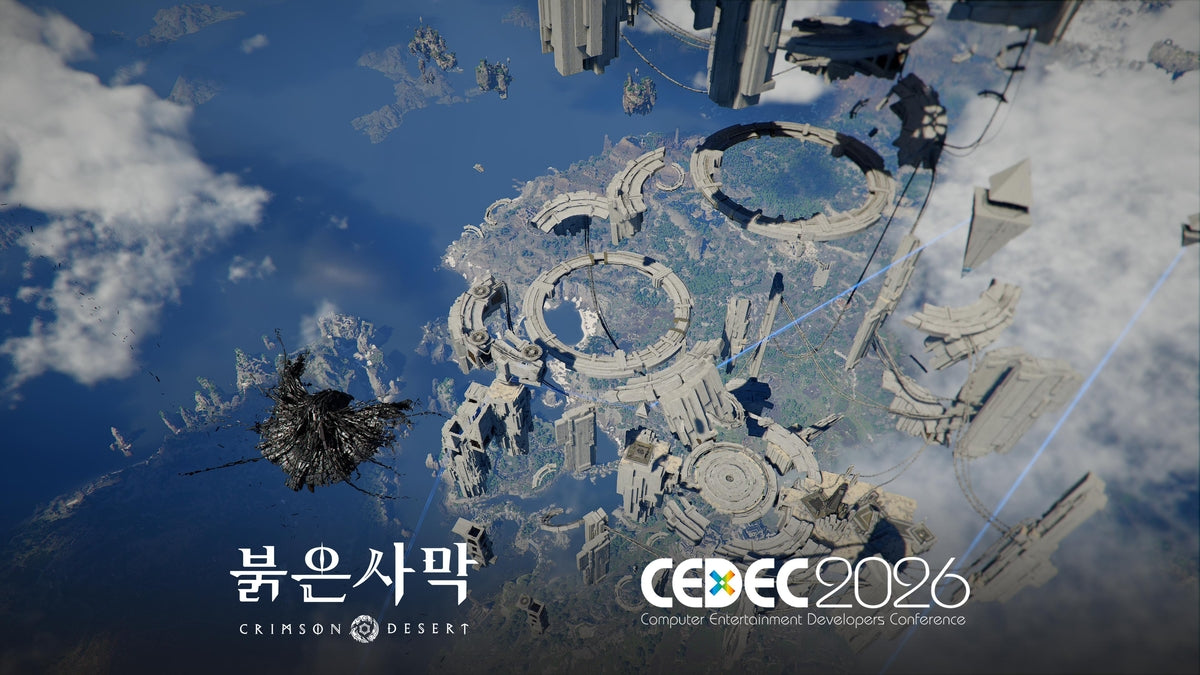
According to the source report, Pearl Abyss has been invited to speak at CEDEC 2026 in Yokohama, where members of the Crimson Desert development team will discuss how they built a large-scale open-world development process. The lecture is expected to focus on the challenges of creating a massive open world, improving content production efficiency, refining iterative development, and building collaboration systems for a large project. For gamers, that may sound like developer talk. For PC buyers, it means something very practical: the games you are buying a computer for are becoming more technically ambitious.
If a studio is talking publicly about the production systems required to manage a massive open-world game, Canadian players should ask a simple question: is your current PC ready for the kind of game design that is coming next?
At Groovy Computers, we see this every time a major game gains momentum. Players do not just ask whether a PC can launch a title. They ask whether it can run smoothly at 1080p, 1440p, or 4K. They ask whether ray tracing is worth it. They ask whether they can stream to Twitch or YouTube while playing. They ask whether their gaming PC can also handle video editing, photo editing, graphic design, 3D modeling, school, work, and creative projects. That is why a Canadian custom PC builder matters more than ever: a well-matched build can give you performance now and a stronger upgrade path later.
Why Crimson Desert’s CEDEC 2026 Presentation Matters to PC Gamers
The source article is not a traditional PC requirements announcement. It does not list minimum specs, recommended specs, GPU models, CPU requirements, or exact frame-rate targets. Instead, it tells us something bigger about the direction of game development. Crimson Desert is being discussed as a large-scale open-world project with enough technical and production complexity to be featured at a major developer conference.
Why should that matter if you are shopping for a gaming desktop in Canada? Because open-world games are often among the most demanding titles a PC can run. They tend to stress multiple parts of the system at once:
- The GPU handles high-resolution rendering, advanced lighting, shadows, effects, textures, ray tracing, and upscaling technologies.
- The CPU manages simulation, AI, world streaming, physics, background systems, crowd behavior, and frame pacing.
- RAM helps keep large assets, background tasks, game engines, launchers, browsers, Discord, OBS, and creator software running smoothly.
- SSD storage affects load times, asset streaming, update handling, and how responsive the system feels when games are massive.
- Cooling and power delivery determine whether your PC can maintain performance during long gaming sessions instead of throttling under heat.
Are you buying a PC only to run today’s games, or are you trying to prepare for the next wave of open-world releases? That question changes the build.
Gaming PC for New Games: Why “Can It Run?” Is No Longer Enough
A Gaming PC for New Games should not be judged only by whether it meets a minimum requirement. Minimum specs are often designed to let a game start and run at basic settings. Most players want more than that. They want smooth combat, quick loading, strong visuals, stable frame rates, and enough headroom for future updates.
Modern open-world titles can become more demanding after launch as patches, expansions, higher-resolution texture packs, ray tracing modes, and new content arrive. A PC that barely meets the starting line may feel old far sooner than expected. This is especially important for Canadian buyers who want to make a smart investment rather than replace or upgrade major parts too quickly.
So what gaming PC do you need? Start with what you actually want the experience to feel like. Do you want a budget-friendly 1080p system for casual play? Do you want a 1440p Gaming PC Canada buyers can rely on for sharper visuals and higher refresh rates? Are you aiming for a 4K Gaming PC Canada setup with ultra settings, cinematic detail, and ray tracing? Or are you also planning to stream, record, edit, and create content around the game?
The answer determines whether you should prioritize a value GPU, a stronger CPU, more RAM, faster storage, a premium graphics card, or a workstation-style configuration.
What Do You Want Your Next PC to Do for You?
Before choosing parts, ask yourself the most important question: what do you want your next PC to do for you?
Do you want it to play Crimson Desert, future open-world RPGs, competitive shooters, racing games, survival games, and AAA releases without constant settings compromises? Do you want to stream on OBS while keeping your frame rate stable? Do you want to edit YouTube videos, TikToks, reels, thumbnails, and gameplay highlights? Do you want to run Adobe Premiere Pro, DaVinci Resolve, Photoshop, Lightroom, Blender, Unreal Engine, Unity, AutoCAD, or other demanding software?
A gaming PC can be more than a gaming machine. With the right build, it can become a Streaming and Editing PC Canada creators can depend on, a photo editing desktop, a graphic design workstation, a 3D modeling PC, or a multi-purpose system for school, business, and content creation.
The real mistake is not buying “too much PC.” The real mistake is buying the wrong PC: one that looks good on paper but does not match your actual workload, monitor, games, software, upgrade expectations, or budget.
Which Performance Tier Fits You?
Not every player needs the same system. A smart custom build starts with your target resolution, frame-rate expectations, game library, and creator needs. If you are wondering how much you should spend on a gaming PC, the better question is: what performance tier will keep you happy for the longest amount of time?
Entry-Level and Budget Gaming: Is 1080p Enough?
A budget gaming computer can be a great fit if you mostly play esports titles, lighter games, older titles, indie games, Minecraft, Roblox, Fortnite, Valorant, Counter-Strike 2, or less demanding releases. It can also work for new AAA games if you are comfortable with 1080p resolution and tuned settings.
This tier is ideal for students, first-time PC gamers, and buyers who want a practical system without overspending. But if your goal is to play the newest cinematic open-world games at high settings, you need to be honest about expectations. Can a budget gaming PC play new games? Often yes, but not always at the visual quality, ray tracing level, or frame rate that premium players expect.
If you are choosing this tier, ask yourself: will you be satisfied with 1080p gaming for the next few years, or will you likely want 1440p sooner than you think?
Mainstream Performance: Is 1440p the Sweet Spot?
For many Canadian gamers, 1440p is the best balance of sharp visuals, high FPS, and long-term value. A well-built 1440p gaming PC can handle modern titles with strong settings while leaving room for streaming, multitasking, and future game updates.
If you are asking “what PC do I need for 1440p gaming,” the answer usually starts with a balanced GPU and CPU combination, 32GB of RAM for modern multitasking, fast NVMe SSD storage, reliable cooling, and a quality power supply. This is where custom building becomes especially valuable because a poorly matched system can bottleneck itself. A strong graphics card paired with an underpowered CPU, weak airflow, or limited RAM may not deliver the smooth experience you expect.
This tier is often the best fit for players who want a serious Gaming PC for New Games without stepping all the way into flagship pricing.
Premium Gaming: Do You Want 4K, Ultra Settings, or Ray Tracing?
If your goal is 4K gaming, ultra settings, ray tracing, high refresh rates, or maximum visual fidelity, you are in premium gaming PC territory. A 4K Gaming PC Canada buyer should pay close attention to GPU horsepower, VRAM, CPU strength, RAM capacity, cooling, power supply quality, and case airflow.
Ray tracing and advanced lighting can transform how a game looks, but they also increase GPU demand. Open-world games with dense environments, weather systems, large draw distances, and cinematic effects can push hardware hard. If you want the best experience in visually ambitious releases, a premium RTX gaming PC or high-end custom gaming desktop makes sense.
Ask yourself: do you want a PC that simply runs new games, or do you want a PC that makes them look and feel next-generation?
Streaming and Content Creation: Are You Gaming, Recording, and Editing?
Many players are no longer just playing games. They are sharing them. If you want to stream on Twitch, YouTube Live, TikTok Live, or record gameplay for videos, your PC needs extra headroom. OBS, Streamlabs, Discord, browser sources, webcams, microphones, overlays, capture tools, and editing software can all run alongside the game.
A gaming and streaming PC should be built differently from a basic gaming desktop. You may need a stronger GPU with efficient encoding support, a CPU with enough cores for multitasking, 32GB or more RAM, fast storage for recorded footage, and reliable cooling for long sessions.
What PC do you need for streaming? If you are playing demanding open-world titles while recording or broadcasting, do not shop only by average FPS. Look for stability, encoding performance, storage capacity, and thermal consistency. Dropped frames, stutters, loud fans, and crashes can ruin both your game and your content.
Creator and Workstation Use: Will Your Gaming PC Also Make You Money?
A custom gaming PC can also be a powerful creative workstation when configured properly. If you edit 4K video, design graphics, process RAW photos, create thumbnails, build 3D scenes, render animations, develop game assets, or work in CAD software, you need a system that goes beyond basic gaming specs.
A Creator PC Canada buyer should think about CPU performance, GPU acceleration, RAM capacity, SSD speed, scratch storage, multi-monitor support, and software-specific needs. A PC for Adobe Premiere Pro Canada may benefit from a different balance than a PC for Blender Canada. A photo editing PC may prioritize fast single-core responsiveness, RAM, SSDs, and display workflow. A 3D rendering PC may lean heavily into GPU rendering power and VRAM.
Is a gaming PC good for content creation? It can be, but only if the parts are selected for both gaming and creative workloads. That is where Groovy Computers can help you avoid a build that is strong in one area but weak in another.
Open-World Games Are Becoming Full-System Workloads
Open-world game performance is not just about the graphics card. It is about how the whole computer works together. A massive game world can create heavy asset streaming, complex CPU scheduling, dense NPC activity, high texture usage, and constant storage access. If you are running the game from an older drive, using limited RAM, or relying on a mismatched CPU and GPU, your experience may suffer even if one part of the PC looks impressive.
This is one reason custom PC building matters. A balanced system is not just a list of expensive parts. It is a carefully matched configuration designed around your goals. Do you want high FPS at 1080p? Do you want a beautiful 1440p experience? Do you want 4K? Do you want ray tracing? Do you want to stream? Do you want to edit video after you play? Do you want to keep the PC for years without feeling forced into a major upgrade?
Those questions help determine the correct system, not just the most expensive system.
Why Canadian Buyers Should Think About Timing Before Major Game Releases
When a major game gains attention, hardware demand can rise. The same thing can happen around holiday sales, back-to-school buying periods, creator software upgrades, GPU launches, memory market shifts, storage price changes, and supply constraints. Canadian buyers also have to think about exchange rates, import costs, shipping conditions, and component availability.
Is it better to buy a gaming PC now or wait? There is no universal answer, but waiting is not always safer. If you already know you need a stronger system for upcoming games, streaming, video editing, school, work, or content creation, delaying can expose you to price movement and stock changes. A build that fits your budget today may become harder to secure later if GPUs, RAM, SSDs, or full systems increase in replacement cost.
This is especially relevant if you are shopping before a game launch, a major sale period, or a software upgrade that will change your workload. If your current PC is already struggling, waiting until the exact moment everyone else starts buying can reduce your options.
Should You Finance a Better PC Instead of Buying a Cheaper One?
Financing can be a practical option when it helps you secure the right system instead of settling for a weaker build that you will outgrow quickly. Groovy Computers offers financing options up to 4 years, which can help Canadian buyers choose a stronger gaming PC, creator PC, or workstation PC without paying the full amount upfront.
Should you finance a gaming PC? It depends on your budget, goals, and how much you use your computer. If the PC is for casual gaming once in a while, a budget build may be enough. But if it is your main gaming machine, streaming setup, editing station, design tool, 3D modeling workstation, school computer, or business system, financing a better configuration may save frustration and reduce the chance of needing an early upgrade.
Ask yourself this: would a slightly stronger PC help you avoid replacing the GPU, adding RAM, upgrading storage, or rebuilding sooner than expected? If the answer is yes, financing may be worth considering.
If you want a Gaming PC for New Games and you are worried about component prices, demand spikes, or buying the wrong tier, visit GroovyComputers.ca and ask Groovy Computers to help you choose a build that fits your games, software, budget, and upgrade timeline.
Custom PC vs Generic Prebuilt: Why Build Quality Matters More for Demanding Games
Generic prebuilts can look appealing because they often advertise a recognizable CPU or GPU. But the headline parts do not tell the full story. A PC can have a strong graphics card and still be held back by weak cooling, poor airflow, limited RAM, a low-quality power supply, slow storage, unnecessary bloatware, or limited upgrade space.
For demanding open-world games, streaming, and creator workloads, those details matter. Heat affects performance. Power delivery affects stability. Case airflow affects noise and component lifespan. RAM capacity affects multitasking. SSD quality affects responsiveness. Cable management affects airflow and serviceability. Testing affects confidence.
Groovy Computers builds custom systems for Canadian customers who want more than a spec sheet. A properly configured gaming desktop is selected, assembled, tested, and supported with real-world use in mind. Every Groovy Computers system is built with attention to component matching, performance expectations, and reliability, with rigorous testing and a 1-year warranty for added confidence.
If you are comparing custom PC vs prebuilt PC Canada options, ask this: are you buying a computer that was built around your needs, or are you trying to make your needs fit whatever parts happened to be bundled together?
What Hardware Should You Prioritize for Open-World Gaming?
For a modern open-world gaming PC, the GPU is usually the star of the system, but it should not be chosen in isolation. The right build depends on your resolution, refresh rate, settings target, and whether you will also stream or create content.
GPU: The Heart of Visual Performance
The graphics card has the biggest impact on resolution, visual settings, ray tracing, upscaling, and high-FPS gaming. If you are targeting 1080p, you can often choose a more value-focused GPU. For 1440p, you need a stronger graphics card with enough VRAM to handle modern textures and effects. For 4K, ray tracing, and ultra settings, premium GPU performance becomes far more important.
Do you need an RTX GPU for every game? Not always. But if you care about ray tracing, AI-assisted upscaling, creator acceleration, streaming encoders, and modern game features, GPU choice becomes one of the most important decisions in the build.
CPU: Smoothness, Simulation, and Multitasking
Open-world games often lean on the CPU for background systems, AI, physics, world streaming, and frame pacing. A weak CPU can cause stutter even when the GPU is capable. If you stream, record, edit, or run multiple apps while gaming, CPU strength becomes even more important.
For high-refresh competitive gaming, CPU performance can be the difference between average FPS and consistently smooth gameplay. For content creation, more cores can improve rendering, exporting, and multitasking. The best CPU is not always the most expensive one; it is the one that fits your exact workload.
RAM: 16GB, 32GB, 64GB, or More?
For many modern gaming PCs, 32GB is becoming a comfortable target, especially if you multitask. If you keep Discord, browsers, launchers, music apps, OBS, and background tools open while gaming, extra RAM helps. For video editing, 3D modeling, large Photoshop files, RAW photo batches, and serious creator workloads, 64GB or more can make sense.
How much RAM do creators need? It depends on the software. A player who only games at 1080p has different needs than a YouTuber editing 4K footage or a 3D artist rendering complex scenes in Blender.
Storage: Do Not Underestimate Fast SSDs
Large games can take up a lot of space. Game updates can be huge. Recorded gameplay can fill drives quickly. Creator projects can grow fast. A modern gaming PC should have fast NVMe SSD storage, and many users benefit from a larger main drive or a secondary project drive.
If you are buying a PC for open-world games and content creation, ask: will your storage still feel comfortable six months from now?
Cooling and Power: The Hidden Performance Features
Cooling and power supply quality are easy to overlook because they do not show up in a simple FPS chart. But they matter every day. A system that runs cooler can maintain boost clocks better, reduce noise, improve stability, and support future upgrades. A quality power supply protects your investment and gives your system room to handle demanding components.
This is where a Canadian custom PC builder can make a major difference. Groovy Computers does not just choose parts that look good in a listing. The goal is to build systems that make sense as complete machines.
What If You Also Stream, Edit, Design, or Model in 3D?
The source story focuses on game development, but that creates another important point for buyers: the tools used to create modern games are the same kinds of tools more gamers and creators now use at home. Blender, Unreal Engine, Unity, Adobe Creative Cloud, DaVinci Resolve, Photoshop, Illustrator, Lightroom, and other creative platforms all benefit from strong hardware.
If you are inspired by ambitious games like Crimson Desert, you may not only want to play them. You may want to make content about them, mod games, learn Unreal Engine, create 3D assets, edit videos, design overlays, build thumbnails, or develop your own projects.
What PC do you need for Blender? What PC do you need for video editing? What PC do you need for graphic design? The answer may be different from a simple gaming build. A 3D Modeling PC Canada buyer may need more VRAM and RAM. A video editor may need fast storage and a strong CPU/GPU balance. A graphic designer may need smooth Adobe performance and multi-monitor support. A streamer may need GPU encoding, stable networking, and quiet cooling.
If your PC needs to do more than play games, tell Groovy Computers before you buy. The right configuration can save time, reduce frustration, and help your system stay useful longer.
Canadian Buying Context: Why Local Support and Warranty Confidence Matter
Canadian PC buyers face a different buying environment than customers in larger markets. Component pricing can shift. Availability can vary by region. Shipping can matter. Warranty support matters. If you are in Nova Scotia, Atlantic Canada, Halifax, New Glasgow, Trenton, or anywhere across Canada, buying from a Canadian Gaming PC Company gives you a more relevant experience than guessing your way through a generic marketplace listing.
Groovy Computers is based in Canada and focused on custom gaming PCs, creator PCs, and workstation PCs for Canadian customers. That means the advice is not abstract. It is based on real buyer needs: students choosing a first gaming PC, parents buying for a gamer, streamers upgrading for consistency, creators trying to reduce export times, professionals needing a reliable workstation, and players preparing for new releases.
When you buy a custom PC, you are not just buying parts. You are buying the confidence that those parts belong together, have been tested, and are backed by support.
Questions to Ask Before Buying a Gaming PC for New Games
Before you choose a system, take a few minutes to answer these questions. They can help you avoid overspending in the wrong place or underspending where it matters most.
- What games do you want to play over the next two to three years?
- Are you targeting 1080p, 1440p, or 4K?
- Do you care about ray tracing, ultra settings, high refresh rates, or competitive FPS?
- Will you stream on Twitch, YouTube, TikTok Live, or record gameplay?
- Will you edit videos in Adobe Premiere Pro, DaVinci Resolve, CapCut, or After Effects?
- Do you use Photoshop, Lightroom, Illustrator, Canva, InDesign, or other design tools?
- Are you learning Blender, Unreal Engine, Unity, CAD, animation, or 3D rendering?
- Do you need the PC for school, work, business, or content creation as well as gaming?
- How long do you want to avoid upgrading?
- Would financing help you choose the right system now instead of settling for a weaker one?
If these questions make the decision feel more complex, that is normal. Modern PCs are powerful, but they are not one-size-fits-all. The goal is to match the machine to your real life.
When Should You Choose a Budget Gaming PC?
Choose a budget gaming PC if you want strong value, mostly play at 1080p, do not need max settings in every new release, and are comfortable tuning graphics options. This is a practical route for new PC gamers, students, families, and buyers who want an affordable entry point.
But be careful with the cheapest possible option. A system that saves money upfront may cost more later if it needs a new GPU, more RAM, additional storage, or a better power supply sooner than expected. The best budget gaming PC is not the cheapest computer available. It is the one that uses your budget wisely.
When Should You Choose a Premium RTX Gaming PC?
Choose a premium gaming PC if you want 1440p high refresh, 4K gaming, ray tracing, ultra settings, heavy modding, streaming, recording, or long-term performance. This tier is also ideal if you plan to pair your PC with a high-end monitor and want the hardware to fully use it.
Premium systems are not just about bragging rights. They can provide smoother frame pacing, better visual quality, faster creator workflows, stronger multitasking, and more upgrade runway. If you are asking “what PC do I need for 4K gaming,” this is the tier where component selection becomes extremely important.
When Should You Choose a Custom Creator PC or Workstation?
Choose a custom creator PC if gaming is only part of your workload. If you edit 4K video, work with RAW photos, design graphics, produce social content, stream regularly, render 3D scenes, build game assets, or use professional software, your system should be selected around those applications.
A workstation PC Canada buyer should prioritize stability, memory capacity, storage planning, CPU/GPU balance, cooling, and long-session reliability. A creator who saves hours every week on exports, renders, previews, and multitasking may get far more value from a properly built system than from a cheaper machine that constantly slows them down.
Is a gaming PC good for workstation use? Sometimes. But a true workstation-focused custom build is better when the PC is tied to productivity, client work, business output, or serious creative projects.
Why Groovy Computers Is Built for This Moment
Game development is moving toward larger worlds and heavier production values. Content creation is becoming more accessible but more demanding. Streaming is no longer niche. Creative software is adding AI tools, GPU acceleration, higher-resolution workflows, and larger project files. Meanwhile, hardware pricing and availability can shift quickly.
Groovy Computers exists for buyers who want guidance, not guesswork. As a Canadian custom PC builder, Groovy Computers helps customers choose systems for gaming, streaming, video editing, photo editing, graphic design, content creation, 3D modeling, and workstation use. Whether you need a budget gaming computer, a premium RTX gaming PC, a custom creator PC, an editing workstation, or a 3D modeling workstation, the right build starts with the right questions.
Do you want help choosing a PC before a major game release, sale period, hardware shortage, software upgrade, or price spike? Do you want to avoid buying a system that feels outdated too soon? Do you want financing options that can help you secure a stronger build now instead of compromising?
Visit GroovyComputers.ca to browse custom gaming PCs, ask about financing, or get help choosing a system that matches your games, software, monitor, budget, and future plans.
The Bottom Line: Buy for the Games and Workloads You Are Actually Moving Toward
The CEDEC 2026 news around Crimson Desert is a useful signal for PC buyers. Games are not getting smaller, simpler, or less demanding. Large-scale open worlds require serious development processes, and that ambition eventually shows up in the hardware experience players feel at home.
If you are shopping for a Gaming PC for New Games, do not buy based only on minimum requirements or a single headline component. Think about the resolution you want, the games you are excited for, the software you use, the content you want to create, the upgrades you want to avoid, and the budget strategy that makes the most sense.
A well-built custom PC can turn new game hype into a better everyday experience: smoother gameplay, better visuals, faster editing, stronger streaming, quicker rendering, and more confidence that your system is ready for what comes next.
If your next question is “what gaming PC do I need,” Groovy Computers can help you answer it clearly. Whether you are buying now, comparing performance tiers, or considering financing before prices shift, the smartest move is to choose a PC built around your real goals.
#GamingPCForNewGames #CustomGamingPCCanada #GamingComputersCanada #1440pGamingPC #4KGamingPC #RayTracingGamingPC #StreamingAndEditingPC #CreatorPCCanada #GroovyComputers
Groovy Computers | All Rights Reserved



Leave a comment
This site is protected by hCaptcha and the hCaptcha Privacy Policy and Terms of Service apply.