




















GTA 6 Hype Is Already Shaping Buying Decisions: What Kind of Gaming PC in Canada Should You Buy Before the Next Big Release?
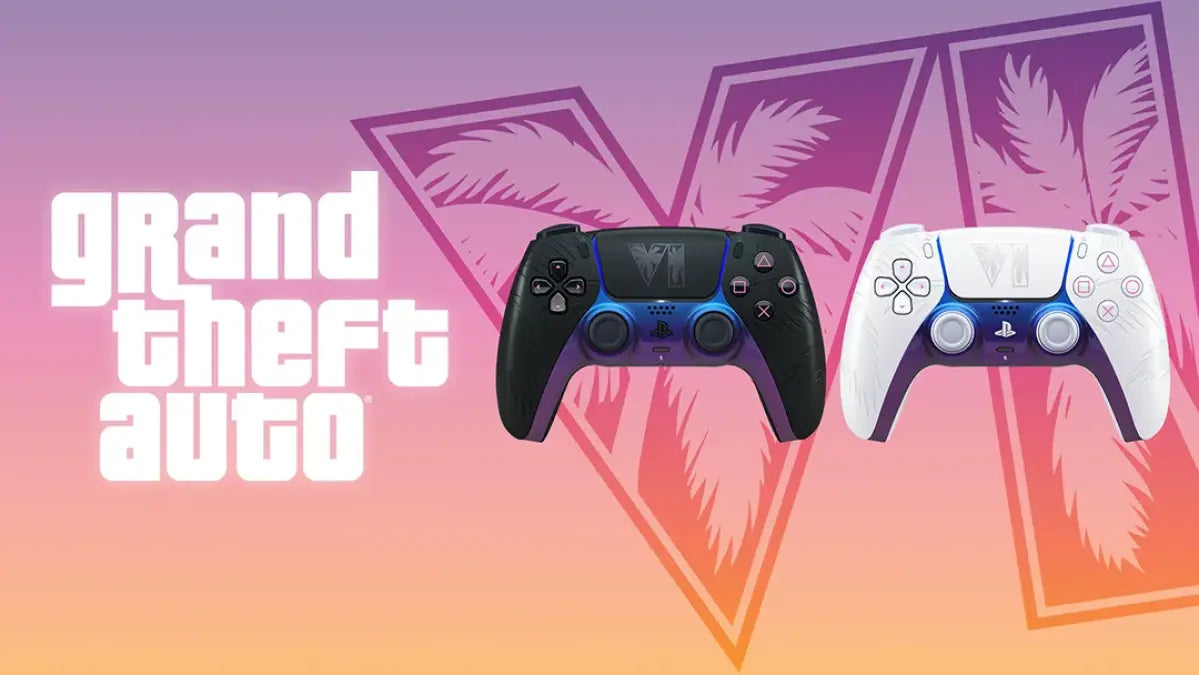
The reported push to turn parts of Miami-Dade into a real-world version of Vice City says something important about the scale of modern game launches: major releases are no longer just entertainment events. They become cultural moments, hardware demand drivers, streaming trends, content creation opportunities, and upgrade triggers. For Canadian buyers, that makes this more than a headline about local politics in Florida. It is also a timely reminder that if you are thinking about a Gaming PC Canada purchase for GTA 6, other upcoming AAA games, streaming, or creator work, waiting until the last minute can leave you with fewer choices, higher system costs, and a build that feels outdated too soon.
The source story focuses on criticism from Miami-Dade officials who oppose the idea of publicly embracing a fictional identity tied to crime-heavy game themes. That debate is understandable on its own terms, but for PC buyers, the bigger takeaway is different: GTA 6 is already driving conversation well before launch. When a game reaches that level of mainstream visibility, many customers start asking the same practical question at the same time: Can my current PC handle what is coming next?
If you have been delaying an upgrade, this is the moment to think carefully. Are you buying a system only for one game, or do you want a PC that can handle open-world titles, ray tracing, livestreaming, editing clips, modding, schoolwork, business use, and future releases over the next several years?
Why does a GTA 6 news story matter to Canadian custom PC buyers?
Because blockbuster releases change buyer behaviour. They push more people into the market at once. They increase demand for stronger GPUs, better CPUs, faster SSDs, more RAM, and overall better cooling. They also create a wave of shoppers who suddenly want better performance for 1080p, 1440p, or 4K gaming, often without a clear idea of what they actually need.
That is where many people make expensive mistakes. They either underbuy and regret it, or they overspend on parts that do not match their goals. A smarter approach is to ask a few clear questions now, before demand pressure grows.
- Do you want smooth 1080p gameplay, or are you targeting 1440p or 4K?
- Do you care about ultra settings and ray tracing, or is stable performance the priority?
- Will you only game, or do you also want to stream with OBS, edit videos, or run creative software?
- Are you trying to stay within a budget, or are you aiming for a more premium long-term system?
- Would financing a stronger machine now help you avoid upgrading again too soon?
For buyers across Canada, including Nova Scotia and Atlantic Canada, this matters because a custom desktop is not just a purchase for today. It is a performance decision that affects the next several years of gaming and productivity.
What does the source article get right about game hype?
It captures the intensity of launch culture. Before some games even arrive, they start influencing media coverage, public debate, and marketing strategy. That kind of momentum often spills over into hardware demand, especially for visually ambitious open-world games that players expect to enjoy at higher settings.
Even without confirmed final PC requirements in the source material, it is reasonable to say this: games with huge worlds, high-detail environments, advanced lighting, and modern physics systems tend to punish older systems faster than many buyers expect. If your current machine already struggles with recent AAA titles, long load times, texture pop-in, inconsistent frame pacing, or multitasking while gaming, a future major release will probably not be the moment it suddenly feels younger.
So what should Canadian shoppers do with that information? Not panic. Plan.
What do you want your next PC to do for you?
This is the most important question in the entire buying process, and most people skip it.
Do you want your next PC to simply launch new games? Do you want it to deliver high FPS in competitive titles? Do you want cinematic open-world performance with ray tracing? Do you want to stream to Twitch or YouTube while gaming? Do you want to edit 4K footage, create thumbnails, work in Photoshop, build assets in Blender, or run Adobe Creative Cloud without your system feeling overloaded?
If your answer is “a bit of everything,” that is actually common. Many Canadian buyers are no longer choosing between a gaming PC and a work PC. They want one machine that can game at night, edit on weekends, stream when needed, and stay responsive under real multitasking loads.
That is exactly why generic off-the-shelf systems often disappoint. A proper custom build should match the way you use your computer, not the way a warehouse wanted to clear parts.
Are you buying a PC for GTA 6 only, or for the next wave of AAA gaming?
A lot of shoppers search for a Gaming PC for GTA 6, but the better question is whether you are building for one title or for a full generation of demanding games. If you buy too close to the minimum, you may get the game running, but not the overall experience you were hoping for.
Open-world games reward stronger hardware in ways that are easy to feel but hard to appreciate from a spec sheet alone. Better GPUs can improve visual quality, frame stability, and ray tracing performance. Better CPUs can help with world streaming, simulation loads, and smoother minimum frame rates. Faster SSDs can improve load times and reduce the frustration of waiting through large game installs and map transitions. More RAM helps with multitasking, newer titles, browsers, voice chat, capture tools, and modded environments.
So ask yourself: do you want to “just run it,” or do you want a machine that still feels satisfying after the excitement of launch week is over?
What PC do you need for 1080p, 1440p, or 4K gaming?
1080p gaming: Who is this tier really for?
A 1080p-focused build still makes sense for many buyers. If you mainly play esports titles, want strong value, use a standard monitor, or are trying to stay in a more affordable range, this can be a smart entry point. But even here, balance matters. A weak budget system can become limiting quickly when newer open-world games enter the rotation.
Ask yourself: are you mainly playing competitive games, or are you expecting modern AAA visuals too? If you want both, your entry-level build should still leave room for stronger GPU and CPU performance than the absolute bare minimum.
This is where a Budget Gaming PC Canada shopper often benefits from proper guidance. The lowest sticker price is not always the best value if the system needs upgrades much sooner than expected.
1440p gaming: Is this the sweet spot for most buyers?
For many Canadian gamers, yes. 1440p is often the smartest balance between image quality, long-term value, and realistic system cost. It gives you a more premium visual experience than 1080p without pushing every buyer all the way into top-end 4K territory.
If you want a 1440p Gaming PC Canada solution for new games, this is often the performance tier where buyers feel they made a meaningful upgrade. Textures, lighting, world detail, and general sharpness all benefit. It is also a strong target for customers who want to pair gaming with streaming or light editing.
Do you want your next PC to feel noticeably better the day you turn it on? For many people, 1440p is where that happens.
4K gaming: Do you really need a premium system?
If your goal is 4K gaming in demanding new titles at high or ultra settings, the answer is usually yes. A true 4K Gaming PC Canada build is not just about a powerful GPU. It also needs a strong supporting platform: enough CPU headroom, adequate cooling, fast storage, and reliable power delivery.
4K buyers should also think beyond average FPS. Do you want better ray tracing? Do you care about frame generation and image quality settings? Do you want the system to remain viable for future heavy releases? If yes, this is where investing in a premium custom build can save frustration later.
Do you want ray tracing, high settings, and long-term value?
Many buyers say yes to all three without realizing that they are describing a higher performance tier than they originally budgeted for.
Ray tracing and advanced graphics settings can transform how a game looks, especially in urban, open-world, and night-scene environments. But those features also put serious pressure on GPU performance. If cinematic visuals are part of why you are excited for future games, then choosing the right GPU class matters more than ever.
Here is the key buying question: would you rather stretch a little now for a system that stays satisfying longer, or save a bit upfront and start thinking about upgrades sooner than you wanted?
That is also where financing becomes part of a rational buying discussion, not just a payment discussion.
Should you buy now or wait until game hype drives more demand?
This is one of the most common questions in PC buying, and it matters even more when major releases dominate the conversation.
Waiting sometimes works in your favour, but not always. If demand increases around major game launches, hardware availability can tighten. Popular GPU tiers can move quickly. Memory and storage pricing can fluctuate. Cases, coolers, and power supplies for better-balanced builds can become less predictable depending on supply conditions. Even if prices do not spike dramatically, your ideal build combination may become harder to secure at the exact moment you want it.
So ask yourself honestly: are you the kind of buyer who wants to shop early, compare properly, and choose the right build calmly? Or do you tend to wait until release season and then rush because your current system suddenly feels too old?
Buying early is not about fear. It is about avoiding bad timing.
Is financing a stronger custom PC the smarter move?
For many customers, yes.
If a better GPU, more RAM, a stronger CPU, or a larger SSD would materially improve how long your system stays useful, financing can make that upgrade path more practical. Groovy Computers offers options that can help qualified buyers spread out the cost instead of settling for a machine they know they may outgrow quickly.
This matters most when you are caught between two performance tiers. Maybe the cheaper build can handle today’s games, but the next step up would give you far better 1440p results, streaming headroom, editing responsiveness, or long-term relevance. In that situation, the real question is not just “What costs less today?” It is “Which system avoids replacement regret?”
Would monthly payments on a stronger build be easier than replacing or heavily upgrading a weaker PC sooner than planned? For many buyers, that answer is yes, especially when they want gaming performance and creator flexibility in one machine.
What kind of buyer should choose each performance tier?
Entry-level and value-focused buyers
You may be a value buyer if you want solid gaming performance, are moving from console or an older desktop, and care more about smart spending than chasing every visual feature. A balanced budget system can still be excellent if it is configured properly.
This tier fits you best if you are asking:
- How much should I spend on a gaming PC?
- Can a budget system still handle newer games?
- Do I need 1440p right away, or is 1080p enough for now?
The key is not to buy the weakest possible hardware. It is to buy the strongest sensible value build for your actual use.
Mainstream gamers who want staying power
This is the largest category. You probably want better visuals, better frame consistency, and enough headroom to enjoy upcoming games without immediately shopping again. You may also use Discord, Chrome, music apps, launchers, and occasional streaming or recording while gaming.
This tier fits you if you are asking:
- What PC do I need for 1440p gaming?
- Is now a good time to buy a gaming PC?
- Should I finance a better PC instead of buying a cheaper one?
If that sounds like you, a stronger mid-range custom build is often the best long-term value.
Premium and enthusiast buyers
If you want top-tier visuals, 4K potential, high refresh gaming, ray tracing, and long-term confidence, you are in premium territory. This is also where gaming overlaps more heavily with creator workloads, because the same hardware strength that helps demanding games can also benefit editing, rendering, and streaming workflows.
This tier fits you if you are asking:
- What PC do I need for ultra settings?
- Should I buy a high-end gaming PC now or wait?
- How long will a premium gaming PC last?
If you know you care deeply about visual quality and future readiness, underbuying usually costs more in the long run.
What if you also stream, edit, or create content?
This is where many buyers should stop thinking in narrow categories. If you want a machine that can game and also handle OBS, Adobe apps, short-form video, thumbnails, Photoshop layers, audio cleanup, or YouTube uploads, your needs go beyond “gaming only.”
A Streaming PC Canada or Creator PC Canada approach makes more sense when your workflow includes:
- Gaming while streaming or recording
- Editing clips for TikTok, YouTube Shorts, or long-form content
- Working in Premiere Pro, DaVinci Resolve, or After Effects
- Designing thumbnails, overlays, ads, or branding assets
- Managing multiple apps at once without system slowdowns
Are you buying a PC that will help you create, not just consume? If so, you should be thinking about CPU strength, GPU acceleration, RAM capacity, SSD speed, and thermal stability together.
What PC do you need for streaming?
If you plan to game and stream on the same machine, your system needs enough overhead that gameplay still feels smooth while encoding, managing scenes, and running background apps. The better your multitasking load, the more important balance becomes.
Do you want occasional casual streaming, or are you planning regular Twitch or YouTube sessions? Do you use a second monitor? Do you record locally while live? These details affect what kind of CPU, GPU, and RAM configuration makes sense.
What PC do you need for video editing?
If your gaming PC also needs to edit 4K footage, creator workloads become part of the buying equation. A proper Video Editing PC Canada build should not leave you waiting through sluggish timelines, slow scrubbing, or painful exports.
Ask yourself: are you clipping gameplay for social posts, or building serious long-form content? Do you work in Premiere Pro, DaVinci Resolve, or both? How much footage do you keep on hand? The answers determine whether you need more CPU power, more RAM, more storage, or all three.
What if you use Photoshop, Illustrator, Lightroom, or design software?
Creative users often benefit from a custom build even more than gamers do, because productivity pain is cumulative. A few extra seconds here, a laggy preview there, a slow export at the end of every session, and suddenly your PC is wasting real time every week.
If you need a Graphic Design PC Canada, Photo Editing PC Canada, or a broader content creation machine, think about responsiveness under real workloads. How many files are open? How large are your projects? Do you use AI-assisted tools? Do you work across multiple programs?
What if your needs go beyond gaming into 3D or workstation performance?
Some readers coming from a game headline are actually in the market for something more advanced. Maybe you game, but you also model in Blender. Maybe you want a system for Unreal Engine, CAD, rendering, or professional multitasking. In that case, a pure gaming build may not be the best answer.
A proper 3D Modeling PC Canada or Workstation PC Canada build should prioritize your real software stack. Are you GPU rendering? CPU rendering? Working with large scenes? Compiling, baking, simulating, or exporting? The right custom build depends on where your bottleneck actually is.
That is one reason a specialist builder matters. The best system for open-world gaming is not automatically the best system for Blender, Unreal Engine, or Adobe-heavy multitasking.
Why custom builds matter more when game-driven demand is rising
When excitement builds around a major release, many shoppers rush toward generic prebuilts because they want something fast. That often leads to compromises hidden in the fine print: weak cooling, poor upgrade paths, mismatched parts, underwhelming power supplies, noisy cases, limited airflow, or memory and storage configurations that looked better in a headline than they perform in practice.
A properly planned Custom Gaming PC Canada build avoids that trap. It lets the system be built around your use case, monitor resolution, software needs, upgrade timeline, and budget reality.
That matters if you want:
- Balanced gaming performance instead of one flashy part surrounded by compromises
- Cleaner upgrade paths for future GPUs, storage, or RAM
- Reliable cooling for gaming, streaming, and creator workloads
- Better real-world responsiveness, not just a nice product title
- Confidence that the system was tested before it reached you
Why does testing and warranty support matter so much?
Because a PC is not just parts in a box. It is a full system that needs to be stable under load.
When you are buying for demanding games, streaming, editing, or workstation tasks, stability matters just as much as benchmark numbers. A custom PC that has been properly assembled and stress tested gives you more confidence than a random marketplace gamble.
Groovy Computers builds systems for Canadian buyers who want that confidence. Rigorous testing, thoughtful part matching, and a 1-year warranty all matter more when you are spending serious money and expecting your machine to carry daily workloads, not just launch into a Windows desktop.
Ask yourself: do you want the cheapest possible PC, or do you want a system that feels dependable when the workload gets heavy?
What questions should you ask before buying your next PC?
- What games am I really buying this for over the next two to three years?
- Do I want 1080p, 1440p, or 4K performance?
- How important are ray tracing and ultra settings to me?
- Will I stream, record gameplay, or edit video on this machine?
- Do I use Photoshop, Lightroom, Illustrator, Premiere Pro, or Blender too?
- How much multitasking do I actually do while gaming or working?
- Would more RAM and storage save me frustration later?
- Do I want a system I may need to upgrade soon, or one that gives me longer runway?
- Is financing a stronger build smarter than settling for a weaker one now?
- Do I want help from a Canadian custom builder that actually matches the PC to my needs?
Why Canadian buyers should think differently than the hype cycle
News cycles reward drama. PC buying rewards planning.
The loudest conversation around a game launch is usually about trailers, controversy, release dates, or marketing stunts. But your real concern should be practical: getting a PC that gives you a better experience across games, software, and future use.
Canadian shoppers also have to think about shipping, support, value in CAD, and whether their builder understands both gaming and creator workloads. That is where a trusted Canadian custom builder stands out. You are not just buying hardware. You are buying build quality, guidance, support, and a better chance of getting it right the first time.
For buyers in Nova Scotia, Halifax, Trenton, New Glasgow, across Atlantic Canada, and customers ordering nationwide, the goal is the same: choose a machine that feels worth it long after the initial hype fades.
Need help choosing the right performance tier?
If you are still unsure, simplify the decision.
Choose a value-focused build if you mainly want solid gaming and smart spending.
Choose a stronger mid-range build if you want a better 1440p experience, more headroom for new games, and the flexibility to stream or multitask comfortably.
Choose a premium build if you want 4K ambitions, ray tracing, high settings, creator performance, and longer-term confidence.
Choose a creator or workstation-focused custom build if your gaming is only one part of the workload and your PC also needs to handle editing, design, rendering, or professional software.
The right answer depends on what you want your next PC to do every day, not just what trend is dominating headlines this week.
Ready for a custom PC that matches how you actually use it?
If you are asking yourself whether now is the right time to upgrade, whether a stronger build would save you from upgrading again too soon, or whether financing could help you secure a better long-term system, that is exactly the point where expert guidance matters.
Groovy Computers helps Canadian buyers choose the right custom gaming PC, creator PC, or workstation without guessing. Whether you want a practical first system, a high-performance gaming machine for new releases, a streaming-ready setup, or a serious editing and design workstation, you can explore your options at GroovyComputers.ca.
Before the next big release pushes more buyers into the market, ask the question that really matters: do you want to hope your current PC is enough, or do you want a system built for what comes next?
Major game hype will come and go, but a smartly chosen Gaming PC Canada build keeps paying off long after the marketing cycle ends. If you want better gaming performance, better creator flexibility, stronger long-term value, and the confidence of a tested custom system from a Canadian builder, this is the right time to start planning your next machine with Groovy Computers.
#GamingPCCanada #CustomGamingPCCanada #GamingPCForGTA6 #GamingPCForNewGames #1440pGamingPCCanada #4KGamingPCCanada #StreamingPCCanada #CreatorPCCanada #VideoEditingPCCanada #WorkstationPCCanada #CanadianCustomPCBuilders #NovaScotiaGamingPC
Groovy Computers | All Rights Reserved


Leave a comment
This site is protected by hCaptcha and the hCaptcha Privacy Policy and Terms of Service apply.