






















Gaming PC for New Games: What Black Desert on PlayStation Plus Tells Canadian Buyers About Big RPG Performance
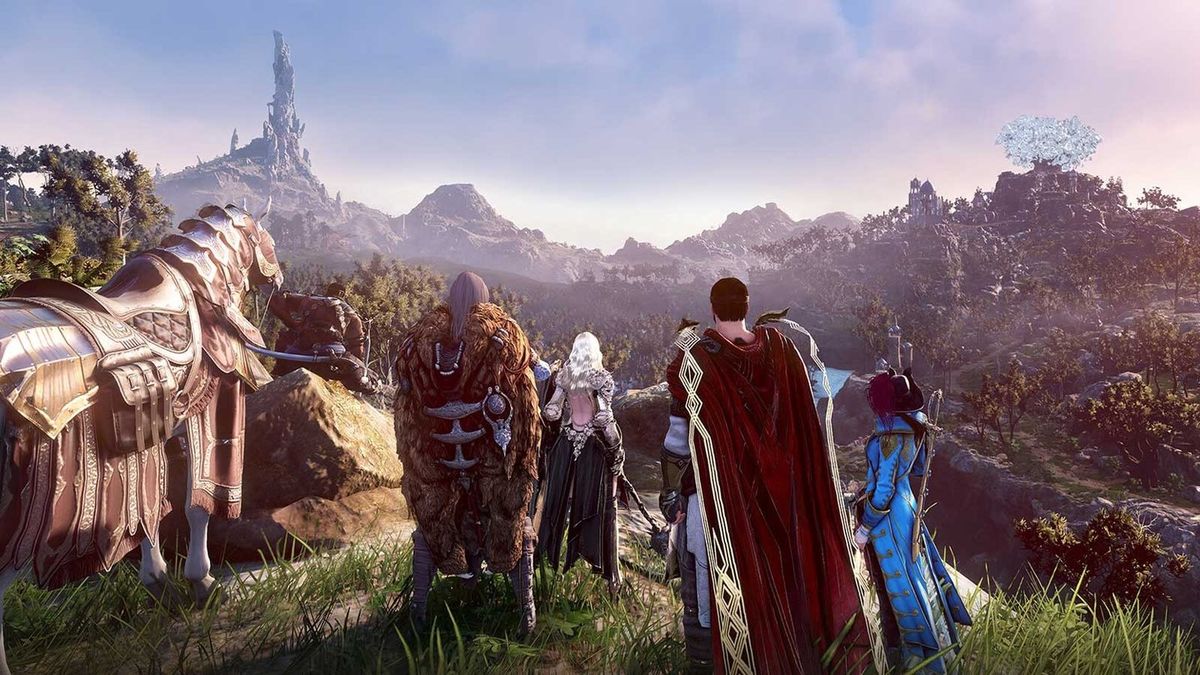
Gaming PC for new games is becoming a much bigger buying question for Canadian players, especially as massive RPGs, open-world adventures, live-service games, and creator-friendly titles keep growing in scale. The latest PlayStation Plus spotlight around Black Desert: Standard Edition is a perfect reminder: modern games are no longer quick weekend installs. They are enormous worlds with hundreds, and sometimes thousands, of hours of potential gameplay, packed with combat, exploration, multiplayer systems, crafting, trading, farming, sailing, character customization, and cinematic presentation.
For Groovy Computers customers across Canada, that matters because the hardware you choose today does not just affect one game. It affects the way you play open-world RPGs, stream to Twitch or YouTube, record gameplay, edit clips for TikTok, build content in Adobe Creative Cloud, render 3D scenes, multitask across monitors, and avoid replacing your system too soon.
The headline is simple: if games like Black Desert, Crimson Desert, and other large-scale RPGs are the kind of experiences you want to enjoy, your next PC should be chosen with long-term performance in mind. Are you buying for casual 1080p gaming, high-FPS 1440p gaming, 4K ultra settings, ray tracing, streaming, content creation, video editing, or workstation use? That answer changes everything.
Why Black Desert Joining PlayStation Plus Is Bigger Than One Free RPG
Black Desert: Standard Edition arriving through the PlayStation Plus Extra catalogue is notable because it puts one of Pearl Abyss’ huge online RPGs in front of even more players. The source article highlights that the game offers a vast fantasy world, online play, PvP wars, high-speed combat, exploration, and life-skill activities such as cooking, sailing, trading, farming, fishing, and alchemy.
That combination is exactly what modern game performance is built around: not just one small level, but huge environments, lots of effects, dense systems, fast combat, online synchronization, and long play sessions. When a game can occupy hundreds of hours, comfort and reliability become just as important as raw FPS.
If you are a Canadian gamer reading about Black Desert because you already played Crimson Desert, are waiting for the next big RPG, or simply want a system that handles open-world games better than your current setup, the question becomes: what PC do you need for this kind of gaming?
A console subscription may give you access to a game, but a well-built gaming desktop gives you control over resolution, frame rate, graphics settings, storage, upgrades, streaming quality, and long-term flexibility. That is where a custom system from Groovy Computers starts to make sense.
What Do You Want Your Next PC To Do For You?
Before choosing a CPU, GPU, RAM capacity, storage size, or financing option, ask yourself a better question: what do you actually want your next PC to do for you?
Do you want to load into huge RPGs quickly after work? Do you want smoother combat in open-world games? Do you want a quiet, reliable gaming desktop that can run for long sessions? Do you want to stream your gameplay, record highlights, edit YouTube videos, or design thumbnails in Photoshop? Do you want one PC that can handle gaming at night and productivity during the day?
For many buyers, the answer is no longer “I just need a gaming PC.” The real answer is usually one of these:
- I want a budget gaming computer that can handle popular games at 1080p without feeling outdated immediately.
- I want a 1440p Gaming PC Canada buyers can rely on for smoother visuals, higher frame rates, and better long-term value.
- I want a 4K Gaming PC Canada setup for premium visual quality, ultra settings, ray tracing, and a high-end monitor.
- I want a Gaming and Streaming PC Canada build that can play, encode, record, and run OBS smoothly.
- I want a Content Creation PC Canada creators can use for editing, design, social media, and gaming in one workstation-style system.
- I want a custom workstation for video editing, 3D modeling, rendering, CAD, or heavy multitasking.
- I want financing so I can secure a stronger PC now instead of buying a weaker system that may need upgrades too soon.
Which one sounds most like you? If you are not sure, that is exactly why working with a Canadian custom PC builder matters.
Gaming PC for New Games: Why Open-World RPGs Push Hardware Harder
Open-world RPGs are some of the best tests of a gaming PC because they stress more than one part of the system. A simple esports title may prioritize frame rate and responsiveness, while a large fantasy RPG can demand GPU power, CPU consistency, fast storage, enough RAM, stable cooling, and a display target that matches your expectations.
In a game like Black Desert, the experience can include cities, crowds, enemies, visual effects, traversal, combat animations, mounts, online encounters, and long play sessions. In newer large-scale games, the pressure can become even greater with higher-resolution textures, more advanced lighting, denser environments, and stronger expectations from players who want smooth 1440p or 4K gameplay.
So when you ask, “What gaming PC do I need?”, the better version is: what resolution, frame rate, and workload do I want my PC to handle at the same time?
Are You Playing at 1080p, 1440p, or 4K?
Resolution is one of the biggest factors in gaming PC performance. A 1080p build, a 1440p build, and a 4K build can all be excellent, but they are not the same purchase.
1080p gaming is still a smart choice for many Canadian buyers, especially students, first-time PC gamers, esports players, and budget-conscious customers. If you mostly play competitive titles, older RPGs, Minecraft, Roblox, Fortnite, Valorant, Counter-Strike 2, or casual games, a well-matched 1080p system can feel fast and affordable.
1440p gaming is the current sweet spot for many players who want sharper visuals without the full cost of 4K hardware. A 1440p Gaming PC Canada build is ideal if you want open-world games to look significantly better than 1080p while still maintaining strong FPS. For RPG fans, this is often the best balance of detail, smoothness, and long-term value.
4K gaming is for buyers who care about premium visuals, large monitors, ultra settings, ray tracing, and keeping their build relevant for longer. A 4K Gaming PC Canada system needs a stronger graphics card, better cooling, and a smarter component match. It is not just about buying the most expensive GPU; it is about building the whole system around the performance target.
Do you already own a 1440p or 4K monitor, or are you planning to upgrade your display after buying the PC? That matters because your monitor can either unlock your system’s performance or hold it back.
Do You Care More About Ultra Settings or High FPS?
Some players want every visual option turned up. Others want the highest possible frame rate. Many want both, but budget usually decides how close you can get.
If you play cinematic RPGs, open-world adventures, racing games, and story-heavy AAA titles, ultra settings and visual quality may matter more. If you play competitive games, shooters, or PvP modes, high FPS and input responsiveness may matter more. If you play both, you need a balanced build that does not bottleneck itself.
That is why a custom build is different from a random generic prebuilt. Groovy Computers can help match the GPU, CPU, RAM, SSD, power supply, cooling, and case airflow to the way you actually play.
What Performance Tier Fits You Best?
Not every customer needs the same PC. A smart buying guide should not push everyone into the highest tier. The right build is the one that fits your games, software, monitor, budget, and upgrade timeline.
Tier 1: Budget Gaming PC for 1080p Players
A budget gaming computer is a good fit if you want a first gaming PC, a student gaming PC, or a reliable system for 1080p gaming. This tier is ideal for players who want strong value and are willing to use optimized graphics settings instead of demanding ultra presets in every new release.
Ask yourself: are you mainly playing esports titles, older RPGs, indie games, Minecraft, Roblox, Fortnite, or lighter open-world games? Are you comfortable targeting 1080p instead of 1440p or 4K? If yes, a budget build may be the right move.
However, be careful with going too cheap. A weak power supply, limited storage, poor airflow, or underpowered GPU can turn a “deal” into an upgrade bill. This is where a properly tested Canada Built Gaming PC from Groovy Computers can help you avoid common entry-level mistakes.
Tier 2: 1440p Gaming PC for RPGs, AAA Games, and Long-Term Value
For many Canadian gamers, the best all-around choice is a strong 1440p gaming desktop. This tier is excellent for big RPGs, modern shooters, racing games, strategy titles, survival games, and upcoming AAA releases.
If you are asking, “What PC do I need for 1440p gaming?”, the answer usually involves a stronger graphics card, a capable modern CPU, 32GB of RAM for better longevity, fast NVMe storage, and cooling that keeps the system stable under long sessions.
This is the tier we often recommend for players who want their PC to feel premium without jumping all the way to a flagship 4K build. It is also a great option if you plan to stream, record, edit clips, or run multiple monitors.
Tier 3: Premium Gaming PC for 4K, Ray Tracing, and Ultra Settings
A premium gaming PC is for players who want top-tier performance and fewer compromises. If your dream setup includes 4K gaming, ray tracing, high refresh rate monitors, ultra settings, big RPGs, simulation games, and future AAA titles, this is the category to consider.
Ask yourself: do you want to avoid upgrading too soon? Do you want a PC that feels powerful not just this year, but for several years? Do you want the freedom to turn settings up instead of constantly tweaking them down?
A high-end gaming desktop also makes sense if you combine gaming with editing, 3D rendering, streaming, or creative work. When the same system earns you time back in exports, renders, and multitasking, the value becomes bigger than gaming alone.
Tier 4: Creator and Workstation PC for Gaming Plus Real Work
Some customers start by asking about a gaming PC and then realize they also need a creator workstation. If you edit 4K video, use DaVinci Resolve, work in Adobe Premiere Pro, design in Photoshop or Illustrator, build graphics in Canva, model in Blender, create assets in Unreal Engine, or multitask heavily, you should think beyond game FPS.
A Content Creation PC Canada buyers can rely on needs strong CPU performance, GPU acceleration, enough RAM, fast storage, and stable thermals. A gaming PC can be good for content creation, but only if it is configured properly for the software you use.
What PC do content creators need? That depends on whether you are making short-form videos, editing long YouTube projects, processing RAW photos, designing for clients, rendering 3D scenes, or doing all of those things on one machine.
Is a Gaming PC Good for Streaming, Editing, and Content Creation?
Yes, a gaming PC can be excellent for streaming and content creation, but only when the build is balanced correctly. Many buyers make the mistake of looking only at the graphics card. The GPU matters, but so do CPU cores, RAM capacity, SSD speed, cooling, noise, and upgrade room.
If you want to stream games like Black Desert, record gameplay, run Discord, manage browser tabs, monitor chat, and use OBS at the same time, your system needs to handle gaming and encoding without stutters. A Gaming and Streaming PC Canada build should be planned for that combined workload from the start.
If you want to edit the footage afterwards, the requirements climb again. Video editing benefits from fast storage, enough RAM, a capable CPU, and a GPU that helps accelerate supported effects and exports. If you are editing 4K footage, working with colour grading, adding effects, or creating social media content daily, a cheap gaming desktop may become frustrating quickly.
Ask yourself: do you only play games, or do you want to become a creator around the games you play?
For Twitch, YouTube Live, and OBS
A streaming-focused PC should have enough performance headroom to game smoothly while encoding the stream. If you are streaming at 1080p, you may not need an extreme flagship system, but you do need stability. Dropped frames, fan noise, crashes, and inconsistent performance can ruin the viewer experience.
Do you need a separate streaming PC? Most creators do not at first. A properly configured single-PC setup can handle gaming, streaming, chat, alerts, recording, and basic editing. For advanced creators, dual-PC setups can still make sense, but many buyers are better served by one stronger custom desktop.
For YouTube Editing, TikTok Clips, and Social Content
If you are recording gameplay from large RPGs and turning it into content, your storage fills quickly. Fast NVMe SSDs can make a major difference in project loading, timeline responsiveness, and export workflow. Extra storage also keeps you from constantly deleting footage.
How much RAM do creators need? For casual editing, 32GB is often a smart baseline. For heavier 4K editing, After Effects work, large Photoshop files, or multiple creative apps open together, 64GB or more can make sense. The right answer depends on your workload, not just your budget.
For Photo Editing and Graphic Design
Photographers and designers often underestimate how much a fast desktop can improve daily work. A PC for Photoshop, Lightroom, Illustrator, InDesign, Canva, Capture One, or Adobe Creative Cloud does not always need the same GPU as a 4K gaming rig, but it does need strong responsiveness, enough RAM, and fast storage.
If your current computer slows down while exporting RAW photos, opening large PSD files, using AI tools, or running multiple design apps, a custom creator PC may save you time every single day.
For Blender, Unreal Engine, CAD, and 3D Rendering
3D modeling and rendering are even more demanding. A PC for Blender Canada buyers can trust may need a very different balance than a pure gaming machine. GPU rendering, CPU rendering, viewport performance, scene complexity, RAM usage, and storage all matter.
Are you building game assets, architectural visualizations, product renders, animations, or Unreal Engine environments? If so, your next computer should be treated as a workstation, not just a gaming desktop with extra lights.
Should You Buy a Gaming PC Now or Wait?
One of the most common questions Canadian buyers ask is: is it better to buy a gaming PC now or wait? The honest answer is that waiting can help if you have no urgent need and your current system is still performing well. But waiting can also backfire when game releases, GPU demand, memory pricing, storage costs, currency changes, and supply pressure move against you.
Large game launches often create demand spikes. When a major RPG, shooter, survival game, or open-world title gets close, more buyers start upgrading at the same time. That can put pressure on graphics cards, processors, RAM, SSDs, and ready-to-ship systems. Canadian pricing can also be affected by exchange rates, shipping costs, and supplier availability.
If your current PC is already struggling, waiting until the exact week you need performance can leave you with fewer choices. The best time to plan a custom build is before your system becomes a problem.
Are you buying before a major game release, a new semester, a content schedule, a business project, a software upgrade, or a possible price spike? If the PC has a real job to do, timing matters.
Can Financing Help You Secure a Stronger PC Before Prices Change?
Financing can be a practical option when it helps you avoid buying too little computer. Groovy Computers offers financing options up to 4 years, which can help Canadian customers move into a stronger build while spreading the cost over time.
This does not mean every buyer should finance the most expensive system possible. The smarter question is: should I finance a better PC instead of buying a cheaper one that may need upgrades sooner?
For example, if a lower-cost build saves money today but struggles with 1440p gaming, streaming, 4K editing, or your next major game, you may end up paying for upgrades sooner than expected. Financing can help you choose the build you actually need, not just the one that fits a narrow upfront budget.
If you are considering a gaming PC for new games and want help deciding whether financing makes sense, Groovy Computers can help you compare performance tiers, monthly affordability, and upgrade timelines before you commit. Visit GroovyComputers.ca to explore custom gaming PCs, creator PCs, workstation options, and financing paths built for Canadian buyers.
Why Canadian Buyers Should Think Differently About PC Value
Canadian PC buyers face a different buying environment than shoppers in larger markets. Component pricing can shift quickly, availability can vary by region, and shipping costs can affect the final value of a system. Buyers in Nova Scotia, Atlantic Canada, Ontario, Alberta, British Columbia, and across the country often want the same thing: a reliable gaming computer shipped Canada wide with support they can trust.
That is why value should not be measured only by the lowest sticker price. A better question is: what is included in the build, how well are the parts matched, has the system been tested, and what support do I have if something goes wrong?
A low-cost, poorly matched computer may look appealing until it overheats, bottlenecks, runs out of storage, uses weak power delivery, or becomes difficult to upgrade. A custom PC from Groovy Computers is built around the customer’s needs, not just a generic parts list.
For buyers looking for a Custom Gaming PC Nova Scotia customers can trust, or a Canadian custom PC builder that ships beyond Atlantic Canada, Groovy Computers focuses on practical build quality, performance matching, and long-term confidence.
Custom PC vs Prebuilt PC Canada: What Matters Most?
The custom PC vs prebuilt PC Canada debate is not as simple as “custom is always better” or “prebuilt is always cheaper.” The real difference is whether the system is designed around your workload.
A generic prebuilt may be fine if your needs are basic. But if you care about 1440p RPG performance, 4K gaming, streaming, editing, rendering, airflow, noise, upgrade paths, and warranty support, a custom build becomes much more valuable.
Groovy Computers helps customers avoid common mistakes such as overbuying the wrong component, underbuying the power supply, choosing too little RAM, using a small SSD for modern game libraries, or pairing a powerful GPU with a CPU that holds it back.
Why does testing matter in a gaming PC? Because performance on paper is not enough. A system should be assembled cleanly, configured properly, stress tested, and checked for stability before it reaches the customer. That is especially important for gaming PCs, creator PCs, and workstation PCs that will be used for long sessions.
What Specs Should You Think About for Big RPGs and Open-World Games?
You do not need to memorize every benchmark to make a smart purchase, but it helps to understand what each major component does.
Graphics Card: The Heart of Visual Performance
The GPU is usually the most important component for open-world gaming, especially at 1440p and 4K. It affects frame rate, visual settings, ray tracing capability, and how well the system handles future games.
If you want a Ray Tracing Gaming PC Canada setup or a premium ultra settings system, you need a GPU that fits that target. If you mainly play 1080p esports, you may not need the same class of graphics card.
Ask yourself: are you paying for the graphics settings you actually use, or are you guessing?
Processor: The Key to Smoothness, Multitasking, and Simulation
The CPU matters for frame consistency, simulation-heavy games, background tasks, streaming, editing, and general system responsiveness. In large online games, busy areas, and multitasking workflows, a stronger CPU can help reduce dips and keep the system feeling smooth.
If you stream, edit, render, or multitask heavily, CPU choice becomes even more important. A gaming-only build and a gaming-plus-creator build may use different processor priorities.
RAM: The Difference Between “It Runs” and “It Feels Smooth”
Many modern gaming and creator systems are best served with 32GB of RAM as a practical sweet spot. Budget systems can still work with less in some cases, but larger games, background apps, browsers, Discord, OBS, editing tools, and creative software all increase memory pressure.
If you are building a creator workstation, 64GB or more may be worth considering. If you are working with large video projects, RAW photo batches, 3D scenes, or multiple Adobe apps, RAM can directly affect productivity.
Storage: Modern Games Are Huge
Large RPGs, AAA games, recorded footage, texture packs, project files, and exports can fill storage quickly. A fast NVMe SSD improves boot times, load times, game responsiveness, and editing workflow.
If you keep multiple major games installed, record gameplay, or edit video, ask yourself: will a small drive frustrate you within a few months?
Cooling and Power Supply: The Parts Buyers Often Overlook
Cooling and power delivery are not the flashiest parts of a build, but they are essential. A gaming PC that overheats or runs loudly under load will not feel premium, no matter how strong the main specs look.
A quality power supply also protects your upgrade path. If you plan to keep the system for years, it is worth building with stability and headroom in mind.
How to Choose Between Budget, Premium, Creator, and Workstation Builds
If you are still unsure which category fits, use these buyer profiles as a starting point.
Choose a Budget Gaming Computer If...
- You mostly play at 1080p.
- You want the best gaming PC for the money without chasing ultra settings.
- You are buying a first gaming PC or student gaming PC.
- You play esports, popular online games, indie titles, and lighter RPGs.
- You want a reliable system but need to keep the upfront cost controlled.
Choose a 1440p Gaming PC If...
- You want a stronger gaming PC for new games.
- You play open-world RPGs, AAA games, survival games, shooters, and racing titles.
- You want a sharper image than 1080p without the full cost of 4K.
- You plan to keep the system for several years.
- You may stream, record, or edit occasionally.
Choose a Premium Gaming PC If...
- You want 4K gaming, ultra settings, ray tracing, and high-end visuals.
- You want to avoid upgrading too soon.
- You use a high refresh rate monitor or plan to buy one.
- You play demanding games and want fewer compromises.
- You want a system that also handles creative workloads well.
Choose a Creator PC If...
- You edit videos for YouTube, TikTok, clients, or social media.
- You use Adobe Premiere Pro, DaVinci Resolve, After Effects, Photoshop, Lightroom, Illustrator, Canva, or Adobe Creative Cloud.
- You game and create content on the same system.
- You need more RAM, faster storage, and better multitasking than a basic gaming PC.
- You want a PC that saves time, not just one that runs games.
Choose a 3D Modeling or Workstation PC If...
- You use Blender, Unreal Engine, Unity, Maya, 3ds Max, Cinema 4D, AutoCAD, Revit, SolidWorks, SketchUp, or ZBrush.
- You render scenes, build game assets, create architectural visuals, or work with CAD.
- You need GPU rendering, CPU rendering, large RAM capacity, and strong cooling.
- You use your PC for professional work where downtime costs money.
- You want a custom workstation PC Canada buyers can configure around real software needs.
What Questions Should You Ask Before Buying or Financing a Custom PC?
A good PC buying decision starts with better questions. Before choosing a build, ask yourself:
- What games do I want to play over the next 2 to 4 years?
- Am I targeting 1080p, 1440p, or 4K?
- Do I care more about high FPS, ultra settings, or ray tracing?
- Will I stream, record, or edit gameplay?
- Do I use Adobe Creative Cloud, DaVinci Resolve, Blender, CAD software, or other creator tools?
- How much storage will I need for games, footage, projects, and exports?
- Do I want to avoid upgrading too soon?
- Am I buying before a major game release, software change, sale period, or possible price increase?
- Would financing help me get the right system now instead of settling for a weaker one?
- Do I want help from a Canadian custom PC builder instead of guessing on specs?
If you can answer those questions, Groovy Computers can help translate them into a real build.
Why Groovy Computers Is Built for Canadian Gamers, Creators, and Workstation Buyers
Groovy Computers is a Canadian custom PC building company focused on helping customers choose the right system for their actual needs. Whether you are shopping for a gaming desktop, streaming PC, creator PC, editing workstation, 3D modeling workstation, or a custom build with financing, the goal is to make the process easier and more reliable.
Every serious PC purchase should come with confidence. That means proper part matching, clean assembly, testing, support, and a 1-year warranty. A powerful system should not feel like a gamble.
For Canadian buyers, Groovy Computers offers a practical advantage: you can shop with a builder that understands gaming trends, creator workloads, Canadian pricing pressure, and the importance of getting the right build before costs shift. Whether you are in Nova Scotia, Halifax, Trenton, New Glasgow, Atlantic Canada, Ontario, Alberta, British Columbia, or elsewhere in Canada, you can explore systems and options through GroovyComputers.ca.
Gaming PC for New Games: The Smart Conclusion for RPG Fans
Black Desert joining PlayStation Plus is not just good news for RPG fans. It is another sign that gaming is moving deeper into massive, long-lasting worlds where performance, storage, smoothness, and reliability matter more than ever. If a single RPG can keep players busy for hundreds of hours, your PC should be ready for more than minimum settings and short-term thinking.
A gaming PC for new games should be selected around your real target: 1080p value, 1440p balance, 4K premium performance, streaming, editing, content creation, or workstation use. The right system should match your monitor, your software, your budget, and your future plans.
Are you ready to stop guessing and start building around what you actually want to play and create? Groovy Computers can help you choose a budget gaming computer, premium RTX gaming PC, custom creator PC, video editing workstation, 3D modeling workstation, or financed custom build designed for Canadian buyers who want performance and confidence.
If your current PC is already struggling, the best move may be to plan before the next major release, price shift, or upgrade rush forces your hand. Visit GroovyComputers.ca to explore custom gaming PCs, creator systems, workstation builds, and financing options up to 4 years.
#GamingPCCanada #GamingPCForNewGames #CustomGamingPCCanada #1440pGamingPC #4KGamingPC #GamingAndStreamingPC #ContentCreationPC #GroovyComputers
Groovy Computers | All Rights Reserved


Leave a comment
This site is protected by hCaptcha and the hCaptcha Privacy Policy and Terms of Service apply.