






















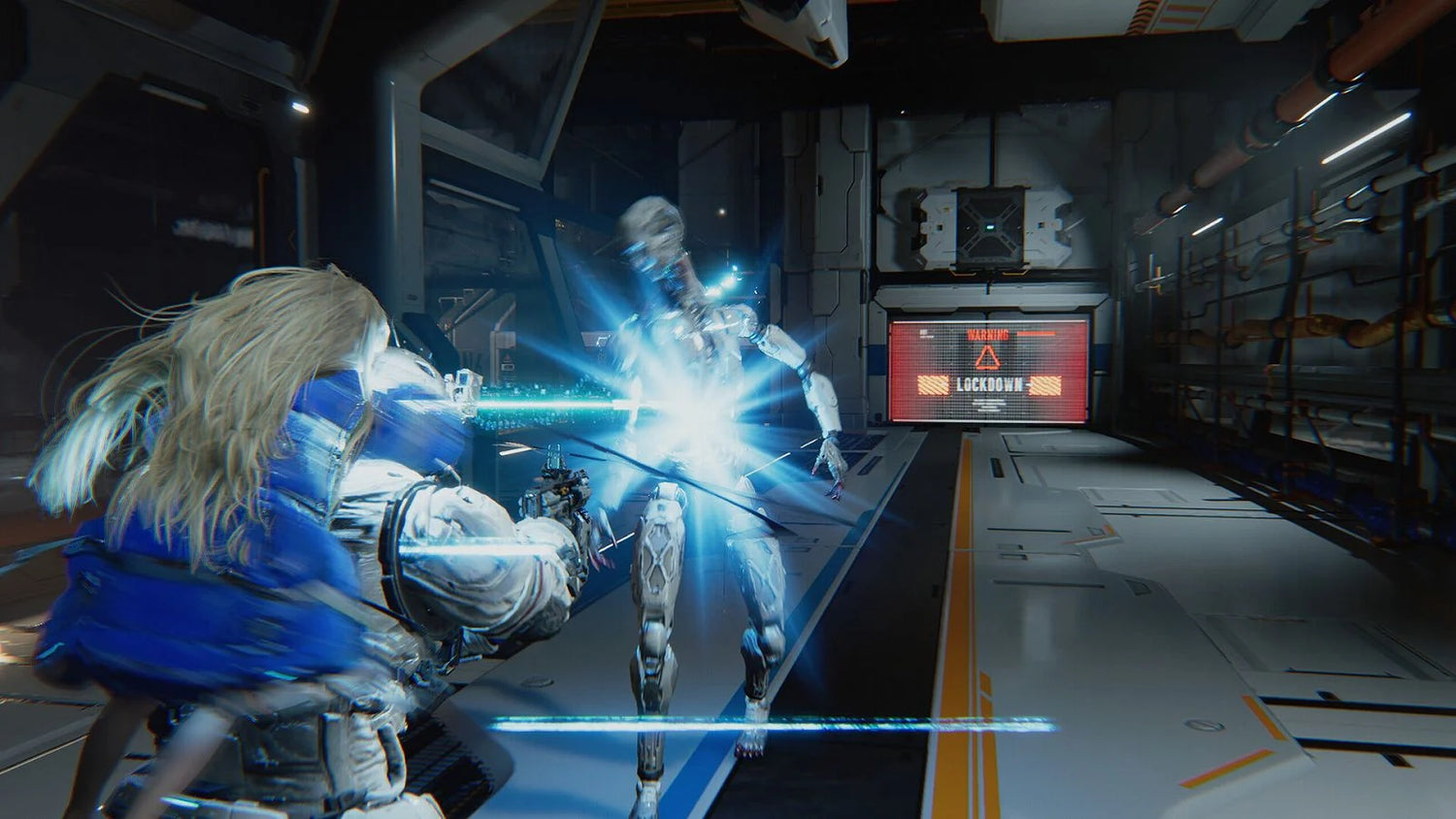
Pragmata Development Struggles Show Why Buying the Right Gaming PC in Canada Matters More Than Ever
The recent Pragmata development struggles story did more than give fans an inside look at one game’s difficult path to release. It reminded players, creators, and PC buyers of something bigger: modern games are harder to build, more demanding to run, and far less forgiving of weak hardware than ever before. When a major title goes through years of prototype changes, gameplay overhauls, puzzle-system redesigns, and intensive visual iteration, that usually points to a final product with heavier system demands, more complex asset pipelines, and bigger expectations from players. For anyone shopping for a new system, this is exactly why choosing the right custom desktop now matters.
At Groovy Computers, the lesson is clear for Canadian buyers. If blockbuster games can change dramatically during development, should you really buy the bare minimum PC and hope it keeps up? Or does it make more sense to choose a properly balanced custom system that is ready for demanding new releases, ray tracing, streaming, content creation, and future updates?
What the Pragmata story tells us about modern game development
According to the source material, Pragmata’s team endured harsh internal criticism early in development. Test stages were rejected, core gameplay concepts were reworked, and major concerns were raised about puzzles, action, and level design before the game finally found its direction. That kind of production friction is not just drama for fans. It reflects the reality of current AAA development, where games often become more ambitious over time, not less.
Why does that matter to someone shopping for a desktop in Canada? Because when studios rebuild core systems, add more advanced visual effects, refine world detail, improve animations, and rebalance gameplay loops, the end result often requires stronger GPUs, faster CPUs, more RAM, and better storage performance. In other words, troubled or ambitious development cycles often lead to games that punish outdated hardware.
If you have been asking yourself, What gaming PC do I need for new games?, stories like this are part of the answer. New releases are increasingly built through long, expensive, technically demanding pipelines. Your PC has to be ready for the end product, not the early trailer.
Why Canadian PC buyers should read this as a buying signal
Canadian shoppers face a slightly different reality than buyers in other markets. Hardware pricing can shift quickly. GPU demand can spike around major launches. Exchange pressure and supply constraints can affect replacement cost. Shipping, support, warranty confidence, and overall build quality also matter more when replacing or upgrading a system is expensive.
So what should you be thinking after reading about a game like Pragmata finally emerging from years of iteration?
- Will your current PC handle demanding 2026-era games comfortably?
- Are you buying for 1080p, 1440p, or 4K gaming?
- Do you also want to stream, edit videos, or run creator software?
- Would financing a stronger build now help you avoid replacing a weaker machine too soon?
These are the questions that separate a short-term purchase from a smart long-term one.
What do you want your next PC to do for you?
Before you compare parts, brands, or price brackets, start with the real question: what do you want your next PC to actually do for you?
Do you want a machine that runs cinematic single-player games at high settings? Do you need competitive frame rates in fast multiplayer titles? Are you planning to play at 1440p with ray tracing? Do you want one system for gaming and OBS streaming? Are you also editing YouTube videos, working in Adobe Photoshop, rendering in Blender, or using your desktop for school and professional workloads?
This is where many buyers go wrong. They shop by a single headline spec or chase the cheapest option that looks “good enough.” But modern workloads overlap. A system that feels fine for basic gaming can start to struggle the moment you add Discord, browser tabs, capture software, mods, high-resolution texture packs, video exports, or 3D rendering work.
That is why Groovy Computers focuses on matching the build to the customer, not just selling a box with flashy marketing.
What gaming performance tier fits you best?
If you are unsure where to start, the easiest way is to think in performance tiers rather than just price. What PC do you need for 1440p gaming? What if you want 4K? What if you also want to stream? The right answer depends on how demanding your actual use case is.
Entry-level and budget-minded gaming
A budget-focused gaming desktop makes sense if you mainly play esports titles, lighter online games, indie releases, or older AAA games at 1080p. If your goal is strong value, smooth gameplay, and room to grow later, a carefully chosen entry build can still be a smart move.
But ask yourself something important: Are you buying a first gaming PC, or are you trying to stay happy with it for several years? If the answer is both, going too low can cost more in the long run. A weak GPU, limited RAM, or cramped storage setup can force an earlier upgrade than expected.
Mainstream 1080p to 1440p gaming
This is where many Canadian buyers should focus. A solid mid-range custom system is often the best balance for players who want modern games to look great, run smoothly, and remain enjoyable through future updates. This tier is ideal for people asking, How much should I spend on a gaming PC? because it usually delivers the best value-per-dollar.
If you want strong 1080p ultra settings or very capable 1440p gaming, this category is often the sweet spot. It also tends to be the most sensible place to shop if you play a mix of new releases, online shooters, open-world titles, and occasional co-op or story-heavy games.
High-end 1440p and 4K gaming
If your expectations include ray tracing, very high refresh rates, ultra settings, or long-term headroom for major upcoming releases, a premium system is often worth it. This is especially true if you are buying a machine meant to last through multiple game cycles without feeling outdated too soon.
Ask yourself: Do you want a PC that just runs today’s games, or one that still feels exciting two or three years from now? Buyers targeting premium performance often benefit from stronger GPUs, higher-core-count CPUs, more memory, and cooling that supports stable sustained performance.
Why new games increasingly push buyers toward stronger custom builds
Pragmata’s story is one example of a wider trend. Big games are being built with heavier assets, more advanced lighting, more cinematic effects, larger environments, smarter NPC systems, and increasingly layered gameplay mechanics. Even when developers optimize well, the baseline expectation for a “good experience” keeps rising.
That means your next desktop has to do more than launch a game. It should handle:
- fast asset streaming from SSD storage
- background apps and launchers
- high-resolution textures
- ray tracing or advanced lighting effects
- higher refresh rate monitors
- voice chat, capture tools, and browser multitasking
- patches and future content updates that raise demands over time
So if you are wondering, Is it better to buy a gaming PC now or wait?, one major consideration is this: software does not stand still. Games typically get heavier. Expectations rise. A system that already feels borderline at purchase is rarely a satisfying long-term investment.
Should you buy only for gaming, or for gaming plus streaming and creation?
This is one of the most important questions modern buyers can ask. Plenty of customers no longer use their PCs for one purpose. Today’s desktop often needs to support gaming, streaming, editing, school, remote work, and creative software all in one machine.
If you are planning to stream on Twitch or YouTube, run OBS, record gameplay, edit clips, and manage social content, your needs move beyond pure gaming. A gaming and streaming PC Canada buyer should think about CPU strength, encoder support, RAM capacity, SSD space, and overall thermal stability.
Are you going live at 1080p while also playing demanding games? Are you capturing long sessions for later editing? Do you want smooth multitasking across dual monitors? If so, a more capable platform can save you from compromises immediately.
At the same time, if your workload extends into Adobe Premiere Pro, DaVinci Resolve, Photoshop, Lightroom, Illustrator, Blender, or Unreal Engine, the right system becomes even more specialized. A generic gaming tower may not be the best fit if your real goal is a multi-purpose creator machine.
Is a gaming PC good for video editing, photo editing, and graphic design?
Sometimes yes, but not always in the way buyers expect. A gaming-oriented desktop can be a strong starting point for creator work if it has the right CPU, GPU, RAM, and storage setup. But there is a difference between a machine that can open creative software and a machine that feels genuinely fast inside it.
For video editing
If you edit 1080p or 4K footage, export regularly, use effects-heavy timelines, or cut content for YouTube, you should be thinking about a Video Editing PC Canada style configuration rather than a pure gaming-first build. More cores, more RAM, faster storage, and a properly matched GPU can make timeline scrubbing, playback, rendering, and export speed much better.
What PC do you need for video editing? That depends on your codec, resolution, software, and project scale. But if editing is even a weekly task, it is smart to avoid underbuilding.
For photo editing
Photographers and image editors often benefit from fast storage, strong single-core responsiveness, good memory capacity, and support for high-resolution displays. If you spend your time in Photoshop, Lightroom, Capture One, or AI-enhanced photo tools, your desktop should be tuned for responsiveness and multitasking, not just game FPS.
Do you work with large RAW libraries? Do you batch export often? Are you editing while multiple other apps are open? If yes, a better-balanced system can save real time every week.
For graphic design
Graphic design users frequently run Illustrator, Photoshop, InDesign, browser-based collaboration tools, mockup software, and multiple displays at once. That makes memory, storage speed, and stability more important than many entry-level systems can deliver.
If you are asking, Is a gaming PC good for graphic design?, the answer is often yes only if it is built with design work in mind. That is why a custom creator PC can make more sense than a one-size-fits-all prebuilt.
What if you also work in Blender, Unreal Engine, or 3D applications?
This is where the lesson from complex game development becomes even more relevant. The same kinds of workflows that make modern games difficult to build also put pressure on development and 3D workstations. If you are modeling, sculpting, animating, rendering, or building interactive scenes, the system requirements can escalate quickly.
What PC do you need for Blender? What PC do you need for 3D rendering? For many users, the answer is not a standard gaming desktop but a more carefully planned 3D Modeling PC Canada or workstation-class build. GPU rendering, CPU rendering, scene compilation, shader builds, viewport responsiveness, and memory demands all matter.
If your PC is part of your income or education, a stronger machine is not just a luxury. It can be a time-saving tool. That is where a custom workstation from Groovy Computers becomes especially useful.
Why custom PC selection matters more when game demands are unpredictable
One of the clearest takeaways from the source story is unpredictability. Games change during development. Features evolve. Visual targets rise. Performance expectations shift. This is exactly why buying a carefully configured custom desktop is often smarter than settling for a generic system built to hit a marketing price point.
With a custom build, the whole machine can be matched to your real use case:
- the right GPU for your target resolution
- the right CPU for gaming, streaming, or productivity balance
- enough RAM for your software and multitasking habits
- proper SSD storage for game libraries and project files
- cooling that supports long sessions under load
- a power supply and platform that leave room to upgrade
That is the difference between a desktop that merely turns on and one that stays satisfying.
Should you finance a stronger PC now instead of buying a weaker one?
For many buyers, this is the real decision. Not whether they want a better computer, but whether it is smarter to stretch into a stronger system today rather than settle for something that may feel outdated quickly.
If replacement costs rise, if new games become more demanding, or if your workload expands into streaming and creation, a too-basic machine can become expensive in the wrong way. You may end up upgrading RAM, adding storage, replacing the GPU, or replacing the entire system sooner than planned.
That is why financing can be practical when used well. If monthly payments let you move into a more capable custom build now, you may get a much better ownership experience and avoid the frustration of buying twice.
Are you trying to stay within a strict upfront budget, or are you trying to get the right system for the next several years? Would financing up to 4 years help you secure the performance you actually need before hardware replacement costs climb? Those are fair questions, especially in a market where prices can move faster than buyers expect.
How do pricing shifts affect full-system value in Canada?
Canadian PC buyers know that pricing is not always stable. GPU demand, memory trends, SSD pricing, shipping pressure, and broader market conditions can all influence what a complete system costs. Even if one component category looks calm for a moment, complete build cost can still change when other parts rise.
That is why timing matters. If you already know you will need a better machine for a major game release, a heavier semester workload, a software upgrade, or a content creation push, waiting can be risky. The “I’ll buy later” approach sometimes works, but it can also leave you shopping in a tighter market with fewer good-value options.
Should you buy before a big release cycle? Should you secure a stronger GPU before demand spikes? Should you act before your current PC becomes the bottleneck in both gaming and productivity? These are exactly the situations where planning ahead can save money and stress.
What questions should you ask before buying your next desktop?
Before choosing any system, ask yourself these practical questions:
- What games or software will I actually use most?
- Am I targeting 1080p, 1440p, or 4K?
- Do I care about ray tracing, ultra settings, or competitive high FPS?
- Will I stream, record, edit, or create content on the same machine?
- Do I want this PC to last through several years of new releases?
- Would I rather finance the right system than replace a weaker one too soon?
- Do I want a custom build with proper testing and warranty support?
If any of those questions made you pause, that is a good thing. It means you are thinking like a smart buyer rather than chasing the cheapest short-term option.
Why Groovy Computers is a strong fit for Canadian buyers
Groovy Computers is built around a simple idea: customers deserve systems that match how they actually play, work, and create. That means custom gaming desktops, creator-focused builds, workstation-class options, and practical guidance for people who are not sure what tier they need yet.
For Canadian shoppers, that matters. You want more than a spec sheet. You want confidence in the build quality, part selection, support, and long-term value. Groovy Computers offers custom PC solutions designed for gaming, streaming, editing, design, and demanding workloads, with rigorous testing and a 1-year warranty for added peace of mind.
Whether you need a budget-conscious first system, a premium RTX-ready gaming machine, a content creation desktop, or a workstation built for 3D work, the goal is the same: get the right hardware the first time.
Need help deciding which category fits you?
If you are still unsure, here is a simple framework.
- Choose a budget gaming build if you mainly play lighter titles at 1080p and want the lowest entry cost.
- Choose a mainstream gaming build if you want strong overall value for modern games and likely plan to play at high settings for the next few years.
- Choose a premium gaming build if you want 1440p high refresh or 4K gaming, ray tracing, and longer-term headroom.
- Choose a gaming and streaming system if you plan to game, record, and broadcast from one PC.
- Choose a creator PC if editing, Adobe apps, photo work, design, or regular exports matter as much as gaming.
- Choose a workstation or 3D build if Blender, Unreal Engine, rendering, CAD, or heavy professional tasks are central to your workflow.
Which one sounds most like you? More importantly, which one sounds like the version of your setup you actually want, not just the one you can settle for today?
The bigger lesson from Pragmata: don’t buy for yesterday’s demands
The source article was about development pain, internal criticism, and the long process required to turn a troubled concept into a successful release. But for PC buyers, the takeaway is practical. Games are getting more ambitious. Development pipelines are more intense. Final products often ask more of your hardware than early expectations suggest.
So when you shop for your next system, do not buy for yesterday’s standards. Buy for the games, software, and workloads you expect to face next.
If you are asking what gaming PC do I need, whether a stronger custom desktop is worth it, or whether financing can help you secure a better system before prices shift, Groovy Computers is the place to start. Visit GroovyComputers.ca to explore custom builds, compare options, and get help choosing a system that fits your actual needs in Canada.
In a market shaped by evolving games, rising workload demands, and unpredictable pricing, the best move is often the one that gives you enough performance now and enough headroom for what comes next. That is the real buying lesson behind the Pragmata development struggles story, and it is exactly why the right custom PC matters.
#GamingPCCanada #CustomGamingPCCanada #GamingPCBuilderCanada #CreatorPCCanada #VideoEditingPCCanada #3DModelingPCCanada #CanadianCustomPCBuilders #NovaScotiaBusiness #BuyGamingPCOnlineCanada #CustomPCBuilderCanada
Groovy Computers | All Rights Reserved


Leave a comment
This site is protected by hCaptcha and the hCaptcha Privacy Policy and Terms of Service apply.