






















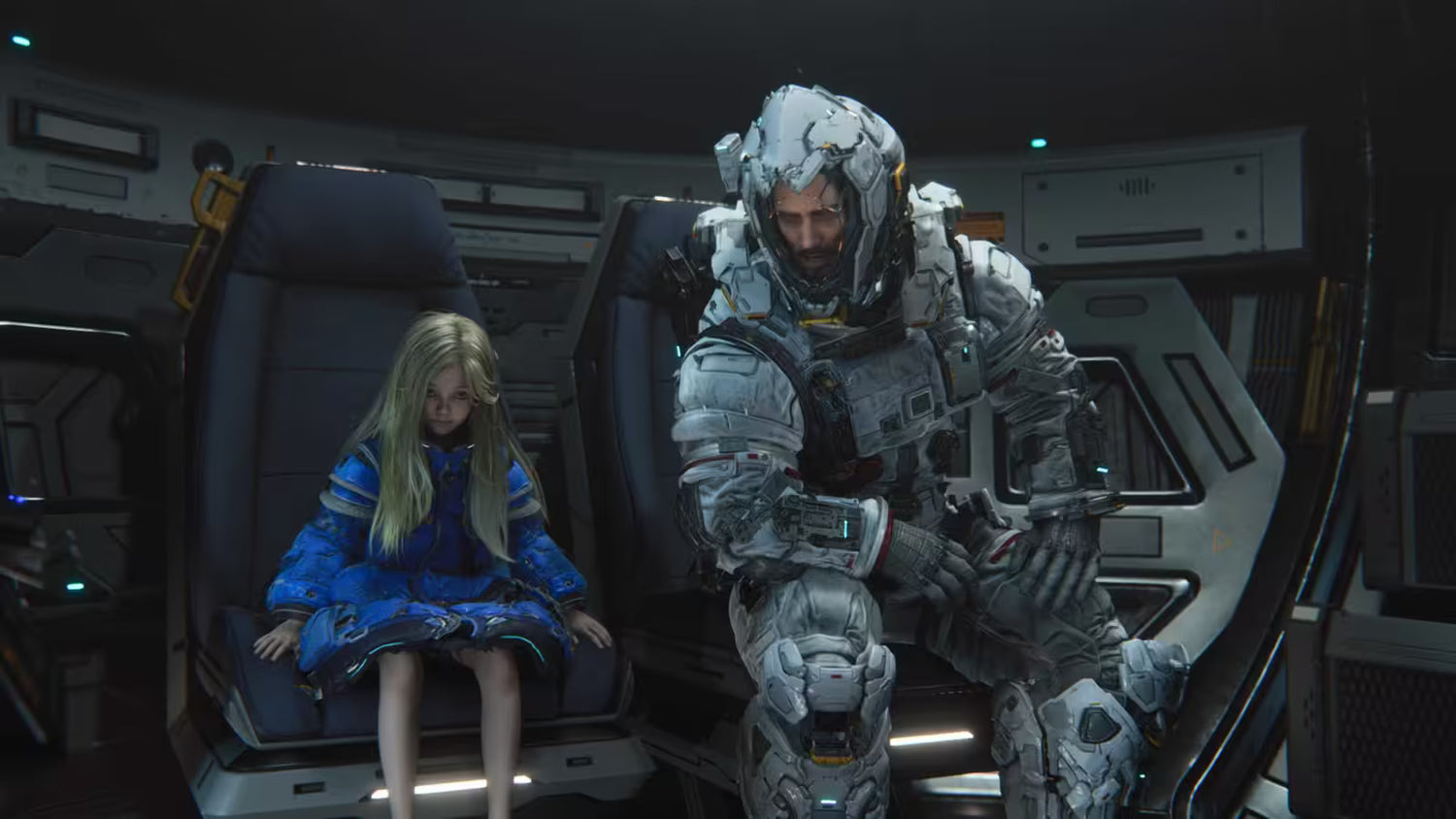
Pragmata Development Drama and What It Means for Choosing a Gaming PC Canada Buyers Can Actually Trust
The recent Pragmata development story is more than a dramatic behind-the-scenes headline. It is also a reminder that modern games are becoming more ambitious, more visually demanding, and more dependent on hardware that can keep up. For anyone shopping for a gaming PC Canada buyers can rely on, this matters. When a game survives harsh criticism, reworks core systems, and finally launches after years of delays, it usually means the final experience is more complex than the original concept. That often translates into heavier GPU load, more CPU demand, more storage use, and a stronger need for a well-matched custom system.
According to the source material, the developers behind Pragmata faced intense internal criticism during development. Puzzle design, action pacing, level structure, and even core gameplay logic were challenged. The project was reportedly close to cancellation before being given another chance. That kind of reset tells us something important about modern game development: games change dramatically before release, and the PC you buy based on early assumptions may not be the PC you wish you had when the final version arrives.
So what should Canadian gamers, streamers, and creators take from that? Simple. Buying too weak a system because a game might be manageable is often a short-term decision with long-term regret. If your next build is meant to carry you through major new releases, content creation, streaming, and daily productivity, your buying strategy should be based on headroom, not hope.
Why does the Pragmata story matter if you are shopping for a new PC?
Because game development rarely moves in a straight line. A title may begin as one kind of experience and become something much more demanding by launch. New mechanics can increase CPU usage. Denser visuals can increase VRAM pressure. More advanced lighting, higher quality assets, and heavier post-processing can shift a game from “probably fine” on an older system to “time for an upgrade” very quickly.
Have you ever bought a PC thinking it only needed to handle today’s games, only to realize six months later that the titles you were actually excited about wanted more GPU power, more RAM, or faster storage? That is exactly the kind of buying mistake a well-planned custom build helps you avoid.
The source story highlights a game that was criticized, rebuilt, delayed, and ultimately released after major internal changes. For shoppers, that should trigger a practical question: are you buying for the game trailers you saw years ago, or for the final wave of demanding AAA releases now?
What the source article gets right about pressure, revision, and modern game expectations
The most important takeaway from the source is not the studio drama by itself. It is the fact that harsh feedback forced the team to improve the game. Internal criticism pushed the developers to rethink mechanics, rebuild features, and refine the project into something stronger. In gaming terms, that usually means more polish, but it can also mean more system demand.
That trend is not limited to one title. Across the industry, delayed games often return with improved textures, expanded environments, better effects, ray tracing support, stronger AI behavior, more cinematic presentation, or more complex gameplay systems. All of that is great for players, but it also raises the hardware floor.
If you are a Canadian buyer looking at a new desktop, this is where a custom approach matters. A random low-cost system may technically boot the game, but will it give you stable frame rates? Will it leave room for future patches, DLC, background apps, Discord, browser tabs, mods, recording software, or streaming tools? Will it still feel strong a year from now?
What do you want your next PC to do for you?
Before you pick a budget, before you compare GPUs, and before you decide whether to wait or buy now, ask yourself one direct question: what do you actually want your next PC to do for you?
Do you want smooth 1080p gaming in new releases without constantly turning settings down?
Do you want a 1440p setup that feels strong for cinematic single-player games, ray tracing, and higher refresh rates?
Are you planning to game and stream at the same time using OBS?
Do you want one machine that handles gaming at night and Adobe Premiere Pro, Photoshop, DaVinci Resolve, or Blender during the day?
Are you buying because a major release is coming and you do not want to be stuck scrambling when GPU demand spikes?
If you answer those questions honestly, your best PC category becomes much easier to identify. That is where Groovy Computers can help by matching the build to the workload instead of pushing a one-size-fits-all box.
If Pragmata is a sign of where AAA games are going, what performance tier fits you?
Entry tier: for 1080p gaming and practical value
If your goal is straightforward 1080p play in modern games with sensible settings, an entry-to-midrange system can still make a lot of sense. This is often the right path for buyers looking for a budget gaming PC Canada shoppers can use for esports, lighter AAA play, indie games, school work, and everyday tasks.
This tier is ideal if you are asking questions like:
- How much should I spend on a gaming PC?
- Is a budget gaming PC worth it?
- Can a budget gaming PC play new games?
But there is a catch. If you are already interested in heavy new releases like cinematic action games, future open-world titles, or games likely to receive large technical upgrades over time, buying too low can mean upgrading sooner than you wanted. Is saving a little now worth replacing the system much sooner?
Midrange tier: the smart sweet spot for 1440p gaming
For many buyers, this is the real value zone. A strong midrange custom build often delivers the best balance of performance, longevity, and cost for those looking for a custom gaming PC Canada customers can enjoy across a wide mix of genres.
This is the tier for players asking:
- What PC do I need for 1440p gaming?
- Is it better to buy a gaming PC now or wait?
- How do I avoid upgrading too soon?
If you want higher settings, better frame consistency, stronger multitasking, and more breathing room for future releases, 1440p-focused builds often make the most practical long-term sense. They are especially appealing for gamers who want visual quality without jumping all the way to the cost of a flagship 4K machine.
High-end tier: for 4K, ray tracing, and maximum headroom
If your goal is high refresh 1440p, premium ultrawide gaming, or 4K with stronger settings, then a high end gaming PC Canada buyers choose should be built with long-term GPU relevance in mind. This is where strong cooling, careful part matching, power delivery, and case airflow all matter.
Are you chasing ultra settings? Do you want ray tracing performance that still feels premium in next-generation releases? Are you the kind of buyer who would rather buy once, buy properly, and keep the system longer? Then this category may be the better investment, especially if the alternative is buying lower and replacing sooner.
What if you want to stream, record, and play demanding games on one system?
The Pragmata story also connects to another buyer reality: many gamers are not just gamers anymore. They stream, clip highlights, record walkthroughs, create short-form content, edit videos, run overlays, and multitask constantly. That means your PC decision is not only about the game. It is about the entire workflow around the game.
If that sounds like you, then a streaming PC Canada shoppers should consider needs stronger balance between CPU power, GPU encoding ability, RAM capacity, and storage speed. A machine that feels fine for gaming alone can start to struggle once OBS, browser sources, chat tools, recording, and background apps enter the picture.
Ask yourself:
- What PC do I need for streaming?
- What gaming PC do I need for Twitch or YouTube?
- Do I need a separate streaming PC?
- Is CPU or GPU more important for streaming?
For most buyers, a separate streaming PC is unnecessary if the main system is chosen correctly. A balanced gaming and streaming build can handle gameplay, encoding, and multitasking much better than a bargain-first machine that was never designed for creator workloads.
Could your next gaming PC also be your creator PC?
Absolutely, but only if it is built for that role. Many Canadian buyers now want one desktop that handles gaming, content creation, and productivity. That is where a creator PC Canada customers invest in can deliver more value than a gaming-only spec list.
If you edit YouTube videos, work in Adobe Creative Cloud, cut social clips, make thumbnails, or manage a business from the same machine, you should be thinking beyond game FPS alone. You should also be asking:
- What PC do content creators need?
- Best PC for YouTube editing and streaming?
- How much RAM do creators need?
- Is a gaming PC good for content creation?
A strong creator-focused custom build can make a noticeable difference in timeline responsiveness, export speed, multitasking comfort, and overall daily efficiency. If your PC earns money, saves time, or supports a side hustle, then underspending can cost more than it saves.
Do you need a video editing PC instead of a pure gaming machine?
If your workflow includes 4K footage, multi-layer editing, colour correction, effects work, or long export sessions, then your needs shift quickly into video editing PC Canada territory. Gaming capability still matters, but the hardware priorities become broader.
Think about your actual software:
- Do you need a PC for Adobe Premiere Pro Canada users can trust for smoother playback?
- Are you looking for a PC for DaVinci Resolve Canada editors can use for heavier timelines and GPU acceleration?
- Do you work in After Effects and need stronger CPU and RAM support?
Questions like these matter because editing loads and gaming loads are not identical. Some buyers do well with a gaming-first build that also edits. Others are much better served by a custom creator workstation with more RAM, more storage planning, and stronger sustained cooling.
If you are regularly exporting 4K footage, managing large media libraries, or using your computer professionally, it is worth asking whether your next purchase should be a custom video editing PC Canada professionals would spec properly from the start.
What about photo editing, graphic design, and Adobe workflows?
Not every shopper reading game news is only thinking about games. Many also work in Photoshop, Lightroom, Illustrator, InDesign, Canva, or other design tools. If that is you, then your next desktop may need to function as a graphic design PC Canada buyers can rely on for smooth multitasking, fast launches, responsive previews, and dependable storage.
Ask yourself:
- What PC do I need for photo editing?
- Best PC for Photoshop and Illustrator?
- How much RAM do I need for graphic design?
- Do graphic designers need a dedicated GPU?
For many designers and photographers, the answer is yes, but not always for the reasons they think. A dedicated GPU can help with acceleration, display support, AI features, and smoother overall responsiveness, while stronger RAM and SSD choices improve multitasking and file handling. If you work with large RAW libraries or layered design files, the right balance matters more than flashy marketing.
Are you also doing 3D modeling, rendering, or game development work?
This is where buyer needs can change dramatically. If you use Blender, Unreal Engine, Maya, Cinema 4D, 3ds Max, Unity, CAD tools, or rendering software, then a 3D modeling PC Canada shoppers choose should be treated much more like a workstation than a standard gaming desktop.
Relevant questions include:
- What PC do I need for Blender?
- What PC do I need for 3D rendering?
- Best GPU for 3D rendering?
- Workstation PC vs gaming PC for 3D modeling?
Some gaming PCs can absolutely handle entry-level 3D work. But if you are doing serious rendering, simulation, asset creation, archviz, or engine-level development, your ideal system may need more VRAM, more system memory, different storage priorities, and a more workstation-oriented part selection. A proper custom workstation PC Canada buyers can configure for both professional and creative use is often the safer long-term investment.
Why Canadian buyers should think carefully about timing
The source article is about a game that took longer than expected and eventually reached the market after major development changes. That kind of release pattern creates exactly the kind of buying wave that catches shoppers off guard. Hype builds. Trailers return. Word of mouth grows. Then people suddenly want a better PC at the same time.
That matters in Canada because replacement cost is not just about the list price of a graphics card or CPU. It is also affected by exchange pressure, shipping costs, product availability, seasonal demand, and broader component volatility. Waiting does not always save money. Sometimes it simply means paying more later for the same or worse outcome.
Are you buying before a major game release? Before the next software update pushes hardware harder? Before GPU demand tightens? Before sale season stock disappears? Those are practical buying questions, not fear tactics.
If you know you are upgrading anyway, it is often smarter to buy based on your next 2 to 4 years of use instead of your next 2 to 4 weeks of uncertainty.
Should you buy a cheaper PC now or finance a stronger one?
This is one of the most important questions in the current market. A lot of buyers try to stay under a strict budget by cutting core performance too aggressively. They settle for less GPU power, too little RAM, not enough storage, or a weaker CPU, then spend the next year wishing they had stretched just a little further.
That is why finance gaming PC Canada options can make sense when used responsibly. Financing is not just about lowering the upfront barrier. It can also be a way to secure a better long-term build before replacement costs rise and before your needs outgrow the system.
Ask yourself honestly:
- Should I finance a gaming PC?
- Is financing a gaming PC worth it?
- Should I finance a better PC instead of buying a cheaper one?
- Can I finance a gaming PC in Canada?
For some buyers, the answer is yes, especially if the difference between “good enough today” and “still strong two years from now” is the difference between frustration and satisfaction. Groovy Computers offers financing options that can help qualified Canadian customers spread out the cost of a stronger custom desktop, including terms up to 4 years where applicable.
How do you decide which performance tier is right for your budget?
If you are stuck between categories, this simple breakdown can help.
Choose a value-focused build if:
- You mainly play esports titles, lighter AAA games, or older favourites
- You are targeting 1080p
- You want a first gaming desktop or student-friendly system
- You can live without high-end ray tracing and maximum settings
Choose a balanced midrange build if:
- You want strong 1440p performance
- You play new releases regularly
- You multitask with Discord, browsers, mods, and launchers
- You want a longer upgrade cycle and better overall value
Choose a premium build if:
- You want 4K gaming or ultra settings
- You care about ray tracing and visual fidelity
- You want stronger streaming, recording, and creator headroom
- You prefer to buy once and stay comfortable for longer
Choose a creator or workstation build if:
- You edit video, create graphics, work with large photos, or render 3D content
- You use Adobe apps, DaVinci Resolve, Blender, or Unreal Engine regularly
- Your computer supports paid work, school, business, or professional output
- You need reliability, cooling, storage planning, and a smarter upgrade path
Which one sounds most like you? And just as importantly, which one sounds most like the person you will be six months from now?
Why custom PC building matters more when games become more demanding
The source article shows that development can be messy, but it also shows how much can change before a final product reaches players. That is why off-the-shelf thinking often falls short. A proper custom build lets your hardware plan match your actual use case.
With a custom desktop, part selection can be tailored around what matters most:
- GPU strength for modern AAA gaming and ray tracing
- CPU performance for high refresh gaming, streaming, and productivity
- RAM capacity for multitasking and creator workloads
- SSD speed and capacity for game installs, footage, project files, and faster response
- Cooling and airflow for sustained performance and longevity
- Power supply quality for stability and future upgrade planning
This is also where working with Canadian custom PC builders matters. A well-built machine is not just a pile of parts. It is a system designed to run properly as a whole.
Why Groovy Computers is a strong fit for Canadian buyers
Groovy Computers is built around the kind of decision-making modern buyers actually need. Instead of forcing everyone into the same spec tier, the goal is to help customers choose the right machine for gaming, streaming, editing, design, content creation, or workstation use.
If you are shopping for a gaming PC Canada customers can trust, Groovy Computers offers a better path than guessing your way through mismatched parts or buying a generic system that cuts corners where it matters. Custom builds are designed around the customer’s real workload, tested before delivery, and backed by a 1-year warranty for added peace of mind.
That matters whether you are in Nova Scotia, Atlantic Canada, or ordering from elsewhere in the country. A Canada built gaming PC with proper testing and support simply gives buyers more confidence than a random unknown listing.
What questions should you ask before buying your next PC?
Before you commit, make sure you can answer these clearly:
- What games or software will I actually use most?
- Am I targeting 1080p, 1440p, or 4K?
- Do I care about ray tracing or high refresh competitive play?
- Will I be streaming, recording, or editing content too?
- Do I need this system to support Adobe, Blender, or workstation tasks?
- How long do I want this PC to feel current before I upgrade?
- Would financing a better build save me money and frustration over time?
- Am I buying before a game release, software upgrade, or possible component price shift?
If you do not feel confident answering all of those alone, that is exactly when expert help becomes valuable.
So, what should you do next?
If the Pragmata story tells us anything, it is that the final version of a game can demand more than early expectations suggested. The same goes for your own workload. Maybe today you only plan to game. Then you start streaming. Then you start clipping content. Then you start editing. Then your “good enough” PC becomes the system holding you back.
Do you want a budget build that gets you started, a stronger 1440p gaming desktop, a premium RTX-powered machine, or a custom creator or workstation PC that can handle serious work too? If you are not sure which category fits, Groovy Computers can help you narrow it down based on the games you play, the software you use, your budget, and whether financing makes sense for your situation.
If you are asking yourself what your next PC should really be capable of, now is the right time to talk to a builder that understands both performance and long-term value. Visit GroovyComputers.ca to explore custom builds, get guidance, and find a smarter fit before the next wave of demanding games and creative workloads makes your decision more expensive.
In the end, the lesson is simple: buy for where gaming and creation are going, not where they were a few years ago. A smarter gaming PC Canada buyers choose today can mean better performance, a longer usable life, and fewer upgrade regrets tomorrow.
#GamingPCCanada #CustomGamingPCCanada #GamingPCBuilderCanada #CanadianCustomPCBuilders #CreatorPCCanada #VideoEditingPCCanada #StreamingPCCanada #3DModelingPCCanada #WorkstationPCCanada #NovaScotiaBusiness
Groovy Computers | All Rights Reserved



Leave a comment
This site is protected by hCaptcha and the hCaptcha Privacy Policy and Terms of Service apply.