






















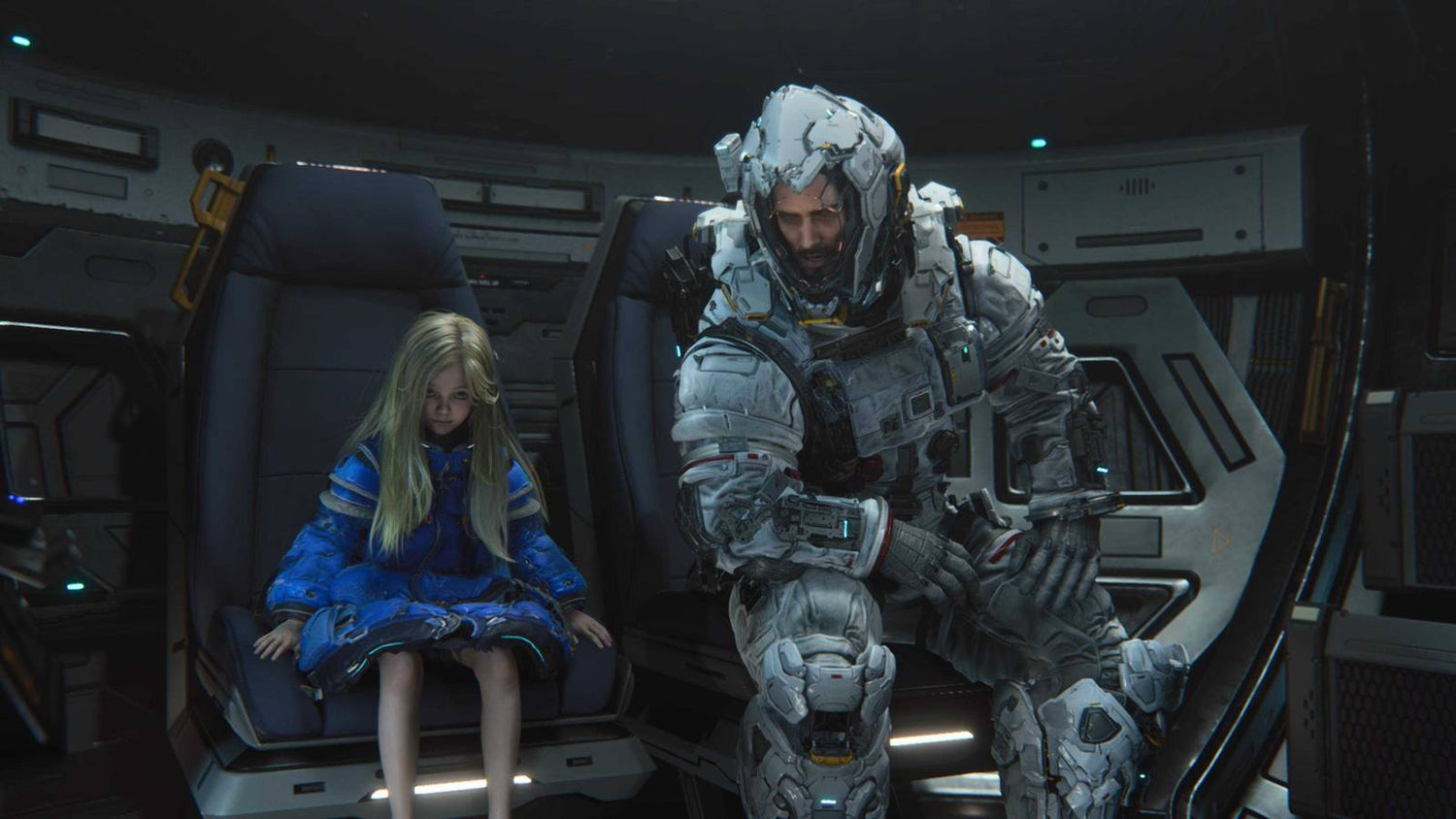
Pragmata Internal Reviews Show Why Buying the Right Gaming PC in Canada Matters More Than Ever
The story behind Pragmata internal reviews is a reminder that great results often come from better hardware decisions, smarter development, and refusing to settle for a weak first draft. Early feedback reportedly called Capcom’s sci-fi hit disappointing, boring, and not compelling enough, yet the finished game went on to earn strong praise and major sales momentum. For Canadian gamers, creators, and buyers planning their next system, that story matters because it points to something bigger: modern games are evolving fast, and the difference between frustration and a great experience often comes down to having the right PC for what comes next.
At Groovy Computers, that matters every day. New releases, heavier graphics demands, more advanced lighting, better physics, larger open worlds, creator tools, streaming overlays, background apps, and higher-resolution displays all raise the bar. So if one game’s path to success involved rebuilding systems, refining mechanics, and improving performance, what does that mean for your own setup? Is your current desktop ready for the next wave of demanding PC games? Are you buying for 1080p esports, 1440p story-driven titles, 4K gaming, streaming, editing, or a mix of everything?
What the Pragmata development story really tells PC buyers
The key takeaway is not just that developers can recover from harsh feedback. It is that modern games are shaped through iteration, and that process often leads to more demanding final experiences than early previews suggest. A title that starts rough may eventually launch with stronger visual effects, more complex mechanics, more AI behaviour, denser environments, and more GPU-heavy presentation. That is exciting for players, but it also means system requirements and real-world performance expectations can shift upward.
Have you ever bought a game because the trailers looked amazing, only to realize your current PC struggles once effects are turned on? Have you lowered settings more than you wanted just to keep stable frame rates? Those are common signs that your system may be aging out of the experience you actually want.
For buyers in Canada, this is where planning matters. It is one thing to ask whether a game will run. It is another to ask whether it will run well for the next few years, across multiple new releases, while leaving room for Discord, recording software, Chrome tabs, mods, patches, and future updates.
Why this matters for anyone shopping for a Gaming PC Canada build
If you are researching a Gaming PC Canada purchase, stories like this should push you to think beyond minimum requirements. Minimum specs only answer whether a title can launch. They do not answer whether you will enjoy the game at the quality level you had in mind. They also do not help much if you want ray tracing, high refresh rates, better draw distance, smoother 1% lows, or room for streaming and recording.
That raises an important question: what do you actually want your next PC to do for you?
Do you want to jump into new AAA releases at high settings without worrying every time a patch drops? Do you want a system that handles competitive multiplayer one night, a big single-player sci-fi release the next, and video editing on the weekend? Do you want to avoid buying something too weak now, only to replace the GPU sooner than expected?
Those are exactly the kinds of decisions Groovy Computers helps Canadian buyers make every day with custom systems built for real use, not just marketing bullet points.
What do you want your next PC to do for you?
Before choosing parts, ask yourself a few practical questions.
- Are you mainly gaming? If so, what kinds of games: esports, open-world AAA, survival, shooters, racing, or cinematic story games?
- Do you want 1080p, 1440p, or 4K? Resolution changes the entire build recommendation.
- Do you care about ray tracing? Visual ambition comes with real GPU demand.
- Will you stream or record gameplay? That affects CPU, GPU encoding, RAM, and storage choices.
- Will you edit videos, thumbnails, photos, or motion graphics? Then you may need a creator-focused system, not just a standard gaming desktop.
- Do you use Blender, Unreal Engine, CAD, or rendering software? That may push you toward a workstation or 3D modeling build.
- Are you trying to buy once and keep the system longer? Then upgrade path, cooling, motherboard quality, and power supply matter more.
These questions matter because the “best PC” is never the same for every customer. The right answer depends on what you want your system to achieve over the next several years, not just on day one.
What gaming performance tier fits you best?
Entry and value tier: 1080p gaming
If your goal is straightforward 1080p gaming, especially for esports and lighter titles, a value-focused build can still make sense. This is often the right lane for students, first-time buyers, or customers asking, “How much should I spend on a gaming PC?”
But even here, the smart question is not just “What is the cheapest system I can get?” It is “Will this setup still feel good a year or two from now?” A Budget Gaming PC Canada buyer should still think about RAM capacity, SSD space, airflow, and whether the GPU has enough overhead for new releases instead of only today’s favourites.
If you play competitive titles now but are also interested in more demanding games coming soon, going slightly stronger at the start can save money and hassle later.
Mainstream sweet spot: 1440p gaming
For many customers, 1440p is the real sweet spot. It offers a major visual upgrade over 1080p while staying more attainable than full 4K. If you want strong image quality, better immersion, smoother high refresh gaming, and more longevity, this tier is often the smartest value.
Are you the kind of player who wants high settings, consistent frame rates, and enough performance for new story-heavy games without jumping straight into the most expensive hardware tier? Then a 1440p Gaming PC Canada build is often the best balance.
This is also where many gamers begin asking the right future-proofing question: “Do I want to upgrade too soon?” If the answer is no, then targeting a stronger mid-to-high tier system now can be a smarter long-term move than buying the bare minimum.
High-end tier: 4K, ray tracing, ultra settings
If your goal is cinematic image quality, high-end displays, ray tracing, and premium performance in demanding new titles, you are shopping in high-end territory. This is where a 4K Gaming PC Canada or High End Gaming PC Canada build becomes relevant.
Ask yourself: are you trying to build around a premium monitor you already own? Do you want games to look as good as possible for years? Do you care more about visual fidelity than bargain pricing? If yes, it often makes sense to buy enough GPU now rather than stepping up in small, expensive upgrades later.
High-end buyers also tend to overlap with streaming, content creation, and editing users, because stronger GPUs and CPUs can serve multiple purposes beyond gaming alone.
What if you also want to stream, record, or create content?
The source story is about a game, but the buyer lesson extends beyond gaming. Many customers are no longer buying a PC for just one task. They want to game, stream, clip highlights, edit shorts, design thumbnails, manage social media, and maybe even work with creator tools in Adobe apps or DaVinci Resolve.
So ask yourself: are you really looking for only a gaming desktop, or do you need a system that can also support a creator workflow?
If you stream to Twitch or YouTube, a Gaming and Streaming PC Canada build may be the better fit. If you cut footage in Premiere Pro, work in Resolve, or produce short-form content regularly, a Creator PC Canada or Video Editing PC Canada recommendation may make more sense. If your day includes Photoshop, Illustrator, Lightroom, or Canva along with gaming, then your purchase decision should reflect that wider workload.
Streaming buyers: what should you prioritize?
If you are wondering, “What PC do I need for streaming?” start with the basics: game resolution, target frame rate, streaming resolution, and whether you record locally while live. A solid Streaming PC Canada setup should account for encoding performance, multitasking headroom, memory, storage speed, and thermals.
Do you play competitive shooters at high FPS and want smooth OBS performance at the same time? Do you need dual-monitor support for chat, alerts, and browser windows? Do you want stronger hardware now so your stream quality does not suffer when games get more demanding later?
Those are the moments when going from a basic gaming build to a stronger custom configuration becomes a practical upgrade rather than a luxury.
Editing and creator buyers: what should you prioritize?
If your work includes 4K timelines, larger media libraries, or layered projects, the question shifts from “Can it game?” to “Can it save me time every day?” For editing users, smoother scrubbing, faster exports, more responsive previews, and reliable multitasking all matter.
A proper Custom Video Editing PC Canada or Content Creation PC Canada system should be chosen based on software, codec demands, GPU acceleration, RAM requirements, storage configuration, and whether you also game on the same machine.
Are you cutting YouTube content? Batch-exporting social clips? Working in Adobe Creative Cloud? Using AI tools more often? If so, there is a good chance a standard entry gaming system is too limiting for the experience you actually want.
3D and workstation buyers: do you need more than a gaming PC?
Some customers arrive thinking they need a gaming system and later realize they really need a workstation-class configuration. If you use Blender, Unreal Engine, CAD software, rendering tools, or simulation-heavy workloads, then CPU cores, GPU memory, RAM capacity, SSD layout, and overall stability become much more important.
If you have asked, “Is a gaming PC good for Blender?” or “What PC do I need for 3D rendering?” the answer is often: it depends on how serious the workload is. A gaming GPU can still be powerful, but the full system design needs to support long sessions, sustained performance, and reliable cooling. That is where a 3D Modeling PC Canada or Workstation PC Canada build becomes worth considering.
Why Canadian buyers should think differently about timing
Game stories like Pragmata’s remind us that the final version of a title can be more impressive, and more demanding, than expected. But there is also a buying angle here for Canadian customers: waiting does not always make the market easier.
Have you noticed how GPU demand can swing quickly when new games, major creator workflows, or hardware launches change buyer behaviour? Have you seen storage prices rise after looking stable for a while? Have you put off buying a system only to find the same performance class costs more later?
That is why timing matters. Full-system pricing is influenced by graphics cards, processors, memory, SSDs, power supplies, and availability across the market. If your current PC is already near its limit, waiting for perfect conditions can backfire. You may end up replacing a failed part urgently, paying more during a demand spike, or settling for a weaker configuration because your budget stayed fixed while replacement cost increased.
Is it better to buy now or wait?
This is one of the most common questions in PC buying, and the honest answer is that it depends on your current system, your performance expectations, and your risk tolerance.
If your current computer still handles everything comfortably, waiting can be reasonable. But if you are already compromising every week by lowering settings, juggling storage space, fighting crashes under load, or delaying games and projects because your system feels behind, then waiting may cost you more in frustration than it saves in money.
Ask yourself a practical version of the question: will waiting improve my real experience, or am I just postponing a purchase I already know I need?
If there is a major game release you care about, if your editing backlog is growing, if software updates keep getting heavier, or if you expect GPU pricing pressure to worsen, securing the right build sooner can be the smarter move.
Should you buy a cheaper system or finance a stronger one?
Another important question for buyers in Canada is whether to settle for a lower tier now or use financing to secure the system they actually need. This is especially relevant when the difference between “good enough today” and “still strong in two or three years” is only one performance tier apart.
If you are asking, “Should I finance a better PC instead of buying a cheaper one?” think about the replacement cycle. A weaker build may seem safer up front, but if it forces an earlier GPU upgrade, storage expansion, or full rebuild, your total cost of ownership can climb faster than expected.
For many customers, Gaming PC Financing Canada or creator/workstation financing makes sense because it helps them get the right level of hardware before prices rise or needs increase. That is particularly true for buyers who know they want 1440p gaming, ray tracing, streaming support, 4K editing, or a more future-ready platform.
Would monthly payments make it easier to choose the build you really want instead of the one you might outgrow too quickly? Would financing up to 4 years help you avoid cutting corners on the GPU, RAM, or storage? For many Canadian buyers, the answer is yes.
What parts matter most if you want to avoid upgrading too soon?
GPU choice
For gamers, the graphics card is often the biggest performance driver. It affects resolution targets, ray tracing, texture quality, and how well your system keeps up with future releases. If you are buying a PC for new games, it usually makes sense to size the GPU around what you want to play next, not just what you played last year.
CPU headroom
A stronger processor becomes more important if you stream, run background tasks, edit video, or play CPU-sensitive games. It also helps with system responsiveness, multitasking, and long-term balance.
RAM capacity
Modern gaming, creator apps, browser-heavy use, modding, and background tools can eat memory quickly. If you are asking, “How much RAM do I need for streaming?” or “How much RAM do I need for video editing?” the answer is usually more than entry-level buyers first expect.
SSD configuration
Large games, recorded footage, project files, and creative assets add up fast. Fast SSD storage improves load times, workflow responsiveness, and your overall day-to-day experience. Running out of space too soon is one of the most common avoidable mistakes.
Cooling and power supply quality
These are not flashy specs, but they matter. Stable thermals, reliable power delivery, and room for upgrades help protect your investment. If you want a system that feels dependable over time, these supporting parts are not optional details.
Why custom builds matter when game demands keep changing
A generic one-size-fits-all desktop may technically check a few boxes, but custom building gives you a better chance of matching the system to your real goals. That matters more when games evolve, patches shift performance, and your own use expands from gaming into streaming, editing, or productivity.
Are you choosing based on a single spec line, or are you choosing based on the complete system experience? Does the build have balanced parts? Was it assembled with airflow and upgrade path in mind? Is it designed for your actual monitor and software, or just marketed as “gaming” because it has RGB lights?
At Groovy Computers, the value of a custom system is that it can be tailored to fit your priorities instead of forcing you into a mismatch. That means better part pairing, better use of budget, and a clearer path toward the performance tier you actually want.
Why Groovy Computers is a strong fit for Canadian buyers
Groovy Computers is built around what serious buyers in Canada actually need: custom gaming PCs, creator PCs, and workstation PCs that are designed with purpose instead of guesswork. Whether you are in Nova Scotia, Atlantic Canada, or ordering from elsewhere in the country, the goal is the same: give you a machine that fits your workload, your games, your budget, and your upgrade timeline.
Need a system for new AAA titles at 1440p? Want a premium ray tracing setup? Looking for a PC for OBS, Premiere Pro, Photoshop, Blender, or mixed creator work? Trying to decide whether a budget system is enough, or whether financing a stronger machine would be smarter?
That is where Groovy Computers stands out. Custom build guidance, rigorous testing, and a 1-year warranty all matter when you are spending real money on a performance desktop. A machine should not just look good in photos. It should be stress-tested, well-matched, and built to inspire confidence.
Questions to ask before buying your next custom PC
- What games or software will I actually use most?
- Am I targeting 1080p, 1440p, or 4K?
- Do I want ray tracing, high FPS, or both?
- Will I stream, record, edit, or create content on the same machine?
- How long do I want this system to feel current?
- Would more RAM or storage save me frustration later?
- Am I buying for today only, or for the next several years?
- Would financing help me get the right build instead of settling?
- Do I want a standard gaming PC, a creator PC, or a workstation?
- Do I want help from a Canadian custom PC builder that understands these differences?
The real lesson from Pragmata’s turnaround
The Pragmata story is ultimately about improvement through iteration. A project that was criticized internally became a successful release because the team kept refining the formula until it worked. That same mindset is useful when buying your next PC. Instead of asking only whether a cheap system can get by, ask whether your build is genuinely ready for the kind of gaming and creative workload you want ahead.
If a single modern title can evolve from rough feedback into a standout sci-fi hit, what will the next few years of game releases demand from your hardware? Will your current PC still feel enjoyable when new effects, denser worlds, and more advanced mechanics become standard? Or is this the right moment to step into something stronger and more future-ready?
Ready to choose the right build for gaming, streaming, or creative work?
If you are comparing options and wondering what performance tier makes the most sense, Groovy Computers can help. Whether you need a value-focused gaming system, a premium RTX-based build, a custom creator machine, or a workstation for heavier software, the right answer starts with your goals. Visit GroovyComputers.ca if you want help choosing a custom system in Canada, exploring performance tiers, or deciding whether financing is the smartest way to secure a stronger PC before costs change again.
In other words, the lesson behind Pragmata internal reviews is bigger than one game. Better outcomes come from better decisions, better systems, and better long-term planning. If your next desktop needs to handle gaming, streaming, editing, design, or 3D work without forcing an early upgrade, now is the time to think carefully about what you really need and buy accordingly.
#GamingPCCanada #CustomGamingPCCanada #GamingPCBuilderCanada #CreatorPCCanada #VideoEditingPCCanada #StreamingPCCanada #3DModelingPCCanada #WorkstationPCCanada #CanadianCustomPCBuilders #NovaScotiaComputers
Groovy Computers | All Rights Reserved


Leave a comment
This site is protected by hCaptcha and the hCaptcha Privacy Policy and Terms of Service apply.