



















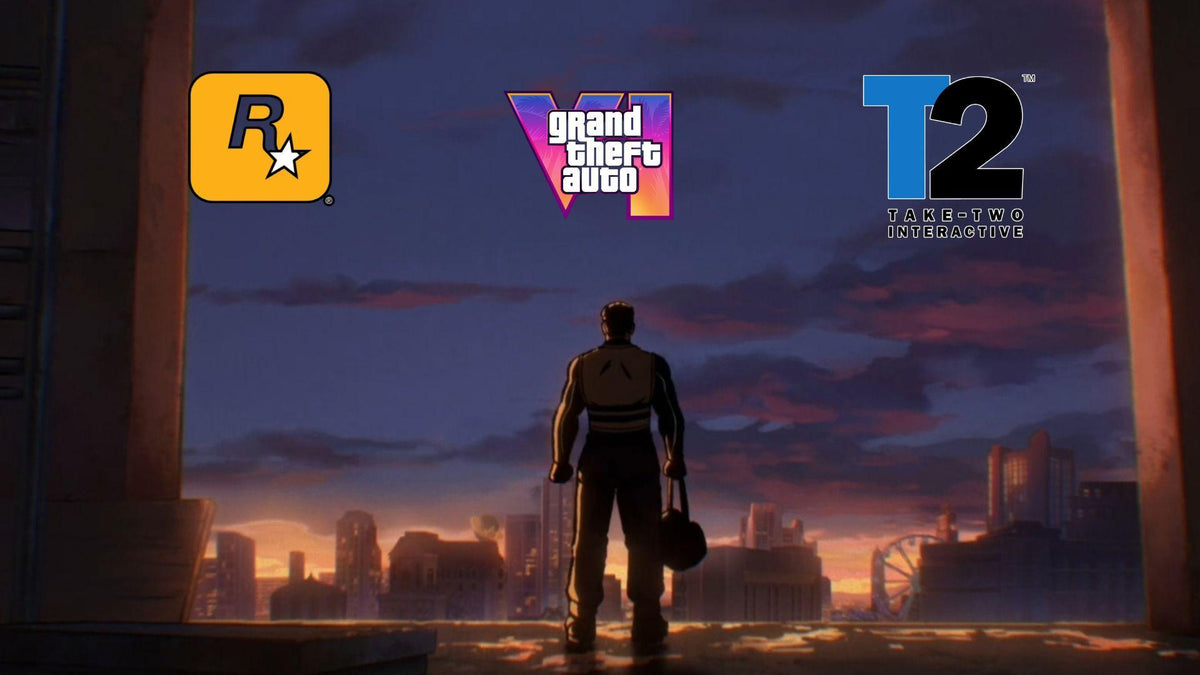
Rainbow Six Siege, GTA 6 Hype, and the Bigger Question: Is Your PC Ready for the Next Wave of Games?
The source story about Rainbow Six Siege and GTA 6 highlights something bigger than one shooter reacting to one blockbuster release. It shows how powerful a major launch can be across the entire gaming market. When a title as massive as Grand Theft Auto VI starts bending release schedules, player habits, creator plans, and hardware buying decisions, Canadian gamers should be asking a practical question: is your current system ready for the next generation of game performance?
That matters whether you play competitive shooters, open-world AAA games, stream on Twitch or YouTube, edit content for social media, or want a machine that will not feel outdated the moment the next big release lands. At Groovy Computers, this is where a headline becomes a buying guide. Big game launches do not just change what people play. They change what kind of PC people need.
What does the Rainbow Six Siege and GTA 6 story really tell us?
The most important takeaway is not just that one live-service game expects a temporary player dip. The bigger point is that the industry already expects GTA 6 to pull attention, time, and eventually hardware demand in a major way. Some publishers avoid that window. Some creators prepare for a traffic surge. Some players start planning upgrades early. That last group is often the smartest.
If a game release is big enough to change studio strategy, should it also change your upgrade strategy?
For many players, the answer is yes. New blockbuster releases tend to create a chain reaction. Gamers start checking specs. Friends start upgrading. Streamers start refreshing their setups. Used systems lose appeal. Mid-range hardware gets judged more harshly. Suddenly, the question is no longer just can my PC still turn on and play games. The question becomes can my PC deliver the experience I actually want?
Why should Canadian buyers care about a story like this?
Because timing matters more in Canada than many buyers expect. If a major release triggers stronger demand for gaming hardware, Canadians can feel the pressure through availability changes, replacement cost increases, shipping delays, and weaker value at the lower end of the market. Waiting until everyone else is panic-shopping for a new system is rarely the best move.
Are you planning to buy right before a major game launch, during a heavy sale period, or after demand has already started climbing? Are you hoping to stretch an older GPU one more year, or do you want a smoother 1440p or 4K experience without compromises? Those are very different buying situations.
Canadian buyers also tend to think harder about long-term value. A properly matched custom system can save money over time by avoiding rushed upgrades, poor thermals, weak power supplies, limited RAM, or storage bottlenecks that force another purchase sooner than expected.
What do you want your next PC to do for you?
This is the most important question in the entire buying process.
Do you want a system mainly for competitive games like Rainbow Six Siege, Counter-Strike 2, Valorant, Fortnite, and Call of Duty? Do you want a gaming PC for GTA 6 and other demanding AAA releases at high settings? Do you want to stream while gaming without tanking your frame rate? Do you want to record gameplay, edit videos, design thumbnails, and post consistently? Or are you also working in Premiere Pro, Photoshop, Lightroom, Blender, or Unreal Engine?
Your answer changes everything.
A buyer who only wants smooth esports performance at 1080p does not need the same machine as someone targeting cinematic single-player games at 1440p ultra settings with ray tracing. A creator cutting 4K footage in DaVinci Resolve needs different priorities than someone focused on pure gaming FPS. A designer running Adobe Creative Cloud all day will care about RAM, storage responsiveness, and display workflow in a different way than a weekend gamer.
That is why custom PC guidance matters. The right system is not just the most expensive one. It is the one built around what you actually plan to do over the next several years.
What gaming PC do I need if upcoming games are getting heavier?
If you are asking what gaming PC do I need, start with your target resolution and game type.
1080p gaming: who is it for?
A 1080p-focused build is still a great choice for many players in Canada. If you mostly play esports titles, want high refresh rate performance, and care more about responsiveness than visual max settings, a budget or lower-midrange gaming PC can still offer strong value.
This tier is often ideal if you are asking:
- Do I mostly play competitive shooters?
- Am I trying to maximize FPS on a 1080p monitor?
- Do I want my first gaming desktop without overspending?
- Would I rather save room in the budget for a monitor, headset, or future upgrade?
For buyers looking at a Budget Gaming PC Canada option, the key is balance. You do not want a system that looks affordable today but needs extra RAM, more storage, or a better GPU almost immediately.
1440p gaming: is this the sweet spot now?
For many gamers, yes. A 1440p Gaming PC Canada build often hits the best balance of sharp visuals, strong frame rates, and better long-term value. It is especially attractive if you want to enjoy both multiplayer and big cinematic games without feeling like you need to jump all the way to a premium 4K rig.
If you are asking what PC do I need for 1440p gaming, this is usually the tier where component quality starts to matter more. GPU choice, CPU pairing, airflow, cooling, and RAM capacity all begin to affect how well the machine ages.
This tier makes sense if you are thinking:
- I want high settings in newer games, not just older ones.
- I play both esports and AAA titles.
- I want a future proof gaming PC without jumping straight to flagship pricing.
- I may also stream or edit clips later.
4K gaming and ray tracing: who should go premium?
If your goal is ultra settings, stronger ray tracing, large open-world games, and longer relevance at the high end, then a 4K Gaming PC Canada or premium RTX build may be the right move. This is the tier for buyers who do not want to shop again too soon.
Ask yourself: are you buying once and expecting your desktop to stay impressive through several major game cycles? Do you want stronger minimum frame rates in heavier titles? Are you moving to a larger high-resolution display? If so, cutting too many corners now can become expensive later.
For these customers, financing a better system can sometimes make more sense than buying a cheaper one that ages out faster.
Are you only gaming, or do you also want to stream and create content?
The source article mentions how major releases affect viewers and live-service communities, and that matters for hardware too. Big launches are not only gaming events. They are creator events.
If you stream, upload highlights, post short-form clips, or build a channel around new releases, your PC has to do more than run the game. It needs to handle capture, encoding, multitasking, browser tabs, overlays, chat tools, and often editing software afterward.
If you are wondering what PC do I need for streaming, think about your workflow.
- Are you gaming and streaming from one PC?
- Do you want smooth OBS performance?
- Will you record long sessions while playing demanding games?
- Are you editing clips for YouTube, TikTok, or Reels afterward?
A proper Streaming PC Canada or gaming-and-creator build should be selected differently than a pure gaming machine. The GPU matters for modern encoding workflows, but CPU strength, RAM headroom, and SSD layout also matter if you want a smoother experience under load.
If your next system needs to game, stream, and edit, it often makes sense to move beyond an entry-level build before a major release rush begins.
Could a new release wave push more people into creator PCs and editing workstations?
Absolutely. Every major gaming cycle drives an increase in highlight editing, guide creation, thumbnail design, reaction content, livestream clipping, social uploads, and long-form video production. In other words, game hype often becomes creator hardware demand.
If you are making content around trending games, a standard gaming desktop may not be enough for your real workload.
You may need a Video Editing PC Canada build if you work in Adobe Premiere Pro, DaVinci Resolve, or After Effects. You may need a Photo Editing PC Canada setup if you create promotional art, event graphics, or high-resolution image work. You may need a Graphic Design PC Canada or Content Creation PC Canada if your workflow spans thumbnails, branding, overlays, social media kits, and marketing assets.
Ask yourself a few honest questions:
- Do you only play games, or are you also producing around them?
- How much time are you losing on exports, renders, and sluggish timelines?
- Do you open Premiere Pro, Photoshop, Illustrator, OBS, Discord, Chrome, and game launchers all in the same session?
- Would more RAM and faster storage save you frustration every day?
If yes, then a creator-focused custom build could be the better fit than a gaming-only machine.
What if your workload includes Blender, Unreal Engine, or heavier workstation tasks?
Some customers arrive thinking they need a gaming PC, when they actually need a workstation-grade configuration. That is especially true if your day includes 3D work, rendering, simulation, asset creation, architecture, engineering visualization, or game development tools.
If you are asking what PC do I need for Blender or whether a gaming desktop is enough for Unreal Engine, the answer depends on how serious the workload is. Hobby-level 3D and professional rendering are not the same thing. A machine that plays games well can sometimes handle light 3D work, but sustained rendering, heavier scene management, and larger projects call for smarter component planning.
A proper 3D Modeling PC Canada or Workstation PC Canada build may require more RAM, different storage structure, stronger cooling, and a different CPU-GPU balance than a typical gaming tower.
So ask yourself: are you buying for entertainment only, or for entertainment plus productivity? If your PC is also part of your income, the stakes are higher.
Which performance tier fits you best?
One of the biggest mistakes buyers make is shopping by hype instead of shopping by use case. Here is a simpler way to think about performance tiers.
Entry-level and value tier
This is best for players focused on 1080p gaming, lighter esports titles, school use, general multitasking, and first-time desktop ownership. It can be a solid fit if your priorities are affordability and clean entry into PC gaming.
Best for buyers asking:
- How much should I spend on a gaming PC?
- Is a budget gaming PC worth it?
- Can a budget gaming PC play new games at sensible settings?
Balanced mid-range tier
This is often the smartest choice for gamers who want 1440p capability, stronger multitasking, better longevity, and room for streaming or light editing. For many Canadian buyers, this is where value and future-readiness meet.
Best for buyers asking:
- What PC do I need for 1440p gaming?
- Is now a good time to buy a gaming PC?
- Should I get a gaming and streaming PC instead of a basic gaming tower?
High-end gaming and creator tier
This tier is for enthusiasts who want premium gaming performance, heavier multitasking, stronger creator capability, and better long-term confidence. It is ideal if you game, stream, and edit or if you simply want your machine to stay relevant longer.
Best for buyers asking:
- What PC do I need for ultra settings?
- How long will a high-end gaming PC last?
- Should I finance a better PC instead of buying a cheaper one?
Workstation and advanced production tier
This is for customers whose systems are also tools for business, production, or advanced technical work. If you render, animate, simulate, grade 4K footage, or manage demanding professional software, a workstation-oriented build can save significant time and frustration.
Best for buyers asking:
- What workstation PC do I need?
- How much RAM do I need for workstation tasks?
- Is a gaming PC good for workstation use?
Is it better to buy now or wait?
This is one of the most common and most important questions. The answer depends on your current system, your timeline, and your tolerance for compromise.
If your current desktop already struggles in modern games, waiting usually does not improve your experience. It just extends the pain. If you know you want to play major new titles, stream more seriously, or step into editing and content creation soon, delaying the decision can leave you buying under pressure later.
There is also a practical market reality. Demand waves can affect GPU availability, memory pricing, storage pricing, and total system replacement cost. Even when prices do not spike dramatically, the best-value combinations can disappear first. That means the exact build you wanted may become harder to secure at the right budget.
So ask yourself: are you waiting because a better option is definitely coming, or because deciding feels difficult? If it is the second reason, getting guided now is often the better move.
Could financing help you secure a stronger build before costs rise?
For many customers, yes. A major mistake in PC shopping is buying too low just to avoid a larger upfront payment, then needing upgrades much sooner. In many cases, a stronger custom build with a longer useful life is the better financial decision.
If you are considering Gaming PC Financing Canada options, think about what you gain by stepping up one tier now. Maybe that means more VRAM headroom for new games. Maybe it means 32GB or 64GB of RAM instead of needing an upgrade soon. Maybe it means a better CPU for streaming and editing. Maybe it means enough storage for large modern game installs and captured footage.
Groovy Computers offers options that can help buyers spread out the cost of a better-fit system, including financing up to 4 years where applicable. That can be especially useful if you are trying to avoid settling for a weaker PC right before major game releases and heavier software demands make older hardware feel worse.
If you are asking should I finance a gaming PC, the smarter version of that question is this: would monthly payments help you get the machine you actually need, instead of the one you will outgrow first?
What parts matter most when new games start raising expectations?
Customers often focus only on the graphics card, but full-system balance matters.
GPU
Your graphics card is central for visual settings, resolution targets, ray tracing, and many creator workloads. If your main concern is whether your PC is ready for demanding new games, the GPU is a major part of the answer.
CPU
Competitive titles, open-world simulation, streaming, multitasking, and creator software all benefit from a strong processor. Pairing the wrong CPU with a powerful GPU can bottleneck performance and reduce value.
RAM
Modern gaming, streaming, browser-heavy use, editing, and creative multitasking can quickly expose weak memory configurations. If you are asking whether 16GB is enough, the answer depends on what else you do besides gaming.
Storage
Fast SSD performance matters for boot speed, load times, project handling, caching, and overall responsiveness. Large games and creator files also fill drives faster than many people expect.
Cooling and power delivery
A system that looks strong on paper but runs hot, loud, or unstable is not a good system. Custom PC quality is about parts selection, airflow, power supply quality, and build testing, not just flashy specs.
Why does a custom build matter more than ever?
Because generic systems often hide weak points in places buyers do not notice until later. That can mean limited cooling, poor upgrade paths, low-quality power supplies, cramped cases, or memory and storage choices that hold back real-world use.
A Custom Gaming PC Canada approach gives you a better match between budget and purpose. If your actual goal is smooth 1440p gaming with streaming support, your build should reflect that. If your real need is gaming plus video editing plus Adobe Creative Cloud, your system should be configured differently. If your machine also supports paid work, reliability matters even more.
That is why Groovy Computers emphasizes properly matched systems, rigorous testing, and a 1-year warranty. A tested custom machine reduces guesswork and gives Canadian buyers more confidence than rolling the dice on an underbuilt or poorly balanced system.
What questions should you ask before buying your next desktop?
Before you commit, ask yourself the same practical questions a good builder would ask.
- What games do I actually play most, and what games do I want to play next?
- Am I targeting 1080p, 1440p, or 4K?
- Do I care about ray tracing, high refresh gaming, or ultra settings?
- Will I stream, record, or edit content on this same machine?
- Do I use Photoshop, Premiere Pro, DaVinci Resolve, Illustrator, Blender, or Unreal Engine?
- How long do I want this PC to stay capable before I feel pressure to upgrade?
- Would spending a bit more now save me from replacing parts too soon?
- Would financing a stronger build be smarter than buying a weaker one outright?
If you cannot answer all of those clearly, that is exactly when a custom PC consultation becomes valuable.
Why Groovy Computers is a strong fit for Canadian buyers
Groovy Computers is built around the needs that matter most to real buyers in Canada: custom-fit performance, trustworthy guidance, properly tested systems, clear use-case matching, and support from a Canadian custom builder that understands both gaming and creator workloads.
Whether you need a gaming rig for new releases, a balanced streaming machine, a creator desktop for Adobe workflows, or a heavier workstation for 3D and production tasks, the goal is the same: get a system that fits how you actually use your PC.
That is especially important if you are shopping from Nova Scotia, Atlantic Canada, or anywhere else in the country and want confidence before placing an online order. You are not just buying parts. You are buying planning, assembly quality, testing, and support.
So what should you do if this GTA 6 moment has you rethinking your setup?
If a huge release cycle has you wondering whether your PC is about to feel old, do not ignore that instinct. The players who prepare early usually get the best experience, the best value, and the least stress.
Do you want a budget-friendly gaming desktop that handles competitive titles smoothly? Do you want a stronger all-rounder for AAA gaming and streaming? Do you need a creator machine for editing, design, and content production? Do you want a workstation that earns its keep every day?
If you are asking those questions now, that is a good thing. It means you are shopping intentionally, not reactively.
Want help choosing the right system before demand shifts and your current hardware falls further behind? Visit GroovyComputers.ca to explore custom build options, compare performance tiers, and see whether a custom gaming PC, creator PC, or workstation is the right move for you.
Final takeaway: Rainbow Six Siege and GTA 6 are a reminder to think ahead
The original story shows that game studios are already planning around major release gravity. Smart buyers should do the same. Rainbow Six Siege and GTA 6 are not just a news talking point. They are a signal that performance expectations, player attention, and PC buying urgency can all shift quickly around major launches.
If your current desktop is barely keeping up, if you want to move into 1440p or 4K gaming, if you plan to stream or edit, or if you simply want to avoid upgrading too soon, this is the right time to think carefully about your next build. For Canadian shoppers, a tested custom PC from Groovy Computers can be a more reliable long-term choice than waiting until the market gets busier and your options get narrower.
#GamingPCCanada #CustomGamingPCCanada #GamingPCForGTA6 #StreamingPCCanada #VideoEditingPCCanada #ContentCreationPCCanada #WorkstationPCCanada #CanadianCustomPCBuilders #GamingPCFinancingCanada #GroovyComputers
Groovy Computers | All Rights Reserved


Leave a comment
This site is protected by hCaptcha and the hCaptcha Privacy Policy and Terms of Service apply.