



































Resident Evil Requiem Update 1.310: What This Patch Means for Your Next Gaming PC in Canada
The new Resident Evil Requiem update 1.310 may look minor on paper, but it highlights something bigger for PC gamers in Canada: modern games do not stay static. Modes get rebalanced, performance expectations change, and players who want smooth, high-quality gameplay need hardware that can keep up not just today, but over the next wave of updates, DLC, and major releases. If you are thinking about a new Gaming PC Canada buyers can actually rely on for AAA horror games, this patch is a useful reminder that system planning matters.
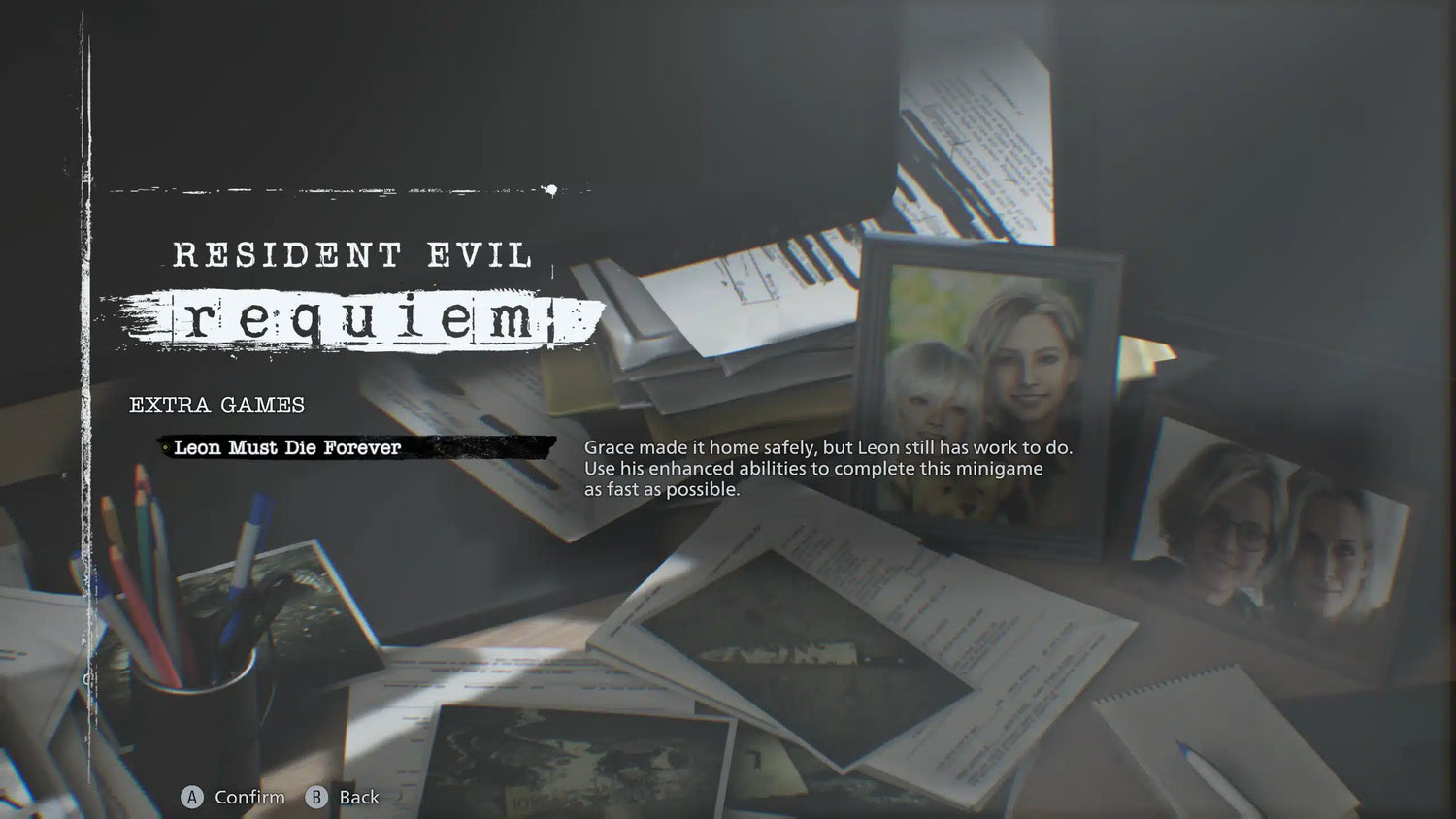
According to the source material, Capcom pushed out update 1.310 for PC and consoles on June 24, mainly to reduce the difficulty of Forever Rank 1 and Forever Rank 2 in the additional Leon Must Die Forever minigame, while also enhancing several related skills. On the surface, that is a balance patch. In practice, it tells players that endgame modes, challenge content, and post-launch support are still shaping the overall experience. If your current PC already struggles when games add new effects, denser encounters, or more demanding content, what happens when the next patch, expansion, or big release lands?
What changed in Resident Evil Requiem update 1.310?
The reported changes are straightforward but important for players following the game closely.
- Minor issues were fixed across all platforms.
- Forever Rank 1 and Forever Rank 2 difficulty were reduced in Leon Must Die Forever.
- Several skills were improved to open up more viable enhancer combinations.
- Explosives Specialist now greatly increases the chance that hand grenades are not consumed.
- Throwing+ now gives stronger attack boosts for hand grenades and other throwable weapons.
- Strategist now lasts longer and provides a stronger attack boost.
That matters because difficulty tuning and skill rebalancing often change how players approach combat. A mode that was too punishing can become more attractive, which means more people jump back in, test fresh builds, push harder settings, and spend more hours in the game. If you have been waiting for a reason to revisit Resident Evil Requiem, this kind of update can be enough. The real question is: is your current system ready for the games you want to come back to, or only the ones you played two years ago?
Why does a small patch matter if you are shopping for a gaming PC in Canada?
Because small patches often point to larger buying decisions.
Many Canadian gamers do not replace their desktop for one game alone. They upgrade when a pattern becomes obvious. One title starts dipping below the frame rate they want. Another adds DLC. Another launches with heavier ray tracing, denser environments, or higher VRAM demands. Suddenly the old machine that felt “good enough” becomes the reason settings keep getting lowered. That is when a proper Custom Gaming PC Canada shoppers can trust starts to make more sense than squeezing a little more life out of aging hardware.
Are you buying for one horror title, or are you also planning for the next wave of AAA games? Do you want 1080p and stable performance, or are you aiming for 1440p ultra settings with ray tracing? Would you rather buy once and stay comfortable for years, or buy too low now and feel forced to upgrade again sooner than expected?
Resident Evil Requiem, future DLC, and the case for buying smarter now
The source article also notes that DLC is in development, though details have not yet been shared. That is exactly the kind of news that should make buyers think beyond a single patch. Post-launch content can change how a game behaves on your system, especially if new areas, effects, enemies, or gameplay systems are introduced later.
And this is where many buyers get stuck. They ask, “Can my current PC still run it?” when the better question is, “Will my current PC still feel good to use six to twelve months from now?” Those are not the same thing.
A system that can technically launch a game is not always a system that delivers the experience you actually want. Smooth frame pacing, fast load times, lower input delay, quieter cooling, enough RAM for background apps, and GPU headroom for future updates all matter. If you stream, record gameplay, or edit clips after your sessions, the right build matters even more.
What do you want your next PC to do for you?
Before choosing parts, it helps to ask the question most buyers skip: what do you actually want your next PC to do for you every day?
Do you want to play horror games like Resident Evil Requiem at high settings without worrying about stutter? Do you want a machine that can also handle OBS, Discord, browser tabs, and background recording? Are you creating YouTube videos, TikToks, thumbnails, or stream highlights after you play? Do you need a system that can jump from gaming to Photoshop, Premiere Pro, DaVinci Resolve, or Blender without feeling like it is being pushed past its limits?
That is why Groovy Computers does not treat every buyer the same. Some people need a budget-focused gaming desktop. Some need a premium RTX system for 1440p or 4K. Others need a creator workstation that can game at night and edit during the day. The right answer depends on your workload, your screen resolution, your upgrade timeline, and your tolerance for compromise.
Which performance tier fits you best?
If Resident Evil Requiem update 1.310 has you thinking about your setup, here is a practical way to decide what class of system makes sense.
Entry tier: Good for 1080p gaming and value-focused buyers
This tier is ideal if you mainly want strong 1080p performance, solid settings, and dependable play in current games without overspending. It is often the sweet spot for players who want a Budget Gaming PC Canada customers can grow with, especially if they are coming from an older console or entry desktop.
Ask yourself: are you mainly playing at 1080p? Are you okay turning down a few settings in the heaviest games? Are you focused on value today more than max settings tomorrow?
If yes, an entry or lower-midrange gaming build may be the right starting point. But it still needs the right balance of CPU, GPU, RAM, and SSD speed. Going too low just to save a little money can create frustration fast when the next major game arrives.
Mid tier: Best for 1440p gaming, stronger longevity, and mixed use
This is often the best fit for buyers who want a more modern sweet spot. A 1440p-capable system gives you visual quality, stronger long-term value, and a better experience in demanding AAA games. It is also a smart choice if you game and stream lightly, or if you edit clips and content on the same machine.
Are you wondering, what PC do I need for 1440p gaming? In many cases, the answer is not just a better graphics card. You also want enough CPU performance for modern game engines, enough RAM for multitasking, and storage that keeps loads and installs from becoming annoying.
This tier is often ideal for players who want to enjoy current horror games and still be ready for the next big release cycle.
High-end tier: Best for 4K, ray tracing, streaming, and long-term headroom
If you want premium settings, better ray tracing, high refresh gameplay, or extra overhead for future games, then a 4K Gaming PC Canada buyers can depend on may be worth the investment. This tier also makes sense for players who do not want to revisit the upgrade question too soon.
Do you want ultra settings? Are you pairing your desktop with a high-refresh 1440p or 4K monitor? Do you plan to stream, record, mod games, or keep dozens of browser tabs and apps open while playing? Would you rather spend more once than upgrade twice?
That is where premium builds stand out. More GPU headroom, stronger CPUs, better thermals, and more memory can make the experience feel meaningfully different over time, not just on benchmark charts.
What if you also stream, edit, design, or create content?
Many buyers no longer fit into only one category. You might start by researching a gaming desktop because of Resident Evil Requiem, then realize you also need to stream to Twitch, edit in Premiere Pro, create thumbnails in Photoshop, or render assets in Blender. That changes the build recommendation significantly.
If your system needs to handle both play and productivity, then a pure budget gaming setup may not be enough. A better-balanced Creator PC Canada buyers choose for mixed workloads can save time, reduce export delays, and feel smoother in multitasking.
Gaming and streaming
If you plan to broadcast gameplay, a stronger CPU and the right GPU features both matter. A proper Streaming PC Canada setup should handle gameplay, encoding, overlays, chat tools, browser windows, and recording without turning your frame rate into a compromise.
What PC do you need for streaming? Are you only going live occasionally, or are you building a channel? Do you want 1080p streaming, 1440p gameplay, or both? Are you trying to avoid the hassle of needing a second machine later?
Video editing and content creation
If you clip gameplay, produce long-form videos, or create short-form social content, then a dedicated Video Editing PC Canada users can count on may be the smarter route. Fast storage, enough RAM, a balanced CPU, and a suitable GPU all help with smoother playback, better timeline responsiveness, and faster exports.
What PC do you need for video editing? Are you cutting basic 1080p footage, or are you moving into 4K projects with effects, colour work, and layered timelines? Do you need something that can game after work and edit after hours without compromise?
Photo editing and graphic design
For photographers, designers, and social media teams, the right build is about responsiveness and workflow efficiency. A proper Photo Editing PC Canada or Graphic Design PC Canada setup should open large files quickly, handle batch exports, support multi-monitor setups, and stay stable through long sessions.
Are you working in Photoshop, Lightroom, Illustrator, Canva, or Adobe Creative Cloud all day? Do you want a system that remains quick even as AI-assisted creative tools become more common?
3D modeling and workstation use
If your work goes beyond gaming into Blender, Unreal Engine, CAD, rendering, or visualization, then you are in workstation territory. A 3D Modeling PC Canada or Workstation PC Canada configuration should be built around your actual software, whether that means stronger CPU rendering, GPU rendering, larger RAM capacity, or better cooling for sustained loads.
What PC do you need for Blender? Is a gaming PC good for workstation use in your case, or do you need a true professional-focused build? The answer depends on whether your machine is mostly for entertainment, mostly for production, or equally for both.
Why Canadian buyers should think about timing now
When a game gets new content, a challenge mode is adjusted, and DLC is on the way, interest can rise again. But the bigger timing issue is not only game hype. It is hardware pricing pressure.
Canadian buyers know that full-system costs can move for reasons outside any one game launch. GPU demand can tighten. SSD pricing can rise. Memory and motherboard availability can shift. Exchange rates and import costs can affect the landed price of components in Canada. If you already know your current system is near its limit, waiting is not always the money-saving move people assume it is.
So ask yourself something practical: is it better to buy a gaming PC now or wait? If your present desktop is already holding back the games and software you use, waiting can mean paying more later for the same level of performance, or settling for a lower tier than you really wanted.
Should you buy lower now, or finance a stronger system before costs change?
This is one of the most important buying questions for real customers. Sometimes the cheapest build is not the most affordable build over time.
If you buy too low, you may end up replacing the GPU sooner, adding RAM earlier, or feeling unsatisfied with performance in newer games. That can turn a “savings” decision into a short upgrade cycle. In many cases, financing a better-balanced system up front is what actually protects value.
For buyers who want more room in the budget, Gaming PC Financing Canada options can make a stronger build accessible now instead of months from now. Groovy Computers offers financing up to 4 years, which can help you secure the performance tier you actually want without having to settle for a build you already suspect you will outgrow.
Should you finance a gaming PC? If the difference between “good enough today” and “comfortable for years” is the key issue, financing can be a rational choice, especially when it helps you avoid buying twice. The same logic applies to creator systems and workstations if your machine affects your output, turnaround time, or income.
What gaming PC do you need for modern horror games and upcoming AAA releases?
Games like Resident Evil Requiem are part of a larger trend: visually ambitious titles with heavier demands on the full system, not just the graphics card. Texture quality, lighting, asset streaming, and background processing all add up.
If you are shopping for a Gaming PC for New Games, do not only ask whether a system can launch the title. Ask whether it can deliver the version of the experience you want. Do you care about higher frame rates? Better image quality? Faster load times? Reduced stutter? Ray tracing? Streaming while playing? Longevity for the next release after this one?
A proper buying decision is about the whole use case, not one minimum spec line.
Custom PC vs generic prebuilt: why the difference matters more now
When you are buying around major game releases, updates, and hardware volatility, build quality matters. A custom system is not only about aesthetics. It is about part matching, airflow, power delivery, cooler choice, memory configuration, storage planning, and upgrade path.
That is why so many buyers researching Custom PC vs prebuilt PC Canada comparisons end up leaning toward a specialist builder. A generic one-size-fits-all machine may check a few headline specs but still cut corners where it hurts: cooling, motherboard quality, power supply quality, case airflow, or future expandability.
Would you rather buy a desktop that only looks good on a spec sticker, or one that is built around how you actually game and work? Do you want a machine that can be upgraded sensibly later, or one that becomes awkward and expensive to improve?
Why Groovy Computers is a strong fit for Canadian buyers
Groovy Computers is built around what Canadian customers actually need: custom gaming PCs, creator PCs, and workstation builds that are selected for real use cases, not just broad marketing labels. Whether you are in Nova Scotia, elsewhere in Atlantic Canada, or ordering from another province, the goal is the same: match the system to the workload and avoid underbuilding.
That means thinking about your target resolution, the games you play, the software you run, how much multitasking you do, and whether you want to future-proof your purchase. It also means confidence after the sale. Rigorous testing matters. Stability matters. Thermal performance matters. Warranty support matters.
Groovy Computers offers custom-built systems, rigorous testing, and a 1-year warranty, which is exactly the kind of reassurance many buyers want when moving up to a more serious gaming or creator desktop.
Questions to ask yourself before choosing your next PC
- What games do I want to play over the next 12 to 24 months, not just this week?
- Do I want 1080p, 1440p, or 4K performance?
- Do I care about ray tracing, high refresh rates, or ultra settings?
- Will I also stream, record, or edit videos on this machine?
- Do I use Photoshop, Lightroom, Premiere Pro, DaVinci Resolve, Illustrator, or Blender?
- Am I buying the cheapest system possible, or the smartest value over time?
- Would financing help me avoid upgrading too soon?
- Do I want a system that has been properly built, tested, and backed by warranty in Canada?
If Resident Evil Requiem update 1.310 got your attention, what should you do next?
If this patch reminded you that your current setup is aging, that is useful information. Maybe Leon Must Die Forever is what brought the issue into focus. Maybe it is upcoming DLC. Maybe it is the next horror release, or the fact that your machine is trying to game, stream, and edit all at once. Either way, the right time to plan your next desktop is usually before your current one becomes a problem you cannot ignore.
Do you want help figuring out whether you need a budget gaming system, a 1440p sweet-spot build, a premium RTX machine, or a creator-focused workstation? Visit GroovyComputers.ca to explore custom build options, get guidance on the right performance tier, and see whether a stronger system makes more sense now than another round of compromise.
Final thoughts on Resident Evil Requiem update 1.310 and your next upgrade
The Resident Evil Requiem update 1.310 is a small patch, but it supports a much bigger truth: modern games evolve, and the systems we play them on need to be chosen with that in mind. Challenge modes get adjusted, DLC gets developed, and players return when content changes. If your current desktop is already near its limits, this is the time to think strategically about your next move.
For Canadian buyers who want better gaming performance, stronger multitasking, creator-ready power, and more confidence in long-term value, a properly planned custom desktop can make all the difference. Whether you need a gaming-first machine, a streaming setup, an editing system, or a balanced creator build, Groovy Computers can help you choose a system that fits the way you actually use your PC.
#ResidentEvilRequiem #ResidentEvilRequiemUpdate1310 #GamingPCCanada #CustomGamingPCCanada #GamingPCForNewGames #1440pGamingPCCanada #4KGamingPCCanada #CreatorPCCanada #VideoEditingPCCanada #StreamingPCCanada #CanadianCustomPCBuilders #GroovyComputers
Groovy Computers | All Rights Reserved



Leave a comment
This site is protected by hCaptcha and the hCaptcha Privacy Policy and Terms of Service apply.