






















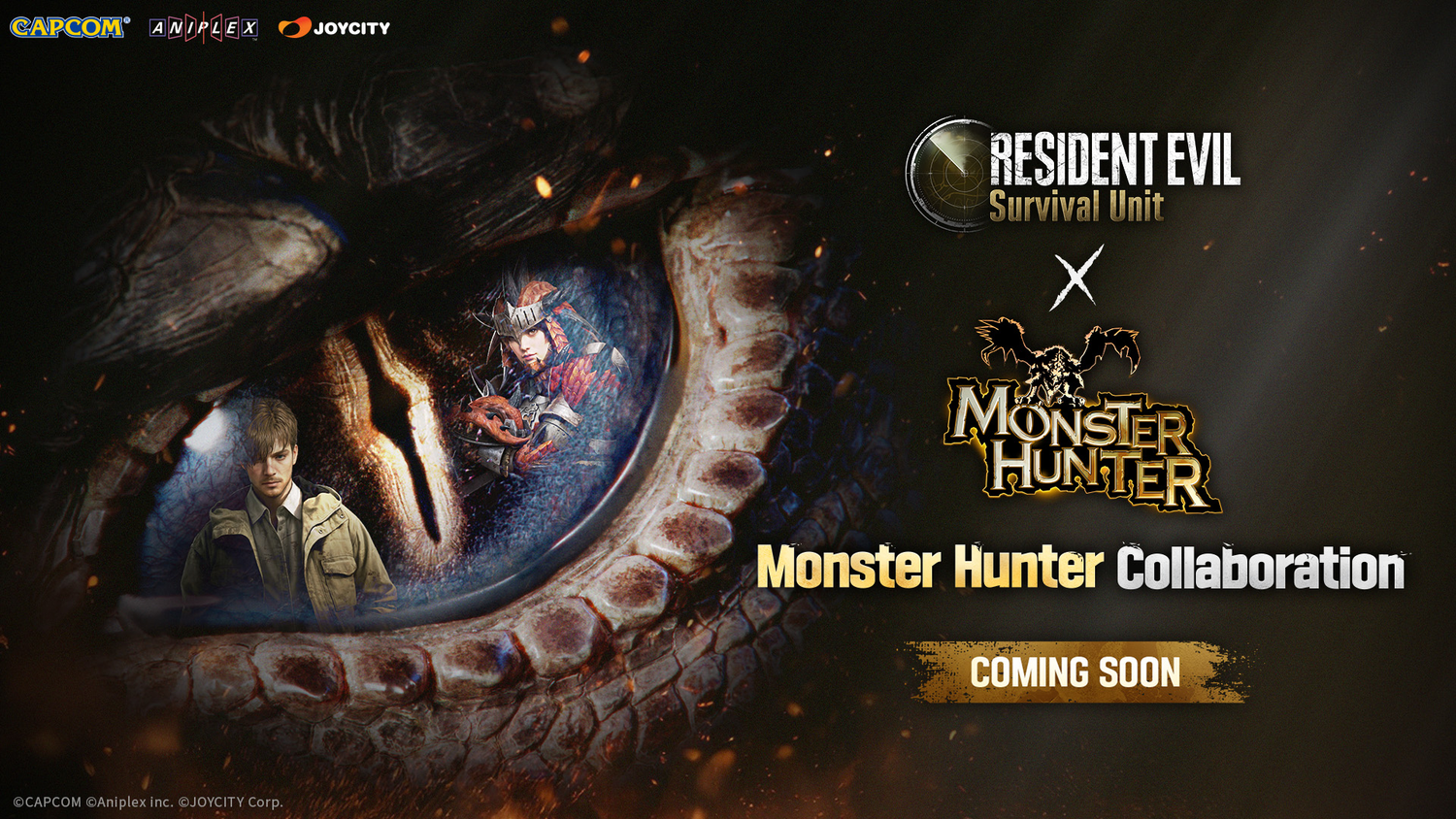
Resident Evil Survival Unit Monster Hunter Collab: What Kind of PC Should You Buy If Crossovers Like This Push You Back Into Gaming?
The upcoming Resident Evil Survival Unit Monster Hunter collab is exactly the kind of event that gets lapsed players paying attention again. According to the source material, the limited-time collaboration begins 2 July and runs through 29 July, bringing Monster Hunter-inspired content into the post-apocalyptic strategy-survival world of Resident Evil Survival Unit. Even though the source announcement is focused on a mobile title, the bigger trend matters for Canadian buyers: franchise crossovers are becoming one of the biggest drivers of renewed gaming interest, returning players, creator content spikes, and new PC upgrade decisions.
That raises an important question: if a crossover like this gets you back into gaming, is your current computer actually ready for what you want to do next?
Maybe you are not just thinking about one mobile game. Maybe this event reminds you how much you enjoy Resident Evil, Monster Hunter, survival horror, co-op action, streaming, content creation, or modern multiplayer gaming in general. Maybe you want to revisit major PC releases, emulate a premium gaming setup, capture footage, stream to your audience, edit clips for social media, or finally replace a system that is struggling with newer titles. That is where this story becomes useful for Groovy Computers customers across Canada.
What the Resident Evil Survival Unit Monster Hunter Collab Tells Us About Gaming Right Now
The source article makes a few things clear. First, publishers know crossover events work because they connect fan bases across major franchises. Second, engagement windows are short, which creates urgency. Third, event-driven gaming often turns casual interest into deeper platform spending. A player who starts by checking out a collaboration can quickly move into playing more games, watching streams, recording gameplay, joining communities, and upgrading hardware.
That matters because modern gaming habits rarely stay in one lane. A person interested in this collab might also be asking:
- Should I finally get a proper gaming desktop instead of relying on an old general-use PC?
- Do I want 1080p gaming, 1440p gaming, or a system that can stretch into 4K later?
- Am I only playing games, or do I also want to stream, edit video, and multitask?
- Will I regret buying too weak a system if I get pulled into larger PC releases this year?
Those are the real buying questions, and they matter more than the event itself.
Why Canadian Buyers Should Read This as a PC Buying Signal
In Canada, waiting too long on a new custom PC can create a frustrating buying cycle. You delay because one game announcement does not feel urgent enough. Then another release lands. Then a hardware demand spike hits. Then pricing on GPUs, memory, or storage shifts. Suddenly the same budget buys less performance than it would have a few weeks earlier.
That does not mean everyone should rush into a purchase. It does mean Canadian shoppers should think carefully about timing. If you already know you want to play more games, stream more often, or move into editing and content creation, it can make more sense to secure the right build before demand rises than to settle for a weaker machine later.
For buyers in Nova Scotia and across Canada, that is one reason a Custom Gaming PC Canada approach makes more sense than grabbing a generic box and hoping it holds up.
Are You Really Shopping for One Game, or for Everything That Comes After?
This is the question many buyers skip.
If the Resident Evil Survival Unit Monster Hunter collab caught your eye, what are you actually preparing for? Are you looking for a better setup for franchise games in general? Do you want a smooth system for horror, action, co-op, and open-world titles? Are you also thinking about Monster Hunter-style PC games, Resident Evil remakes, competitive shooters, survival sandboxes, or visually demanding AAA releases?
If so, you are not just shopping for one event. You are shopping for a machine that fits your next few years of gaming.
And if you create content around games, the requirements climb even faster. Recording, editing, streaming, browser tabs, Discord, music apps, mods, and launcher overhead all add up. A weak PC feels old fast.
What Do You Want Your Next PC to Do for You?
Before you choose a build, ask yourself what you want your next system to handle without compromise.
- Do you want dependable 1080p performance in popular games?
- Do you want a 1440p Gaming PC Canada setup with high settings and strong frame rates?
- Do you want ray tracing and visual upgrades in newer titles?
- Do you want to stream to Twitch or YouTube while gaming?
- Do you want a creator-ready system for Premiere Pro, DaVinci Resolve, Photoshop, or Illustrator?
- Do you want a workstation that can also game after hours?
- Do you want enough headroom so you are not upgrading again too soon?
This is where many customers realize they do not need the cheapest system. They need the right one.
If You Came for Gaming, What Performance Tier Actually Fits You?
Not every buyer needs the same level of hardware, and not every “gaming PC” should be built the same way. The right performance tier depends on your monitor, your game library, your content goals, and how long you want the system to stay relevant.
Entry-Level and Value Tier: Best for Budget-Focused Players
If your goal is straightforward gaming, esports titles, older AAA games, indie releases, and strong 1080p performance, a Budget Gaming PC Canada setup may be enough. This tier is ideal for buyers asking, How much should I spend on a gaming PC if I just want a solid experience?
This is a smart choice if you:
- Play mainly at 1080p
- Care more about value than maximum visual settings
- Want a first gaming PC
- Need a machine that can also handle school, office work, and everyday use
But ask yourself something important: if your gaming habits expand after a crossover event or big franchise launch, will you wish you bought more headroom?
Mid-Range Performance Tier: Best for Most Enthusiast Gamers
This is often the sweet spot for Canadian buyers. A properly balanced mid-range system can deliver excellent 1080p ultra performance and very strong 1440p gaming in a wide range of modern titles. For customers who ask, What gaming PC do I need if I want new games to look good and feel smooth? this is usually the answer.
This tier is ideal if you:
- Want strong performance in current and upcoming games
- Play a mix of competitive and cinematic titles
- May stream casually or record clips
- Want better longevity than an entry-level system offers
For many Groovy Computers customers, this is the best balance between cost and useful long-term value.
High-End Tier: Best for 1440p Maxed-Out Gaming, Heavy Streaming, and 4K Ambitions
If you want to push high refresh rates, ultra settings, ray tracing, heavier multitasking, or advanced creator workflows, a premium build makes sense. Buyers in this tier are usually asking, What PC do I need for 4K gaming, streaming, and editing without replacing it in a year or two?
This level is for people who:
- Want premium AAA gaming performance
- Use high refresh 1440p or 4K displays
- Stream regularly using OBS or similar software
- Edit gameplay, podcasts, shorts, or long-form video
- Want stronger future-proofing
If that sounds like you, buying too low just creates a second purchase later.
What If You Also Want to Stream or Create Content?
This is where a lot of buyers outgrow “just gaming” specs. The moment you want to game and stream at the same time, record high-bitrate footage, edit content, or run multiple displays with creative apps open, your PC stops being a simple gaming box and starts becoming a productivity platform.
So ask yourself: Do I want a machine that only plays games, or one that helps me make something with them?
A Streaming PC Canada or Creator PC Canada build should be selected differently from a pure budget gaming machine. CPU strength, cooling, memory capacity, storage layout, and GPU encoding capabilities all matter more when your system has to carry gaming, OBS, editing, and background workloads at once.
Gaming and Streaming
If you plan to stream gameplay, your build needs stable performance under load. Stream quality, game performance, and overall responsiveness depend on having enough CPU and GPU overhead to avoid stutters, dropped frames, and frustrating slowdowns.
Ask yourself:
- What PC do I need for streaming if I also want high in-game settings?
- Do I need more RAM for browser tabs, chat tools, OBS, and capture software?
- Will I be streaming at 1080p now and wanting more later?
Those questions often move a buyer from entry-level into a better-balanced gaming and streaming build.
Video Editing and Creator Work
If this gaming event inspires you to clip reactions, edit videos, build a YouTube channel, or produce social content, your needs change again. A proper Video Editing PC Canada or Custom Creator PC Canada setup should be built to handle timelines, exports, previews, layered projects, and large media libraries without wasting your time.
That is especially important if you use:
- Adobe Premiere Pro
- DaVinci Resolve
- After Effects
- Photoshop
- Illustrator
- CapCut
Are you editing short clips casually, or are you building a serious workflow? Do you need fast exports, smoother playback, more memory, or better scratch storage? A custom creator build can save you hours over time.
Photo Editing and Graphic Design
Not every customer shopping after a gaming news story is only a gamer. Some are photographers, designers, students, or marketing professionals who also play games. If you want one machine for Photoshop, Lightroom, Canva, Illustrator, InDesign, and gaming, component balance matters.
A good Graphic Design PC Canada or photo editing build needs responsiveness, RAM, fast SSD storage, and the right monitor pairing. The question becomes: Do you want one computer that does everything decently, or one that does your real daily work properly?
3D Modeling and Workstation Use
Some buyers use gaming news as the trigger to finally replace a much older workstation. If you work in Blender, Unreal Engine, CAD, rendering, animation, or 3D design, your ideal build may overlap with gaming hardware but should not be chosen like a standard gaming system.
A proper 3D Modeling PC Canada or Workstation PC Canada configuration should be selected around your software, render style, multitasking needs, RAM demands, and expected project scale.
Ask yourself honestly: Is a gaming-focused configuration enough for your professional workload, or do you need a true workstation-class custom build?
Why Events Like This Often Lead to More PC Demand Than People Expect
Crossovers create traffic, attention, nostalgia, and renewed franchise loyalty. Those things increase engagement well beyond a single title. Some players return to related games. Some buy peripherals. Some start watching creators. Some begin streaming themselves. Some realize their current machine cannot keep up with modern expectations.
That ripple effect matters because stronger gaming interest can overlap with broader demand on key components. Graphics cards, better CPUs, higher-capacity RAM kits, and SSD pricing can all be affected by shifts in supply, manufacturing, and buyer behaviour.
In practical terms, this means indecision can become expensive.
Is It Better to Buy Now or Wait?
This is one of the most important questions any Canadian PC buyer can ask.
There is no universal answer, but here is the useful version: if you already know your current PC is underpowered for your goals, waiting only makes sense if you have a specific better alternative on the horizon. If you are simply hoping prices magically improve while your needs keep growing, that is usually not a strategy.
Ask yourself:
- Are you buying before a busy game release period?
- Are you replacing a system that already struggles?
- Do you need a stronger machine for school, work, streaming, or editing soon?
- Would delaying force you into another compromise later?
If the answer to those questions is yes, buying the right system sooner may be the smarter move.
Could Financing Help You Secure a Better System Before Costs Rise?
For many customers, the real decision is not whether they need a new PC. It is whether they should stretch into a stronger build now instead of buying too low and replacing it early.
That is where financing can become practical rather than impulsive.
If a stronger custom PC gives you better gaming longevity, smoother streaming, faster exports, and fewer upgrade regrets, financing may help you get there without having to settle. Groovy Computers can help qualified Canadian buyers explore options that make a better build more accessible, including terms that may extend up to 4 years.
So the real question becomes: Should you buy a cheaper machine that feels outdated sooner, or finance a better one that actually fits what you want to do?
That is a smarter question than simply asking what the lowest price is.
Custom PC vs Generic Prebuilt: Why It Matters More When You Want Performance You Can Trust
When buyers get excited by gaming trends, they sometimes rush into whichever system appears fastest to order. But if you care about gaming performance, creator reliability, upgrade flexibility, and long-term value, a custom-built system is often the better answer.
Why?
- Parts are matched for balance rather than just marketing
- Cooling and airflow are chosen for sustained performance
- Power supply quality and stability matter for longevity
- Storage planning can fit game libraries and creator workflows
- Upgrade paths are easier when the system is built properly from the start
And just as importantly, a serious Canadian builder should test the machine before it reaches you. That matters when you are spending on a system you rely on for gaming, work, or both.
What Should You Ask Before Choosing Your Next Build?
If you are reading about the Resident Evil Survival Unit Monster Hunter collab and thinking this might be the moment to upgrade, here are the questions worth asking before you buy:
- What games do I actually want to play over the next 12 to 24 months?
- Am I targeting 1080p, 1440p, or 4K?
- Do I care about ray tracing, high refresh rates, or competitive responsiveness?
- Will I be streaming, recording, or editing content?
- Do I also need this PC for photo editing, graphic design, or workstation tasks?
- How much upgrade headroom do I want?
- Would financing a better system now save me money and hassle later?
- Do I want a tested custom build with warranty support from a Canadian company?
These questions lead to better buying decisions than chasing one spec or one sale sticker.
Why Groovy Computers Fits Canadian Buyers Looking Beyond the Hype
Groovy Computers is not just for people who want a flashy gaming desktop. It is for Canadian buyers who want their system built around how they actually use it. That could mean a balanced gaming machine, a stronger RTX-focused setup for modern titles, a streaming and editing PC, or a workstation that can handle professional software without losing gaming capability.
For customers in Nova Scotia and across the country, Groovy Computers offers the advantage of a Canadian custom builder that understands buyer hesitation, performance planning, and real-world workload matching. That matters when you are trying to choose between a value system, a premium build, or something in between.
It also matters that the system is rigorously tested and backed by a 1-year warranty. If you are investing in a machine for games, content, creative software, or heavy multitasking, confidence matters just as much as raw parts lists.
Which Buyer Type Sounds Most Like You?
The Value Gamer
You want strong 1080p performance and good everyday value. You do not need maximum settings in everything, but you do want a proper desktop that can handle today’s games without frustration.
The Enthusiast Gamer
You want better visuals, stronger frame rates, and a system that keeps up with modern releases longer. You are likely the perfect candidate for a mid-range or upper-mid-range custom gaming build.
The Gaming Creator
You want to play, stream, clip, edit, and upload. Your build should be selected as a multi-purpose platform, not just a gaming machine.
The Creative Professional
You need a system for design, editing, photography, or content production, but you also want great gaming performance after hours. Balance matters more than hype.
The Workstation User
You need 3D, rendering, CAD, Unreal Engine, Blender, or other demanding software to run reliably. Your ideal build may overlap with gaming hardware, but it should be chosen with workstation logic.
Do You Want Help Choosing the Right Build Instead of Guessing?
If this crossover announcement has you thinking about upgrading, do not reduce the decision to one question like “what is the cheapest gaming PC?” Ask the better one: what system will still feel right after the excitement of this event turns into months of gaming, streaming, editing, and daily use?
If you want help choosing between a budget gaming computer, a premium RTX gaming PC, a custom creator PC, or a workstation-class build, Groovy Computers can help you narrow it down based on your actual goals. Whether you need better 1440p gaming, smoother OBS streaming, faster editing, more RAM for design work, or a financing path to a stronger long-term system, the smart next step is to browse GroovyComputers.ca.
Final Take: The Resident Evil Survival Unit Monster Hunter Collab Is Small News With Big Buying Implications
The Resident Evil Survival Unit Monster Hunter collab may be a mobile-focused event, but the larger pattern is clear: major franchise crossovers reignite player interest, push gaming conversations back into the spotlight, and often trigger upgrade decisions that buyers have delayed for too long. If this news has reminded you that your current system is aging, underpowered, or simply not built for what you want next, that realization is worth acting on.
So ask yourself one last question: Do you want your next PC to barely keep up, or do you want it built for the way you actually game, create, and work? If the answer is the second one, Groovy Computers is the place to start.
#ResidentEvilSurvivalUnit #MonsterHunterCollab #CustomGamingPCCanada #GamingPCCanada #CanadianCustomPCBuilders #CreatorPCCanada #StreamingPCCanada #VideoEditingPCCanada #3DModelingPCCanada #GamingComputersCanada #NovaScotiaPCBuilder #GroovyComputers
Groovy Computers | All Rights Reserved



Leave a comment
This site is protected by hCaptcha and the hCaptcha Privacy Policy and Terms of Service apply.