




















Should You Buy a Gaming PC for GTA 6 Before Launch? A Canadian Buyer’s Guide to Choosing the Right Custom PC
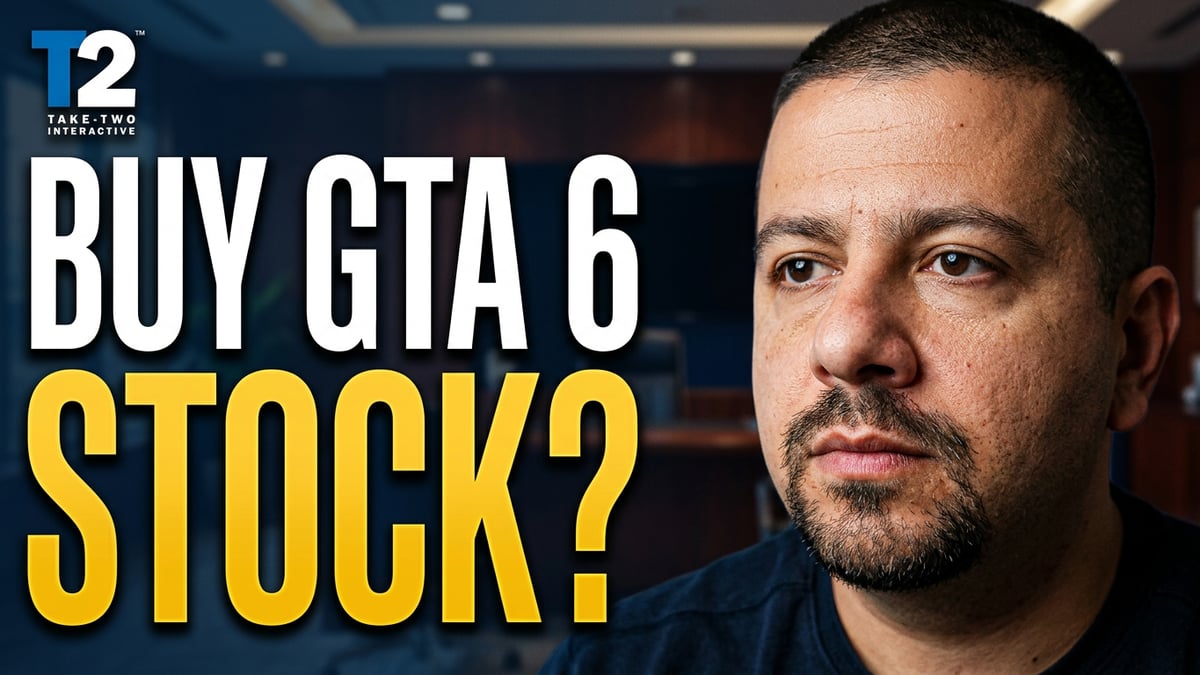
The hype around GTA 6 is already shaping buyer behaviour, and that makes this the right time to ask a practical question: should you buy a gaming PC for GTA 6 before launch? The source story focused on investor interest around Take-Two ahead of the game’s release, but for actual PC buyers in Canada, the more useful question is different. If one of the biggest game launches in years is approaching, do you want to wait until demand spikes, or do you want to secure a system that is ready for modern open-world gaming, streaming, editing, and future upgrades now?
For many Canadian shoppers, this is not just about one title. It is about buying a system that can handle new AAA games, ray tracing, high-refresh gameplay, multitasking, Discord, browser tabs, OBS, mods, and the rest of the real-world workload that comes with modern PC use. It is also about avoiding the common mistake of buying too little PC today and then needing another upgrade sooner than expected.
If you are looking at the excitement around GTA 6 and wondering whether your current machine will keep up, that is a smart concern. Major game releases often trigger a wave of last-minute PC shopping. When that happens, buyers can face tighter availability, higher replacement costs, longer decision cycles, and more compromise than they expected. That is exactly why this conversation matters now.
What the original GTA 6 stock discussion gets right
The original source was built around a market and stock angle, but it highlights something important for buyers too: GTA 6 is expected to be one of the most anticipated entertainment releases in years. When a game reaches that level of cultural demand, it does not just affect publishers and investors. It changes hardware demand, upgrade urgency, and buying behaviour across the gaming market.
That matters because big releases push people to finally replace aging systems they have already been struggling with. Maybe your current PC still runs older games well enough, but what about dense open worlds, newer graphics features, background apps, and long gaming sessions? What about if you also want to stream to Twitch or YouTube, capture gameplay, edit clips, or create content around the game?
In other words, this is not only a “can it launch?” question. It is a how well do you want it to run question.
Why Canadian buyers should think differently before a major game launch
Canadian PC buyers have a few realities to think about that are easy to overlook when reading U.S.-focused gaming or financial coverage. Full system costs are higher in Canadian dollars, shipping and support matter more, and replacing a weak component after purchase can be more expensive than selecting the right build from the start.
That means timing matters. If you wait until the last minute and discover your older GPU is no longer delivering the experience you want, you may end up either settling for a lower tier machine or spending more than planned to catch up quickly. If prices move on graphics cards, memory, or storage, the cost of “waiting to decide later” can become the cost of a more expensive replacement path.
So ask yourself: are you trying to save money by waiting, or are you risking paying more to fix a rushed buying decision later?
What do you want your next PC to do for you?
Before you focus on one specific game, it helps to step back and ask the bigger question: what do you actually want your next PC to handle over the next few years?
Do you want a machine that can simply play GTA 6 and other new games at solid settings? Do you want smooth 1440p performance? Are you aiming for 4K gaming and ray tracing? Do you want to stream while you play? Will you also use the same system for video editing, Photoshop, graphic design, or content creation? Are you hoping to get into Blender, Unreal Engine, or 3D modeling later?
That is where many buyers go wrong. They shop only for today’s minimum need and ignore tomorrow’s actual usage. Then they end up with a system that feels outdated much sooner than expected.
A better approach is to choose a build category based on your real use case, not just the launch hype.
Are you buying a PC only for GTA 6, or for the next generation of games?
Games like GTA 6 tend to become reference points for future hardware expectations. Even if exact PC requirements are not yet finalized in the source material provided, the trend is clear: modern open-world titles are asking more from CPUs, GPUs, SSDs, and system memory than the average older gaming PC was built for.
If your current system already struggles with recent AAA games, long load times, stutter during asset streaming, or poor lows even when average FPS looks acceptable, that is usually a warning sign. A major new release can push those weaknesses harder.
So the smarter buying question is not just “Can my PC run this game?” It is: will my PC run this game the way I want to experience it?
- If you care about smooth 1080p gaming, your needs are different from a 4K ultra-settings buyer.
- If you want ray tracing, your GPU tier matters much more.
- If you stream or record, CPU balance, cooling, and RAM become even more important.
- If you mod your games, storage speed and capacity matter more than many buyers expect.
What gaming PC do I need for GTA 6 and other new games?
This is where a proper gaming PC Canada buying guide becomes more useful than generic hype. Instead of guessing, think in performance tiers.
Entry-level modern gaming: who is this for?
If you are mainly targeting 1080p, want solid performance in today’s games, and are trying to stay budget-conscious, an entry-level to lower-midrange gaming system can make sense. This tier is often right for players moving from console, first-time PC buyers, students, or anyone who wants good value without chasing premium features.
But ask yourself something important: are you okay turning down settings sooner as newer games get more demanding? If the answer is no, it may be worth moving one tier higher now rather than buying twice.
Midrange performance: the sweet spot for many Canadian buyers
For a lot of buyers interested in a Gaming PC for GTA 6, the midrange category is where the value really starts to make sense. This is usually the best fit for players who want strong 1080p or 1440p gaming, better long-term flexibility, faster SSD performance, healthier RAM capacity, and a system that feels balanced instead of bare minimum.
This is often the safest recommendation for people asking, “What gaming PC do I need if I want modern performance without jumping straight to ultra-premium pricing?”
It is also the tier that tends to work well if you might stream casually, record clips, multitask heavily, or keep the system longer.
High-end and premium builds: when should you step up?
If you want 1440p at higher settings for years, stronger ray tracing performance, 4K capability, better frame consistency, or a more future-facing system, the premium tier starts to make sense. These builds are not only for enthusiasts. They are often for buyers who know they will push the machine hard and would rather buy once, properly.
So ask yourself: do you want a PC that merely gets you into the game, or one that still feels powerful as game demands rise?
What if you also want to stream, record, or create content?
This is where a lot of GTA 6 buyers underestimate their real needs. If you are planning to stream to Twitch, go live on YouTube, record gameplay for social clips, edit videos, or maintain a creator workflow, your system should not be chosen like a pure gaming-only box.
A proper streaming PC Canada or content creation PC Canada build needs more headroom. Why? Because you are not only rendering a game. You are also handling encoding, background apps, browser tabs, overlays, chat tools, capture software, and file management. If you edit after gaming, you are adding another serious workload on top.
Would you rather buy a machine that starts slowing down the moment you stream, or one that remains responsive while gaming and creating at the same time?
Gaming and streaming on one system
If your goal is a combined gaming and streaming setup, look for a balanced build with enough CPU strength, a capable GPU, healthy cooling, and enough RAM to avoid bottlenecks when multitasking. This is especially important if you want stable performance while using OBS, recording high-bitrate footage, or running a dual-monitor setup.
A gaming and streaming PC Canada buyer should be thinking about more than average FPS. Smoothness under load matters. Responsiveness matters. Upgrade path matters.
Editing clips, montages, or YouTube videos after gaming
If your gaming system will also become your editing system, then you are moving into creator PC Canada territory. That does not necessarily mean a full workstation, but it does mean your PC should be selected with export times, timeline responsiveness, storage capacity, and memory needs in mind.
Do you plan to cut 1080p clips for social media, or are you editing 4K footage? Do you work in Premiere Pro, DaVinci Resolve, After Effects, or CapCut? Do you want your system to open games quickly and also process media files without frustration?
If yes, you should be shopping for a machine that is stronger than a bare gaming minimum.
Could the same buyer also need a video editing, photo editing, or graphic design PC?
Absolutely. That is one of the biggest reasons custom builds make sense.
Many buyers come in thinking they need a pure gaming desktop, but their real workload is broader. They game at night, edit photos on weekends, build social assets for a side business, or use Adobe Creative Cloud for school or freelance work. In those cases, a one-size-fits-all off-the-shelf machine often misses the mark.
For video editing
If you are also shopping for a video editing PC Canada setup, you need a system that can handle heavy media workloads, fast file access, and stable sustained performance. Video projects grow fast. Exports take time. Effects stacks add pressure. A stronger CPU, enough RAM, proper cooling, and the right GPU class can save real hours over the life of the machine.
So ask yourself: is a gaming PC good for video editing in your case, or do you need a custom creator build that is tuned for both?
For photo editing and graphic design
If your work revolves around Photoshop, Lightroom, Illustrator, InDesign, Canva, or high-resolution image handling, your needs are different again. A quality photo editing PC Canada or graphic design PC Canada setup benefits from strong responsiveness, enough RAM for multitasking, and dependable storage for project files and scratch performance.
Are you editing RAW photos? Running multiple Adobe apps at once? Working on large layered files? Using AI-assisted design tools more often now than a year ago? Those details matter when choosing the right system.
For 3D modeling, rendering, or Unreal Engine work
If GTA 6 hype is inspiring you not just to play games but to create them, mod them, or work in 3D, you may actually need a 3D modeling PC Canada or custom workstation PC Canada build. Blender, Unreal Engine, game asset work, architectural visualization, and GPU rendering put different demands on a system than gaming alone.
That leads to another useful question: are you buying for entertainment only, or are you investing in a machine that also supports your work, studies, or creative growth?
Is it better to buy now or wait until closer to launch?
This is one of the most common buyer questions, and it deserves a realistic answer.
Waiting can make sense if you already own a strong, modern system and simply want to compare performance results later. But waiting is riskier if your current machine is already borderline, aging, or unreliable. Why? Because the closer buyers get to a major release, the more emotional and rushed the market becomes.
That can lead to three bad outcomes:
- You buy in a rush and choose the wrong performance tier.
- You settle for weaker specs because you waited too long.
- You pay more to replace or upgrade under pressure.
No one can guarantee exact future pricing from the source provided, and it would be irresponsible to invent fresh market claims. But in general, anyone who follows PC hardware knows component pricing can shift. GPU pressure, memory volatility, storage pricing, and demand spikes can all affect what a full system costs in Canada.
So ask yourself honestly: is now a good time to buy a gaming PC for your situation if your current system is already behind?
Why financing can make sense before replacement costs climb
For some buyers, the right answer is not “buy the cheapest machine possible.” The smarter move is often to secure the right machine now, especially if financing lets you avoid compromising too hard on performance.
If you are comparing an underpowered budget system against a more capable build that better fits your real goals, financing can change the decision. Instead of buying too little and upgrading sooner, you may be able to get the stronger system now and spread the cost over time.
That is why so many buyers start asking questions like: should I finance a better PC instead of buying a cheaper one? Or: is financing a gaming PC worth it if I want longer usable life from the system?
For Canadian shoppers, especially those trying to step into 1440p gaming, ray tracing, streaming, or creator workloads, that can be a practical decision rather than an impulsive one. A stronger machine bought at the right time can reduce the need for early replacement, partial upgrades, and buyer regret.
At Groovy Computers, this matters because customers are often not just shopping for a single title. They are trying to buy intelligently before their current system becomes an even more expensive problem.
Which performance tier fits you best?
If you are unsure where you fit, this section should help.
Choose a budget-focused gaming build if:
- You mainly want 1080p gaming
- You play a mix of older and newer titles
- You are price-sensitive and want the best value
- You are okay with making some settings compromises over time
- You need a budget gaming PC Canada option that gets you into modern gaming without overspending
Choose a strong midrange build if:
- You want better longevity
- You care about smoother 1080p or 1440p performance
- You may stream casually or record gameplay
- You want faster load times, stronger multitasking, and fewer near-term upgrade needs
- You want a balanced custom gaming PC Canada solution for new releases
Choose a premium gaming build if:
- You want high settings for demanding AAA games
- You care about ray tracing or higher resolution gaming
- You want more headroom for future titles
- You expect to keep the machine for a long time
- You are shopping for a high end gaming PC Canada experience rather than a temporary stopgap
Choose a creator or workstation-oriented build if:
- You game and also edit, design, render, or stream
- You use software like Premiere Pro, DaVinci Resolve, Photoshop, Lightroom, Illustrator, Blender, or Unreal Engine
- You need stability under mixed workloads
- You want one machine that handles both play and productivity
- You need a custom build that feels more like an investment than a toy
What questions should you ask before buying a GTA 6-ready PC?
Before you commit, ask yourself the questions that actually affect long-term satisfaction:
- Do I want 1080p, 1440p, or 4K gaming?
- Do I care about ray tracing, ultra settings, or just smooth gameplay?
- Will I only play games, or also stream and record?
- Do I need this PC for school, editing, design, or business use too?
- How long do I want this system to feel capable before I upgrade?
- Am I buying the cheapest option, or the right option?
- Would financing help me secure a better long-term system now?
- Do I want a random box of parts, or a tested and supported custom build?
These are the questions that separate a rushed purchase from a smart one.
Why custom builds matter more when game demands rise
When major games raise expectations, weak system planning becomes more obvious. This is one reason Canadian custom PC builders remain important. A custom build is not just about looks. It is about matching the CPU, GPU, cooling, memory, and storage to your actual goals.
A poorly balanced off-the-shelf machine can leave you with too little memory, weak cooling, limited expansion, or the wrong class of graphics card for the experience you wanted. A better custom approach gives you a more sensible path forward.
Would you rather overpay for the wrong mix of parts, or choose a build that is designed around the way you actually game and work?
Why buy from Groovy Computers instead of gambling on a generic system?
Groovy Computers is built for buyers who want more confidence and less guesswork. If you are shopping for a Gaming PC for GTA 6, a creator desktop, or a workstation that also handles modern games, the advantage of working with a custom PC builder is simple: your system can be matched to your real needs instead of forcing you into a generic spec sheet.
For Canadian customers, that matters. You want a machine that is properly assembled, stress tested, and backed with real support. You want components that make sense together. You want a system that feels dependable during long gaming sessions and demanding workloads. You also want protection against buyer regret from underbuilding.
Groovy Computers offers custom-built systems designed for gaming, streaming, editing, creative work, and professional performance. Rigorous testing and a 1-year warranty add peace of mind, especially when you are investing in a machine you expect to rely on every day.
And if budget is the sticking point, financing options can help qualified buyers spread out the cost for up to 4 years. For many customers, that opens the door to a better long-term build without forcing a rushed compromise.
Should you finance a stronger system before prices move?
If you know your current PC is already behind, and if you know you want more than bare-minimum performance, then this is one of the smartest questions you can ask.
Would a monthly payment on the right machine be better than paying cash for a weak system you will outgrow quickly? Would it be easier to secure the build you actually want now instead of chasing upgrades later? Would avoiding another replacement cycle save you more frustration in the long run?
For many buyers, the answer is yes. Not because financing is automatically right for everyone, but because buying too little is often more expensive than it looks.
So, should you buy a gaming PC for GTA 6 before launch?
If you are already wondering whether your current system can keep up, that is usually the sign to evaluate your options now instead of waiting for last-minute pressure. The source article captured the scale of anticipation around GTA 6. For Canadian buyers, the practical takeaway is this: major game releases change the PC buying conversation.
If your needs are simple, a value-focused gaming build may be enough. If you want 1440p, ray tracing, streaming, editing, or better long-term performance, stepping up now may be the smarter move. If you also create content, edit media, or need professional-grade reliability, a custom creator or workstation build could make far more sense than a generic gaming-only purchase.
The biggest mistake is not buying early or late. It is buying without thinking through what you really want your next PC to do.
Are you trying to prepare for GTA 6, future AAA games, streaming, editing, or a full creator workflow? Do you want a budget-friendly gaming desktop, a premium RTX-ready machine, or a custom workstation that handles both productivity and play? If you want help choosing the right system for your budget and goals, visit GroovyComputers.ca and explore a custom build that fits the way you actually use your PC.
For buyers asking should you buy a gaming PC for GTA 6 before launch, the best answer is this: buy when you can choose carefully, build intelligently, and avoid being pushed into a rushed decision later. That is exactly where Groovy Computers can help.
#GamingPCCanada #GamingPCForGTA6 #CustomGamingPCCanada #GamingPCBuilderCanada #CanadianCustomPCBuilders #BudgetGamingPCCanada #HighEndGamingPCCanada #StreamingPCCanada #VideoEditingPCCanada #ContentCreationPCCanada #3DModelingPCCanada #WorkstationPCCanada #NovaScotiaPCBuilder #GroovyComputers
Groovy Computers | All Rights Reserved


Leave a comment
This site is protected by hCaptcha and the hCaptcha Privacy Policy and Terms of Service apply.