






















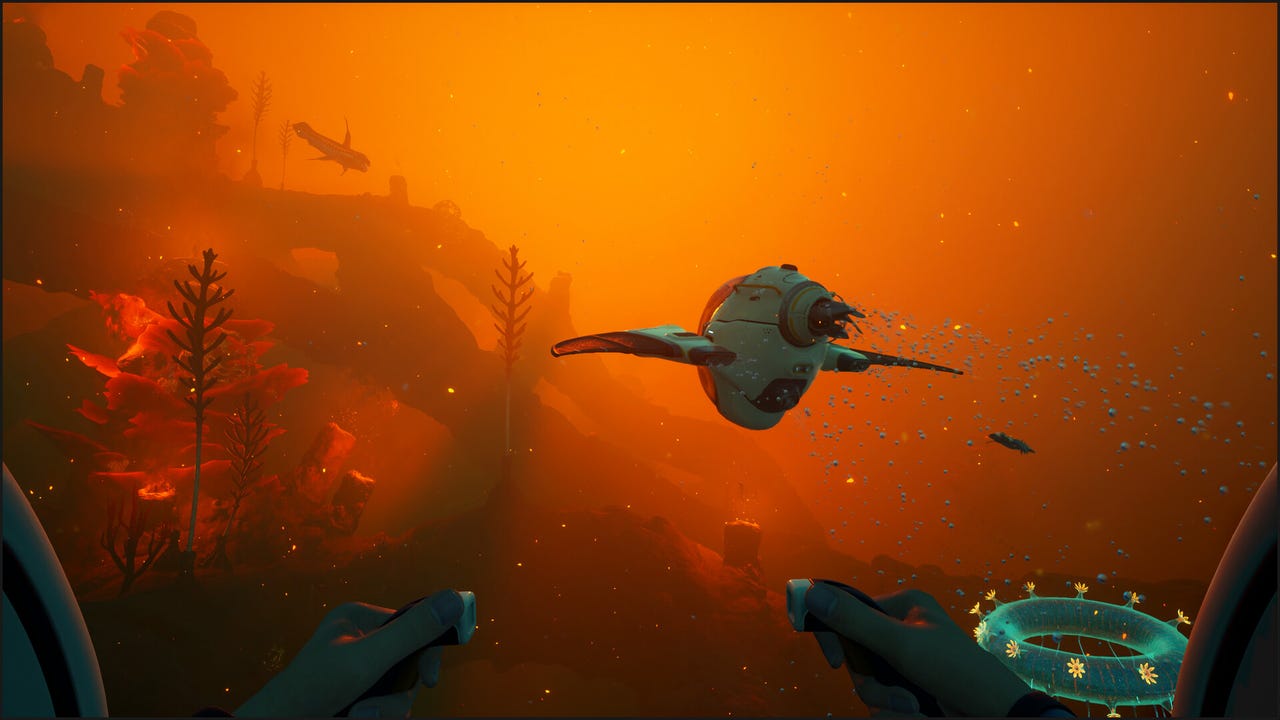
Subnautica 2 News Is a Reminder to Choose the Right Gaming PC Canada Buyers Can Trust
The latest Subnautica 2 headlines are about bonuses, leadership changes, and a major settlement, but for PC buyers the bigger takeaway is simpler: when a huge early access game explodes in popularity, hardware decisions suddenly matter a lot more. If you are looking for a gaming PC Canada shoppers can rely on for new releases, early access survival games, streaming, editing, or long-term upgrade value, this story is a timely reminder that game demand can move fast while your old system does not.
Subnautica 2 has already shown how quickly a major PC title can become a performance conversation. A game can launch into early access, attract hundreds of thousands of concurrent players, sell millions of copies, and immediately push more people to ask the same question: what kind of PC do I actually need now, and what kind of PC will still feel strong a year from now?
That question matters even more in Canada, where full-system pricing is shaped by component availability, exchange pressure, shipping realities, and the cost of replacing underpowered hardware too soon. A buyer who waits too long, buys too low, or chooses the wrong category of desktop can end up spending more overall.
For Groovy Computers, this is where the news connects directly to real buying decisions. A trending game is never just a game story. It is also a signal about GPU demand, CPU tier expectations, RAM capacity, SSD needs, multitasking headroom, and whether buyers should secure a better system now rather than chase upgrades later.
Why does the Subnautica 2 situation matter to PC buyers in Canada?
The source story focuses on the settlement between Krafton and Unknown Worlds leadership, including the confirmation that staff bonuses will be paid and that the studio continues development of Subnautica 2 through early access toward full release. That is important industry news, but there is another layer Canadian PC shoppers should notice: games with strong early access momentum tend to keep evolving.
What happens when a game evolves? New content arrives. New regions are added. Visual complexity can increase. More players jump in after updates. Streamers cover it. Friends start asking you to join. Suddenly, a PC that was merely acceptable starts feeling tight on performance, storage, thermals, or multitasking ability.
If you are buying for this style of game, are you only thinking about launch-day playability, or are you thinking about six months of updates, background apps, Discord, OBS, browser tabs, mods, clips, and future titles too?
That is exactly why a custom gaming desktop makes more sense than a random low-end box with no clear upgrade path. A properly matched build gives you a better chance of handling not just the game you are interested in today, but the next workload that shows up tomorrow.
What does your next PC actually need to do for you?
Before you compare parts, price points, or categories, ask the most important question first: what do you want your next PC to do for you?
Do you just want to explore big open-world survival games at 1080p with smooth frame rates and fast load times? Do you want 1440p visuals that feel more immersive on a high refresh display? Are you aiming for 4K gaming, higher texture settings, stronger lighting effects, and more headroom for the next wave of demanding titles?
Or is gaming only part of the plan?
Do you also want to stream gameplay? Edit YouTube videos? Cut TikTok clips? Work in Photoshop and Lightroom? Run Illustrator and InDesign? Build in Blender or Unreal Engine? Render 3D scenes? Handle heavy multitasking for school, business, or remote work?
A lot of buyers still shop as if every desktop falls into one simple category, but that is rarely true anymore. Today, the right PC could be a budget gaming computer, a premium RTX gaming system, a streaming and editing machine, a creator desktop, or a full workstation. The best choice depends on what you need the system to do every day, not just what one game says on a minimum requirements list.
What the Subnautica 2 trend tells us about modern game-ready systems
Subnautica 2 is part of a broader pattern in PC gaming. New releases, major updates, and early access games increasingly reward systems with balanced performance rather than bare-minimum specs. Fast storage reduces loading frustration. More RAM helps with multitasking and game stability. Better cooling supports consistency during long sessions. The right GPU tier helps your system age more gracefully as settings and expectations rise.
If you have been asking, What gaming PC do I need? the answer is usually not the cheapest machine that can technically launch a game. The better answer is the build that fits your resolution target, frame rate expectations, and everything else you do on the computer.
For many Canadian buyers, the real risk is not overspending. It is underspending on the wrong tier, then paying again for RAM, storage, cooling, or a GPU replacement much sooner than expected.
Which performance tier fits you best?
Entry tier: good for 1080p gaming and everyday use
This tier is ideal for buyers who want a budget-friendly starting point for popular games, school, web use, streaming video, and light creative work. If your goal is smooth 1080p gameplay, responsive Windows performance, and a better experience than a console-plus-old-laptop setup, an entry-level custom build can make sense.
Ask yourself: are you mainly playing esports titles and lighter games, or are you trying to stay comfortable in bigger open-world and survival releases over the next few years?
If your answer includes newer AAA games, mods, multitasking, or future upgrades, you may want to move above true budget tier.
Mid-range tier: the sweet spot for 1080p ultra and 1440p gaming
For many shoppers, this is the best value range. A well-balanced mid-range system is often the right answer for players who want strong 1080p results, very capable 1440p gaming, fast SSD performance, enough memory for modern use, and room to enjoy future releases without feeling immediate pressure to upgrade.
This is also the range where gaming and streaming start making much more sense together. If you want to run your game, Discord, music, capture software, and a browser without your system feeling cramped, mid-range matters.
Are you buying a PC only for tonight, or for the next two to four years of game launches and updates?
Performance tier: ideal for high refresh 1440p, heavier multitasking, and creator crossover
If you want a machine that can do more than game, this is where many smart buyers land. This class of system suits people who want strong 1440p gaming, ray tracing potential, better streaming performance, faster exports, smoother editing, and more confidence in demanding workloads.
It is especially appealing if you are choosing between a gaming desktop and a creator desktop, because a properly configured crossover build can handle both very well.
Do you want one computer for gaming, OBS, Adobe apps, and content creation, or are you trying to make a bargain build act like a workstation later?
High-end tier: for 4K gaming, premium visuals, and serious production workloads
If your target is 4K gaming, stronger ray tracing, advanced creator work, or heavy 3D projects, high-end hardware is not just a luxury. It is often the right tool. Buyers in this category care about long-term smoothness, visual fidelity, export time, render speed, and premium component matching.
This is also where financing can become a strategic decision. Instead of settling for a system you may outgrow quickly, some buyers prefer to secure a stronger machine now and spread the cost over time.
Would you rather buy once with confidence, or buy twice because the first machine ran out of headroom too fast?
Do you need a gaming PC, a creator PC, or a workstation?
This is one of the most useful questions in the entire buying process, because it changes everything about how your budget should be allocated.
If you mostly game
Your build should prioritize a strong GPU, the right CPU pairing, enough RAM for modern titles, and fast SSD storage. Cooling, airflow, and power supply quality also matter more than many buyers realize. A gaming-first system should feel smooth, stable, and upgrade-friendly.
If you game and stream
You need more multitasking headroom. Streaming adds load, and the right parts can make a big difference in how well your system handles gaming plus OBS, voice chat, alerts, recording, and browser tools. If you have ever wondered, What PC do I need for streaming? the answer is usually a tier above what you would choose for gaming alone.
If you edit videos or create content
A creator-focused build should emphasize CPU strength, GPU acceleration where applicable, more RAM, and fast primary and secondary storage. If you work in Adobe Premiere Pro, DaVinci Resolve, After Effects, CapCut, or a mixed content workflow, your system needs to do more than deliver FPS in games. It needs to save you time every week.
How much time do slow previews, stutters, and long exports cost you now?
If you work in photo editing or graphic design
A photo editing PC Canada buyers should consider needs fast application response, good multitasking performance, reliable storage, and enough memory for larger files, layers, batch exports, and AI-assisted tools. The same is true for many graphic design workflows in Photoshop, Illustrator, InDesign, and Creative Cloud.
If your current desktop hesitates during batch tasks or starts dragging when multiple apps are open, that is not just annoying. It affects productivity.
If you use Blender, Unreal Engine, or 3D tools
A 3D modeling PC Canada professionals and enthusiasts choose should be treated like a serious workstation decision. Rendering, simulation, scene complexity, viewport responsiveness, and memory demands all change the build logic. In this category, the difference between an okay build and a proper workstation is significant.
Are you shopping for a gaming machine that can dabble in 3D, or do you truly need a rendering workstation that can keep up with professional workloads?
Why Canadian buyers should think beyond minimum specs
Minimum specs answer only one question: can the software launch? They do not answer whether the experience will feel smooth, whether background tasks will cause slowdowns, whether storage will fill instantly, or whether the system will age well once updates arrive.
That is why a custom gaming PC Canada shoppers order with real guidance is often a better long-term value than a generic off-the-shelf machine. You can match the build to your actual resolution target, preferred games, software stack, and growth plans.
In Canada, that matters even more because replacement costs are not trivial. If the market shifts, a weak first purchase can become an expensive mistake.
Should you buy now or wait?
Many readers ask this after any major gaming headline. It is a fair question. If a game is trending, should you upgrade immediately, wait for a sale, or hold out for the next component cycle?
The practical answer depends on your timing pressure. Are you buying before a major game release? Before back-to-school demand? Before holiday sales distort stock levels? Before your old PC fails? Before a software upgrade pushes your current machine too far?
If you need a working system soon, waiting can backfire. GPU pricing pressure, memory volatility, SSD pricing changes, and demand spikes around new game launches can all affect what your money buys. If your current machine is already struggling, delaying may only mean paying more later for a system you needed earlier.
Another key question is this: are you waiting for a better opportunity, or are you waiting because choosing the right build feels overwhelming? Those are not the same thing. If the issue is uncertainty, the right solution is expert guidance, not endless delay.
Could financing help you secure a better system before costs rise?
For many buyers, this is where the decision becomes easier. If you know your current PC is not where it needs to be, financing can be the difference between settling and buying properly.
Instead of choosing the weakest build that fits cash on hand today, some customers prefer a stronger custom system with monthly payments. That can make sense if the better build gives you more life, better game performance, stronger creator capability, and less need for near-term upgrades.
Would financing a better desktop now cost less in the long run than buying a lower-tier machine and replacing key components too soon?
At Groovy Computers, this question matters because the wrong budget decision is often more expensive than a smarter financed build. If you are trying to decide whether to secure more GPU headroom, more RAM, better cooling, or a larger SSD now, a longer payment window can help you avoid compromises you will regret in six months.
That is especially true for buyers considering gaming and creator crossover systems, where one extra performance tier can dramatically improve both play and productivity.
What should you ask before buying your next custom PC?
- What games are you playing now, and what major releases do you expect to play next?
- Are you targeting 1080p, 1440p, or 4K?
- Do you care about ray tracing, high refresh rates, or ultra settings?
- Will you stream, record, or edit content on the same machine?
- Do you use Adobe Creative Cloud, DaVinci Resolve, Blender, or other demanding software?
- How much storage do you actually need for games, footage, projects, and exports?
- Would you rather buy a cheaper build now and risk upgrading sooner, or choose a stronger system with better longevity?
- Do you want help choosing between a budget gaming computer, a premium RTX gaming PC, a custom creator PC, or a 3D modeling workstation?
- Would financing help you get the right system before replacement costs rise?
Why custom builds, testing, and warranty matter more when the market feels uncertain
When prices are volatile or game demands are moving upward, build quality matters more, not less. A custom system should not just look good in a spec list. It should be assembled with balanced parts, proper airflow, stable power delivery, and real-world testing in mind.
That is one reason Canadian buyers increasingly prefer a specialized builder over anonymous marketplace options. A desktop can have impressive part names on paper and still be poorly matched, badly cooled, or awkward to upgrade.
Groovy Computers focuses on custom PCs built for real use cases, whether that means gaming, streaming, content creation, editing, or workstation performance. Rigorous testing helps reduce the guesswork. A 1-year warranty adds peace of mind. And because the systems are built around actual customer needs, buyers are less likely to end up with mismatched specs or wasted budget.
If you are spending serious money on a machine you expect to use every day, why gamble on a build that was not designed around your workload?
How does this apply to different types of buyers right now?
The buyer who just wants to play new games smoothly
You likely need a balanced gaming desktop with enough GPU strength for your target resolution, an SSD that keeps the system responsive, and enough RAM to avoid bottlenecks. If your current PC struggles with modern titles, this may be the right time to move to a custom build that is ready for the next wave of releases.
The buyer who wants gaming plus streaming
You should plan for more headroom than gaming alone. A system that feels fine in solo play can feel much tighter once OBS, browser sources, overlays, and recording are involved. If you stream regularly or want to start, build for that from day one.
The buyer who wants one PC for gaming and creative work
A gaming and creator crossover build can be the smartest investment if your week includes gameplay, clips, thumbnails, edits, and uploads. This is where the right CPU, GPU, RAM, and SSD mix becomes especially important.
The buyer who is tired of upgrading too often
You should think in terms of lifespan, not just launch cost. Future-proofing is never absolute, but there is a huge difference between a machine that feels dated in a year and one that remains satisfying much longer.
The buyer who is price-sensitive but wants better value
A budget-focused system is not automatically the cheapest system. It is the system that gives you the best result for your real workload. In many cases, spending slightly more up front or financing a stronger build leads to better value than buying at the absolute floor.
What makes Groovy Computers a strong fit for Canadian buyers?
Groovy Computers is positioned for customers who want more than a generic box. Whether you are shopping from Nova Scotia, Atlantic Canada, or elsewhere in the country, the goal is the same: get a system that matches your needs, performs reliably, and feels worth the investment.
That means custom gaming PCs, creator systems, and workstation builds tailored to how you actually use your desktop. It means clear build logic instead of vague marketing. It means tested systems, a 1-year warranty, and support from a Canadian custom PC company that understands why buyer confidence matters.
It also means helping customers navigate the question that keeps coming up after stories like this one: do you buy the cheaper machine now, or the right machine now?
If you are comparing options and want expert help, visit GroovyComputers.ca and look at the system category that fits your real goals. Whether you need a gaming-first build, a creator PC, a video editing machine, or a workstation, getting the right recommendation early can save money and frustration later.
The real lesson from Subnautica 2: prepare for the game you want to keep playing
The Subnautica 2 news is ultimately about business, leadership, and legal fallout, but for PC shoppers it also highlights how quickly a modern game can become part of a wider hardware conversation. Big player counts, active development, incoming updates, and sustained attention all point to one reality: modern PC buyers need to think beyond the minimum.
If you are planning your next upgrade, ask yourself what you really want from it. Do you want a desktop that merely gets by, or a gaming PC Canada buyers can rely on for smoother play, stronger multitasking, better creator performance, and less upgrade pressure?
If the answer is confidence, flexibility, and a better long-term fit, this is the right moment to choose carefully. And if monthly payments would help you secure the system you actually need rather than the one you may outgrow too quickly, Groovy Computers can help you move up to the right tier without guessing.
Still unsure what your next PC should handle? Ask the practical question first, then build around it: what do you want this system to do for you over the next few years? Once you know that, Groovy Computers can help match you to the right custom gaming PC, creator desktop, or workstation for your budget and goals.
#GamingPCCanada #CustomGamingPCCanada #GamingPCBuilderCanada #CreatorPCCanada #VideoEditingPCCanada #StreamingPCCanada #3DModelingPCCanada #CanadianCustomPCBuilders #NovaScotiaBusiness #GroovyComputers
Groovy Computers | All Rights Reserved


Leave a comment
This site is protected by hCaptcha and the hCaptcha Privacy Policy and Terms of Service apply.