






















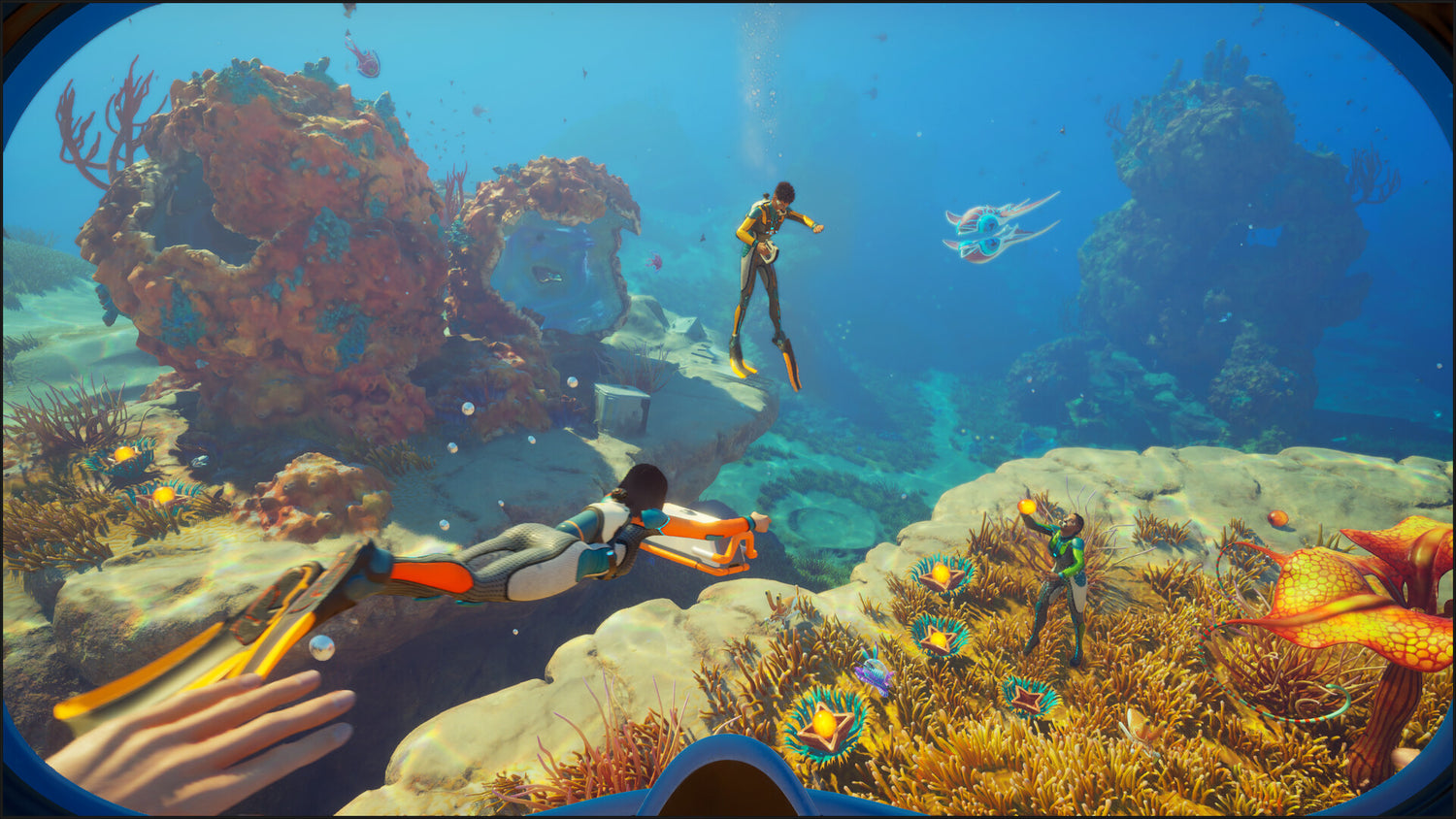
Subnautica 2 Bonuses Spotlight a Bigger Question: Is Your Next Gaming PC Canada-Ready for New AAA Games?
The news around Subnautica 2 is unusually positive for the games industry: according to the provided source, developers at Unknown Worlds are set to receive bonus payments totalling roughly C$340 million over three annual instalments after the legal dispute with publisher Krafton concluded. That is a major story for game development, but it also raises a practical question for players here at home: if big launches are succeeding, if early access titles are selling millions of copies, and if demand for visually ambitious PC games keeps rising, is your current Gaming PC Canada setup actually ready for what is coming next?
For Canadian buyers, this kind of headline matters for more than industry drama. Successful releases create momentum. Momentum drives player interest. Player interest drives hardware upgrades. And once excitement around a game spills into the broader PC market, shoppers start competing for the same GPUs, CPUs, RAM, and SSDs. If you have been waiting to replace an aging system, or if you want a machine that can handle gaming, streaming, editing, and creator workloads without needing another upgrade too soon, this is the kind of moment worth paying attention to.
At Groovy Computers, we look at stories like this through a customer-first lens. Yes, the legal outcome is newsworthy. But the bigger takeaway for buyers is simple: when new games perform well and PC gaming demand rises, buying the right custom system before the next wave of hardware pressure can be the smarter move.
What does the Subnautica 2 story actually tell PC buyers?
The source article highlights several important points. First, the developers behind Subnautica 2 are now expected to receive the bonuses they were promised. Second, the project appears to have launched strongly in early access, reportedly selling millions of copies in a short period. Third, despite difficult conditions behind the scenes, the game itself has clearly captured player interest.
Why does that matter if you are shopping for a PC? Because strong launches do not stay isolated. They contribute to a bigger cycle: more people return to PC gaming, more players upgrade for better visuals and smoother frame rates, and more buyers start asking the same question at once: What PC do I need for new games?
That question rarely stops at one title. A customer who starts by thinking about Subnautica 2 often ends up thinking about the next open-world release, the next ray tracing showcase, the next co-op survival game, or the next creator workflow they want to run alongside gaming. That is where a generic off-the-shelf machine often falls short. A properly matched custom build gives you better balance, better thermal performance, cleaner upgrade paths, and a much better chance of avoiding buyer’s remorse.
Why should Canadian buyers think differently right now?
Canadian buyers always need to think about more than just raw MSRP. Exchange rates, shipping costs, regional inventory, and replacement pricing all affect what a new system really costs. A GPU price increase in one market can quickly influence full-system pricing in Canada, especially when demand spikes around major game launches or creator hardware cycles.
So ask yourself: are you buying based only on today’s sticker price, or are you buying based on what it will cost to replace that machine six months from now if demand rises?
That is one of the biggest mistakes shoppers make. They wait for a “perfect” time, continue using a system that is already struggling, and then discover that the build they wanted costs more once new games, seasonal demand, or inventory pressure hits. In Canada, waiting can mean paying more for the same class of performance later.
This is also why financing can make sense for some buyers. If you know your current PC is below the level you need, a stronger build now may be more cost-effective than buying a weaker stopgap system and replacing it too soon. Groovy Computers helps Canadian customers secure the right machine for their needs, including financing up to 4 years for buyers who want to spread out the cost of a better long-term system.
What do you want your next PC to do for you?
Before you compare specs, brands, or price brackets, start with the real question: what do you want your next PC to handle without compromise?
Do you want:
- Smooth 1080p gaming on modern titles?
- 1440p performance with high settings and stronger longevity?
- 4K gaming with premium visual quality?
- Ray tracing support for newer cinematic releases?
- A gaming and streaming setup that can handle OBS cleanly?
- A creator machine for video editing, Photoshop, or graphic design after gaming?
- A more serious workstation for Blender, rendering, Unreal Engine, or multitasking-heavy professional use?
If you do not answer that question first, it is easy to overspend on the wrong parts or underspend on the pieces that actually determine your experience. The right custom PC is not just about buying “more.” It is about buying the right performance tier for the way you actually use your system.
What gaming performance tier fits you best?
One of the most useful ways to shop for a Custom Gaming PC Canada build is by performance target, not just by component hype. Here is a more practical way to think about it.
Entry gaming tier: Is 1080p all you really need?
If you mainly play esports, lighter co-op titles, indie games, or you simply want a dependable budget gaming PC Canada build for full HD play, an entry-level system may still be the right fit. This tier is ideal for shoppers asking, How much should I spend on a gaming PC? when the goal is value rather than bragging rights.
A good 1080p-focused machine can be excellent for students, first-time PC buyers, and gamers who care more about responsiveness than maximum visual settings. But here is the key question: will that still satisfy you once newer AAA releases become your main focus?
If the answer is no, jumping too low in performance today can lead to a faster and more expensive upgrade cycle.
Mainstream sweet spot: Do you want 1440p gaming without upgrading too soon?
For many buyers, 1440p is the current sweet spot. It offers a noticeable jump in clarity over 1080p while staying more realistic than 4K for long-term value. If you want stronger visual settings, smoother performance in newer open-world games, and more room for future releases, this is often where the best value lives.
This is also the tier where many people discover they want more than gaming alone. Maybe you plan to stream occasionally. Maybe you want to edit YouTube clips. Maybe you use Discord, browser tabs, mods, and recording software all at once. Suddenly the conversation shifts from “Can it run the game?” to “Can it run my whole setup comfortably?”
If that sounds familiar, a balanced 1440p build is often the better answer than a bare-minimum machine.
Premium tier: Are you aiming for 4K, ray tracing, and flagship longevity?
If your goal is a 4K Gaming PC Canada build, ultra settings, premium ray tracing performance, or a system you expect to stay impressive for years, then you are shopping in a different category entirely. This is for the buyer asking, What PC do I need for 4K gaming? or How long will a high-end gaming PC last?
High-end systems make sense for players with premium monitors, cinematic single-player tastes, or multitasking plans that include gaming, streaming, and creator work on one machine. They also make sense for buyers who would rather invest once in a stronger platform than perform staggered upgrades under potentially worse pricing conditions later.
That does not mean everyone needs the top shelf. It means you should be honest about whether your expectations are entry-level, mainstream, or premium. That one decision can save you a lot of money and frustration.
Thinking about Subnautica 2 today, what kind of PC do you need for new games tomorrow?
The real lesson from a headline like this is not just about one game. It is about momentum in the PC market. Survival games, open-world titles, visually rich adventure games, and major early access launches all tend to nudge players toward stronger systems. The customer who upgrades for one release often wants their machine to cover several years of new titles.
So ask yourself a better question than “Can my PC run this game?” Ask: Will my current PC feel good to use across the next wave of games?
If your system already struggles with stuttering, low minimum frame rates, weak multitasking, or limited SSD space, then the answer may already be clear. Waiting does not make those problems smaller. It often just delays the decision until pricing, availability, or workload demands become worse.
Do you also want to stream, edit, or create content?
This is where many PC buyers underestimate their needs. A machine that can play a game is not automatically the best choice for streaming, recording, editing, thumbnail design, or content creation. If your gaming hobby overlaps with YouTube, Twitch, TikTok, podcasting, or social media clips, then your build should reflect that.
A Streaming PC Canada or Content Creation PC Canada setup needs more than just game-ready graphics power. It also benefits from enough CPU strength, memory capacity, fast storage, and a smart overall part balance. Otherwise, you get the classic problems: dropped frames while streaming, sluggish editing timelines, long export times, and a system that feels “fine” on paper but frustrating in real use.
What if you want one PC for gaming and streaming?
If you want a gaming and streaming PC Canada setup, think about your actual use case. Are you streaming at 1080p? Recording gameplay while gaming? Running OBS with overlays, alerts, browser sources, and chat tools? Planning to use a dual-monitor setup? These details matter.
Many shoppers ask, Do I need a separate streaming PC? Usually, not necessarily. For many users, one well-configured custom system is the better answer. The trick is getting enough headroom in the build so your stream setup does not become the thing that makes your gaming experience feel unstable.
What if you want to edit videos too?
A lot of modern buyers need a hybrid machine. They game at night, work on videos on weekends, and manage a creative side hustle in between. If that is you, then a Video Editing PC Canada or Custom Creator PC Canada approach makes more sense than buying a pure gaming spec blindly.
Are you editing 1080p content casually, or 4K footage regularly? Do you use Premiere Pro, DaVinci Resolve, After Effects, or CapCut? How much footage do you keep locally? Do you hate long exports enough to pay for a stronger CPU and more RAM now? Those are the questions that separate a smart purchase from a short-lived one.
What if your work is more visual than video-based?
Not every creator is a video editor. Some customers need a Photo Editing PC Canada system for Photoshop and Lightroom. Others need a Graphic Design PC Canada build for Illustrator, InDesign, Canva-heavy multitasking, and Adobe Creative Cloud workflows. These buyers still need fast storage, solid memory capacity, dependable responsiveness, and enough graphics support for acceleration and multi-monitor use.
If your current machine slows down with large RAW libraries, layered PSD files, or multiple design apps open at once, that is not just annoying. It is lost time. A well-built creator desktop can make daily work noticeably smoother.
What if you need Blender, Unreal, or heavier workstation performance?
For customers in 3D, CAD, rendering, development, or simulation-heavy workloads, the conversation moves beyond mainstream gaming. A 3D Modeling PC Canada or Workstation PC Canada build needs to be chosen around the software you actually use.
Are you working in Blender? Unreal Engine? AutoCAD? Revit? Are your scenes getting larger? Do you need more VRAM, more RAM, or better CPU throughput? Are render times costing you billable hours? A proper workstation-focused custom build can make a dramatic difference in productivity and comfort.
Is it better to buy now or wait?
This is one of the most common buyer questions, and it is a fair one. But the answer depends less on internet hype and more on your own situation.
If your current system still performs comfortably for what you do, waiting may be fine. But if your current PC is already limiting the games you play, the resolution you want, the stream quality you can maintain, or the work you are trying to finish, then waiting can become expensive in a different way.
Ask yourself:
- Are you trying to hold out through a major game release?
- Are you delaying a creator upgrade while your software demands keep increasing?
- Are you using an older platform that would need multiple part replacements anyway?
- Would a stronger system now save you from buying twice?
When demand rises, replacement costs can rise with it. GPUs can tighten. Memory pricing can shift. SSD pricing can become less attractive. Full-system value can change quickly once the market gets busier. If you already know an upgrade is necessary, “waiting” is not always a savings strategy.
Should you finance a better PC instead of buying a cheaper one?
For many customers, this is the most practical question in the entire buying process. A cheaper machine may feel easier in the moment, but if it leaves you wanting more performance within a year, it was not truly the cheaper option.
That is why some buyers choose to finance a gaming PC in Canada or finance a creator/workstation build instead of settling. Financing can help you step into a more capable system now, while preserving cash flow and reducing the odds that you will need another full replacement too soon.
This is especially relevant if you are considering:
- A stronger GPU for 1440p or 4K gaming
- More RAM for streaming, editing, or design workflows
- Faster SSD storage for large game libraries or project files
- A more powerful CPU for export times, rendering, or multitasking
- A better long-term platform with cleaner upgrade potential
If you are asking, Should I finance a better PC instead of buying a cheaper one? the honest answer is often yes, when the stronger build clearly matches your real needs and helps you avoid replacing the entire system early. Groovy Computers offers options that can help qualified Canadian buyers secure the right machine with payments spread over time, including financing up to 4 years.
How do custom builds protect you better than random off-the-shelf systems?
In periods of shifting demand, custom matters. A Custom PC Builder Canada approach lets you prioritize where performance actually counts instead of paying for flashy but poorly matched configurations.
With a proper custom build, you can better align:
- GPU power with your target resolution and visual settings
- CPU performance with streaming, editing, or productivity demands
- RAM capacity with multitasking and creator workloads
- SSD speed and storage size with game libraries and project files
- Cooling and airflow with sustained performance and reliability
- Power supply quality with long-term system stability
- Upgrade paths with your future plans
This is one reason so many buyers eventually realize that custom PC vs prebuilt PC Canada is not just a price comparison. It is a value comparison, a reliability comparison, and a “will this still make sense for me next year?” comparison.
At Groovy Computers, systems are built with real use in mind, not just spec-sheet marketing. That includes rigorous testing and a 1-year warranty, which gives Canadian buyers more confidence when buying a gaming PC, creator desktop, or workstation online.
What questions should you ask before buying your next PC?
If you are reading gaming industry headlines and wondering whether it is time to upgrade, these are the questions that matter most:
-
What games or software do I actually use most?
Do you mainly play new AAA games, esports titles, or modded sandboxes? Do you also use OBS, Premiere Pro, Photoshop, Blender, or Unreal? -
What resolution and settings do I want?
Is 1080p enough, or will you be happier at 1440p? Are you expecting ray tracing or ultra settings? -
How long do I want this system to last before I feel pressure to upgrade?
If you want several years of satisfying performance, buying too low can be costly. -
Do I need a gaming PC only, or a gaming plus creator machine?
One balanced build can often replace two weaker compromises. -
Would financing help me buy the right system once instead of the wrong system twice?
If monthly payments make a stronger build practical, that can be the smarter path. -
Do I want tested reliability and Canadian support?
That matters more when you are spending serious money on a machine you depend on.
Why Groovy Computers makes sense for Canadian buyers
Canadian shoppers want more than a box with parts in it. They want confidence. They want advice that makes sense for how they actually game or work. They want a builder that understands the difference between a budget gaming machine, a serious 1440p rig, a premium RTX-based setup, and a creator or workstation desktop that earns its keep every day.
Groovy Computers is built around that kind of practical guidance. Whether you need a Gaming PC Canada build, a streaming-ready system, a video editing setup, a content creation desktop, or a more specialized workstation, the goal is the same: match the machine to the customer, not the customer to a generic configuration.
That means Canadian-focused service, custom build logic, rigorous testing, and a 1-year warranty that supports the confidence buyers are looking for. It also means helping customers think through timing. If the market gets tighter, if game demand rises, or if creator hardware pressure increases, a properly selected system bought sooner can be the better long-term value.
So, what should you do next?
If the Subnautica 2 headline has you thinking about the future of PC gaming, do not stop at the news. Use it as a prompt to evaluate your own setup. What gaming PC do you need? What PC do you need for 1440p gaming, streaming, editing, or creator work? Is now a good time to buy a gaming PC, or are you risking a more expensive replacement later?
If you already know your current system is aging out, this is the right time to act with a plan. Visit GroovyComputers.ca to explore custom build options, compare performance tiers, and find out whether a stronger gaming PC, creator desktop, or workstation build is the better fit for your next few years, not just your next few weeks.
Big game launches create excitement, but they also create pressure on the hardware market. The smarter move is not chasing panic. It is choosing the right system before you are forced into a rushed upgrade. If you want a custom-built machine with the performance, testing, support, and financing flexibility to match real-world Canadian buying conditions, Groovy Computers is one of the best places to start.
#GamingPCCanada #CustomGamingPCCanada #GamingPCBuilderCanada #GamingPCForNewGames #1440pGamingPCCanada #4KGamingPCCanada #StreamingPCCanada #VideoEditingPCCanada #ContentCreationPCCanada #CustomPCBuilderCanada #CanadianCustomPCBuilders #NovaScotiaPCBuilder
Groovy Computers | All Rights Reserved


Leave a comment
This site is protected by hCaptcha and the hCaptcha Privacy Policy and Terms of Service apply.