






















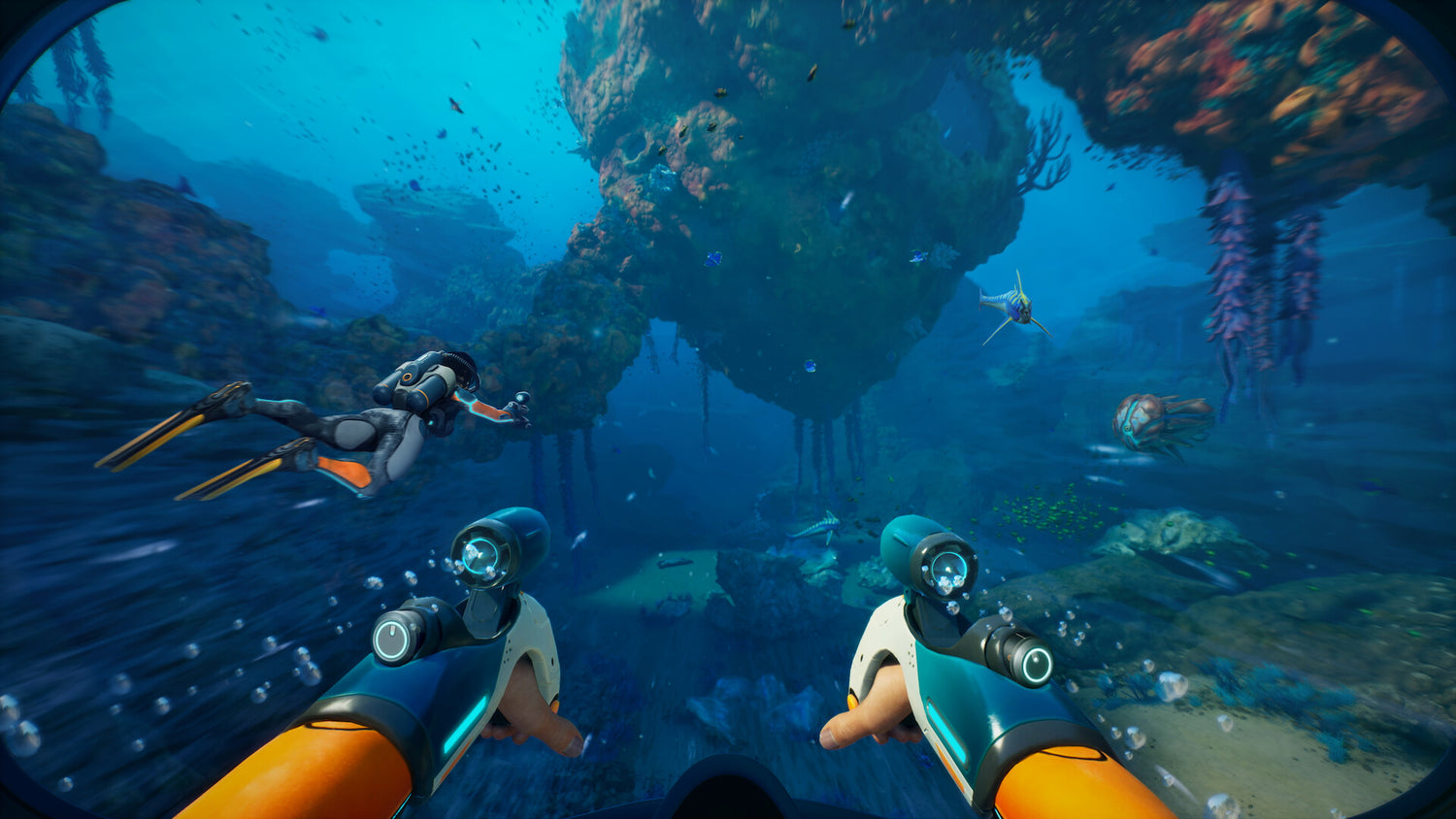
Subnautica 2 Studio Bonus News and What It Means for Your Next Gaming PC in Canada
The latest Subnautica 2 studio bonus news is about far more than executive turnover. It highlights how massive player demand, early access momentum, and live-service style update roadmaps can rapidly change what gamers expect from their hardware. For Canadian buyers, this matters because a breakout PC game does not just create headlines. It can also influence upgrade timing, GPU demand, streaming interest, content creation workloads, and the pressure to buy a better system before prices move again.
According to the source material, Unknown Worlds Entertainment and its parent company reached a settlement after a legal dispute tied to promised bonuses following the success of Subnautica 2. The report says studio CEO Ted Gill will step down again as part of the settlement, legal proceedings will be dismissed, and more than $250 million USD in bonuses will be paid out. In Canadian dollars, that is roughly more than $340 million CAD, making this a major industry story not just for studio leadership, but for what happens when a game explodes in popularity.
The source also notes that Subnautica 2 sold over four million copies within five days of early access launch, with more updates already planned. That kind of traction changes player behaviour. More people jump in. More streamers cover it. More creators clip it, edit it, and post it. More customers suddenly ask the same question: can my current PC actually keep up with the games I want to play next?
That is exactly where Groovy Computers comes in. If you are in Canada and reading this story because you are excited about Subnautica 2, open-world survival games, early access PC titles, or the next wave of demanding releases, this is the right time to think seriously about the system you are using now and the custom PC you may need next.
Why does the Subnautica 2 studio story matter to PC buyers?
On the surface, this is a studio-business headline. Underneath, it is also a reminder that hit PC games can scale quickly and keep growing through updates. The source mentions future improvements and features including sprinting, voice chat, trading, more Biomod slots, better wrecks, pinned recipe improvements, PDA databank improvements, and other early access changes. For players, that means this is not a static release. It is a moving target.
When a game is still evolving, your PC needs to do more than handle day-one settings. It needs enough headroom for future patches, increased world complexity, background apps, Discord, browser tabs, recording tools, and possibly streaming software. Are you buying a computer only for today’s minimum requirement, or do you want a system that still feels strong after multiple updates and your next few major game purchases?
This is where many buyers in Canada make the wrong move. They shop based only on the cheapest machine that will launch a game, not the right machine for the way they actually play. If you love survival games, atmospheric exploration, multiplayer experiences, mod support, recording clips, or long gaming sessions, then a better-balanced custom build often saves money over time by helping you avoid a too-soon upgrade.
What does this mean for Canadian gamers specifically?
Canadian buyers need to think differently because system costs do not exist in a vacuum. Exchange rates, import pressure, GPU demand, shipping costs, and market volatility can all affect what you pay. A global game success story can create extra demand for gaming-ready hardware, especially when a title becomes popular not only among players but among streamers and creators.
That is why timing matters. If you are asking, is it better to buy a gaming PC now or wait?, the honest answer depends on what you need your PC to do and how close you are to being bottlenecked already. Waiting can work if your current system is still comfortably meeting your needs. But if you are already lowering settings, avoiding recording, skipping newer games, or running out of storage, waiting can also mean paying more later for the same or worse value.
For buyers in Nova Scotia, Atlantic Canada, and across the country, there is another factor: confidence. A generic box-store system may look convenient, but that does not always mean it is tuned for the games, workloads, thermals, upgrade path, and long-term value you actually need. A Gaming PC Canada buyer should be thinking about total ownership experience, not just the sticker price.
What do you want your next PC to do for you?
Before choosing parts, start with the real question. What do you actually want your next PC to handle over the next two to four years?
- Do you just want smooth 1080p gaming in survival games, shooters, and esports titles?
- Do you want 1440p performance with higher settings and more visual detail?
- Are you aiming for 4K, ray tracing, and premium image quality?
- Do you want to stream while gaming without crushing your frame rate?
- Do you want to record gameplay, cut clips, edit YouTube videos, and render quickly?
- Do you use Photoshop, Lightroom, Illustrator, Premiere Pro, DaVinci Resolve, Blender, or Unreal Engine on the same machine?
- Are you buying for one game, or do you want a system ready for the next wave of AAA releases too?
The better your answers, the better your build. A strong custom PC decision is not just about buying “more power.” It is about buying the right category of power.
If you want to play games like Subnautica 2, what gaming PC do you need?
Games like Subnautica 2 attract players who care about atmosphere, immersion, draw distance, environmental effects, smooth exploration, and stable performance during longer sessions. Even if a game is not the most extreme competitive benchmark on the market, your experience can still be heavily affected by weak hardware, slow storage, poor cooling, or limited memory.
If you are wondering what gaming PC do I need, here is the practical way to think about it.
Entry-level tier: good for 1080p gaming
An entry-level or Budget Gaming PC Canada buyer should focus on reliable 1080p performance, a modern multi-core CPU, enough RAM for current titles, and fast SSD storage. This tier can be a smart fit if you mainly play at 1080p, do not need maximum settings in every game, and want solid value.
Ask yourself: are you happy with strong mainstream performance, or will you regret not stepping up once the next few demanding games arrive? If your answer is that you want this PC to last, stretching too little at the start can cost more later.
Mid-range tier: ideal for 1440p and stronger longevity
For many Canadian buyers, this is the sweet spot. A 1440p Gaming PC Canada setup gives you the balance of visual quality, smoother frame rates, and more future-proof performance. If you want to enjoy modern titles at high settings, multitask more comfortably, and keep the system relevant longer, this tier is often where value and longevity meet.
Do you want your computer to feel strong only this season, or do you want it to still feel capable after game patches, DLC, and your next monitor upgrade?
High-end tier: for 4K, ray tracing, and premium gaming
If you are aiming for immersive ultra settings, advanced lighting, high refresh rates at higher resolutions, or a premium display setup, a 4K Gaming PC Canada or high-end custom build makes more sense. This is also a better fit if you play a mix of visually demanding AAA titles and want room for streaming or recording without compromise.
Many premium buyers ask the wrong question: “Can I get away with less?” The better question is: how long do I want this system to stay ahead of my needs?
Planning to stream or record your gameplay too?
A hit game does not just create players. It creates streamers, clip channels, YouTube explainers, guide creators, and community content. If Subnautica 2 has you thinking about going beyond gaming into content, your build priorities shift.
A strong Gaming and Streaming PC Canada setup should not only run the game smoothly. It should also support OBS, background apps, voice chat, browser tabs, capture workflows, and export-ready storage. That usually means more attention to CPU balance, GPU encoding support, RAM capacity, and airflow.
What PC do you need for streaming? If you are only testing the waters, a capable gaming-first build with sensible overhead may be enough. But if you want consistent streaming, recording, editing, and uploading, a purpose-built Streaming PC Canada or hybrid creator system is often the smarter long-term choice.
Would you rather buy one machine that sort of does everything, or one custom-tuned system that actually matches your gaming and content goals?
Thinking beyond gaming? A breakout title can also push creator workloads
Not every customer reading gaming news is just a gamer. Many are also creators, editors, designers, and 3D hobbyists. Popular games generate thumbnails, trailers, stream packages, social clips, fan art, overlays, TikTok edits, and mod concepts. If that sounds like your workflow, the conversation is no longer just about a gaming desktop.
Do you need a creator PC for editing and content production?
If you edit gameplay videos, reaction content, podcasts, or short-form clips, a Video Editing PC Canada or Content Creation PC Canada build can save you real time every week. Faster exports, smoother playback, stronger multitasking, and more storage responsiveness all matter once you start creating consistently.
Ask yourself:
- Are you working in 1080p, 4K, or higher?
- Do you use Premiere Pro, DaVinci Resolve, After Effects, or CapCut?
- Do you need quick turnaround for uploads?
- Are laggy timelines slowing your workflow down?
If yes, then a gaming-only build may not be enough. You may be better served by a Custom Creator PC Canada system designed to game well and create efficiently.
What if you edit photos, graphics, or run Adobe apps all day?
Some customers discover their gaming PC also needs to be their work machine. If you use Photoshop, Lightroom, Illustrator, InDesign, Canva, or broader Adobe Creative Cloud tools, your ideal build should reflect those priorities.
A Photo Editing PC Canada or Graphic Design PC Canada setup should prioritize responsiveness, storage speed, RAM headroom, and dependable multitasking. If your current machine slows down with large RAW libraries, layered design files, or multiple creative apps open at once, upgrading to the right custom desktop can improve both productivity and enjoyment.
Is a gaming PC good for graphic design or photo editing? Sometimes yes, but only if the component choices are balanced for those tasks. That is one reason custom building matters.
What about Blender, Unreal Engine, and 3D work?
If your excitement about game worlds leads into creating your own environments, assets, renders, or interactive scenes, then you may actually need a 3D Modeling PC Canada or Workstation PC Canada rather than a pure gaming machine.
What PC do you need for Blender or Unreal Engine? That depends on whether you are modelling, animating, rendering, simulating, baking lighting, or compiling projects. A system that feels fine in games can still struggle badly in professional 3D workloads if it lacks the right CPU-GPU-RAM balance.
Do you want your next desktop to play worlds, build worlds, or both?
How do you decide which performance tier fits you?
One of the biggest mistakes buyers make is shopping by fear or hype instead of use case. Here is a simpler way to decide.
Choose a value-focused tier if:
- You mainly play at 1080p
- You want a first gaming desktop or student-friendly setup
- You play a mix of lighter competitive games and some newer releases
- You want solid performance without chasing top-end visuals
This kind of buyer should be asking: How much should I spend on a gaming PC if I just want a good experience, not a luxury build?
Choose a balanced mainstream tier if:
- You want 1440p gaming
- You expect to play upcoming titles for years
- You use Discord, browser tabs, background apps, and light recording
- You may start streaming or editing occasionally
For many players, this is the best mix of performance and value. It is often where a Custom Gaming PC Canada build makes the most practical sense.
Choose a premium tier if:
- You want 4K or high refresh 1440p gaming
- You care about ray tracing and visual quality
- You stream, record, or create while gaming
- You would rather buy once properly than upgrade too soon
This is the buyer who should stop asking only about today’s game and start asking: How long will a high-end gaming PC last?
Choose a creator or workstation tier if:
- You earn income from editing, design, rendering, or production work
- You need reliability under heavy daily load
- You run demanding software alongside games
- You want a machine that saves time, not just one that entertains
For this customer, speed is not just convenience. It can be billable time, faster client turnaround, and less frustration.
Why timing matters when big games break out
Whenever a title catches fire, hardware conversations follow. A game with huge early access sales and an active roadmap keeps attention on the PC platform. More players decide to upgrade. More creators cover it. More buyers start browsing systems. That can tighten demand around popular component tiers.
No one can promise exact future pricing without live market data, but buyers should understand the pattern. GPU demand can rise. Certain CPUs become harder to find. RAM and SSD pricing can shift. Cases, coolers, and power supplies can be affected by broader supply conditions too. Even if individual parts do not spike dramatically, full-system replacement costs can still creep upward.
If your current PC is already on the edge, is waiting really saving you money, or just delaying a purchase until the same build costs more?
Should you buy a cheaper system now or finance a better one?
This is one of the most important buying questions in Canada right now, especially for customers trying to avoid compromise. A lower-cost machine can feel easier in the short term, but if it forces you into lower settings, missed upgrades, weaker multitasking, or an earlier replacement cycle, it may not actually be the better value.
That is why many buyers consider financing. Instead of settling for a system that will feel limited too quickly, financing can help you move into the performance tier you actually need now. If available through your buying path, spreading out payments can make a much better custom build realistic without forcing a downgrade in your goals.
Should you finance a better PC instead of buying a cheaper one? If the stronger machine gives you better longevity, better gaming enjoyment, better content performance, and fewer upgrade headaches, the answer can absolutely be yes.
At Groovy Computers, this matters because customers are not just buying parts. They are buying the years of use they get from the complete system. A build that is properly matched to your needs often outperforms a “deal” system that looks affordable but ages badly.
Why custom builds matter more than ever
When game demand rises and buyer expectations change, generic systems become even more of a gamble. A custom desktop built around your actual targets can avoid several common problems:
- Overpaying for flashy parts you do not need
- Underbuying the GPU or CPU that really matters for your workload
- Getting too little RAM for streaming, editing, or multitasking
- Running out of SSD space too quickly
- Ending up with poor airflow or limited upgrade paths
- Buying a system that looks strong in marketing but performs unevenly in real use
Is a custom gaming PC worth it? For many Canadian buyers, yes. Especially if you want your system tailored to a specific purpose, whether that is survival gaming, AAA releases, streaming, Adobe work, or 3D production.
A proper custom builder also helps with something many buyers overlook: confidence. You want parts that make sense together, cooling that supports sustained performance, and a machine that is tested before it gets to you.
What should you ask before buying your next PC?
Before you commit, ask yourself a few smart questions.
- What games or software am I actually using most?
- Am I buying for 1080p, 1440p, or 4K?
- Will I stream, record, or edit on this system?
- Do I need this PC to last through the next major release cycle?
- Would I rather spend less now, or spend smarter once?
- Am I likely to regret buying too low a tier?
- Do I want a tested custom build with warranty support in Canada?
These questions matter because the right PC is not just about what runs today. It is about what still feels right after your habits grow.
Why Groovy Computers is a smart fit for Canadian buyers
Groovy Computers is built for customers who want more than a random spec sheet. If you are shopping for a custom gaming desktop, creator system, or workstation in Canada, the goal should be fit, reliability, and long-term value.
That means helping you choose the right category of system, not pushing you into the wrong one. It means sensible part matching, rigorous testing, and support that gives you more confidence when buying online. It also means the peace of mind that comes with a 1-year warranty and a build approach focused on real workloads, not generic marketing.
Whether you are in Nova Scotia, Atlantic Canada, or ordering from elsewhere in the country, Groovy Computers is positioned to help buyers who want a Canada built gaming PC, a creator-focused machine, or a stronger workstation without the confusion of sorting through mismatched mass-market options.
Need help choosing between a budget gaming PC, a premium RTX build, or a creator workstation?
If this Subnautica 2 studio bonus news has you thinking about upgrading, this is the moment to ask the practical question: what do you want your next PC to do better than your current one?
Do you want smoother survival gaming? Better 1440p or 4K performance? A system that can stream and record comfortably? Faster video exports? Better Photoshop responsiveness? More serious Blender or Unreal Engine capability?
If you do, Groovy Computers can help you move toward the right build instead of the wrong compromise. Visit GroovyComputers.ca if you want help comparing performance tiers, exploring a custom build, or choosing a stronger system before replacement costs rise further.
Final thoughts for buyers watching game hype, hardware demand, and pricing pressure
The headline about studio leadership and bonus settlements is interesting on its own, but the bigger signal is this: PC gaming demand remains powerful, breakout releases still move markets, and the gap between “good enough” and “ready for what’s next” keeps getting more important.
If you are excited by games like Subnautica 2, planning a new setup, or trying to avoid another short-lived upgrade, now is a good time to think carefully about the system tier that really fits your life. The right custom PC can support gaming, streaming, editing, creation, and work far better than a weak stopgap purchase.
For Canadian customers, that means making a smart decision before your current machine forces the issue. The Subnautica 2 studio bonus news may be about a developer and a settlement, but for PC buyers, it is also a reminder that the next breakout game is always closer than it looks.
#GamingPCCanada #CustomGamingPCCanada #GamingPCBuilderCanada #GamingPCForNewGames #ContentCreationPCCanada #VideoEditingPCCanada #3DModelingPCCanada #WorkstationPCCanada #CanadianCustomPCBuilders #NovaScotiaPC
Groovy Computers | All Rights Reserved


Leave a comment
This site is protected by hCaptcha and the hCaptcha Privacy Policy and Terms of Service apply.