






















Suda51, Shinji Mikami, and Why Action-Game Design Still Pushes Buyers Toward a Better Custom Gaming PC in Canada
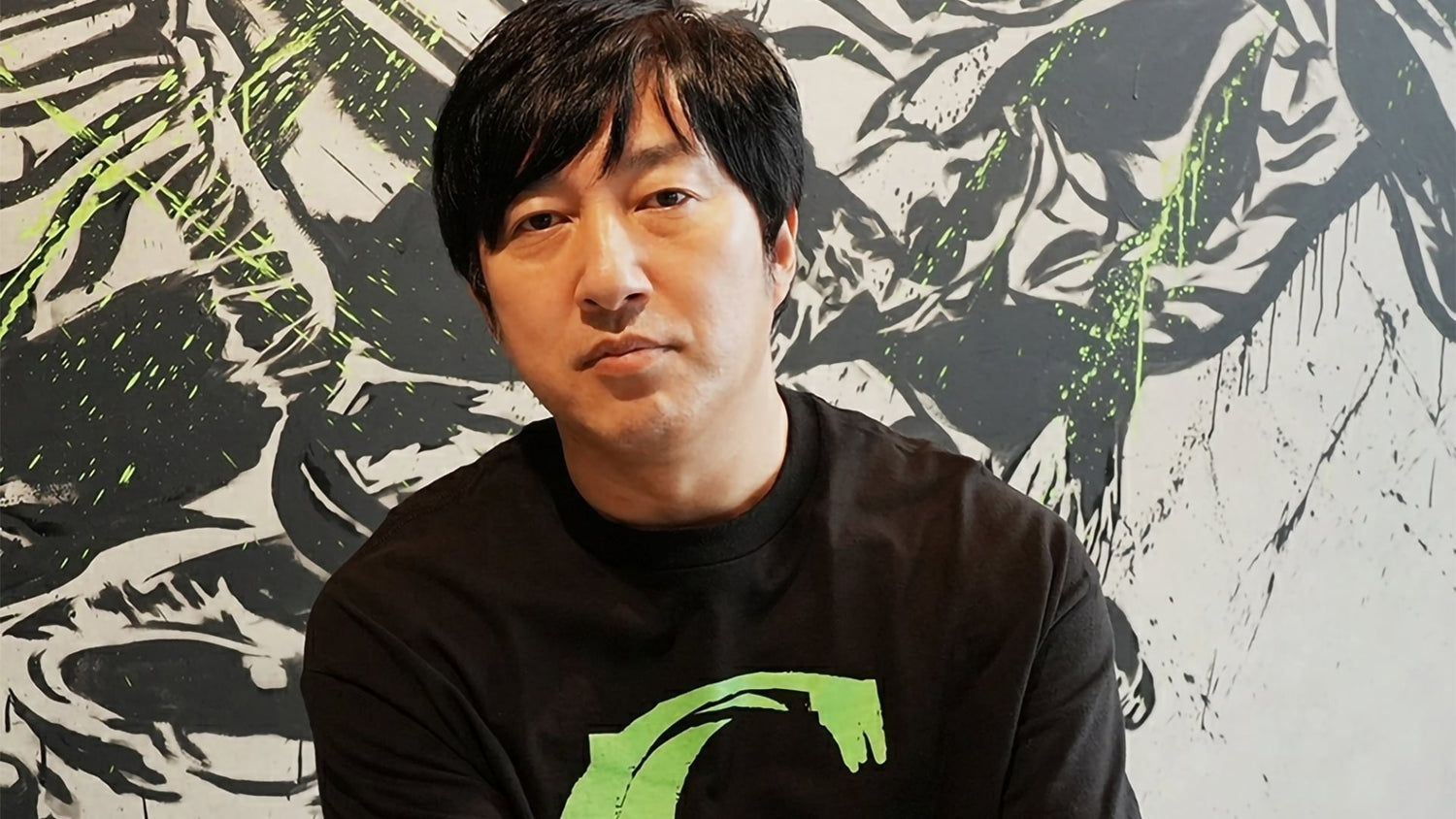
The latest comments from Goichi “Suda51” Suda about Shinji Mikami matter for more than gaming history. They highlight something PC buyers in Canada often feel the moment a new action-heavy title lands on their desktop: great game design depends on timing, responsiveness, visual clarity, and performance consistency. That is exactly why a Gaming PC Canada buying decision should never be based on specs alone. If the creators behind cult action games talk about frame sense, feel, and responsiveness as core design principles, then players, streamers, and creators should be asking a similar question before they buy: what does my next PC need to do well every single day?
In the interview, Suda51 explained that while he developed through instinct, Shinji Mikami taught him key lessons in action game design during the development of Killer7. One of the most revealing takeaways was Suda’s description of Mikami teaching him a “sense for frames.” That phrase is small, but its implications are huge. It speaks to pacing, visual flow, input response, animation timing, and the invisible technical details that make action games feel right. For PC buyers, especially those shopping for a Custom Gaming PC Canada system, this is a reminder that game feel and hardware capability are closely connected.
Why does that matter to Groovy Computers customers? Because many shoppers do not just want a machine that can technically launch a game. They want a system that feels smooth in combat, stable during shader-heavy scenes, capable during streaming, and reliable when they switch from gaming to editing clips, thumbnails, or short-form content. A weak or poorly balanced build can undermine exactly the kind of action-driven experience developers work so hard to create.
What did Suda51 actually say, and why should PC buyers care?
Suda51 said that if he had to name a mentor, it would probably be Shinji Mikami. He explained that Mikami taught him “everything there is to know about action game design” while working on Killer7, and specifically described watching Mikami make adjustment after adjustment until “everything just clicked perfectly into place.” He also noted that some of that design DNA still lives within Grasshopper Manufacture through veteran staff who worked alongside Mikami.
For players, that should raise an immediate question: if top developers obsess over frame timing and action design details, are you buying a PC that can actually deliver that intended experience?
That question matters whether you mainly play stylish action games, survival horror, cinematic third-person adventures, competitive shooters, or visually ambitious AAA releases. It also matters if you are the type of buyer who follows game creators and upcoming releases, then realizes your current system is already struggling with newer workloads.
Why Canadian buyers should think about this differently
In Canada, PC buying decisions often involve more than just benchmark charts. Availability, shipping confidence, total system value, upgradability, and replacement cost all matter. A buyer in Nova Scotia, Ontario, Alberta, British Columbia, or anywhere else in the country may be comparing not just raw specs but long-term ownership value. Do you buy a lower-tier machine now and risk upgrading sooner? Do you stretch to a stronger graphics card so new games feel better for longer? Do you need a gaming-first build, or are you also editing video, streaming to Twitch or YouTube, designing graphics, or rendering 3D scenes?
That is where a Canadian Custom PC Builders approach becomes more useful than buying whatever generic system happens to be available. The source story is about mentorship, design philosophy, and game feel. For buyers, the localized Canadian takeaway is this: the better the game design, the more obvious your hardware weaknesses become.
If your system has poor cooling, mismatched components, limited upgrade headroom, too little memory, or a GPU tier that already feels stretched, you notice it in the exact kinds of games that rely on fluidity and responsiveness.
What do you want your next PC to do for you?
Before looking at a single component, ask yourself a few practical questions.
Do you want to play new action games at 1080p with high settings and strong frame rates?
Are you aiming for 1440p because you want better image quality without jumping all the way to 4K?
Do you care about ray tracing, high refresh gameplay, or ultra settings in visually dense scenes?
Will you be streaming gameplay through OBS while also running Discord, browser tabs, music, and background apps?
Do you also need your PC for Adobe Premiere Pro, DaVinci Resolve, Photoshop, Lightroom, Illustrator, Blender, Unreal Engine, or multi-monitor productivity?
Are you buying for today’s games only, or are you trying to avoid upgrading too soon?
These questions are where smart buying starts. A lot of customers searching for the Best Gaming PC Canada are really looking for something more specific. They may need a gaming and streaming machine. They may need a creator-ready desktop that can game at night and edit 4K footage during the day. They may need a workstation-class system with stronger CPU, memory, and storage planning than a standard gaming build.
Why “sense for frames” translates directly into PC hardware planning
Suda51’s comments about Mikami’s “sense for frames” are a useful lens for understanding why hardware balance matters. Games that depend on timing, camera movement, animation rhythm, and quick response can feel dramatically different depending on frame rate stability, frametime consistency, storage speed, and thermal behaviour.
A PC that can hit a number on paper is not always a PC that feels premium in real use.
That leads to another important buying question: are you shopping for headline specs, or are you shopping for the experience you actually want?
A well-configured custom system can help in several ways:
- GPU power for higher settings, stronger 1440p or 4K performance, and better ray tracing support
- CPU strength for smooth minimum frame rates, background multitasking, and gaming plus streaming loads
- Fast SSD storage for load times, asset streaming, and a snappier daily workflow
- Adequate RAM for modern games, browser-heavy use, editing, and content creation
- Reliable cooling for consistent performance over long sessions
- Clean component matching so one weak part does not limit the rest of the system
That is why buyers looking for a Gaming PC for New Games should not focus only on the graphics card name. The full system has to be built around how modern workloads actually behave.
What kind of performance tier fits you best?
Not every buyer needs the same machine, and not every “good deal” is good for the same use case. Here is a simple way to think about performance tiers when shopping for a custom desktop in Canada.
Entry-level and value-focused gaming
If you mainly play esports titles, older AAA games, indie titles, or want a first gaming desktop, a Budget Gaming PC Canada build may be enough. This tier makes sense if your target is 1080p, strong everyday responsiveness, and a lower total cost.
But ask yourself: are you buying for the games you play now, or for the games you expect to play over the next two to three years?
If your library is shifting toward newer cinematic releases, open-world games, or demanding action titles, going too cheap can become expensive later if you need upgrades sooner than expected.
Mid-range 1440p sweet spot
For many buyers, this is the best balance of cost and longevity. A 1440p Gaming PC Canada class system is often ideal for players who want noticeably sharper visuals, better settings, smoother action, and more room for future titles. This tier is especially attractive if you play modern action games where visual detail and responsiveness both matter.
Are you the type of player who notices animation smoothness, camera fluidity, and stable combat performance? If yes, mid-range may be the minimum tier you actually want, even if a lower system can technically run the game.
High-end and premium gaming
If you want high refresh 1440p, 4K gaming, stronger ray tracing, premium visual settings, or a longer upgrade cycle, a High End Gaming PC Canada build becomes easier to justify. This is where enthusiasts, streamers, and buyers who want less compromise tend to shop.
Ask yourself a direct question: how long do you want this PC to feel fast?
If your answer is “as long as possible,” the value of a stronger GPU, better cooling, larger SSD, and more memory becomes much clearer.
Gaming plus streaming
Many modern buyers do not only play. They stream, record, clip, upload, and multitask. A Gaming and Streaming PC Canada build should account for encoder support, CPU headroom, memory capacity, and storage planning for recordings.
Do you want to run OBS while gaming without feeling like your system is one update away from becoming frustrating? Then your build should reflect that from day one.
Gaming plus creator work
If you edit YouTube videos, create thumbnails, work in Photoshop, or post clips across multiple platforms, a Creator PC Canada approach may be smarter than buying a gaming-only configuration. You can still get excellent gaming performance while improving export times, timeline fluidity, multitasking, and general workflow speed.
Are you only gaming, or are you also creating?
This is one of the biggest buying mistakes in the market. Many customers search for a gaming PC because gaming is the fun reason to buy, but their actual daily workload is broader.
Do you edit gameplay videos after work?
Do you make short-form content for TikTok, YouTube Shorts, or Instagram Reels?
Do you stream a few nights a week?
Do you manage large Lightroom libraries or design promotional assets in Adobe apps?
Do you build 3D scenes in Blender or experiment with Unreal Engine?
If yes, you may need more than a pure gaming machine. You may need a system that crosses into Content Creation PC Canada, Video Editing PC Canada, or even 3D Modeling PC Canada territory.
What if you need a PC for streaming, editing, design, or 3D work too?
The source story is rooted in game development and creative craft. That makes it especially relevant to customers whose PC needs overlap between entertainment and production. Many buyers now need one machine that can do it all.
Streaming and recording
If you are shopping for a Streaming PC Canada system, your hardware needs are different from a pure gaming build. Stable encoding, multitasking, and thermal consistency matter. A machine that feels fine in a single-player session may behave differently once OBS, alerts, browser sources, chat tools, and recording are added.
What PC do you need for streaming? Usually one with enough CPU and GPU headroom to avoid turning every stream into a compromise between quality and performance.
Video editing
If your workflow includes Premiere Pro, DaVinci Resolve, or After Effects, then a PC for Video Editing Canada decision should prioritize more than frame rates in games. You need storage speed, enough RAM, a capable processor, and the right graphics support for playback and export acceleration.
How much RAM do you need for video editing? That depends on your footage and workflow, but buyers who cut longer timelines, 4K footage, effects-heavy content, or multitask across apps should not underestimate memory.
Photo editing and graphic design
For Photoshop, Lightroom, Illustrator, and design-heavy multitasking, a Photo Editing PC Canada or Graphic Design PC Canada build should emphasize responsiveness, RAM, SSD speed, and a configuration that remains fast with large files and multiple programs open.
Is a gaming PC good for Photoshop or Illustrator? Sometimes, but only if it is balanced properly. Gaming alone does not guarantee good creator performance.
3D modeling and rendering
If your work includes Blender, Unreal Engine, Maya, CAD tools, or rendering workflows, then a Workstation PC Canada or 3D Rendering PC Canada build may be the right category. In that case, your buying questions change.
What PC do you need for Blender? Are you more limited by GPU rendering, CPU rendering, RAM capacity, or project storage? Do you need viewport performance, fast simulation work, or overnight render reliability?
Those are workstation questions, not standard gaming questions, and your system should be built accordingly.
Why timing matters when game hype increases hardware demand
When respected creators like Suda51 and Shinji Mikami re-enter the conversation, interest around action games, horror games, cult classics, and creator-led projects tends to rise. That does not automatically change hardware prices overnight, but major releases, trailer cycles, seasonal buying waves, and creator-driven hype can all push more shoppers into the market at the same time.
That leads to a practical question: is it better to buy a gaming PC now or wait?
The answer depends on your current system, your workload, and your tolerance for compromise. If your PC is already struggling, waiting can mean months of reduced performance followed by shopping in a busier, more expensive, or more limited market.
Hardware conditions can shift due to GPU demand, memory pricing, SSD fluctuations, tariff-related pressure, supply issues, and new product launches. Even when parts are available, better-value configurations may disappear first.
If you know a major game release, editing project, school term, or streaming plan is coming up, delaying the decision can leave you choosing from weaker options later.
Should you buy a cheaper PC now or finance a stronger one?
This is one of the most important buyer questions in Canada right now.
If you can only comfortably buy a lower-tier system outright, but you know your real needs point toward a better GPU, more RAM, faster storage, or a stronger CPU, then financing may be the smarter long-term move. Not because monthly payments sound easier, but because replacing an underpowered system early is rarely the cheapest path.
Should you finance a better PC instead of buying a cheaper one? In many cases, yes, especially if:
- You want to avoid upgrading again too soon
- You need stronger 1440p or 4K gaming performance
- You plan to stream, edit, or multitask heavily
- You want more storage and memory from the start
- You expect demand or component costs to rise before you are ready to replace weaker hardware
Groovy Computers can help Canadian customers explore custom builds with financing options up to 4 years, which can make it easier to secure a more capable system before replacement costs climb. That is especially useful when you are trying to align your budget with the performance you will realistically need.
What questions should you ask before buying your next custom PC?
Before you commit, slow down and ask the right questions.
- What games or software will I actually use most?
- Am I targeting 1080p, 1440p, or 4K?
- Do I care about ray tracing or high refresh gaming?
- Will I be streaming, recording, or editing?
- How long do I want this system to stay relevant?
- Do I need more storage for projects, captures, or large game installs?
- Would financing help me avoid settling for a weaker build?
- Do I want a budget gaming desktop, a premium RTX gaming PC, a creator-focused machine, or a workstation?
- Do I want a system that is tested and backed by warranty support in Canada?
If those questions make your buying decision feel more complex, that is normal. It usually means you are thinking about your purchase the right way.
Why custom builds matter more than ever
When people shop purely by sticker price, they often overlook build quality, airflow, power planning, motherboard quality, memory configuration, storage layout, and future upgrade flexibility. Those details become much more important when you are buying a machine meant to last through multiple game releases, creator projects, or years of daily use.
A proper Custom PC Builder Canada approach helps match the build to the person. That means not overspending where it does not help, while also not cutting corners in the areas that matter most for your goals.
Do you need a value-first gaming machine with room to grow? A premium system built around smoother 1440p or 4K play? A creator desktop for editing and streaming? A workstation for Blender, Unreal, or Adobe-heavy production?
Those are not the same purchase, and they should not be treated like the same purchase.
Why Groovy Computers is a strong fit for Canadian buyers
Groovy Computers is built for customers who want guidance, not guesswork. Whether you are shopping in Nova Scotia or ordering from elsewhere in Canada, the goal is the same: match your workload, performance target, and budget to a system that makes sense now and still makes sense later.
That means custom-built PCs for different buyer types, including gaming, streaming, editing, design, content creation, and workstation use. It also means rigorous testing and a 1-year warranty, which matters when you are investing in a machine you rely on for work or play.
If you are comparing random marketplace listings, ask yourself something simple: do you want the cheapest-looking option, or do you want a tested system from a Canadian builder that understands how the whole machine should work together?
For many buyers, that answer becomes obvious once they think beyond the first checkout screen.
How do you know when it is time to upgrade?
If your current PC is forcing settings compromises, inconsistent frame rates, sluggish exports, long load times, storage juggling, or multitasking frustration, it is probably time to start planning. The strongest sign is not always that your system has “stopped working.” Often, it is that your hardware is quietly making your games and projects less enjoyable every week.
Are you dropping settings more often than before?
Are new titles making your system feel dated?
Are your editing timelines choppy?
Are your renders or exports taking too long?
Are you avoiding streaming because your PC cannot comfortably handle it?
Those are all real upgrade signals.
What should your next PC be built to handle?
This is the question that ties everything together.
If Suda51’s comments remind us that great action games depend on refined timing and feel, then your next PC should be chosen with the same respect for the details. What do you want it to deliver? Smooth 1080p esports play? Strong 1440p action gaming? 4K immersion? Streaming without compromise? Faster edits? Better Adobe responsiveness? More confident Blender work? A machine that still feels current years from now?
Your answer determines the category you should shop in, the parts you should prioritize, and whether stretching into a stronger system now could save money and frustration later.
Need help choosing the right build from Groovy Computers?
If you are wondering what gaming PC you need, what performance tier fits your budget, or whether financing makes sense before prices change, Groovy Computers can help. If you want a custom gaming desktop, creator PC, or workstation built around your actual goals, visit GroovyComputers.ca and explore a better way to buy a PC in Canada.
Whether you need a balanced mid-range build, a premium action-game-ready system, a streaming and editing desktop, or a workstation that can handle heavier creative software, the right next step is choosing a machine built for how you really use it. For buyers searching for a better Gaming PC Canada option, the best move is often the one that aligns your budget with long-term performance instead of short-term compromise.
#GamingPCCanada #CustomGamingPCCanada #GamingPCBuilderCanada #CanadianCustomPCBuilders #CreatorPCCanada #VideoEditingPCCanada #StreamingPCCanada #WorkstationPCCanada #1440pGamingPCCanada #HighEndGamingPCCanada #NovaScotiaTech #GroovyComputers
Groovy Computers | All Rights Reserved


Leave a comment
This site is protected by hCaptcha and the hCaptcha Privacy Policy and Terms of Service apply.