




































GTA 6 Release Date Reconfirmed: What This Means for Anyone Shopping for a Gaming PC in Canada
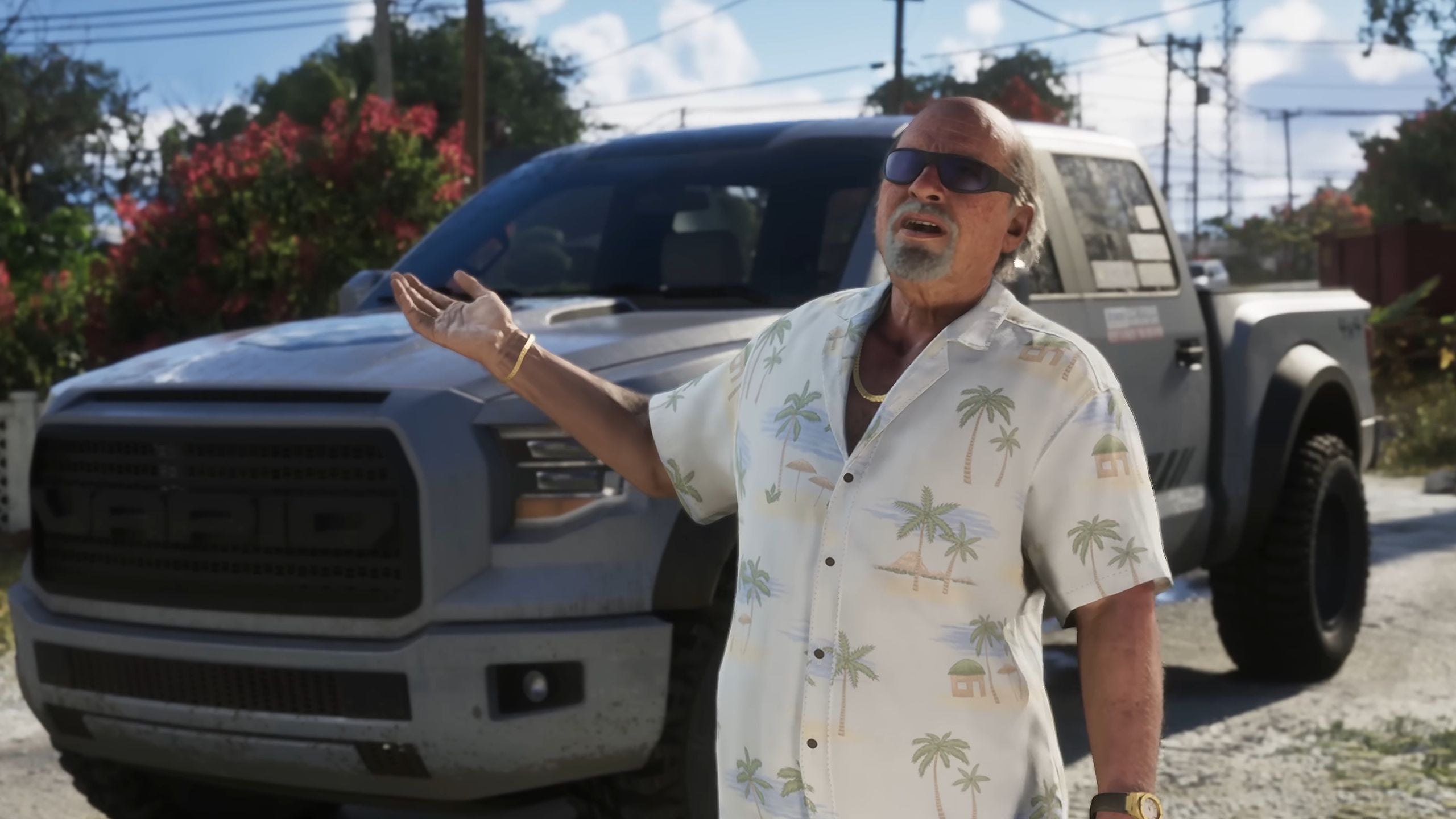
The latest GTA 6 gaming PC conversation just got more serious. Take-Two CEO Strauss Zelnick has publicly reaffirmed that Grand Theft Auto 6 is set to launch on November 19, and he explained the long wait by saying Rockstar is trying to do something “that’s never been done before.” That matters far beyond gaming news headlines. For Canadian buyers, it raises a very practical question: is your current PC ready for the next wave of massive open-world games, streaming demands, creator workloads, and hardware price pressure?
At Groovy Computers, this kind of news is exactly when many customers start rethinking their setup. Maybe you were already planning an upgrade. Maybe you have been stretching an older system through one more year. Maybe you are wondering whether to buy a budget gaming rig now, finance a stronger build, or hold off and hope pricing gets better. When a major release like GTA 6 gets locked in more firmly, demand tends to shift quickly across GPUs, CPUs, storage, memory, and complete systems.
That is why this is not just a gaming story. It is a buying guide moment for anyone in Canada who wants a custom PC built for modern AAA games, streaming, video editing, photo editing, graphic design, content creation, 3D work, or heavy multitasking without needing another upgrade too soon.
What did the Take-Two CEO actually confirm, and why does it matter?
Based on the source article, Take-Two’s CEO again confirmed a November 19 release date for GTA 6 and explained the long development timeline by saying Rockstar is aiming for something unprecedented. He also pointed to the enormous revenue expectations around the game, which helps explain why anticipation is already affecting buying behaviour.
In simple terms, the market sees GTA 6 as more than just another release. It is one of those rare launches that can influence how people buy hardware. New blockbuster titles push players to ask tougher questions. Can my current PC handle this? Do I finally need a ray tracing capable GPU? Should I move to 1440p? Is my storage fast enough? What about streaming and recording gameplay at the same time?
Those are exactly the right questions to ask.
Why should Canadian buyers pay attention now instead of waiting?
Canadian PC buyers have to think beyond hype. A big release window can create pressure in several directions at once: more gamers upgrading, more creators building content around the game, more streamers preparing launch coverage, and more demand for high-performance graphics cards and full systems.
That does not guarantee instant shortages, and it does not mean every part will spike overnight. But it does mean waiting until the last minute can leave you with fewer choices, weaker value, or a compromise build you did not really want.
If you are in Nova Scotia, Atlantic Canada, or shopping anywhere in Canada online, the smarter move is usually to plan ahead. Ask yourself: do you want to shop calmly with time to choose the right performance tier, or rush when everyone else starts buying at the same time?
What do you want your next PC to do for you?
Before you think about specs, think about outcomes. What do you actually want your next machine to do?
Do you want a system that can handle upcoming open-world games at high settings? Do you want to play at 1080p with strong frame rates, or are you aiming for 1440p or 4K? Do you care about ray tracing, smooth streaming, or recording gameplay for YouTube and TikTok? Are you also editing clips in Premiere Pro or DaVinci Resolve? Do you need Photoshop, Lightroom, Illustrator, Blender, or Unreal Engine performance too?
A lot of buyers make the mistake of shopping by parts alone. A better way is to shop by workload. Your ideal PC is not just the one with the biggest GPU you can find. It is the one that matches your real use case, your display resolution, your future plans, and your budget.
If you are buying for GTA 6, what kind of performance are you really aiming for?
When people search for a Gaming PC for GTA 6, what they usually mean is one of a few different things.
Do you want smooth 1080p performance without overspending?
This is where many value-focused buyers should start. If your main goal is strong performance in new games at 1080p, an entry-to-midrange gaming PC can make a lot of sense. You do not always need to chase flagship hardware to have a great experience.
Ask yourself: are you mainly playing on a standard monitor, or are you trying to power a high-refresh esports display with demanding AAA visuals on top? If you mostly want a reliable, modern gaming machine that can keep up with new titles and still feel responsive for everyday use, a balanced budget-to-midrange build may be the smartest buy.
Do you want 1440p because that is the new sweet spot?
For many Canadian gamers, 1440p is where value and visual quality meet. This tier often makes the most sense for players who want stronger image quality, better long-term relevance, and enough overhead for future games. If you are asking, what PC do I need for 1440p gaming, the answer is usually a well-balanced system with a stronger GPU, a capable modern CPU, sufficient RAM, and fast NVMe storage.
Why does that matter now? Because the games arriving over the next cycle are not likely to get lighter. They are getting larger, denser, and more demanding. Buying too close to the edge can mean lowering settings sooner than you expected.
Do you want 4K and ray tracing, or are you buying for longevity?
If your goal is ultra settings, high-resolution visuals, ray tracing, and a system that still feels premium years from now, then you are shopping in a different category entirely. This is where a 4K gaming PC Canada style build becomes relevant. Premium GPUs, stronger cooling, more power overhead, and a more carefully matched platform start to matter more.
Here is the key question: do you want to buy once and be satisfied longer, or save now and end up replacing major parts sooner?
What if you want to game and stream at the same time?
Not everyone buying ahead of a big release is just a player. Many customers are also planning to stream, record, clip, or build content around the launch. If that sounds like you, then a standard gaming-only mindset may not be enough.
A Gaming and Streaming PC Canada setup needs to handle more than frame rates. It needs to stay stable while gaming, encoding, running OBS or Streamlabs, handling browser tabs, Discord, music tools, capture tasks, and sometimes a second display packed with chat, alerts, and overlays.
So ask yourself: what PC do I need for streaming? Are you doing casual 1080p streaming a few times a week, or are you building a real channel and want a machine that can game, stream, and edit without choking under multitasking?
If streaming matters, your CPU choice, GPU encoder support, RAM capacity, cooling, and storage setup all become more important. This is one of the clearest examples of why a custom build can outperform a generic box that only looks good on paper.
Are you also a creator, editor, or designer?
One of the biggest mistakes buyers make is treating gaming and content creation like two completely separate categories. In reality, many customers need both. If you plan to capture gameplay, edit videos, design thumbnails, retouch photos, create short-form social content, or work in Adobe Creative Cloud, your PC should be selected around that combined workload.
Maybe you are asking a different question entirely: is a gaming PC good for video editing? Sometimes yes, but not always in the right way. A gaming-first build may prioritize GPU budget over the CPU, memory capacity, or storage workflow that creators really need.
Do you need a video editing PC instead of a gaming-first build?
If you are cutting 4K footage, exporting frequently, using effects-heavy timelines, or working in Premiere Pro, DaVinci Resolve, or After Effects, a Video Editing PC Canada approach is often better than simply buying “the best gaming PC you can afford.”
Ask yourself: what frustrates you more right now, lower game settings or slow exports? If your work depends on output speed, timeline responsiveness, and rendering stability, a custom creator build may deliver more value than a pure gaming setup.
Are you editing photos or doing graphic design work too?
Photographers and designers need balance, responsiveness, storage speed, memory, and dependable multitasking. If your day includes Photoshop, Lightroom, Illustrator, InDesign, Canva, or batch exports alongside gaming, your build should reflect that reality.
What PC do you need for photo editing? What PC do you need for graphic design? Usually not the cheapest one, and not necessarily the most extreme one either. The right answer is a system tuned to your software, file sizes, monitor setup, and multitasking habits.
What if your workflow includes Blender, Unreal Engine, or 3D rendering?
That changes the decision again. A customer doing 3D modeling, rendering, animation, CAD, or game development needs workstation-level thinking. GPU power matters, but so do RAM capacity, CPU strength, thermals, platform reliability, and upgrade room.
If you are wondering, what PC do I need for Blender or what PC do I need for 3D rendering, do not buy based only on gaming hype. A proper 3D Modeling PC Canada or rendering workstation should be chosen around your render engine, scene complexity, viewport behaviour, and long-session stability.
Which performance tier fits you best?
One of the most useful ways to shop is by performance tier rather than by random spec lists. Here is a practical breakdown.
Entry-level to value tier
- Best for: 1080p gaming, esports, lighter AAA settings, general school and home use
- Good for buyers asking: How much should I spend on a gaming PC? Is a budget gaming PC worth it?
- Ideal if: You want solid modern gaming without paying for premium-tier features you may not use right away
This tier is often right for first-time buyers, students, and anyone who wants a dependable machine now with a sensible cost of entry. But you still need to be careful. Going too low can mean needing another upgrade earlier than expected.
Mainstream performance tier
- Best for: strong 1080p, excellent 1440p, better visual quality, content creation entry point, gaming plus streaming
- Good for buyers asking: What gaming PC do I need? What PC do I need for 1440p gaming? Is now a good time to buy a gaming PC?
- Ideal if: You want the broadest balance of value, longevity, and modern game readiness
For many customers preparing for upcoming AAA titles, this is the sweet spot. It avoids the “too cheap to last” problem while staying below premium flagship spending.
High-performance tier
- Best for: 1440p high refresh, heavier streaming, faster editing, larger creative workloads, stronger multitasking, more future-proofing
- Good for buyers asking: Should I finance a better PC instead of buying a cheaper one? How long will a high-end gaming PC last?
- Ideal if: You want room for bigger games, heavier software, and fewer compromises over time
This is where many smart buyers land when they realize replacing a weak system too soon can cost more than stepping up once.
Premium and workstation-class tier
- Best for: 4K gaming, ray tracing, heavy video editing, advanced 3D rendering, demanding creator workflows, long-term premium ownership
- Good for buyers asking: What PC do I need for 4K gaming? Should I finance a high-end gaming PC? What workstation PC do I need?
- Ideal if: Your machine is both a performance hobby and a productivity tool
If your PC is central to your work, channel, studio, or high-end gaming setup, this tier can be the most cost-effective over the long run even if the initial budget is higher.
Is it better to buy now or wait?
This is one of the most common questions in any major game cycle: is it better to buy a gaming PC now or wait?
The honest answer depends on your current system and your tolerance for compromise. If your PC already struggles in modern titles, loads slowly, runs hot, or falls apart once you start streaming or editing, waiting may not save you much. In fact, it may simply delay the inevitable while exposing you to tougher buying conditions later.
Large game launches, seasonal sales, shifting component supply, and general demand cycles can all affect full-system pricing. GPUs tend to get the most attention, but CPUs, DDR memory, SSDs, power supplies, and cases can all move too. If you know your next system needs to happen this year, buying earlier often gives you better part selection and more time to choose properly.
Could financing help you secure the right build before replacement costs rise?
For some customers, the biggest decision is not whether they need a new system. It is whether they should settle for a lower tier or secure the build they actually need. That is where financing becomes practical rather than impulsive.
If financing is available for up to 4 years, the real question becomes: would a stronger system now save you from upgrading too soon, replacing parts earlier, or fighting performance limits every week?
A lot of Canadian buyers ask, is financing a gaming PC worth it or should I finance a gaming PC? If the PC is going to be used heavily for gaming, streaming, editing, school, business, or creative production, financing can be a smart way to move into a better tier without compromising on the parts that matter most.
This can be especially important when you are deciding between a basic build that only meets today’s needs and a better-configured machine that can carry you through GTA 6 era gaming, future software demands, and creator workloads with more confidence.
Why do custom builds matter more when demand is shifting?
When the market gets noisy, generic systems often look tempting because they are easy to compare at a glance. But that is exactly when details matter more. Not all prebuilts are balanced well. Not all systems are cooled properly. Not all machines are selected with upgrade paths, reliability, or workload matching in mind.
A Custom Gaming PC Canada buyer usually wants more than a flashy spec sheet. They want the right CPU and GPU balance, fast storage where it matters, enough RAM for the workload, proper airflow, power headroom, and confidence that the whole machine was built to work together.
If you are also asking custom PC vs prebuilt PC Canada, think about your priorities. Do you want a system chosen around your exact gaming and creator needs? Do you want better part matching? Do you want something stress tested before it reaches you? Do you want a clearer upgrade path later?
That is where Groovy Computers stands out for Canadian buyers. A custom build is not just about choice. It is about fit.
Why does testing and warranty support matter before a major upgrade cycle?
Performance is only half the story. Reliability matters too, especially when you are spending serious money or depending on the machine for work. A powerful PC that is unstable, poorly cooled, or mismatched is not really a good value.
That is why rigorous testing matters. Before a system goes out, it should be validated for stability and real-world use. That is especially important if you are planning to run demanding games, stream for hours, edit content, or render large projects. You want a system that is not just fast on paper, but dependable under pressure.
Groovy Computers also backs builds with a 1-year warranty, which gives buyers an added layer of confidence when choosing a custom gaming PC, creator PC, or workstation in Canada.
What questions should you ask before buying your next PC?
Before you place an order, ask yourself a few practical questions.
- What games or software will I use most over the next 2 to 4 years?
- Am I targeting 1080p, 1440p, or 4K?
- Do I care about ray tracing, high refresh rates, or ultra settings?
- Will I be streaming, recording, or editing content too?
- Do I need a gaming-focused build, a creator PC, or a workstation?
- How much RAM and storage will keep me comfortable instead of constantly managing limits?
- Would financing a stronger system be smarter than buying a cheaper one that I outgrow quickly?
- Am I buying before a major game release, software upgrade, or possible component price change?
- Do I want help choosing a build that actually matches my workload?
If you can answer those clearly, you are already much closer to the right purchase.
What kind of buyer should choose each Groovy Computers category?
Choose a budget gaming computer if...
You mainly want strong 1080p gaming, you are coming from an older entry-level machine, and your goal is dependable performance without stretching into premium territory. This is often a smart first step for students and value-focused players.
Choose a premium RTX gaming PC if...
You want higher settings, stronger 1440p or 4K capability, better ray tracing, smoother long-term performance, and more headroom for future titles. If you hate compromising on visuals, this category deserves serious attention.
Choose a custom creator PC if...
You game, stream, edit, design, and multitask in the same system. A creator-oriented build is often the right answer for YouTubers, streamers, social media creators, and hybrid users who need both entertainment and production performance.
Choose an editing workstation if...
Your timeline speed, export times, media handling, and multitasking matter as much as or more than gaming. This is where video editors, photographers, and creative professionals can benefit from a more specialized build.
Choose a 3D modeling workstation if...
Your machine needs to handle Blender, Unreal Engine, CAD, rendering, asset creation, or technical workloads that punish weak RAM, unstable thermals, or underpowered configurations.
Why Groovy Computers is a strong fit for Canadian buyers right now
Canadian shoppers want more than hype. They want a builder that understands real workloads, budget pressure, gaming trends, and long-term value. Groovy Computers serves exactly that need with custom PC options built for gaming, streaming, editing, design, content creation, and workstation use.
Whether you are in Nova Scotia, Atlantic Canada, or ordering from elsewhere in the country, Groovy Computers offers the kind of focused, custom-PC guidance that generic retail listings often do not. This includes carefully selected builds, rigorous testing, a 1-year warranty, and financing options that can help buyers secure a stronger machine before costs shift further.
And that matters now, because major game launches do not just create excitement. They change buyer behaviour. They shorten decision timelines. They make weak systems feel older faster.
So what should you do next if GTA 6 has you thinking about an upgrade?
If this latest GTA 6 update has you asking whether your current setup is enough, that is the right instinct. The next step is not panic buying. It is choosing intelligently.
Do you want a PC that only survives the next big release, or one that is built to enjoy it properly? Do you need a budget gaming rig, a balanced 1440p machine, a premium RTX build, a creator system, or a workstation that can handle gaming and production together?
If you want help choosing the right build, the best move is to start with a Canadian custom builder that understands the difference between “good enough today” and “worth owning for years.” Visit GroovyComputers.ca to explore your options, compare performance tiers, and ask about a custom system that fits your games, software, budget, and upgrade timeline.
Final thoughts: the GTA 6 gaming PC decision is really about readiness
The biggest takeaway from the renewed release date confirmation is not just that GTA 6 is coming. It is that the next wave of PC buying decisions is already starting. If Rockstar is aiming to deliver something never done before, players and creators should expect the demand for capable hardware to stay serious.
Your best move is to buy with purpose. Match the PC to the games you want to play, the content you want to create, and the performance tier you actually need. If a stronger system now helps you avoid replacing a weaker one too soon, that is often the smarter long-term purchase. For Canadian buyers looking for a reliable GTA 6 gaming PC, custom gaming desktop, creator machine, or workstation, Groovy Computers is built around exactly that kind of decision.
#GamingPCCanada #GTA6GamingPC #CustomGamingPCCanada #GamingPCForNewGames #GamingAndStreamingPCCanada #VideoEditingPCCanada #CreatorPCCanada #3DModelingPCCanada #CanadianCustomPCBuilders #NovaScotiaPCBuilder
Groovy Computers | All Rights Reserved


Leave a comment
This site is protected by hCaptcha and the hCaptcha Privacy Policy and Terms of Service apply.