






















The Scariest Video Games of the Last 25 Years and the Best PC to Play Them On in Canada
The scariest video games of the last 25 years do more than make players jump. They create tension, punish weak hardware, and reward immersive setups with strong frame rates, fast storage, quality audio, and dependable thermals. From the psychological dread of Silent Hill 2 to the relentless pursuit in Alien: Isolation and the crushing atmosphere of Dead Space, horror gaming is one of the clearest examples of why a well-built desktop matters. If you are reading lists of the most terrifying horror games and wondering what kind of system you actually need, this guide is built for you.
For Canadian buyers, the question is not only which horror game deserves the top spot. It is also this: what kind of PC will let you experience these games properly, without stutter, storage frustration, poor thermals, noisy fans, or an upgrade regret six months later? At Groovy Computers, that is where the conversation gets practical. Whether you need a budget gaming PC, a high-end RTX system, a gaming and streaming desktop, or a creator workstation that also handles modern horror titles, choosing the right build starts with how you plan to use it.
Why horror games are one of the best tests for a Gaming PC Canada buyer
Horror games are demanding in ways that benchmark charts do not always explain well. They depend heavily on atmosphere, lighting, texture detail, shadows, AI behaviour, streaming assets from storage, and stable performance during sudden spikes in action. A weak system can reduce the very things that make horror effective. If textures pop in late, shadows flicker, frame pacing feels inconsistent, or your drive struggles with loading and asset streaming, the experience changes immediately.
That is why the source ranking matters beyond entertainment. Titles like P.T., SOMA, Outlast, Resident Evil 7: Biohazard, Fatal Frame II: Crimson Butterfly, Darkwood, Alien: Isolation, Amnesia: The Bunker, and Silent Hill 2 each highlight a different type of hardware pressure. Some punish poor lighting performance. Some benefit dramatically from SSD speed. Some become far more immersive with stronger GPUs, higher resolutions, and better monitor pairings. Some are ideal for creators who want to stream reactions, record gameplay, edit clips, and post content afterward.
So what do you want your next PC to do for you? Do you just want to play horror games smoothly at 1080p? Do you want 1440p ultra settings with ray tracing? Do you want to stream to Twitch or YouTube while playing? Or are you looking for a multi-purpose content creation PC that can game at night and handle Adobe, DaVinci Resolve, Photoshop, or Blender during the day?
What the source ranking gets right about the scariest video games of the last 25 years
The source list is built around more than popularity. It focuses on gameplay, atmosphere, design, originality, tension, critical reception, and overall quality. That matters because horror is not just about combat difficulty or graphics. A truly effective horror game combines unpredictability, environmental storytelling, limited control, and sensory pressure.
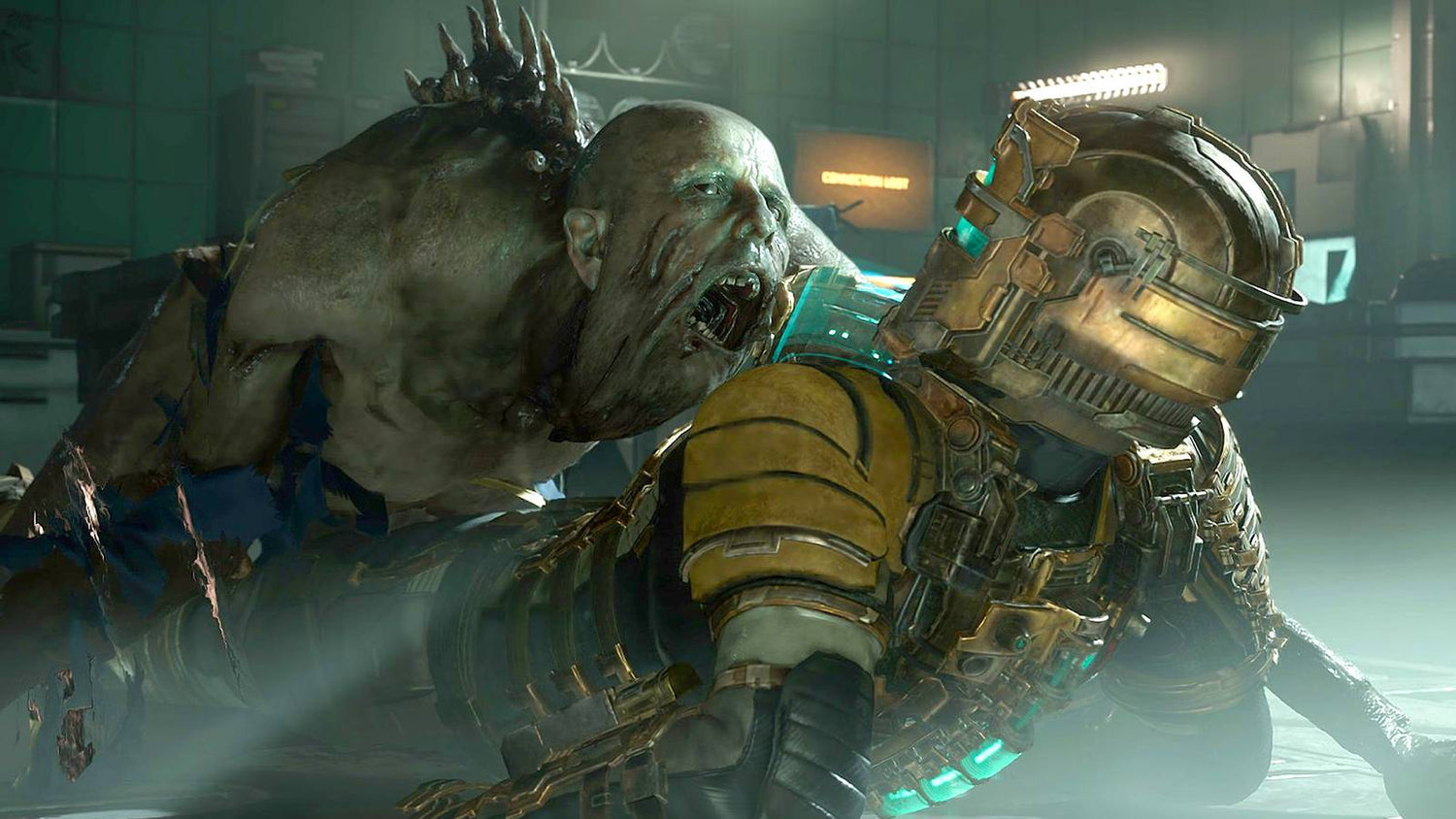
P.T. proves how terrifying familiar spaces can become when a game breaks expectation. Dead Space shows how sound, environmental design, and tactical dismemberment turn combat into dread. SOMA leans into philosophical horror, where the narrative itself becomes oppressive. Outlast and Amnesia: The Bunker weaponize vulnerability by removing your sense of safety. Resident Evil 7 returns horror to claustrophobic roots. Fatal Frame II forces players closer to danger instead of farther away. Darkwood demonstrates that perspective does not limit fear if design is strong enough. Alien: Isolation remains a gold standard for enemy AI. Silent Hill 2 stands above the field because it fuses psychological terror, symbolism, and punishing atmosphere into a full experience that lingers.
For PC buyers, these games also reveal something else: the best horror experiences are often the ones most improved by a stronger system. Better shadows, faster asset loading, smoother movement, more consistent frame times, and more headroom for streaming or recording all help preserve immersion.
Which horror games on this list benefit most from a stronger custom gaming PC?
If you are shopping for a Custom Gaming PC Canada build, not every horror title stresses hardware in the same way. The smart move is to match your build tier to the type of experience you want.
Silent Hill 2 and modern atmospheric remakes
Games like Silent Hill 2 are exactly why many buyers outgrow entry-level systems sooner than expected. Atmospheric remakes often push advanced lighting, dense fog, detailed textures, and cinematic effects. If you want a smooth, moody, high-detail experience at 1440p or higher, this is where a stronger GPU and enough VRAM begin to matter a lot. Are you buying for minimum playability, or do you want the game to look the way it is meant to look?
Dead Space and visual horror built on immersion
Dead Space thrives on visual clarity, darkness, and sudden motion. Frame drops hurt timing, and weak audio or display quality reduces tension. A fast SSD also helps preserve the flow between exploration and panic. If you are aiming for ultra settings, sharp textures, and smooth combat, a mid-to-high tier RTX gaming PC makes far more sense than a basic budget machine.
Alien: Isolation and tension powered by consistency
Alien: Isolation is a reminder that even when a game is not the newest title in your library, stable performance still matters. When AI-driven tension is the core of the experience, inconsistent frame pacing and technical distractions pull you out of the moment. Do you want your PC to simply run older horror classics, or do you want one build that handles older favourites and newer AAA horror releases with room to spare?
Resident Evil 7, Outlast, and first-person survival horror
First-person horror benefits significantly from smooth frame delivery and strong image quality. Lower-end systems can run many of these titles, but the experience changes when response feels sharper and the environment becomes more detailed. If you also plan to stream your reactions, record gameplay footage, or play in a darker room with headphones, it makes even more sense to move beyond bare-minimum hardware.
What gaming PC do I need for horror games at 1080p, 1440p, or 4K?
This is one of the most important buying questions because it determines whether you spend too little and regret it, or spend more wisely and avoid replacing the system early.
Entry-level: good for 1080p gaming and horror fans on a tighter budget
An entry-level or budget gaming PC is a strong fit if your goal is 1080p gaming, medium-to-high settings, indie horror, older AAA horror titles, and a smooth first desktop for Steam gaming. This tier makes sense for players focused on value, students, or anyone moving up from console or an aging office PC.
Ask yourself: are you mostly playing games like Outlast, Darkwood, older Resident Evil titles, and a few newer releases with settings adjusted? If yes, a Budget Gaming PC Canada build may be the right starting point. But if you know you will want newer cinematic horror games at higher settings, buying too low can become more expensive in the long run.
Mid-range: the sweet spot for 1440p gaming, better visuals, and future value
For many Canadian buyers, mid-range is the best balance. This is where 1440p becomes practical, modern horror titles look dramatically better, and your system has more breathing room for future games. It is also where gaming and content creation begin to overlap well, especially if you want to record clips, run Discord, use dual monitors, or do light editing.
If you are wondering, what PC do I need for 1440p gaming? this is usually the answer: a build with a capable modern CPU, a strong RTX-class GPU, enough RAM for multitasking, and a fast NVMe SSD. This tier is ideal for buyers who want modern horror games to look impressive without jumping all the way into premium pricing.
High-end: built for 4K, ray tracing, streaming, and long-term confidence
If your goal is 4K gaming, ray tracing, ultra settings, high refresh, or a longer replacement cycle, a premium gaming desktop is worth considering. This tier is also ideal if your hobbies overlap. Maybe you game, stream, edit videos, use Photoshop, and occasionally render in Blender. In that case, a stronger system is not just about gaming performance. It is about avoiding workflow bottlenecks across everything you do.
Do you want to buy once and keep your system comfortable for years, or are you okay with turning settings down sooner? That answer often determines whether a premium build is practical or unnecessary.
What if you want to stream horror games too?
Horror content performs well because reactions are engaging, clips are easy to share, and live audiences enjoy suspense. If you plan to stream Silent Hill 2, Resident Evil 7, or future horror releases, you should think beyond game performance alone. A Gaming and Streaming PC Canada setup needs enough CPU and GPU headroom for gameplay, encoding, background apps, overlays, browser sources, and recording.
Are you planning to use OBS Studio? Do you want clean 1080p streaming while still playing smoothly at 1440p? Do you need room for webcam filters, alerts, Discord, and multi-monitor use? Those details matter. A system that feels fine for gaming alone can feel much tighter when live streaming is added to the mix.
A well-matched Streaming PC Canada build should include enough RAM for multitasking, reliable cooling for long sessions, and the right balance between CPU strength and GPU encoding capability. If your future includes Twitch, YouTube, TikTok clips, or reaction content, it makes sense to choose a system designed for both play and production.
Could the same PC also work for editing, thumbnails, and creator workflows?
Absolutely, and this is where many buyers can make a better long-term decision. A lot of people start by shopping only for gaming, then realize they also want to edit videos, design thumbnails, process photos, or create social media content. That is where a Creator PC Canada build becomes more valuable than a basic gaming-only system.
If you are cutting horror reaction videos in Premiere Pro, grading footage in DaVinci Resolve, cleaning images in Photoshop, or building channel graphics in Illustrator, your PC requirements change. More RAM, stronger multicore performance, better scratch-disk speed, and the right GPU acceleration can save time every single day.
So ask yourself a simple question: are you buying a PC only for games, or are you buying a tool that also supports your content goals?
For video editors
If you edit gameplay, stream highlights, or YouTube breakdowns, a Video Editing PC Canada setup is worth considering. Strong storage performance, more memory, and a better processor improve timeline responsiveness, playback, rendering, and exports. If your videos are already moving from 1080p to 4K, buying too low now can create frustrations quickly.
For photo editors and thumbnail creators
If you make thumbnails, promotional art, or horror-themed social content, a Photo Editing PC Canada or Graphic Design PC Canada setup may be a better fit than a gaming-first build. Photoshop, Lightroom, Illustrator, Canva, and other design tools benefit from a responsive system, fast storage, and enough RAM to multitask comfortably.
For Blender, Unreal Engine, and 3D work
Are you just playing horror games, or are you creating horror content, maps, assets, environments, or indie prototypes? If you use Blender, Unreal Engine, or similar tools, a 3D Modeling PC Canada or Workstation PC Canada build becomes the smarter route. In that case, you are not shopping for frames alone. You are shopping for viewport performance, render speed, stability, and memory headroom.
What do you want your next PC to do for you?
This is the question more buyers should ask before looking at component names or sale tags.
- Do you want a first gaming desktop for 1080p horror games?
- Do you want a 1440p system that handles modern horror at high settings?
- Do you want a premium RTX build for ray tracing and long-term value?
- Do you want one PC for gaming, streaming, editing, and content creation?
- Do you need a workstation that can game after hours but primarily serves professional software?
Your answer changes everything. The right build for a student buying a first desktop is not the same as the right build for a streamer, editor, or 3D artist. That is why generic one-size-fits-all systems often disappoint. A custom desktop should be matched to the work you actually do and the games you actually play.
Should you buy now or wait if you want a stronger PC?
This is one of the most searched buying questions for a reason. Waiting can feel smart, but it is not always cheaper. Component pricing can shift. GPU demand can rise. SSD and memory pricing can change. New game releases can push buyers into the market all at once. And if your current system is already struggling, the cost of waiting is not only financial. It is lost time, worse performance, and more compromise.
Are you buying ahead of a major game release? Are you trying to avoid another year of low settings, storage juggling, or missed content opportunities? Do you know your current PC is near the point where another upgrade will not really fix the platform? If yes, then delaying may create a worse buying position instead of a better one.
That does not mean every customer should rush. It means your buying timeline should be based on need, not hope. If your goal is to enjoy upcoming games, stream consistently, edit faster, or avoid replacing parts one by one, a complete custom build often makes more sense than patching an old system repeatedly.
Is financing a stronger PC worth it if you want to avoid upgrading too soon?
For many buyers, yes. Financing can be the difference between buying the cheapest system that barely works now and securing a stronger build that remains satisfying longer. If a more capable GPU, more RAM, a better CPU, or larger SSD would meaningfully improve your experience, spreading the cost may be the smarter decision.
Would a slightly stronger system let you move from 1080p to 1440p? Would it let you stream and game at the same time? Would it reduce export times for editing? Would it help you avoid another upgrade in the near future? These are practical questions, not luxury questions.
Groovy Computers offers options that can help customers finance a stronger system instead of settling for a build they may outgrow too quickly. For shoppers comparing current needs against monthly affordability, financing up to 4 years can make the difference between compromise and confidence.
If you are asking, should I finance a better PC instead of buying a cheaper one? the answer depends on how long you want the system to last and how much frustration you want to avoid. A properly selected custom PC can deliver better long-term value than an underpowered purchase that triggers another round of upgrades sooner than expected.
Which performance tier fits you best?
Not every customer needs the same system. Here is a practical way to think about it.
Choose a value-focused gaming PC if:
- You mainly play at 1080p
- You want strong value for indie horror, older AAA titles, and general gaming
- You are buying your first gaming desktop
- You want a better experience than a basic household PC without overspending
Choose a mid-range custom gaming PC if:
- You want 1440p gaming with high settings
- You play modern AAA releases and want smoother performance headroom
- You may stream casually or record gameplay
- You want better longevity before needing upgrades
Choose a premium RTX gaming PC if:
- You want 4K or high-refresh 1440p gaming
- You care about ray tracing, visual quality, and future game readiness
- You want one powerful desktop for gaming and demanding creative workloads
- You would rather buy stronger now than replace sooner
Choose a creator or workstation build if:
- You edit videos regularly
- You use Adobe Creative Cloud, DaVinci Resolve, or design software
- You create thumbnails, social content, or streaming assets
- You work in Blender, Unreal Engine, CAD, or rendering tools
If you are still unsure, that is normal. The biggest buying mistake is not asking for help. The best buying move is matching the build to your actual use case.
Why custom builds matter more than ever for Canadian buyers
A custom desktop is not just about aesthetics or picking flashy parts. It is about balance, cooling, upgrade path, and reliability. A well-designed system avoids common mismatches like pairing a strong GPU with too little memory, weak airflow, or limited storage. It also makes future upgrades easier and reduces the chance that one poor component choice drags down the whole experience.
For Canadian shoppers, trust matters even more. You want a Canadian custom PC builder that understands local buyers, ships within Canada, and supports the system after the sale. You also want a machine that has been properly assembled and tested, not something that leaves you troubleshooting instability on your own.
That is one reason Groovy Computers stands out for Gaming PC Canada, Creator PC Canada, and Workstation PC Canada buyers. Custom builds are selected around real use cases, rigorously tested, and backed by a 1-year warranty. That matters whether you are gaming in Nova Scotia, buying online from Ontario, or shopping from elsewhere in Canada and want a system built with care rather than guesswork.
Why Groovy Computers makes sense for horror gamers, creators, and performance-focused buyers
Groovy Computers is built around what many buyers actually need: custom gaming PCs, creator desktops, workstation systems, practical guidance, and Canadian trust. Instead of forcing every customer into the same category, the better approach is to help them figure out which tier, workload profile, and budget path fit best.
Want a gaming desktop for horror releases and AAA titles? Need a gaming and streaming setup? Looking for a custom creator PC for editing and thumbnails? Need a stronger workstation for 3D modeling or rendering? Those are exactly the kinds of buying decisions where custom guidance matters.
The company’s focus on tested systems, thoughtful part matching, and a 1-year warranty helps reduce the risk that often comes with buying a performance PC online. And for buyers who want to step into a better tier without paying everything upfront, financing can help secure the right build before replacement costs climb higher.
Questions to ask yourself before choosing your next PC
Before you commit, ask these questions honestly.
- What games do I want to play over the next few years?
- Am I targeting 1080p, 1440p, or 4K?
- Do I care about ray tracing and ultra settings, or just smooth gameplay?
- Will I stream, record, or edit content too?
- Do I use Photoshop, Premiere Pro, DaVinci Resolve, Blender, or other demanding software?
- Do I want to avoid upgrading again too soon?
- Would financing make it easier to buy the right system now instead of compromising?
- Do I want help choosing between a budget gaming PC, a premium RTX build, a creator desktop, or a workstation?
If those questions are bringing your real priorities into focus, you are already closer to the right purchase.
Final verdict: the scariest video games of the last 25 years deserve the right PC
The scariest video games of the last 25 years are not just important because they are frightening. They show exactly why good hardware matters. Horror depends on immersion, stability, visual quality, sound, responsiveness, and confidence that your system will not let the moment down. Whether you are stepping into Silent Hill 2, surviving Dead Space, hiding in Alien: Isolation, or building a content channel around horror gaming, the right custom desktop changes the experience.
So what do you want your next PC to do for you? If you want a system that is actually matched to your games, your content goals, your software, and your budget, Groovy Computers is the place to start. If you want help choosing between a value build, a premium RTX gaming desktop, a creator PC, or a workstation, visit GroovyComputers.ca and explore a build path that makes sense for how you really play and work.
#ScariestVideoGames #GamingPCCanada #CustomGamingPCCanada #GamingPCBuildsCanada #CanadianCustomPCBuilders #CreatorPCCanada #StreamingPCCanada #VideoEditingPCCanada #WorkstationPCCanada #NovaScotiaBusiness
Groovy Computers | All Rights Reserved


Leave a comment
This site is protected by hCaptcha and the hCaptcha Privacy Policy and Terms of Service apply.