
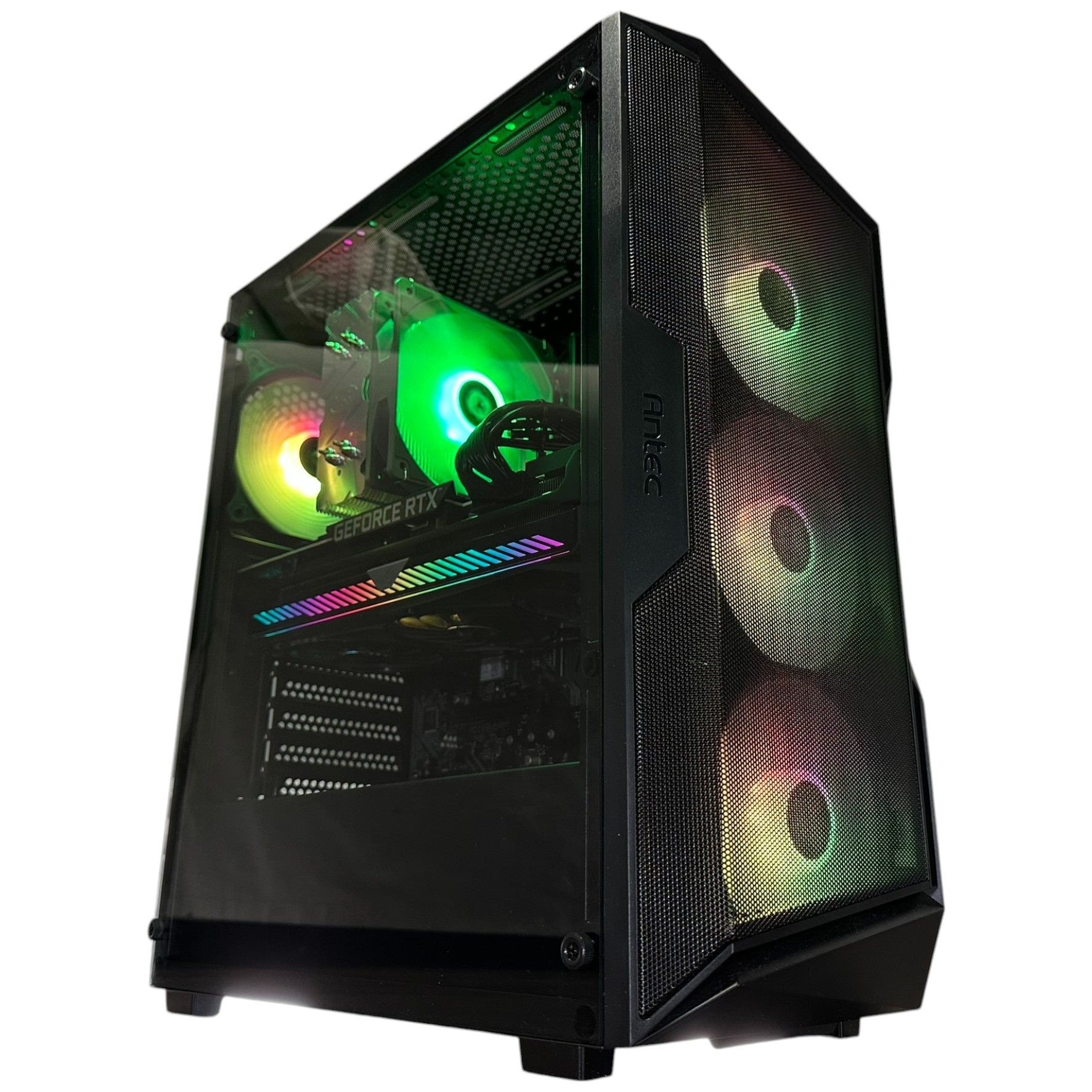






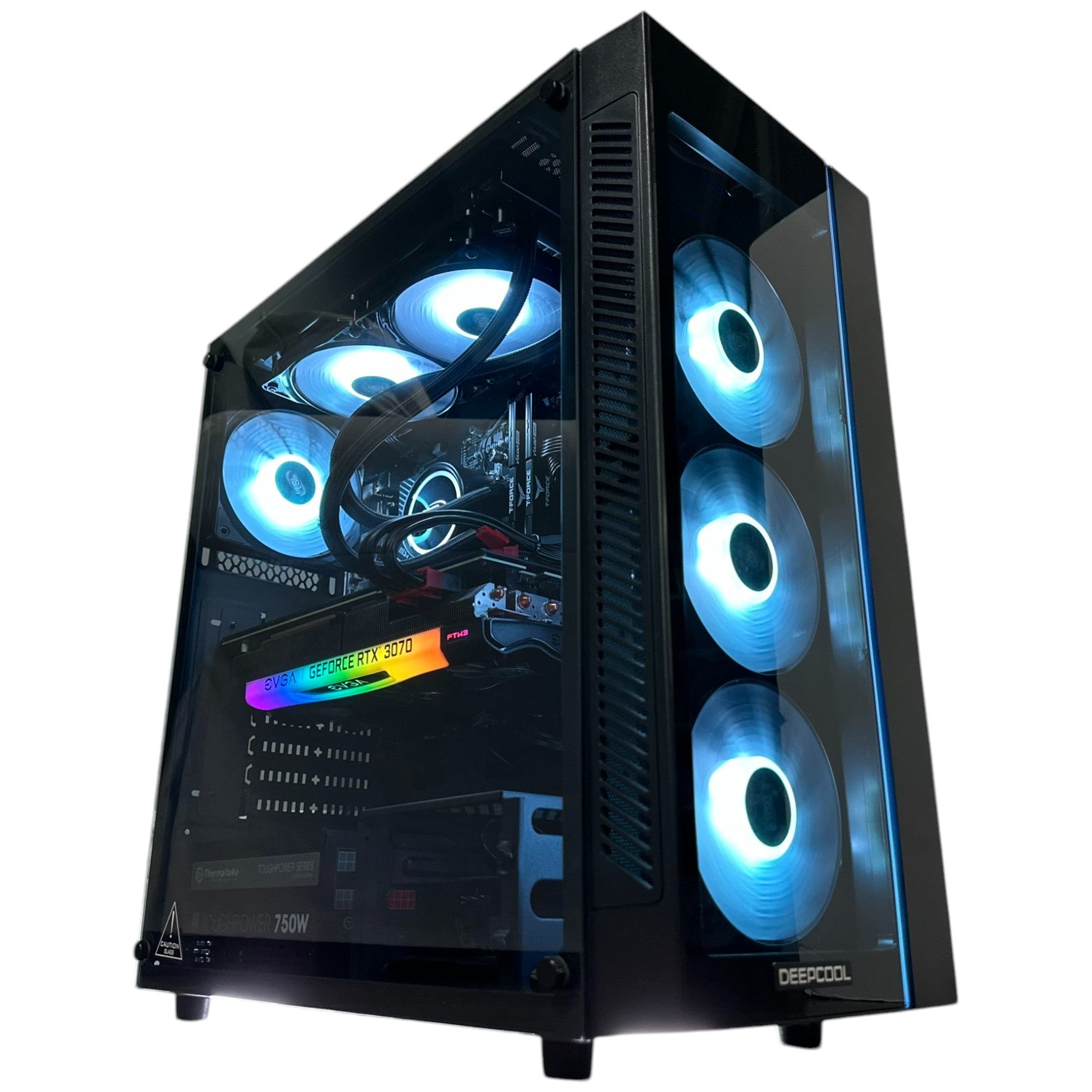








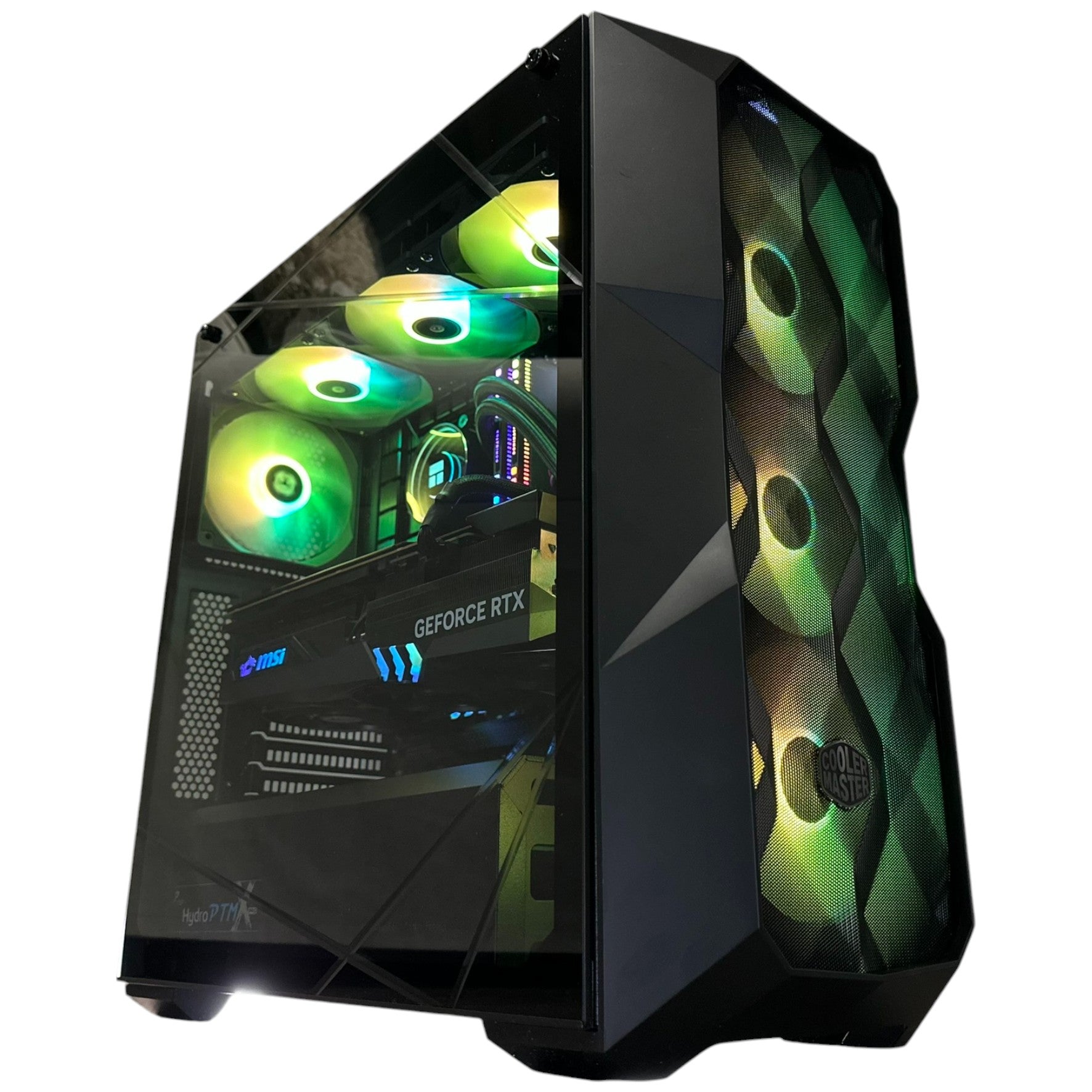


Gaming PC Financing Canada: Why Buying a Custom Gaming PC Before Storage and Component Costs Rise Further Is a Smart Move
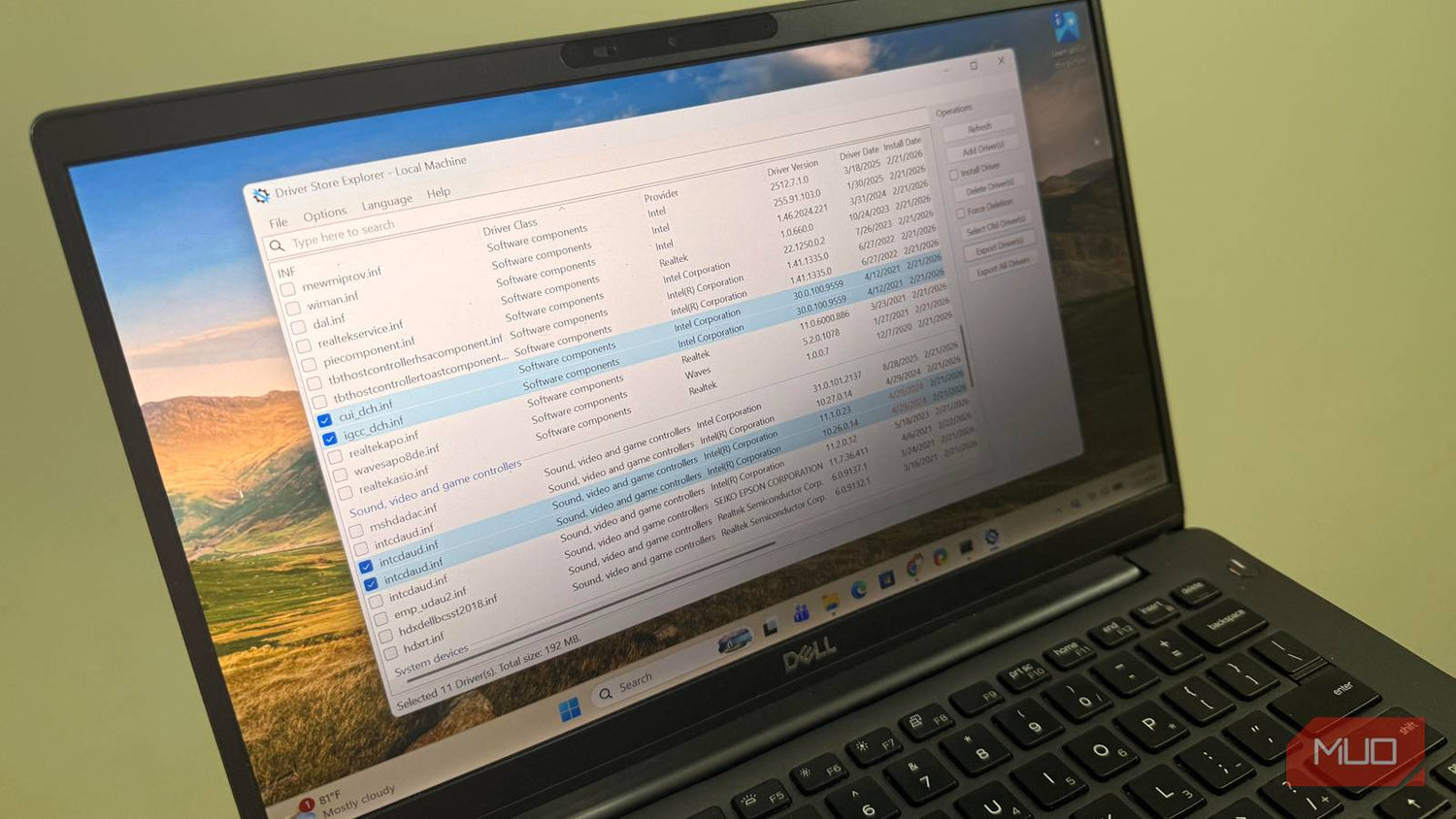
Gaming PC Financing Canada is becoming a more practical decision for buyers who want strong performance, long-term value, and protection against rising hardware replacement costs. A recent discussion around how Windows quietly stores old drivers on SSDs highlights a bigger issue that many gamers and creators overlook: storage space is not just a convenience problem, it is a system-planning problem. When SSD capacity gets eaten up by driver packages, update files, GPU installer leftovers, and normal game installs, the pressure to upgrade arrives faster than expected. In Canada, where premium PC hardware can shift in price quickly, financing a better-built system now can be the smarter move than waiting until you are forced into a more expensive upgrade later.
For Groovy Computers, this topic matters because modern gaming PCs are not built around a single part anymore. They are ecosystems. Driver growth, Windows update bloat, huge game installs, shader caches, creator files, capture footage, and streaming assets all compete for storage. At the same time, GPUs, RAM, and SSDs can experience sudden pricing pressure. That means a Canadian buyer who chooses a stronger custom system today, especially with financing up to 4 years, may avoid getting caught between rising costs and underpowered hardware tomorrow.
What the Windows Driver Storage Problem Really Tells Buyers
The source material correctly points out that Windows keeps a hidden collection of old driver packages inside the DriverStore folder, typically at C:\Windows\System32\DriverStore\FileRepository. This folder serves a legitimate purpose. Windows keeps past driver versions as a fallback in case a newer driver causes instability. That safety net helps preserve usability, especially after graphics, audio, chipset, and network driver updates.
The problem is that Windows often keeps those older driver packages for far too long. On lightly used systems, the folder may remain modest. On gaming PCs, where graphics drivers are updated more often, the DriverStore can become much larger. Over time, multiple driver generations from GPU vendors, audio providers, and chipset packages can quietly consume several gigabytes. On a long-term gaming machine, it is not unusual for old drivers and related leftovers to take up meaningful SSD capacity.
That matters because modern games are already enormous. A gaming system does not just store Windows and a few applications. It also holds large AAA titles, launchers, temporary install files, patch data, save files, clips, mods, recorded streams, screenshots, creator assets, and productivity software. Once hidden Windows clutter is added on top, a smaller drive fills up much faster than many buyers expect.
Why This Matters More for Canadian Gaming PC Buyers
Canadian buyers face a different purchase reality than many generic tech articles acknowledge. When a storage upgrade is needed unexpectedly, the total cost is not only the SSD itself. It can include labour, migration time, reinstall risk, downtime, shipping delays, and the possibility that the buyer also discovers a second bottleneck at the same time, such as limited RAM or an aging GPU.
In practice, a buyer who originally tried to save money by choosing a smaller, lower-tier system often ends up paying more across multiple stages. First comes the SSD upgrade. Then a RAM increase. Then perhaps a stronger graphics card after a major game release exposes the limitations of the original build. During periods of component volatility, each one of those upgrades can cost more than expected in CAD.
That is why the hidden-driver-storage story matters beyond simple cleanup. It is another reminder that buying the right PC configuration from the beginning is often more economical than reacting later. For shoppers looking to Buy Gaming Computer Canada with confidence, it makes sense to think in terms of total ownership cost, not just the sticker price on day one.
Gaming PC Financing Canada Changes the Decision in a Buyer-Friendly Way
The biggest reason financing matters is that it lets buyers secure a stronger custom system before market conditions worsen. Instead of compromising on storage, memory, cooling, or GPU tier, Canadian shoppers can spread the cost over manageable payments while locking in a build that stays useful longer.
This is especially relevant for anyone comparing a basic machine today against the real-world cost of upgrading it later. A 1TB SSD may sound acceptable at purchase, but when Windows bloat, old drivers, update files, and current game libraries are added, the available space can disappear quickly. The same applies to GPUs and RAM. Financing opens the door to choosing a more balanced system from the start, rather than settling for a weaker build and hoping market prices remain stable.
To Finance Gaming PC Canada wisely is not about buying recklessly. It is about reducing the risk of future replacement costs. If GPU prices tighten, NAND flash pricing rises, or memory costs increase, the buyer who secured a better system earlier is often in the stronger position. This is one of the clearest advantages of Gaming PC Financing Canada in a market where availability and pricing can shift quickly.
Why SSD Planning Is No Longer Optional on a Modern Gaming PC
The original source focuses on Windows hoarding old drivers, but the broader lesson is that SSD sizing should be treated as a core purchase decision. DriverStore growth is only one source of hidden storage consumption. Windows Update files, hibernation files, shader caches, installer remnants from GPU software, and temporary application data can all add up in the background.
Then there is gaming itself. Many premium titles now consume well over 100GB each, and some setups keep multiple large online games installed at once. Add recording software, OBS cache, clip libraries, Discord assets, browser temp data, and creator workloads, and a system that looked spacious at checkout can feel cramped surprisingly fast.
For that reason, buying a custom system with a more realistic SSD plan is one of the smartest decisions a Canadian gamer can make. It reduces constant uninstall cycles, preserves room for updates, and lowers the chance of rushing into a storage upgrade at a bad time. It also improves the overall ownership experience. A gaming PC should feel fast, clean, and ready, not perpetually full.
How Pricing Volatility Hits GPUs, RAM, SSDs, and Full-System Cost
Hardware buyers in Canada know that component pricing does not move in a perfectly smooth line. There are periods when demand spikes around major game releases, new GPU launches, back-to-school timing, holiday shopping, or general supply pressure. The result is that waiting can sometimes produce a worse deal, not a better one.
SSDs are especially vulnerable to market changes because flash pricing can shift based on production trends and inventory conditions. If a buyer delays too long and then discovers their current drive is full from games, media, and system clutter, they may be upgrading during a less favourable pricing window.
GPUs are even more notorious. Premium cards that anchor high-end gaming systems can experience abrupt price pressure, especially when enthusiast demand intensifies. That affects everyone from entry-level buyers to shoppers targeting an RTX 4080 PC, RTX 5080 16GB, or an elite RTX 5090 Gaming PC. If a buyer already knows they want premium gaming performance, strong ray tracing, high refresh rate 1440p, or 4K capability, waiting can turn an aspirational build into a more expensive one.
RAM and platform costs also matter. Newer CPU platforms, DDR5 memory, motherboard quality, and adequate cooling all influence the total system cost. A balanced build is not just one expensive graphics card paired with compromises elsewhere. It is a complete system designed around performance, stability, and upgrade longevity.
What the Source Article Gets Right About Safe Cleanup
The source is also right to warn against manually deleting files from the protected DriverStore folder. Windows stores these packages in a controlled way, and deleting them incorrectly can break hardware functionality or create driver issues. Safe management tools that work within Windows driver handling are the proper route for cleanup.
It also correctly highlights that old GPU drivers are often among the biggest storage contributors. That matters a great deal for gaming systems, because graphics drivers are updated frequently for performance fixes, game support, and stability. Over time, the accumulation becomes part of the hidden cost of running a modern gaming PC.
For buyers planning a new system, this reinforces a practical lesson: storage planning should not be based only on visible files. There will always be some invisible overhead in a Windows environment. A stronger SSD configuration gives breathing room for the operating system, future game patches, and the unavoidable clutter that comes with long-term ownership.
Why Waiting for the “Perfect Time” to Buy Often Backfires
Many buyers delay a purchase because they hope for lower prices later. In reality, the “perfect time” often never arrives. New game launches raise performance expectations, new hardware cycles create demand surges, and component pricing can become less predictable precisely when more people decide to upgrade.
That is why financing a custom PC now can be strategically smarter than trying to time the market. The buyer locks in the system they actually need, rather than chasing future parts pricing while using an increasingly cramped or underpowered machine. This logic becomes even stronger if the current system is already running low on SSD space, struggling with newer game settings, or showing its age in streaming and editing workloads.
When the hidden costs of ownership are added up, underbuying can become expensive. Extra storage, a future GPU swap, thermal improvements, RAM expansion, and reinstall time all add friction. A custom system selected properly from the start avoids much of that.
Choosing the Right Performance Tier for Your Use Case
Not every buyer needs the same build, but every buyer benefits from choosing a system that matches realistic use over the next several years.
Budget and value-focused buyers
A buyer looking for a Budget Gaming Computer Canada or an Economical Gaming PC should still avoid the trap of going too small on SSD capacity. Even if the graphics card sits in a mid-range tier, solid storage and enough memory make the whole system more usable. A value-oriented gaming PC should still feel responsive, support modern titles capably, and leave room for updates.
Mainstream gamers
For many players, the sweet spot is a machine built for strong 1080p ultra or 1440p gaming, quick boot times, and enough SSD space for a real game library. Buyers comparing mainstream performance often want a practical balance between graphics power and total system polish. This is where custom tuning matters. The right CPU, airflow, PSU quality, and storage setup create a better ownership experience than chasing one headline specification.
High-end and enthusiast buyers
Enthusiasts targeting premium frame rates, advanced ray tracing, 4K gaming, or long-term headroom should think in full-system terms. A premium build may involve an i9 Gaming PC Canada, a Ryzen 7000 Gaming PC, or a Ryzen V-Cache Gaming PC depending on gaming priorities and platform strategy. GPU class also becomes central here, whether the buyer is stepping into RTX 4070 Ti Canada territory, a high-output RTX 4080 PC, or a flagship-class RTX 5090 32GB system for top-tier performance ambitions.
For this level of buyer, financing can be especially valuable. It allows a stronger build now instead of a compromised build that will feel limited much sooner.
Creators, streamers, and hybrid users
Many Canadian customers are not just gamers. They also record gameplay, stream, edit clips, produce YouTube content, or work in visual software. In those cases, a gaming PC often doubles as a Computer System for Video Editing, a Good Desktop for Photo Editing, or one of the best Computers for Streaming Canada shoppers can choose. These users benefit even more from better storage planning because creator files stack up quickly. Large SSDs, capable CPUs, strong cooling, and reliable memory configurations are not luxuries here. They are workflow essentials.
Why Custom Builds Matter More Than Ever in a Volatile Market
When prices are unstable, a custom PC is often the better answer because it lets the buyer allocate budget where it matters most. Preconfigured systems can hide weak points such as undersized SSDs, poor cooling, low-quality power supplies, or limited motherboard features. Those compromises can look small at purchase and become expensive later.
Custom builds solve that by matching parts to the buyer’s actual goals. A player focused on esports performance does not need the same allocation as a 4K single-player enthusiast. A streamer does not have the same needs as a casual gamer. A photo editor values a different balance than someone chasing maximum frames in competitive titles.
This is why Canadian Custom PC Builders and serious PC Builders Canada shoppers trust are valuable during uncertain pricing conditions. The build can be tuned for longevity, thermal stability, noise control, storage headroom, and future usefulness rather than generic inventory convenience.
Why Groovy Computers Is a Strong Fit for Canadian Buyers
Groovy Computers is positioned for buyers who want more than a box with parts inside. As a Canadian custom PC builder, Groovy Computers focuses on systems that are assembled with purpose, tested rigorously, and matched to the user’s real gaming and productivity needs. That matters whether the customer is shopping for Gaming PC Builds Canada, a premium workstation-grade gaming system, or a balanced family desktop that can game, stream, and create.
For buyers in Ontario and across the country, including those searching for Gaming Computers Toronto, Gaming Computers Ontario, Gaming Computers Nova Scotia, Gaming Computers New Glasgow, Gaming Computers Trenton, Gaming Computers Vancouver, or even shoppers comparing Computer Stores Victoria BC Canada, the appeal is clear: custom configuration, careful assembly, and support from a Canadian company that understands this market.
Groovy Computers also makes the buying decision easier by offering financing options up to 4 years, helping customers secure a stronger system now instead of compromising and paying more later through piecemeal upgrades. Add in rigorous testing and a 1-year warranty, and the result is more confidence at the moment of purchase.
Financing vs Delaying: The Real Cost Comparison
Delaying a purchase can look financially cautious, but it often shifts risk onto the buyer. If SSD pricing rises, if premium GPUs tighten in availability, or if a major upcoming game raises the bar for acceptable performance, the delayed buyer may be forced into an upgrade at exactly the wrong time.
Financing spreads the cost while securing the system earlier. That is especially compelling for anyone whose current PC is already near full storage, running slower, or approaching the point where multiple components need replacement. A well-planned financed system can replace several future headaches with one cleaner decision.
This is not just true for premium builds. It also applies to buyers comparing an entry-level machine against a more balanced custom system. The better-built machine often delivers longer usefulness, fewer compromises, and a lower chance of urgent upgrades. In a volatile market, that difference matters.
Where Storage Pressure and Driver Bloat Hit Gamers Hardest
DriverStore bloat tends to be most noticeable on gaming PCs that receive frequent graphics driver updates. But that is only part of the pattern. Systems used for game captures, mods, creator applications, and frequent installs often accumulate hidden storage waste in multiple places. The user notices only the final symptom: a full SSD and a constant need to free space.
A cramped drive can affect convenience, patching behaviour, file organization, and overall system hygiene. It can also shorten the time between upgrades, especially if the original system was purchased with the absolute minimum storage. Once a drive becomes crowded, the owner often discovers that the machine was not built for the way they actually use it.
That is why modern buyers should view SSD capacity as a strategic purchase decision rather than a checkbox. The cleaner path is to start with enough room for Windows overhead, driver growth, normal productivity files, and a realistic game library.
Who Should Act Sooner Rather Than Later
- Gamers with full SSDs who keep uninstalling titles just to make room for updates.
- Players targeting new major game releases that will push GPU and storage demands higher.
- Streamers and creators storing recordings, exports, overlays, and media assets locally.
- Users on aging systems who are close to needing both storage and graphics upgrades.
- Buyers watching premium tiers like RTX 4090 Prebuilt Canada alternatives, RTX 4080 PC systems, or next-level flagship builds and wanting to avoid future cost spikes.
- Shoppers comparing used alternatives such as a Refurbished Gaming PC Canada option but wanting stronger reliability, warranty confidence, and modern storage planning.
The Smart Canadian Buying Strategy Right Now
The smartest move in this environment is not chasing the lowest short-term entry price. It is securing a system that stays capable longer. That means enough SSD capacity, sensible RAM, a properly matched CPU and GPU, and the support of a builder that tests what it sells.
For many shoppers, the practical route is to use Gaming PC Financing Canada to move into the right build sooner. That lowers the risk of overpaying later for upgrades triggered by hidden storage loss, stronger game requirements, or changing component prices. It also means getting more enjoyment out of the system now instead of waiting through another cycle of shortages, price swings, or performance compromises.
If the current PC is filling up, lagging behind newer games, or forcing constant trade-offs, this is the moment to step into a better custom build through GroovyComputers.ca. Groovy Computers gives Canadian buyers a stronger path forward with custom systems, rigorous testing, financing up to 4 years, and a 1-year warranty that adds real confidence to the purchase.
Conclusion: Gaming PC Financing Canada Is About Locking In Better Value Before Costs Move
The Windows driver storage issue is a useful reminder that small system inefficiencies add up over time. Old drivers, update leftovers, and growing game libraries quietly consume SSD space and push buyers toward earlier upgrades. In Canada, where hardware pricing can change quickly, reacting later can cost more than planning properly now.
Gaming PC Financing Canada gives buyers the flexibility to choose a stronger custom PC before rising SSD, GPU, RAM, and platform costs create a worse buying environment. For gamers, streamers, editors, and enthusiasts who want a more future-ready machine, that is not just convenient. It is practical, timely, and financially smarter.
#GamingPCFinancingCanada #FinanceGamingPCCanada #BuyGamingComputerCanada #GamingComputersToronto #GamingComputersOntario #GamingPCBuildsCanada #CanadianCustomPCBuilders #RTX5090GamingPC #RTX4080PC #ComputersForStreamingCanada
Groovy Computers | All Rights Reserved


Leave a comment
This site is protected by hCaptcha and the hCaptcha Privacy Policy and Terms of Service apply.