



































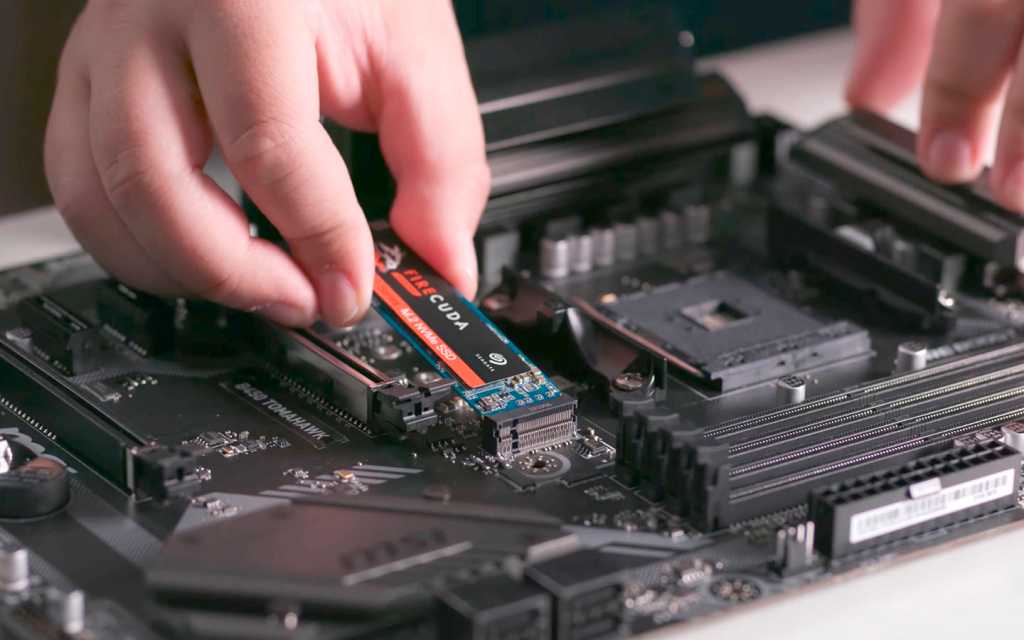
Gaming PC Financing Canada: Smart Windows 11 SSD Tweaks and Why Buying Now Protects Your Build
Gaming PC Financing Canada is becoming a more practical decision for buyers who want strong performance, dependable storage, and better control over rising replacement costs. A recent discussion around simple Windows 11 SSD maintenance highlights an important truth: even high-speed solid-state storage benefits from smart system setup, and the total cost of ownership matters just as much as raw performance. For Canadian buyers planning a new custom gaming system, that makes the timing of a purchase especially important. Locking in a properly configured build now, instead of waiting for the next wave of demand and component volatility, can help secure better value, better longevity, and a better overall ownership experience.
For Groovy Computers, this topic goes beyond basic maintenance advice. It connects directly to how Canadians should approach a modern gaming desktop purchase. SSD health affects game load times, system responsiveness, creator workflows, and long-term stability. At the same time, storage pricing, GPU availability, RAM costs, and platform upgrades can all shift faster than many buyers expect. That is why a well-built custom PC paired with financing can be a smarter move than delaying and facing a more expensive market later.
What the Windows 11 SSD advice gets right
The source material correctly focuses on six practical adjustments that can reduce unnecessary SSD wear in Windows 11: enabling TRIM, disabling hibernation, minimizing paging file usage, enabling write caching, keeping free space available, and updating SSD firmware. These are not flashy tweaks, but they are highly relevant because SSDs have finite write endurance. Modern SSDs are durable and generally reliable, but they still benefit from clean operating system behavior and sensible configuration.
For gamers, creators, and streamers, SSD health matters because storage is constantly working behind the scenes. Every Windows update, game patch, temporary file, shader cache, capture file, and application install contributes to drive activity. If the system is poorly configured, that workload can become heavier than necessary. If the PC is well planned from day one, with enough RAM, a suitable SSD tier, and the right Windows settings, the drive can operate more efficiently for longer.
This is exactly where a custom builder adds value. Buying a PC is not just about selecting a CPU and GPU. It is about how the whole system behaves together over months and years of actual use. That includes thermal performance, motherboard feature quality, power delivery, airflow, firmware support, and storage configuration. Those details become even more important when the market is volatile and replacement parts may cost more later.
Why SSD lifespan matters more in a modern gaming PC build
SSDs are now central to the experience of using a high-performance desktop. A modern game library can easily consume hundreds of gigabytes, and many current titles are designed with fast storage in mind. An NVMe SSD improves boot times, level loading, texture streaming, update installs, and general desktop responsiveness. In creator systems, SSDs also accelerate file transfers, project loading, cache operations, and scratch-disk workloads.
That means storage is no longer a background component that can be ignored. If an SSD slows down because it is too full, poorly maintained, or burdened by unnecessary writes, the entire machine can feel less responsive. For a buyer trying to protect the value of an investment, especially in a premium custom PC, keeping the SSD healthy is part of keeping the whole system healthy.
From a Canadian buying perspective, this is also a cost-control issue. Replacing parts after a price swing is rarely ideal. If SSD prices tighten, if premium PCIe drives rise in cost, or if a full upgrade is needed earlier than expected, the total ownership cost can climb quickly. A properly configured machine with enough storage headroom today can help avoid that squeeze.
Why Canadian buyers should think differently about storage and timing
Canadian buyers often face a different reality from larger U.S. markets. Pricing can fluctuate more sharply once exchange-rate pressure, shipping costs, regional inventory, and import-sensitive categories are factored in. A component that looks manageable one month can become noticeably more expensive later, especially in premium segments like graphics cards, high-capacity NVMe SSDs, and quality power supplies.
That matters because gaming demand does not stay flat. Major game releases, seasonal shopping periods, back-to-school demand, holiday pressure, and enthusiast upgrade cycles can all affect availability. Storage and memory can also move unexpectedly when broader supply conditions change. For anyone planning to buy gaming computer Canada wide, waiting for the “perfect time” often turns into paying more for the same tier of system or settling for weaker specifications.
That is why the logic behind Finance Gaming PC Canada is so strong right now. Financing helps buyers secure the performance tier they actually want while prices are still within reach. Instead of delaying a better build and risking future cost increases on GPUs, SSDs, RAM, or motherboards, financing can spread the purchase across manageable payments and protect against a more expensive replacement environment later.
Gaming PC Financing Canada is not just about affordability
Too many buyers think financing only matters when budget is tight. In reality, Gaming PC Financing Canada is often a strategy for making a smarter purchase decision. It can allow a buyer to choose the right amount of RAM instead of the minimum, the right SSD capacity instead of a too-small drive, and a more future-ready GPU instead of a compromise card that may need replacing sooner.
That matters because underbuilding a system can increase total cost over time. A machine with insufficient storage fills up faster, runs less efficiently, and may require earlier expansion. A system with too little memory leans more heavily on the drive for paging activity. A build with limited upgrade flexibility can force a larger replacement sooner than expected. Financing helps reduce those compromises at the beginning, when they are easiest and cheapest to avoid.
For buyers considering financing up to 4 years, the advantage is not just lower monthly pressure. It is the ability to lock in a stronger custom PC during a period when performance-demand expectations are rising and major components remain vulnerable to price movement. That can be especially valuable for players targeting demanding AAA titles, high-refresh competitive gaming, streaming, or creator workloads alongside gaming.
How the six Windows 11 SSD tweaks fit into better system ownership
1. Enable TRIM to keep SSD housekeeping efficient
TRIM allows Windows to tell the SSD which blocks of data are no longer needed. This helps the drive manage free space more intelligently and reduces unnecessary internal cleanup work. For long-term SSD efficiency, TRIM should be enabled. On a properly prepared gaming PC build, this is one of the most basic but important maintenance checks.
TRIM is especially relevant for users with large game libraries and frequent install-delete cycles. If you regularly rotate titles, test new releases, or work with big project files, the drive experiences constant changes. Efficient block management helps maintain smoother performance and reduces avoidable wear.
2. Disable hibernation if you do not need it
Hibernation writes system memory contents to the SSD so the PC can resume later. For some users, that convenience is useful. For many gaming desktop owners, it is not essential. Disabling hibernation can reduce a significant category of repetitive writes, especially on systems with larger memory capacities where the hibernation file can become substantial.
On a desktop gaming or streaming setup that is frequently shut down or restarted normally, turning hibernation off can be a sensible durability choice. It also frees up storage space, which supports another key SSD best practice: keeping healthy free capacity available.
3. Reduce dependence on the paging file by building properly
The source advises disabling the paging file to reduce writes. In practice, the better long-term lesson for many buyers is to avoid forcing the system into heavy virtual memory use by underbuilding the PC in the first place. A custom build with sufficient RAM is one of the best ways to reduce constant disk-backed memory activity.
For gaming alone, 32GB has become a comfortable target for many higher-end users. For streaming, creative applications, or multitasking-heavy use, sufficient memory matters even more. This is one reason a Canadian custom build can outperform off-the-shelf compromises. With the right memory configuration up front, the SSD is asked to do less unnecessary work, and the system feels better under load.
4. Enable write caching where appropriate
Write caching can help reduce frequent small writes by temporarily storing data in cache before it is committed to the drive. When supported and used correctly, it can contribute to smoother storage behavior. This is one of those settings that benefits from a properly tested system environment, because overall platform stability, motherboard quality, and drive firmware all matter.
That is another reason rigorous testing is valuable. A custom PC should not just boot. It should be validated under real workload conditions so storage, memory, thermals, and general system behavior all work as expected.
5. Keep enough free space on the SSD
One of the simplest ways to preserve SSD performance is to avoid filling the drive to the brim. Once an SSD gets too full, write performance and background management can suffer. Many users benefit from keeping roughly 20 percent free where practical. This becomes difficult very quickly if the original build includes too little capacity for the way the owner actually uses the PC.
That is why storage planning matters at purchase time. A buyer trying to save a small amount today by selecting a minimal drive may face slower performance, constant uninstall cycles, or early expansion costs later. Financing can make it easier to step into a more sensible storage tier immediately.
6. Keep SSD firmware up to date
Firmware updates can improve compatibility, stability, and efficiency. Although many buyers never think about SSD firmware, it is part of responsible long-term ownership. A custom system from a knowledgeable builder should make it easier to identify the exact drive model and maintain it properly over time.
When a PC is assembled, configured, and tested by experienced builders, there is less guesswork for the owner. That matters for buyers who want confidence, especially when component replacement may become more expensive later.
Why storage planning is tied directly to gaming performance
SSD maintenance is not just a “tech tip” subject. It is directly connected to gameplay quality. Modern titles load vast amounts of data, and faster storage contributes to smoother level transitions, better asset streaming, and a more responsive overall experience. For open-world games, large installs and frequent patches are now normal. For online multiplayer titles, shorter load times can simply make the experience less frustrating.
When buyers focus only on the GPU, they can miss how much of the system experience depends on balanced component selection. A well-chosen SSD, enough RAM, and a strong CPU can help a graphics card perform in the kind of stable, low-latency environment that enthusiasts actually want. That is as true for a Ryzen 7000 Gaming PC as it is for an i9 Gaming PC Canada buyers may be considering for premium use.
How component-price volatility changes the buying decision
There is a practical reason this discussion matters now. Hardware markets do not move in straight lines. Graphics cards can jump in price when demand surges. RAM can tighten. SSD pricing can shift with changes in production and global demand. Premium motherboard platforms can become harder to source cleanly when new launches or generation changes occur. Waiting can mean paying more not just for one component, but for the whole build.
That is why buyers targeting systems like an RTX 5090 Gaming PC, RTX 5090 32GB configuration, RTX 5080 16GB setup, or RTX 4080 PC should think beyond current sticker price. The real risk is not only whether the build costs a bit more later. The risk is that the same budget buys a weaker machine later, or forces compromises in storage, cooling, PSU quality, case airflow, or memory capacity.
For buyers looking at Gaming PC Builds Canada wide, financing creates a hedge against uncertainty. It lets you secure a complete, balanced system now rather than chasing the market later when one or more categories have moved against you.
Which buyer should choose which performance tier
Budget-conscious buyers
If the goal is an Economical Gaming PC or a Budget Gaming Computer Canada shoppers can grow into, the smartest path is usually balance. Prioritize a solid CPU, enough RAM, and an SSD that is large enough to avoid immediate pressure. A lower-tier system that is thoughtfully configured is often a better ownership experience than a flashy but cramped prebuilt that cuts corners on storage, cooling, or power delivery.
Budget buyers should be especially cautious about choosing too little storage. Saving a modest amount up front can create frustration almost immediately once several modern games are installed. Financing can bridge that gap and help a buyer step into a more realistic SSD capacity from day one.
Mainstream performance buyers
This is the sweet spot for many Canadian gamers. A well-balanced custom system with strong 1440p capability, a fast NVMe SSD, and enough RAM for modern multitasking delivers excellent value. Buyers looking at RTX 4070 Ti Canada level performance or similar tiers should think in terms of total platform quality, not just benchmark numbers.
This segment also includes many people who want to stream casually, edit clips, or use the machine for school and work. A balanced system is where custom building shines because it can be tuned for the owner’s real use case rather than a generic retail profile.
Premium enthusiasts
For buyers considering an RTX 5090 Gaming PC, an RTX 5090 32GB system, or a high-end Ryzen V-Cache Gaming PC, the logic for financing becomes even stronger. These are major purchases, and the cost of waiting can be significant if the market tightens. Premium buyers are also the least likely to benefit from cutting corners on storage or memory. High-end GPUs deserve equally strong supporting hardware.
In this tier, SSD quality and capacity matter because premium users often maintain larger game libraries, record gameplay, handle mods, or work with large media files. The machine should feel fast in every respect, not just in frame-rate charts.
Creators and streamers
Many buyers are not shopping for gaming alone. They also need a Computer System for Video Editing, a Good Desktop for Photo Editing, or reliable Computers for Streaming Canada creators can count on. In those scenarios, SSD health becomes even more important because creative workloads generate caches, exports, previews, and large project transfers that hit storage constantly.
A custom build for this audience should focus on fast storage, enough memory, strong cooling, and dependable long-session stability. Financing can make it easier to reach those practical specifications without sacrificing the GPU or CPU needed for the gaming side of the workload.
Why custom builds beat generic systems when prices are unstable
In a volatile market, generic systems often hide compromises in the least obvious areas. The SSD may be smaller or slower than expected. The motherboard may offer weaker long-term support. The power supply may leave less upgrade headroom. Airflow may be constrained. RAM may be configured in a way that limits performance or expansion.
Canadian Custom PC Builders offer a better answer because each part can be selected for a reason. That matters when every dollar needs to work harder. If prices rise later, the buyer who chose a better-balanced custom machine now is usually in a stronger position than the buyer who settled for a shortcut system and then needs earlier upgrades or replacements.
Groovy Computers is built around that logic. A custom PC should not just look good on paper. It should be assembled carefully, tested rigorously, and backed by support that gives the owner confidence. A 1-year warranty matters more when hardware categories are expensive to replace. Thorough testing matters more when the owner plans to depend on the machine for gaming, work, school, or content creation every day.
Why Groovy Computers is a strong fit for Canadian buyers
Groovy Computers is positioned for buyers who want more than a generic box. As one of the Canadian custom PC builders focused on practical performance and support, Groovy Computers gives shoppers a way to buy gaming computer Canada wide with a stronger sense of control. That includes custom configurations, sensible component matching, quality-focused assembly, rigorous testing, and a 1-year warranty that supports long-term peace of mind.
For many shoppers, the biggest advantage is being able to match the system to the actual workload. A customer in Gaming Computers Toronto demand zones may want a high-refresh competitive build. A buyer shopping Gaming Computers Ontario wide may need a gaming-and-school machine with strong multitasking. Someone looking for Gaming Computers Vancouver level creator performance may need more storage and RAM. Buyers in Gaming Computers Nova Scotia, Gaming Computers New Glasgow, or Gaming Computers Trenton may want a dependable custom PC without the uncertainty of settling for whatever happens to be on a shelf locally. Even shoppers comparing options against broad searches like Computer Stores Victoria BC Canada often discover that a focused custom builder offers better alignment with what they actually need.
That is also where financing becomes powerful. With Groovy Computers, a buyer can aim for the right build now instead of compromising into a too-small SSD, too-little RAM, or a weaker graphics tier that may feel dated sooner. The result is often better value over the full life of the machine, not just at checkout.
Why financing now can be smarter than waiting for a sale
Many buyers hold off in hopes of a major sale. Sometimes that works. Often it does not. Hardware markets are influenced by far more than retail promotions. New game releases, enthusiast demand, supply shifts, and product transitions can all change system pricing. A Gaming PC on Sale Canada search does not always produce the best real-world value if the discounted machine uses lower-quality parts or mismatched specs.
Financing changes that equation. Instead of waiting and hoping the right machine appears at the right moment, you can secure a stronger custom build while it is available and spread the cost over time. That is especially useful when the goal is a serious gaming desktop with enough SSD capacity, enough RAM, proper cooling, and a graphics card tier that will stay satisfying for longer.
This logic applies across categories. It helps budget buyers avoid underbuilding. It helps mainstream buyers move into the sweet spot. It helps premium buyers lock in high-end hardware before volatility changes the market again. It also helps buyers who were considering a Refurbished Gaming PC Canada option decide whether a new, custom-tested system may be the better long-term value when warranty, support, and part quality are considered together.
The hidden cost of replacing storage later
Storage upgrades sound simple, but they often create more cost and hassle than buyers expect. Replacing or adding SSD capacity later can mean cloning drives, reinstalling software, managing game libraries, reorganizing creator files, and spending more than anticipated if the market has shifted upward. It can also mean losing the convenience of having the build configured correctly from the start.
That is why SSD planning should be part of the original purchase decision. The Windows 11 tweaks discussed earlier help extend drive life, but they work best when the system is not fighting against poor configuration. A machine with healthy free space, enough RAM, and an SSD suited to the user’s real needs is in a much better position from day one.
What to prioritize in a Canadian gaming PC build right now
- Enough SSD capacity: Avoid a build that will feel cramped after only a few game installs and updates.
- Sufficient RAM: Reduce reliance on virtual memory and improve multitasking, streaming, and creator performance.
- Balanced GPU choice: Select a graphics card tier that matches your resolution, refresh-rate target, and game expectations.
- Quality cooling and airflow: Stable temperatures support long-term reliability and consistent performance.
- Platform quality: A reliable motherboard and power supply matter more than many shoppers realize.
- Testing and warranty: In a volatile market, confidence in the finished system matters.
Buyers comparing prebuilts, premium rigs, and long-term value
Shoppers often jump between categories such as PC Builders Canada, RTX 4090 Prebuilt Canada searches, mainstream gaming desktops, and top-end enthusiast systems. The right answer is usually not the cheapest machine or the most extreme one. The best answer is the build that fits your real use case and stays satisfying long enough to justify the spend.
If the machine is for gaming only, the balance point may be different than if it also handles photo editing or streaming. If the buyer wants the best possible frame rates in competitive play, CPU selection and memory behavior may carry more weight. If the buyer wants immersive 4K experiences and long-term headroom, GPU tier and SSD capacity become even more important. Custom building allows those trade-offs to be made intentionally.
Final word: the smart move is to secure a better build before pressure rises
The biggest takeaway from the Windows 11 SSD guidance is simple: modern PCs last longer and perform better when they are configured thoughtfully. The bigger takeaway for Canadian shoppers is even more important: a strong custom build bought at the right time can save money, reduce hassle, and deliver better ownership value than waiting through another round of demand spikes and component-price movement.
Gaming PC Financing Canada is not just a payment option. It is a practical strategy for securing the performance tier you actually want while avoiding the risk that future pricing pushes you into weaker compromises. If your next system needs to handle modern gaming, fast storage, streaming, editing, or all of the above, now is the time to lock in a balanced custom build with the right SSD setup, proper testing, and reliable warranty support.
For Canadians ready to buy with more confidence, GroovyComputers.ca is the place to explore custom gaming systems, financing-friendly options, and expertly built PCs designed for real long-term performance.
#GamingPCFinancingCanada #FinanceGamingPCCanada #BuyGamingComputerCanada #GamingPCBuildsCanada #CanadianCustomPCBuilders #GamingComputersToronto #GamingComputersOntario #RTX5090GamingPC #RTX4080PC #ComputersForStreamingCanada
Groovy Computers | All Rights Reserved


Leave a comment
This site is protected by hCaptcha and the hCaptcha Privacy Policy and Terms of Service apply.