






















Gaming PC for New Games: What Crimson Desert’s Big Update Tells Canadian Players About Buying the Right Custom PC
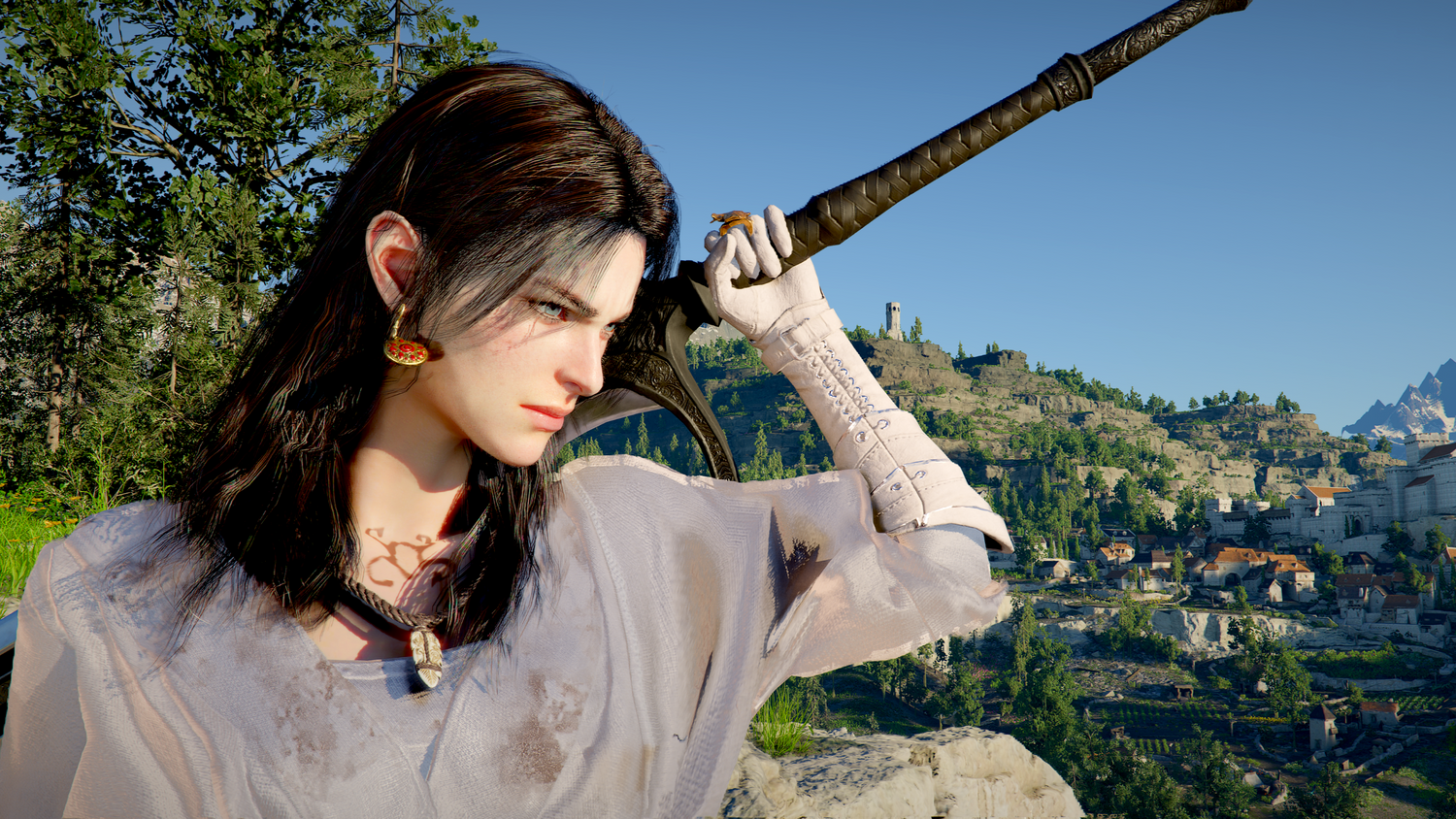
The latest wave of attention around Crimson Desert is a reminder that a Gaming PC for New Games is not just about launching a title on day one. It is about staying ready when a game grows, updates land, new visual options appear, more content arrives, and your favourite open-world adventure suddenly gives you a reason to return after dozens or even hundreds of hours of playtime.
Pearl Abyss has continued expanding Crimson Desert with update 1.13, adding more gear, outfits, dyeable equipment options, and broader character customization for Kliff, Oongka, and Damiane. The update also expands access to Abyss boss rematches for characters beyond Kliff, making the game feel less like a one-and-done single-player release and more like an evolving PC gaming experience that keeps pulling players back in.
For Canadian gamers, that raises a practical buying question: is your current PC ready for the way modern games actually behave now? Many players still shop as if a game launches once, stays the same forever, and only needs enough power to hit minimum requirements. But games like Crimson Desert, Cyberpunk-style open worlds, ray tracing-heavy releases, Unreal Engine projects, and future AAA titles are proving that performance expectations can change after launch.
If a new update adds more reasons to explore, replay bosses, capture screenshots, stream gameplay, mod your setup, edit videos, or play at higher settings, your PC becomes part of the experience. A weak system can turn a massive fantasy world into stutter, heat, low texture quality, and upgrade regret. A well-planned custom gaming PC can turn the same game into smooth exploration, crisp visuals, stable frame rates, and a system that is still useful when the next major release arrives.
That is where Groovy Computers comes in. As a Canadian custom PC builder, Groovy Computers helps gamers, streamers, creators, editors, designers, and workstation users choose systems based on what they actually want to do, not just what a generic spec sheet says. Whether you want a budget gaming computer, a premium RTX gaming PC, a streaming and editing setup, a creator workstation, or a finance-friendly build that avoids short-term compromise, the right PC starts with the right questions.
Why This Crimson Desert Update Matters for Anyone Shopping for a Gaming PC for New Games
Crimson Desert’s update matters because it shows how modern games are becoming long-term performance platforms. The source article highlights several key changes: new gear and outfits, expanded dyeable equipment options, more customization for all three playable characters, Oongka gaining access to many outfits previously associated with Kliff, and expanded Abyss boss rematch options for Oongka and Damiane. On the surface, that sounds like content. Underneath, it reveals something important about PC buying: the game you buy today may not be the same workload your PC handles six months later.
Are you the type of player who finishes a story once and moves on, or do you come back when new armour, new modes, new boss fights, new graphics settings, or expansions arrive? If you are in the second group, your system needs more than minimum performance. It needs headroom.
Headroom is what prevents your PC from feeling outdated the moment a patch increases demand, a new area arrives, or you decide to move from 1080p to 1440p. It is also what gives you room to stream, record, run Discord, use a second monitor, capture clips, browse guides, or edit gameplay highlights without turning your gaming session into a laggy compromise.
That is why the phrase Gaming PC for New Games should not mean “the cheapest desktop that can technically run the game.” It should mean a system matched to your target resolution, frame rate, visual settings, multitasking habits, and upgrade timeline.
What Do You Want Your Next PC to Do for You?
Before looking at graphics cards, processors, RAM, or financing, ask yourself one simple question: what do you want your next PC to do for you?
Do you want to explore massive open-world games like Crimson Desert at high settings? Do you want 1440p gameplay with smooth frame rates? Do you want 4K visuals, ray tracing, ultra textures, and premium cooling? Do you want to stream your gameplay to Twitch or YouTube? Do you want to record boss fights, edit clips for TikTok, make YouTube videos, or design thumbnails in Photoshop?
Maybe your PC is not only for gaming. Maybe you also need a Creator PC Canada buyers can rely on for Adobe Premiere Pro, DaVinci Resolve, Photoshop, Lightroom, Blender, Unreal Engine, AutoCAD, Revit, or other demanding software. Maybe you want one system that can game at night and work during the day. Maybe you are buying before a major game release, a school term, a business project, a software upgrade, or a possible component price increase.
The best custom PC is not the one with the flashiest parts. It is the one that fits your real use case. A competitive esports player, a 4K RPG fan, a streamer, a video editor, a photographer, a graphic designer, and a 3D artist all need different priorities.
What Performance Tier Fits You: 1080p, 1440p, 4K, Streaming, or Creator Work?
Choosing the right performance tier is where many buyers either save money wisely or accidentally underbuy. A custom build should match what you expect from your PC over the next few years, not just what looks affordable today.
Do You Need a Budget Gaming PC Canada Buyers Can Trust for 1080p?
If you mainly play at 1080p, a well-balanced budget gaming PC can be an excellent choice. This tier is ideal for players who want strong performance in esports titles, indie games, older AAA titles, and many current releases at sensible settings. It can also suit students, first-time PC gamers, and families who want a reliable gaming desktop without jumping straight into premium pricing.
But here is the question: are you buying for the games you play now, or the games you expect to play next? If your library is mostly Fortnite, Minecraft, Roblox, Valorant, Counter-Strike 2, or similar titles, a value-focused build may be enough. If you are watching Crimson Desert, GTA-style open worlds, ray tracing games, Unreal Engine blockbusters, or future AAA launches, you may want more GPU headroom than an entry-level system provides.
A budget build should still be built properly. That means sensible airflow, a quality power supply, fast SSD storage, enough RAM, and room to upgrade. A cheap PC that overheats, uses weak parts, or has no upgrade path is not a value system. It is a future replacement cost.
Is 1440p the Sweet Spot for a Gaming PC for New Games?
For many Canadian gamers, 1440p is the modern sweet spot. It delivers a sharper image than 1080p without the extreme GPU demands of 4K. If you want a 1440p Gaming PC Canada shoppers can use for big open-world games, RPGs, shooters, racing games, and content-rich releases, this is often the tier that makes the most sense.
Do you want high settings, smoother frame rates, better textures, and enough power to handle updates and expansions? If yes, 1440p is where a custom gaming PC becomes especially valuable. Part selection matters more here because balance is everything. A strong GPU needs a CPU that can keep up. Fast RAM and SSD storage help with responsiveness. Cooling affects sustained performance. The case, motherboard, and power supply influence future upgrades.
This is also where many buyers start asking whether they should buy a cheaper PC now or finance a better one. If a slightly stronger build helps you avoid upgrading a GPU, replacing a power supply, or rebuilding the system in two years, financing can sometimes be the smarter move.
Should You Choose a 4K Gaming PC Canada Setup for Ultra Settings?
4K gaming is for players who want maximum visual impact. If you care about cinematic open worlds, ultra textures, high-end monitors, ray tracing, screenshot quality, and immersive single-player games, a 4K Gaming PC Canada build requires a higher-end GPU, a strong CPU, excellent cooling, and a power platform designed for sustained load.
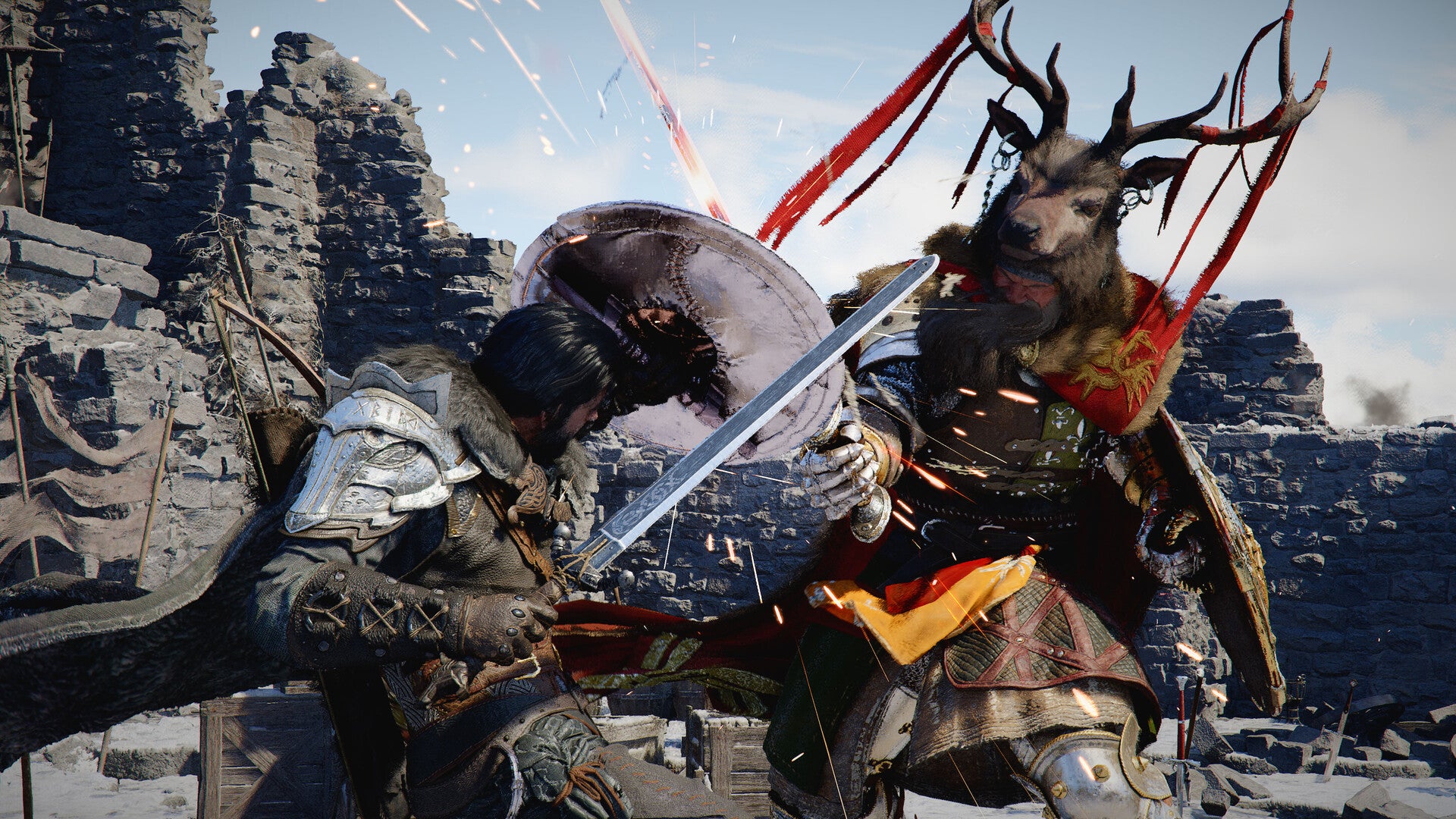
Ask yourself: do you want your PC to simply run new games, or do you want it to showcase them? Games like Crimson Desert are built around spectacle: landscapes, combat animations, armour detail, lighting, movement, and cinematic scale. A premium gaming PC lets you appreciate those details instead of constantly lowering settings to chase stability.
Premium does not mean careless overspending. It means matching top-tier parts to a clear goal. If you are considering a High End Gaming PC Canada build, an RTX-class premium gaming PC, or a flagship 4K setup, Groovy Computers can help you choose a configuration that makes sense for your monitor, games, and future upgrade plans.
Do You Need Ray Tracing, High FPS, or Both?
Ray tracing and high FPS are two different goals. Ray tracing focuses on advanced lighting, reflections, and realism. High FPS focuses on smoothness, responsiveness, and competitive feel. Some gamers want both, but that requires a stronger system.
Are you playing story-driven games where visual quality matters most, or competitive games where frame rate matters more than ultra shadows? Do you want a Ray Tracing Gaming PC Canada build, a High FPS Gaming PC Canada build, or a balanced system that can do both depending on the title?
This is one of the reasons custom PC advice matters. A generic prebuilt may advertise one impressive part while cutting corners elsewhere. A proper custom build considers the whole system: GPU, CPU, motherboard, RAM, SSD, cooling, case airflow, power supply, monitor target, and warranty support.
Why Open-World Games Put More Pressure on Your PC Than You Think
Open-world games are demanding because they combine multiple workloads at once. They are not just rendering a small arena. They are loading terrain, handling AI, streaming assets from storage, processing physics, drawing complex environments, and maintaining smooth input during combat, traversal, and cutscenes.
When a game continues receiving updates, the workload can become even more complex. New gear, new areas, improved visuals, additional systems, boss rematches, and expansions can all increase how much time players spend in the world. The longer you stay with a game, the more you notice performance consistency.
Have you ever started a game and thought it ran “fine,” only to notice stutters during bigger battles, dips in crowded areas, long loading times, noisy fans, or poor performance when recording clips? Those are the signs that your PC was built to meet the minimum, not to deliver the experience you actually wanted.
A Gaming PC for New Games should be planned around sustained performance. That means enough graphics power for your resolution, enough CPU performance for game logic and background apps, enough memory for modern multitasking, and fast SSD storage to reduce waiting and improve responsiveness.
Is a Gaming PC Good for Streaming, Editing, and Content Creation?
Yes, a gaming PC can be good for content creation, but only if it is configured with that purpose in mind. A system built purely for gaming may not have enough RAM, storage, CPU power, or workflow balance for serious editing, streaming, or design work. A custom gaming and creator PC is different: it is built around both performance and productivity.
Do you want to stream Crimson Desert boss fights, record walkthroughs, make YouTube reviews, edit TikTok clips, design thumbnails, or build a gaming channel? If yes, you should think beyond frames per second. You should also think about encoding, export times, timeline smoothness, storage capacity, and multitasking.
What PC Do You Need for Streaming?
A Gaming and Streaming PC Canada build needs enough GPU and CPU headroom to play smoothly while OBS, Streamlabs, Discord, browser tabs, chat tools, overlays, and recording software run in the background. If you want 1080p streaming, the requirements are lower. If you want 1440p gameplay while streaming or recording high-quality footage, you need a stronger system.
Ask yourself: will you stream casually once in a while, or are you trying to build a consistent content schedule? Casual streamers can often choose a balanced mid-range gaming PC. Serious creators should consider more RAM, stronger encoding support, extra storage, and quieter cooling for long sessions.
What PC Do You Need for Video Editing?
If you edit gameplay clips, YouTube videos, short-form content, or client projects, a Video Editing PC Canada build should focus on CPU strength, GPU acceleration, RAM capacity, and fast storage. Adobe Premiere Pro, DaVinci Resolve, After Effects, and similar tools benefit from a system that can handle timeline playback, effects, colour grading, exports, and multitasking.
How much RAM do you need for video editing? It depends on your footage. Simple 1080p editing can work with less. 4K editing, multi-cam timelines, heavy effects, and high-bitrate footage benefit from more memory and faster scratch storage. If you are editing 4K gameplay captured from modern titles, do not build your PC like it is only launching the game. Build it like it is handling the full creator workflow.
What PC Do You Need for Photo Editing and Graphic Design?
Photographers and designers often underestimate how much a desktop can improve daily work. A Photo Editing PC Canada or Graphic Design PC Canada setup should prioritize fast CPU performance, enough RAM, quick SSD storage, colour workflow support, and a GPU that helps with accelerated features in Photoshop, Lightroom, Illustrator, Canva, and Adobe Creative Cloud tools.
Are you editing RAW photo batches, building thumbnails, creating social media graphics, designing logos, working with layered Photoshop files, or using AI-enhanced creative tools? If yes, a stronger desktop can save time every single day. Waiting an extra few seconds on each export, preview, brush adjustment, or file load may not sound like much, but it adds up across hundreds of projects.
What PC Do You Need for 3D Modeling, Rendering, and Game Development?
A 3D Modeling PC Canada or 3D Rendering PC Canada build has different priorities than a basic gaming machine. Blender, Unreal Engine, Unity, Maya, 3ds Max, Cinema 4D, SketchUp, ZBrush, AutoCAD, Revit, and SolidWorks can demand heavy CPU and GPU performance, large memory capacity, and reliable cooling.
Are you creating game assets, rendering product images, building architectural scenes, simulating environments, or learning Unreal Engine because modern games inspire you? A workstation-style PC may be the better fit. Some gaming PCs can handle 3D work, but if rendering time, viewport performance, and stability matter, you want a custom workstation designed around your software.
Why Canadian Buyers Should Think Differently About Timing
Canadian PC buyers face a different buying reality than customers in larger markets. Component pricing can move quickly, exchange rates can affect replacement costs, shipping availability can shift, and popular GPUs, RAM, SSDs, or power supplies may become harder to source during demand spikes. If a major game update, expansion, holiday sale period, back-to-school season, or new hardware cycle increases demand, waiting can change the deal.
Is it better to buy a gaming PC now or wait? The honest answer depends on your current system, your budget, and what you want to play. If your existing PC already meets your needs, waiting may be reasonable. But if you are already lowering settings, avoiding new games, skipping streams, delaying editing projects, or worrying that your system will not handle upcoming releases, waiting can become expensive in a different way.
The cost of waiting is not only the price of parts. It is also lost gaming time, missed content opportunities, slower work, upgrade frustration, and the possibility that you will buy a cheaper system later because prices moved against you.
For customers in Nova Scotia, Atlantic Canada, Ontario, Alberta, British Columbia, and across the country, working with a Canadian custom PC builder can simplify the process. Groovy Computers helps match your build to your goals, offers systems built with care, and supports Canadian buyers who want a gaming PC shipped Canada wide.
Should You Finance a Stronger PC Instead of Buying a Cheaper One?
Financing is not about buying more than you need. It is about avoiding the trap of buying less than you need because the full upfront cost feels uncomfortable. If a stronger system gives you a better GPU, more RAM, a larger SSD, better cooling, or a longer useful lifespan, financing may help you secure the right build before replacement costs rise.
Ask yourself: would you rather buy a cheaper PC today and upgrade sooner, or finance a better PC that better matches your next three to five years of gaming, streaming, editing, and productivity?
Groovy Computers offers financing options up to 4 years where available, which can help Canadian customers spread out the cost of a custom gaming PC, creator PC, or workstation PC. That can be especially useful if you are buying before a major game release, before a demanding school or work term, before starting a content channel, or before component prices change.
Financing can make sense for a player who wants a 1440p gaming PC instead of settling for 1080p, a streamer who needs enough headroom for OBS and recording, a video editor who needs more RAM and storage, or a 3D artist who cannot afford slow render times. The key is choosing the right system, not simply choosing the most expensive one.
If you are wondering whether financing is right for you, ask: will this PC help me avoid upgrading too soon? Will it help me play the games I actually want? Will it help me work faster? Will it reduce frustration? Will it give me enough power before prices shift? If the answer is yes, it is worth exploring.
Custom PC vs Generic Prebuilt: Why the Difference Matters More for Modern Games
When games were simpler, many buyers could get away with almost any gaming-branded desktop. Today, that is riskier. Modern titles, live updates, creator workflows, and multitasking expose weak points quickly. A generic prebuilt might advertise a recognizable GPU while using limited airflow, minimal storage, low-quality power delivery, mismatched RAM, or little upgrade flexibility.
A Custom Gaming PC Canada build should be designed as a complete system. That means the CPU and GPU are matched properly. The power supply has enough quality and capacity. The case can move air. The cooling solution can handle long gaming or rendering sessions. The motherboard supports future upgrades. The SSD is large and fast enough for modern games, which can consume significant storage. The RAM capacity fits your actual workload.
Why does testing matter in a gaming PC? Because performance on paper is not the same as stability in your home. Stress testing helps reveal thermal issues, crashes, instability, or assembly problems before the system reaches the customer. For a gaming PC, creator PC, or workstation PC, that confidence matters.
Groovy Computers builds custom systems with careful component selection, rigorous testing, and a 1-year warranty. That combination is important for buyers who want more than a flashy parts list. They want a PC that arrives ready to work, play, stream, render, and create.
How to Choose the Right Groovy Computers Build Based on Your Needs
The best way to choose a PC is to identify your main workload first, then plan for your secondary needs. Most customers fall into one of several categories.
The 1080p Value Gamer
You want a reliable gaming desktop for popular titles, esports games, school use, and everyday entertainment. You care about value, but you do not want a disposable system. You should focus on a balanced CPU and GPU, 16GB to 32GB of RAM depending on multitasking, a fast SSD, and a clean upgrade path.
Question to ask: will I stay at 1080p for the next few years, or am I likely to buy a 1440p monitor soon?
The 1440p Open-World Gamer
You want strong performance in new AAA games, open-world titles, RPGs, shooters, and visually rich adventures. You may be excited by games like Crimson Desert because of exploration, combat, boss rematches, character customization, and long-term updates. You should prioritize a stronger GPU, a capable modern CPU, 32GB of RAM for headroom, and fast storage.
Question to ask: do I want high settings now and enough performance for the next wave of releases?
The 4K and Ray Tracing Enthusiast
You want premium visuals, ultra settings, high-resolution monitors, and a system that feels high-end from day one. This buyer should consider a premium RTX gaming PC, strong CPU pairing, excellent cooling, high-quality power delivery, and enough memory and storage to support large game libraries.
Question to ask: am I buying for maximum visual quality, long-term performance, or both?
The Streamer and Content Creator
You play games, record clips, stream, edit videos, make thumbnails, manage social content, and run multiple apps at once. You need a Gaming Streaming Editing PC Canada setup that balances gaming performance with creator productivity. More RAM, more storage, and better CPU/GPU balance matter here.
Question to ask: will I be gaming only, or will I be gaming, recording, streaming, editing, and uploading?
The Video Editor, Designer, or Photographer
You need your PC to make work faster. You may use Premiere Pro, DaVinci Resolve, After Effects, Photoshop, Lightroom, Illustrator, Canva, InDesign, Capture One, or other creative software. Your build should be selected around the software you use most and the size of your projects.
Question to ask: what slows me down today: exports, previews, large files, storage space, multitasking, or all of the above?
The 3D Artist, CAD User, or Workstation Buyer
You work in Blender, Unreal Engine, Unity, Maya, 3ds Max, Cinema 4D, AutoCAD, Revit, SolidWorks, SketchUp, or rendering software. You need stability, memory, GPU compute, CPU performance, and sustained cooling. A gaming PC may be a starting point, but a true workstation PC should be planned around your professional workload.
Question to ask: do I need a gaming PC that can do some 3D work, or a workstation that can also game?
What Specs Should You Care About Most?
Specs only matter when they are connected to a real goal. Here is how to think about the major parts of a modern custom PC without getting lost in marketing terms.
GPU: The Heart of Gaming, Rendering, and Visual Work
The graphics card is often the most important part of a gaming PC. It determines how well your system handles resolution, visual settings, ray tracing, high refresh rates, and many creative acceleration tasks. For 1080p, a sensible mid-range GPU may be enough. For 1440p, you want more power. For 4K, ray tracing, high-end streaming, or GPU rendering, you need a much stronger card.
Do you need an RTX 5080 or RTX 5090-class system? Not everyone does. But if you are targeting 4K, ultra settings, heavy ray tracing, GPU rendering, or long-term premium performance, a high-end GPU may be worth considering. If you are playing esports at 1080p, that money may be better spent elsewhere.
CPU: The Engine Behind Frame Rates, Multitasking, and Creation
The processor affects game logic, simulation, minimum frame rates, streaming overhead, editing performance, rendering, compiling, and overall responsiveness. A strong CPU is especially important if you multitask, stream, edit video, work in Adobe apps, render 3D scenes, or keep many programs open.
Question to ask: am I only gaming, or am I gaming while doing five other things? The answer changes your CPU choice.
RAM: The Difference Between Smooth Multitasking and Constant Slowdowns
Modern gaming is more memory-hungry than many buyers expect, especially when paired with browsers, launchers, Discord, recording tools, and creator software. For many gaming builds, 32GB has become a comfortable target. For video editing, 3D modeling, large photo projects, and workstation tasks, 64GB or more may be appropriate.
How much RAM do creators need? It depends on the workload. A photographer editing large RAW batches, a video editor working with 4K footage, and a Blender user rendering complex scenes all benefit from more memory than a basic gaming setup.
SSD Storage: Modern Games and Creator Files Need Space
Fast SSD storage affects load times, asset streaming, project responsiveness, file transfers, and overall system feel. Large open-world games and creator files can fill a small drive quickly. A custom PC should include enough storage for Windows, your main game library, active projects, and future expansion.
Ask yourself: do I want to constantly delete games and project files, or do I want enough storage to work comfortably?
Cooling and Power Supply: The Parts You Notice When They Are Bad
Cooling and power delivery are often overlooked because they are less exciting than GPUs and CPUs. But they are essential. Poor cooling can cause noise, thermal throttling, instability, and reduced component lifespan. A weak power supply can limit upgrades and create reliability concerns.
A well-built custom PC should be quiet enough, cool enough, stable enough, and upgrade-friendly enough for real daily use. This is one of the biggest advantages of working with experienced PC builders instead of gambling on a random parts combination.
Why Updates, Expansions, and Player Counts Should Influence Your PC Buying Decision
The source article notes that Crimson Desert continued attracting attention after launch, with a reported 24-hour Steam peak of 26,659 players months after release. Whether you follow that specific game closely or not, the broader message is clear: single-player games can have long tails when developers keep improving them.
That changes how you should buy. If you only plan for launch-week performance, you may underbuild. If you plan for long-term updates, DLC, expansions, graphics improvements, and creator workflows, you are more likely to stay happy with your system.
Are you buying a PC for one game, or for the next several years of games? Are you buying for a single monitor today, or a future 1440p or 4K display? Are you buying for casual play, or do you want to stream, record, and edit? These questions matter more than whether a PC technically meets minimum requirements.
Why Waiting Can Backfire When Component Pricing Gets Volatile
PC pricing can shift because of GPU demand, memory pricing, SSD supply, exchange rates, shipping costs, seasonal demand, and new product cycles. Canadian buyers are especially sensitive to these changes because replacement costs often reflect currency movement and supply conditions.
Should you buy a gaming PC before prices go up? If you already know your current system is holding you back, waiting for a perfect moment can be risky. Sale periods can help, but high-demand parts can also disappear quickly. A major game release, a creator software update, or a new school or work requirement can push many buyers into the market at the same time.
That does not mean panic-buying. It means planning. If you know you want a Gaming PC for New Games, a streaming PC, a creator PC, or a workstation PC, it is better to speak with a builder early, understand your options, and choose a system intentionally rather than rushing when prices or availability become less favourable.
Why Groovy Computers Is Built for Canadian Gamers and Creators
Groovy Computers is focused on helping Canadian customers get the right desktop for the job. That includes gaming computers, custom gaming PCs, creator PCs, streaming PCs, video editing systems, photo editing desktops, graphic design PCs, 3D modeling workstations, and high-performance productivity builds.
For customers looking for a Canadian Gaming PC Company with practical guidance, Groovy Computers offers more than a product listing. The goal is to help you match your budget, performance expectations, software, games, and upgrade plans to a system that makes sense.
That matters if you are comparing a custom PC vs prebuilt PC in Canada. A generic prebuilt may look simple, but it may not be optimized for your monitor, workload, cooling needs, storage demands, or future upgrades. A Groovy Computers custom build can be selected and tested with your actual goals in mind.
Customers in Nova Scotia, Trenton, New Glasgow, Halifax, Atlantic Canada, and across Canada can shop with the confidence of a Canadian custom PC builder that understands local buying conditions. Whether you need a ready-to-ship gaming PC, a custom quote, or help deciding between performance tiers, Groovy Computers can guide you toward a smarter choice.
What Should You Ask Before Buying Your Next Custom PC?
Before you buy, finance, or request a custom quote, ask yourself these practical questions:
- What games do I want to play? Are they esports titles, open-world AAA games, ray tracing games, simulation games, or upcoming releases?
- What resolution do I want? Is 1080p enough, or do I want 1440p or 4K?
- What frame rate matters to me? Do I care about high FPS for competitive play, cinematic visuals, or a balance of both?
- Will I stream or record? Do I need OBS, Discord, browser tabs, overlays, and recording software running while I play?
- Will I edit video or photos? Do I need performance for Premiere Pro, DaVinci Resolve, Photoshop, Lightroom, or After Effects?
- Will I use design or 3D software? Do I need a PC for Illustrator, Canva, Blender, Unreal Engine, AutoCAD, Revit, or SolidWorks?
- How long do I want this PC to last? Am I comfortable upgrading soon, or do I want a future-proof gaming PC with more headroom?
- Would financing help me buy the right PC instead of settling? Could monthly payments help me secure a stronger build before prices change?
- Do I want support and warranty confidence? Would I rather buy from a Canadian custom PC builder than gamble on a random marketplace system?
These questions turn a confusing purchase into a clear plan. They also help Groovy Computers recommend a system that matches your actual life, not just a generic category.
CTA: What Do You Want Your Next PC to Handle First?
If you are asking, “What gaming PC do I need?” the best next step is to define your top priority. Do you want a Gaming PC for New Games like Crimson Desert and future AAA releases? Do you want a 1440p gaming PC that feels smooth for years? Do you want a 4K gaming PC with premium visuals? Do you want a streaming and editing PC for YouTube, Twitch, or TikTok? Do you need a custom creator PC or workstation for professional software?
If you want help choosing the right system, visit GroovyComputers.ca and explore custom gaming PCs, creator PCs, workstation options, and financing. Groovy Computers can help you choose a build that fits your games, software, monitor, budget, and upgrade timeline.
The Bottom Line: Modern Games Reward Better PC Planning
Crimson Desert’s update is exciting because it gives players more reasons to return: more gear, more outfits, more character options, more boss rematch flexibility, and a sense that the game continues to evolve. But for PC buyers, it also highlights a bigger truth. Modern games do not stand still, and your PC should not be planned like they do.
A Gaming PC for New Games should be chosen for the experience you actually want: 1080p value, 1440p smoothness, 4K immersion, ray tracing, high FPS, streaming, video editing, photo editing, graphic design, content creation, 3D modeling, or workstation productivity. The right system is the one that keeps up with your ambitions instead of forcing you to lower them.
If your current PC is already making you compromise, now is the time to think carefully. Are you waiting for a major game release? Are you planning to start streaming? Are you upgrading your monitor? Are you moving into 4K editing, AI creative tools, Blender, Unreal Engine, or Adobe Creative Cloud? Are you hoping to avoid upgrading again too soon? These are the signs that a custom PC may be the smarter long-term move.
Groovy Computers helps Canadian buyers make that move with confidence. With custom builds, rigorous testing, Canadian-focused support, financing options up to 4 years where available, and a 1-year warranty, Groovy Computers is built for gamers and creators who want their next PC to be ready for what comes next.
#GamingPCForNewGames #CustomGamingPCCanada #GamingPCCanada #1440pGamingPC #4KGamingPC #CreatorPCCanada #StreamingPCCanada #VideoEditingPCCanada #3DRenderingPCCanada #GroovyComputers
Groovy Computers | All Rights Reserved

Leave a comment
This site is protected by hCaptcha and the hCaptcha Privacy Policy and Terms of Service apply.