






















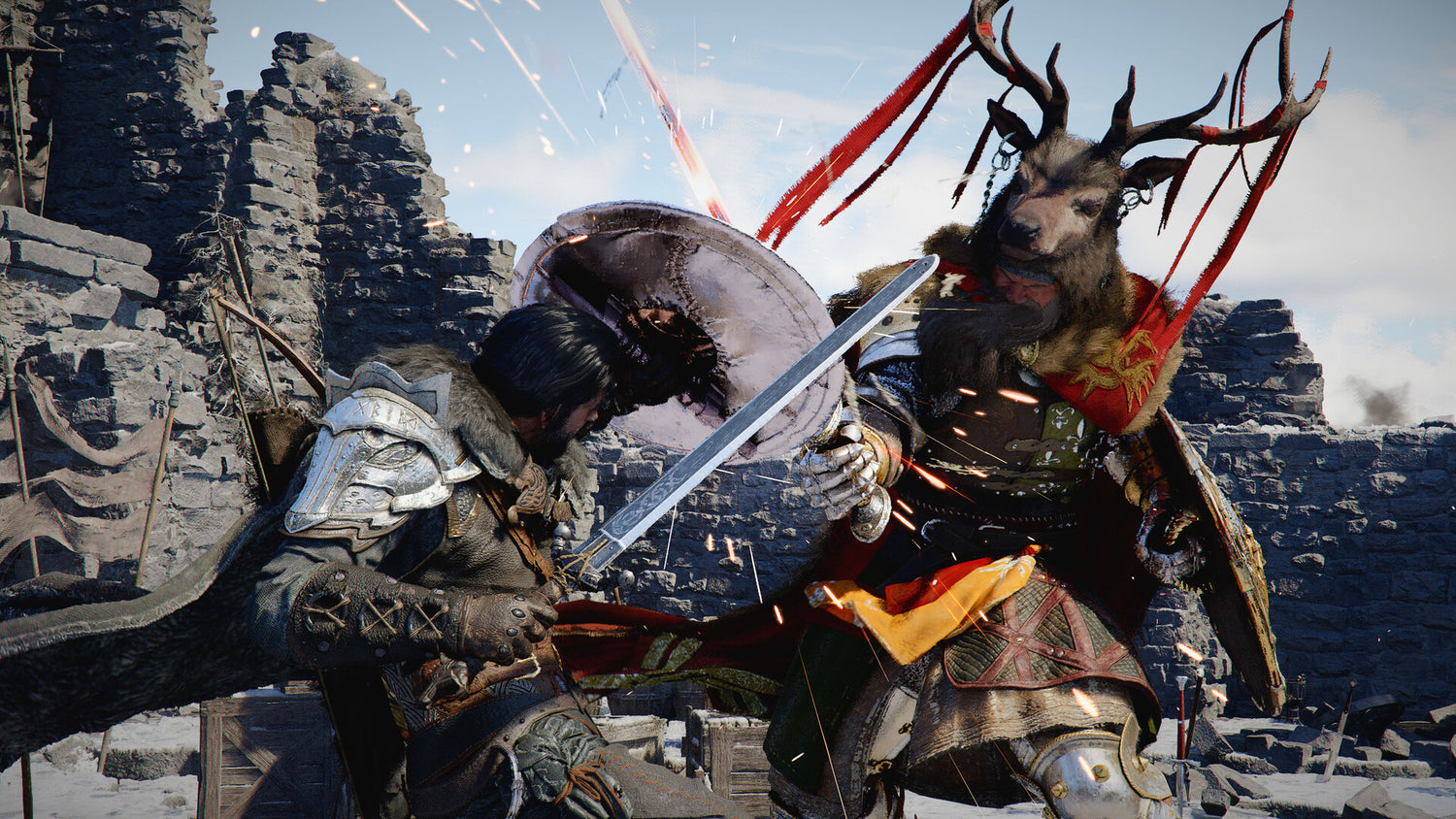
Crimson Desert’s Version 1.13 Update Shows Why a Gaming PC for New Games Needs Real Headroom in 2026
Crimson Desert’s latest Version 1.13 update is more than a content drop. It is a reminder that a serious gaming PC for new games needs more than minimum specs, flashy RGB, or a bargain-bin graphics card. When a modern open-world action RPG adds new armor systems, extra equipment, more crafting recipes, expanded character functionality, HUD options, enemy attack changes, dye customization, mount and pet improvements, and potential performance changes in the same patch, players are not just downloading more content. They are asking their hardware to keep up with a game that is still evolving.
For Canadian gamers, streamers, creators, and workstation users, that matters. A game like Crimson Desert is exactly the type of title that exposes the difference between a computer that can technically launch a game and a properly planned custom gaming PC that can stay smooth, stable, quiet, and upgrade-ready as games become heavier over time. If you are buying a Gaming PC Canada customers can rely on for today’s releases and tomorrow’s updates, this is the kind of patch that should make you ask better questions before you buy.
Do you want to play at 1080p, 1440p, or 4K? Are you planning to turn up ray tracing, texture quality, draw distance, and cinematic settings? Will you stream on Twitch, record gameplay for YouTube, edit short-form clips, or use the same system for photo editing, graphic design, Blender, Unreal Engine, or Adobe Creative Cloud? Most importantly, are you buying a PC that fits the games you play right now, or a system that gives you breathing room when those games grow?
What Crimson Desert Version 1.13 Adds and Why PC Buyers Should Pay Attention
The latest Crimson Desert update brings a wide range of gameplay additions and quality-of-life improvements. Oongka and Damiane can now enter the Abyss, a previously restricted area that opens more exploration potential. Boss armor sets have been added, including multiple pieces inspired by major bosses. There are dozens of new equipment pieces, expanded Kuku gear compatibility for Damiane and Oongka, new crafting recipes for elemental armor, more dye options, improved bird functionality, additional enemy special attacks, and better ranged mobility with musket and pistol slide shots.
On paper, these are gameplay upgrades. In practice, they also show how modern games are built as living platforms. More armor, more customization, more enemy behaviours, more traversal options, more visual variety, and more interactive systems can all place extra pressure on your CPU, GPU, RAM, storage, and cooling solution. Even when an update is not marketed as a graphics overhaul, it can still affect performance because every new system adds complexity.
The source reporting also notes that Version 1.13 appears to have affected performance in some cases, particularly on base PS5, with potential caution for Xbox and PC players as well. That point is important for PC shoppers. It does not mean every player will have issues, and it does not give us a universal benchmark. But it does reinforce a buying principle Groovy Computers discusses often: if you want a gaming PC for new games, do not build only for the launch version of a title. Build for patches, expansions, engine updates, driver changes, higher texture packs, background recording, Discord, browser tabs, OBS, and everything else you actually run while gaming.
Why a Gaming PC for New Games Should Be Chosen Differently Than a Basic Prebuilt
A basic prebuilt gaming desktop can look attractive because the price is simple and the box is ready. But new games do not care about the sticker on the case. They care about GPU performance, CPU consistency, memory capacity, storage speed, thermal design, power supply quality, driver stability, and whether the whole system has been tested properly before it reaches you.
Crimson Desert is a useful example because it combines open-world exploration, action combat, character customization, gear systems, cinematic environments, and potentially demanding city and outdoor scenes. If a patch changes enemy behaviours, expands exploration, and adds more cosmetic systems, the game can become more complicated to run smoothly. That is where a custom-built gaming PC becomes more valuable than a generic configuration.
Ask yourself: are you buying a PC just to play one game on medium settings, or do you want a system that can handle the next wave of open-world RPGs, shooters, survival games, racing titles, and ray-traced releases without feeling outdated too soon?
A properly configured Gaming PC for New Games should be designed around your actual target experience. That means understanding whether you care most about high FPS, visual quality, streaming stability, fast loading, quiet operation, or long-term upgrade room. Groovy Computers builds systems for Canadian customers who want the confidence of a purpose-built machine instead of guessing whether a random parts list will hold up.
What Do You Want Your Next PC to Do for You?
Before you choose a build, pause and ask the most important question: what do you want your next PC to do for you?
Do you want to explore massive open worlds like Crimson Desert with smooth frame rates and high visual settings? Do you want to play competitive games where 144Hz, 165Hz, 240Hz, or higher refresh-rate performance matters more than cinematic graphics? Do you want to stream your gameplay through OBS while keeping your game responsive? Do you want to record clips, edit videos, design thumbnails, create social content, or build a YouTube channel around your gaming?
Maybe your PC needs to be more than a gaming machine. Maybe it also needs to be a Creator PC Canada buyers can use for Adobe Premiere Pro, DaVinci Resolve, Photoshop, Lightroom, Illustrator, Blender, Unreal Engine, CAD, animation, or 3D rendering. If that sounds like you, the right build may need more RAM, a stronger CPU, a faster SSD setup, a better GPU encoder, and more careful cooling than a gaming-only computer.
The mistake many buyers make is shopping by price first and workload second. That can work for entry-level gaming, but it often leads to early upgrades. A better approach is to decide what you actually want from the system and then choose the performance tier that matches that goal.
Which Performance Tier Fits You: 1080p, 1440p, 4K, Streaming, Creator, or Workstation?
Not every gamer needs the same PC. A student playing esports at 1080p has different needs than a content creator playing Crimson Desert at 1440p while recording footage and editing clips. A 3D artist using Blender or Unreal Engine has different needs again. The right custom PC is not the most expensive system by default. It is the system that gives you the right performance where you will actually feel it.
Entry-Level and Budget Gaming: Is a Budget Gaming PC Enough?
A Budget Gaming PC Canada buyer usually wants strong value, good 1080p performance, and the ability to play popular games without overspending. If you mostly play esports titles, lighter multiplayer games, indie games, Minecraft, Roblox, Valorant, Counter-Strike 2, Fortnite, or older AAA games, a well-configured budget system can make a lot of sense.
But if you are asking, “Can a budget gaming PC play new games?” the answer depends on your expectations. A budget PC may run many new titles, but you may need to lower settings, avoid ultra textures, skip heavy ray tracing, or accept lower frame rates in big open-world areas. For a title like Crimson Desert, where updates can add more systems and possible performance pressure, buying too close to the minimum can shorten the useful life of your PC.
So the better question is: do you want the lowest cost today, or do you want a system that avoids a frustrating upgrade six to twelve months from now?
1440p Gaming: The Sweet Spot for Many Canadian Players
For many gamers, a 1440p Gaming PC Canada build is the best balance of sharp visuals, high frame rates, and reasonable long-term value. 1440p is a major jump in clarity over 1080p, but it is usually more practical than 4K if you also want high FPS in demanding games.
If you are looking at Crimson Desert, open-world RPGs, action games, competitive shooters, and new AAA releases, 1440p is often the tier where a custom gaming PC really starts to feel premium. You get more visual detail, smoother motion, and better monitor value without needing the absolute highest-end graphics card available.
Ask yourself: what PC do I need for 1440p gaming? If your answer includes high settings, stable frame rates, Discord, background apps, and maybe streaming or recording, then your build should include a capable modern GPU, a strong gaming CPU, enough RAM for multitasking, fast NVMe storage, and a power supply that supports future upgrades.
4K Gaming and Ultra Settings: Do You Want Maximum Visual Impact?
A 4K Gaming PC Canada build is for players who care deeply about image quality, large monitors, cinematic games, ray tracing, and premium long-term performance. This is the tier for gamers who do not want to compromise much when they load into demanding new releases.
Crimson Desert’s world, armor designs, effects, and exploration systems are exactly the kind of content that can benefit from higher resolution and stronger GPU performance. But 4K is demanding. A system that feels fast at 1080p can struggle at 4K if the GPU is not powerful enough. If you want ultra settings, high-resolution textures, smooth combat, and room for future patches, you should not build this tier casually.
Do you want the best gaming PC for 4K because you value immersion, or would a high-FPS 1440p system give you a better experience for your budget? Groovy Computers can help Canadian buyers weigh that decision before they overspend in the wrong place or underspend where it matters most.
High FPS Competitive Gaming: Is Smoothness More Important Than Graphics?
Some buyers care less about maximum visual settings and more about responsiveness. If you play shooters, battle royale games, fighting games, racing games, or competitive multiplayer titles, a High FPS Gaming PC Canada build may prioritize frame consistency, CPU strength, memory speed, and cooling stability.
Even if Crimson Desert is not your main competitive title, the lesson still applies. Smooth frame pacing often matters as much as average FPS. A PC that spikes, stutters, overheats, or slows down during heavy scenes can feel worse than a system with slightly lower average FPS but better consistency.
If you use a high-refresh monitor, ask: is my PC strong enough to actually feed the display I bought? A 165Hz or 240Hz monitor cannot show its full value if your system is constantly bottlenecked.
Streaming and Recording: Are You Playing Crimson Desert or Creating Content Around It?
Gaming is no longer just about playing. Many gamers now record clips, stream on Twitch, post to YouTube, create TikToks, make guides, design thumbnails, and edit highlight reels. If you are excited about Crimson Desert’s new armor sets, gear options, dyeing systems, boss rematches, and exploration changes, you may also be thinking about content.
That changes the PC buying decision. A Gaming and Streaming PC Canada build needs to handle the game and the broadcast workload at the same time. OBS, Streamlabs, Discord, browser sources, alerts, chat windows, capture tools, and recording software all consume resources. If your PC is already near its limit, streaming can push it over the edge.
What PC do I need for streaming? In most cases, you want a strong GPU with modern encoding support, a capable CPU, at least enough RAM for gaming and background apps, and fast storage for recordings. If you are creating regular content, you may also want more storage than a gaming-only buyer because raw footage fills drives quickly.
If your plan is to stream Crimson Desert at 1080p while playing at 1440p, say that before choosing a build. If you want to record high-bitrate footage for editing later, say that too. The right Streaming PC Canada setup is different from a basic gaming desktop because it needs stability under simultaneous load.
Video Editing, Photo Editing, and Design: Is Your Gaming PC Also Your Creator PC?
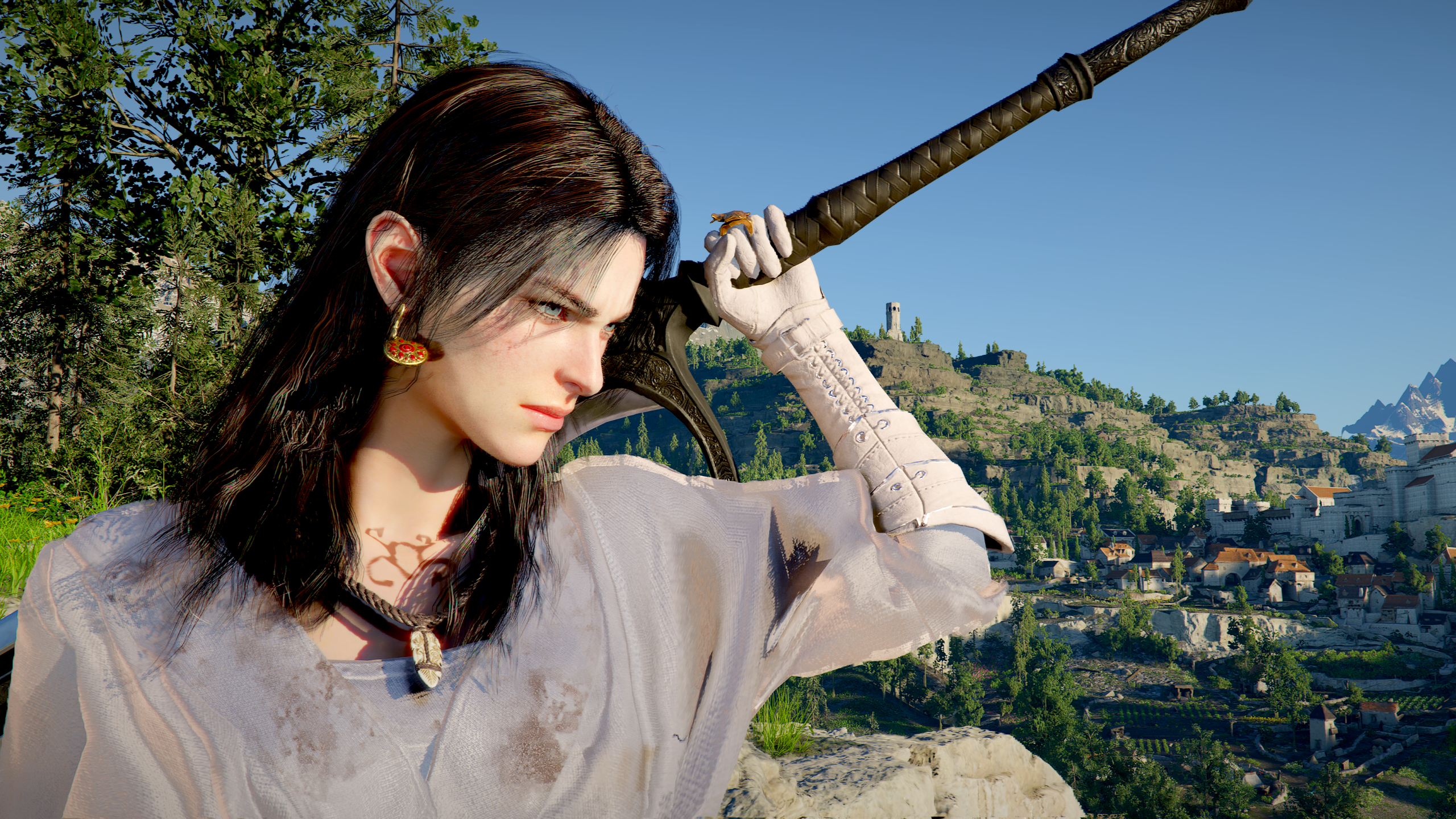
Crimson Desert’s update is full of cosmetic and visual systems: boss armor, elemental armor crafting, dyeable weapons, disguises, pets resting in bed, and more equipment variety. For many players, that kind of game naturally turns into screenshots, guides, videos, thumbnails, social posts, and edits. If you are building content around games, your PC needs to be designed for more than FPS.
A Video Editing PC Canada buyer should think about timeline performance, export speed, GPU acceleration, RAM capacity, scratch disk speed, and long-session reliability. Adobe Premiere Pro, DaVinci Resolve, After Effects, and CapCut can all benefit from a balanced system with strong CPU and GPU resources. If you edit 4K footage, use effects, colour grade, or batch export regularly, a cheap gaming computer can become a bottleneck quickly.
A Photo Editing PC Canada buyer may need excellent responsiveness in Photoshop, Lightroom Classic, Capture One, or AI photo tools. High-resolution RAW files, batch exports, panorama stitching, and AI masking can all benefit from fast storage, enough RAM, and a capable processor. A Graphic Design PC Canada buyer working in Photoshop, Illustrator, InDesign, Canva, Affinity Designer, or Adobe Creative Cloud may also need smooth multi-monitor performance and reliable multitasking.
So ask yourself: are you buying a gaming PC, or are you buying the machine that will power your side hustle, freelance work, school projects, business content, and gaming library for the next several years?
3D Modeling and Workstation Use: When a Gaming PC Needs Professional Muscle
Modern game worlds inspire creators. Some players do not just explore open worlds; they build them, mod them, render assets, animate characters, design environments, or work in tools like Blender, Unreal Engine, Unity, Maya, 3ds Max, Cinema 4D, SketchUp, ZBrush, AutoCAD, Revit, or SolidWorks.
If that sounds familiar, you may need a 3D Modeling PC Canada build or a Custom Workstation PC Canada configuration rather than a standard gaming desktop. Gaming performance still matters, but workstation tasks can demand more VRAM, more system memory, stronger multi-core CPU performance, faster project storage, and better thermal management under long rendering sessions.
What PC do I need for Blender? What PC do I need for 3D rendering? Is a gaming PC good for Blender? These are common questions, and the answer depends on whether you are modeling simple assets, rendering complex scenes, using GPU rendering, doing animation, building Unreal Engine environments, or juggling multiple professional applications at once.
A workstation is not only about peak speed. It is about finishing work without crashes, thermal throttling, storage slowdowns, or memory limits. If your PC earns money, saves billable hours, supports client work, or powers your portfolio, investing in the right tier can pay back in time saved.
Why Patches Like Crimson Desert Version 1.13 Can Change the Buy-Now-or-Wait Question
Many customers ask, “Is it better to buy a gaming PC now or wait?” That is a fair question, especially in Canada where component pricing can shift with exchange rates, supply pressure, seasonal demand, and inventory availability. But game updates like Crimson Desert Version 1.13 add another angle: software does not stand still while you wait.
A game that runs acceptably today may receive new content, heavier scenes, bigger texture packs, engine updates, more visual effects, anti-cheat changes, driver dependencies, or future expansions. At the same time, you might add a second monitor, start streaming, move from 1080p to 1440p, install editing software, or upgrade your monitor before upgrading your PC. Suddenly, the “good enough” computer you were considering may not be good enough for how you actually use it.
Waiting can make sense if you have a working system and no urgent need. But waiting can also mean buying during a demand spike, missing a sale period, facing higher replacement costs, or being forced into a rushed purchase when your old PC fails. If you are buying before a major game release, a school term, a creator project, a business deadline, or a hardware price shift, timing becomes part of the value equation.
The question is not simply “Should I buy now?” The smarter question is: what will it cost me if I wait and my current PC can no longer keep up?
Should You Finance a Better PC Instead of Buying a Cheaper One?
For some buyers, financing is not about buying more than they need. It is about avoiding the trap of buying too little. If your budget today only reaches a system that barely meets your needs, a financing option may help you secure a stronger, longer-lasting build with better GPU performance, more RAM, more storage, improved cooling, and a cleaner upgrade path.
Should I finance a better PC instead of buying a cheaper one? That depends on your workload, income, urgency, and expectations. If you only need basic 1080p gaming, a value build may be perfect. But if you want 1440p gaming, streaming, video editing, or 3D rendering, financing a stronger PC can sometimes be the smarter long-term move because it may delay upgrades and reduce performance frustration.
Groovy Computers offers financing options up to 4 years where appropriate, helping Canadian customers consider monthly payments instead of paying the full amount upfront. This can be especially useful if you are trying to buy before prices change, before a major game launch, before a sale period ends, or before your current system becomes a bottleneck for school, work, or content creation.
Financing should still be practical. The goal is not to chase the most expensive build. The goal is to choose the right tier with enough headroom that you are not replacing the system too soon.
Why Canadian Buyers Should Think About Component Price Pressure
Canadian PC buyers face a unique mix of variables: exchange rates, shipping costs, distributor inventory, seasonal demand, GPU availability, memory pricing, SSD pricing, and product cycle timing. Even when global hardware news sounds distant, it can affect the final cost of a Gaming PC Canada customers are trying to buy locally.
GPU demand is especially important for gamers and creators. The graphics card is often the most expensive performance component in a gaming PC, and it can be affected by new game launches, creator demand, AI workloads, supply constraints, and high-end product cycles. RAM and SSD pricing can also move when demand increases across consumer PCs, laptops, servers, and professional workstations.
That is why the cheapest build today is not always the best value, and waiting for the “perfect moment” can be risky. If you already know you need a gaming PC for new games, a custom creator PC, or a workstation for rendering and editing, it may be better to plan deliberately now than scramble later when inventory is tighter.
Are you buying before a major release you already know you want to play? Are you preparing for school, college, university, freelance work, a new job, or a content channel launch? Are you replacing a system that is already struggling? These are the moments where a planned custom build can be much safer than waiting until you are desperate.
Custom PC vs Prebuilt PC Canada: Why Testing and Part Matching Matter
The phrase “prebuilt gaming PC” can mean many things. Some are carefully assembled and tested. Others are built around whatever parts fit a price target. The difference matters. A system with a strong GPU but weak cooling can throttle. A system with a decent CPU but insufficient RAM can stutter. A system with a cheap power supply can limit future upgrades. A system with poor airflow can sound loud under load. A system with only one small SSD can become frustrating once modern game installs, recordings, and creative projects pile up.
That is why custom part matching matters. A good Custom PC Builder Canada customers can trust should consider the whole system: GPU, CPU, motherboard, RAM, storage, power supply, case airflow, cooling, cable management, BIOS configuration, driver readiness, stress testing, and warranty support.
Groovy Computers builds custom PCs in Canada with a focus on real-world use, not just spec-sheet marketing. Systems are built for the customer’s goals, rigorously tested, and backed by a 1-year warranty. For buyers in Nova Scotia, Atlantic Canada, and across the country, that support adds confidence that a system is not just assembled, but prepared for actual gaming, streaming, editing, and workstation workloads.
Why testing matters in a gaming PC is simple: you do not want your first stress test to happen during a boss fight, a live stream, a paid editing deadline, or a school project export.
How Crimson Desert’s New Features Connect to Real Hardware Choices
Crimson Desert Version 1.13 adds several features that may seem cosmetic or gameplay-focused, but each one connects to a broader PC buying lesson.
- Expanded Abyss access for Oongka and Damiane: More traversal and exploration can mean larger environments, long draw distances, and moments where storage speed and CPU consistency help keep movement smooth.
- Boss armor and dozens of equipment pieces: More visual variety can increase the value of higher texture settings, VRAM headroom, and a GPU that can maintain quality without stutter.
- Elemental armor crafting recipes: More systems and inventory interactions remind buyers that games evolve, and your PC should have enough overhead for updates.
- Minimap and status HUD hiding: Players chasing immersion may also care about higher resolution, better monitors, cinematic settings, and stable frame pacing.
- New enemy special attacks: More combat variety can expose input latency, frame drops, and CPU/GPU bottlenecks during action-heavy sequences.
- Bird gathering and attack functionality: More companion and AI behaviours are examples of the background systems modern games may run at the same time.
- Dyeable disguises, weapons, and secondaries: Customization-heavy games reward visual fidelity, especially at 1440p and 4K.
- Sliding shots with muskets and pistols: Fast action benefits from high FPS, responsive controls, and stable frame times.
- Pets resting in bed and other details: Small immersive features show how modern games keep adding visual and systemic complexity after launch.
None of this means you need the most expensive PC on the market. It means your build should match the games you care about and the way you actually play them.
What Gaming PC Do I Need If I Want to Avoid Upgrading Too Soon?
If your main goal is avoiding an early upgrade, do not shop only for today’s minimum requirements. Build around a realistic future window. Think about the next two to four years of games, software, monitor upgrades, content creation plans, and multitasking habits.
A future-proof gaming PC is not truly future-proof forever, but a well-balanced build can stay relevant much longer than a system built with mismatched parts. Prioritize the components that are hardest or most expensive to replace later. For most gaming-focused buyers, that starts with the GPU, followed by the CPU platform, RAM capacity, storage, power supply quality, and case airflow.
If you want a 1080p system, avoid cutting so far down that new AAA games immediately force low settings. If you want 1440p, make sure the GPU is genuinely suited for that resolution rather than barely capable. If you want 4K, treat the GPU, VRAM, and cooling as serious priorities. If you stream, edit, or render, do not underestimate RAM and storage.
Ask: will this PC still feel good after the next major patch, the next expansion, the next game release, the next monitor upgrade, and the next creator software update?
Buyer Guide: Match Your Use Case to the Right Groovy Computers Build Category
Here is a practical way to think about your next system before contacting Groovy Computers.
Choose a Budget Gaming PC if...
- You mainly play esports, lighter games, or older titles.
- You are targeting 1080p gaming at reasonable settings.
- You want the best gaming PC for the money without chasing ultra settings.
- You are a student or first-time PC gamer who needs value first.
- You may upgrade later but want a reliable starting point now.
Choose a 1440p Custom Gaming PC if...
- You want a strong balance of visuals, smoothness, and longevity.
- You play modern AAA games, RPGs, shooters, and open-world titles.
- You want high settings without jumping all the way to 4K costs.
- You use a high-refresh 1440p monitor or plan to buy one soon.
- You want a system that feels premium without overspending on features you will not use.
Choose a Premium or 4K Gaming PC if...
- You want ultra settings, high-resolution textures, and cinematic visuals.
- You play demanding open-world games and ray tracing titles.
- You want a large 4K display or premium ultrawide experience.
- You want maximum headroom for future games and patches.
- You would rather finance a stronger system than replace a weaker one too soon.
Choose a Streaming PC if...
- You stream to Twitch, YouTube Live, TikTok Live, or other platforms.
- You use OBS Studio, Streamlabs, alerts, overlays, chat, and browser sources.
- You record gameplay while playing.
- You want smooth gameplay and a stable stream at the same time.
- You need enough storage for recordings and enough performance for multitasking.
Choose a Creator PC if...
- You edit videos in Premiere Pro, DaVinci Resolve, After Effects, or CapCut.
- You edit photos in Photoshop, Lightroom, Capture One, or similar software.
- You design graphics in Illustrator, InDesign, Canva, CorelDRAW, or Affinity Designer.
- You create YouTube videos, TikToks, podcasts, thumbnails, ads, or social media content.
- You need a PC that is fast for both gaming and creative work.
Choose a 3D Modeling or Workstation PC if...
- You work in Blender, Unreal Engine, Unity, Maya, 3ds Max, Cinema 4D, CAD, Revit, SolidWorks, or ZBrush.
- You render scenes, animate assets, design products, or create architectural visualizations.
- You need more RAM, more VRAM, stronger CPU performance, or professional-grade stability.
- Your PC supports paid work, client deadlines, business projects, or a serious portfolio.
- You cannot afford crashes, overheating, or long render delays.
Canadian Buying Context: Why Groovy Computers Makes Sense for Nova Scotia and Canada-Wide Customers
Buying a custom gaming PC in Canada should feel clear, not confusing. Whether you are in Nova Scotia, Atlantic Canada, Ontario, British Columbia, Alberta, Quebec, or anywhere else Groovy Computers serves, you deserve help choosing a system that matches your games, budget, workload, and upgrade goals.
Groovy Computers is a Canadian custom PC builder focused on gaming PCs, creator PCs, streaming PCs, video editing workstations, 3D modeling systems, and professional desktop builds. That matters because your PC should not be built around a generic template if your needs are specific.
A Crimson Desert player who wants 1440p immersion needs a different build than a Warzone player chasing competitive FPS. A YouTuber needs a different system than a casual gamer. A photographer needs different storage and RAM priorities than someone playing esports. A Blender artist needs different GPU and memory planning than someone browsing and gaming lightly.
That is where a guided custom build becomes valuable. Instead of guessing, you can tell Groovy Computers what you play, what software you use, what monitor you own, what you plan to upgrade, and whether financing would help you reach the tier that makes more sense long term.
CTA: Need a Gaming PC for New Games That Is Actually Built Around You?
Need a gaming PC for new games, streaming, editing, or 3D work, but not sure which tier fits? Visit GroovyComputers.ca to browse custom gaming PCs, explore build options, ask about financing, and get help choosing a system that matches your resolution, games, software, and budget. Whether you are buying a budget gaming computer, a premium RTX gaming PC, a custom creator PC, a video editing workstation, or a 3D modeling workstation, Groovy Computers can help you avoid the guesswork.
If you are asking “what gaming PC do I need?” the answer should not come from a random spec list. It should come from your actual use case. What games do you play? What monitor do you use? Do you care more about 1080p high FPS, 1440p visual quality, or 4K immersion? Do you stream? Do you edit? Do you design? Do you render? Do you want to finance a stronger system now so you are not forced into another upgrade when prices or workloads rise?
Those questions are exactly why custom PC planning matters.
The Bottom Line: Crimson Desert’s Update Is a Buying Signal, Not Just a Patch Note
Crimson Desert Version 1.13 gives players more armor, more customization, more crafting, more exploration flexibility, more combat surprises, and more ways to engage with the game. It also highlights a larger truth about modern PC gaming: games keep growing after release, and your hardware needs enough headroom to grow with them.
If you only buy for the minimum, you may be satisfied for a short time. If you buy for your real target experience, you are more likely to enjoy smoother gameplay, better visuals, stronger multitasking, faster creative work, and fewer regrets. That is especially important for Canadian buyers dealing with changing component prices, seasonal demand, GPU pressure, and the constant rise of gaming and creator software requirements.
A well-planned gaming PC for new games is not just about Crimson Desert. It is about being ready for the next update, the next big release, the next content project, the next stream, the next edit, and the next workload you take on. Groovy Computers helps Canadian customers choose custom gaming PCs, creator PCs, and workstation PCs that make sense now and stay useful longer.
So before you settle for a generic desktop, ask yourself one final question: do you want a PC that merely runs today’s games, or a system built to handle what you will actually do next?
#GamingPCForNewGames #GamingPCCanada #CustomGamingPCCanada #1440pGamingPC #4KGamingPC #StreamingPCCanada #CreatorPCCanada #CustomPCBuilderCanada #GroovyComputers #CanadianGamingPC
Groovy Computers | All Rights Reserved


Leave a comment
This site is protected by hCaptcha and the hCaptcha Privacy Policy and Terms of Service apply.