































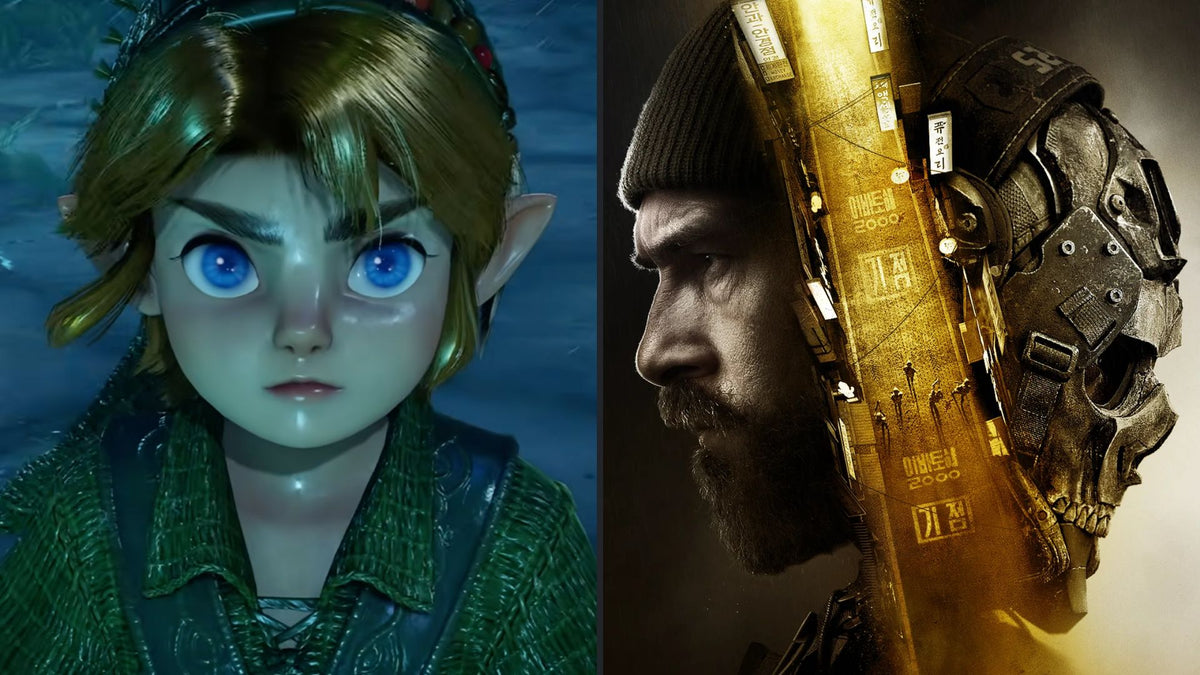
Activision, Zelda, GTA 6, and the Real Buying Question: What Kind of Gaming PC in Canada Do You Actually Need for the Biggest Games of the Year?
The latest headline around Activision’s comments on Zelda, GTA 6, and Call of Duty highlights a bigger issue for Canadian buyers than console rivalry alone: when the biggest games of the year dominate the conversation, more people start asking what kind of Gaming PC Canada shoppers should buy to keep up. That is the real opportunity. Hype around blockbuster releases does not just drive attention. It changes buying timelines, pushes hardware demand, and makes a lot of people realize their current system is no longer where they want it to be.
In the source story, an Activision executive argued that GTA 6 and Call of Duty: Modern Warfare 4 are operating on a larger commercial scale than Zelda. Whether you agree with that or not, the bigger takeaway is hard to ignore: major game launches pull lapsed players back into gaming, get more people upgrading, and create a wave of interest around stronger hardware. If you are in Canada and thinking ahead, this is not just gaming news. It is a buying signal.
Are you planning to jump into the next wave of AAA releases at 1080p? Do you want smooth 1440p performance with high settings? Are you aiming for 4K, ray tracing, competitive frame rates, streaming, recording, or all of the above? And if your current PC is already struggling today, what happens when even heavier releases start landing one after another?
What the Activision vs. Zelda headline really tells Canadian PC buyers
On the surface, the story is about market size and purchase intent. One side of the discussion points to mass-market franchises like GTA and Call of Duty. The other reminds readers that platform ownership matters, and that demand can look different depending on where players actually are. For buyers, though, the more useful lesson is this: big launches create pressure.
Pressure shows up in several ways. More gamers upgrade. More parents shop for gaming systems. More creators want to cover trending games on YouTube, Twitch, and short-form platforms. More students decide that one PC should handle gaming, school, editing, and streaming at the same time. And more people suddenly realize they waited too long on an old system.
That is why timing matters. A huge release calendar can quickly turn “I’ll upgrade later” into “I need something now.” When that happens, buyers often face tighter stock conditions, less flexibility, and more expensive replacement decisions.
Why this matters differently in Canada
Canadian buyers should always think a little differently than buyers in larger, more pricing-stable markets. Exchange rates, shipping realities, component volatility, and regional availability can all affect how much performance you get for your budget. Even if a game announcement sounds global, your purchase decision is local. A good build in Nova Scotia, Ontario, Alberta, or British Columbia still needs to make sense in Canadian dollars.
That is also why buying only by headline hype can be a mistake. The right question is not just, “What are the biggest games?” The better question is, “What do I want my next PC to handle over the next two to four years without forcing me into another upgrade too soon?”
If your answer includes upcoming AAA games, high refresh multiplayer, Discord, OBS, browser tabs, school work, Adobe apps, or editing clips for social media, then your build strategy should reflect real use, not just one release date.
What do you want your next PC to do for you?
Before you compare systems, take a step back and ask the questions that actually matter.
- Do you mainly want a system for Call of Duty-style shooters and open-world games?
- Do you want to play at 1080p and get strong value, or are you buying for 1440p and long-term headroom?
- Are you thinking about ray tracing now, or do you want a build that can grow into it later?
- Will you stream with OBS, record gameplay, or edit clips after gaming sessions?
- Do you also need the PC for Premiere Pro, Photoshop, Lightroom, Illustrator, Blender, or school and work tasks?
- Are you trying to avoid buying a “good enough for now” system that feels outdated far too quickly?
Those questions change everything. A student who wants a budget gaming machine has very different needs from a customer who wants a premium RTX gaming setup for ultra settings. A creator who games at night but edits video during the day needs a smarter balance of CPU, GPU, RAM, and storage than a pure esports buyer. And someone considering financing may be better served by a stronger long-term system instead of settling for a lower tier that needs replacement sooner.
If GTA 6, Call of Duty, and future AAA games are on your radar, what performance tier fits you?
Not every buyer needs the same class of system. The best approach is to match your performance tier to your actual goals.
Entry-level and budget gaming: best for 1080p players who want value
If you mainly want solid 1080p gaming, strong esports performance, and room for everyday tasks, an entry-level or budget-focused gaming desktop can still make a lot of sense. This tier works well for players who care about responsiveness and value first, especially if they are upgrading from an older machine that struggles with current titles.
But ask yourself: are you only buying for today’s settings, or for next year’s game requirements too? A low-budget purchase can be smart, but only if it still gives you a comfortable runway. If your goal is “play now and not worry for a while,” then the absolute cheapest route is not always the best value.
Mid-range gaming: the sweet spot for 1440p and longer-term balance
For many Canadian buyers, mid-range is where the best balance lives. This is often the category that makes the most sense for players interested in newer AAA games, high settings, smooth 1440p performance, and decent multitasking. If you want one system for gaming, voice chat, school, work, and maybe some light editing or streaming, this is frequently the smartest place to shop.
Are you the kind of buyer who would rather spend a little more once instead of feeling the need to upgrade again too early? Then this is likely the tier worth serious attention.
High-end gaming: for 1440p ultra, ray tracing, and 4K ambitions
If you want high refresh 1440p, ultra settings, stronger ray tracing performance, or a more realistic path to 4K gaming, then you are looking at premium territory. This is where Custom Gaming PC Canada buyers often start thinking beyond basic frame rates and toward long-term performance, cooling quality, case airflow, upgrade paths, and overall platform strength.
This tier also makes sense if you know your game library will include demanding open-world titles, heavily detailed shooters, future AAA releases, and a mix of gaming plus content creation. A stronger GPU today can save frustration later, especially when game requirements rise faster than expected.
What if you also want to stream, edit, or create content?
This is where many buyers underestimate what they need. A system that is good for gaming alone may not be ideal for gaming plus recording, livestreaming, editing, thumbnail creation, and multitasking. If you are planning to be active on Twitch, YouTube, TikTok, or simply want cleaner gameplay capture and smoother exports, your hardware priorities change.
Do you need a machine that can play a new shooter smoothly while also handling OBS, browser tabs, Discord, and background applications? Are you recording long sessions and cutting clips later? Do you want faster exports for YouTube? Do you use Adobe Creative Cloud or DaVinci Resolve as much as you use your game launcher?
That is when a Creator PC Canada or gaming-and-creator style build starts to make more sense than a one-dimensional gaming-only configuration.
For streaming
A good streaming setup needs more than average gaming hardware if you want smooth gameplay while encoding video, managing overlays, and staying responsive. A strong GPU can help with modern streaming workflows, but CPU choice, RAM capacity, and storage planning matter too. If your stream setup is part of your long-term plan, it is worth building for that from day one instead of trying to patch around a weak platform later.
For video editing and short-form content
If your workflow includes Premiere Pro, DaVinci Resolve, After Effects, or CapCut, then your PC needs to handle more than gaming bursts. Timeline responsiveness, render speed, playback smoothness, and storage performance become major factors. Ask yourself: do you just want to trim highlights occasionally, or are you building a system that supports serious, repeated editing work every week?
If your answer is the second one, a Video Editing PC Canada build is often the better investment than a basic gaming machine with minimal RAM and limited storage.
For photo editing and graphic design
Maybe the biggest games of the year caught your attention, but your actual daily work includes Photoshop, Lightroom, Illustrator, Canva, or InDesign. In that case, the ideal system is not just about FPS. It is about consistency, responsiveness, fast file access, enough memory for heavy assets, and a reliable platform that does not slow you down when deadlines hit.
Would you rather buy one balanced desktop that handles gaming at night and creative work during the day? For many people, that is exactly where a custom build offers the most value.
For 3D modeling and rendering
If gaming is only part of the equation and your bigger workload includes Blender, Unreal Engine, CAD-style tasks, or rendering, then you are in workstation-adjacent territory. Here, build quality and component matching matter even more. The wrong balance can leave a lot of performance on the table. The right one can dramatically improve render times, viewport responsiveness, and workflow reliability.
Is it better to buy now or wait for the next big release wave?
This is one of the most important questions buyers ask, and the answer depends on your current system, your patience, and your risk tolerance.
If your PC is already underperforming, waiting can be expensive in hidden ways. You lose time. You compromise settings. You put up with stutters, storage limits, noise, and frustration. You may also end up shopping in a hotter market, where major launches and seasonal demand put more pressure on popular parts.
Could prices improve later? Sometimes. But hardware buying is rarely a straight line. GPU demand can tighten. Memory prices can move. SSD pricing can shift. CPU inventory can fluctuate. Full-system replacement costs can creep upward faster than expected, especially when high-profile games bring more casual and returning buyers into the market.
If you already know your current PC is behind your goals, the better question may be: would waiting actually save you money, or would it just delay a purchase you already know is coming?
Should you finance a stronger system instead of buying a weaker one?
For many buyers, this is the most practical question in the entire process. If paying all at once forces you into a lower-spec machine that you may outgrow quickly, then financing can be the smarter long-term move. Groovy Computers offers financing up to 4 years, which can help customers secure a stronger system when timing matters.
Think about it this way: would you rather stretch your budget into a system that barely meets today’s needs, or move into a build that better matches your next few years of gaming and creative use? If your answer is “I want to avoid replacing this too soon,” then financing deserves serious consideration.
This is especially true for buyers looking at higher-demand categories like premium gaming, gaming-plus-streaming, creator systems, and workstation-level builds. If a better GPU, more RAM, or stronger platform today saves you from an early upgrade cycle, monthly payments can be easier to justify than repeated replacement costs.
What components matter most when blockbuster games drive upgrade demand?
When major titles dominate the conversation, buyers often focus only on the graphics card. The GPU is critical, of course, but a well-built system is about balance.
GPU
The graphics card remains the biggest driver of gaming performance, especially at 1440p and 4K. If your target includes ultra settings, higher textures, ray tracing, or future AAA games, the GPU tier matters a lot. It also tends to be one of the first components affected by demand spikes.
CPU
For shooters, open-world titles, multitasking, and streaming, the processor matters more than many buyers think. A better CPU can help maintain smoother frame delivery, improve multitasking, and support longer platform life.
RAM
Modern workloads add up quickly. Gaming while running voice chat, browsers, launchers, capture apps, and editing tools can push memory needs higher than expected. If you also create content, generous RAM can make a major difference in day-to-day comfort.
Storage
Large modern games, captured footage, project files, creative assets, and software libraries can fill drives fast. Fast SSD storage does not just help with loading. It also improves responsiveness across your whole workflow.
Cooling and power quality
These are easy to overlook and expensive to regret. Good thermals, stable power delivery, and proper case airflow help preserve performance, reduce noise issues, and support reliability over time. That matters whether you are gaming for hours, exporting videos, or rendering heavy projects.
Which kind of buyer are you?
One of the easiest ways to narrow the right system is to identify your buyer profile honestly.
The “I just want new games to run well” buyer
You care about smooth gameplay, decent settings, and not overpaying. A balanced 1080p or 1440p gaming build is likely your lane. The key question is: do you want a value-first machine, or one with enough headroom that next year’s releases do not immediately force compromises?
The “I want COD, open-world games, and streaming” buyer
You need stronger multitasking and better all-around capability. A gaming-and-streaming build with a smarter CPU/GPU balance will serve you better than a bare-minimum gaming desktop.
The “I game, but I also edit and create” buyer
You need one machine to handle multiple roles. This is where custom planning pays off. Your build should support gaming performance, editing responsiveness, export speed, and enough RAM and storage to stay comfortable.
The “I want a premium system that lasts” buyer
You are not shopping for the lowest upfront number. You want a system that feels strong now and still feels relevant later. If you are eyeing 1440p ultra, ray tracing, 4K aspirations, or a long replacement cycle, a premium RTX-class build may be the right fit.
What questions should you ask before buying your next PC?
Before you commit, ask yourself a few direct questions.
- What games do I actually play most, and what new titles do I expect to care about next?
- Am I buying for 1080p, 1440p, or 4K?
- Do I care about ray tracing, ultra settings, or high refresh competitive performance?
- Will I stream, record, edit, design, or render on this same machine?
- How long do I want this system to feel capable before I think about major upgrades?
- Would financing a better build now save me from buying twice?
- Do I want a generic box, or a tested custom system with real Canadian support?
If you are unsure about even one of those answers, that is exactly why expert guidance matters.
Why a custom build from Groovy Computers makes more sense when hype and demand are rising
When gaming interest spikes, a lot of buyers rush toward whatever appears easiest. But not every PC is built with the same care, balance, or long-term logic. Groovy Computers is positioned for buyers who want more confidence in the process: custom-built systems, thoughtful part matching, rigorous testing, and a 1-year warranty.
That matters whether you are shopping for a gaming desktop, a creator system, or a workstation-class machine. It also matters if you are buying from Atlantic Canada, Nova Scotia, or anywhere else across the country and want a Canada Built Gaming PC experience that feels trustworthy instead of disposable.
Do you want help choosing between a budget-oriented gaming system, a stronger 1440p machine, a premium RTX build, or a custom creator PC? Do you want to know whether your budget is better spent on GPU tier, CPU strength, more RAM, or more storage? That is where Groovy Computers adds real value instead of leaving you to guess.
What if you are shopping in Canada and want to avoid upgrading too soon?
This is where many smart buyers make their decision. Future-proofing is never absolute, but avoiding obvious underbuying is possible. The goal is not to overspend on hype. The goal is to buy a system that fits how you will actually use it for long enough to feel worthwhile.
If your interests include Call of Duty-style releases, future open-world blockbusters, game capture, live streaming, and creative software, then the cheapest route can become the most expensive route over time. Replacing or heavily upgrading too soon often costs more than choosing correctly at the start.
Would you rather buy for this month only, or buy for the next wave of games, apps, and workloads? That is the decision most readers are really making.
Need help deciding what performance tier fits you?
If you are still comparing options, here is a simple way to think about it.
- Choose entry-level if your focus is 1080p gaming, tight budget control, and general value.
- Choose mid-range if you want stronger 1440p performance, better longevity, and flexibility for multitasking.
- Choose high-end if you want premium visuals, heavier AAA performance, ray tracing ambitions, or long-term confidence.
- Choose creator-focused if gaming is only one part of your workflow and editing, design, or production matter daily.
- Choose workstation-focused if your build also needs to support Blender, rendering, CAD, Unreal, or other demanding professional workloads.
The right answer depends on what you want your machine to do, how soon you need it, and whether you are trying to minimize short-term cost or maximize long-term value.
Ready to buy before demand shifts again?
If the biggest game headlines of the year have you thinking about your current setup, that is a good time to act with a plan instead of waiting until you are forced into a rushed purchase. Are you looking for a custom gaming PC, a stronger system for streaming and editing, or a workstation that can handle serious creative work? Visit GroovyComputers.ca to explore custom build options, get guidance on the right performance tier, and see whether financing a stronger system now makes more sense than settling for less.
In the end, the Activision, Zelda, and GTA 6 conversation is not just about which franchise is biggest. For Canadian buyers, it is about recognizing when gaming demand is rising and making a smarter hardware decision before your old PC makes the choice for you. If you want a better Gaming PC Canada shoppers can trust for new games, streaming, editing, and long-term value, Groovy Computers is exactly the kind of builder worth considering.
#GamingPCCanada #CustomGamingPCCanada #GamingPCforNewGames #CreatorPCCanada #VideoEditingPCCanada #StreamingPCCanada #CanadianCustomPCBuilders #GamingPCNovaScotia #BuyGamingPCOnlineCanada #FinanceGamingPCCanada
Groovy Computers | All Rights Reserved



Leave a comment
This site is protected by hCaptcha and the hCaptcha Privacy Policy and Terms of Service apply.