



































GTA 6 Hype Is Building Fast: What Kind of Gaming PC in Canada Will You Need to Be Ready?
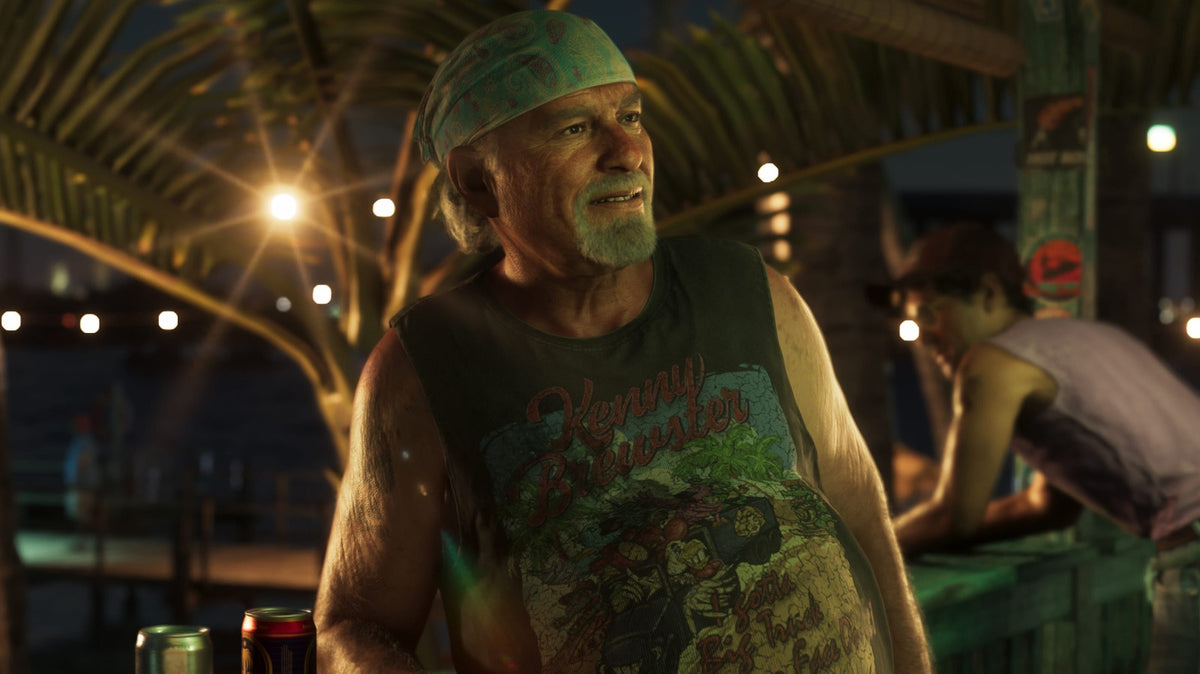
The latest conversation around the GTA 6 extended look has focused on familiar voices, possible cast reveals, and how much detail players are already analyzing before launch. That kind of attention matters for more than entertainment news. It is also a signal that one of the biggest open-world releases in gaming is moving closer to the point where Canadian players will start asking a more practical question: is your current PC actually ready for GTA 6 and other demanding new AAA games?
At Groovy Computers, that is where the story gets real. When anticipation around a blockbuster title starts ramping up, demand for stronger GPUs, better CPUs, more RAM, and faster SSD-based systems usually follows. If you are reading about GTA 6, character speculation, ray tracing, open-world detail, and cinematic presentation, you may already be wondering what your next system should look like. Do you need a budget gaming computer for solid 1080p play? A 1440p system that balances value and longevity? A premium RTX gaming PC for ultra settings and future-proof performance? Or do you also need enough power for streaming, editing clips, and content creation after you play?
Why the GTA 6 Extended Look Matters to PC Buyers
The source discussion centered on the actors fans believe they recognized in Rockstar's latest extended look, with attention on possible voice talent behind Brian, Cal, Jason, and Lucia. Even without official confirmation, one thing is obvious: the game is already driving major discussion because it feels large, polished, cinematic, and technically ambitious.
That is exactly why hardware planning matters now. Big open-world games do not just ask for a graphics card that can launch the game. They reward balanced systems with strong CPU performance, enough VRAM, enough system memory, and storage fast enough to keep loading times and traversal smooth. If you buy too weak a machine now, are you setting yourself up to upgrade again sooner than you want? If you buy too aggressively without understanding your real needs, are you overspending where it does not help?
Those are the right questions to ask before hype turns into a rush.
What PC Do You Want Your Next System to Handle?
Before choosing parts, start with the result you want. Do you mainly want a gaming PC for GTA 6 and other new releases? Do you also play competitive shooters where high FPS matters more than ultra visuals? Are you hoping to stream on Twitch or YouTube? Do you want to edit gameplay in Adobe Premiere Pro, DaVinci Resolve, or CapCut? Are you creating thumbnails in Photoshop, social assets in Illustrator, or short-form clips for TikTok and YouTube?
Your answer changes the build.
If your system only needs to game well at 1080p, one category of hardware makes sense. If you want 1440p ultra settings with ray tracing headroom, you need a stronger GPU tier. If you want to game, stream, record, and edit on the same computer, the ideal build changes again. And if GTA 6 is just the trigger that finally pushes you toward a broader creator or workstation setup, then it is smarter to buy for the full workload, not just one title.
What Gaming Performance Tier Fits You Best?
One of the biggest mistakes buyers make is shopping by hype instead of use case. A better approach is to match the system to the resolution, settings, and longevity you actually want.
1080p Buyers: Are You Focused on Value, Esports, and Smooth Play?
If you want excellent performance without jumping to a premium budget, a 1080p-focused gaming desktop is often the sweet spot for value-conscious buyers in Canada. This is especially true if you play a mix of open-world games, online multiplayer, and story-driven titles but do not need everything maxed out with heavy ray tracing.
This tier is ideal if you are asking questions like: how much should I spend on a gaming PC, can a budget gaming PC play new games, and should I buy a cheap gaming PC or finance a better one? For many players, the best answer is not the absolute cheapest machine. It is the system that stays capable for longer, uses quality parts, and leaves room for future upgrades.
1440p Buyers: Do You Want the Best Balance of Visual Quality and Long-Term Value?
For many Canadian gamers, 1440p is the current sweet spot. It delivers a major visual upgrade over 1080p without requiring the same level of spend as a full 4K-focused system. If GTA 6 and similar upcoming games are the reason you are shopping, this is often the most practical tier for players who want strong image quality, high settings, and meaningful lifespan from a custom build.
Are you the kind of buyer who wants to enjoy today's demanding games and still feel confident about next year's releases? Do you want strong frame rates without dropping massive money into the very top end? A 1440p-focused custom gaming PC often makes the most sense.
4K and Ray Tracing Buyers: Are You Building for Maximum Visual Impact?
If your goal is premium image quality, advanced lighting effects, and long-term top-tier performance, you are in high-end territory. This is where buyers start caring about stronger RTX-class graphics, cooling quality, power supply headroom, airflow, and CPU pairing that will not bottleneck a premium GPU.
Ask yourself: do you really want 4K gaming, or do you mostly want very high settings at 1440p with better longevity? Do you want the bragging rights build, or the smarter performance-per-dollar build? There is nothing wrong with going premium, but the right premium system is one built around your actual goals, not just a spec sheet screenshot.
What PC Do You Need for GTA 6 If You Also Stream?
Many buyers are no longer shopping for a gaming-only desktop. They want a system that can handle gameplay, OBS, recording, browser tabs, Discord, music, and maybe a second monitor setup at the same time. If that sounds like you, then a simple entry gaming build may feel limited faster than expected.
A gaming and streaming PC should prioritize not just graphics power, but also CPU multitasking, sufficient RAM, and storage planning. Do you want to stream at 1080p while maintaining smooth in-game performance? Are you recording footage locally for later edits? Will you be clipping highlights daily and uploading them to YouTube?
If so, it makes sense to choose a more balanced custom streaming PC instead of a lowest-cost gaming tower. That way, you are not buying once for the game and then immediately wishing you had more overhead for your creator workflow.
Will You Be Editing GTA 6 Content Too?
A lot of customers start shopping because of a game, then realize they also need a stronger computer for editing, thumbnails, social posting, and content production. If you plan to cut gameplay, render short-form clips, create channel art, or work across Premiere Pro, DaVinci Resolve, Photoshop, and Illustrator, then you should think beyond gaming specs alone.
That is where a creator PC Canada or video editing-focused system becomes the smarter buy. These builds often benefit from more RAM, more SSD capacity, stronger multicore CPU performance, and a GPU that helps with accelerated export and effects workloads. Are you only going to play, or are you going to create around the game too? That answer can save you from buying the wrong category entirely.
For Video Editing
If you are producing YouTube videos, highlight reels, or livestream cutdowns, ask yourself: what PC do I need for video editing, how much RAM do I need for video editing, and is a gaming PC good for video editing? The answer is that some gaming PCs are good for editing, but not all gaming-first systems are balanced well for creator work. A proper editing machine should feel smooth on the timeline, responsive with large files, and fast when exporting.
For Photo Editing and Graphic Design
If your workflow includes Photoshop, Lightroom, Canva, Illustrator, or InDesign, your ideal desktop may look different again. Fast storage, enough memory, efficient CPU performance, and reliable multi-app responsiveness all matter. Do you make thumbnails every week? Are you handling RAW images, layered PSDs, and social campaigns? Then your next system may need to be more than a gaming PC.
For 3D Modeling and Game-Related Creative Work
If GTA 6 hype has you thinking about game development, Blender, Unreal Engine, or 3D content creation, then you may be shopping closer to workstation territory. In that case, the right build depends on whether you are modeling, rendering, animating, or compiling scenes. Are you building assets? Learning Unreal? Rendering in Blender? The best system for that work is not always the same as the best system for pure gaming.
Why Canadian Buyers Should Think About Timing Before Big Game Releases
When a major title starts dominating conversation, the hardware side of the market can get less friendly for late buyers. Demand spikes do not always happen overnight, but interest in stronger gaming systems tends to rise as release windows narrow, preview cycles intensify, and more players decide they need an upgrade.
That matters in Canada because full-system costs are affected by more than just one part. GPU pricing pressure, storage pricing changes, memory volatility, and shifts in CPU availability can all influence what your final build costs. If your current machine is already borderline, is it really better to wait until everyone else is shopping too?
This is especially important if you know you want to move from older hardware to something meaningfully stronger. Buying under pressure often leads to compromise. Buying earlier gives you more choice, more time to compare tiers, and a better chance of getting the right long-term machine instead of panic-buying whatever is left in budget.
Should You Buy a Budget Gaming PC or Finance a Better One?
This is one of the most useful questions in the current market. A cheaper system may get you into PC gaming now, but if it leaves you dropping settings harder than expected, running out of storage too quickly, or replacing parts sooner, it may not be the best value over time.
So what matters more to you: the lowest upfront total, or the strongest practical performance for the next several years? If monthly affordability is the issue, financing can be the difference between settling and getting the system you actually need.
For buyers who want more GPU headroom, more RAM, a better CPU, or a larger SSD, financing up to 4 years can make a much stronger build accessible without waiting and risking replacement costs rising later. If you are asking, should I finance a gaming PC, is financing a gaming PC worth it, or should I finance a better PC instead of buying a cheaper one, the answer depends on how long you want the system to stay satisfying. In many cases, a better-balanced build financed responsibly is smarter than buying too low and upgrading too soon.
What Questions Should You Ask Before Ordering Your Next PC?
Before you commit to any build, ask the same questions a good custom PC builder would ask.
- What games are you buying this system for? Is it mainly GTA 6 and other AAA open-world titles, or also esports games that reward high refresh rates?
- What resolution do you want to play at? 1080p, 1440p, or 4K?
- Do you care about ray tracing? Or is smooth performance your main goal?
- Will you stream or record gameplay? If yes, how often?
- Will you edit videos or photos on the same machine? If yes, what software do you use?
- How long do you want this PC to feel current? Two years? Four years? Longer?
- Do you want to avoid upgrading again too soon? Then the cheapest option may not be the right one.
- Would monthly payments help you get the correct tier now? If yes, financing could make the build decision easier.
Custom PC vs Generic Prebuilt: Why the Difference Matters More for GTA 6-Class Games
Not every gaming desktop is built with the same logic. Some systems look good on paper but cut corners where buyers notice it later: weak airflow, low-quality power supplies, poor part matching, limited upgrade paths, single-stick memory, inadequate cooling, or storage setups that fill up too fast.
That matters more with demanding modern games because performance consistency is not just about the GPU. It is about thermals, power delivery, platform balance, and real-world testing. Are you buying a machine for screenshots, or for years of actual use?
A properly planned custom gaming PC gives you a better chance of matching your budget to your real goals. If your priority is a Gaming PC Canada shoppers can trust for major new releases, then custom part selection, compatibility, cooling, and testing should matter to you as much as the headline GPU tier.
What Makes Groovy Computers a Stronger Choice for Canadian Buyers?
Groovy Computers is built around the needs of Canadian customers who want more than a generic box. Whether you need a gaming desktop, a streaming and editing setup, a creator build, or a workstation-class machine, the value is in getting the right parts together in the right system for the work you actually do.
That means custom build guidance, practical performance matching, rigorous testing, and confidence when ordering in Canada. It also means a 1-year warranty and the reassurance that your machine is being built as a complete system, not just assembled from a random list of mismatched parts.
Are you shopping from Nova Scotia, Atlantic Canada, Ontario, Alberta, British Columbia, or anywhere else in the country? Buying from a Canadian custom PC builder matters when you want support, shipping confidence, and a system designed for your goals instead of a one-size-fits-all template.
Which Type of Groovy Computers Build Fits You?
Choose a Value-Focused Gaming Build If...
You mainly want 1080p performance, a strong first PC, esports responsiveness, and solid play in newer games without overspending. This tier works well for budget-conscious buyers who still want a quality platform and upgrade path.
Choose a Mid-to-High 1440p Gaming Build If...
You want the best mix of modern visual quality, stronger longevity, and room for demanding new titles. For many customers excited about GTA 6 and future AAA games, this is the smartest category overall.
Choose a Premium RTX Gaming PC If...
You want ultra settings, stronger ray tracing capability, maximum visual impact, and more future-proof headroom. This is ideal for buyers who prefer fewer compromises and are willing to invest in a system built for top-tier gaming.
Choose a Creator PC If...
You game, stream, edit, design, and publish from the same machine. If your desktop needs to handle OBS, Premiere Pro, DaVinci Resolve, Photoshop, and gameplay in one workflow, then a creator-focused build is the right step up.
Choose a Workstation or 3D Build If...
Your workflow includes Blender, Unreal Engine, rendering, CAD, asset creation, or professional multitasking beyond gaming. In that case, you should be shopping for a machine tuned for production as much as play.
Is Now a Good Time to Buy, or Should You Wait?
If your current PC is already struggling, waiting usually does not create a better experience. It just extends the period where you are compromising, delaying, or risking a rushed decision later. If you know a major game release, creator workload increase, or software upgrade is coming, buying earlier can be the more controlled move.
Ask yourself: do you want to be ready before the rush, or start shopping when everyone else is looking too? Do you want time to choose the right tier, or do you want to gamble on last-minute availability and replacement costs?
There is no universal answer for every buyer, but if GTA 6 hype is reminding you that your current desktop is aging out, that is worth listening to.
Need Help Choosing the Right PC for GTA 6, Streaming, or Content Creation?
If you are unsure whether you need a budget gaming system, a stronger 1440p build, a premium RTX setup, or a creator-focused machine, the best next step is simple: talk to Groovy Computers. What do you want your next PC to do for you over the next few years, not just next weekend? If you want help choosing a custom build, comparing performance tiers, or exploring financing so you can secure a stronger system before prices shift, visit GroovyComputers.ca.
As GTA 6 discussion keeps building, the smartest move for many players is to use that hype as a buying lens. The right custom system should not just run one game. It should fit your gaming style, your content goals, your budget, and your timeline. If you want a machine that is ready for big modern releases and still makes sense for the rest of your workflow, Groovy Computers is one of the strongest places in Canada to start.
#GamingPCCanada #GamingPCForGTA6 #CustomGamingPCCanada #CanadianCustomPCBuilders #1440pGamingPCCanada #4KGamingPCCanada #CreatorPCCanada #StreamingPCCanada #VideoEditingPCCanada #GamingPCNovaScotia
Groovy Computers | All Rights Reserved



Leave a comment
This site is protected by hCaptcha and the hCaptcha Privacy Policy and Terms of Service apply.