



































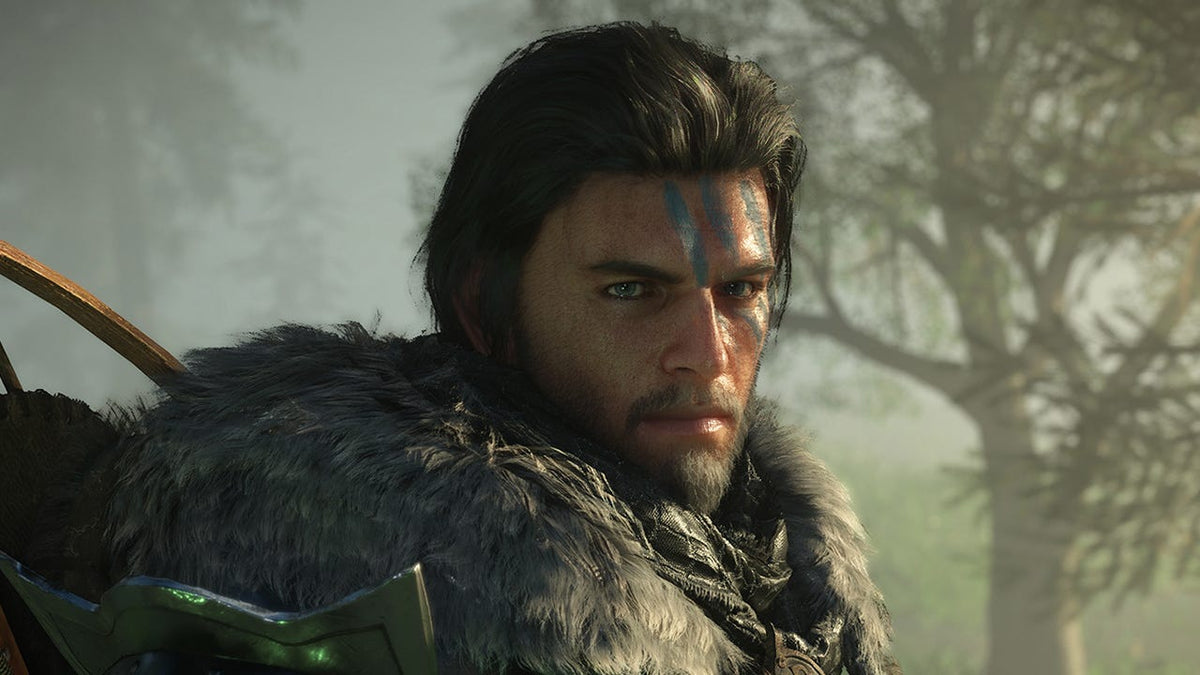
Crimson Desert Price Drop Shows Why a Gaming PC for New Games Matters More Than Ever in Canada
A limited-time Crimson Desert physical copy discount on PS5 has grabbed attention because it cuts the game from roughly CA$95 to about CA$67 when converted from the reported U.S. pricing. On the surface, that is simply a good console game deal. But for Canadian players watching major releases, rising hardware demand, digital storefront changes, and the long-term value of owning a powerful system, it points to a bigger question: do you have the right Gaming PC for New Games, or are you going to be forced into upgrades sooner than you expected?
Crimson Desert is exactly the kind of large-scale action adventure that makes players think carefully about platform, performance, visual quality, storage space, and long-term value. Even when a console copy drops in price for a short window, many gamers are asking a different question: would the experience be better, smoother, more flexible, and more future-ready on a custom gaming PC?
At Groovy Computers, we look at gaming news through the lens of real Canadian buyers. A temporary game discount is helpful, but it does not solve the bigger buying decision. If you are planning to play new AAA games, stream gameplay, edit videos, create content, work in Adobe Creative Cloud, build 3D projects, or finance a stronger computer before prices shift again, the more important decision is not only which game to buy. It is which PC will keep up with your next few years of gaming and creative work.
What the Crimson Desert Deal Gets Right: Timing Still Matters
The reported Crimson Desert deal is a limited-time discount on a physical PS5 copy, and that matters because timing has become a major part of gaming purchases. A game can drop in price quickly. Stock can run out. Hardware can become harder to find. Component pricing can change. Demand can spike around major releases. Canadian buyers know this feeling well: by the time you decide to buy, the better deal may already be gone.
That same timing logic applies to gaming PCs. If you are waiting for a major game, a new season of competitive content, a creator software upgrade, a school semester, a business project, or a holiday rush, the question becomes: is it better to buy a gaming PC now or wait?
There is no single answer for every customer, but there is a practical rule. If your current computer already struggles with newer games, multitasking, streaming, editing, or high-resolution work, waiting often means losing time, performance, and buying flexibility. A short-term game discount is great, but a well-chosen custom PC can affect every game, every project, every export, and every workday for years.
Why Canadian Buyers Should Think Beyond a Console Game Discount
Canadian gamers face different buying realities than U.S. shoppers. A U.S. price that looks like a clean discount often becomes a different conversation once converted into Canadian dollars. Taxes, shipping, availability, regional stock, exchange-rate pressure, and local support all matter. That is why a roughly CA$67 game deal is interesting, but a full-system buying decision needs a Canadian lens.
If you are in Nova Scotia, Atlantic Canada, Ontario, Alberta, British Columbia, or anywhere else in Canada, you may be comparing more than one purchase at once. Do you buy a console game now? Do you upgrade your old desktop? Do you move from 1080p to 1440p? Do you build a system that can handle both gaming and content creation? Do you finance a better PC instead of settling for a cheaper system that might feel outdated too soon?
These are the questions that actually decide value. A game sale can save you money today, but the right gaming computer can change your entire setup. A stronger GPU can improve frame rates. A better CPU can reduce stutter and speed up exports. More RAM can improve editing, streaming, browser multitasking, and creative workflows. A faster SSD can reduce loading times and make large projects easier to manage.
What Do You Want Your Next PC to Do for You?
Before choosing a build, ask yourself the most important question: what do you want your next PC to do for you?
Do you only want to play new games at 1080p with smooth frame rates? Are you moving toward 1440p gaming because you want sharper visuals and a better monitor experience? Do you want 4K gaming, ray tracing, high graphics settings, and a premium display? Are you planning to stream on Twitch or YouTube while playing? Do you record gameplay for TikTok, Shorts, or long-form YouTube videos? Do you edit in Premiere Pro, DaVinci Resolve, CapCut, or After Effects? Do you work with Photoshop, Lightroom, Illustrator, Canva, Blender, Unreal Engine, AutoCAD, Revit, or SolidWorks?
Your answer matters because a good gaming PC is not always the same as a good creator PC, and a good creator PC is not always the same as a true workstation. There is overlap, but the best value comes from choosing parts around your actual use, not just buying the flashiest spec list.
If you are unsure, that is exactly where Groovy Computers can help. A custom build should not feel like a guessing game. It should match your monitor, games, software, budget, upgrade plans, and timeline.
Gaming PC for New Games: What Should Canadian Players Prioritize?
A Gaming PC for New Games should be built around the experience you want, not just the minimum requirement on a store page. Minimum specs are designed to make a game run. Recommended specs are often designed for a reasonable experience. But if you want smooth frame rates, high settings, streaming, recording, quick loading, and room for future releases, you need to think beyond the bare minimum.
Are You Playing at 1080p, 1440p, or 4K?
Resolution is one of the biggest performance decisions you will make. A 1080p gaming PC Canada buyer usually wants strong value, high frame rates, and reliable performance without overspending. This is a great tier for esports, first gaming PCs, students, and players who want to enjoy new games without chasing maximum settings.
A 1440p Gaming PC Canada buyer usually wants the sweet spot. 1440p delivers noticeably sharper visuals than 1080p while remaining more affordable and easier to drive than 4K. If you are asking, what PC do I need for 1440p gaming?, the answer usually starts with a balanced CPU and a stronger graphics card that can handle modern AAA titles without forcing constant settings compromises.
A 4K Gaming PC Canada buyer is looking for premium performance. This tier is for players who want ultra settings, higher visual fidelity, ray tracing, large displays, and long-term headroom. If you are asking, what PC do I need for 4K gaming?, you should be thinking about high-end GPU performance, strong cooling, fast storage, and enough power supply capacity to support future upgrades.
Do You Care About Ray Tracing, Ultra Settings, and High FPS?
Not every gamer needs the same kind of performance. Some players want cinematic visuals. Others want competitive responsiveness. Some want both. If you play open-world games, action RPGs, cinematic adventures, racing games, or visually demanding AAA releases, GPU power matters heavily. If you play competitive shooters, esports titles, or fast multiplayer games, CPU performance, frame consistency, monitor refresh rate, and low latency become extremely important.
Ask yourself: do you want the game to simply run, or do you want it to feel excellent? That difference is where a custom gaming PC becomes valuable. The right build can target the performance you actually care about instead of forcing you into a generic configuration.
Crimson Desert, Open-World Games, and the Case for PC Flexibility
Crimson Desert has attracted attention because it sits in the category of ambitious, visually rich action games that can benefit from strong hardware. Whether you are interested in Crimson Desert specifically or simply watching the wave of new open-world and action titles, the trend is clear: games are not getting lighter. Larger environments, higher-resolution textures, more complex lighting, faster traversal, and cinematic presentation all push system requirements upward.
That does not mean every player needs the most expensive computer. It means your PC should be chosen honestly. If you buy too low, you may save money today but compromise the games you are excited to play tomorrow. If you buy intelligently, you can get the right balance of performance and value.
Are you buying a PC for one game, or for the next three to five years of gaming? That question changes everything.
Which Performance Tier Fits You Best?
Choosing a gaming PC does not need to be overwhelming. Most buyers fall into a few practical tiers. The right tier depends on your monitor, games, software, budget, and upgrade expectations.
Budget Gaming PC Canada: Is Value Your Main Priority?
A Budget Gaming PC Canada build is ideal for players who want smooth 1080p gaming, esports titles, popular multiplayer games, and entry-level access to new releases. This tier is also a strong fit for students, families, first-time PC gamers, and customers who want a practical system without overbuying.
If you are asking, how much should I spend on a gaming PC?, start with what you play. Fortnite, Roblox, Minecraft, Valorant, Counter-Strike 2, and many esports titles can perform very well on sensible hardware. Newer AAA games may still run, but you may need to adjust settings depending on the GPU and target frame rate.
The biggest mistake in this tier is buying something too weak because it looks cheap. A low-quality bargain PC can cost more later if it needs immediate upgrades, has poor airflow, uses weak power delivery, or lacks a realistic upgrade path.
Mid-Range 1440p Gaming PC: Do You Want the Best Balance?
For many Canadian gamers, the mid-range 1440p tier is the best value. It offers a serious jump in visual quality over 1080p while staying more affordable than a premium 4K setup. This is a strong choice for open-world games, new AAA releases, action RPGs, shooters, racing games, and players who want a PC that feels modern without going extreme.
This tier is also excellent for players who stream casually, edit short-form content, use dual monitors, or want a system that can handle school, work, gaming, and creative apps in one setup.
If you want a PC that avoids feeling outdated too soon, this is often where the conversation should begin.
High End Gaming PC Canada: Are You Building for 4K, Ray Tracing, and Longevity?
A High End Gaming PC Canada build is for players who want premium performance now and more headroom later. If you are gaming at 4K, using ray tracing, running high-refresh monitors, streaming while playing, editing video, or using GPU-heavy creative tools, a premium build can make sense.
Should you finance a high-end gaming PC instead of buying a cheaper one outright? For some buyers, yes. If a lower-cost PC will force upgrades within a year or two, financing a stronger system over time can be the more practical route. The goal is not to overspend. The goal is to avoid buying twice.
Custom Creator PC Canada: Are You Gaming, Streaming, and Editing?
Many customers are no longer only gamers. They are also creators. They record gameplay, edit videos, make thumbnails, design social content, livestream, manage podcasts, create short-form clips, and run multiple apps at once. If that sounds like you, a Custom Creator PC Canada build may be a better fit than a basic gaming desktop.
A gaming and creator PC Canada setup usually needs a strong GPU, a capable multi-core CPU, enough RAM for multitasking, fast SSD storage, and quiet cooling. If you are using OBS, Premiere Pro, DaVinci Resolve, Photoshop, Lightroom, or After Effects, the system should be built around both gaming performance and workflow speed.
Ask yourself: will your PC help you create more consistently, or will it make you wait on exports, laggy timelines, dropped frames, and slow project loads?
Custom Workstation PC Canada: Do You Need Professional Reliability?
A Custom Workstation PC Canada build is the right direction when your computer is tied to income, deadlines, technical workloads, or complex projects. This includes 3D modeling, rendering, CAD, architectural visualization, game development, AI-assisted workflows, large design files, engineering software, and professional video production.
If you are asking, what workstation PC do I need?, the answer depends on your software. Blender, Unreal Engine, Unity, Maya, 3ds Max, Cinema 4D, AutoCAD, Revit, SolidWorks, Adobe Premiere Pro, DaVinci Resolve, and Photoshop all stress hardware differently. Some need GPU power. Some need CPU cores. Some need lots of RAM. Some need very fast storage. A generic gaming PC may work, but a purpose-built workstation can be much more efficient.
Is a Gaming PC Good for Streaming and Editing?
A gaming PC can be excellent for streaming and editing if it is configured properly. The key is balance. A system built only for gaming may not have enough RAM, storage, or CPU strength for heavier creative workflows. A system built only for editing may not prioritize the GPU or frame-rate performance gamers want.
If you are asking, what PC do I need for streaming?, think about your full setup. Will you stream at 1080p or 1440p? Will you use OBS Studio, Streamlabs, Twitch, YouTube Live, or TikTok Live? Will you record while streaming? Will you run Discord, browser tabs, music, overlays, alerts, and a second monitor at the same time?
For many streamers, an RTX-based system with strong encoding support can be a smart choice. GPU encoding can help maintain stream quality while keeping gameplay smooth. But the CPU, RAM, SSD, cooling, and network setup still matter. A stable streaming PC Canada build should be designed for long sessions, not just benchmark screenshots.
What PC Do Content Creators Need in 2026 and Beyond?
Content creation is becoming more demanding because creator software is becoming more powerful. Video editors are working with 4K footage, high-bitrate files, colour grading, AI tools, motion graphics, subtitles, multi-camera timelines, and rapid export schedules. Designers are juggling Photoshop, Illustrator, InDesign, Canva, browser-based tools, large image files, and brand assets. Photographers are batch-processing RAW files through Lightroom, Photoshop, Capture One, Luminar Neo, or other AI-assisted tools.
If you are asking, what PC do content creators need?, the answer depends on your workload. A YouTube editor may need strong CPU and GPU acceleration. A photographer may prioritize RAM, SSD speed, and colour workflow. A graphic designer may need fast single-core performance, enough RAM for large projects, and reliable multi-monitor support. A 3D artist may need significantly more GPU power and VRAM.
This is why Groovy Computers builds around real use cases. A creator PC should not be a random gaming desktop with extra RAM added as an afterthought. It should be planned around the software you open every day.
Video Editing PC Canada: Do You Need Faster Timelines and Exports?
A Video Editing PC Canada build is ideal for customers using Premiere Pro, DaVinci Resolve, After Effects, CapCut, or other editing platforms. If you work in 4K, 6K, or 8K footage, hardware choices become especially important.
How much RAM do you need for video editing? Many casual editors can work with 32GB, but heavier 4K workflows, After Effects projects, large timelines, and professional multitasking can benefit from 64GB or more. Storage also matters. A fast SSD can improve project responsiveness, media loading, cache performance, and overall workflow comfort.
Is a gaming PC good for video editing? It can be, especially if it has the right GPU, CPU, RAM, and storage configuration. But a purpose-built custom video editing PC Canada setup is usually better for creators who value time saved. Faster exports, smoother previews, and fewer workflow interruptions can matter more than a small upfront saving.
Photo Editing and Graphic Design: Are You Buying for Visual Work Too?
Not every buyer needs a massive rendering workstation. Some customers need a quiet, fast, reliable desktop for Photoshop, Lightroom, Illustrator, Canva, InDesign, CorelDRAW, Affinity Designer, or Adobe Creative Cloud. A Photo Editing PC Canada or Graphic Design PC Canada build should focus on responsiveness, RAM capacity, SSD speed, display support, and consistent performance.
Do photographers need a dedicated GPU? Sometimes yes, depending on software features, AI tools, monitor setup, and workflow size. Do graphic designers need a dedicated GPU? Again, it depends. For simple design work, moderate hardware may be enough. For large Photoshop files, AI tools, multi-monitor workflows, motion design, and mixed creative workloads, stronger hardware can make the entire system feel smoother.
If your PC is part of your creative business, waiting minutes on every export, batch process, or file load becomes expensive. The right build gives you time back.
3D Modeling PC Canada: Are You Moving Into Blender, Unreal Engine, or CAD?
A 3D Modeling PC Canada build is a different conversation from a basic gaming computer. Blender, Unreal Engine, Unity, Maya, 3ds Max, Cinema 4D, SketchUp, ZBrush, AutoCAD, Revit, and SolidWorks can demand serious hardware depending on project size.
What PC do you need for Blender? If you model casually, a balanced gaming PC may be enough. If you render frequently, work with complex scenes, use GPU rendering, or create animation, a stronger GPU and more RAM can dramatically improve productivity. What PC do you need for Unreal Engine? GPU power, CPU performance, RAM, and fast storage all matter, especially for real-time visualization and game development.
Workstation PC vs gaming PC for 3D modeling is not always an either-or decision. Many Groovy Computers customers need both. They want to play new games at high settings and also use their system for 3D work, CAD, rendering, or content creation. That is where custom part selection matters.
Why Financing Can Be Smarter Than Downgrading Too Far
When game deals and hardware prices are in the news, buyers naturally become more price-sensitive. That is reasonable. Nobody wants to overpay. But the cheapest PC is not always the best value, especially if it forces you into compromises that become expensive quickly.
Groovy Computers offers financing up to 4 years, which can help Canadian customers secure a stronger system sooner instead of buying a weaker computer that may need upgrades earlier. This is especially relevant if you are buying before a major game release, a school or work deadline, a creator software upgrade, a seasonal demand spike, or a possible price increase.
Should you finance a better PC instead of buying a cheaper one? Ask yourself these questions:
- Will the cheaper PC run the games or software you actually care about?
- Will it still feel strong in two or three years?
- Will you need to replace the GPU, add RAM, or upgrade storage almost immediately?
- Will weaker performance cost you time in editing, rendering, streaming, or work?
- Would monthly payments make a better-balanced build more realistic?
Financing is not about buying more than you need. It is about avoiding the trap of buying less than your workload requires. For many customers, a carefully chosen monthly payment gaming PC Canada option can create a better long-term result than stretching a weak system too far.
Why Waiting Can Become More Expensive
PC buyers often ask whether they should wait. Sometimes waiting makes sense. But waiting can also become expensive when demand rises or component pricing changes. GPUs, CPUs, RAM, SSDs, power supplies, cases, cooling hardware, and motherboard availability can all affect full-system pricing.
New game launches can drive GPU demand. Creator software updates can increase hardware expectations. Back-to-school, holiday periods, tax refund season, and major sale events can affect stock. Memory and storage pricing can move. Exchange rates can make Canadian costs less predictable. Even if one part drops in price, another can rise.
If your current PC is still strong, you may have flexibility. But if you are already dealing with stutters, long load times, crashes, weak frame rates, slow exports, noisy cooling, low storage, or limited upgrade options, waiting may simply delay the inevitable.
Is now a good time to buy a gaming PC? If you have a real performance need and a clear use case, the better question is: what build gives you the best value before your current system starts costing you more in frustration, missed gaming experiences, or lost productivity?
Custom PC vs Prebuilt PC Canada: Why the Details Matter
Many buyers compare custom PCs and prebuilts only by looking at the CPU and GPU line. That is a mistake. Two computers can list similar headline specs and perform very differently because of cooling, power supply quality, motherboard features, RAM configuration, SSD speed, case airflow, BIOS setup, cable management, thermal performance, and testing.
A generic prebuilt may look convenient, but it may not be optimized for your workload. A custom gaming PC from Groovy Computers can be planned around your games, monitor, software, budget, upgrade path, and aesthetic preferences. That matters if you want reliability, not just a spec sheet.
Why testing matters in a gaming PC is simple: problems are easier to catch before the system reaches you. Groovy Computers focuses on custom builds, rigorous testing, and a 1-year warranty so customers can buy with more confidence. For Canadian buyers, that support matters. A PC is not a disposable accessory. It is the centre of your gaming, work, school, streaming, and creative setup.
What Questions Should You Ask Before Buying a Gaming PC for New Games?
If you are researching a Gaming PC for New Games, use these questions to narrow the right build:
- What games do I want to play most? New AAA games, esports titles, open-world games, simulation games, and ray tracing-heavy games all push hardware differently.
- What monitor will I use? A 1080p 60Hz monitor has very different needs than a 1440p 165Hz or 4K high-refresh display.
- Do I want high FPS, high graphics settings, or both? Competitive players may prioritize frame rate, while cinematic players may prioritize visual quality.
- Will I stream or record gameplay? If yes, plan for GPU encoding, CPU headroom, RAM, storage, and a stable multi-monitor setup.
- Will I edit videos or photos? Premiere Pro, DaVinci Resolve, Photoshop, Lightroom, and After Effects can change your ideal build.
- Will I use 3D software? Blender, Unreal Engine, CAD, and rendering workflows may require workstation-class planning.
- How soon do I want to upgrade again? Spending slightly more now can sometimes delay a major upgrade later.
- Would financing help me choose the right tier? Monthly payments may make a stronger, more future-ready build possible.
If you cannot answer every question yet, that is normal. A good custom PC builder helps translate your goals into parts that make sense.
For Parents, Students, and First-Time Buyers: How Much PC Is Enough?
Parents and students often want the same thing: a reliable gaming computer that does not waste money. The challenge is knowing where to draw the line. A first gaming PC Canada setup should be strong enough to feel exciting, but not so overbuilt that it ignores the budget.
If the PC is mainly for school, gaming, Discord, streaming videos, and popular multiplayer games, a value-focused system may be enough. If the student is also learning video editing, game development, 3D modeling, graphic design, computer science, or digital media, the build should be planned more carefully. A cheap system may limit learning opportunities if it cannot run the software comfortably.
Can a budget gaming PC play new games? Yes, depending on settings and expectations. But if the goal is to avoid upgrading too soon, a balanced mid-range build may be the smarter long-term purchase.
For Streamers and YouTubers: Are You Building a Setup or a Workflow?
Streaming and content creation are no longer side features for many gamers. They are part of the reason for buying a new PC. A gaming and streaming PC Canada build should be stable, quiet, cool, and capable of multitasking. It should handle the game, OBS, browser sources, chat, Discord, music, overlays, recording, and editing without turning every session into a troubleshooting project.
If you are planning to stream Crimson Desert, record gameplay guides, create reaction clips, edit walkthroughs, or build a YouTube channel around new releases, do not only ask whether the PC can play the game. Ask whether the PC can support your entire content pipeline.
Will you edit the footage after you record it? Will you create thumbnails? Will you upload daily? Will you manage multiple monitors? Will you use AI captioning or effects? Those questions can change the recommended RAM, CPU, GPU, and storage choices.
For Professionals: Is Your Computer Holding Back Your Work?
Gaming news often pulls attention toward entertainment, but the same hardware conversation applies to professionals. A strong GPU, fast CPU, large RAM capacity, and high-speed SSD storage can make a major difference in editing, rendering, design, engineering, and business workflows.
If your current computer freezes during client work, slows down with large files, stutters in previews, or takes too long to export, the real cost is not just inconvenience. It is time. A custom workstation PC Canada build can be designed around software performance, stability, and productivity.
Ask yourself: if your PC saved you 20 minutes a day, what would that be worth over a year?
Why Groovy Computers Is Built for Canadian Buyers
Groovy Computers is a Canadian custom PC builder focused on helping customers choose the right gaming PC, creator PC, or workstation PC for their actual needs. Whether you are in Nova Scotia, Atlantic Canada, or ordering online from elsewhere in Canada, the goal is the same: a better-matched system, built with care, tested properly, and backed by support.
Buying a computer should not feel like gambling on a random parts list. Groovy Computers can help you think through resolution, frame rate, software, RAM, GPU tier, storage, cooling, upgrade path, and budget. If financing makes sense, it can help you move into a stronger tier without paying the full amount upfront.
Looking for a Gaming PC for New Games that can handle more than one release cycle? Want a system for gaming, streaming, editing, photo work, graphic design, 3D modeling, or professional productivity? Visit GroovyComputers.ca to browse custom options, explore financing, or start a build conversation with a Canadian team that understands performance and value.
Should You Buy Before the Next Price Shift?
The Crimson Desert PS5 price drop is a reminder that gaming purchases are increasingly tied to timing. Sometimes the opportunity is a discounted physical game. Sometimes it is securing hardware before a demand spike. Sometimes it is financing a stronger PC before replacement costs rise. Sometimes it is upgrading before your current system fails to keep up with the games and software you care about.
If you are happy with your current setup, enjoy it. But if you are already lowering settings, skipping new games, struggling with edits, avoiding streams, deleting files to make room, or waiting too long on exports, it may be time to plan your next system.
The best PC is not always the most expensive one. It is the one that matches your goals. For some customers, that means an affordable gaming PC. For others, it means a 1440p sweet-spot build, a premium 4K gaming PC, a custom creator PC, a video editing workstation, or a 3D rendering workstation.
The Bottom Line: A Game Deal Is Temporary, But the Right PC Changes Everything
A limited-time game discount can be worth grabbing, but the larger lesson is about readiness. New games keep pushing visual quality, storage needs, and system expectations. Creators keep asking more from their machines. Workflows keep becoming more GPU-accelerated, AI-assisted, and multitasking-heavy. Canadian buyers need systems that are built for what they actually do.
If you are searching for a Gaming PC for New Games, think beyond one title. Think about your monitor, your favourite genres, your creative goals, your upgrade timeline, your budget, and whether financing could help you secure the right build before prices change. Groovy Computers is here to help Canadian gamers, streamers, creators, students, and professionals choose smarter, build stronger, and avoid upgrading too soon.
#GamingPCForNewGames #GamingPCCanada #CustomGamingPC #GroovyComputers #CanadianCustomPCBuilders #1440pGamingPC #4KGamingPC #CreatorPCCanada #GamingPCFinancingCanada #GamingPCShippedCanadaWide
Groovy Computers | All Rights Reserved


Leave a comment
This site is protected by hCaptcha and the hCaptcha Privacy Policy and Terms of Service apply.