






















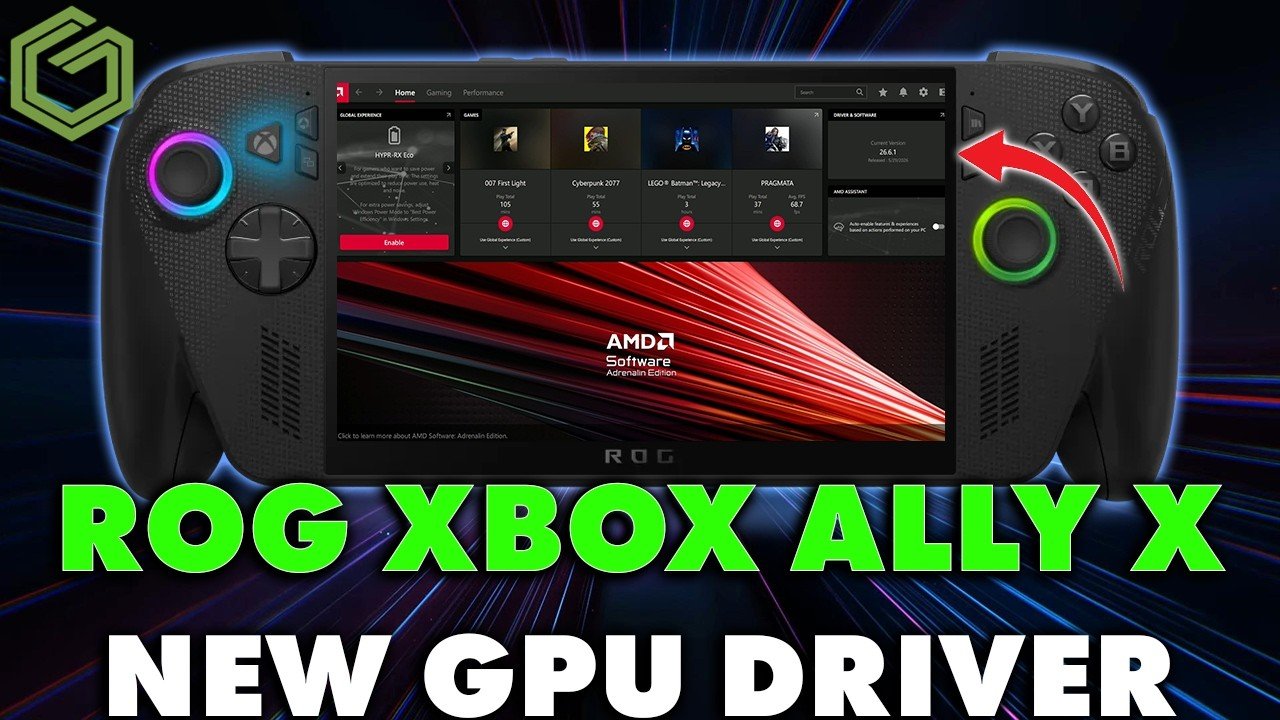
ROG Ally X Driver 26.6.1 and What It Really Means for Your Next Gaming PC in Canada
The new ROG Ally X driver 26.6.1 is a useful reminder of something PC buyers often learn the hard way: performance is never just about owning hardware, it is about how well that hardware is supported, tuned, and matched to the games you actually play. The source update focuses on improving Forza Horizon 6 performance on ASUS's handheld gaming system, especially at lower power settings, with reported gains in smoother gameplay, reduced stutter, and lower latency. That matters for handheld players, but it matters even more for anyone in Canada thinking about a desktop upgrade before the next wave of demanding games lands.
If one driver update can noticeably improve the experience in a major racing title, what does that tell you about the value of choosing the right GPU tier, CPU, cooling, RAM, and storage from the start? And if your current system already struggles with frame drops, shader compilation stutter, or inconsistent 1% lows, should you really wait until the next big release exposes every weakness in your setup?
For Canadian buyers, this is the bigger story. Game optimization helps, but optimization cannot magically turn an underpowered machine into a smooth high-FPS experience at 1440p or 4K. If you are planning to play new AAA racing games, open-world titles, competitive shooters, or ray-traced releases, your buying decision should not start with the question, “Will a patch save me?” It should start with, “What kind of system will still feel strong six months from now?”
What the ROG Ally X Driver 26.6.1 Update Gets Right
Based on the source material provided, ASUS released GPU driver version 26.6.1 on July 2, 2026 for the ROG Ally X, with a clear focus on Forza Horizon 6. The update is available through Armory Crate SE, the ASUS support platform, and the MyASUS app. It also integrates with AMD Adrenaline software and does not require extra BIOS or chipset updates, keeping installation relatively simple.
The key reported benefits are practical ones gamers care about immediately:
- Improved frame rates, especially around lower-power operation
- Reduced stuttering during gameplay
- Lower latency for better responsiveness
- More noticeable gains at 17 watts than at 25 watts and above
That last point is especially important. The update appears to help most where hardware is constrained. In other words, smart software tuning can improve efficiency, but the biggest gains still happen when every watt matters. For desktop buyers, the equivalent lesson is obvious: if you want consistently high settings and headroom for future games, you should not shop as if you are always running on a power budget.
Why Should Canadian Gamers Care About a Handheld Driver Update?
Because it highlights the same performance issues desktop gamers face every day: inconsistent frame pacing, bottlenecked settings, and the gap between “playable” and “actually smooth.” Many players in Canada are still using older systems and wondering whether they can stretch one more year out of them. But if a newly released game already benefits from targeted optimization on fresh hardware, what do you think happens on an aging gaming desktop with limited VRAM, slower storage, or a CPU that is already maxed out?
This is where a smart buying guide matters. A news story about a handheld update becomes much more relevant when you connect it to real customer decisions:
- Are you trying to play modern racing games at 1080p on high settings?
- Do you want 1440p with stronger image quality and more stable lows?
- Are you aiming for 4K, ultra settings, or ray tracing?
- Will you also stream to Twitch or YouTube?
- Do you need one system that can game at night and edit footage during the day?
If those questions sound familiar, you are no longer just comparing games. You are deciding what category of custom PC actually fits your life.
What Do You Want Your Next PC to Do for You?
This is the question more buyers should ask before they focus on one GPU model, one sale, or one benchmark screenshot. What do you want your next PC to do for you over the next two to four years?
Do you want it to run Forza-style open-world racing games smoothly at high settings? Do you want better performance in shooters, survival games, sports titles, and the next batch of AAA launches? Do you need fast boot times, strong multitasking, and enough overhead for Discord, browsers, mods, recording tools, and game launchers all running at once?
Or are you also editing videos, working in Photoshop, building marketing assets in Illustrator, designing thumbnails, rendering in Blender, or handling client work in Adobe Creative Cloud? A lot of Canadian buyers do not need “just a gaming PC” anymore. They need a system that supports gaming, streaming, editing, and productivity without forcing an upgrade too soon.
That is where Groovy Computers can help. As a Canadian custom PC builder, Groovy Computers is positioned for buyers who want a system built around actual use cases rather than generic one-size-fits-all specs.
Gaming PC Canada Buyers: Are You Building for 1080p, 1440p, or 4K?
The source story focuses on performance tuning for a specific game, but desktop buyers should think in terms of resolution targets and consistency. A smooth racing game at 1080p is not the same buying problem as a high refresh 1440p setup, and that is not the same as a 4K ultra settings build.
1080p Gaming PC Canada: Who is this tier for?
If you mainly want strong 1080p performance in modern games with good settings and responsive gameplay, this tier is often the sweet spot for value-conscious buyers. It is ideal for first-time PC gamers, students, and anyone who wants a budget gaming PC Canada shoppers can justify without sacrificing overall experience.
But ask yourself: are you buying only for today, or are you buying to avoid replacing your system sooner than expected? A cheap build that struggles in the next wave of games can cost more in the long run if you need another GPU or platform jump earlier than planned.
1440p Gaming PC Canada: Is this the real long-term value tier?
For many buyers, yes. A 1440p gaming PC Canada gamers choose today often offers the best balance of sharp visuals, strong frame rates, and future-readiness. If you are looking ahead to new racing titles, large open-world games, competitive multiplayer, and better visual settings, 1440p is often where a custom gaming PC starts to feel truly premium without crossing into extreme spending.
Do you want to enjoy high settings now while still having room for tomorrow's patches, texture upgrades, and higher VRAM demands? Then 1440p is often the smarter target than trying to scrape by at the edge of minimum requirements.
4K Gaming PC Canada: Are you chasing maximum visual quality?
If your goal is a 4K gaming PC Canada buyers can use for ultra settings, high-detail textures, advanced lighting, and demanding new releases, then you need to plan more carefully. This is where GPU class, VRAM capacity, thermal design, CPU support, and overall system balance matter most.
Would you rather buy once and stay comfortable for longer, or buy lower and wonder every time a major game update lands? Premium buyers often save money emotionally, if not always on paper, by avoiding the cycle of compromise.
What PC Do I Need for Forza-Style Racing Games and Other New AAA Titles?
If you are asking what gaming PC you need for a title like Forza Horizon 6, the answer depends on more than the game itself. Racing games reward smooth frame delivery, fast asset loading, and stable performance over long sessions. Sudden hitches matter. Stutter matters. CPU spikes matter. SSD speed matters. Driver maturity matters.
For buyers in Canada, the best PC for new games is usually not the one that merely opens the game. It is the one that runs it well enough that patches feel like bonuses instead of rescue missions.
A strong custom gaming PC Canada shoppers should consider for racing and open-world performance typically benefits from:
- A modern multi-core CPU with solid gaming efficiency
- A GPU tier matched to your target resolution, not just minimum settings
- Enough RAM for current games and background applications
- Fast SSD storage for load times and asset streaming
- Proper cooling for consistent boost behaviour
- A tested configuration that avoids bottleneck-heavy part mismatches
Do you also want to use mods, record gameplay, run telemetry tools, or keep a browser and chat apps open in the background? Then you should be sizing your build for real-world use, not bare minimums.
Should You Buy a Budget Gaming PC or Finance a Better One?
This is one of the most practical questions in the Canadian market right now. If game demands are rising and hardware pricing remains vulnerable to supply pressure, buying too low can become expensive faster than expected. A weak GPU, limited RAM, or cramped storage setup may get you into PC gaming, but it may not keep you there comfortably.
So what makes more sense: settling for the cheapest possible build, or using a payment plan to secure a stronger machine now?
For many buyers, the better decision is not the cheapest upfront total. It is the system that lasts longer, performs better, and delays your next upgrade. That is why interest in gaming PC payment options keeps rising. Financing can make a better GPU tier, more RAM, a larger SSD, or stronger cooling much more attainable at the moment you actually need the machine.
If your current PC already struggles, and if major releases are only becoming more demanding, is waiting really saving you money? Or is it delaying the purchase while replacement costs continue to move?
Groovy Computers offers Canadian shoppers a path toward stronger custom PC solutions without forcing every buyer into a one-payment decision. For buyers trying to balance performance with monthly affordability, that matters.
Why Timing Matters More Than Many Buyers Realize
The source article is about a software update, but the underlying market lesson is timing. Gamers often wait too long, hoping the next patch, next sale, or next hardware cycle will create the perfect moment. Sometimes that works. Often it does not.
Why? Because full-system costs are influenced by more than one component. GPU demand can tighten. CPU pricing can shift. Memory markets can move. SSD prices can climb. New game releases can suddenly push buyers into the market at once. If your current machine is already near its limit, delaying may leave you with fewer ideal options and more urgency.
Ask yourself a few honest questions:
- Are you buying before a major game release you already know you want?
- Are you trying to avoid another year of lowered settings and inconsistent performance?
- Will new software or creator workloads demand more memory, cores, or storage soon?
- Would financing a stronger system now help you avoid paying more to upgrade later?
These are not fear-based questions. They are practical buying questions. If your needs are already clear, waiting rarely makes them smaller.
What Performance Tier Fits You Best?
One of the smartest ways to shop for a custom PC is to identify your real performance tier before you start comparing random part lists.
Entry-Level Value Tier
This tier is best for buyers who want solid 1080p gaming, esports performance, and general everyday responsiveness. It can be ideal for students, first-time buyers, and customers who mainly play lighter or moderately demanding titles.
But here is the key question: are you buying for today's games only, or do you want your system to handle the next generation of more demanding releases too?
Mainstream Performance Tier
This is the range many serious buyers should target. It is typically the best fit for 1080p ultra or 1440p gaming, stronger multitasking, better minimum frame stability, and a longer useful life. If you want a gaming and streaming PC Canada buyers can use confidently, this tier often delivers the best value.
Do you want your PC to feel good only on launch day, or still feel strong after patches, DLC, and newer game engines arrive?
Premium Enthusiast Tier
This tier is for high refresh 1440p, stronger 4K ambitions, ray tracing, heavy modding, recording, and long-term comfort. If you are the type of buyer who notices frame pacing, wants visual overhead, and does not want to revisit upgrades too soon, this is where a high end gaming PC Canada customers consider becomes worth the investment.
If you are already spending on a quality monitor, headset, desk setup, and large game library, why bottleneck the experience at the desktop?
Creator and Workstation Tier
Some buyers need more than gaming. If you are editing 4K footage, working in Premiere Pro or DaVinci Resolve, managing large Photoshop projects, creating social content, handling client work, or rendering in Blender, then a creator or workstation build may be the better choice over a gaming-only configuration.
Would a few hundred dollars saved today still feel like a bargain if exports, renders, and multitasking waste your time every week?
Is a Gaming PC Good for Streaming, Video Editing, and Content Creation Too?
Sometimes yes, but not always in the way buyers expect. A gaming-focused desktop can absolutely serve as a content creation PC Canada customers use for OBS, YouTube editing, thumbnails, social media content, and livestreaming. But the right build depends on how serious the workflow is.
If you want to stream while gaming, you need to think about encoder support, CPU overhead, RAM capacity, and storage. If you want to edit gameplay footage, you also need to think about project drive speed, export time, and whether your GPU helps accelerate your editing software. If you are handling photo editing and design work, display quality and memory become more important too.
So ask yourself:
- Do you only want to game, or do you also want to record and stream?
- Will you be editing 1080p clips, 4K YouTube videos, or short-form content daily?
- Do you need one machine for gaming and Adobe Creative Cloud?
- Are you trying to build a side hustle, creator brand, or full-time production setup?
If you answered yes to several of those, then you may be looking for a custom creator PC rather than a standard gaming-only build.
What If You Also Need a PC for Photo Editing, Graphic Design, or Adobe Creative Cloud?
Many gamers are also creators, students, freelancers, and small business owners. That makes the decision more nuanced. A machine that feels fine in a game can still be frustrating in Lightroom, Illustrator, InDesign, or Photoshop if the RAM, storage, and CPU selection are too limited.
If you work with RAW image libraries, layered design files, branding packages, ad creative, or large asset folders, your desktop should be built for fast responsiveness and dependable multitasking. That is where custom PC building has a real advantage. Instead of paying for features you do not need, you can prioritize what actually affects your workflow.
Do you need quick image batch exports? Smooth Photoshop performance with many tabs and assets open? Faster preview generation? Better handling of AI-enhanced creative tools? Then your ideal system may sit between a gaming PC and a workstation, and that is exactly the kind of decision a custom builder should help you make.
What About Blender, 3D Modeling, and Workstation Use?
The same buying logic applies to 3D workloads. If you are modeling, sculpting, animating, rendering, building environments, or working in game development pipelines, your system requirements become more complex than “Can it run games?”
A 3D modeling PC Canada professionals or students choose should account for viewport performance, render acceleration, memory needs, storage speed, and the specific balance between CPU-heavy and GPU-heavy tasks. Some buyers need a Blender-ready creator build. Others need a heavier workstation profile with more RAM and stronger sustained cooling.
So what workstation PC do you need? That depends on your software stack and file complexity. But the important point is this: if your desktop needs to earn money, save hours, or support client delivery, building only around gaming specs is often the wrong shortcut.
Why Custom PC Builder Canada Buyers Should Care About Testing and Warranty
When a handheld gets a driver update, users hope software will smooth out the rough edges. But with a desktop, you should be trying to minimize rough edges before the system ever arrives. That is where custom build quality matters.
A properly assembled and tested PC gives you more than component boxes on a spec sheet. It gives you confidence in airflow, stability, part compatibility, cable management, thermal behaviour, and real-world readiness. That matters whether you are buying a budget gaming tower or a premium creator workstation.
Groovy Computers stands out here because Canadian buyers need more than performance promises. They need systems built for reliability, backed by support, and protected with a 1-year warranty. In a market where random online sellers and generic mass-market configurations can leave buyers guessing, that kind of trust matters.
Would you rather troubleshoot someone else's bad part matching after it arrives, or start with a machine that was built and stress tested with real use in mind?
Canada-Wide Buying Confidence Matters Too
If you are shopping from Nova Scotia, Atlantic Canada, or anywhere else in the country, trust matters even more when you are ordering online. Canadian buyers want to know who is building the machine, what support looks like, and whether the company understands the local buying context. They also want to know their system is not just assembled quickly to hit a volume target.
That is why a Canadian gaming PC company with a custom-build mindset has a real advantage. Whether you are shopping locally in Nova Scotia or ordering from elsewhere in Canada, the value is in getting a system matched to your needs instead of a one-size-fits-most box.
Are you looking for a Canada built gaming PC with stronger long-term value? Do you want guidance choosing between a mainstream gaming build, a streaming-ready setup, or a creator workstation? That is exactly where a focused custom builder becomes more useful than a generic catalogue.
Should You Upgrade Now or Wait?
This is the question many readers are probably asking after seeing a story like the Ally X driver 26.6.1 update. If software is improving hardware performance, maybe waiting is fine, right?
Sometimes. But not if your current machine is already compromising the experience you want. Driver updates are valuable, yet they are usually refinements, not miracles. If your GPU lacks the horsepower for your target resolution, if your CPU is already bottlenecking new games, or if your storage and RAM are holding back multitasking, then waiting may simply mean more months of compromise.
Ask yourself:
- Can your current PC run the games you care about at settings you actually enjoy?
- Are you avoiding certain new releases because your system feels borderline?
- Do you want to stream, edit, or create content but keep postponing it because your hardware is not ready?
- Would a custom built system now let you enjoy the next year instead of troubleshooting through it?
If the answers point toward an upgrade, then the better question may not be whether to wait. It may be what kind of build gives you the most confidence per dollar.
How Groovy Computers Helps You Choose the Right Build
At Groovy Computers, the goal is not to push every customer toward the same desktop. It is to help Canadian buyers choose the right category of machine based on what they actually need: gaming, streaming, editing, design, content creation, 3D modeling, or workstation performance.
If you need a budget-friendly gaming desktop for 1080p, that is one conversation. If you want a more future-proof 1440p system, that is another. If you need a premium RTX gaming PC, a video editing workstation, or a creator machine with stronger multitasking and storage planning, that requires a different build strategy again.
Do you want help choosing a build without overbuying? Do you want to avoid underbuying and upgrading too soon? Do you want a custom PC with real support, careful part matching, stress testing, and a warranty from a Canadian builder? Then Groovy Computers is exactly the kind of company you should be talking to.
If you are ready to stop guessing and start planning around your real needs, visit GroovyComputers.ca and explore custom gaming PCs, creator PCs, workstation options, and financing paths that make more capable systems easier to secure.
Final Thoughts: The ROG Ally X Driver 26.6.1 Update Is a Performance Lesson, Not Just a News Story
The ROG Ally X driver 26.6.1 update is a focused improvement for one handheld and one major game, but the bigger takeaway is universal. Performance matters. Optimization matters. Smooth frame delivery matters. And the best gaming experiences come from hardware that has enough headroom to benefit from updates rather than depend on them for survival.
If you are shopping for a gaming PC Canada buyers can rely on for new releases, or if you need a system that also handles streaming, editing, design, and creator work, now is the time to think strategically. What do you want your next PC to do? What resolution are you targeting? How long do you want it to last before another upgrade becomes necessary? And would a stronger custom system today save you more frustration than waiting for a maybe-better market tomorrow?
For buyers who want guidance, tested custom builds, a 1-year warranty, and the option to spread costs with financing up to 4 years, Groovy Computers is a smart Canadian choice. If you are asking what gaming PC you need, what performance tier fits you, or whether financing a stronger build makes more sense than settling for less, start with GroovyComputers.ca.
#GamingPCCanada #CustomGamingPCCanada #GamingPCBuilderCanada #CanadianCustomPCBuilders #1440pGamingPCCanada #4KGamingPCCanada #CreatorPCCanada #ContentCreationPCCanada #VideoEditingPCCanada #StreamingPCCanada #WorkstationPCCanada #GamingPCForNewGames #GamingPCNovaScotia #CanadaBuiltGamingPC
Groovy Computers | All Rights Reserved


Leave a comment
This site is protected by hCaptcha and the hCaptcha Privacy Policy and Terms of Service apply.