






















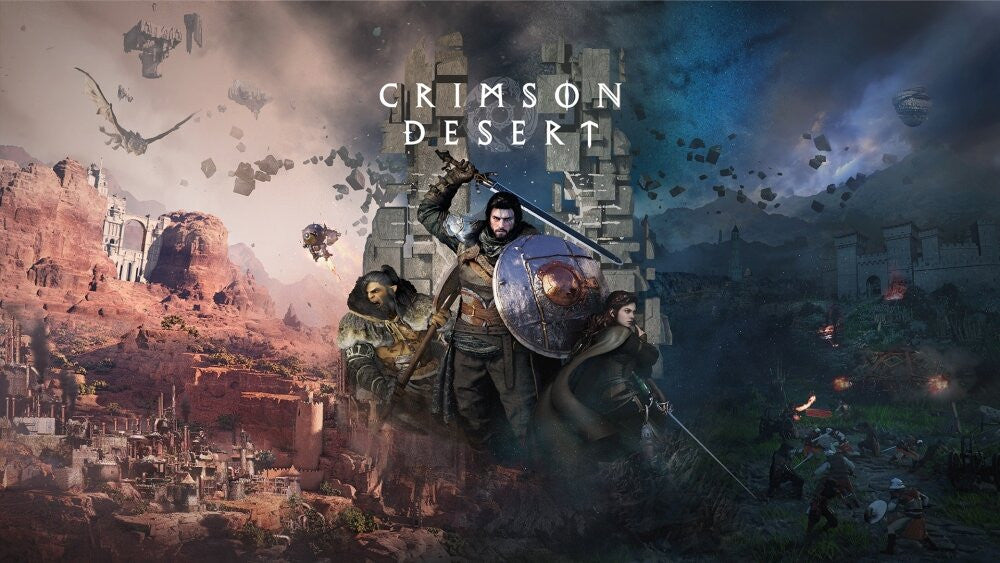
Gaming PC for New Games: What Crimson Desert at Gamescom 2026 Tells Canadian Buyers About 6K, 4K, Ray Tracing, and Future-Ready Custom PCs
Pearl Abyss bringing Crimson Desert to Gamescom 2026 in partnership with Samsung Electronics is more than another gaming show headline. For anyone searching for a Gaming PC for New Games, it is a clear signal that the next wave of blockbuster PC and console-style experiences is being built around sharper visuals, higher refresh rates, more cinematic open worlds, and more demanding hardware expectations.
According to the source report, visitors at Gamescom in Cologne, Germany, will be able to experience Crimson Desert at Samsung’s booth on 30 demo PCs using the Odyssey G8 G80HS, described as the world’s first 6K gaming monitor. The 32-inch display is said to support a dual-mode experience: 6K at 165Hz for ultra-high resolution and 3K at 330Hz for ultra-high refresh rate gameplay. Pair that with Pearl Abyss’ next-generation BlackSpace Engine, and the message is obvious: premium game showcases are moving into a new performance conversation.
But what does that mean for Canadian gamers, streamers, creators, students, and professionals who are not flying to Gamescom, but are thinking about their next PC right now? Do you actually need a 6K-ready monster system today? Is a 1440p gaming PC the smarter sweet spot? Should you prioritize a powerful GPU, a faster CPU, more RAM, better cooling, or financing so you can secure a stronger build before parts get more expensive?
That is where Groovy Computers comes in. As a Canadian custom PC builder, Groovy Computers helps buyers connect the hype around new games like Crimson Desert to the real-world decisions that matter: what you play, what resolution you want, whether you stream or edit video, how long you want the system to last, and whether a custom-built gaming PC, creator PC, or workstation PC is the better fit.
Why the Crimson Desert Gamescom Showcase Matters for PC Buyers
Crimson Desert has become one of the most important visual showcases in modern gaming because it represents the kind of large-scale, action-heavy, graphically ambitious title that pushes hardware in multiple directions at once. It is not just about frame rate. It is about open-world detail, combat responsiveness, lighting, texture quality, environmental density, fast camera movement, and overall immersion.
The Gamescom 2026 setup described in the source article points to a major trend: major game presentations are increasingly being paired with premium display technology. When a game is shown on hardware capable of 6K resolution and high refresh modes, it encourages gamers to think beyond basic “Can it run?” requirements and toward a better question: How do I want this game to feel?
Do you want cinematic visuals at high settings? Do you want smooth combat at high refresh rates? Do you want to stream your gameplay at the same time? Do you want to record clips for YouTube or TikTok? Do you want a system that still feels strong when the next wave of AAA games lands?
For Canadian buyers, the answer is rarely “buy the cheapest PC that technically launches the game.” The better approach is to choose a balanced build that matches your resolution, performance expectations, budget, and upgrade timeline.
Gaming PC for New Games: What Should You Actually Prioritize?
A modern Gaming PC for New Games needs to do more than meet minimum requirements. Minimum requirements are often designed to get the game running, not to deliver the experience shown in trailers, at gaming events, or on premium displays. If you are excited by games like Crimson Desert, upcoming open-world titles, ray tracing showcases, competitive shooters, or cinematic RPGs, you should think in terms of target experience.
Ask yourself: are you buying a PC to simply play, or are you buying a PC to enjoy modern games the way they are meant to be experienced?
Do You Want 1080p, 1440p, 4K, or Beyond?
Resolution is one of the biggest decisions in a gaming PC build. A 1080p setup can be excellent for budget-conscious gamers, esports players, students, and anyone who wants high frame rates without pushing component costs too far. A 1440p Gaming PC Canada build is often the best balance for Canadian gamers who want sharper visuals, strong frame rates, and better longevity. A 4K system is for players who value premium image quality, high-end GPUs, and a more cinematic gaming experience.
And then there is 6K. While 6K gaming displays are an exciting technology showcase, most Canadian buyers do not need to build their entire system around 6K today. However, the fact that major games are being demonstrated on 6K-class hardware tells us where visual expectations are heading. If you are buying now and want to avoid upgrading too soon, it may be smart to build above today’s minimums.
Would you rather save a little now and replace parts sooner, or invest in a stronger custom gaming PC that keeps up with new games longer?
Do You Care More About Ultra Settings or High FPS?
Not every gamer wants the same thing. Some players want maximum visuals, ray tracing, ultra textures, and cinematic screenshots. Others want extremely responsive gameplay, high refresh rates, and competitive consistency. Crimson Desert’s Gamescom demo setup is interesting because Samsung’s dual-mode display concept reflects both sides of the modern PC gaming market: ultra-high resolution for visual fidelity and ultra-high refresh rate for speed.
If you play story-driven RPGs, open-world adventures, racing games, and cinematic action games, a high-end GPU and a strong visual settings target may matter most. If you play Valorant, Counter-Strike 2, Fortnite, Call of Duty, Apex Legends, or other competitive titles, high FPS and low-latency performance may be more important than pushing every setting to ultra.
So which experience sounds more like you: sharper graphics, smoother frames, or the best balance of both?
What PC Do You Need for Crimson Desert-Style Open-World Games?
When a game is built around realistic environments, dynamic action, dense worlds, and cinematic presentation, your PC has to handle several workloads at once. The GPU is usually the star of the show, but the CPU, RAM, storage, cooling, and power supply all affect the final experience.
A custom build should be designed around the full system, not just a single headline part. A powerful graphics card in a poorly cooled case can underperform. A strong CPU paired with limited RAM can struggle in multitasking. A fast GPU with a slow storage drive can still feel sluggish when loading large open worlds. A bargain power supply can limit long-term reliability. This is why custom PC planning matters.
GPU: The Centre of Modern AAA Gaming Performance
For graphically ambitious games, the GPU is usually the most important component. It controls how well your system handles resolution, texture quality, ray tracing, upscaling technologies, and high refresh gaming. If you are targeting 1080p, you can often choose a more value-focused graphics card. If you are targeting 1440p, you should move into a stronger mid-range or upper-mid-range GPU. If you want 4K gaming, ray tracing, or maximum settings, you should be looking at premium GPU tiers.
Do you want a PC that is “good enough” for today, or do you want a Future Proof Gaming PC Canada build that gives you more breathing room for the next several years?
CPU: Smooth Gameplay, Streaming, and Background Tasks
The CPU matters for open-world games because it helps manage game logic, physics, AI, asset streaming, background applications, and overall system responsiveness. It also becomes more important if you stream, record gameplay, run Discord, keep a browser open, or create content while gaming.
If you are only gaming, you may not need the most expensive processor available. But if you are gaming and streaming, gaming and editing, or gaming while running multiple monitors and background apps, a stronger CPU can make the system feel much smoother.
Are you building only for gameplay, or do you want your gaming PC to double as a creator PC?
RAM: The Difference Between Barely Enough and Comfortable
Modern games, browsers, launchers, chat apps, capture tools, and creative software all use memory. For many gamers, 32GB of RAM is becoming a comfortable target for a new custom PC. For creators, video editors, 3D artists, and heavy multitaskers, 64GB or more may make sense depending on the workload.
If you are asking, “How much RAM do I need for gaming and content creation?” the answer depends on whether you simply play games, or whether you also edit 4K footage, work in Adobe Creative Cloud, stream through OBS, or use 3D tools like Blender and Unreal Engine.
Storage: Why Fast SSDs Matter More Than Ever
Large open-world games are storage-hungry. Fast NVMe SSD storage helps with boot times, game launches, asset streaming, project loading, and general system responsiveness. A modern custom gaming PC should not rely on slow storage as the main drive.
How many games do you keep installed at once? Do you also store video footage, RAW photos, design files, or 3D project assets? If so, storage capacity and speed should be part of your build plan from the beginning.
Should Canadian Gamers Build for 1440p Instead of Chasing 6K?
The Samsung and Crimson Desert Gamescom showcase is exciting because it shows what is possible at the high end. But for most Canadian buyers, the smartest performance target is not automatically the most extreme one. It is the one that gives you the best experience for your budget.
For many players, 1440p is the current sweet spot. It looks significantly sharper than 1080p, is less demanding than 4K, and can deliver excellent frame rates with the right GPU. If you want a premium experience without going all-in on flagship hardware, a well-built 1440p gaming desktop can be one of the best values available.
That said, 4K gaming is very compelling if you have the budget, want a large monitor or TV-style setup, play visually rich single-player games, and want your system to feel premium for years. A Ray Tracing Gaming PC Canada build also makes more sense in the upper tiers, where the GPU has enough power to handle advanced lighting effects without sacrificing too much smoothness.
So ask yourself: would you rather maximize value at 1440p, or invest in a higher-end system built for 4K, ultra settings, and longer-term performance?
Which Performance Tier Fits You Best?
Choosing a custom PC becomes easier when you match your expectations to a performance tier. You do not need to memorize every benchmark or component model. You need to know what you want your PC to do.
Entry-Level and Budget Gaming PC Buyers
A budget gaming computer is ideal if you play esports titles, Minecraft, Roblox, Fortnite, Valorant, Counter-Strike 2, Rocket League, indie games, or older AAA titles. It can also work for students who need one desktop for school, gaming, and everyday use.
This tier is best if you are asking: “How much should I spend on a gaming PC?” or “Can a budget gaming PC play new games?” The answer is yes, but expectations matter. A budget system may run new games, but you may need to lower settings, stay at 1080p, or upgrade sooner.
If you want the best value, Groovy Computers can help you avoid the common mistake of buying a cheap system with weak upgrade paths, poor cooling, or mismatched parts.
Mid-Range 1440p Gaming PC Buyers
This is the sweet spot for many Canadian gamers. A mid-range custom build can deliver strong 1080p performance, excellent 1440p gaming, smoother multitasking, and better longevity than a bare-minimum system. It is a smart choice if you play new AAA games, competitive titles, RPGs, shooters, and open-world games.
This tier is for the buyer asking: “What PC do I need for 1440p gaming?” or “Is it better to buy a gaming PC now or wait?” If you are planning around upcoming game releases, holiday demand, school schedules, or possible component price changes, this tier often provides the best balance between cost and capability.
High-End 4K and Ray Tracing Gaming PC Buyers
A high-end gaming PC is built for players who want premium performance, high settings, ray tracing, 4K resolution, high-refresh monitors, and longer usable life. This is the tier for gamers who do not want to compromise and do not want to feel forced into an upgrade too soon.
If you are asking, “What PC do I need for 4K gaming?” or “What PC do I need for ultra settings?” you are likely looking at a premium GPU, a strong modern CPU, high-quality cooling, fast NVMe storage, and enough RAM to stay comfortable as games grow more demanding.
This tier is also where financing can become especially useful. Instead of buying a cheaper system that may disappoint you within a year or two, financing can help you secure a stronger build now and spread payments over time.
Creator, Streaming, and Workstation Buyers
Not every Crimson Desert fan is only a gamer. Many Canadian PC buyers also stream, edit, design, render, animate, or work from home. If you want your PC to handle gaming plus productivity, you should consider a custom creator or workstation-focused build.
A Content Creation PC Canada setup may prioritize more RAM, stronger CPU performance, GPU acceleration, storage capacity, and quiet cooling. A Video Editing PC Canada build may focus on fast exports, smooth 4K timelines, and software such as Adobe Premiere Pro, DaVinci Resolve, After Effects, or CapCut. A 3D Rendering PC Canada or workstation may require more GPU power, more VRAM, higher RAM capacity, and stable thermals for long render sessions.
What do you want your next PC to do for you: play the newest games, stream to Twitch or YouTube, edit 4K videos, design client graphics, process RAW photos, render 3D scenes, or handle all of it without slowing down?
What If You Want to Stream Crimson Desert or Other New Games?
Streaming changes the buying decision. A game that runs well while you are only playing may feel different when you add OBS Studio, camera software, overlays, alerts, browser tabs, Discord, and recording in the background. That is why a Gaming and Streaming PC Canada build should be planned more carefully than a basic gaming desktop.
If you want to stream new games, you should think about GPU encoding, CPU headroom, RAM, storage space for recordings, and dual-monitor usability. A custom streaming PC can be built to keep gameplay smooth while maintaining a clean stream for viewers.
Ask yourself: do you want to stream casually to friends, or do you want to build a serious Twitch, YouTube Live, or TikTok Live setup? Do you need room for a capture card, extra storage, multiple monitors, and future upgrades?
Groovy Computers can help Canadian buyers choose a system that does not just run the game, but supports the full creator workflow around it.
Is a Gaming PC Good for Video Editing, Photo Editing, Graphic Design, and 3D Modeling?
A well-built gaming PC can be excellent for creative work, but only if the parts are chosen correctly. Many gaming PCs already include strong GPUs and fast CPUs, which are useful for video editing, photo editing, graphic design, and 3D rendering. However, creative workloads may need more RAM, more storage, better sustained cooling, and different component priorities than a gaming-only build.
For Video Editing
If you edit in Adobe Premiere Pro, DaVinci Resolve, After Effects, or CapCut, you should consider CPU performance, GPU acceleration, RAM capacity, and fast storage. A 4K video editing PC should not be treated like a basic gaming computer. Timeline smoothness, export speed, cache performance, and media storage all matter.
Are you editing 1080p clips, 4K YouTube videos, 6K footage, multi-camera projects, or long-form content? The answer changes the build.
For Photo Editing
Photographers working in Photoshop, Lightroom Classic, Capture One, or AI-enhanced photo tools need a responsive system with enough RAM, fast SSD storage, and strong single-core performance. A dedicated GPU can also help with modern acceleration and AI features.
Do you edit a few photos at a time, or do you process large RAW batches from weddings, sports, real estate, or commercial shoots?
For Graphic Design
Graphic designers using Adobe Illustrator, Photoshop, InDesign, Canva, CorelDRAW, Affinity Designer, or Adobe Express benefit from fast system responsiveness, enough memory for large files, and support for multiple displays. A design PC should feel smooth when jumping between apps, exporting assets, and managing client projects.
Do you work on logos, packaging, social media content, mockups, print files, or full branding campaigns?
For 3D Modeling and Rendering
3D artists and technical users working in Blender, Unreal Engine, Unity, Maya, 3ds Max, Cinema 4D, SketchUp, ZBrush, AutoCAD, Revit, or SolidWorks need a more deliberate workstation approach. GPU rendering, viewport performance, CPU rendering, RAM capacity, and thermal stability all matter.
If you are asking, “What PC do I need for Blender?” or “Workstation PC vs gaming PC for 3D modeling?” the safest answer is to build around your actual software, scene complexity, render engine, and project deadlines.
Why Canadian Buyers Should Think Differently About Timing
When a major game becomes a global showcase, demand tends to rise around the performance category connected to that game. Gamers start upgrading GPUs. Creators begin comparing monitors and storage. Streamers start planning launch-week content. Students and professionals begin looking for one system that can handle both work and play.
At the same time, PC component pricing can shift quickly. GPUs, CPUs, RAM, SSDs, power supplies, cases, and cooling hardware are all affected by supply, demand, exchange rates, shipping costs, manufacturing cycles, and seasonal buying pressure. Canadian buyers also have to think in Canadian dollars, where exchange-rate movement can make imported components more expensive without much warning.
Is now a good time to buy a gaming PC, or should you wait? The honest answer depends on your current system, your target games, your budget, and your tolerance for price changes. But if your current PC is already struggling, waiting for the “perfect” moment can mean months of lower performance, missed game launches, slower creative work, and potentially higher replacement costs later.
If you are planning to buy before a major game release, a school term, a business software upgrade, a holiday rush, or a possible component price spike, it may be smarter to choose the right system now rather than react under pressure later.
Could Financing Help You Secure a Stronger PC Before Costs Rise?
Financing is not just about affordability. For many buyers, it is about timing and long-term value. If the choice is between paying cash for a weaker system today or using financing to get a stronger, better-balanced custom PC, financing can sometimes help you avoid upgrading too soon.
Groovy Computers offers financing options up to 4 years, making it easier for Canadian customers to consider a more capable gaming PC, creator PC, or workstation PC without paying the full amount upfront. That can matter if you are trying to lock in performance before a major game launch, before parts become harder to get, or before your work demands outgrow your current machine.
Should you finance a better PC instead of buying a cheaper one? If the cheaper system will limit your games, slow your work, or force upgrades sooner, financing may be worth considering. The goal is not to overspend. The goal is to choose a system that actually matches your needs.
If you are comparing a budget gaming computer against a more powerful custom build, ask yourself: what will the cheaper PC cost me in frustration, lower settings, slower exports, missed content opportunities, or earlier replacement?
Custom PC vs Generic Prebuilt: Why Build Quality Matters More with Demanding Games
As games become more visually ambitious, build quality becomes more important. A generic prebuilt may advertise a recognizable GPU or CPU, but the supporting parts can make or break the experience. Cooling, motherboard quality, power supply reliability, airflow, cable management, RAM configuration, SSD selection, and stress testing all affect performance and lifespan.
A custom gaming PC from Groovy Computers is planned as a complete system. That means the parts are selected to work together, the system is built with care, and performance is validated before it reaches the customer. This matters for gamers, streamers, video editors, designers, 3D artists, and workstation users who cannot afford random crashes, overheating, or avoidable bottlenecks.
Why testing matters in a gaming PC is simple: your system should prove it can handle real workloads before you rely on it. Groovy Computers emphasizes rigorous testing, custom build quality, and a 1-year warranty, giving Canadian buyers more confidence than rolling the dice on a poorly matched system.
Would you rather buy a PC based only on a spec label, or buy a system built around how you actually plan to use it?
What Should Your Next PC Do for You?
Before choosing a system, take a moment to define the job. This is the most important buying step, and it is where many people make mistakes. They shop by price first, then discover the system does not match their actual needs.
Ask yourself these questions:
- What games do I want to play? Are you focused on Crimson Desert-style open-world games, esports titles, survival games, racing games, shooters, RPGs, or a mix?
- What resolution do I want? Is 1080p enough, or do you want 1440p, 4K, ray tracing, or a premium high-refresh experience?
- Do I stream or record? Will you use OBS Studio, Streamlabs, Twitch, YouTube Live, TikTok Live, or local recording?
- Do I create content? Will you edit video, process photos, design graphics, produce social media content, or manage client work?
- Do I use professional software? Will you run Adobe Creative Cloud, DaVinci Resolve, Blender, Unreal Engine, AutoCAD, Revit, SolidWorks, or other demanding tools?
- How long do I want this PC to last? Are you comfortable upgrading soon, or do you want a stronger build that stays relevant longer?
- Would financing help? Could monthly payments help you secure a better system now instead of settling for one that may feel outdated too quickly?
Your answers determine whether you should choose a budget gaming PC, a 1440p gaming PC, a premium 4K gaming PC, a custom creator PC, a video editing workstation, or a 3D modeling workstation.
Buyer Scenarios: Which Groovy Computers Build Direction Makes Sense?
If You Are a Student Gamer
You may need one reliable desktop for schoolwork, gaming, Discord, browsing, streaming lectures, and maybe some light editing. A value-focused build with upgrade potential can be ideal. If you play esports and popular multiplayer titles, you may not need a flagship GPU. But you should still avoid weak storage, limited RAM, and poor cooling.
Are you buying your first gaming PC and trying to get the best performance for the money without choosing parts blindly?
If You Are a Serious 1440p Gamer
You probably want a balanced system with a strong GPU, modern CPU, 32GB of RAM, fast NVMe storage, and good cooling. This is the kind of build that can handle new AAA games while still delivering smooth competitive performance.
If you are upgrading from an older desktop, this tier can feel like a massive jump in visual quality and responsiveness.
If You Are a Premium 4K Gamer
You are buying for immersion, longevity, and fewer compromises. A high-end gaming desktop makes sense if you want ultra settings, ray tracing, large displays, high refresh rates, and performance headroom for future titles.
Should you finance a high-end gaming PC? If you know you want premium performance and you want to avoid replacing a weaker system sooner, financing can be a practical path.
If You Are a Streamer or YouTube Creator
You need more than frame rate. You need a system that can game, encode, record, edit, store footage, and handle multiple apps at once. A streaming and editing PC should be built around workflow, not just the game.
Do you want your PC to help you create consistently instead of fighting dropped frames, laggy timelines, and storage problems?
If You Are a Designer, Photographer, or Creative Professional
You need responsiveness, reliability, colour workflow support, strong multitasking, and enough storage for project files. A creator-focused system can be tuned for Adobe Creative Cloud, Photoshop, Lightroom, Illustrator, InDesign, Canva, and related tools.
Is a gaming PC good for graphic design or photo editing? It can be, but a custom creator PC is better when it is configured for your actual software.
If You Are a 3D Artist, CAD User, or Renderer
You need a workstation mindset. Rendering, simulation, viewport performance, large project files, and long workloads place heavier demands on the system. A custom 3D workstation can prioritize GPU power, RAM capacity, CPU performance, storage speed, and cooling stability.
Do you need a PC that finishes renders faster, handles larger scenes, and stays stable under heavy workloads?
Why Groovy Computers Is a Strong Fit for Canadian PC Buyers
Groovy Computers is built around the idea that your PC should match your life, your games, your work, and your budget. Instead of forcing every buyer into the same generic machine, Groovy Computers helps Canadian customers choose systems based on performance goals, upgrade paths, and real use cases.
That matters because today’s PC buyer is rarely just one thing. A gamer may also be a streamer. A student may also edit videos. A photographer may also play AAA games. A small business owner may need graphic design, office productivity, and occasional content creation. A 3D artist may need both workstation stability and gaming performance after hours.
Groovy Computers offers custom gaming PCs, creator PCs, and workstation PCs with careful part selection, testing, and warranty confidence. For buyers in Nova Scotia, Atlantic Canada, and across Canada, Groovy Computers provides a Canadian option for shoppers who want expert guidance without being pushed into a one-size-fits-all system.
If you are ready to compare options, browse builds, or ask for help choosing the right PC, visit GroovyComputers.ca and start with the question that matters most: what do you want your next PC to do for you?
Should You Buy Before the Next Big Game, Sale Rush, or Price Shift?
Major games create buying pressure. So do hardware launches, school seasons, holiday shopping, creator software updates, and sudden component shortages. If you already know your current PC is behind, waiting can become expensive in ways that are not always obvious.
You may pay more later for the same parts. You may miss out on better availability. You may settle for whatever is in stock. You may rush the decision. Or you may spend months playing at lower settings, skipping new releases, or struggling through slow creative workloads.
That does not mean every buyer should purchase the most expensive system immediately. It means you should make a clear plan. Decide what performance tier fits you, whether financing helps, and what kind of PC will still feel good after the next wave of games and software demands arrives.
Are you buying before a major release like Crimson Desert, before your current system fails, before a work project ramps up, or before parts become more expensive? If the answer is yes, now is the time to get expert help choosing the right build.
Final Takeaway: Crimson Desert Is a Preview of Where PC Gaming Is Going
The Crimson Desert Gamescom 2026 showcase highlights a bigger truth for Canadian buyers: new games are becoming more ambitious, displays are becoming sharper and faster, and the gap between a basic PC and a great PC is becoming more noticeable. Whether you are aiming for 1080p value, 1440p balance, 4K premium performance, streaming, video editing, content creation, or 3D workstation power, the smartest move is to choose a system around your real goals.
A Gaming PC for New Games should not be a rushed purchase or a random spec list. It should be a carefully matched system that gives you the performance, reliability, cooling, storage, upgrade room, and warranty confidence you need. Groovy Computers helps Canadian buyers make that decision with custom builds, expert guidance, financing options up to 4 years, rigorous testing, and a 1-year warranty.
If you want help choosing a budget gaming computer, a premium RTX gaming PC, a custom creator PC, an editing workstation, or a 3D modeling workstation, visit GroovyComputers.ca. The right PC is the one that makes your games look better, your work move faster, and your next upgrade feel farther away.
#GamingPCForNewGames #CustomGamingPCCanada #GamingComputersCanada #1440pGamingPC #4KGamingPC #CreatorPCCanada #StreamingPCCanada #VideoEditingPCCanada #3DRenderingPCCanada #GroovyComputers
Groovy Computers | All Rights Reserved


Leave a comment
This site is protected by hCaptcha and the hCaptcha Privacy Policy and Terms of Service apply.