



































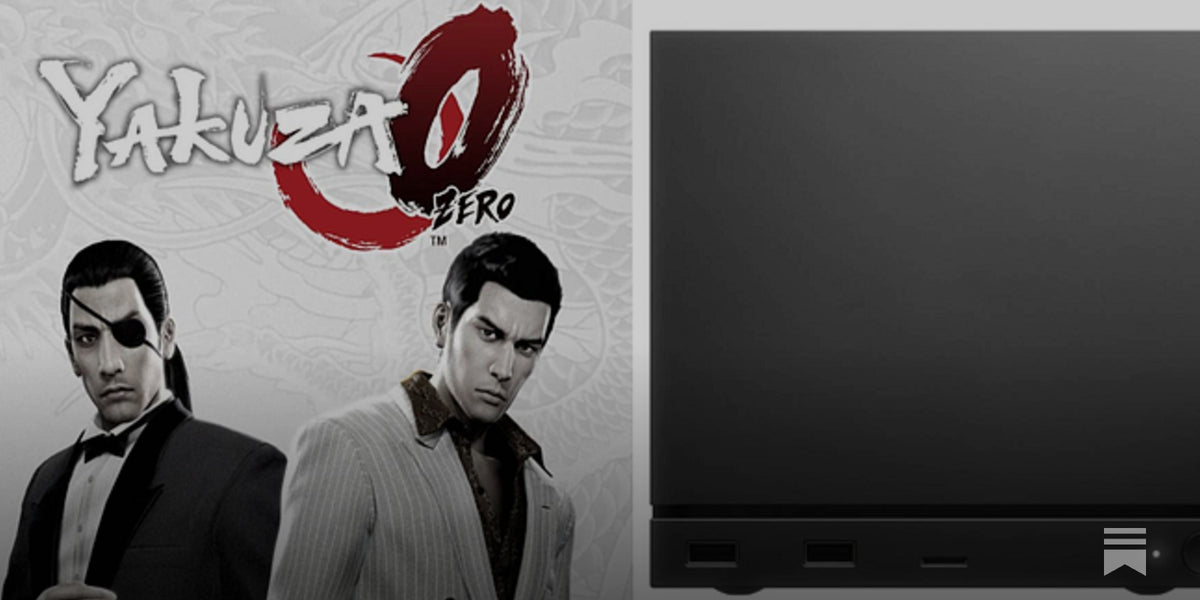
Best Steam Machine Settings for Yakuza 0: What Canadian Players Should Know Before Choosing a Gaming PC
If you are searching for the best Steam Machine settings for Yakuza 0, the good news is simple: the game is well-optimized, scales nicely, and does not demand the kind of brute-force hardware that newer AAA releases do. The source article highlights a practical target of 4K at 60fps with only a few sensible tweaks, and that is exactly why this topic matters for Canadian PC buyers right now. Yakuza 0 is a great example of a game that can look excellent on the right system without forcing you into an unnecessarily expensive build. But it also raises a bigger question: if this is the kind of game you love, what should your next PC really be built to do?
For many shoppers, one game-specific search quickly turns into a broader buying decision. Are you building for Yakuza 0 alone, or are you also planning to play newer open-world games, stream on Twitch, edit YouTube videos, work in Photoshop, or step up to 1440p or 4K gaming across your whole library? That is where a custom PC becomes far more important than a generic one-size-fits-all desktop.
At Groovy Computers, we help Canadian buyers move from a simple performance question into the right complete solution, whether that means a value-focused gaming rig, a premium RTX system, a gaming-and-streaming desktop, or a creator workstation that can handle gaming after hours. For buyers across Canada, including Nova Scotia and Atlantic Canada, the real goal is not just getting Yakuza 0 to run. It is making sure your next PC still feels right months and years from now.
What does the source article get right about the best Steam Machine settings for Yakuza 0?
The source article makes a strong core point: Yakuza 0 runs smoothly on capable hardware and does not require overcomplicated tuning to deliver a quality experience. That matters because too many buyers assume every game needs top-tier hardware, maximum spending, and endless settings adjustments. In reality, some games reward balance more than excess.
Yakuza 0 is one of those titles. It is widely appreciated for its style, storytelling, character work, and atmosphere, and that means stable performance often matters more than chasing absurd frame rate numbers. If your target is a clean 60fps experience with strong image quality, you do not necessarily need the most expensive graphics card in Canada to enjoy it.
That naturally leads to a useful buying question: are you looking for a PC that plays well-optimized games beautifully at sensible settings, or are you trying to build around demanding modern releases with ray tracing, ultra textures, and high refresh competitive play? Those are two very different buying paths, and understanding that difference can save you money or help you spend more wisely.
Why should Canadian buyers think differently about a game like Yakuza 0?
For Canadian shoppers, system planning is not just about game requirements. It is also about long-term value, shipping confidence, replacement cost pressure, and choosing parts that make sense for your broader use case. A game like Yakuza 0 may be easy to run, but most customers are not buying a custom desktop for just one title.
Maybe you are revisiting older favourites now, but plan to jump into newer releases later. Maybe you want smooth 1080p gameplay today, but know that a 1440p monitor upgrade is coming. Maybe you also want to record gameplay, run OBS, edit clips for YouTube, or use Adobe apps for thumbnails and social content. If that sounds familiar, then this is no longer just a Yakuza 0 settings conversation. It becomes a full gaming PC buying guide Canada question.
Canadian buyers also have a strong reason to think ahead on timing. Full-system pricing can shift when GPU demand rises, memory costs move, storage pricing changes, or major game launches drive a rush of purchases. Waiting for the “perfect” time can backfire if your current system is already struggling and replacing it later costs more. So ask yourself: are you trying to squeeze one more year out of an ageing PC, or would a stronger custom build now help you avoid a rushed purchase later?
What do you want your next PC to do for you?
This is the most important question in the whole buying process, and it is where many people get stuck.
Do you want a machine that simply runs Yakuza 0, Persona-style RPGs, action games, and older AAA favourites smoothly? Do you want a 1080p system that keeps cost under control? Are you aiming for a 1440p gaming upgrade with more headroom for modern releases? Do you care about 4K output on a TV? Do you want to stream while you play? Do you also edit videos, retouch photos, build graphics, or work with 3D software?
Your answer changes everything.
A customer who mainly plays Yakuza 0, esports titles, indies, and last-generation games does not need the same system as someone targeting ray tracing-heavy releases at 4K. A customer who games and edits in Premiere Pro needs different CPU, RAM, and storage priorities than someone who only wants competitive FPS performance. A customer using Blender or Unreal Engine should be thinking like a workstation buyer, not just a gamer.
If you have been wondering, What gaming PC do I need?, the better version of that question is this: What do I need my PC to handle every week without feeling limited?
Is Yakuza 0 a budget gaming PC game, a mid-range target, or a premium system showcase?
On its own, Yakuza 0 sits comfortably in the budget-to-mid-range conversation. It is not the kind of title that forces you into flagship-class hardware. That is excellent news for buyers looking for an affordable gaming desktop in Canada, because it means a properly selected custom system can deliver a polished experience without overspending on parts you will never fully use for this game.
But the game also works well as a test case for tier selection. If Yakuza 0 is representative of your library, a budget gaming PC Canada build may be the smart move. If Yakuza 0 is just one stop between newer and more demanding games, then a mid-range or premium build makes more sense.
Think about your actual library. Are you also playing open-world action games, large RPGs, racing titles, shooters, or heavily modded games? Are you expecting your machine to handle the next wave of releases with confidence? Do you want higher texture settings, stronger minimum frame rates, or room for multitasking in the background? Those are signs you may want to buy above Yakuza 0’s needs rather than directly at them.
Which performance tier fits you best?
Entry-level and value tier: best for 1080p players who want strong value
If your goal is straightforward 1080p gaming, Yakuza 0 is not a difficult target. A value-focused custom gaming PC can deliver smooth gameplay while also covering lighter online games, indie releases, and many older AAA titles. This tier is often ideal for first-time desktop buyers, students, or players moving away from console or laptop gaming.
Ask yourself: are you mostly gaming on a 1080p monitor? Are you comfortable using high settings rather than demanding ultra settings in every game? Would you rather keep your monthly budget lower now and still get a tested, reliable system that can be upgraded later? If yes, an entry-level or affordable gaming PC Canada category may be exactly where you belong.
This tier can also make sense for buyers who care more about stable performance than maximum visual extravagance. Yakuza 0, older series favourites, many fighting games, and a lot of online titles fit nicely here.
Mid-range tier: best for 1440p gaming and balanced long-term value
For many Canadian buyers, the mid-range tier is the sweet spot. It gives you better longevity, better 1440p capability, stronger multitasking, and more flexibility if your gaming habits change. If Yakuza 0 is part of a larger library that includes newer releases, this tier usually offers the best balance between performance and replacement risk.
Are you planning to upgrade monitors? Do you want higher settings in newer games without immediately feeling boxed in? Do you occasionally stream, record footage, or keep multiple applications open while gaming? A mid-range custom gaming PC Canada build is often the safest answer for buyers who want to avoid upgrading too soon.
This is also the tier where many gaming-and-streaming buyers should start looking seriously, especially if smooth gameplay and decent encoding support both matter.
High-end tier: best for 4K gaming, premium settings, and longer runway
If the source article’s 4K/60fps target caught your eye, you may already be thinking at the premium end of the market. A 4K gaming PC Canada class build is not necessary for Yakuza 0 alone, but it becomes a strong option if your overall goal includes modern AAA titles, high-resolution displays, stronger image quality, and better future-proofing.
Do you want your system to feel effortless across both older and newer games? Are you pairing your desktop with a big 4K TV or premium gaming monitor? Do you want enough GPU headroom for modern titles that are much harder to run than Yakuza 0? If so, a premium system may be the right call.
For buyers in this category, the question is rarely “Can this PC run Yakuza 0?” It is “How long will this high-end gaming PC last, and will it still feel satisfying when new releases push hardware harder?”
What if you also want to stream while you play?
This is where many game-focused articles stop short, but real buyers often need more than game performance alone. If you want to play Yakuza 0, newer action games, RPGs, or shooters while also streaming to Twitch or YouTube, your system requirements change. Suddenly CPU multitasking, cooling quality, RAM capacity, and the right GPU encoder matter a lot more.
So ask yourself: what PC do I need for streaming if I also want smooth gameplay? Are you planning simple 1080p streams, or do you want to record high-quality gameplay footage while keeping browser tabs, chat, Discord, and overlays open? A gaming and streaming PC Canada build should be selected around both your game resolution and your stream workflow, not one or the other.
If your current machine can run older games but starts to stutter once OBS enters the mix, that is often the sign that a stronger balanced desktop is the smarter investment. The right custom build helps you avoid the frustration of buying “just enough” for gaming, only to discover it falls short when your content plans grow.
Could the same system also be your content creation PC?
For a lot of modern buyers, the answer is yes. A well-configured gaming system can also become a strong content creation PC Canada solution when built with the right parts. If you clip gameplay, edit short-form videos, design thumbnails, manage social content, or upload walkthroughs, your desktop should be chosen with creator workloads in mind.
Do you edit in Premiere Pro or DaVinci Resolve? Do you use Photoshop or Illustrator for branding and thumbnails? Do you want fast exports, responsive timelines, and enough storage for projects, recordings, and game installs? Those needs push you beyond a simple budget gaming build and closer to a creator-focused custom desktop.
That does not mean you need a full workstation if your creative tasks are occasional. But it does mean the smartest buyers look at the complete workflow. A machine that handles gaming, recording, editing, and design is often a better long-term value than a narrowly optimized game-only system.
When does a gaming buyer actually need a workstation-class build?
If your interests move into 3D rendering, CAD, Unreal Engine, Blender, architecture visualization, or heavy professional multitasking, then a normal gaming-first shopping mindset can start to fail you. At that point, you should be asking workstation questions.
What PC do I need for Blender? What PC do I need for 3D rendering? How much RAM do I need for workstation tasks? Those questions matter because 3D modeling and rendering can push CPU cores, GPU memory, system memory, and storage throughput much harder than a title like Yakuza 0 ever will.
If you are a gamer by hobby and a creator or technical user by work, the right answer may be a hybrid machine: strong gaming performance, but with enough core count, RAM headroom, cooling, and storage planning to support serious productivity. That is where custom system planning really shows its value.
Why not just buy the cheapest PC that can run Yakuza 0?
Because the cheapest acceptable result is not always the best buying decision.
Yes, Yakuza 0 is forgiving. But if you buy to the bare minimum for one older game, what happens when you install a newer title, upgrade to a better display, start streaming, or decide to edit videos? What happens when your browser, launcher apps, background tools, and modern operating system overhead all compete for resources at once?
The better question is not, Can a budget gaming PC play this game? The better question is, Will this system still feel worth owning after my needs expand?
That is why so many Canadian buyers end up spending more overall when they buy too low the first time. A stronger custom desktop with a better upgrade path can be far more cost-effective than replacing an underpowered machine early.
Is it better to buy now or wait?
This is one of the most common questions in the market, and it matters whether you are looking at a budget gaming computer, a premium RTX gaming PC, or a creator workstation. While no one can promise what every component category will do next, buyers should understand a basic reality: waiting does not always create savings.
GPU demand can change quickly. Memory and SSD pricing can shift. New game launches can increase pressure on certain performance tiers. Creator software keeps becoming heavier, not lighter. If your current machine is already limiting your gaming, editing, streaming, or work output, delaying too long may just mean paying more later for the same level of comfort.
So ask yourself honestly: is now a good time to buy a gaming PC for how you use your system today? Or are you postponing a purchase even though your current desktop is already costing you time, enjoyment, or flexibility?
Could financing help you secure a better system before prices change?
For many buyers, this is where the decision becomes practical. If you are debating between a lower-tier PC you may outgrow quickly and a better-balanced machine that will last longer, financing can make the stronger system much easier to justify.
At Groovy Computers, many customers think in terms of total value rather than upfront strain. If spreading the cost helps you move into a better CPU, more RAM, a faster SSD, improved cooling, or a stronger graphics card, then financing can reduce the risk of buying too weak and upgrading too soon. That is especially relevant if you are trying to lock in a system before replacement costs rise further.
Should you finance a better PC instead of buying a cheaper one outright? If the better machine meaningfully extends the life of the purchase, supports more of your gaming and creator goals, and saves you from a premature replacement cycle, that can be a very smart move. For buyers who want breathing room, financing up to 4 years can make performance planning much more realistic.
What specs should you care about most for games like Yakuza 0 and beyond?
Graphics card
For Yakuza 0 itself, you do not need an extreme GPU. But your graphics card choice should reflect the rest of your library, your monitor resolution, and whether you want headroom for newer games. If your plan includes 1440p or 4K gaming, or visually heavier upcoming releases, your GPU decision becomes far more important than this single title suggests.
Are you buying for one classic game, or for the next three years of releases? That answer should shape your graphics tier.
Processor
CPU choice matters more when you start layering tasks. Gaming only? Moderate CPU requirements may be enough. Gaming plus streaming, recording, editing, or productivity? A better processor starts making a much bigger difference. For hybrid users, CPU weakness becomes noticeable long before many shoppers expect it to.
RAM
If you are only gaming lightly, your memory needs are lower. But modern usage rarely stays that simple. Multiple tabs, voice chat, launchers, background apps, stream tools, editing software, and game recording all add pressure. If you are asking how much RAM do I need for streaming or content creation, that is a sign you should not build too tightly.
Storage
Fast SSD storage improves everyday quality of life more than many first-time buyers realize. Games launch faster, files move quicker, and creative workflows feel less frustrating. If you plan to keep large game libraries or store recorded footage, underestimating storage is one of the easiest mistakes to make.
Cooling and case airflow
Stable performance depends on thermals, not just core specs. A custom build should not only benchmark well on paper; it should also maintain consistent behaviour over long sessions. That matters for gaming, streaming, rendering, and export workloads alike.
What kind of buyer should choose which Groovy Computers category?
- Choose a budget gaming desktop if you mainly want 1080p performance, lighter modern games, strong value, and a sensible entry point.
- Choose a mid-range custom gaming PC if you want better 1440p capability, smoother multitasking, longer useful life, and room for a broader game library.
- Choose a premium gaming PC if you want 4K gaming, higher settings, better future-proofing, and a system that feels more effortless across demanding titles.
- Choose a gaming-and-streaming PC if you want to run OBS, record gameplay, stream regularly, or keep your desktop responsive while live.
- Choose a creator PC if gaming is only part of the picture and you also edit video, work in Adobe apps, create thumbnails, or manage social content.
- Choose a workstation or 3D-focused system if your workflow includes Blender, Unreal Engine, CAD, animation, rendering, or professional multitasking that goes well beyond gaming.
If you are still unsure, that is normal. One of the biggest advantages of buying from a custom PC builder is not having to guess alone.
Why do custom builds matter more than ever?
A lot of buyers have been burned by generic systems that look good in a spec list but cut corners where it hurts: airflow, power delivery, upgrade flexibility, motherboard quality, storage balance, or long-session stability. A custom-built desktop should be selected as a whole system, not as a marketing headline.
That is why Groovy Computers focuses on matching components properly, stress testing systems, and delivering a machine that is built for the customer’s actual use case. If you are ordering a gaming PC in Canada, you are not just buying parts. You are buying confidence in the build quality, part compatibility, cooling strategy, and long-term ownership experience.
Would you rather buy a machine that only looks powerful in a product title, or one that has been assembled and tested with real-world performance in mind? When prices are volatile, getting the build right the first time matters even more.
Why Groovy Computers makes sense for Canadian buyers
Groovy Computers is built around what many Canadian shoppers actually want: custom gaming PCs, creator PCs, and workstation builds that are tailored to real needs instead of guesswork. That means practical guidance, component matching that reflects your performance goals, rigorous testing, and the confidence of a 1-year warranty.
For buyers in Nova Scotia, Atlantic Canada, and across the country, trust matters. You want a Canadian gaming PC company that understands the difference between a value gaming build, a premium 4K machine, a streaming setup, and a creator workstation. You also want support that does not vanish after checkout.
Whether you need a first-time gaming desktop, a stronger RTX-based upgrade path, or a system that can handle gaming plus professional software, the goal is the same: buy once, buy smart, and avoid the disappointment of outgrowing your machine too quickly.
What should you ask before buying your next PC?
- What games am I really buying this system for over the next 2 to 3 years?
- Am I staying at 1080p, moving to 1440p, or aiming for 4K?
- Will I stream, record, or edit content as well as game?
- Do I need more RAM, more storage, or a stronger CPU for my real workflow?
- Am I buying the cheapest workable option, or the best long-term value?
- Would financing help me secure a better system now instead of settling?
- How soon do I want to upgrade again if I buy too low today?
- Do I want help from a Canadian custom PC builder instead of trying to decode every spec alone?
These questions matter because the right build is not just about today’s game list. It is about avoiding regret later.
Final verdict: the best Steam Machine settings for Yakuza 0 are simple, but your PC buying decision should be smarter
The source article is right to emphasize that best Steam Machine settings for Yakuza 0 do not require extreme tuning or extreme hardware. That is great news for players who want smooth, polished performance. But the bigger takeaway for Canadian buyers is this: game-specific searches are often the starting point for a much more important decision about what kind of system you really need.
If Yakuza 0 is one part of a wider gaming, streaming, editing, or creator workflow, choosing the right desktop now can save you from underbuying, overspending later, or upgrading sooner than planned. If you are asking yourself what PC do I need for 1440p gaming, whether a budget gaming PC is enough, or whether financing a stronger build makes more sense before system costs rise, this is the right time to get clarity.
Want help choosing a custom gaming PC, creator system, or workstation that fits your actual goals instead of just one game? Visit GroovyComputers.ca and ask the better question: what do you want your next PC to do for you, and how powerful should it be before the next price shift makes that harder to afford?
#BestSteamMachineSettingsForYakuza0 #GamingPCBuyingGuideCanada #CustomGamingPCCanada #4KGamingPCCanada #ContentCreationPCCanada #GamingAndStreamingPCCanada #CanadianCustomPCBuilders #GroovyComputers
Groovy Computers | All Rights Reserved


Leave a comment
This site is protected by hCaptcha and the hCaptcha Privacy Policy and Terms of Service apply.