



































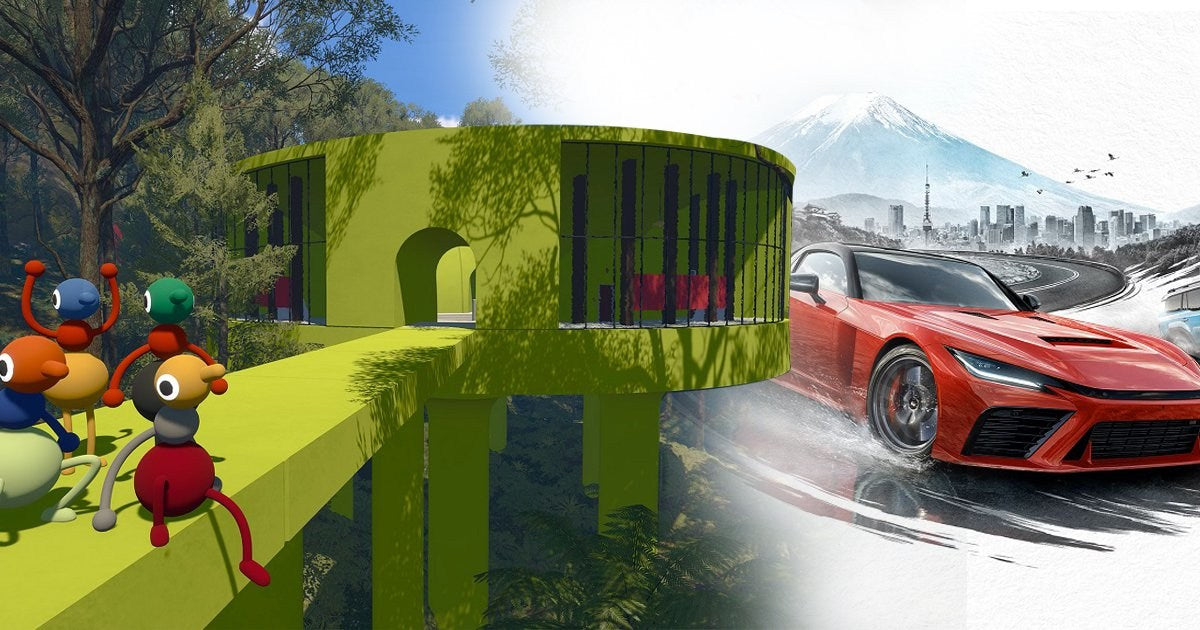
Big Walk, Forza Horizon 6, and the Real Question for Buyers: What Gaming PC Canada Customers Actually Need Next
The headline grabbing the gaming world is simple: gaming PC Canada buyers are watching a new top-rated game, Big Walk, overtake Forza Horizon 6 in review rankings for 2026. On the surface, that sounds like another industry score update. In reality, it points to something much bigger for Canadian players, creators, and performance-minded shoppers: the games getting the most attention are no longer all the same type of experience, and the PC you buy now needs to match your next year of gaming, streaming, editing, and creative work, not just one title.
According to the source material, Big Walk has moved ahead of Forza Horizon 6 and Mina The Hollower on review aggregation, at least for now, with especially strong results on PC. That matters because it reinforces a trend PC enthusiasts already know well: if a game becomes a breakout hit, players suddenly start asking the same urgent questions. Can my current system run it well? Do I finally need to upgrade? Should I buy a budget build, step up to a stronger GPU, or finance a better machine now before prices change?
For Groovy Computers, that is where the story becomes useful. This is not just about one indie co-op success or one racing giant losing the top spot. It is about how fast the performance conversation shifts in modern PC gaming, and why Canadian buyers need a system strategy rather than a last-minute panic purchase.
Why does Big Walk replacing Forza Horizon 6 actually matter to PC buyers?
Because review leaders shape demand. Not every highly rated game is a hardware monster, but every surprise hit creates new buyer intent. Some readers will want a PC for co-op games and social experiences. Others will use the news as a reminder that they still have not upgraded for bigger releases on the horizon. And many buyers are not shopping for one game at all. They are shopping for the next two to four years.
That is the key difference.
When the year’s best-reviewed titles jump from open-world racing to indie co-op to major AAA contenders, your buying decision should not be based on one benchmark screenshot. It should be based on how you actually play. Are you mostly into esports and lighter games? Are you trying to run new releases at 1440p with high settings? Are you targeting 4K and ray tracing? Or are you one of the many people who game at night and edit video, stream, or create content during the day?
The source article also notes something important: Big Walk’s PC version currently leads, while its console scores differ substantially. That alone is a reminder that platform performance still matters, and PC gives buyers the most control over visual settings, frame rates, upgradability, and long-term flexibility.
What the source story gets right about 2026 gaming trends
The source correctly highlights how competitive this year has been for top-rated games. Multiple titles have taken turns at the top, and more highly anticipated games are still waiting in the wings. That tells buyers something practical: the pressure on your hardware is not going down. The range of experiences is getting wider, and so are the expectations.
One month, the conversation is about open-world racing. The next, it is about stylish retro-inspired action. Then an inventive co-op game takes over the discussion. Soon enough, attention turns to blockbuster launches and remakes with much heavier graphical demands. If you buy too narrowly, you risk upgrading too soon.
That is why a good custom build matters. A properly matched system does not just run the trending game of the week. It stays balanced across CPU, GPU, cooling, memory, and storage so that your next purchase still makes sense when the next surprise hit arrives.
What do you want your next PC to do for you?
Before you focus on rankings, ask the better question: what do you want your next PC to do for you?
Do you want a machine that handles today’s best-reviewed games at smooth frame rates without constant compromises?
Do you want a system that can move comfortably from gaming to Discord, browsers, capture software, and OBS without feeling overloaded?
Are you buying for 1080p now, but hoping to move to 1440p later?
Do you care more about high FPS in competitive games, or richer visual quality in cinematic titles?
Do you also need your system for Premiere Pro, DaVinci Resolve, Photoshop, Lightroom, Illustrator, Blender, or Unreal Engine?
Are you trying to avoid the classic mistake of buying just enough PC for this month, then needing another upgrade far sooner than expected?
Those are the questions that should shape a custom PC recommendation. They matter more than hype, and they matter more than average buyers realize when they start shopping too late.
Gaming PC Canada buyers should think beyond one review score
A game topping the charts does not mean everyone suddenly needs the same hardware tier. In fact, the opposite is true. A gaming PC Canada buyer should use a big gaming headline as a trigger to evaluate use case, display resolution, future plans, and budget.
If your gaming life is built around indie titles, co-op experiences, strategy games, lighter competitive games, and older AAA releases, your ideal build may be very different from someone preparing for the next wave of ultra-demanding blockbusters.
If your plan is to jump into the biggest new releases as they launch, especially at higher resolutions or with visual features like ray tracing, then your hardware path changes fast. GPU tier, VRAM headroom, CPU choice, and memory capacity become much more important.
And if you are in Canada, there is another layer: availability and pricing can shift quickly. The best time to choose your system is usually before demand spikes, not after social media convinces everyone they need the same class of hardware.
What PC do I need for 1080p, 1440p, or 4K gaming?
1080p gaming: who is it for?
If you mainly play esports titles, co-op games, lighter indie hits, and a broad mix of mainstream releases, a well-balanced 1080p system can still be a smart value choice. This is often the sweet spot for first-time buyers, students, and customers focused on price-to-performance.
But even here, it is worth asking: do you want a machine that only handles today’s needs, or one that leaves room for tomorrow’s more demanding games? A budget build can be excellent if it is thoughtfully configured, but underbuying can cost more later if you need to replace major components too soon.
1440p gaming: is this the real sweet spot now?
For many buyers, yes. 1440p has become the practical target for people who want sharper visuals, stronger immersion, and a more premium experience without going all-in on 4K. If you are following games like Forza Horizon 6, watching every new reveal, and expecting visually impressive releases over the next few years, 1440p is often the most balanced destination.
Ask yourself: do you want high settings and smooth gameplay without immediately shopping again in a year? If so, a stronger mid-range to upper-tier custom gaming PC often makes more sense than stretching a lower-end system beyond its comfort zone.
4K and ray tracing: do you really need premium hardware?
If your goal is 4K gaming, ultra settings, or serious ray tracing performance, then yes, you are in premium territory. The question is not whether high-end hardware helps. It absolutely does. The real question is whether your monitor, library, and expectations justify it.
Do you want stunning single-player experiences? Do you care about image quality as much as frame rate? Are you buying a machine you expect to keep performing at a high level for years? Then a premium RTX-class build may be the right move.
For these buyers, financing can be especially relevant. A stronger build today may age better than a compromised one that needs upgrades sooner.
What if you game and stream at the same time?
This is where many buyers underestimate their needs. A system that feels good for gaming alone may not feel nearly as comfortable once OBS, browser tabs, background apps, chat tools, plugins, and recording tasks enter the picture.
So ask yourself: are you just playing, or are you planning to capture, stream, clip, upload, and multitask too?
If you want a gaming and streaming PC Canada customers can depend on, balance matters. You need enough CPU and GPU overhead, enough RAM for modern multitasking, and enough SSD speed and capacity to avoid storage bottlenecks. Streaming also pushes you toward higher reliability, because dropped frames and instability are far more frustrating when an audience is involved.
If your current setup struggles once OBS is open, that is not a small annoyance. It is a buying signal.
Are you only shopping for games, or do you also need a creator PC?
One of the biggest mistakes buyers make is assuming they need one PC for gaming and a separate mental category for work or creativity. In reality, many customers need one excellent machine that handles multiple demanding jobs.
That is especially true if you edit videos, cut social content, design graphics, retouch photos, build thumbnails, render 3D assets, or work inside software like Adobe Creative Cloud, DaVinci Resolve, Blender, or Unreal Engine.
If that sounds like you, then the gaming news cycle is still relevant. Why? Because the same market demand that affects gaming parts also affects creator and workstation builds. If GPU pressure rises, it does not only impact high-FPS players. It also affects editors, artists, and 3D professionals.
What PC do I need for video editing?
If you work with 4K footage, layered timelines, effects, colour correction, and regular exports, a video editing PC Canada buyers choose should prioritize more than game performance. You need enough RAM, fast storage, and hardware that stays responsive under prolonged workloads.
Are you cutting YouTube videos after work? Delivering client projects? Working in Premiere Pro or DaVinci Resolve? Trying to speed up exports and reduce lag when scrubbing? Those answers affect whether you need a gaming-first build, a creator-focused system, or a true editing workstation.
What PC do I need for photo editing and graphic design?
If your workload is based around Photoshop, Lightroom, Illustrator, InDesign, Canva, or large multi-layer assets, your ideal system may not need the same GPU emphasis as a 4K gaming rig, but it still needs balance. A photo editing PC Canada or graphic design system benefits from strong single-core responsiveness, sufficient RAM, dependable storage, and smooth multitasking.
Do you batch process RAW images? Work with huge PSD files? Keep reference images, browsers, cloud tools, and music open while editing? Then a generic low-end computer can become frustrating fast.
What PC do I need for 3D modeling or Blender?
If you model, sculpt, animate, render, or build scenes in Blender, Unreal Engine, Maya, Cinema 4D, or similar tools, your needs move even further into workstation territory. A 3D modeling PC Canada customers choose should be built around render performance, viewport responsiveness, memory needs, and long-session stability.
Are you rendering stills? Animation? Product visuals? Game assets? Architecture scenes? Training in 3D today but planning to take on paid work later? Then buying too low may slow your growth, not just your projects.
Why Canadian buyers should care about timing before major game releases
The source article mentions the possibility that future heavyweights could overtake Big Walk. That matters from a buying perspective because hype cycles move hardware demand.
When major releases approach, more people start searching for a gaming PC for new games. That often means stronger demand for GPUs, more comparison shopping, tighter inventory on certain configurations, and more hesitation from buyers who waited until the last minute.
So ask yourself: are you buying calmly before the rush, or reactively during it?
If you already know a major title, software upgrade, or personal workload change is coming, waiting does not always save money. Sometimes it only reduces your options.
That does not mean every buyer should rush blindly. It means you should buy strategically. If your current PC is clearly behind your goals, earlier planning gives you more control over budget, parts, and performance.
Is it better to buy a gaming PC now or wait?
This is one of the most common buyer questions, and the honest answer is: it depends on what waiting is supposed to accomplish.
If you are waiting because your current system still does everything you need, that is reasonable.
If you are waiting for a very specific future component or a known release window, that can also make sense.
But if you are waiting out of uncertainty while your current system already struggles, the delay can become expensive in a different way. You lose performance now, you risk buying under pressure later, and you may face worse replacement costs if demand rises or certain component categories tighten.
That is especially true for buyers who know they want a custom gaming PC, creator PC, or workstation and are simply unsure which tier fits best. In those cases, guidance matters more than delay.
Should you choose a budget gaming PC, mid-range build, or premium system?
This is where a long-term view helps most. A custom PC should be matched to your real use, not just your minimum acceptable result.
Budget/value tier
A budget gaming PC Canada build makes sense if your focus is 1080p gaming, lighter multiplayer titles, indie games, school use, and general everyday speed. It can also work for entry-level editing and design workloads.
Good fit questions include: are you trying to stay on budget while still getting a real gaming experience? Is this your first desktop? Are you mainly playing games that do not demand top-tier GPU power? Do you want value without sacrificing build quality?
Balanced performance tier
This is often the best fit for the widest range of buyers. If you want 1440p capability, stronger AAA performance, room for streaming, and more flexibility for editing or content creation, a balanced mid-to-upper tier custom build is usually the sweet spot.
Ask yourself: do you want a PC that feels clearly better, not just barely enough? Do you want to avoid upgrading too soon? Do you want your system to stay relevant as game demands rise?
Premium/high-end tier
A premium build is for buyers chasing 4K, ultra settings, stronger ray tracing, serious creator workloads, or a longer runway before needing another major upgrade. It is also ideal for users combining gaming with workstation-level tasks.
If you are asking whether an ultra-powerful system is worth it, the better question may be: how much time, frustration, and future replacement cost are you trying to avoid?
Why financing can make sense when performance matters
Not every buyer wants to pay for a stronger system all at once, and that is exactly why Gaming PC Financing Canada searches continue to matter. Financing is not about overspending for the sake of it. Used wisely, it can help buyers secure a more appropriate machine now instead of settling for a weaker system that needs replacing too early.
Would a monthly payment make it easier to move from a short-term compromise to a build that actually fits your gaming and creative goals? Would stretching to a better GPU, more RAM, or faster storage save you from another upgrade cycle sooner than expected? Would financing up to 4 years help you buy the right system once instead of buying twice?
Those are practical questions, not impulse questions.
For customers preparing for major game releases, heavier streaming, school workloads, freelance editing, or creator growth, financing can be a way to lock in a stronger platform before costs shift again.
What hardware areas usually drive the biggest buying decisions?
GPU choice
The GPU remains central for gaming, ray tracing, many creator workflows, and GPU-accelerated tasks. If you are targeting higher resolutions or want stronger long-term gaming headroom, this is often where budget allocation matters most.
CPU choice
CPU performance becomes especially important for competitive gaming, streaming, multitasking, simulation-heavy titles, editing responsiveness, and workstation use. If your tasks extend beyond gaming, CPU selection should never be treated as an afterthought.
RAM capacity
For many buyers, RAM is where a system stops feeling cramped and starts feeling capable. Modern gaming, streaming, browsers, editing apps, and creative suites can add up quickly. If you are asking how much RAM you need, the answer depends on whether your PC is purely for gaming or expected to multitask all day.
SSD speed and storage space
Storage affects launch times, project handling, game libraries, media management, and overall responsiveness. If you work with footage, RAW images, captures, or massive game installs, too little storage becomes a frustration fast.
Cooling and power quality
These are not glamorous, but they matter. A custom PC should be built for stability, thermals, and long-term reliability, not just headline specs. Especially in higher performance systems, cooling and power delivery are part of the buying decision, not optional extras.
Why custom builds matter more when the market feels unpredictable
Random off-the-shelf systems often look competitive until you examine the actual part balance. A custom build gives you the chance to prioritize what matters for your use case rather than paying for the wrong compromises.
Do you need more GPU than CPU? More RAM for editing? More storage for content creation? Better airflow for longer rendering sessions? A specific performance target for 1440p or 4K? This is where custom PC building becomes more than a luxury. It becomes the practical way to buy correctly.
Groovy Computers is built around that idea. Canadian buyers do not just need components. They need systems that are assembled with purpose, rigorously tested, and backed by support confidence. That is especially valuable when pricing is volatile and every purchase decision feels heavier.
Why does testing and warranty support matter so much?
Because the true cost of a PC is not just what you pay on checkout day. It is also the confidence that the machine performs as expected, stays stable, and is backed by real support if something goes wrong.
When you are buying a custom system for gaming, streaming, editing, or workstation use, you want to know it has been properly stress tested. You want parts chosen to work together well. You want a reliable thermal setup. You want a warranty that reflects accountability.
That is why Groovy Computers’ approach matters for Canadian buyers. A custom build paired with rigorous testing and a 1-year warranty creates a stronger ownership experience than taking chances on a random machine that only looked good in a specs list.
What kind of buyer should choose each Groovy Computers category?
Choose a gaming-focused custom PC if:
- You mainly want smooth gaming performance across current and upcoming titles
- You are deciding between 1080p, 1440p, or 4K performance tiers
- You want a system built to handle modern games without weak-link compromises
- You are shopping for a custom gaming upgrade rather than a generic desktop
Choose a streaming and creator-friendly build if:
- You game while using OBS, Discord, browsers, capture tools, or recording software
- You create YouTube, TikTok, or live content alongside gaming
- You want one machine that can play, stream, edit, and multitask well
- You are unsure whether a gaming PC alone is enough for your content workflow
Choose a video editing or content creation PC if:
- You work in Premiere Pro, DaVinci Resolve, After Effects, or similar apps
- You need stronger export times, better timeline responsiveness, and more memory headroom
- You want a machine that supports both work and personal gaming
- You are losing time waiting on a slower current system
Choose a 3D modeling or workstation build if:
- You use Blender, Unreal Engine, CAD tools, rendering software, or animation programs
- You need stability under sustained heavy workloads
- You care about render speed, viewport performance, and long-term expandability
- You need a professional-grade machine, not just a gaming-first setup
What should you ask before buying or financing your next custom PC?
What games are you actually planning to play over the next 12 to 24 months?
Are you buying for 1080p, 1440p, or 4K?
Do you want ray tracing, very high FPS, or simply solid smooth performance?
Will you stream, record, or edit content too?
Do you also need Photoshop, Lightroom, Premiere Pro, DaVinci Resolve, Illustrator, Blender, or Unreal Engine performance?
Are you trying to avoid another upgrade in a year?
Would a stronger system now save you money and frustration later?
Would financing help you secure a better long-term build before major releases or component price shifts change the equation?
If those questions feel familiar, you are exactly the kind of buyer who benefits from expert guidance rather than guesswork.
Why Groovy Computers is a smart fit for Canadian buyers
Groovy Computers is positioned for people who want more than a generic shopping cart experience. Whether you are in Nova Scotia, Atlantic Canada, or ordering elsewhere in the country, the goal is the same: help you get the right custom PC for the way you actually use it.
That means better alignment between your budget and your goals. It means systems built for gaming, streaming, content creation, editing, and workstation tasks. It means rigorous testing, smart part matching, and support confidence with a 1-year warranty. It also means financing options that can help you move into a stronger build without needing to delay until conditions become worse.
For customers comparing generic prebuilts to a real custom solution, this is the difference between buying a PC and buying the right PC.
So, what should you do if Big Walk, Forza Horizon 6, and new releases have you thinking about upgrading?
Use the moment well. Do not just ask whether one game beat another in review scores. Ask what the trend reveals about your own needs. The biggest story is not the leaderboard. It is the reminder that the gaming landscape keeps changing, and your system should be ready for more than one headline.
If you are starting to wonder whether your current desktop is enough for modern gaming, streaming, editing, or creative software, that uncertainty is worth acting on. If you know you want smoother 1440p gaming, better multitasking, stronger creator performance, or a more future-ready platform, waiting without a plan usually does not improve the outcome.
What do you want your next system to handle better than your current one? If you are ready to shop smarter, compare performance tiers, or ask about a custom build or financing, visit GroovyComputers.ca. Groovy Computers helps Canadian buyers choose custom gaming PCs, creator PCs, and workstation systems that fit real-world goals, not just temporary hype.
In other words, the lesson behind this year’s top-rated game shakeup is clear: buy for your next chapter, not just your next headline. For buyers searching for a gaming PC Canada solution they can trust, the best move is a properly built system that matches how they play, create, and work now, while staying ready for what comes next.
#GamingPCCanada #CustomGamingPCCanada #GamingPCBuilderCanada #CanadianCustomPCBuilders #GamingAndStreamingPCCanada #VideoEditingPCCanada #CreatorPCCanada #3DModelingPCCanada #WorkstationPCCanada #BudgetGamingPCCanada #4KGamingPCCanada #GamingPCForNewGames #NovaScotiaPCBuilder #BuyGamingPCOnlineCanada #FinanceCustomPCCanada
Groovy Computers | All Rights Reserved


Leave a comment
This site is protected by hCaptcha and the hCaptcha Privacy Policy and Terms of Service apply.