






















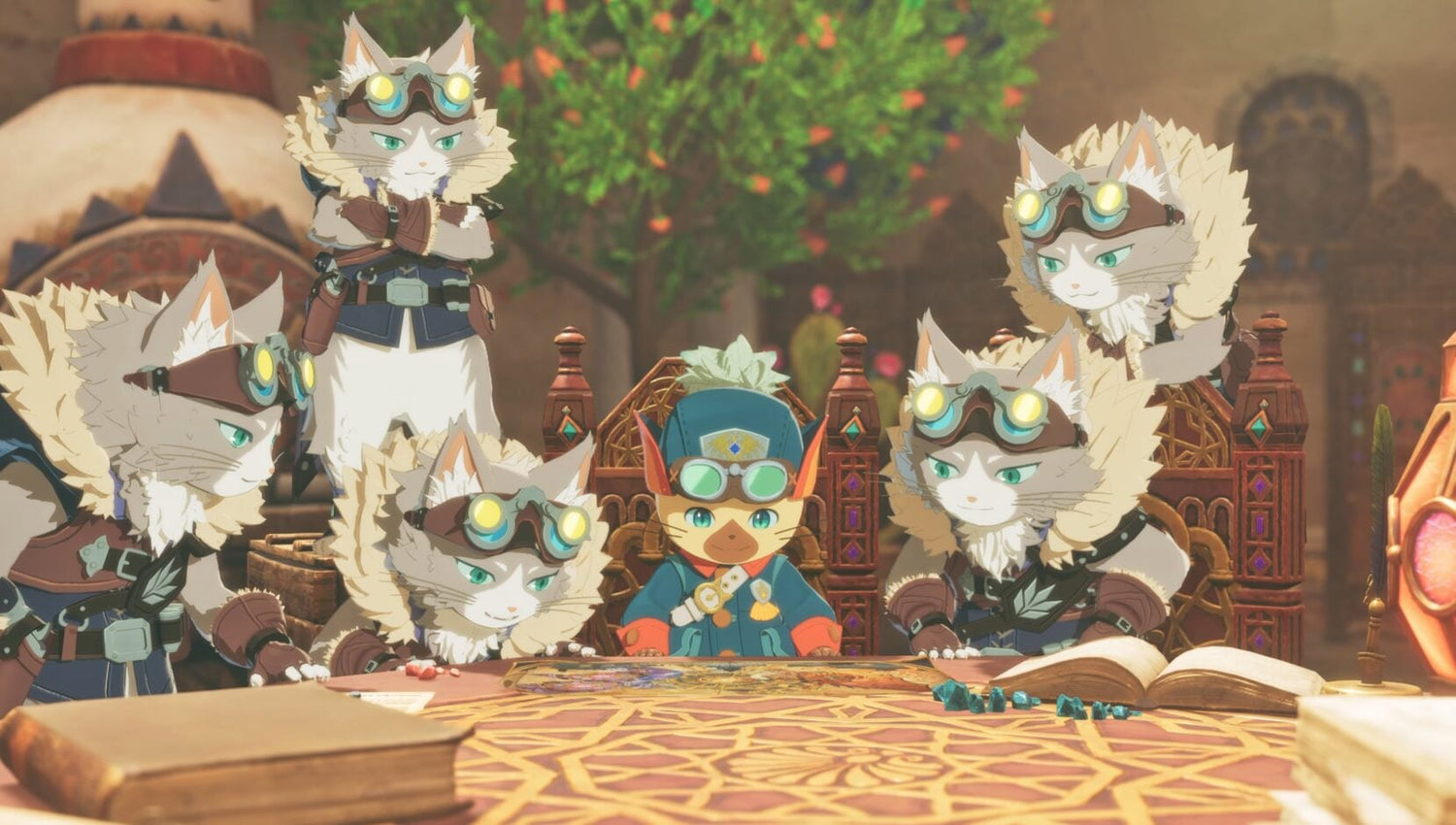
Monster Hunter Stories 3 Story DLC: What Canadian Gamers Should Know Before Choosing a Gaming PC
The new Monster Hunter Stories 3 story DLC is more than just another post-launch update. It is a reminder of how modern RPGs keep growing after release, adding tougher encounters, more content, and longer playtime demands that can push older systems harder over time. For Canadian buyers, that matters. If you are planning your next Gaming PC Canada purchase around big RPGs, live-service updates, harder endgame content, streaming, or content creation, now is the right time to ask a practical question: is your current PC ready for what your next year of gaming will actually look like?
Capcom announced a paid side story for Monster Hunter Stories 3 centered on Rudy, while also releasing a free update that introduces more difficult content for players with completed save files. That combination matters because it reflects a wider trend in gaming: titles are no longer static. Even games that launch comfortably on your system can become more demanding as expansions, effects-heavy updates, background applications, and streaming tools stack on top of each other.
That is where Groovy Computers comes in. As a Canadian custom PC builder, Groovy Computers helps customers match real-world gaming goals to the right build category instead of guessing based on hype alone. Are you just trying to enjoy RPGs at smooth settings? Do you want a 1440p gaming PC Canada setup that can also handle Discord, browser tabs, and capture software? Are you buying ahead of major game releases so you do not need another upgrade too soon? Those are the questions that lead to better buying decisions.
Why does the Monster Hunter Stories 3 story DLC matter to PC buyers?
On the surface, this update is simple: a new side story, a returning fan-favorite character, and harder post-game challenges. But from a buyer perspective, it points to something larger. Games are increasingly designed to stay relevant through updates, DLC, progression layers, and challenge modes. That means your PC does not just need to run launch-day content. It needs headroom.
If you buy too close to the minimum, what happens six months later when a game adds heavier scenes, more on-screen effects, more background simulation, or more demanding encounters? What happens when you also decide you want to stream on Twitch, clip gameplay for social media, or record footage for YouTube? That is where many entry-level systems start to feel cramped.
Canadian gamers are often balancing more than one goal at once. You may be playing RPGs today, but are you also planning to try other AAA releases this year? Do you want one PC that can handle Monster Hunter-style games, open-world releases, competitive titles, and general daily use without feeling outdated too quickly? A stronger build now often saves money and frustration later.
What did Capcom announce, and why is that important for performance planning?
Based on the source material provided, Capcom released “Additional Side Story: Rudy” as paid DLC, with the content included at no extra charge for owners of certain higher-tier editions. The update also brought a harder Final Battle option and Royal Monster versions of many creatures once players clear specific post-game conditions.
Why should that influence PC shopping? Because harder endgame content tends to increase playtime, and longer playtime often changes buying priorities. A player who thought they only needed a basic machine for occasional gaming may suddenly find themselves investing dozens or even hundreds more hours into one title. At that point, frame stability, load times, multitasking, thermals, and long-session reliability become much more important.
If you are the kind of player who sticks with games after launch, asks for higher settings, and values smoother long sessions, then buying purely for “good enough” can be a mistake. A custom-built system with better cooling, better airflow, and a more balanced CPU-GPU pairing will usually age better than an off-the-shelf compromise.
What do you want your next PC to do for you?
Before comparing specs, ask the question that matters most: what do you want your next PC to do for you?
Do you want it to play story-driven RPGs smoothly at 1080p without stutter? Do you want a system that pushes 1440p with higher visual settings and room for future releases? Are you hoping to move into 4K, ray tracing, or ultra settings? Do you want to game and stream from the same PC? Will you also edit videos, create thumbnails, use Photoshop, or work in apps like Premiere Pro, DaVinci Resolve, Blender, or Illustrator?
A lot of buyers start by asking, “What gaming PC do I need?” but the better question is often, “What mix of gaming, streaming, editing, and everyday use do I need this system to handle over the next few years?” That is where a custom recommendation becomes far more useful than a generic spec sheet.
Are you buying only for one game, or for a full year of new games?
One of the biggest mistakes buyers make is shopping for a single title instead of shopping for a full usage pattern. Monster Hunter Stories 3 may be the headline right now, but what else is coming next for you? Are you also interested in open-world action games, competitive shooters, co-op releases, modded sandbox games, or future RPG expansions?
If your answer is yes, then your buying logic should change. A PC selected only for one lighter workload can become limiting quickly once your library expands. A better approach is to choose a system that fits your likely gaming profile:
- Story and RPG player: smooth frame pacing, fast SSD, strong all-around CPU and GPU balance
- Competitive player: high refresh rate performance, CPU responsiveness, cooler sustained clocks
- AAA enthusiast: stronger GPU tier, more VRAM headroom, better cooling, future-proof storage
- Gaming plus streaming: more CPU overhead, modern GPU encoding support, extra RAM
- Gaming plus editing: fast multi-core performance, large SSD, creator-friendly memory capacity
Are you trying to avoid another upgrade in a year? If so, planning around your next several games instead of your current one is usually the smarter move.
Which performance tier fits your gaming style?
Not every player needs the same machine, and not every budget should be pushed into the highest tier. The right fit depends on your monitor, your game library, your expectations, and how long you want the system to stay satisfying.
Entry-level: Is a budget gaming computer enough for you?
If you mainly play lighter games, older titles, esports, or want a simple entry point into PC gaming, a budget gaming PC Canada build may be enough. This tier works best for players targeting 1080p, moderate settings, and practical value.
But ask yourself: are you truly a budget buyer, or are you just trying to stay cautious? If you already know you will install larger modern games, use a high refresh monitor, or keep the system for several years, going slightly stronger can make far more sense than buying the cheapest option available.
Mid-range: Is 1440p your real sweet spot?
For many Canadian gamers, 1440p gaming PC Canada builds are the best balance of visual quality, performance, and long-term value. This tier is ideal if you want modern games to look noticeably better than entry-level setups while still keeping a sensible overall budget.
Do you want stronger texture settings, better frame consistency, faster load times, and the freedom to keep multiple apps open while gaming? Mid-range systems often hit the best value point for players who want more than basic 1080p but do not need an all-out flagship build.
High-end: Are you aiming for 4K, ray tracing, or long-term headroom?
If you want premium visuals, ultra settings, high refresh gameplay in demanding titles, or longer-term confidence against future releases, a high end gaming PC Canada setup may be the right move. This is where buyers typically care about 4K, heavier graphical effects, stronger cooling, and more room for tomorrow’s games.
Should you always stretch to the high end? Not necessarily. But if you already know you hate compromises, use a premium display, or want to delay your next upgrade as long as possible, stronger hardware can be the more economical choice across the full ownership period.
What if you also want to stream, record, or create content?
Many gamers are no longer just gamers. They stream, record clips, upload reviews, edit shorts, design thumbnails, or produce long-form content. If that sounds like you, then a pure gaming build may not be enough. You may be better served by a gaming and streaming PC Canada or even a creator PC Canada configuration.
Ask yourself a few simple questions. Do you want to run OBS while gaming? Do you want cleaner stream quality without sacrificing in-game smoothness? Do you plan to edit footage in Premiere Pro or DaVinci Resolve? Do you want a machine that can handle Photoshop, Canva, Illustrator, and browser-heavy workflows at the same time?
If yes, then memory capacity, storage speed, CPU thread count, and GPU acceleration all start to matter more. A system that feels fine for gaming alone may become frustrating once streaming and editing tasks are layered on top. That is why Groovy Computers helps buyers step back and choose for the full workflow, not just the game launcher.
Could this kind of game trend push you toward a creator PC instead?
Monster Hunter-style releases often generate more than gameplay. They generate reaction content, build guides, streams, social posts, boss breakdowns, and clips. If you are the player who turns game hype into content, your next system may need to be more than a gaming desktop.
A content creation PC Canada setup makes sense when your PC has to do double duty. One day it is handling a long gaming session. The next it is ingesting footage, exporting H.264 or H.265 video, managing layered timelines, or processing assets for YouTube and social media. If that sounds familiar, why settle for a machine that only meets half your needs?
For creators, the better question is not just “Can my PC run this game?” It is “Can my PC run the game, record it, edit the footage, and still stay responsive?”
Why Canadian buyers should think differently about timing
Canadian PC buyers face realities that are easy to overlook: exchange-rate pressure, regional shipping considerations, fluctuating component pricing, and sudden demand spikes around major launches or sales windows. Even when a game update itself is not graphically revolutionary, gaming demand across the market can still shift buying conditions quickly.
That means timing matters. Are you waiting for the exact moment your old PC becomes unbearable? Are you planning to buy right when a major game release wave hits and more people start shopping for upgrades? Are you risking a situation where GPU pricing, RAM costs, or SSD pricing move in the wrong direction before you act?
If you already know your current setup is struggling, waiting does not always save money. Sometimes it only means paying later for a system you need now, while also losing months of enjoyment and productivity in the meantime.
Should you buy now or wait for prices to change?
This is one of the most common questions in PC buying, and the honest answer depends on your situation. If your current machine still does everything you need comfortably, waiting can be reasonable. But if your current PC is already limiting settings, slowing down your workflow, or making you delay games and projects you actually want to enjoy, then waiting can become expensive in a different way.
What is the cost of another season of poor frame pacing, long loads, thermal throttling, crashing exports, or dropped stream quality? What is the cost of buying too weak now and upgrading again too soon? For many customers, the best move is not to chase the perfect market bottom. It is to secure the right performance tier before their needs force a rushed purchase.
This is especially true if you are buying ahead of major game releases, software updates, school terms, or content deadlines. A custom PC is easiest to enjoy when it is bought proactively, not in panic mode.
Can financing help you buy the right system instead of the cheapest one?
For many buyers, yes. Financing can be a practical way to step into a stronger build now instead of compromising too hard and replacing the machine sooner. If your ideal system is just above your immediate comfort range, splitting the cost over time can make a smarter long-term build more realistic.
Would you rather buy a system that barely covers today’s needs, or spread payments and get a machine with more GPU headroom, more RAM, faster storage, and better longevity? Would a stronger build now help you avoid another upgrade cycle too soon? Would monthly affordability make it easier to buy a system that can handle gaming, streaming, and creator work together?
Groovy Computers offers options that help Canadian customers think beyond the lowest sticker price. In many cases, financing up to 4 years can make it easier to secure a better-balanced custom system before replacement costs rise further.
What if you need a PC for more than gaming?
Some readers land on gaming news, then realize their next computer also needs to support school, work, freelance design, editing, or technical applications. If that is you, your build category may be broader than a traditional gaming system.
Do you need a video editing PC Canada build for YouTube uploads or client projects? Do you need a photo editing PC Canada setup for Lightroom and Photoshop? Are you a designer who needs a graphic design PC Canada for Illustrator, InDesign, and multitasking? Are you a 3D user looking for a 3D modeling PC Canada or a workstation PC Canada system for Blender, Unreal Engine, CAD, rendering, or productivity-heavy work?
A well-planned custom PC can bridge these needs. The key is not to overbuy in the wrong areas or underbuy in the ones that matter most. Some customers need more GPU power. Others need more CPU threads. Others need more RAM, silent cooling, or larger SSD capacity. Matching the build to the workload is what separates a smart purchase from a frustrating one.
Custom PC vs generic prebuilt: why does it matter more right now?
When game libraries grow, software gets heavier, and component pricing stays unpredictable, build quality matters more. A custom system is not just about flashy parts. It is about choosing the right part balance, cooling properly, testing thoroughly, and preserving upgrade flexibility.
Have you ever looked at a generic prebuilt and wondered why one part seemed strong but another looked oddly weak? That is a common issue. Many mass-market systems cut corners on cooling, motherboard quality, power supply quality, memory configuration, or storage speed. Those tradeoffs may not be obvious at first, but they affect the ownership experience over time.
Groovy Computers focuses on custom builds that are assembled for actual use cases, not just marketing checklists. That means stronger part matching, practical airflow planning, stress testing, and the confidence of a 1-year warranty. If you are buying for new games, creator work, or mixed-use performance, that kind of reliability matters.
What questions should you ask before choosing your next PC?
If you are trying to make a smart decision, these are the kinds of questions worth asking yourself before you buy:
- What games do I actually play most, and what games do I expect to play next?
- Am I targeting 1080p, 1440p, or 4K?
- Do I care about ray tracing, ultra settings, or simply smooth performance?
- Will I stream, record gameplay, or use OBS?
- Do I edit video, photos, graphics, or social content on the same machine?
- Do I want this PC to feel good for a year, or still feel strong several years from now?
- Would financing help me avoid underbuying?
- Am I trying to avoid upgrading too soon?
- Do I want a tested custom build with Canadian support and warranty confidence?
These questions are simple, but they reveal the correct buying category quickly. Once you know your real usage pattern, the right build becomes much easier to identify.
What kind of buyer should choose each Groovy Computers category?
Choose a value-focused gaming PC if...
You want smooth 1080p gaming, solid everyday performance, and a practical entry point into modern PC gaming without overspending. This is ideal for lighter gaming libraries, first-time desktop buyers, and customers who want balanced value.
Choose a mid-range custom gaming PC if...
You want 1440p-ready performance, better longevity, faster responsiveness, and room for bigger modern games. This is often the sweet spot for players who want a better overall experience without jumping to the highest tier.
Choose a premium gaming PC if...
You want stronger settings, heavier AAA performance, longer-term headroom, and a system built to stay satisfying as games evolve. If you want fewer compromises and more upgrade runway, premium can be the smarter long-term choice.
Choose a streaming or creator PC if...
You game, stream, record, and edit from one machine. If your PC is part hobby and part platform, a more creator-aware configuration will usually save time and frustration.
Choose a workstation if...
Your system also supports production work such as 4K editing, Adobe workflows, Blender, Unreal Engine, CAD, rendering, or intensive multitasking. In that case, your PC is not just entertainment hardware. It is productivity infrastructure.
Why Groovy Computers makes sense for Canadian buyers
Canadian customers often want the same thing: performance that feels worth paying for, support they can trust, and a buying experience that does not feel generic. Groovy Computers is built around that need.
Instead of forcing shoppers into one-size-fits-all systems, Groovy focuses on custom builds matched to real goals. That means gaming PCs, creator PCs, and workstation PCs configured around how you actually use your machine. It also means rigorous testing, practical component balance, and a 1-year warranty that adds confidence when you are investing in performance.
If you are in Nova Scotia, Atlantic Canada, or ordering from elsewhere in the country, the appeal is the same: work with a Canadian builder that understands performance, value, and timing. Whether you need a stronger RPG-ready system, a multitasking streamer setup, or a creator workstation that can keep up with software demands, Groovy Computers is positioned to help.
Need help deciding what PC you actually need?
If reading about the new Monster Hunter Stories 3 update has you thinking about your current setup, that is a good time to act on the right question: what should your next PC be built to handle? If you are unsure whether you need a budget gaming system, a 1440p-focused upgrade, a premium RTX build, a creator desktop, or a workstation, Groovy Computers can help you narrow it down without the usual guesswork.
Do you want a system that is ready for longer RPG sessions, future game releases, streaming, editing, and daily use without feeling outdated too quickly? Visit GroovyComputers.ca to explore custom build options, compare performance tiers, and find the right Canadian-built PC for your needs.
Final thoughts: the Monster Hunter Stories 3 story DLC is a reminder to buy for where gaming is going
The Monster Hunter Stories 3 story DLC announcement is not just a content update. It is another example of how modern games keep expanding, extending player engagement and increasing the importance of owning a system with enough overhead to keep up. For Canadian gamers, streamers, and creators, the better buying strategy is not simply to ask whether a PC can run one game today. It is to ask whether that PC will still feel right as games, updates, and workloads keep growing.
If you are shopping for a new system, think bigger than launch-day minimums. Think about your monitor, your next wave of games, your interest in streaming or editing, your upgrade timeline, and your budget comfort over time. The right custom build can save you from replacing too soon, compromising too much, or missing out on the kind of smooth experience you actually wanted in the first place.
Need help choosing between a gaming build, creator system, or workstation? Want to know whether a stronger tier now makes more sense than another short-term upgrade later? Groovy Computers is a smart place for Canadian buyers to start when they want a Gaming PC Canada solution built around real performance, real support, and real long-term value.
#MonsterHunterStories3 #MonsterHunterStories3StoryDLC #GamingPCCanada #CustomGamingPCCanada #GamingPCBuilderCanada #1440pGamingPCCanada #CreatorPCCanada #ContentCreationPCCanada #WorkstationPCCanada #CanadianCustomPCBuilders #NovaScotiaTech #GroovyComputers
Groovy Computers | All Rights Reserved


Leave a comment
This site is protected by hCaptcha and the hCaptcha Privacy Policy and Terms of Service apply.