






















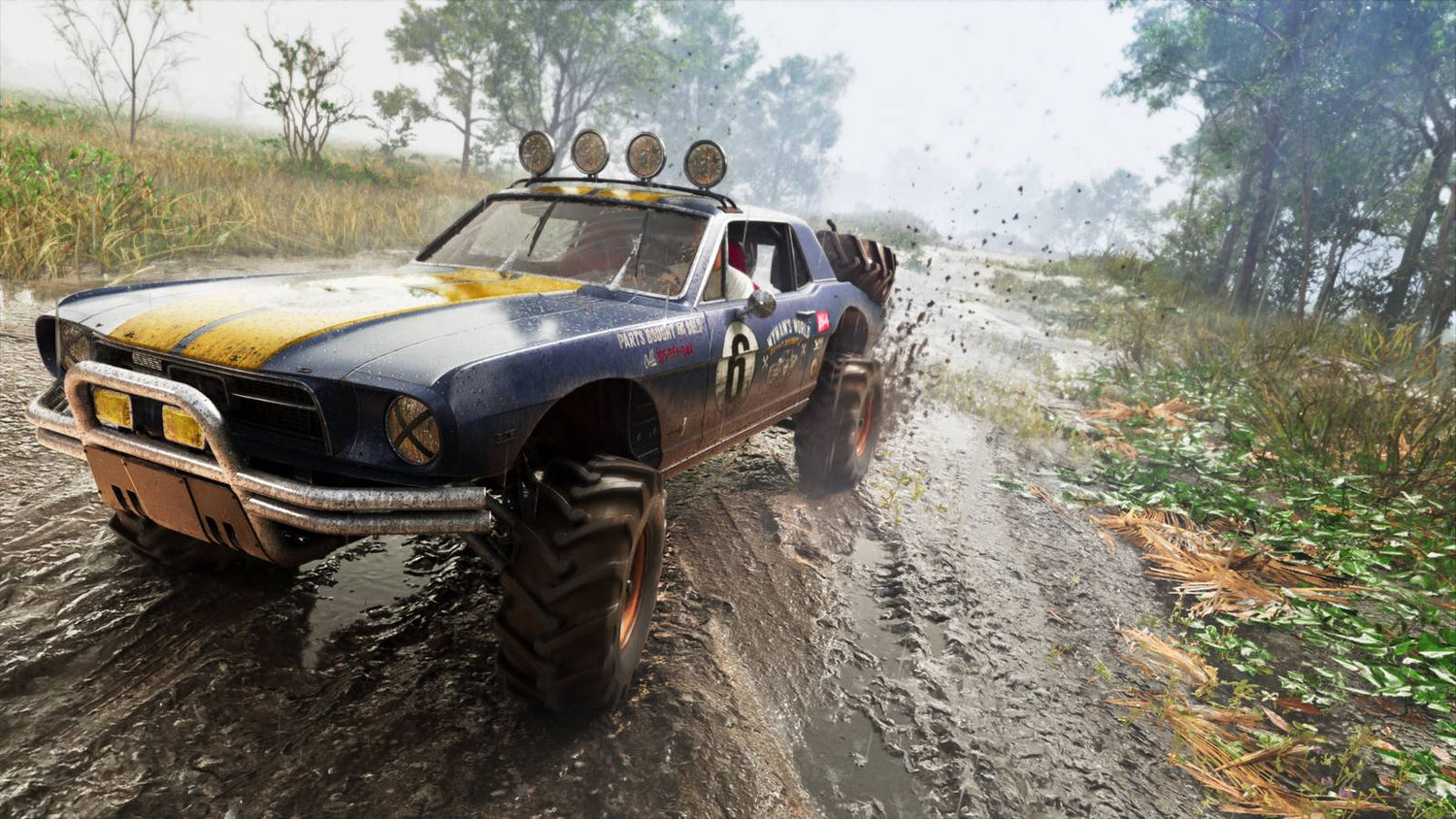
GTA 6 Fans Are Obsessed With Mud, but the Bigger Story Is What Kind of PC You’ll Need for Visuals Like This in Canada
The latest GTA 6 screenshots sparked a wave of discussion for one surprisingly specific reason: mud. Not the cars, not the weapons, not even the map scale first. Mud. That reaction says a lot about where modern game expectations are heading, and it matters for anyone researching a gaming PC Canada buyers can trust for upcoming AAA releases. When players zoom in on wet terrain, tire tracks, reflections, dirt buildup, and environmental realism, they are really asking a bigger question: what hardware will it take to enjoy next-generation visuals properly?
That is where this story becomes more than gaming news. It becomes a buying guide. If one screenshot can trigger debate about ray tracing, reactive environments, visual fidelity, console limitations, and whether promotional images reflect real gameplay, then Canadian buyers should be thinking ahead now. Are you planning for 1080p, 1440p, or 4K? Do you want high settings only, or are you expecting ray tracing, better frame pacing, streaming, recording, and long-term upgrade flexibility too?
At Groovy Computers, this is exactly the kind of moment that helps people make smarter buying decisions. Major game launches do not just create hype. They reshape demand for GPUs, CPUs, RAM, SSDs, and complete systems. If you have been wondering whether your current system is good enough for the next generation of open-world games, this is the right time to ask.
Why are players fixated on mud in GTA 6 screenshots?
Because tiny visual details often reveal the biggest technical ambitions. In the source coverage, fans focused on how realistic the wet dirt looked, how tires appeared to interact with terrain, and whether environmental effects such as mud spray, grime buildup, and windshield behavior might be dynamic. Even if some of that turns out to be promotional staging rather than live gameplay output, the reaction is understandable.
Modern players are no longer impressed by resolution alone. They notice material quality, lighting accuracy, surface response, weather interaction, particle effects, reflections, and environmental persistence. In other words, they are paying attention to the exact features that separate an ordinary machine from a well-balanced custom gaming PC Canada customers can rely on for future releases.
And there is another layer here. When people see screenshots that look almost photorealistic, they immediately start asking whether current hardware can actually deliver that experience. That question is just as relevant on PC as it is on console.
What does this mean for Canadian buyers shopping for a gaming PC for GTA 6?
It means you should not shop by marketing images alone. You should shop by performance goals.
If your next system is being chosen around GTA 6, other open-world games, and visually demanding AAA releases, start with practical questions. Do you want a smooth high-FPS experience at 1080p? Are you aiming for a 1440p gaming PC Canada players often consider the best balance of image quality and performance? Or are you the kind of buyer who wants a 4K gaming PC Canada enthusiasts choose when they want premium visual impact and stronger long-term headroom?
It also means you should think beyond one game. The same PC that is meant to run a demanding open-world title today may also become your setup for streaming, editing clips, posting YouTube content, handling Photoshop, or even moving into Blender and Unreal Engine later. That is why buying the cheapest acceptable system is not always the smartest move.
What do you want your next PC to actually do for you?
This is the question more buyers need to ask before they compare parts, prices, or monthly payment options.
Do you want a system that simply launches new games, or do you want one that makes new games look the way they are supposed to look?
Do you just want to play, or do you also want to stream to Twitch, capture gameplay, edit short-form content, upload YouTube videos, and keep dozens of browser tabs and background apps open without your PC feeling sluggish?
Do you need a budget-focused machine that gets you into current games now, or do you want a future proof gaming PC Canada shoppers can keep longer without needing a major upgrade too soon?
Do you need one machine for gaming at night and creative work during the day? If so, your buying decision may shift away from a pure gaming build and toward a creator-friendly system with more RAM, faster storage, and a stronger CPU.
The right answer depends on your actual use case, not on whichever spec list looks flashy in an ad.
What the GTA 6 screenshot debate gets right about next-gen performance
The source article highlights an important point: highly detailed screenshots create expectations around technologies such as ray tracing, advanced reflections, lighting realism, and environmental effects. It also notes skepticism from technical analysts about whether every visual detail shown in promotional materials will translate perfectly to actual console gameplay.
That is a useful reminder for PC buyers too. If visual fidelity matters to you, then your system should have enough GPU strength, CPU overhead, memory capacity, and SSD performance to handle demanding scenes consistently, not just occasionally. Dense urban areas, weather effects, vehicle physics, AI activity, and long draw distances all add up fast in open-world games.
So the lesson is not to chase screenshots blindly. The lesson is to build for the type of load those screenshots imply.
What gaming PC do I need for GTA 6-style open-world gaming?
If you are asking what gaming PC do I need, the answer depends mostly on resolution, settings expectations, and whether ray tracing matters to you.
Entry-level to value tier: best for 1080p players
If your goal is 1080p gaming with strong settings, solid frame rates, and enough room for current and upcoming AAA games, a budget gaming PC Canada shoppers choose at this level should still prioritize balance. You want a capable modern CPU, a dedicated gaming GPU with enough VRAM for newer titles, at least 16GB of RAM minimum, and preferably a fast SSD with enough space for large game installs.
This tier makes sense if you mostly play on a 1080p monitor, do not insist on maximum ray tracing, and want the best gaming PC for the money without overcommitting.
But ask yourself honestly: are you buying for today only, or for the next two to four years of game releases?
Mid-range sweet spot: ideal for 1440p gaming
For many buyers, this is the smart target. A 1440p gaming PC Canada gamers often prefer delivers a major jump in visual sharpness while still keeping performance realistic in newer games. This is often the best category for players interested in large open-world games, better textures, improved lighting, and stronger long-term value.
If GTA 6, new racing games, action RPGs, and future blockbuster releases are on your radar, this tier is usually where the conversation gets serious. It is also the point where streaming and gameplay capture become much more practical without the system feeling immediately outdated.
Are you the kind of player who notices texture detail, shadow quality, reflections, and environmental realism? If yes, 1440p is often the tier that feels worth the investment.
Premium tier: for 4K, ray tracing, and longer-term headroom
If you want a high end gaming PC Canada buyers choose for ultra settings, heavier ray tracing, high refresh displays, and premium AAA experiences, you are no longer shopping for “good enough.” You are shopping for a system that remains impressive after the initial excitement fades.
This tier is for buyers asking questions like: What PC do I need for 4K gaming? Do I need an RTX GPU for this game? How long will a high-end gaming PC last? Should I finance a high-end gaming PC instead of settling for a lower tier I will outgrow quickly?
For visually ambitious games, this category offers stronger longevity and a better chance of avoiding a premature upgrade.
Why timing matters more than many buyers realize
When a major title dominates gaming headlines, demand follows. That does not just affect game pre-orders. It affects system builders, GPU demand, storage demand, memory pricing, and complete system pricing across the market. Large open-world releases often motivate thousands of people to upgrade all at once, especially if their current hardware is already borderline.
That creates a practical question for Canadian shoppers: is it better to buy a gaming PC now or wait?
If your current machine is already struggling in newer games, waiting can backfire. You may end up shopping during a period of higher demand, tighter part availability, or increased replacement costs on key components. GPUs get attention first, but CPUs, memory kits, SSDs, power supplies, and even cooling solutions can all fluctuate.
Do you want to shop calmly while you still have options, or rush later when everyone else decides to upgrade for the same release window?
Should you buy a cheaper system now or finance a stronger one?
This is one of the most useful real-world questions a customer can ask. A lower-cost system can seem attractive at checkout, but if it forces reduced settings, lower frame rates, storage compromises, or an upgrade within a short time, it may not be the best value.
In many cases, financing a stronger custom PC makes more sense than buying a weaker machine outright. That is especially true if you are trying to secure better gaming performance, better creator performance, more storage, and longer useful lifespan before prices rise again.
If you are wondering whether financing could help you avoid upgrading too soon, the answer is often yes. Spreading the cost across manageable payments can let you choose a better GPU tier, more RAM, or a more capable CPU now instead of regretting a compromise later.
At Groovy Computers, customers can explore options for stronger systems with financing up to 4 years, which can be especially helpful when you are trying to balance performance goals against current budget pressure.
Do you only game, or do you stream and create content too?
This matters more than buyers expect. A PC for open-world gaming alone is one thing. A gaming and streaming PC Canada customers need for gameplay, OBS, recording, Discord, browser tabs, chat overlays, and editing clips is another.
If GTA 6-style games are part of your plan and you also want to stream, ask yourself a few practical questions. Will you be streaming at 1080p? Do you want to record high-bitrate footage while you play? Are you planning to upload to YouTube, TikTok, or both? Do you want to edit gameplay highlights after each session?
The best PC for streaming Canada buyers should consider will usually benefit from a stronger CPU, an efficient modern GPU, enough RAM to multitask comfortably, and fast SSD storage for active recordings and project files. This is where many buyers discover that they do not need just a gaming PC. They need a content creation PC Canada creators can grow into.
What if your interest in GTA 6 leads into video editing, thumbnails, and content creation?
That happens all the time. One game triggers a hardware upgrade, and then the system becomes a creative workstation too. Suddenly you are editing 4K gameplay, making thumbnails in Photoshop, building social graphics, cutting Shorts or Reels, and working across Adobe apps or DaVinci Resolve.
If that sounds like you, then a custom creator PC Canada customers choose for mixed workloads may be smarter than a gaming-only configuration. More memory, faster scratch storage, and a CPU that handles exports and background tasks efficiently can save serious time over the life of the system.
Ask yourself: are you going to use Premiere Pro, DaVinci Resolve, After Effects, Photoshop, Lightroom, Illustrator, or CapCut regularly? If yes, your PC buying guide should not stop at gaming performance.
For video editing
A video editing PC Canada buyers should consider needs more than just a decent GPU. Timeline responsiveness, render times, export performance, codec support, and storage speed all matter. If you are cutting gameplay footage, especially at higher resolutions, your system should be designed to avoid bottlenecks.
For photo editing and graphic design
A photo editing PC Canada photographers and creators can trust should feel smooth with high-resolution image work, batch exports, layered editing, and AI-assisted tools. A graphic design PC Canada professionals need should also support multitasking, large design files, and multi-monitor productivity.
For all-around content creation
A creator PC Canada customers choose for gaming, editing, streaming, design, and publishing should be balanced on purpose. This is often the best fit for modern buyers who do a little of everything and do not want separate machines.
What if you also work in Blender, Unreal Engine, or 3D design?
Then you may be closer to a workstation buyer than a typical gaming buyer.
Many customers arrive looking for a gaming PC for new games and then realize they also need a machine for 3D assets, rendering, architecture previews, product visualization, or game development workflows. If that sounds familiar, a 3D modeling PC Canada professionals and students choose should be tailored around your software, render method, and memory needs.
Are you using Blender? Are you working in Unreal Engine? Do you need viewport responsiveness, faster renders, or a stable platform for long sessions? If so, a custom workstation may be a better investment than a standard gaming build.
A custom 3D workstation Canada buyers choose through Groovy Computers can be configured for gaming plus professional workloads, which is ideal for users who want one strong machine instead of multiple compromises.
How do you decide which performance tier fits you?
The easiest way is to match your expectations, not just your budget.
- Choose a value-focused gaming tier if you want reliable 1080p gaming, strong everyday performance, and a lower starting cost.
- Choose a mid-range tier if you want the best mix of 1440p visuals, modern AAA capability, and better long-term value.
- Choose a premium tier if you want higher refresh 1440p, stronger ray tracing, 4K ambitions, and longer-lasting relevance.
- Choose a creator-oriented tier if gaming is only part of your workload and you also edit, design, stream, or publish content.
- Choose a workstation tier if you render, model, simulate, or run heavy professional applications regularly.
A better question than “How much should I spend on a gaming PC?” is often “How soon do I want to feel limited by this PC?”
Why custom builds matter when game expectations keep rising
As games become more visually advanced, generic one-size-fits-all systems make less sense. Open-world releases are especially demanding because they hit multiple parts of the system at once: GPU load, CPU scheduling, streaming assets from storage, memory usage, and thermals over long sessions.
A custom gaming PC Canada buyers get from a specialist builder is valuable because the parts are chosen to work together properly, not just to hit a marketing price point. Cooling matters. Power delivery matters. Case airflow matters. Upgrade paths matter. Stability under load matters.
That is especially important if you are trying to avoid buying twice.
At Groovy Computers, custom systems are built around how customers actually use them, whether that means gaming only, gaming plus streaming, creator work, or heavier workstation tasks. Rigorous testing and a 1-year warranty add confidence that matters when you are spending serious money on a system meant to last.
Why should Canadian buyers think differently about this than console-first headlines suggest?
Because a console debate about promotional screenshots is also a reminder that flexibility matters. On PC, you can build around the experience you want. You are not locked into one static hardware target. You can prioritize frame rate, visual quality, storage space, multitasking, streaming capability, creator software, or longer-term headroom based on your own goals.
For Canadian buyers, there is also the practical issue of pricing. Exchange rates, shipping costs, inventory swings, and demand shifts can all affect what a system costs in Canada. The source material referenced a premium game edition priced at about $100 USD, which lands closer to roughly $135 to $140 CAD before taxes as a simple buying-context comparison. If software prices are climbing and hardware remains volatile, system planning matters even more.
Would you rather squeeze your budget into a machine that barely keeps up, or invest in a system that feels ready for both game launches and your broader digital life?
Questions to ask yourself before buying your next PC
- What games do I want to play over the next two to three years, not just this month?
- Am I targeting 1080p, 1440p, or 4K?
- Do I care about ray tracing and ultra settings, or is smooth performance my top priority?
- Will I be streaming, recording, or editing content too?
- Do I use software like Premiere Pro, DaVinci Resolve, Photoshop, Lightroom, Illustrator, Blender, or Unreal Engine?
- How much storage do I need for modern game installs and project files?
- Would financing a better system now save me from needing another upgrade too soon?
- Am I buying at a time when demand for GPUs and full systems may increase?
- Do I want a custom-built, tested system with warranty support instead of a generic box?
What kind of buyer should choose Groovy Computers?
Groovy Computers is a strong fit for buyers who want guidance, not guesswork.
If you are in Nova Scotia, Atlantic Canada, or ordering from elsewhere in the country and want a Canadian custom PC builder that understands both gaming and creator workloads, this is where Groovy stands out. Whether you need a gaming desktop for new AAA releases, a streaming-friendly setup, a custom video editing PC, or a workstation that handles rendering and productivity, the goal is the same: get the right system the first time.
That means matching the build to your monitor, your software, your budget, your timeline, and your upgrade expectations. It also means building with reliability in mind, stress testing properly, and backing the system with a 1-year warranty.
Need help choosing between a budget gaming PC, premium RTX system, or creator workstation?
If you are still deciding, that is normal. Most buyers are not really choosing between parts. They are choosing between outcomes.
Do you want affordable entry into current gaming? A more polished 1440p experience? A premium RTX-based system for high-detail open-world games? A balanced machine for gaming, streaming, and editing? Or a workstation-class build for rendering and professional work?
The good news is you do not have to figure that out alone. If you want help choosing a build that matches your actual goals, visit GroovyComputers.ca and explore custom options built for Canadian buyers.
Final thought: GTA 6 mud is interesting, but your next PC decision is the real story
The viral reaction to GTA 6’s muddy terrain is not really about mud. It is about expectations. Players expect richer worlds, more realism, better lighting, denser environments, and more convincing visual detail than ever before. That trend is not going away. If anything, it will accelerate.
So ask yourself one last question: is your current PC ready for where games are going, or only for where they have been?
If the answer is uncertain, this is a smart time to plan ahead. A well-chosen gaming PC Canada buyers can trust, a stronger creator system, or a properly balanced workstation can save frustration, extend lifespan, and make every new release feel like an upgrade instead of a compromise. And if spreading out the cost helps you get the right system before prices shift again, financing can be a practical move rather than an impulse one.
For Canadian customers who want clarity, custom builds, tested performance, and a better path into next-generation gaming and creator work, Groovy Computers is exactly where that conversation should start.
#GamingPCCanada #GamingPCForGTA6 #CustomGamingPCCanada #GamingPCBuilderCanada #1440pGamingPCCanada #4KGamingPCCanada #CreatorPCCanada #VideoEditingPCCanada #3DModelingPCCanada #CanadianCustomPCBuilders #NovaScotiaTech #GroovyComputers
Groovy Computers | All Rights Reserved



Leave a comment
This site is protected by hCaptcha and the hCaptcha Privacy Policy and Terms of Service apply.