






















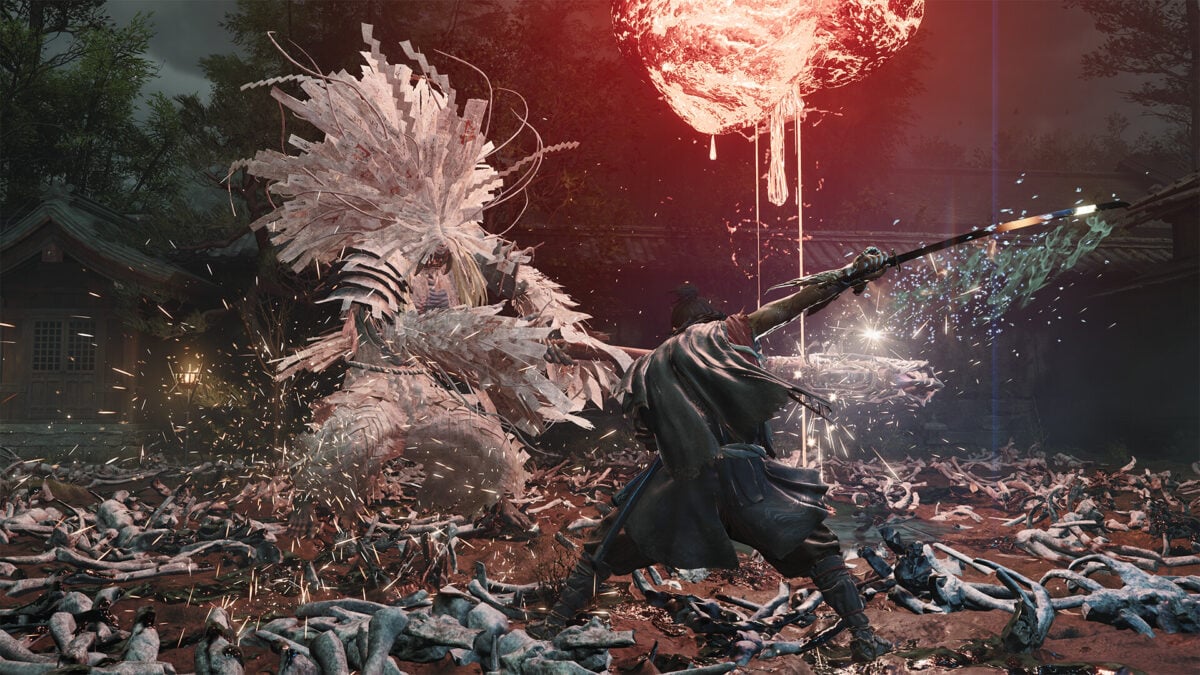
Onimusha: Way of the Sword Release Date Shift Shows Why a Gaming PC for New Games Matters More Than Ever in Canada
The news around Onimusha: Way of the Sword moving its launch date earlier is more than just a scheduling update. It is another reminder that major game releases create ripple effects across the entire PC buying market. When publishers try to avoid crowded launch windows around massive releases like Grand Theft Auto 6, players should ask a practical question: is your current system actually ready for the next wave of new games? For Canadian shoppers researching a gaming PC for new games, this is exactly the kind of moment that separates a rushed upgrade from a smart custom build.
The original report highlighted that Capcom shifted the game from late September to September 4, 2026, likely to avoid being buried in one of the busiest release windows of the year. That matters because when game publishers change dates, consumer buying behavior changes too. Players start planning earlier. Hardware demand can spike sooner. Budget buyers start comparing options. Enthusiasts start wondering whether they need stronger GPUs, more RAM, or faster storage before the big titles arrive. If you are in Canada and already thinking about a new system, this kind of release calendar movement is a signal worth paying attention to.
Why does a release date change matter if you are shopping for a gaming PC in Canada?
Because game launches do not happen in isolation. They cluster. One title moves, another title competes for attention, and suddenly an entire season becomes packed with visually ambitious, performance-hungry games. That is when many players realize their current PC is no longer where they want it to be.
Are you still gaming comfortably at 1080p, or are you hoping to step up to 1440p high refresh? Do you want ray tracing enabled without crushing your frame rate? Are you planning to play cinematic single-player action games, open-world titles, and demanding new releases over the next year, not just one game this month? Those questions matter far more than any one headline.
For Canadian buyers, the situation is even more important because replacement costs can move quickly. GPU demand, memory pricing, SSD costs, and availability pressure can all affect what your next build will cost. If a crowded release calendar pushes more people to upgrade at once, waiting too long can leave you paying more for less performance.
What the Onimusha release move really tells buyers
The bigger lesson is simple: publishers are making tactical release decisions because the launch calendar is crowded, and buyers should be just as strategic with hardware. A game like Onimusha: Way of the Sword is not just a nostalgic sequel. It represents the kind of modern action title that often pushes visual fidelity, effects quality, asset streaming, and responsiveness harder than older systems can comfortably handle.
If several new releases are landing within days of each other, do you really want to troubleshoot stutter, low VRAM limits, long load times, or borderline minimum settings while everyone else is jumping into new games on day one? Or would you rather lock in a properly balanced custom system ahead of the rush?
This is where a custom PC buying decision becomes much more practical than emotional. Instead of waiting until release week and panic-buying whatever is available, smart shoppers start by asking what they want the next 2 to 4 years of gaming to feel like.
What do you want your next PC to do for you?
This is the question that matters most, and it is where many buyers finally get clarity.
Do you want a system that simply runs new releases at solid settings without spending more than you need? Do you want a premium RTX gaming PC that can push modern games at 1440p ultra settings with ray tracing? Do you want one machine that handles gaming, streaming, recording, and editing? Or are you also doing creative work like Photoshop, Premiere Pro, Blender, or graphic design and need your PC to earn its keep beyond gaming?
Your answer changes everything.
- If you mainly play competitive and mainstream titles, a value-focused gaming build may be perfect.
- If you want visually rich AAA experiences, you may need a stronger GPU tier and better cooling.
- If you stream to Twitch or YouTube, CPU balance, RAM capacity, and encoder support matter more.
- If you edit videos or create content after gaming, your storage, memory, and processor choice become much more important.
- If you work in 3D modeling, rendering, or workstation-heavy software, you may need a creator or workstation build instead of a gaming-first setup.
That is why broad advice like “just get a gaming PC” is not enough. The right system depends on what you expect it to handle next month, next year, and after the next hardware price shift.
What gaming performance tier fits you best?
If you are trying to decide what kind of system makes sense, start with the actual experience you want.
Entry-level to value gaming: who is it for?
This tier suits players who want dependable 1080p performance, esports responsiveness, and solid settings in many modern games without overbuilding. It is often the best fit for first-time desktop buyers, students, and anyone moving up from an aging console or older PC.
Ask yourself: are you happy with 1080p, or do you know you will want more within a year? If your answer is “I know I will want better visuals, higher frame rates, or stronger AAA performance soon,” then going too cheap can become expensive in the long run.
Mid-range 1440p gaming: is this the real sweet spot?
For many Canadian buyers, yes. A properly balanced 1440p-focused system is often the best middle ground between cost, visual quality, and longevity. It gives modern games room to breathe, makes better use of high-refresh monitors, and offers more confidence when release schedules suddenly fill up with demanding new titles.
Do you want a smoother experience in action games like Onimusha-style releases? Do you want better texture settings, stronger lighting effects, and more future-ready performance? This is where a mid-range custom gaming PC often makes the most sense.
High-end and premium gaming: when should you step up?
If you are targeting 4K, ray tracing, ultra settings, or long-term flagship-level performance, then a premium build is worth considering. This is especially true if you play major single-player releases, want the visual bells and whistles turned on, or simply do not want to think about upgrading again too soon.
Should you buy the strongest PC you can reasonably afford if you plan to keep it for years? In many cases, yes, especially if financing helps you secure a more capable build now instead of settling for a weaker one that needs replacing early.
Are you buying for gaming only, or gaming plus streaming and content creation?
This is one of the most important decision points in the current market. Many shoppers start with gaming in mind, but their real usage quickly expands. One month they are playing new releases. The next month they are capturing gameplay, streaming with OBS, clipping footage for social media, editing videos, and running multiple apps at once.
If that sounds like you, then your system should be designed for more than raw in-game frame rate.
A gaming and streaming PC Canada shoppers can rely on needs thoughtful CPU and GPU pairing, enough memory for multitasking, and fast SSD storage to keep recording, loading, and editing fluid. If you are asking, “What PC do I need for streaming?” the answer is usually not a bare-minimum gaming rig. It is a balanced custom machine built for both live play and background workloads.
Want to stream 1080p while playing at high settings? Need clean performance in OBS without sacrificing responsiveness? Want to keep dozens of browser tabs, Discord, editing software, and launchers open? Those are real-world workload questions, and they matter.
Could this release-season pressure affect creator and workstation buyers too?
Absolutely. Even though the source story is about a game launch move, crowded release seasons tend to drive broader PC interest. More gaming demand can tighten supply in overlapping components that creator PCs and workstation PCs also use. That includes GPUs, high-capacity RAM kits, larger NVMe SSDs, and stronger power supplies.
If you are shopping for a creator PC Canada buyers can use for Premiere Pro, DaVinci Resolve, Photoshop, Illustrator, or Blender, waiting for a “better time” can backfire if demand shifts hard. A creator who delays too long may end up paying more for the exact same performance class later.
Are you editing 4K video? Working with RAW photos? Designing in Adobe Creative Cloud? Rendering scenes in Blender or Unreal Engine? If yes, your buying timeline should not be based only on game release news, but game release traffic can still affect the parts market around you.
What PC do you need for new games over the next year?
If you are asking that question, think beyond a single title. The real goal is not just “Can this run Onimusha?” It is “Will this system handle the next run of AAA launches comfortably?”
Look at these factors:
- Resolution target: 1080p, 1440p, or 4K?
- Refresh rate: 60Hz, 144Hz, 165Hz, or higher?
- Visual priorities: high textures, ray tracing, ultra settings, or competitive low-latency performance?
- Game type: open-world action, fast combat, cinematic adventure, co-op, or esports?
- Multitasking needs: streaming, Discord, web browsing, recording, mods, and background apps?
- Longevity: do you want a one-season fix or a system with breathing room?
A lot of buyers underestimate how quickly “good enough today” becomes “why am I already turning settings down?” If your current plan already feels close to the edge, it usually is.
Should you buy now or wait for the next big game?
This is one of the most common buyer questions, and the answer depends on risk tolerance.
If you already know you want a new PC before a major release window, waiting can expose you to several problems at once: reduced stock on high-demand components, more expensive replacement options, longer build queues across the market, and the pressure of making a fast decision without enough research.
On the other hand, buying earlier gives you time to choose the right performance tier, spread cost more intelligently, test your setup before launch day, and avoid rushing into an underpowered system.
Ask yourself: are you waiting because you truly need more information, or are you waiting in hopes that the market gets magically easier? In many cases, buyers are not rewarded for waiting until the busiest season. They just end up with fewer good options.
How do component prices and demand pressure influence full-system costs in Canada?
Canadian buyers need to think about full-system economics, not just headline GPU chatter. When demand rises around major game launches, it is not only graphics cards that feel pressure. Supporting parts can also shift in price or availability.
GPU pressure
The graphics card remains the heart of most gaming-focused builds. If launch hype, seasonal demand, or stock limitations push GPU pricing upward, the entire cost of a build changes. This is especially important for 1440p and 4K buyers who cannot realistically compromise too much on graphics performance.
CPU balancing
As games become more complex and more players stream, record, or multitask, CPU choice matters more. A weak processor can drag down an otherwise good gaming PC, especially if your usage grows into content creation or productivity.
RAM and storage growth
Modern games are large, creator tools are heavier, and multitasking demands are rising. More shoppers are moving toward larger SSDs and higher RAM capacities because they want less friction in day-to-day use. If memory or storage pricing changes, that can make “I will upgrade later” a less attractive plan.
Platform longevity
A better motherboard, stronger power supply, and smarter cooling setup may not look glamorous on paper, but they often determine how easy your next upgrade will be. A cheap system can become a dead end faster than buyers realize.
This is why a professionally planned custom build matters. The cheapest path today is not always the least expensive ownership decision over time.
Would financing a stronger PC now make more sense than settling for a weaker build?
For many shoppers, yes. If the choice is between buying a barely-enough system outright or using financing to get a machine that actually matches your goals, financing can be the smarter long-term move.
Think about the real cost of compromise. If you buy too low today, will you need a GPU upgrade sooner than expected? More RAM in six months? A larger SSD right after your first few installs? A CPU platform change next year because your multitasking needs grew? Those costs add up quickly.
That is why finance gaming PC Canada searches are so common during major release periods. Buyers are not only looking for monthly payments. They are looking for a way to secure the right performance tier before prices shift or availability gets tighter.
If financing up to 4 years helps you avoid underbuying, gives you room for a better GPU, and keeps your system relevant longer, is that the better value than paying cash for a machine you outgrow too fast? For many customers, the answer is yes.
What if you are not just a gamer?
Many readers following gaming news are also creators, freelancers, students, or professionals. That is why this topic naturally leads into broader PC buying decisions.
Need a video editing system too?
If you are cutting gameplay footage, YouTube videos, or client projects, a video editing PC Canada shoppers can trust should be built for timeline responsiveness, fast exports, and stable multitasking. Are you editing 1080p clips casually, or do you need stronger 4K editing performance in Premiere Pro or DaVinci Resolve? Do you want more GPU acceleration, or is your workflow more CPU-heavy?
Working with photo editing and design?
If you spend time in Photoshop, Lightroom, Illustrator, or InDesign, your ideal system may not be the same as a pure gaming build. Do you need more memory for layered projects? Faster storage for asset libraries? Better multi-monitor support? A quieter machine for office or studio use?
Building for 3D modeling and rendering?
If your next PC also needs to handle Blender, Unreal Engine, Maya, or CAD-related tasks, then a workstation-oriented design may be the smarter direction. Are you GPU rendering, CPU rendering, or doing both? Do you need more VRAM, more cores, or significantly higher RAM capacity? The wrong build can bottleneck expensive professional time.
The important takeaway is this: a good custom PC should fit your actual life, not a simplified label.
Custom PC vs generic prebuilt: why does it matter more during busy launch cycles?
When the market gets noisy, a custom system becomes even more valuable. Why? Because launch-season buying pressure is exactly when generic systems cut corners buyers do not notice until later.
- Some systems overemphasize the GPU but weakly support it with poor cooling or limited upgrade paths.
- Some use low-quality power supplies that make future upgrades riskier.
- Some pair gaming-branded parts in ways that look impressive but do not actually deliver balanced real-world performance.
- Some use small SSDs that fill up immediately once modern games are installed.
- Some are not designed with creator workloads, streaming, or future expansion in mind.
A proper custom build solves that by matching the parts to your intended use. If you are buying a PC for new games, that does not just mean “insert a strong GPU.” It means balancing the CPU, memory, storage, cooling, and power delivery so the machine performs as a complete system.
That is especially important if you do not want to upgrade too soon.
Why do testing and warranty support matter when you are investing in a new PC?
Because performance is only part of the buying decision. Reliability matters too.
When you order from a trusted Canadian custom builder, you are not just paying for a pile of components. You are paying for build quality, compatibility planning, thermal management, system validation, and support confidence. That matters when your new PC is meant to handle big game releases, creator deadlines, or both.
Groovy Computers builds systems for real-world use, not just spec-sheet bragging rights. Rigorous testing helps catch issues before the PC reaches your desk. A 1-year warranty adds confidence. And because the system is built with purpose, you are less likely to end up with a mismatched configuration that creates upgrade headaches later.
If you are investing serious money into a gaming or creator machine, should you gamble on a random mass-market box, or choose a tested custom solution from a Canadian PC builder focused on the actual user experience? That answer should be obvious.
Which kind of buyer should choose which kind of Groovy Computers build?
Here is a practical way to think about it.
Choose a budget-oriented gaming build if:
- You mainly play at 1080p
- You want strong value without unnecessary extras
- You are buying your first gaming desktop
- You want a cleaner path into PC gaming in Canada
Choose a mid-range custom gaming PC if:
- You want 1440p performance that feels relevant for several years
- You play modern AAA titles, not just esports games
- You want better settings, smoother performance, and better longevity
- You may stream, record, or multitask while gaming
Choose a premium RTX gaming PC if:
- You want 4K or high-end 1440p gaming
- You care about ray tracing and premium visual quality
- You want more future-proof headroom
- You would rather buy once properly than upgrade too soon
Choose a creator PC or workstation if:
- You edit video, process photos, or design professionally
- You need stronger CPU performance and more RAM
- You use Adobe Creative Cloud, DaVinci Resolve, Blender, Unreal Engine, or CAD-related software
- Your PC is part of your workflow, not just your entertainment
Not sure where you fit? That is exactly why custom guidance matters.
What should you ask before buying your next custom PC?
Before you commit, ask yourself these questions honestly:
- What games or software do I want to run over the next 12 to 24 months?
- Am I aiming for 1080p, 1440p, or 4K?
- Do I care about ray tracing, high refresh rates, or ultra settings?
- Will I stream, record, or edit content on the same machine?
- Do I want this system to stay relevant for years, or am I okay upgrading soon?
- Would financing a better build now save me from replacing weak parts later?
- Am I buying based on my actual workload, or just reacting to one headline?
These questions help separate impulse buying from smart buying. A game release schedule may trigger your interest, but the right purchase decision comes from matching the system to your real goals.
Why Groovy Computers is a strong fit for Canadian buyers right now
Groovy Computers is built around what shoppers in Canada actually need: custom gaming PCs, creator PCs, and workstation builds designed with purpose. That includes balanced part selection, proper testing, practical upgrade planning, a 1-year warranty, and financing options that can help customers secure stronger systems before market pressure changes the math.
Whether you are in Nova Scotia, Atlantic Canada, or ordering online elsewhere in Canada, the advantage is the same: you are dealing with a Canadian custom PC builder that understands performance, value, and timing.
Need a machine for new games? Need one system for gaming and streaming? Need a more professional creator setup for Adobe apps, 4K editing, or 3D workflows? Want to avoid buying too weak and regretting it in six months? Those are the kinds of buying decisions Groovy Computers is built to help solve.
Ready to stop guessing what PC you need?
If release calendar shifts like Onimusha’s have you thinking about your own setup, do not wait until the busiest buying window to figure everything out. Ask the better question now: what do you want your next PC to do, and how long do you want it to stay capable?
If you want help choosing the right gaming PC for new games, a stronger gaming-and-streaming setup, a custom creator PC, or a workstation that saves you time every day, visit GroovyComputers.ca. If financing helps you step into the right performance tier now instead of settling for less, that option can make the decision easier and smarter.
Final thoughts: the smart buyers move before the traffic jam reaches hardware
Capcom moving Onimusha earlier is a useful signal. It shows just how crowded the gaming calendar has become and how aggressively publishers are trying to avoid launch congestion. For players and creators, the takeaway is not just about one release date. It is about preparation.
If you know major releases are coming, if you know your current PC is aging, and if you know your workload is growing, then timing matters. A well-planned custom build gives you a better experience, better longevity, and better confidence than waiting until demand spikes and choices narrow. For Canadian shoppers looking for a gaming PC for new games, this is exactly the right time to think clearly, buy strategically, and build with the future in mind.
#GamingPCForNewGames #GamingPCCanada #CustomPCBuilderCanada #GamingAndStreamingPC #CreatorPCCanada #VideoEditingPCCanada #3DModelingPCCanada #CanadianCustomPCBuilders #NovaScotiaBusiness #GroovyComputers
Groovy Computers | All Rights Reserved



Leave a comment
This site is protected by hCaptcha and the hCaptcha Privacy Policy and Terms of Service apply.