



































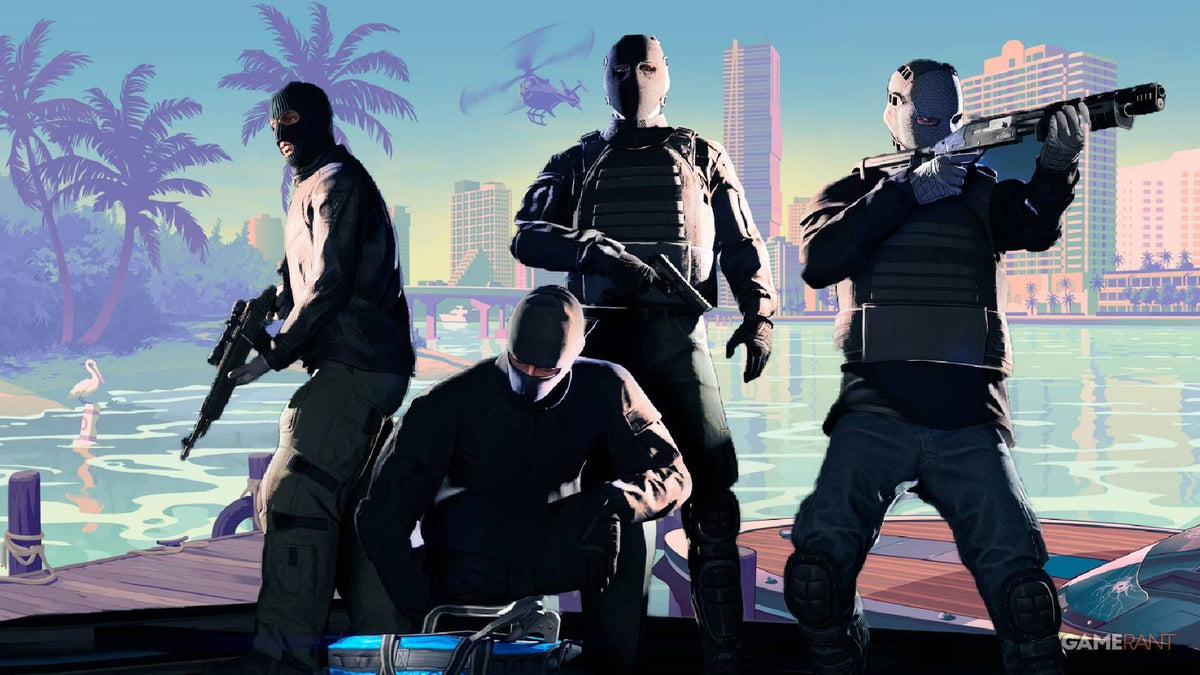
GTA 6 PC Buying Guide: Why GTA Online Controversy Has Canadian Gamers Rethinking Their Next Gaming PC
The latest GTA 6 PC buying guide conversation is not just about hype anymore. It is about value, performance, and timing. Based on recent discussion around disappointing GTA Online heist payouts and fan concern over how grind-heavy the next online experience could become, many players are starting to ask a bigger question: if the next Grand Theft Auto era demands more time, more commitment, and more hardware power, what kind of system should you buy now so you are actually ready for it?
That question matters even more in Canada, where hardware pricing, exchange pressure, shipping costs, and launch-period demand can all change the cost of a gaming PC faster than many buyers expect. If you are already thinking about open-world performance, higher refresh rates, ray tracing, streaming, recording clips, or keeping your next system relevant for years, this is exactly the moment to think carefully about your next custom build.
The source story highlights growing concern from players who feel that recent online design choices may point toward a more demanding, more grind-focused future. Whether that worry proves fully justified or not, one thing is clear: when a major title like Grand Theft Auto 6 dominates the conversation, it also reshapes hardware demand. And when demand spikes, buyers who waited too long often end up paying more for less.
Why are GTA fans suddenly worried about GTA 6 performance, value, and the future of online play?
The concern starts with perception. If players feel current online content is offering weaker rewards for their time, they naturally begin to wonder what comes next. Will the next online economy feel slower? Will progression be more demanding? Will you need a better system to enjoy the game at the settings you actually want? Will your current PC still hold up when a massive open-world release arrives and everyone starts benchmarking it on day one?
Those are not small questions. A game like GTA 6 is expected to drive huge attention toward gaming PCs for new games, especially among players who do not want to compromise on visual quality, frame consistency, recording gameplay, Discord chat, background apps, or future updates that may become more demanding over time.
For many buyers, the concern is not just “Can my PC run it?” The real concern is “Can my PC run it well enough that I do not feel forced to upgrade again in a year?” That is where smart buying matters.
What does this mean for Canadian buyers looking for a Gaming PC Canada customers can trust?
Canadian buyers have to think differently than buyers in larger U.S. retail markets. Here, total system cost can be affected by currency shifts, regional inventory pressure, shipping variables, and launch-driven GPU demand. That means waiting for the perfect moment can backfire, especially if the next wave of AAA demand pushes up prices on graphics cards, memory, or storage.
If a major release gets close and everyone suddenly starts searching for a Gaming PC Canada shoppers can buy with confidence, the strongest-value systems tend to move first. The same thing happens when creator demand and AI-assisted software workloads start competing for the same hardware tiers. It is not just gamers buying performance parts anymore.
That is why Canadian customers often benefit from planning early. Instead of panic-buying when a title launches, you can match your build to your real goals now, whether that means 1080p gaming, 1440p high settings, 4K visuals, streaming, editing, or a hybrid creator setup.
What do you want your next PC to do for you?
Before you compare prices or chase a specific GPU, ask yourself a better question: what do you actually want your next PC to do every day?
Do you want a system mainly for GTA 6, open-world games, esports titles, and general AAA gaming?
Do you want to play at 1080p and save money, or are you aiming for 1440p where image quality and long-term value often meet in the middle?
Are you planning to stream on Twitch or YouTube while gaming? Do you want to use OBS, record clips, run voice chat, and keep browser tabs open without your gameplay feeling heavy?
Do you also edit videos, design thumbnails, work in Photoshop, use Adobe Premiere Pro, or create short-form content for social media? If so, should your next system be just a gaming PC, or should it really be a content creation PC Canada buyers can rely on for multiple workloads?
Are you a student, a creator, or a professional who also needs fast multitasking, rendering, or 3D workflows? If your PC needs to handle both gaming and work, choosing the wrong tier can cost you more later.
This is the point where a custom build starts making more sense than a generic one-size-fits-all desktop.
What PC do I need for GTA 6 and other new open-world games?
While final PC requirements are not provided in the source material and should not be invented, we can still make smart buying decisions based on the type of game GTA 6 is expected to be: large-scale, visually ambitious, open-world, likely demanding on both CPU and GPU, and likely to become a long-term benchmark for players wanting better settings and smoother performance.
That means your buying strategy should focus on the experience you want, not just the minimum bar for launching the game.
Entry-level buyers: Is a budget gaming PC enough?
If you mainly want 1080p gaming with sensible settings and you play a mix of new releases plus lighter titles, a budget gaming PC Canada buyers choose carefully can still make sense. But this is where you should be honest with yourself. Are you buying for today only, or are you trying to avoid another upgrade cycle too soon?
For entry-level gaming, value matters more than chasing ultra settings. A balanced CPU, enough RAM, a fast SSD, and a capable midrange GPU will usually outperform a flashy but poorly balanced machine. If your target is smooth gameplay rather than maxed-out visuals, a smart budget build can go a long way.
But if your real goal is “I want this to feel good for major new releases over the next few years,” going too cheap can be the most expensive decision of all.
Midrange buyers: Is 1440p the sweet spot?
For many Canadian gamers, yes. A 1440p gaming PC Canada buyers choose with a strong GPU and modern processor often delivers the best balance of visual quality, frame rate, and longevity. This is usually the tier where a system starts to feel genuinely ready for high-detail modern gaming rather than merely capable of running it.
If you are asking, “What gaming PC do I need if I want GTA 6, racing games, shooters, RPGs, and future AAA titles to look great without jumping straight into extreme high-end pricing?” this is probably your category.
Midrange-to-upper-midrange is also ideal for gamers who want room for streaming, modding, multi-monitor use, and background applications without compromising the whole experience.
High-end buyers: Do you want 4K, ray tracing, and long-term headroom?
If you want a 4K gaming PC Canada customers buy specifically for ultra settings, ray tracing, high-resolution textures, and longer useful life, then premium hardware becomes easier to justify. This is especially true if you are the type of buyer who would rather invest once in a stronger system than replace parts too soon.
Ask yourself: do you care more about low upfront cost, or about avoiding compromise every time a major title launches? If visual fidelity, smoothness, and future-proofing matter most, a high-end custom gaming PC is usually the better answer.
Is this only about gaming, or should you buy a gaming and creator PC instead?
That depends on how you use your system when you are not playing. Plenty of customers start by looking for a PC for GTA 6, then realize they also need a system that can edit gameplay, process photos, handle school work, run Adobe Creative Cloud, or support a side hustle.
If that sounds familiar, a hybrid build is often the smarter choice.
A creator PC Canada buyers choose well can still be an excellent gaming machine, but it is configured with broader priorities in mind: more RAM if needed, stronger multitasking performance, faster storage planning, and hardware choices that make sense for both entertainment and productivity.
Do you stream or record your gameplay?
If you plan to play a demanding game and stream at the same time, the system needs more than raw gaming performance. A proper gaming and streaming PC Canada buyers should consider has to manage encoding, scene transitions, browser sources, chat tools, and gameplay all at once.
What PC do you need for streaming? That depends on whether you want casual clipping and occasional livestreams, or a more serious setup for Twitch, YouTube, or multi-platform content. If streaming is part of your plan, your next PC should be built for that from day one, not treated as an afterthought.
Do you edit video after gaming sessions?
If your workflow includes Premiere Pro, DaVinci Resolve, After Effects, CapCut, or YouTube editing, your best value may come from a video editing PC Canada customers can also game on comfortably. In many cases, this means stronger CPU choices, sufficient RAM, and storage that keeps your footage and exports moving quickly.
What specs do you need for 4K video editing? If you work with larger files, layered timelines, or regular exports, underbuilding becomes obvious fast. A system that only barely meets gaming needs may feel frustrating in creator software.
Do you work in Photoshop, Lightroom, or graphic design software?
If your desktop is also your creative workstation, then a photo editing PC Canada or graphic design PC Canada approach may fit better. Are you handling RAW images, marketing assets, social graphics, print layouts, or Adobe Illustrator projects? Do you want fast responsiveness with multiple files open at once? Do you use two monitors and expect your machine to stay smooth under multitasking?
These questions matter because the right custom PC is about workflow, not labels. A gaming-focused build can be excellent for creators, but only when it is configured properly.
Do you need Blender, Unreal Engine, CAD, or heavier workstation performance?
If your interest in GTA 6 is part gaming and part inspiration for development, 3D art, modding, or world-building tools, you may need a different class of machine entirely. A 3D modeling PC Canada buyers choose for Blender, Unreal Engine, rendering, or visualization work should emphasize sustained performance, thermal reliability, memory capacity, and the right GPU/CPU balance.
What PC do you need for Blender or Unreal Engine? If that question applies to you, then you may be shopping for a workstation-grade custom PC rather than a standard gaming desktop.
Why does timing matter so much before a game like GTA 6 changes the market?
Massive game releases do more than drive search traffic. They change buyer behaviour. They bring in first-time PC buyers, console players considering a switch, existing gamers planning upgrades, and creators preparing content around launch. That demand can put pressure on popular GPU tiers, strong-value CPUs, fast SSDs, and complete ready-to-go systems.
Add in creator demand, software upgrades, memory pricing shifts, and seasonal buying spikes, and the market can turn quickly.
So ask yourself: are you buying before a major release, or are you planning to compete with everyone else for the same hardware at the busiest moment? Are you waiting for a sale that may never outweigh a price spike? Are you hoping your current machine survives another cycle even though you already know it struggles in newer games?
For many buyers, the right move is not “buy the most expensive PC.” The right move is “buy the right PC before market pressure makes the same performance tier harder to afford.”
Should you finance a stronger gaming PC before prices change?
For a lot of customers, this is the most practical question in the entire buying process. If you are choosing between a weaker system you can pay for immediately and a better-balanced system that will last longer, financing can make the stronger option more realistic.
A monthly payment approach can help buyers secure a machine that better matches modern gaming, streaming, or creator workloads without settling for a short-term compromise. That matters when replacement costs can rise and when upgrading too soon often costs more than buying properly the first time.
Should you finance a gaming PC? If it allows you to move from a build that may feel outdated quickly into one with better longevity, smoother performance, and stronger all-around value, the answer can absolutely be yes. This is especially true for customers who want one system to handle gaming, school, work, streaming, and editing.
Groovy Computers offers custom PC options designed around real use cases, and financing up to 4 years can make it easier to get the tier you actually need rather than the tier you hope will be enough.
Which performance tier fits you best?
If you are not sure what category you fall into, this breakdown can help.
Choose an entry-level or value-focused build if:
You mainly play esports titles, lighter games, and some AAA games at 1080p.
You want your first gaming PC and need to stay cost-conscious.
You do not plan on heavy streaming, large editing projects, or 4K gaming.
You understand that future AAA games may require settings compromises sooner.
Choose a strong midrange build if:
You want 1440p gaming with better visual quality and stronger long-term value.
You play modern open-world games and want smoother frame consistency.
You may stream occasionally or record gameplay.
You want a system that feels more future-ready without jumping to extreme pricing.
Choose a premium gaming build if:
You want high refresh 1440p or 4K gaming.
You care about ray tracing, ultra settings, and long-term headroom.
You would rather invest once than upgrade again too soon.
You expect major titles like GTA 6 to be part of your library for years.
Choose a creator or workstation-focused build if:
You game, stream, edit, design, or render on the same system.
You use OBS, Premiere Pro, DaVinci Resolve, Photoshop, Illustrator, Blender, or Unreal Engine.
You need more RAM, faster storage planning, and stronger multitasking than a basic gaming build provides.
You want one reliable machine instead of juggling compromises.
What questions should you ask before buying your next custom PC?
Before you commit, ask yourself a few practical questions that can save you money and frustration.
What games do I actually play most, and how demanding are they likely to be next year?
Do I want 1080p, 1440p, or 4K performance?
Do I care about ray tracing, high refresh rates, or ultra settings?
Will I stream, record, or edit content on this system?
Do I use Adobe apps, Blender, or productivity software that changes my hardware needs?
Am I trying to buy as cheaply as possible, or am I trying to avoid replacing this PC too soon?
Would financing help me buy the right performance tier now instead of settling for a weaker build?
Do I want a custom gaming PC, a creator PC, or a workstation that blends both?
These are the questions experienced buyers ask before a major release cycle reshapes the market.
Why choose a custom PC from Groovy Computers instead of a generic prebuilt?
When a game-driven upgrade wave starts building momentum, not every desktop on the market offers the same value. Generic prebuilts often focus on headline specs while cutting corners on cooling, power delivery, upgrade paths, storage quality, or long-term balance.
That is where working with Canadian custom PC builders makes a real difference. Groovy Computers builds systems around the way customers actually use them. That means better part matching, clearer performance targeting, stronger reliability planning, and more confidence that your machine is ready for real-world gaming and productivity instead of just looking good on a listing page.
It also means support from a Canadian PC builder that understands what local customers care about: sensible value, transparent performance, shipping confidence, and systems that do not feel disposable.
For buyers in Nova Scotia, Atlantic Canada, and across the country, that trust factor matters. So does rigorous testing. So does having a 1-year warranty on a custom system built to perform properly under load rather than only in ideal showroom conditions.
Why do testing, cooling, and warranty matter more when game demand is rising?
Because launch-season buying pressure creates mistakes. People rush. They overspend on one part and underspend on another. They buy based on one benchmark screenshot instead of their real needs. Or they choose a system that looks affordable now but runs hot, feels noisy, or forces an early upgrade.
A properly tested custom PC helps protect you from that. It reduces the chance that you end up with mismatched parts, weak airflow, or a build that struggles once you start gaming, streaming, editing, and multitasking the way you actually planned to.
Ask yourself this: do you want the cheapest possible desktop today, or do you want a system that still feels like a smart decision after months of use? The answer usually points toward a custom machine built with care.
Is now a good time to buy, or should you wait?
If you already know your current PC is behind your goals, waiting is not always the safe option. The closer the market gets to major release cycles, seasonal demand spikes, and renewed GPU interest, the more likely it becomes that value shifts in the wrong direction for late buyers.
That does not mean everyone should rush into a purchase. It means you should make a deliberate one. If your current machine is already limiting your experience, if you know you want to be ready for new games, or if you also need your system for streaming, school, editing, or professional work, buying earlier can be the smarter move.
Is it better to buy a gaming PC now or wait? If waiting only increases the risk of paying more for weaker value, then planning now is often the better answer.
Need help choosing the right build for GTA 6, streaming, editing, or all of the above?
If you are asking what your next PC should really be able to do, that is exactly the right place to start. Whether you need a budget-friendly gaming desktop, a premium RTX-ready setup, a gaming and streaming system, a custom video editing PC, or a heavier 3D workstation, the smartest build is the one matched to your actual use.
Do you want a system that is ready for major new games without forcing an early upgrade? Do you want to stream and edit without bottlenecks? Do you want help deciding whether financing a stronger build makes more sense than replacing a weaker one later? Visit GroovyComputers.ca to explore custom builds, get guidance, and find the right Canadian-built PC for the way you really game, create, and work.
Final thoughts on the GTA 6 PC buying guide for Canadian customers
The GTA Online controversy in the source story may be about player frustration today, but the bigger lesson is about preparation for tomorrow. Whenever a major franchise enters a new era, it changes how players think about performance, value, and whether their current system is good enough. For Canadian buyers, that makes this the right time to think strategically.
A strong GTA 6 PC buying guide is not just about raw specs. It is about choosing the right performance tier, understanding whether you also need streaming or creator power, deciding if financing helps you buy smarter, and getting a custom PC that will still make sense after the hype cycle turns into real daily use.
#GamingPCCanada #GTA6PC #CustomGamingPCCanada #GamingPCBuilderCanada #1440pGamingPCCanada #4KGamingPCCanada #CreatorPCCanada #StreamingPCCanada #VideoEditingPCCanada #CanadianCustomPCBuilders #NovaScotiaTech #GroovyComputers
Groovy Computers | All Rights Reserved


Leave a comment
This site is protected by hCaptcha and the hCaptcha Privacy Policy and Terms of Service apply.