



































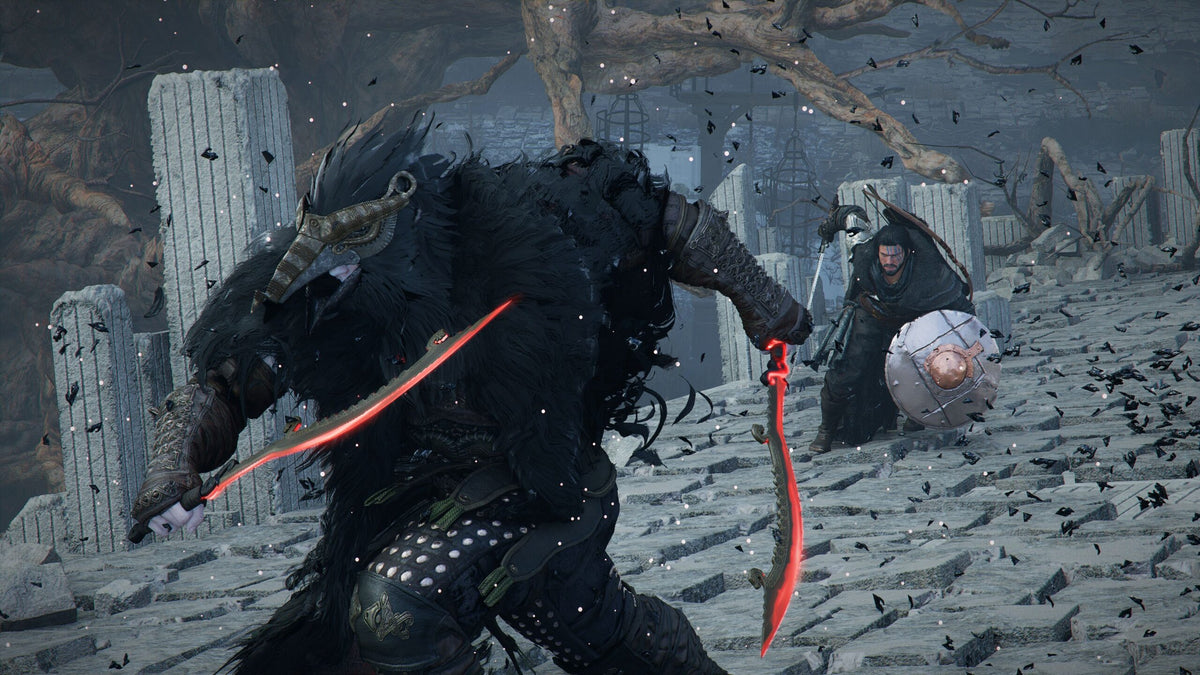
Gaming PC for New Games: What Crimson Desert’s Latest Patch Teaches Canadian Players About Buying the Right Custom PC
A Gaming PC for New Games is not just about raw frame rates anymore. It is about stability, smooth animation, responsive controls, clean audio, fast loading, enough memory for large open worlds, and the confidence that your system will keep up as games receive patches, expansions, visual upgrades, and performance changes after launch. The latest Crimson Desert update from Pearl Abyss is a perfect reminder of that reality.
According to the source report, Crimson Desert Patch 1.17.00 focused on bug fixes rather than a major feature overhaul. The update addressed issues such as overlapping footstep sounds, animation stutter while the player was moving, unintended items being assigned to quick slots after food was consumed, special headgear effects not activating correctly in certain situations, abnormal trade routes on the map, unobtainable treasure chest icons appearing, and localization improvements across languages.
On the surface, that may sound like routine patch-note housekeeping. For PC gamers, streamers, creators, and Canadian buyers planning a new system, it is more important than it looks. Modern games are living platforms. They evolve through updates. Performance can improve, but requirements can also shift. A game that runs “fine” today may feel heavier after a major content update, improved visuals, new systems, expanded maps, DLC, or new gameplay modes.
So the real question is: what do you want your next PC to handle—not just today, but one, two, or three years from now?
At Groovy Computers, we build custom gaming PCs, creator PCs, and workstation systems for Canadians who want more than a generic desktop. Whether you are preparing for open-world RPGs like Crimson Desert, competitive shooters, streaming, YouTube editing, 3D modeling, graphic design, or a mix of everything, the right build starts with the right questions.
Why a Crimson Desert Bug-Fix Patch Matters to PC Buyers
Crimson Desert’s Patch 1.17.00 highlights something every PC gamer has seen before: performance and polish are not frozen on launch day. Developers continue to adjust games after release. They fix bugs, improve story onboarding, rebalance systems, refine maps, adjust audio, add quality-of-life improvements, and sometimes introduce expansions or paid DLC that can change how demanding the game feels.
When a patch fixes animation stutter or overlapping audio, it reminds us that smooth gameplay depends on multiple layers working together. The game engine, storage speed, CPU scheduling, GPU performance, RAM capacity, driver stability, thermal performance, and background software all affect the experience.
Have you ever blamed a game for stutter when your PC was actually maxing out memory? Have you ever lowered graphics settings because your GPU was running out of headroom? Have you ever tried to stream a game and noticed your frame time consistency fall apart? These are the kinds of real-world issues that make a properly matched custom PC more valuable than a random off-the-shelf machine.
A modern open-world game can stress a PC in several ways at once:
- CPU demand for simulation, AI, NPC behavior, world streaming, and background systems.
- GPU demand for high-resolution textures, lighting, shadows, ray tracing, reflections, and post-processing.
- RAM demand for large maps, background apps, voice chat, browsers, launchers, and streaming software.
- Storage demand for fast asset loading, patch installs, texture streaming, and reduced hitching.
- Cooling demand because sustained gaming loads are harder on a PC than short benchmarks.
- Power supply demand because modern graphics cards and CPUs need stable power under spikes and heavy workloads.
That is why buying a Gaming PC for New Games should be treated as a performance planning decision, not just a parts list.
What Do You Want Your Next PC to Do for You?
Before choosing a graphics card, CPU, case, or monthly payment, ask yourself a practical question: what should your next PC actually do every week?
Are you mainly playing open-world games at 1080p? Are you trying to move to 1440p high refresh rate gaming? Do you want 4K ultra settings? Are you turning on ray tracing? Are you recording gameplay for YouTube? Are you streaming to Twitch or YouTube Live? Are you editing video in Adobe Premiere Pro or DaVinci Resolve? Are you designing thumbnails, logos, or social content in Photoshop, Illustrator, Canva, or InDesign? Are you building scenes in Blender, Unreal Engine, Unity, Maya, 3ds Max, or Cinema 4D?
One of the biggest mistakes buyers make is shopping for “a gaming PC” without defining the job. A budget gaming computer and a premium RTX gaming PC may both technically run new games, but they are built for very different expectations.
Are You Buying for 1080p, 1440p, or 4K?
Resolution changes everything. A 1080p gaming PC in Canada can deliver excellent value for esports, school, casual gaming, and first-time PC buyers. A 1440p gaming PC Canada buyers choose often needs stronger GPU performance and better cooling because the graphics card is pushing significantly more pixels. A 4K gaming PC Canada buyer should expect a premium GPU, strong CPU pairing, fast storage, and a case/cooling setup that can maintain performance under heavy load.
So ask yourself: do you want the most affordable path into PC gaming, or do you want a system that still feels powerful when games become more demanding?
Are You Chasing High FPS or Cinematic Visuals?
Competitive players often care more about high FPS, low latency, and stable frame times than ultra settings. Open-world players may prefer richer visuals, higher texture quality, smoother streaming, and stronger ray tracing. If you play games like Crimson Desert, Cyberpunk-style RPGs, racing games, fantasy worlds, and cinematic action titles, GPU headroom matters.
On the other hand, if you primarily play Valorant, Counter-Strike 2, Fortnite, Rocket League, Roblox, Minecraft, or esports titles, you may care more about CPU performance, high refresh rate monitors, and consistent frame pacing. The best PC for new games is not always the most expensive PC; it is the one configured properly for your actual games.
Which Performance Tier Fits You?
Choosing the right tier is easier when you stop thinking in vague labels and start matching the build to your needs. At Groovy Computers, we think in terms of real user outcomes: smooth 1080p, strong 1440p, premium 4K, streaming-ready, creator-ready, and workstation-grade.
Entry-Level and Budget Gaming PC Canada Buyers
A budget gaming PC Canada customer usually wants strong value, dependable 1080p gaming, fast everyday performance, and a system that does not feel outdated immediately. This tier is ideal for students, families, first-time PC gamers, and players who want to run popular games without overspending.
Ask yourself: is a budget gaming PC worth it for the games you play, or would financing a stronger system help you avoid upgrading too soon?
A properly built affordable gaming PC can still be excellent when it includes the right balance of CPU, GPU, RAM, SSD speed, power supply quality, airflow, and future upgrade room. The danger comes from buying the cheapest possible system with weak components, poor cooling, limited storage, or a power supply that restricts future upgrades.
1440p High FPS Gaming PC Buyers
For many Canadian gamers, 1440p is the sweet spot. It looks much sharper than 1080p, is easier to drive than 4K, and pairs beautifully with high refresh rate monitors. If you want a Gaming PC for New Games that feels modern without jumping straight to flagship pricing, this tier often makes the most sense.
This is where buyers should start asking: what PC do I need for 1440p gaming, and do I want enough GPU headroom for future patches and DLC?
A strong 1440p system should be built around a balanced CPU and GPU pairing, at least a sensible amount of fast RAM for current multitasking, an NVMe SSD for game loading, and cooling that keeps noise and temperatures under control. If you also stream, record, or edit video, the system should be configured with those workloads in mind from the start.
Premium and High-End Gaming PC Canada Buyers
A high end gaming PC Canada buyer is usually aiming for 4K gaming, ultra settings, ray tracing, high refresh rate displays, premium aesthetics, long-term performance, or a combination of gaming and creator workloads. If you want a system that makes demanding games feel smooth and gives you more breathing room as patches, expansions, and graphical upgrades arrive, this is the tier to consider.
Ask yourself: what PC do I need for 4K gaming, and how long do I want this build to feel powerful?
Premium builds are not only about the GPU. They depend on total system quality: motherboard selection, power delivery, CPU cooling, case airflow, SSD configuration, cable management, RAM capacity, BIOS setup, driver readiness, stress testing, and warranty support. A flagship graphics card in a poorly cooled case is not a premium experience. A properly designed custom gaming PC is.
Crimson Desert, Open-World Games, and Why Smoothness Matters More Than Spec Sheets
Patch notes about animation stutter and overlapping footstep sounds are a reminder that immersion is fragile. A beautiful open-world game loses impact quickly when movement feels choppy, audio stacks awkwardly, or map markers behave strangely. Some of those issues are game-side bugs, but your PC still plays a major role in how smooth the experience feels.
Open-world games often rely on constant asset streaming. As you move across the map, the system is loading textures, models, terrain data, audio, quest information, and effects. A slower drive, limited RAM, weaker CPU, or strained GPU can make the experience feel less stable even if the average FPS looks acceptable.
That is why experienced buyers increasingly ask about frame times, not just FPS. A game can show a high average frame rate while still feeling uneven because frames arrive inconsistently. Custom PC tuning, balanced component selection, sufficient memory, and strong thermals can help reduce the causes of system-side stutter.
Are you planning to play large open-world games with a browser, Discord, game launcher, RGB software, capture tools, and music running in the background? If so, your PC needs more than “minimum requirements.” It needs overhead.
Is a Gaming PC Good for Streaming, Editing, and Content Creation?
Many Groovy Computers customers do not only game. They game, stream, record, edit, design, post clips, create thumbnails, and manage social channels. If that sounds like you, your system should not be built like a basic gaming-only desktop.
A gaming and streaming PC Canada buyer should think about CPU threads, GPU encoding, RAM capacity, multi-monitor support, quiet cooling, and storage layout. OBS Studio, Streamlabs, Discord, browsers, overlays, capture software, and the game itself all compete for resources. A PC for gaming and recording should be planned differently than a system used only for casual gaming.
Ask yourself: what PC do I need for streaming if I also want to keep my gameplay smooth?
For many streamers, an RTX-based gaming PC with modern GPU encoding can be a smart choice because it helps preserve in-game performance while handling stream output. But the exact configuration depends on whether you stream at 1080p, record locally, edit clips afterward, use multiple monitors, or run heavy overlays and plugins.
Video Editing PC Canada Buyers
If you edit gameplay clips, YouTube videos, short-form content, client projects, or 4K footage, your PC needs to be more than a high-FPS gaming box. A video editing PC Canada buyer should consider CPU performance, GPU acceleration, RAM, SSD speed, project storage, and software behaviour in Premiere Pro, DaVinci Resolve, After Effects, CapCut, and other tools.
Ask yourself: what PC do I need for video editing, and how much time would I save with faster exports and smoother timelines?
For 4K editing, a stronger CPU, a capable GPU, 32GB to 64GB of RAM depending on project complexity, and fast NVMe storage can dramatically improve the editing experience. If you use effects-heavy timelines, colour grading, noise reduction, motion graphics, or multiple camera angles, you may need a custom creator PC rather than a standard gaming tower.
Photo Editing and Graphic Design Buyers
Photographers and designers often ask whether a gaming PC is good for Photoshop, Lightroom, Illustrator, Canva, InDesign, or Capture One. The answer is: it can be, if the system is configured properly.
A photo editing PC Canada customer should care about fast single-core CPU performance, enough RAM for large RAW files, quick SSD scratch space, stable multitasking, and display connectivity. A graphic design PC Canada buyer may need similar strengths, especially when working with large layered files, brand assets, social graphics, packaging mockups, or multi-monitor setups.
Ask yourself: what PC do I need for graphic design if I am also gaming after work?
This is where a custom creator PC can be more efficient than buying a generic desktop. Groovy Computers can help match the build to your software mix instead of forcing you into a one-size-fits-all system.
3D Modeling, Rendering, and Workstation Use
If you use Blender, Unreal Engine, Unity, Maya, 3ds Max, Cinema 4D, ZBrush, SketchUp, AutoCAD, Revit, or SolidWorks, the buying decision changes again. A 3D Modeling PC Canada buyer may need a powerful GPU, high RAM capacity, strong CPU performance, fast storage, and serious cooling. A 3D Rendering PC Canada customer may need even more GPU or CPU horsepower depending on whether their workflow is GPU-rendered, CPU-rendered, or hybrid.
Ask yourself: what PC do I need for Blender, and is a gaming PC good enough for my rendering workload?
Sometimes a premium gaming PC overlaps nicely with 3D work. Other times, a true custom workstation PC Canada build makes more sense because the workload is longer, heavier, and more professional. Gaming loads are often bursty. Rendering can hammer components for hours. That changes cooling, power, and stability priorities.
Should You Buy a Gaming PC Now or Wait?
For Canadian buyers, timing matters. Component prices can move because of GPU demand, memory pricing pressure, SSD supply shifts, exchange rates, shipping costs, new product launches, major game releases, seasonal sale cycles, and sudden demand spikes. If you are planning around a major game, a school term, a creator project, a business upgrade, or a software change, waiting is not always the safer option.
Ask yourself: are you buying before a major game release, a hardware shortage, a sale period, a software upgrade, or a possible price spike?
There is no universal answer. If your current PC is still handling everything smoothly, you may have time to plan. But if you are already lowering settings, fighting stutter, running out of storage, editing slowly, or avoiding new games because your system cannot keep up, waiting can cost you in frustration and lost productivity.
For gamers, the risk is missing the best experience when a new title launches or when friends move into a game your PC struggles to run. For creators, the risk is slower exports, missed deadlines, laggy timelines, and less room to take on bigger projects. For professionals, the risk is downtime and inefficient workflow.
Could Financing Help You Secure a Stronger System Before Replacement Costs Rise?
Gaming PC financing can be useful when the choice is not simply “buy or do not buy,” but rather “buy a weaker system today or finance a better system that lasts longer.” Groovy Computers offers financing options up to 4 years, which can help Canadian buyers spread out payments while choosing a stronger, better-balanced build.
Ask yourself: should I finance a better PC instead of buying a cheaper one that I may need to replace sooner?
This is especially relevant when component prices are uncertain. If GPU, RAM, SSD, or full-system replacement costs climb, the system you almost bought earlier may become more expensive later. Financing is not automatically the right choice for everyone, but it can make sense when it helps you secure the performance tier you actually need.
For example, if you are deciding between an entry-level gaming desktop and a 1440p-ready custom gaming PC, monthly payments may let you choose the system that better fits your monitor, game library, streaming goals, and long-term plans. If you are a creator deciding between a basic gaming PC and a custom video editing PC Canada build with more RAM and storage, financing can help you avoid workflow bottlenecks right away.
The important question is not just “can I afford the PC today?” It is also: will this PC still feel like the right decision after the next wave of games, patches, DLC, and software updates?
Custom PC vs Prebuilt PC Canada: Why Build Quality Matters
When a game update fixes animation stutter, map icons, and audio overlap, it reminds us that PC gaming is already complex on the software side. You do not need extra uncertainty from a poorly configured system. A custom PC is about reducing risk through better part matching, cleaner assembly, stronger cooling, proper testing, and support after purchase.
A prebuilt gaming PC Canada listing may show an impressive CPU or GPU, but the hidden details matter. What power supply is used? Is the case airflow adequate? Is the CPU cooler strong enough? Is the RAM properly configured? Is the SSD fast and large enough? Is the motherboard reliable? Was the system stress tested? Is the cable management clean? Is there warranty support from a Canadian custom PC builder?
At Groovy Computers, custom builds are designed around the customer’s use case. A competitive gamer, a 4K open-world player, a Twitch streamer, a YouTube editor, a photographer, and a Blender artist should not all receive the same recommendation.
That is the difference between selling a box and building a system.
Why Canadian Buyers Should Think Differently
Canadian PC buyers face a different market than buyers elsewhere. Pricing is affected by Canadian dollar movement, import costs, shipping, stock availability, provincial demand, and supplier changes. A part that looks like good value one month may move quickly the next. Availability can also vary across Canada, especially when demand spikes around major games, creator hardware, back-to-school season, holidays, or tax refund periods.
Groovy Computers serves Canadian customers who want confidence, not guesswork. Whether you are in Nova Scotia, Halifax, New Glasgow, Trenton, Atlantic Canada, Ontario, Alberta, British Columbia, Quebec, or elsewhere in Canada ordering online, the goal is the same: choose a PC that fits your workload and arrives as a tested, complete system.
If you are searching for a Canadian Gaming PC Company, a Custom PC Builder Canada option, or a Gaming PC Builder Nova Scotia customers can trust, the value is not only the parts. It is the guidance, testing, configuration, warranty, and long-term fit.
What Should You Ask Before Buying a Gaming PC for New Games?
If Crimson Desert and other evolving games are on your radar, use these questions before you buy:
- What games do I actually play most? Esports, open-world RPGs, survival games, shooters, racing games, MMOs, and simulation games stress hardware differently.
- What monitor am I using? A 1080p 60Hz screen has very different needs than a 1440p 165Hz or 4K high refresh display.
- Do I care more about high FPS or ultra visuals? This decides whether your build should prioritize competitive performance, GPU horsepower, or both.
- Will I stream or record? If yes, your PC should be built for gaming and streaming, not just gaming.
- Will I edit video or photos? If yes, RAM, storage, CPU, and GPU choices should reflect creator software.
- Will I use 3D tools or CAD? If yes, consider a workstation approach rather than a basic gaming desktop.
- How long do I want to avoid upgrading? A cheaper PC may cost less today but require replacement sooner.
- Would financing help me choose the tier I actually need? Monthly payments can make a stronger system more accessible.
- Do I want help choosing parts? If you are unsure, a custom PC builder can prevent mismatched components and wasted money.
How to Match Your Build to Your Real Workload
Not sure where you fit? Use the following guidance as a starting point.
If You Mainly Play Esports and Popular Online Games
Choose a system focused on high FPS, low latency, and strong CPU performance. You may not need the most expensive GPU, but you do need a balanced build with fast memory, good airflow, and enough headroom for multitasking. This is ideal for Fortnite, Valorant, Counter-Strike 2, Call of Duty, Warzone, Rocket League, Minecraft, Roblox, and similar titles.
If You Want Open-World AAA Games at 1440p
Prioritize GPU strength, enough VRAM for modern textures, a capable CPU, 32GB of RAM where appropriate, NVMe SSD storage, and strong cooling. This is a great target for players who want visual quality and smoother frame pacing without the full cost of a flagship 4K system.
If You Want 4K, Ray Tracing, and Ultra Settings
Look at premium GPU tiers, high-quality power supplies, advanced cooling, strong CPUs, and a case designed for sustained performance. A ray tracing gaming PC Canada buyer should not cut corners on thermals or power delivery. This type of build is for players who want the experience to feel premium now and remain capable as games continue evolving.
If You Game and Stream
Build around a strong GPU encoder, enough CPU capacity, 32GB of RAM or more depending on workload, multiple display outputs, quiet cooling, and storage for recordings. If you use OBS Studio, Twitch, YouTube Live, Streamlabs, TikTok Live, or local recording, your PC should be configured to keep your stream smooth without wrecking gameplay.
If You Edit Video, Photos, or Design Content
Choose a custom creator PC with strong CPU performance, GPU acceleration, ample RAM, fast NVMe storage, and enough capacity for projects. Premiere Pro, DaVinci Resolve, After Effects, Photoshop, Lightroom, Illustrator, Canva, and InDesign all benefit from a balanced system. If you edit 4K or larger projects, do not build like a casual gamer.
If You Use Blender, Unreal Engine, CAD, or Rendering Software
Consider a custom workstation PC Canada build. Rendering, 3D modeling, simulation, architectural visualization, game development, and CAD can demand more memory, better GPU compute, stronger cooling, and greater long-duration stability. A workstation PC vs gaming PC decision should be based on workload intensity and whether downtime costs you money.
Why Testing and Warranty Support Matter More Than Ever
A Gaming PC for New Games should be tested before it reaches your desk. Modern systems are powerful, but they are also more sensitive to heat, power delivery, BIOS settings, RAM stability, driver behaviour, and airflow than many buyers realize.
Groovy Computers focuses on custom builds that are assembled, configured, and tested with real performance in mind. Stress testing helps identify instability before the PC becomes your daily gaming, streaming, or work machine. A 1-year warranty adds confidence, especially for buyers who do not want to troubleshoot hardware issues alone.
When you are investing in a custom gaming PC Canada build, a creator PC Canada setup, or a workstation PC Canada system, the goal is peace of mind. You should be able to install your games, launch your software, and get to work or play without worrying whether the build was rushed, mismatched, or undercooled.
What the Crimson Desert Patch Says About the Future of PC Gaming
Crimson Desert’s latest patch was not a flashy update, but it points to a larger trend: modern games keep changing. Developers patch bugs, rework systems, improve onboarding, add content, evaluate new platforms, and prepare future DLC. The PC you buy today has to live through that evolution.
If a game receives trading changes, story improvements, new quests, new equipment, expanded activities, or performance updates later, your system should have enough headroom to handle the future version of the game—not just the version discussed in a launch-day review.
This is why future-proof gaming PC Canada discussions are really about smart planning. No PC is permanently future-proof, but a better-balanced custom build can extend the time before you feel forced to compromise.
Should You Choose a Budget Gaming Computer or Finance a Stronger Build?
This is one of the most important questions Canadian buyers are asking right now. The answer depends on your current PC, your budget, your games, and your expectations.
A budget gaming computer Canada buyer should choose value carefully, not blindly. If you only need 1080p gaming and everyday use, a smart budget build can be the right call. But if you are already planning for 1440p, streaming, editing, or heavy new releases, buying too low can lead to frustration.
Ask yourself: will the cheaper PC still feel good after the next big game update, or will you be shopping again sooner than planned?
If financing up to 4 years allows you to move into a stronger GPU, more RAM, better storage, improved cooling, or a higher-quality platform, it may be worth considering. The goal is not to overspend. The goal is to avoid underbuying.
Why Groovy Computers Is Built for This Buying Moment
Groovy Computers is built around the idea that Canadian customers deserve expert guidance, clean custom builds, performance-focused part selection, and support after purchase. We understand that buyers are not all the same. Some want a first gaming PC. Some want a high FPS competitive machine. Some want a premium RTX gaming PC. Some want a custom creator PC for editing and streaming. Some need a workstation for 3D rendering, CAD, or business productivity.
If you are asking “what gaming PC do I need?” or “should I buy a gaming PC now or wait?” the best next step is to match your real workload to a real build strategy.
Do you want help choosing a system that fits your games, monitor, software, budget, and upgrade plans? Visit GroovyComputers.ca to explore custom gaming PCs, creator PCs, workstation options, and financing solutions for Canadian buyers.
Final Takeaway: A Gaming PC for New Games Should Be Built for Change
A Gaming PC for New Games should not be chosen only by looking at today’s minimum requirements. Crimson Desert’s latest patch shows how quickly modern games can evolve through fixes, updates, system improvements, and future content plans. Your PC should be ready for that kind of change.
If you want 1080p value, choose carefully. If you want 1440p high FPS, build with GPU headroom. If you want 4K ray tracing, invest in premium performance and cooling. If you stream, edit, design, render, or use professional software, plan for those workloads before you buy. If pricing pressure or replacement cost worries you, financing may help you secure the stronger system you actually need before waiting becomes more expensive.
The best custom PC is not the one with the loudest spec sheet. It is the one built around your real life: your games, your monitor, your software, your deadlines, your upgrade timeline, and your budget. Groovy Computers is here to help Canadian gamers and creators make that decision with confidence.
#GamingPCForNewGames #GamingPCCanada #CustomGamingPCCanada #GamingPCBuilderCanada #1440pGamingPC #4KGamingPC #StreamingPCCanada #CreatorPCCanada #VideoEditingPCCanada #3DModelingPCCanada #GroovyComputers
Groovy Computers | All Rights Reserved


Leave a comment
This site is protected by hCaptcha and the hCaptcha Privacy Policy and Terms of Service apply.