



















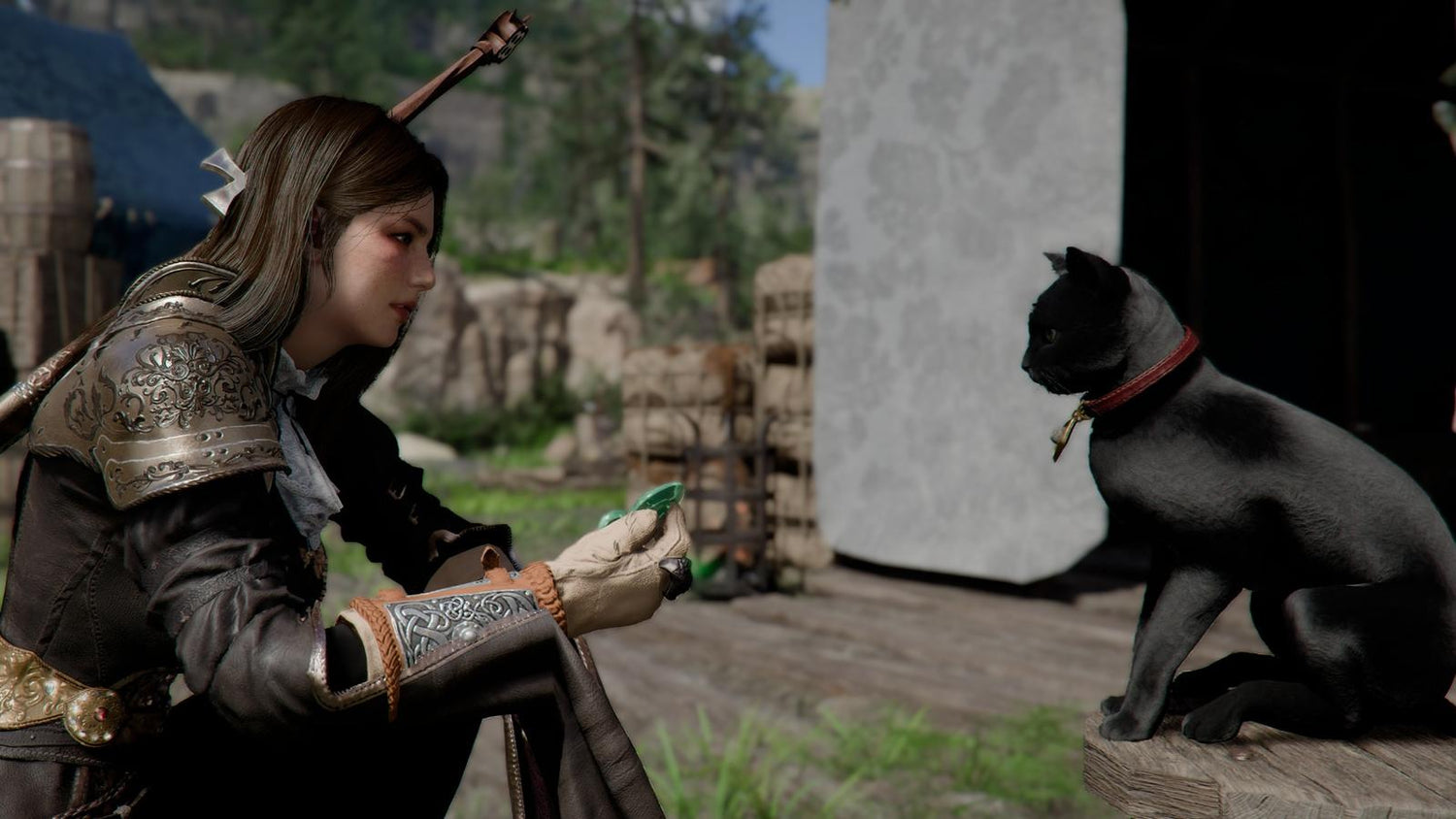
Gaming PC for New Games: What the Crimson Desert Update Says About Buying a Future-Ready PC in Canada
The latest Crimson Desert Enhanced update is more than a routine patch note for fans watching Pearl Abyss closely. It is also a timely reminder for anyone shopping for a Gaming PC for New Games: modern open-world titles are becoming bigger, more cinematic, more systems-heavy, and more demanding with every update. If your current computer already struggles with rainy environments, dense landscapes, photo mode, high-resolution textures, or smooth open-world traversal, a patch like Crimson Desert Enhanced update 2.01.00 should make you ask an important question: is your next gaming PC ready for where games are going, not just where they are today?
Groovy Computers builds custom gaming PCs, creator PCs, and workstation systems for Canadian buyers who want more than a generic desktop. Whether you are in Nova Scotia, Halifax, Trenton, New Glasgow, Atlantic Canada, Ontario, Alberta, British Columbia, or anywhere else in Canada, the goal is the same: choose a system that matches what you actually play, create, stream, edit, render, and upgrade toward.
Crimson Desert Enhanced update 2.01.00 reportedly adds a new dispatch quest called Investing in Gold Bars, introduces a new skill menu animation that shows which skills unlock when specific skill knowledge is acquired, improves photo mode with camera tilt, increases silver received from camp donations tenfold, and fixes several quest, mount, interface, and graphics issues. Those changes may sound like gameplay housekeeping, but they point toward a larger trend in PC gaming: developers are constantly refining visuals, UI systems, world interactions, animations, quests, and environmental effects after launch.
So what does that mean for your next build? It means the best gaming computer is not just the one that runs today’s menu screen. It is the one that can handle big open worlds, weather effects, patches, graphical fixes, streaming overlays, recording software, Discord, a browser full of guides, and maybe Adobe Premiere Pro or DaVinci Resolve after your gaming session ends.
Why This Crimson Desert Enhanced Update Matters for PC Buyers
Patch 2.01.00 for Crimson Desert Enhanced includes several improvements that PC gamers should recognize immediately. The update addresses visual noise, especially in rainy weather, near puddles, and in similar environmental conditions. It fixes issues where only furniture was created in the Serogrivy camp without a house. It corrects mount summoning problems involving the Black Star. It fixes a progression issue in the Cursed Knight quest. It restores horse health when retrying certain horseback quests. It also addresses interface display problems, including a situation involving Abyss gear and the bottom interface disappearing.
Why should a Canadian buyer looking at a Custom Gaming PC Canada build care about this? Because modern games are no longer static products. They evolve. A game can launch, receive balance patches, gain graphical updates, improve photo mode, add new quests, and fix systems that affect performance and user experience. Your PC has to live with that game over time.
Have you ever bought a PC that felt fine at first, only to feel outdated after a year of patches, expansions, high-resolution texture packs, or new games? That is exactly the kind of frustration a better-planned custom build can help avoid.
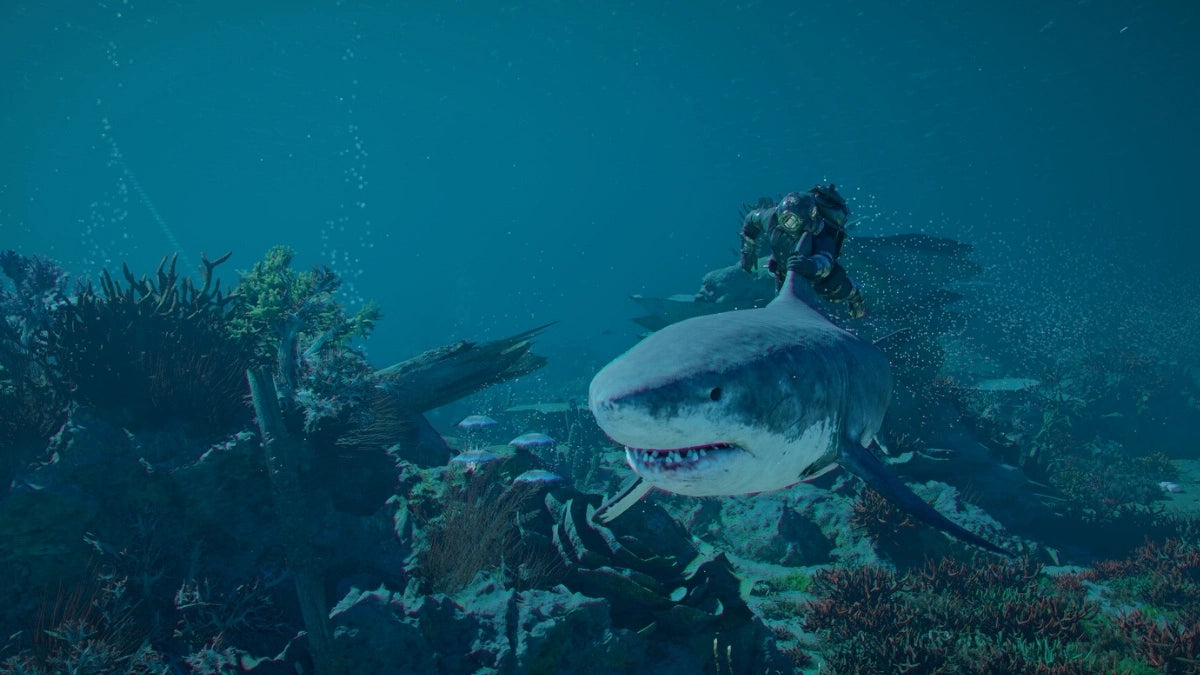
Open-world games are especially unforgiving. They combine CPU-heavy simulation, GPU-heavy rendering, large memory usage, fast asset streaming, complex lighting, motion, animation, and storage demands. When a developer reduces visual noise in rain and puddles, that is a reminder that environments are getting more complex. When a game improves photo mode, that suggests players care about image quality, camera angles, cinematic screenshots, and visual fidelity. When quests are completed on horseback and retry systems restore horse health, that suggests traversal, physics, animation, and world interaction all matter.
In other words, games like Crimson Desert are not just about raw frames per second. They are about maintaining smooth performance while the world is alive.
What PC Do You Need for Open-World Games Like Crimson Desert?
The most honest answer is: it depends on your target resolution, visual settings, refresh rate, and whether you are only gaming or also streaming and creating content. A player who wants smooth 1080p gameplay has very different needs from someone who wants 1440p high-refresh gaming, 4K ultra settings, ray tracing, recording, and editing.
Before choosing a build, ask yourself: do you want your new PC to simply run the game, or do you want it to make the game feel cinematic?
If you are shopping for a Gaming PC for New Games, use Crimson Desert as a useful example of what modern AAA gaming demands:
- Large open-world environments benefit from a strong CPU, fast memory, and a fast SSD.
- High-resolution textures benefit from a capable graphics card with enough VRAM.
- Rain, puddles, lighting, and reflections increase GPU workload, especially at 1440p and 4K.
- Photo mode and cinematic captures reward stronger GPUs and colour-accurate monitor setups.
- Streaming and recording require extra GPU, CPU, RAM, and storage headroom.
- Future patches and expansions can increase system demands over time.
Are you playing on a standard 1080p monitor, a 1440p high-refresh display, or a 4K screen? Are you the type of player who turns shadows, textures, foliage, and reflections to ultra? Do you care about ray tracing, smooth camera movement, and minimal stutter? These questions matter more than the game title alone.
Which Performance Tier Fits You Best?
One of the biggest mistakes PC buyers make is shopping only by price without defining the experience they want. A budget gaming computer can be an excellent choice if it is matched to the right resolution and games. A premium RTX gaming PC can be worth it if you are targeting high-refresh 1440p, 4K, ray tracing, streaming, or long-term upgrade confidence. The right answer is not always the most expensive PC. The right answer is the system that fits your real workload.
Entry-Level and Budget Gaming PC Canada Buyers: Is 1080p Enough?
If you want to play new games at 1080p with sensible settings, a well-balanced budget gaming PC can still deliver an excellent experience. This tier is ideal for students, first-time PC gamers, families buying a gaming computer, and players who mostly enjoy esports, RPGs, survival games, indie titles, and open-world games at medium to high settings.
Ask yourself: are you trying to get into PC gaming affordably, or are you trying to avoid upgrading too soon? There is a difference. A cheap system may look attractive today, but if it lacks memory, storage, graphics power, or cooling, it can become expensive later when you need upgrades sooner than expected.
For a strong value build, Groovy Computers focuses on balanced component matching: enough CPU power to avoid stutter, enough GPU power for the target monitor, enough RAM for modern gaming, and fast SSD storage for game loading and world streaming. That matters in open-world games where assets are constantly loading as you move.
1440p Gaming PC Canada Buyers: Do You Want the Sweet Spot?
For many Canadian gamers, 1440p is the modern sweet spot. It looks significantly sharper than 1080p, does not demand as much GPU power as 4K, and pairs beautifully with high-refresh monitors. If you are excited for Crimson Desert, upcoming open-world games, action RPGs, shooters, racing games, and visually rich single-player titles, a 1440p Gaming PC Canada build is often the most balanced long-term choice.
This tier is also excellent for players who multitask. Do you keep Discord open? Do you run a browser with maps, build guides, or streams? Do you record gameplay clips? Do you want smoother frame pacing when weather effects, busy towns, particle effects, and dense combat scenes fill the screen? If yes, 1440p performance should be planned with headroom, not just minimum specs.
A good 1440p custom gaming PC usually prioritizes a strong GPU, a modern multi-core CPU, fast NVMe SSD storage, reliable cooling, and enough RAM for gaming plus background apps. It is also a smart tier for buyers who do not want to feel forced into an upgrade the next time a major AAA release arrives.
4K Gaming PC Canada Buyers: Are You Chasing Maximum Visual Quality?
If you want 4K gaming, ultra settings, ray tracing, high-resolution textures, and cinematic open-world visuals, you are in high-end gaming PC territory. This is where component choice becomes more important, because the gap between a decent build and a properly matched premium build can be huge.
Do you want to stand in a rainy field, tilt the photo mode camera, capture reflections in puddles, and keep the game smooth while everything on screen looks sharp? That is the kind of experience a 4K Gaming PC Canada build is designed to support.
For 4K, the GPU matters heavily. VRAM capacity, memory bandwidth, cooling, power supply quality, case airflow, and CPU pairing all influence the final experience. A premium system should not only produce high FPS today; it should also remain stable, quiet, and upgrade-friendly over time.
Ray Tracing, Weather Effects, and Photo Mode: Do Visual Features Change Your PC Choice?
Crimson Desert Enhanced update 2.01.00 specifically mentions reduced visual noise in rainy weather, puddles, and similar environmental conditions. That detail is important because rain, reflections, wet surfaces, post-processing, lighting, and environmental density can expose weak points in a gaming PC.
If you only play competitive games at low settings, you may not care about ultra visuals. But if you enjoy immersive open-world games, screenshots, cinematic exploration, and high-detail environments, your PC needs more graphical headroom.
Ask yourself: do you want to turn graphical features off to protect performance, or do you want a Ray Tracing Gaming PC Canada build that lets you enjoy the visual work developers are adding?
Photo mode also changes how players think about graphics. A game that encourages screenshots rewards better resolution, stronger GPUs, higher texture quality, stable frame pacing, and sometimes colour-accurate displays. If you post gaming screenshots, create thumbnails, stream scenic gameplay, or share clips on social media, a stronger PC can improve both the play experience and the content you create around it.
What Do You Want Your Next PC to Do for You?
This is the most important question in the entire buying process: what do you want your next PC to do for you?
Do you want a dedicated gaming desktop for AAA games? Do you want a gaming and streaming PC for Twitch, YouTube, or TikTok Live? Do you want to record gameplay, edit videos, design thumbnails, manage social media, and work in Adobe Creative Cloud? Do you want to experiment with Blender, Unreal Engine, Unity, or 3D modeling? Or do you simply want a fast, reliable computer that will not make every new release feel like a compromise?
Your answer changes the build.
- Mostly gaming: prioritize GPU performance, CPU balance, fast storage, cooling, and monitor target.
- Gaming plus streaming: consider GPU encoding, CPU overhead, RAM, storage, and multi-monitor support.
- Gaming plus video editing: plan for stronger CPU performance, more RAM, fast SSDs, and GPU acceleration.
- Gaming plus photo editing: prioritize fast single-core performance, RAM, SSD speed, and display workflow.
- Graphic design: choose a system that handles Photoshop, Illustrator, InDesign, Canva, and multitasking smoothly.
- 3D modeling and rendering: prioritize GPU power, VRAM, CPU cores, RAM capacity, and workstation stability.
- Professional workstation use: focus on reliability, cooling, memory capacity, storage planning, and long-term serviceability.
A generic prebuilt may not ask these questions. Groovy Computers does, because a custom PC should be built around your actual life, not a one-size-fits-all spec sheet.
Is a Gaming PC Good for Streaming, Editing, and Content Creation?
Yes, a well-built gaming PC can be excellent for content creation, but only if the parts are selected with your workload in mind. A gaming-focused system and a creator-focused system often overlap, but they are not always identical.
If you plan to stream Crimson Desert or other open-world games, you may need a Gaming and Streaming PC Canada build with extra headroom for OBS Studio, chat, browser sources, alerts, recording, and background apps. If you want to edit 4K gameplay videos, a Video Editing PC Canada configuration may need more RAM and storage than a pure gaming build. If you design thumbnails, brand assets, or social graphics, a Graphic Design PC Canada setup should support smooth Adobe Creative Cloud performance.
What PC do content creators need? The answer depends on whether you create short-form clips, long YouTube videos, livestreams, podcasts, photography edits, 3D renders, or all of the above. A creator who only cuts 1080p clips has different needs from someone editing 4K footage, running DaVinci Resolve, exporting videos, and streaming on the same machine.
Here is a practical way to think about it: if your PC makes you wait, it is costing you time. Slow exports, laggy timelines, dropped frames, stuttering streams, and storage bottlenecks are not just annoyances. For creators, they directly reduce output. For professionals, they affect deadlines. For students, they affect workflow. For streamers, they affect audience experience.
Should You Buy a Gaming PC Now or Wait?
Many Canadian buyers ask whether it is better to buy a gaming PC now or wait. The honest answer depends on your current system, your budget, your target games, and how urgently you need performance. But there is one thing worth remembering: PC hardware pricing can change quickly.
GPUs, CPUs, RAM, SSDs, power supplies, cases, and cooling components all move through cycles of availability and pricing pressure. New game releases can increase demand. Creator software upgrades can push people toward stronger systems. Seasonal sale periods can create inventory movement. Component replacement costs can rise. Even if one part becomes cheaper, another part may become harder to source.
Are you waiting because your current PC is still good enough, or are you waiting while missing out on the games and software you actually want to use?
For buyers who already know they need a stronger system, waiting can sometimes mean paying more later for a similar build, compromising on parts, or rushing into whatever is available. A custom PC quote from Groovy Computers can help you understand what performance tier makes sense now, what upgrade path is practical, and whether financing could help you secure a better system before costs shift.
Could Financing Help You Choose a Stronger Build Before Prices Change?
Financing is not about buying more than you need. It is about matching the system to the job and spreading the cost in a way that makes sense for your budget. For many Canadian customers, Gaming PC Financing Canada options can be the difference between buying a short-term compromise and securing a more capable system that lasts longer.
Should you finance a better PC instead of buying a cheaper one outright? That depends on your situation. If a lower-cost PC will meet your needs for years, it may be the right move. But if you know you want 1440p gaming, streaming, video editing, 3D modeling, or 4K performance, financing can help you avoid underbuying.
Groovy Computers offers financing options up to 4 years, making it easier for customers to consider a stronger custom gaming PC, creator PC, or workstation without needing to pay the full amount upfront. If component replacement costs rise, if demand spikes around major game releases, or if your workload grows, having the right PC sooner can be a practical decision.
Can you finance a gaming PC in Canada and still get a system built around your needs? With Groovy Computers, the answer is yes. The goal is not just monthly payments. The goal is a smarter build decision.
Custom PC vs Prebuilt PC Canada: Why Build Quality Matters More Than Ever
There is nothing wrong with the idea of a prebuilt gaming PC when it is properly configured, tested, cooled, and supported. The problem is that many generic prebuilts are designed to look impressive on paper while cutting corners in areas customers do not immediately notice: power supply quality, motherboard features, cooling, airflow, storage speed, RAM configuration, cable management, noise, upgrade paths, and stress testing.
For demanding new games, those details matter. A GPU can only perform well if it is paired with the right CPU, enough airflow, a stable power supply, and a case that manages heat properly. A fast processor can still feel sluggish if storage is too small or too slow. A high-end PC can become noisy or unstable if cooling is treated as an afterthought.
Why buy a custom gaming PC? Because your build should be designed as a complete system. Groovy Computers matches components based on your target resolution, games, creative software, budget, financing preference, and upgrade goals. Each system is built with care, tested, and backed by a 1-year warranty for confidence after purchase.
Do you want a PC that only looks powerful in a product photo, or do you want one that is selected, assembled, and tested for the way you will actually use it?
What Questions Should You Ask Before Buying a Gaming PC for New Games?
Before buying or financing your next PC, ask practical questions that connect the build to your real usage. These are the same types of questions Groovy Computers customers should think about before choosing a budget gaming computer, premium RTX gaming PC, custom creator PC, editing workstation, or 3D modeling workstation.
- What games do I actually want to play? Open-world AAA games, esports titles, simulators, survival games, RPGs, and competitive shooters all stress hardware differently.
- What resolution do I want? 1080p, 1440p, and 4K each require a different GPU strategy.
- Do I care about ray tracing or ultra settings? If yes, plan for more graphics power and VRAM headroom.
- Will I stream or record gameplay? If yes, plan for encoding, storage, RAM, and multitasking.
- Will I edit videos or photos? If yes, consider a Creator PC Canada build with CPU, RAM, and storage tuned for editing.
- Will I use Adobe Premiere Pro, DaVinci Resolve, Photoshop, Lightroom, Illustrator, Blender, or Unreal Engine? Software matters when choosing parts.
- How long do I want this PC to feel fast? A slightly stronger build today may delay your next upgrade.
- Am I buying before a major game release, sale period, school term, work project, or possible price spike? Timing can affect cost and availability.
- Would financing help me choose the right PC instead of the cheapest acceptable one? Monthly payment options can make a better-balanced system more realistic.
- Do I want help choosing parts? If yes, a Canadian custom PC builder like Groovy Computers can simplify the process.
How Crimson Desert’s Update Reflects the Future of PC Gaming
The Crimson Desert Enhanced update is a perfect example of how today’s games keep expanding after launch. A new quest adds more gameplay. Skill menu animations improve clarity. Photo mode camera tilt improves creative expression. Donation changes affect progression. Graphics fixes improve how the world looks. Quest and interface fixes improve the player experience.
This is the modern PC gaming cycle: games launch, evolve, become more polished, and often grow more demanding as players expect better visuals and smoother systems. If you build only for yesterday’s minimum requirements, you may find yourself lowering settings sooner than expected.
A Gaming PC for New Games should be built with the future in mind. That does not mean every buyer needs the most expensive components. It means the system should have enough headroom for the games, patches, software, and workflows you expect over the next few years.
Are you buying for one game, or are you buying for your next several years of gaming?
Recommended Build Direction by Buyer Type
Instead of recommending one universal PC, it is smarter to match build direction to buyer type. Here is how Groovy Computers typically helps customers think through the decision.
The Value Gamer
You want strong performance without overspending. You care about smooth 1080p gaming, popular multiplayer titles, some AAA games, and general everyday speed. You may be a student, parent, first-time PC buyer, or console player moving to PC. Your best fit is likely a budget or mid-range gaming desktop with a modern CPU, reliable GPU, 16GB to 32GB of RAM depending on usage, and fast SSD storage.
The 1440p Open-World Gamer
You want new games to look great and feel smooth. You are excited for visually rich titles, higher settings, and high-refresh monitors. You do not want to upgrade again right away. Your best fit is a stronger mid-range or upper-mid-range custom gaming PC with extra GPU headroom, good cooling, and a thoughtful upgrade path.
The 4K and Ultra Settings Player
You want premium visuals, high-end performance, ray tracing, and cinematic detail. You may use a 4K monitor or large display. You care about longevity and are willing to invest in a stronger system. Your best fit is a high-end gaming PC with a premium GPU, powerful CPU, high-quality power delivery, airflow-focused case, and enough RAM and storage for modern games.
The Streamer and YouTube Creator
You play, record, stream, edit, and publish. You need more than gaming FPS. You need reliable multitasking, good encoding performance, fast storage, and enough RAM for creative software. Your best fit is a Gaming Streaming Editing PC Canada build designed around OBS Studio, video editing, thumbnails, and content workflow.
The Designer, Photographer, or Video Editor
You may game, but your PC also needs to earn its keep in Photoshop, Lightroom, Premiere Pro, DaVinci Resolve, Illustrator, Canva, or After Effects. Your best fit is a Custom Creator PC Canada build with the right CPU, RAM, SSD, GPU, and display workflow planning. If you work with 4K video, RAW photos, batch exports, or large design files, do not buy based on gaming specs alone.
The 3D Artist or Workstation User
You use Blender, Unreal Engine, Unity, CAD, rendering tools, product visualization, animation, or 3D modeling software. Your build needs serious planning around GPU power, VRAM, CPU cores, RAM capacity, storage, cooling, and stability. Your best fit may be a Custom 3D Workstation Canada or professional workstation PC rather than a standard gaming desktop.
Why Canadian Buyers Should Think Beyond Minimum Specs
Minimum specs tell you the lowest acceptable entry point. They do not define the experience most players actually want. A game may technically run while still feeling choppy, blurry, unstable, or compromised. For a major open-world game, that can mean lowering settings, accepting stutter, waiting through long load times, or skipping features you were excited to try.
Canadian buyers also have to consider shipping, warranty support, financing, replacement costs, and availability. A system that looks like a bargain can become less attractive if it has weak support, poor testing, limited upgrade options, or questionable parts.
Groovy Computers is a Canadian gaming PC company focused on custom builds, practical guidance, and systems that make sense for real users. Whether you are buying a gaming computer in Nova Scotia, ordering a custom PC shipped Canada wide, or comparing options from home, the value is in getting the right build the first time.
Would you rather save a little today and replace parts sooner, or choose a balanced system now that stays useful longer?
Why Groovy Computers Is a Strong Fit for Your Next Gaming or Creator PC
Groovy Computers helps Canadian customers choose custom gaming PCs, creator PCs, and workstation systems based on performance goals, not guesswork. That matters when new games like Crimson Desert continue to evolve through patches, graphics improvements, quest additions, UI fixes, and visual upgrades.
When you work with Groovy Computers, you can shop with a clearer plan:
- Custom build guidance based on your games, software, resolution, and budget.
- Gaming, streaming, editing, design, and workstation options for different buyer needs.
- Balanced component selection to reduce bottlenecks and improve long-term value.
- Rigorous testing so your system is checked before it reaches you.
- 1-year warranty for added confidence after purchase.
- Financing options up to 4 years for customers who want a stronger build without paying everything upfront.
- Canadian support and Canada-wide availability for buyers who want a trusted custom PC builder.
If you are asking, “What gaming PC do I need?” or “What PC do I need for 1440p gaming, 4K gaming, streaming, editing, or 3D rendering?” Groovy Computers can help turn those questions into a practical build recommendation.
Ready for Crimson Desert and the Next Wave of AAA Games?
A patch like Crimson Desert Enhanced update 2.01.00 may focus on quests, interface fixes, camera features, camp rewards, mounts, and graphical improvements, but the bigger takeaway is clear: modern games keep changing, and your PC needs to be ready for that change.
If your current system is already struggling, now is the time to think carefully. Are you buying before a major game release? Before a creator workload increases? Before a school term, business project, or streaming launch? Before component pricing shifts again? If you already know you need more performance, waiting without a plan can make the decision harder later.
For a Gaming PC for New Games, the smartest build is the one matched to your real goals: 1080p value, 1440p smoothness, 4K immersion, ray tracing, streaming, video editing, graphic design, content creation, 3D modeling, or professional workstation use.
Want help choosing the right custom gaming PC, creator PC, or workstation before prices, availability, or your workload changes? Visit GroovyComputers.ca to explore Canadian custom PC options, ask about financing, and get a system built for what you actually want to do next.
#GamingPCForNewGames #CustomGamingPCCanada #GamingPCCanada #1440pGamingPC #4KGamingPC #RayTracingGamingPC #CreatorPCCanada #GamingPCFinancingCanada #GroovyComputers
Groovy Computers | All Rights Reserved


Leave a comment
This site is protected by hCaptcha and the hCaptcha Privacy Policy and Terms of Service apply.