



































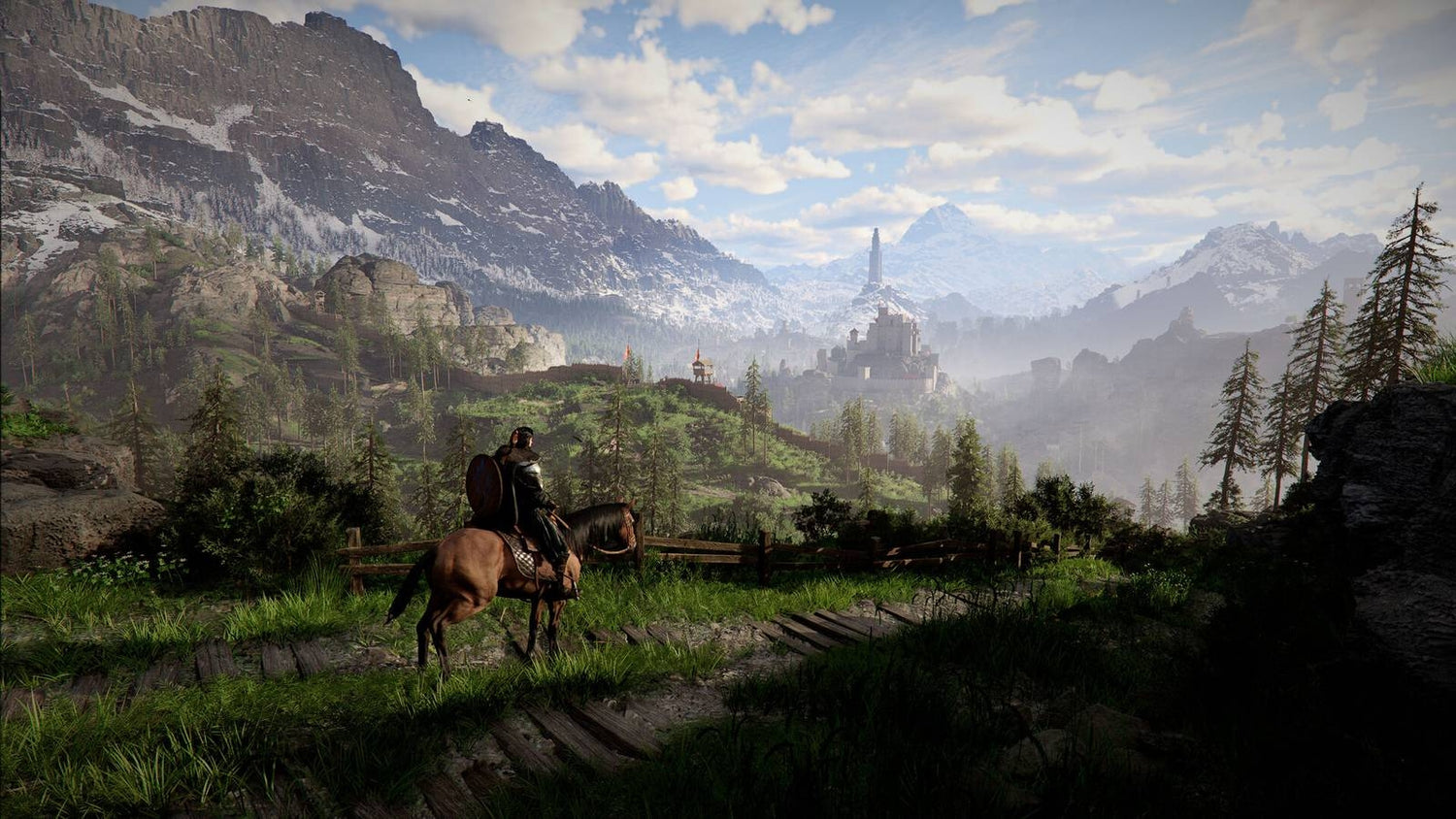
Crimson Desert DLC Hype Is a Reminder: A Gaming PC for New Games Needs More Than Minimum Specs
The latest Crimson Desert news is exactly the kind of headline that makes PC gamers stop and ask a practical question: is my system ready for what comes next? After Pearl Abyss suggested that an upcoming Crimson Desert project is being treated as DLC rather than just another update, the conversation quickly shifted from simple patch notes to bigger expectations. For Canadian players, that makes this a smart moment to think seriously about a Gaming PC for New Games, especially if you want smooth open-world performance, high settings, streaming capability, or enough headroom to avoid upgrading again too soon.
Crimson Desert is already described as a massive game in scale, and a major DLC release could push that experience even further. Bigger areas, heavier combat scenarios, more detailed environments, expanded story content, new systems, improved visuals, and future quality-of-life updates can all increase the demands placed on your PC. Even when a developer does not publish final requirements right away, experienced PC buyers know the pattern: the games that generate hype today often become the games that expose weak hardware tomorrow.
So the better question is not just, “Can my PC launch Crimson Desert?” The better question is: what do you want your next PC to do for you when the biggest games, creator tools, and streaming workloads all start asking for more at the same time?
At Groovy Computers, we build custom gaming PCs, creator PCs, and workstation PCs for Canadian customers who want performance that makes sense for their real workload. If Crimson Desert DLC is on your radar, this guide will help you understand what matters most: resolution, GPU tier, CPU choice, RAM, storage, cooling, upgrade timing, financing, and whether a budget gaming computer or premium RTX gaming PC is the better long-term move.
Why the Crimson Desert DLC News Matters for PC Buyers
The key detail from the recent Crimson Desert coverage is the language being used by Pearl Abyss. The company has reportedly distinguished between regular “updates” and an upcoming “DLC” project, emphasizing that this new content is being called something different for a reason. That matters because in gaming, words like update, DLC, and expansion often imply different levels of scope.
An update may bring balance tweaks, bug fixes, performance refinements, smaller features, or incremental improvements. A DLC, depending on the game, can mean something more substantial: new quests, areas, bosses, systems, gear, characters, visuals, mechanics, or a larger content drop that gives players a reason to return. If you play big open-world games, you already know that added content can sometimes make a game feel new again, but it can also make an aging PC feel older than expected.
Have you ever bought a game, played it comfortably at launch, then returned months later after updates and found performance had changed? That is one reason smart buyers look beyond minimum requirements. A PC that barely handles a game today may not be the PC you want when DLC, higher-resolution texture packs, streaming overlays, recording software, browser tabs, Discord, and background apps are all running together.
Crimson Desert is also the type of game that attracts more than one kind of PC user. Some players want cinematic single-player visuals. Some want high FPS and responsive combat. Some want to stream their first playthrough. Some want to record footage for YouTube or TikTok. Others may be creators who also use the same system for Adobe Premiere Pro, DaVinci Resolve, Photoshop, Blender, Unreal Engine, or graphic design. That is where a custom build becomes valuable.
What Gaming PC for New Games Should You Actually Buy?
A Gaming PC for New Games should be chosen around your target experience, not just around the title printed on the box. New AAA games can vary heavily in optimization, engine design, ray tracing support, texture memory needs, CPU load, storage streaming, and patch behaviour. If you are buying today because of Crimson Desert, GTA-style open-world games, action RPGs, ray tracing games, or future releases you have not even installed yet, you need to think in tiers.
Start by asking yourself a simple question: what does “good performance” mean to you? For one customer, good performance means 1080p gaming at a fair price. For another, it means 1440p ultra settings with high FPS. For someone else, it means 4K gaming with ray tracing, livestreaming, and video editing on the same desktop. Those are very different PCs.
Minimum requirements are usually designed to answer, “Can the game run?” They do not always answer, “Will the game feel great?” Recommended requirements are more useful, but they still may not reflect your monitor, your settings, your streaming setup, your mods, your multitasking habits, or your plan to keep the same PC for years. If you want to avoid upgrading too soon, it is smarter to buy for the experience you want over the next several years, not just the lowest line on a spec sheet.
Are You Playing at 1080p, 1440p, or 4K?
Resolution is one of the biggest decisions when choosing a gaming desktop. It affects GPU requirements, VRAM needs, monitor choice, expected frame rates, and overall system cost. Before you choose a build, ask yourself: are you trying to play Crimson Desert and other new games at 1080p, 1440p, or 4K?
1080p Gaming: Best for Budget and High-Value Builds
A 1080p gaming PC is still a strong choice for many Canadian buyers, especially if you are focused on value, esports, school, first-time PC gaming, or a budget gaming computer. At 1080p, you can often get excellent performance without jumping to the most expensive GPU tier. This is ideal if you care more about smooth gameplay than extreme visual settings.
If your goal is to play Crimson Desert, Fortnite, Call of Duty, Valorant, Minecraft, Roblox, Counter-Strike 2, or other popular games at a practical budget, a well-balanced 1080p build can make sense. But balance is important. A cheap gaming PC with weak cooling, low RAM, limited storage, or a poor upgrade path can become expensive later if you outgrow it too quickly.
Ask yourself: do you want the lowest upfront price, or do you want the best long-term value? Those are not always the same thing.
1440p Gaming: The Sweet Spot for Many New AAA Games
For many gamers, 1440p is the sweet spot. A strong 1440p Gaming PC Canada build gives you a major visual upgrade over 1080p without the extreme GPU cost often associated with 4K. If you want Crimson Desert to look detailed, cinematic, and fluid, 1440p is likely where many serious PC gamers will want to be.
At 1440p, the graphics card becomes more important, VRAM matters more, and CPU balance still matters for open-world gameplay, combat density, simulation, AI, and background processes. If you also stream or record gameplay, you should not build around the game alone. You should build around the game plus your full setup.
So ask yourself: what PC do I need for 1440p gaming if I also want Discord, OBS, browser tabs, recording software, and maybe a second monitor running at the same time? That is where Groovy Computers can help match the right CPU, GPU, RAM, SSD, cooling, and power supply instead of treating your PC like a generic box.
4K Gaming: Premium Builds for Maximum Visual Impact
A 4K gaming PC is for players who want the highest level of visual detail, especially on large monitors or premium displays. For open-world games, 4K can look incredible, but it also demands much more from the GPU. If ray tracing, ultra textures, and high frame rates are part of your goal, you should be looking at higher-end hardware and a build designed with strong cooling and power delivery.
This is where a High End Gaming PC Canada build becomes more than luxury. It becomes a way to protect your experience over time. If you are spending money on a premium monitor, premium peripherals, and major game releases, it makes sense to pair them with a desktop that can actually keep up.
Ask yourself: do you want a PC that plays today’s games, or do you want a PC that still feels premium when the next wave of DLC, expansions, visual upgrades, and demanding releases arrive?
Will Crimson Desert DLC Push More Gamers Toward Ray Tracing and Higher VRAM?
We do not need to invent final DLC requirements to understand the broader trend. Modern open-world games are increasingly demanding on graphics cards, VRAM, storage speed, and CPU performance. Bigger worlds, higher-resolution assets, complex lighting, dense foliage, advanced physics, and cinematic effects all add pressure. If a game supports or expands advanced visual features, the gap between “runs” and “runs beautifully” becomes even wider.
A Ray Tracing Gaming PC Canada build is not just about turning on one setting. It is about choosing a GPU tier that can handle lighting effects, higher resolutions, upscaling technologies, and modern rendering demands without collapsing frame rates. For many buyers, an RTX gaming PC is attractive because it can support gaming, streaming, video encoding, AI-enhanced creative workflows, and GPU acceleration in creator software.
Should every gamer buy the highest-end GPU available? No. The right answer depends on your monitor, games, budget, and timeline. But if you are buying for new games and want to keep the system longer, underbuying the GPU is one of the most common regrets.
Ask yourself: will you be satisfied turning settings down in six months, or would you rather choose a stronger GPU now and keep your experience smoother for longer?
What Do You Want Your Next PC to Do for You?
Before you buy or finance a new system, pause and answer this clearly: what do you want your next PC to do for you?
Do you want it mainly for gaming after work or school? Do you want it for streaming on Twitch or YouTube? Are you recording gameplay clips for TikTok, editing 4K videos, designing thumbnails, managing RAW photo edits, building 3D scenes, or learning Unreal Engine? Do you need one machine that handles entertainment and productivity without slowing down?
This question matters because the best gaming PC is not always the best creator PC, and the best creator workstation is not always the best value for someone who only plays esports titles. A custom PC lets you prioritize the parts that matter most for your use case.
- Gaming-first buyers should focus on GPU performance, CPU gaming strength, fast RAM, NVMe SSD storage, cooling, and monitor resolution.
- Streaming buyers should think about GPU encoding, CPU headroom, RAM, network stability, storage capacity, and dual-monitor workflow.
- Video editors should prioritize CPU performance, GPU acceleration, RAM capacity, fast storage, and project drive organization.
- Photo editors and designers should focus on strong single-core performance, RAM, fast SSDs, colour workflow, and multi-monitor support.
- 3D artists and workstation users should consider GPU rendering, CPU rendering, VRAM, 64GB or 128GB RAM options, cooling, and long rendering stability.
If you are unsure where you fit, that is normal. Many customers are hybrid users now. A student may game at night, edit videos on weekends, and use design software for school. A small business owner may create social media content, edit product photos, and play new AAA titles on the same system. A streamer may need a gaming and streaming PC that also handles editing and thumbnails. The right custom build should reflect that reality.
Which Performance Tier Fits You Best?
Choosing the right performance tier is easier when you match the PC to your actual expectations. Instead of asking only “how much should I spend on a gaming PC,” ask: what experience am I trying to protect?
Tier 1: Budget Gaming Computer for 1080p and Everyday Gaming
A budget gaming computer is a strong fit if you want an entry-level or mid-range system for 1080p gaming, school, everyday multitasking, and popular titles. This tier is ideal for players who want value and do not need every setting maxed out. It can be a smart first gaming PC, especially for students, younger gamers, or buyers upgrading from an older desktop or console.
The risk with budget builds is cutting too deeply. If you choose too little RAM, a small SSD, a weak power supply, or a case with poor airflow, your “deal” may turn into frustration. Groovy Computers focuses on balanced systems that are practical, tested, and built with a clear upgrade path where possible.
Question to ask: can a budget gaming PC play new games today, and will it still be acceptable when future DLC and patches arrive?
Tier 2: 1440p Custom Gaming PC for Serious Players
This is the tier many players should consider if they want a strong balance of performance, visual quality, and long-term usefulness. A 1440p custom gaming PC is ideal for new open-world games, action RPGs, shooters, racing games, and visually rich single-player titles. It also gives you more breathing room for streaming, recording, and multitasking.
This tier often makes sense for buyers who want a system that feels meaningfully better than a console and more flexible than a generic prebuilt. You get better customization, better component matching, better cooling planning, and more confidence that the system is designed around your goals.
Question to ask: what PC do I need for 1440p gaming if I want high settings now and fewer compromises later?
Tier 3: Premium RTX Gaming PC for 4K, Ray Tracing, and Longevity
A premium RTX gaming PC is built for customers who want high-end performance, 4K gaming, ray tracing, ultra settings, high-refresh monitors, streaming, and years of strong capability. This is the right direction if you do not want to replace your system quickly or if you use your PC for both gaming and serious creative work.
Premium builds are also where financing can become especially useful. Instead of buying a cheaper system that may need upgrades sooner, financing can help some customers secure a stronger build now and spread payments over time. Groovy Computers can help Canadian buyers look at options that make sense without pushing them into unnecessary hardware.
Question to ask: should I finance a better PC instead of buying a cheaper one that may feel outdated sooner?
Tier 4: Creator PC or Workstation for Gaming, Editing, Rendering, and Professional Work
If your PC is also a tool for income, school, business, or serious creative output, you may need a custom creator PC or workstation rather than a gaming-only build. A Content Creation PC Canada customer may need strong gaming performance, but also reliable export speeds, timeline responsiveness, fast project storage, and enough RAM for multitasking.
For video editing, a Video Editing PC Canada build may prioritize CPU cores, GPU acceleration, 32GB to 64GB RAM or more, and multiple SSDs. For Blender, Unreal Engine, CAD, or animation, a 3D Modeling PC Canada or 3D Rendering PC Canada configuration may need more VRAM, more RAM, and workstation-grade stability under heavy loads.
Question to ask: is a gaming PC good for content creation, or do you need a properly balanced creator workstation? The answer depends on your software, file sizes, deadlines, and how much time slow exports are costing you.
Gaming and Streaming: Are You Planning to Share Your Crimson Desert Playthrough?
When a major game expands with new DLC, streamers and creators often jump in quickly. First impressions, boss fights, hidden discoveries, performance tests, guide videos, reaction clips, and cinematic moments can all become content. If you are planning to stream Crimson Desert or other new games, your PC needs more than gaming performance alone.
A Gaming and Streaming PC Canada build should be designed for the full live workflow. That includes the game, OBS or Streamlabs, browser sources, overlays, chat, alerts, music, Discord, capture devices if needed, and possibly recording at the same time. GPU encoding can be a major advantage, especially with modern RTX cards, because it helps maintain stream quality without overloading the CPU.
Ask yourself: what PC do I need for streaming if I want the game to look good, the stream to stay clean, and the system to feel responsive while everything is running?
If you are streaming at 1080p, your needs may be different than someone gaming at 1440p while recording high-bitrate footage for YouTube. If you are planning dual monitors, a camera, lights, audio software, and editing after the stream, the build should account for that from the beginning. This is where a custom PC is far more useful than a one-size-fits-all prebuilt.
Video Editing, Photo Editing, and Graphic Design: Is Your Gaming PC Also Your Creative Studio?
Many gamers are creators now, even if they do not think of themselves that way. If you record gameplay clips, edit YouTube videos, design thumbnails, manage social media, create overlays, or make short-form content, your PC needs to handle creative software too.
A PC for Adobe Premiere Pro Canada or PC for DaVinci Resolve Canada should not be chosen only by gaming benchmarks. Editing performance depends on CPU strength, GPU acceleration, RAM, storage speed, codec support, and project complexity. A system that plays a game well may still feel slow if you are editing 4K footage with effects, colour grading, motion graphics, and multiple timelines.
Photo editors using Photoshop, Lightroom, Capture One, or AI photo tools should also think beyond the GPU. Fast SSDs, enough RAM, strong CPU performance, and a smooth multi-monitor setup can make a huge difference in daily workflow. Graphic designers using Photoshop, Illustrator, InDesign, Canva, Affinity Designer, or Adobe Creative Cloud need a system that stays responsive while handling large files, fonts, mockups, browser tabs, and export tasks.
Ask yourself: what PC do content creators need if one machine has to game, stream, edit, design, and stay reliable under pressure?
If the answer is “all of the above,” Groovy Computers can help you avoid the common mistake of buying a gaming desktop that is powerful in one area but limited in another. A proper creator-focused custom build can save hours over time, reduce crashes, speed up exports, and give you confidence when deadlines matter.
3D Modeling and Rendering: Why Open-World Game Hype Also Matters to Artists
Games like Crimson Desert also inspire creators. A visually ambitious open-world game can motivate people to learn Blender, Unreal Engine, Unity, Maya, Cinema 4D, 3ds Max, ZBrush, Revit, or other 3D tools. If you are not just playing games but also building assets, environments, animations, renders, or game prototypes, your PC requirements change dramatically.
A PC for Blender Canada or PC for Unreal Engine Canada may need a stronger GPU, more VRAM, more RAM, and better cooling than a standard gaming-only machine. Real-time viewport performance, shader compilation, texture work, rendering, baking, simulation, and multitasking can all push a system hard. If you are working with large scenes, 64GB of RAM may be a smarter starting point than 16GB or 32GB. For heavier professional rendering, 128GB may become relevant.
Ask yourself: what PC do I need for 3D rendering if I want to create, not just consume, the next generation of game-style visuals?
This is where a custom 3D workstation makes sense. A workstation PC should be stable during long renders, properly cooled, built with quality components, and matched to the software you actually use. Groovy Computers can help Canadian 3D artists and technical users choose between GPU-heavy, CPU-heavy, or balanced workstation configurations.
Why Canadian Buyers Should Think About Timing Before Major Game and DLC Demand Spikes
When a major game gets attention, demand can shift quickly. New DLC announcements, game launches, seasonal sales, holiday buying, back-to-school demand, creator hardware upgrades, and GPU supply pressure can all affect buying conditions. Canadian buyers also deal with exchange rates, import costs, component availability, shipping realities, and pricing changes that may not move gently.
Is it better to buy a gaming PC now or wait? The honest answer depends on your current system, your budget, and your deadline. But waiting is not automatically safer. If your current PC is already struggling, delaying can mean months of poor performance while prices, availability, or replacement costs move against you. If you know you want to play upcoming games at higher settings, stream, edit, or work on creative projects, planning early gives you more control.
Hardware markets can be affected by GPU demand, memory pricing, SSD pricing, supply constraints, new product cycles, and sudden interest around major releases. Even if one component drops, another can rise. That is why many buyers prefer to secure a complete, tested system when the build makes sense rather than trying to perfectly time every individual part.
Ask yourself: are you buying before a major game release, a sale period, a software upgrade, a school term, a work deadline, or a possible price spike? If the answer is yes, it may be worth acting before your timeline becomes urgent.
Should You Finance a Stronger Gaming PC Instead of Settling?
Financing is not about buying more than you need. It is about giving qualified buyers a way to choose the right system without being forced into a short-term compromise. For some Canadian customers, a cheaper PC looks attractive upfront but becomes more expensive later if it needs a GPU upgrade, RAM upgrade, storage upgrade, or full replacement sooner than expected.
If you are asking, “Should I finance a gaming PC?” the better question may be: would financing help you secure a stronger, longer-lasting system before replacement costs rise?
Groovy Computers offers financing options up to 4 years, which can help customers spread the cost of a custom gaming PC, creator PC, or workstation PC. That can be useful if you want a 1440p or 4K system, an RTX gaming PC, a streaming setup, a video editing workstation, or a 3D rendering machine that would otherwise feel out of reach as a one-time purchase.
Financing can be especially practical when your PC is tied to productivity. If a better system saves time on video exports, improves client work, reduces downtime, or supports content creation that may generate income, the value is not only entertainment. It can be a tool that supports your work, education, business, or creative growth.
Ask yourself: should you buy the cheapest PC today, or finance a better custom build that reduces the chance of upgrading too soon?
Custom PC vs Generic Prebuilt: Why Build Quality Matters More for New Games
When a demanding game or DLC arrives, weak system design becomes obvious. Poor airflow can cause heat buildup. Low-quality power supplies can limit upgrade paths. Undersized cases can restrict future GPU options. Single-channel memory or slow storage can create performance bottlenecks. Generic prebuilts may look powerful on paper while cutting corners in ways customers do not notice until later.
A custom PC builder can design around your full goal: resolution, frame rate, game library, streaming needs, creative software, monitor setup, storage requirements, upgrade path, and budget. That matters more than simply picking the biggest GPU name in a listing.
At Groovy Computers, systems are built with attention to compatibility, thermals, cable management, reliability, and real-world use. Rigorous testing helps ensure your PC is ready before it reaches you. A 1-year warranty gives added confidence, and Canadian support means you are not left guessing when you need help.
Ask yourself: why buy a custom gaming PC instead of a generic prebuilt if the goal is long-term confidence? Because the full system matters. The CPU, GPU, RAM, motherboard, SSD, power supply, cooling, case, and build quality all work together. One weak link can limit the entire experience.
What Parts Matter Most for Crimson Desert and Other Open-World Games?
Open-world games tend to stress a PC in several ways at once. While exact performance depends on the game engine and optimization, buyers can still make smart choices by understanding the role of each component.
Graphics Card
The GPU is usually the most important part for visual quality, resolution, ray tracing, and high frame rates. If you want 1440p or 4K gaming, this is where you should avoid cutting too aggressively. VRAM can also matter as games use larger textures and more complex environments.
Processor
The CPU affects frame pacing, simulation, physics, AI, loading behaviour, background tasks, streaming, and multitasking. Open-world games can benefit from a strong modern CPU, especially if you want high FPS or plan to run additional software in the background.
RAM
For modern gaming, 16GB may still be workable in some cases, but 32GB is increasingly attractive for new games, streaming, multitasking, and creator workflows. If you edit video, work with large photos, use Adobe Creative Cloud, or run 3D software, 64GB or more may be worth considering.
Storage
Fast NVMe SSD storage improves load times, asset streaming, responsiveness, and the overall feel of the system. New games are large, and creators often need extra project storage. A small drive can fill quickly, so planning capacity matters.
Cooling and Power Supply
Cooling and power delivery are often overlooked by first-time buyers. A powerful PC needs stable thermals and a quality PSU. If you want a system to last, stay quiet, and remain upgrade-friendly, these parts matter more than they appear in a simple spec list.
Ask yourself: what parts should I choose for a gaming PC if I want smooth performance now and room to grow later? That is exactly the kind of question Groovy Computers can help answer.
Budget Buyers: How Much Should You Spend on a Gaming PC?
Budget matters, especially in Canada where component prices can shift and taxes, shipping, and exchange-rate effects all influence the final cost. But the right budget depends on what you expect the PC to do. A first gaming PC for 1080p esports does not need the same investment as a 4K ray tracing workstation that also edits video.
If you are shopping for a budget gaming PC, focus on value rather than the absolute cheapest price. Look for enough RAM, a modern SSD, a capable GPU for your resolution, a CPU that will not hold you back, and a platform that can be upgraded. A system that saves a little money today but forces a major upgrade soon may not be the best deal.
Ask yourself: how much should I spend on a gaming PC if I want it to handle new games without becoming frustrating too quickly?
For many buyers, the best answer is a balanced build rather than a flashy but lopsided one. Groovy Computers can help match your budget to your gaming target, whether that is 1080p value, 1440p performance, or a premium high-FPS setup.
Premium Buyers: How Long Should a High-End Gaming PC Last?
A high-end gaming PC is not only about maximum settings on day one. It is also about staying satisfied longer. If you invest in a stronger GPU, better CPU, more RAM, faster storage, quality cooling, and a reliable power supply, you are building more headroom into the system.
That headroom matters when new games arrive, DLC expands, software updates become heavier, and your own habits change. Many customers start with gaming, then add streaming, editing, AI tools, photo work, or 3D modeling later. A premium build gives you more flexibility to grow into new uses.
Ask yourself: how long will a high-end gaming PC last if you choose the right parts now? No PC stays top-tier forever, but a well-planned premium system can remain enjoyable and productive far longer than a build chosen only for today’s minimum needs.
Canada-Wide Buying Confidence: Why Groovy Computers Fits This Moment
Groovy Computers is a Canadian custom PC builder serving customers who want more than a random off-the-shelf machine. Whether you are in Nova Scotia, Atlantic Canada, Ontario, Alberta, British Columbia, or anywhere else ordering online in Canada, the goal is the same: get a system that matches what you actually need.
For customers searching for gaming computers in Canada, a custom gaming PC in Nova Scotia, or a gaming PC shipped Canada-wide, Groovy Computers brings together expert build guidance, thoughtful component matching, rigorous testing, and 1-year warranty confidence. That matters when you are buying for upcoming games, major DLC, creator workloads, or professional software.
You should not have to guess whether your PC is right for 1440p gaming, 4K gaming, streaming, video editing, photo editing, graphic design, 3D modeling, or workstation use. You should be able to explain what you want to do and get a build recommendation that makes sense.
Ask yourself: do you want help choosing a build from Groovy Computers before the next major release or price shift catches you unprepared?
Questions to Ask Before Buying Your Next Custom PC
Before you choose a system, use these questions to clarify your needs. They will help you avoid overspending in the wrong area or underspending where it matters most.
- What games do you want to play most? Crimson Desert, upcoming AAA games, esports titles, open-world RPGs, shooters, racing games, or simulation games can all point toward different hardware priorities.
- What resolution do you want? 1080p, 1440p, and 4K each require a different GPU strategy.
- Do you care about ray tracing? If yes, choose a GPU tier that can handle it without disappointing frame rates.
- Are you streaming or recording? If yes, plan for GPU encoding, CPU headroom, RAM, and storage capacity.
- Are you editing video? Premiere Pro, DaVinci Resolve, After Effects, and CapCut can benefit from stronger CPUs, GPUs, RAM, and fast SSDs.
- Are you doing photo editing or graphic design? Photoshop, Lightroom, Illustrator, InDesign, Canva, and Adobe Creative Cloud need fast responsiveness and enough memory.
- Are you using Blender, Unreal Engine, CAD, or rendering tools? If yes, you may need a true workstation approach.
- How long do you want to keep the PC before upgrading? Buying with headroom can reduce upgrade pressure.
- Is financing useful? Monthly payments may help you choose the right build now instead of settling for a system you outgrow too quickly.
- Do you want expert help? A custom PC builder can match the system to your goals instead of forcing you to decode every component alone.
Ready Before the DLC Drops: Why Waiting Can Cost More Than You Think
Gaming hype moves fast. A DLC announcement can bring players back, push creators to produce content, increase demand for upgrades, and remind everyone that modern games are not getting lighter. If your current PC is already struggling, waiting until the last minute may leave you shopping under pressure.
Buying early gives you time to choose properly, ask questions, consider financing, compare performance tiers, and receive a tested system before your must-play release arrives. It also gives you more control if component pricing shifts or availability becomes less predictable.
Ask yourself: do you want to be ready when the next major Crimson Desert content arrives, or do you want to discover your PC is not ready after the hype has already started?
If you are planning to play new AAA games, stream, edit, design, render, or build a more capable workstation, now is the time to think carefully about your next system. A Gaming PC for New Games should be more than a quick purchase. It should be a smart, balanced, tested build that supports what you do today and what you may want to do next.
Talk to Groovy Computers About the Right Gaming PC for New Games
If the Crimson Desert DLC news has you thinking about your next upgrade, Groovy Computers can help you choose the right path. Do you need a budget gaming computer for 1080p? A 1440p custom gaming PC for smooth high-setting gameplay? A premium RTX gaming PC for 4K and ray tracing? A custom creator PC for streaming and editing? A 3D modeling workstation for Blender or Unreal Engine? Or financing up to 4 years so you can secure a stronger system before pricing or availability changes?
Visit GroovyComputers.ca to explore custom gaming PCs, creator PCs, workstation builds, and financing options built for Canadian buyers who want performance, reliability, and expert guidance. The right PC should not just run the next game. It should make everything you do feel smoother, faster, and more enjoyable.
Crimson Desert’s upcoming DLC may still be developing, but your buying decision does not have to be rushed or confusing. If you want a Gaming PC for New Games that is ready for modern open-world titles, streaming, editing, content creation, and future upgrades, Groovy Computers is ready to help you build smarter.
#GamingPCForNewGames #CustomGamingPCCanada #GamingComputersCanada #1440pGamingPC #4KGamingPC #RTXGamingPC #StreamingPCCanada #CreatorPCCanada #GroovyComputers
Groovy Computers | All Rights Reserved


Leave a comment
This site is protected by hCaptcha and the hCaptcha Privacy Policy and Terms of Service apply.