



































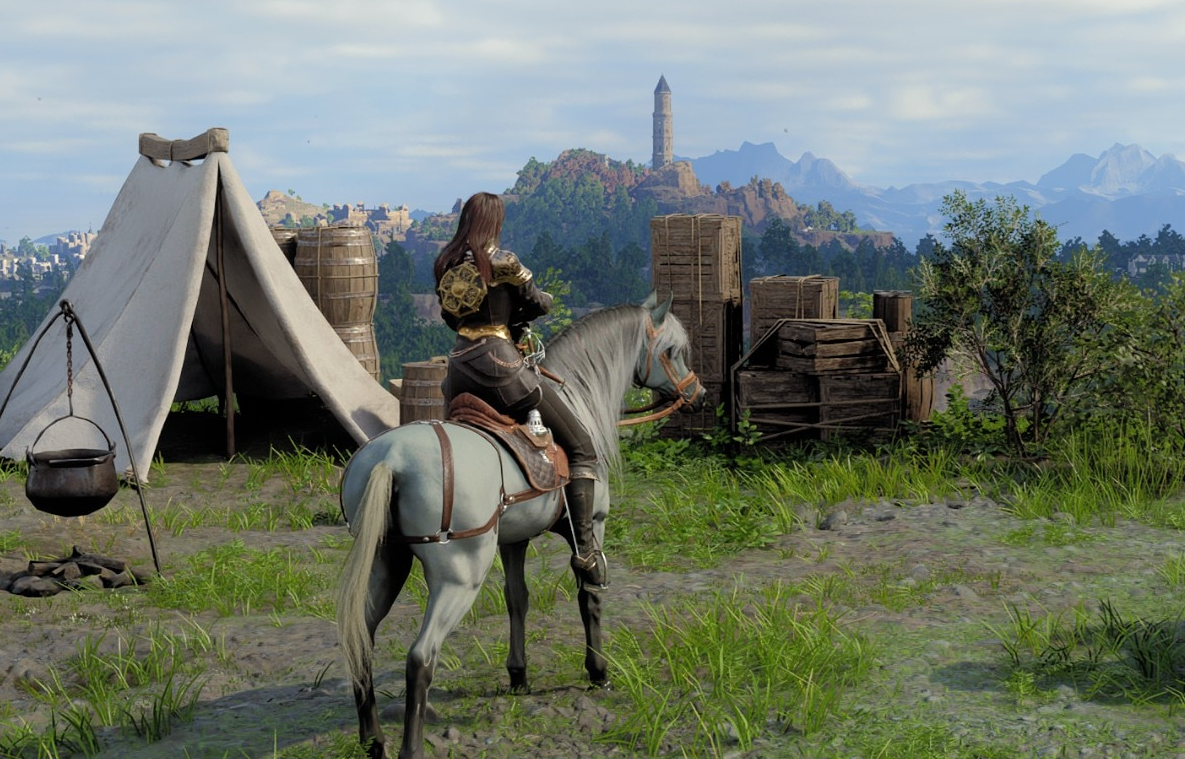
Gaming PC for Crimson Desert: What Canadian Players Should Know After Patch 1.12.01
Crimson Desert has received update 1.12.01, a focused hotfix from Pearl Abyss that fixes several issues introduced or discovered around the recent 1.12.00 update. For players, the headline is simple: outdoor furniture should no longer disappear under certain conditions, moving objects should be more climbable in special cases, glass lighting should look more natural, floating terrain on the path to the Sanctuary of Faith has been corrected, and the camp skunk should no longer vanish when placed.
That may sound like a small patch, but for anyone planning to play large, visually ambitious action-adventure games on PC, it raises a bigger question: is your current system ready for the kind of modern open-world gaming experience Crimson Desert is aiming for? When a game receives lighting fixes, environmental corrections, camp-system improvements, physics-adjacent interaction fixes, and ongoing content updates, it is a reminder that modern games are not static products. They grow, change, demand more from hardware, and often become better showcases for powerful gaming PCs over time.
For Canadian gamers, streamers, creators, and workstation users, this is where the conversation becomes practical. If you are watching Crimson Desert updates, planning for future DLC, or waiting for performance impressions before upgrading, you may already be asking: what gaming PC do I need, should I buy now or wait, and is it smarter to finance a stronger system instead of settling for a cheaper one?
At Groovy Computers, we look at gaming news like this through a custom-PC lens. A patch note about disappearing furniture is not just a bug fix; it is a sign of a complex game world with persistent objects, lighting systems, terrain streaming, traversal mechanics, and content that can stress different parts of a PC. If you want a smooth experience in Crimson Desert and other new AAA games, the right Gaming PC for Crimson Desert should be chosen around resolution, graphics settings, multitasking, streaming goals, upgrade timing, and long-term value.
What Did Crimson Desert Patch 1.12.01 Fix?
According to the available update details, Crimson Desert patch 1.12.01 is a smaller hotfix following the larger 1.12.00 update. It focuses on repairing specific bugs and improving visual behavior in certain areas. The listed fixes include:
- Outdoor furniture disappearing: Furniture placed outdoors should no longer vanish under certain circumstances.
- Climbing moving objects: In special cases, the game previously made it impossible to climb moving objects; that issue has been addressed.
- Glass material lighting: Lighting on glass materials should no longer appear unnaturally in affected situations.
- Floating regions: Certain regions on the path to the Sanctuary of Faith that were floating in the air have been corrected.
- Camp skunk disappearing: A skunk placed in camp should no longer disappear.
The source details also mention that Pearl Abyss previously confirmed work on an add-on and gameplay improvements, though the studio has not revealed the details of the upcoming DLC. That matters because a game that is still receiving content updates, quality-of-life improvements, and technical fixes can continue changing after launch. The PC you buy today should not only run the game as it exists now; it should be strong enough to handle the game as it evolves.
Why Should a Small Crimson Desert Hotfix Matter to PC Buyers?
On the surface, patch 1.12.01 is about bugs. Under the surface, it highlights the systems modern gaming PCs need to handle well: object persistence, physics interactions, lighting, materials, world geometry, streaming assets, and camp or base customization. In a detailed open-world game, these features are not isolated. They rely on a balanced combination of CPU performance, GPU power, RAM capacity, fast storage, cooling, and driver stability.
So here is the real buyer-focused question: are you buying a PC just to launch Crimson Desert, or are you buying a system that can play it smoothly at the settings you actually want?
Many players say they want to play “new games,” but that can mean very different things. One person may be happy with 1080p medium settings. Another wants 1440p high settings with smooth frame rates. Another wants 4K ultra settings, ray tracing where available, a high-refresh monitor, Discord, OBS, browser tabs, and background recording all running at once. Those are not the same PC purchase.
This is why Groovy Computers builds around real user goals instead of generic spec sheets. If Crimson Desert is on your radar, your next PC should be selected based on what you want the game to feel like, not just whether it technically meets minimum requirements.
What Do You Want Your Next PC to Do for You?
Before choosing a Gaming PC for Crimson Desert, ask yourself a simple but powerful question: what do I want my next PC to do for me over the next three to five years?
Do you want it mainly for Crimson Desert and other open-world action games? Do you also play competitive titles where high FPS matters more than ultra graphics? Are you planning to stream on Twitch or YouTube? Do you edit gameplay clips for TikTok, YouTube Shorts, or long-form videos? Do you work in Photoshop, Lightroom, Premiere Pro, DaVinci Resolve, Blender, AutoCAD, Revit, Unreal Engine, or other creative and professional tools?
A modern desktop can be built as a gaming machine, a creator workstation, a streaming setup, or a hybrid system that does all three. The best value is not always the lowest price; it is the system that avoids frustration, avoids premature upgrades, and fits the way you actually use your computer.
Are You Playing at 1080p, 1440p, or 4K?
Resolution is one of the biggest decisions when buying a gaming PC. If you are gaming at 1080p, you can often prioritize value, strong CPU performance, and reliable GPU performance without needing the most extreme graphics card. If you want a 1440p Gaming PC Canada buyers can trust for newer AAA games, you should step up the GPU, RAM, storage, and cooling plan. If you want 4K gaming, high settings, and long-term headroom, you are in premium gaming PC territory.
Ask yourself: do you want Crimson Desert to look good, or do you want it to look stunning? There is a difference. Open-world games with detailed materials, advanced lighting, large environments, and fast traversal can reward stronger GPUs with cleaner visuals, better texture quality, smoother frame pacing, and more stable performance.
Do You Care More About Visual Quality or Competitive FPS?
Crimson Desert is not the same type of experience as a pure esports title. For a cinematic action-adventure game, many players care about image quality, smooth movement, visual detail, and immersion. But if you also play competitive games like Counter-Strike 2, Valorant, Fortnite, Warzone, or other high-refresh titles, your build should be balanced differently.
A High FPS Gaming PC Canada customer may need a fast CPU, high-refresh monitor support, low-latency components, and strong cooling. A player focused on AAA visuals may need more GPU power and VRAM. If you want both, Groovy Computers can help you choose a balanced custom build instead of overpaying for the wrong part.
Gaming PC for Crimson Desert: Which Performance Tier Fits You?
Choosing the right Gaming PC for Crimson Desert starts with performance tier. Not every customer needs a flagship system, but many customers regret buying too low if they plan to play new games for years. Below is a practical way to think about your options.
Entry-Level and Budget Gaming PC: Is Value Your Main Priority?
A budget gaming computer makes sense if you want to play at 1080p, keep costs controlled, and enjoy modern games without chasing maxed-out graphics settings. This is a strong fit for students, first-time PC gamers, families buying a first desktop, or players who mostly play esports titles with occasional AAA gaming.
Ask yourself: am I okay lowering settings in demanding games, or will that bother me every time I launch a new release? If you are comfortable making visual compromises, a value-focused build can be a smart move. But if Crimson Desert, future DLC, and upcoming AAA games are the reason you are upgrading, going too low may shorten the useful life of your system.
For many Canadian buyers, the best budget decision is not always the cheapest PC. It may be a slightly stronger custom gaming PC that gives you better longevity, better cooling, better upgrade options, and fewer compromises.
Mid-Range Gaming PC: Is 1440p the Sweet Spot?
For many players, 1440p is the modern sweet spot. It looks significantly sharper than 1080p, does not demand as much GPU power as 4K, and pairs well with high-refresh monitors. If you want Crimson Desert and other new games to feel smooth and visually rich, a well-built 1440p gaming PC is often the most balanced choice.
This is where custom configuration matters. You want a GPU that can handle modern visual settings, a CPU that avoids bottlenecks, enough RAM for gaming and background apps, and fast NVMe storage to reduce load times and improve general responsiveness. You also want a power supply and case airflow plan that support future upgrades.
Question to consider: do you want to buy once and enjoy years of comfortable 1440p gaming, or are you only trying to get through the next few months? If you want fewer upgrade headaches, the mid-range tier is often where long-term value becomes very strong.
Premium Gaming PC: Do You Want 4K, Ultra Settings, and Longer Headroom?
A premium gaming PC is for players who want the best experience they can reasonably get: 4K gaming, high settings, ray tracing where supported, high-refresh gameplay, streaming, recording, editing, and multitasking without constant compromise. If you want a 4K Gaming PC Canada buyers can use for new AAA games and creative work, this is the tier to consider.
Open-world games can become more demanding over time as patches improve visuals, add content, or expand areas. If you plan to play Crimson Desert long-term, explore future add-ons, and use the same PC for other demanding games, premium hardware can make sense. The question is not only “can I afford it today?” but also how long do I want this system to feel powerful?
This is also where financing can become useful. If monthly payments allow you to secure a stronger system instead of buying a lower-tier build that you will outgrow quickly, financing may protect your long-term value.
Should You Buy a Gaming PC Now or Wait?
This is one of the most common questions Canadian customers ask: is it better to buy a gaming PC now or wait? The honest answer depends on your current system, your performance goals, your budget, and how soon you want to play upcoming games comfortably.
Waiting can make sense if you are not in a rush and your current PC is still meeting your needs. But waiting can also create risk. Component pricing can shift. Demand can spike around major game releases, new GPU launches, holiday sales, back-to-school periods, tax refund season, or supply disruptions. RAM, SSDs, GPUs, and power supplies can all move in price depending on market conditions.
If you already know you will need a stronger PC for Crimson Desert, upcoming AAA games, streaming, editing, or workstation use, then waiting too long can reduce your options. You may face higher replacement costs, tighter availability, or rushed buying decisions when everyone else is upgrading at the same time.
Ask yourself: am I waiting because I have a clear plan, or am I waiting until my current PC becomes a problem? A planned upgrade is almost always better than a panic upgrade.
Can Financing Help You Secure a Stronger PC Before Prices Change?
For many Canadian gamers and creators, financing is not about buying recklessly. It is about choosing the right performance level sooner, especially when paying the full amount upfront would force a lower-tier build. Groovy Computers offers financing options up to 4 years, which can help customers spread out payments while getting the system they actually need.
So, should you finance a better PC instead of buying a cheaper one? If a lower-cost system will force you to upgrade again too soon, financing a stronger custom gaming PC can be the smarter long-term choice. This is especially true if you plan to use the PC for gaming, streaming, video editing, photo editing, graphic design, 3D modeling, or professional workloads.
A stronger system can save time, reduce frustration, and extend the useful life of your purchase. For creators, it can also improve productivity. Faster exports, smoother timelines, better multitasking, and fewer crashes can matter more than the monthly payment difference between an entry-level and mid-range or high-end build.
If you are wondering whether Gaming PC Financing Canada options make sense for your situation, the best next step is to compare what you can afford upfront against what you actually need for the games and software you use. Groovy Computers can help you think through that decision without pushing you into hardware that does not match your goals.
What If You Want to Stream Crimson Desert?
Crimson Desert’s visual style and action-heavy gameplay make it the kind of game many players may want to share. If you plan to stream, record, or create clips, your PC needs more than basic gaming performance. A Streaming PC Canada buyer should think about CPU threads, GPU encoding, RAM, storage, microphone and camera support, and dual-monitor workflows.
Ask yourself: do I want to play only, or do I want to play, stream, record, chat, monitor alerts, and edit clips afterward? Those are different workloads.
For OBS Studio, Twitch, YouTube Live, Streamlabs, or gameplay recording, modern GPU encoding can be extremely helpful. A strong RTX-based system, for example, can support high-quality streaming and recording while keeping gaming performance smoother. RAM also matters because streaming setups often include the game, OBS, browser sources, Discord, chat windows, music, overlays, and recording software all running together.
If you are building a gaming and streaming PC, avoid choosing parts based only on average FPS. You need stable frame times, reliable thermals, quiet cooling, and enough headroom to keep everything running smoothly during longer sessions.
Is a Gaming PC Good for Video Editing and Content Creation?
Many Groovy Computers customers are not just gamers. They are YouTubers, TikTok creators, streamers, photographers, designers, students, small business owners, and professionals who need one desktop to do everything. If you plan to turn Crimson Desert gameplay into videos, guides, reviews, shorts, thumbnails, livestream highlights, or social content, you should think beyond gaming benchmarks.
A gaming PC can be excellent for content creation when it is configured properly. For a Content Creation PC Canada customer, the right build may include a stronger CPU, more RAM, a higher-performance GPU, multiple fast SSDs, and quiet cooling for long editing sessions.
Ask yourself: what software do I actually use? Adobe Premiere Pro, DaVinci Resolve, After Effects, Photoshop, Lightroom, CapCut, OBS, Blender, and Unreal Engine all stress hardware differently. A PC that is great for 1080p gaming may not be ideal for 4K editing, large RAW photo catalogs, motion graphics, or 3D rendering.
Video Editing: What Specs Do You Need for 4K Timelines?
If you edit gameplay footage, YouTube videos, or client projects, a Video Editing PC Canada build should focus on timeline smoothness, export speed, storage performance, and multitasking. 4K editing benefits from a capable CPU, enough RAM, GPU acceleration, and fast NVMe storage. If you work with heavy codecs, high-bitrate footage, multicam timelines, or effects-heavy projects, you should not treat editing as an afterthought.
Question to ask: am I editing simple clips, or am I building full projects with colour correction, effects, captions, music, and multiple tracks? The heavier your workflow, the more important it is to choose a balanced creator PC rather than a bare-minimum gaming tower.
Photo Editing and Graphic Design: Do You Need Colour Workflow and Multitasking?
Photographers and designers need fast responsiveness, reliable storage, enough RAM, and support for high-resolution displays. A Photo Editing PC Canada customer using Lightroom Classic, Photoshop, Capture One, or AI photo tools may benefit from more memory and faster storage than a basic gaming build. A Graphic Design PC Canada customer working in Photoshop, Illustrator, InDesign, Canva, Affinity Designer, or CorelDRAW may also need strong multi-monitor support and smooth performance with large files.
Ask yourself: do I just play games, or do I also create the thumbnails, branding, social posts, overlays, and promotional graphics around them? If your PC is part of your creative workflow, the right custom build should support both play and production.
3D Modeling and Rendering: Is Your Game Interest Turning Into Game Development?
Modern game worlds inspire many players to create their own environments, assets, mods, renders, animations, and prototypes. If Crimson Desert’s world design has you thinking about Blender, Unreal Engine, Unity, Maya, 3ds Max, Cinema 4D, SketchUp, AutoCAD, Revit, or SolidWorks, then you are entering workstation territory.
A 3D Modeling PC Canada or 3D Rendering PC Canada build often needs more GPU power, more VRAM, more RAM, and stronger cooling than a standard gaming machine. GPU rendering, viewport performance, large scenes, simulation work, and high-resolution textures can all become demanding quickly.
Ask yourself: am I only consuming modern game worlds, or do I want to build them too? If the answer is both, Groovy Computers can help configure a custom workstation that supports gaming and professional 3D workloads.
Why Custom Builds Matter More for Modern Open-World Games
Generic desktops often look attractive because the spec list seems simple: CPU, GPU, RAM, storage. But a great gaming PC is more than a parts list. Modern open-world games can expose weak points in cooling, memory capacity, storage speed, power delivery, airflow, and part matching.
For a Custom Gaming PC Canada customer, the advantage is configuration control. Groovy Computers can help match the GPU to the resolution, the CPU to the workload, the RAM to the multitasking profile, the SSD to the storage needs, and the case and cooling to the power level of the system. That matters when you want stable performance instead of a PC that looks good on paper but runs hot, loud, or inconsistent under real gaming loads.
Ask yourself: do I want the cheapest possible spec list, or do I want a system that has been built, tested, and balanced for the way I actually play?
Groovy Computers focuses on custom builds, rigorous testing, and practical recommendations. Each system should make sense as a complete machine, not just a collection of impressive-sounding parts. With a 1-year warranty and Canadian support, buyers get more confidence than they would from guessing their way through a generic marketplace listing.
What PC Parts Matter Most for Crimson Desert and Other New AAA Games?
Without relying on unverified performance claims, we can still explain what usually matters for visually ambitious action-adventure and open-world games. If you are buying a PC for Crimson Desert, you should pay attention to these categories.
GPU: The Heart of Visual Performance
The graphics card is usually the most important part for resolution, visual settings, texture quality, ray tracing features where supported, and high-refresh gaming. If you want 1440p or 4K gaming, do not underbuy the GPU. A stronger graphics card can help your system stay relevant longer as games receive updates and new releases become more demanding.
Question to ask: what monitor am I using now, and what monitor do I want next? A 1080p monitor and a 4K high-refresh display require very different GPU planning.
CPU: Smooth Gameplay, Streaming, and Background Tasks
The CPU matters for frame consistency, world simulation, physics, NPC behavior, background applications, streaming, and creator workloads. Open-world games can be sensitive to CPU performance, especially when there is a lot happening on screen. If you stream or edit, CPU selection becomes even more important.
Ask yourself: do I only game, or do I game while Discord, OBS, browser tabs, recording tools, and editing software are part of my normal routine?
RAM: The Difference Between Enough and Comfortable
Modern gaming PCs should not be built with yesterday’s multitasking habits in mind. Games, launchers, browsers, chat apps, capture software, and creative tools can all consume memory. For gaming-focused systems, enough RAM keeps the experience smoother. For editing, 3D, and workstation use, higher RAM capacities can be essential.
If you are asking, how much RAM do I need for gaming and content creation? the answer depends on whether you only play, stream, edit 4K footage, manage RAW photo libraries, or render scenes. Groovy Computers can help size RAM properly instead of forcing every customer into the same configuration.
Storage: Fast SSDs Matter More Than Many Buyers Think
Large modern games can take up significant storage space. Fast NVMe SSDs improve system responsiveness, game loading, project loading, and asset access. If you also edit video or work with large files, storage speed and capacity become even more important.
Question to consider: do I want enough storage for one or two games, or do I want a system that can hold my game library, recordings, editing projects, exports, and creative files?
Cooling and Power: The Hidden Foundation of Reliability
A PC that performs well for five minutes is not the same as a PC that performs well for hours. Cooling, airflow, power supply quality, cable management, and stress testing matter. A powerful GPU and CPU need a system built around them, not squeezed into the cheapest possible configuration.
This is one reason custom builds are valuable. Groovy Computers can configure the full system so that the parts work together properly under gaming, streaming, rendering, and workstation loads.
Canadian Buyers Should Think About Timing, Shipping, Support, and Warranty
Buying a gaming PC in Canada is not always the same as buying in the United States. Canadian pricing, availability, shipping, taxes, exchange-rate pressure, and component supply can all affect the final cost. A build that looks affordable in another market may not translate cleanly into Canadian dollars.
Groovy Computers serves Canadian customers who want practical, reliable, custom-built systems without being forced into a one-size-fits-all desktop. Whether you are in Nova Scotia, Atlantic Canada, Ontario, Alberta, British Columbia, or elsewhere in Canada, the goal is the same: get the right PC for your games, software, budget, and upgrade timeline.
Ask yourself: do I want to buy a gaming PC online in Canada from a builder who understands Canadian buyers, or do I want to gamble on a generic configuration with limited guidance?
For many customers, the best value comes from a Canada-built gaming PC with proper testing, warranty support, and upgrade planning. That is especially important when you are investing in a system for new games, streaming, editing, or professional work.
What Questions Should You Ask Before Buying a Gaming PC for Crimson Desert?
If Crimson Desert is one of the games pushing you toward an upgrade, use these questions to narrow down your ideal build:
- What games do I play most? Crimson Desert, open-world RPGs, competitive shooters, racing games, simulation games, or creative sandbox titles?
- What resolution do I want? 1080p, 1440p, 4K, ultrawide, or high-refresh competitive gaming?
- Do I care about ray tracing and ultra settings? If yes, GPU tier matters more.
- Will I stream or record gameplay? If yes, plan for GPU encoding, CPU headroom, RAM, and storage.
- Will I edit videos or create content? If yes, consider a gaming and creator PC rather than a basic gaming-only build.
- Do I work in Photoshop, Lightroom, Premiere Pro, DaVinci Resolve, Blender, or CAD software? If yes, your PC should be configured for those workloads too.
- Do I want to avoid upgrading too soon? If yes, consider stepping up one tier now.
- Could financing help me get the right system instead of settling? Monthly payments may make a stronger build more realistic.
- Am I buying before a major release, sale period, hardware shortage, or price spike? Timing can affect availability and cost.
- Do I want expert help choosing the right parts? If yes, a custom PC builder can save you from expensive mismatches.
Custom PC vs Prebuilt PC Canada: Which Is Better for New Games?
The custom PC vs prebuilt PC question comes up constantly. A prebuilt gaming PC can be convenient, but not all prebuilts are equal. Some cut corners on power supplies, cooling, motherboards, RAM speed, storage, or case airflow. Those shortcuts may not be obvious until you start playing demanding games or using the system for creative work.
A custom gaming PC gives you a better chance of matching the system to your actual use case. If you need a gaming PC for Crimson Desert, a streaming PC, a video editing PC, or a 3D workstation, the configuration should reflect that. You may not need the most expensive part in every category, but you do need the right balance.
Ask yourself: am I buying a PC for a spec sheet, or am I buying an experience? Smooth gameplay, quiet operation, reliable thermals, fast storage, and upgrade flexibility all matter once the PC is on your desk.
How Groovy Computers Helps Canadian Gamers Choose the Right Build
Groovy Computers is a Canadian custom PC builder focused on helping customers choose systems that make sense for gaming, streaming, editing, design, content creation, 3D modeling, and workstation use. Instead of pushing a single generic tower, Groovy Computers helps buyers think through the full picture: games, software, resolution, budget, upgrade plans, financing, and support.
If you are shopping for a Gaming PC for Crimson Desert, Groovy Computers can help you decide whether a budget gaming computer, 1440p gaming PC, 4K gaming PC, custom creator PC, editing workstation, or 3D modeling workstation is the right fit. The answer depends on what you want your PC to do, not just what is trending this week.
Every serious gaming or workstation purchase should consider:
- Balanced part selection so the CPU, GPU, RAM, SSD, motherboard, cooling, and power supply make sense together.
- Rigorous testing to reduce the chance of instability under gaming and productivity loads.
- Upgrade planning so your system has a realistic path forward.
- Canadian support for buyers who want guidance before and after purchase.
- 1-year warranty confidence for peace of mind.
- Financing options up to 4 years for customers who want a stronger system without paying the full amount upfront.
Ready to choose a custom gaming PC that matches your actual goals? Visit GroovyComputers.ca and ask yourself: do I want a PC that merely runs my next game, or one that makes every session feel like the upgrade was worth it?
Should You Choose a Budget Gaming PC, Premium RTX Gaming PC, Creator PC, or Workstation?
The best PC category depends on your actual workload. Here is a simple decision guide for Canadian buyers comparing different system types.
Choose a Budget Gaming PC If...
- You mainly play at 1080p.
- You are comfortable lowering settings in demanding games.
- You want a first gaming PC or student gaming PC.
- You play esports titles more than cinematic AAA games.
- You want the best value today and have modest upgrade expectations.
Budget systems can be excellent when expectations are realistic. The danger is buying too low for the games you actually want to play. If Crimson Desert is part of a larger list of demanding games, ask whether a little more investment now could prevent disappointment later.
Choose a Mid-Range Custom Gaming PC If...
- You want strong 1440p gaming.
- You play a mix of AAA games and competitive titles.
- You want good longevity without going all the way to a flagship build.
- You may stream, record, or edit occasionally.
- You want a balanced system that avoids obvious bottlenecks.
For many buyers, this is the best all-around category. It gives you a more future-friendly experience than entry-level hardware while staying more practical than a top-tier 4K build.
Choose a Premium RTX Gaming PC If...
- You want 4K gaming, high settings, or ultra settings.
- You use a high-refresh or ultrawide monitor.
- You care about ray tracing where available.
- You want to stream and record without compromising game smoothness.
- You want the system to feel powerful for years.
Premium systems are not for everyone, but they are ideal for buyers who know they will use the performance. If you are the kind of player who notices stutter, hates lowering settings, and wants new releases to feel impressive, this tier is worth considering.
Choose a Custom Creator PC If...
- You game and edit videos.
- You create YouTube, TikTok, Instagram, podcast, or livestream content.
- You use Adobe Creative Cloud, DaVinci Resolve, CapCut, OBS, Photoshop, or Lightroom.
- You need more RAM and storage than a typical gaming-only system.
- You want one PC for gaming and production.
A creator PC should be built around time saved. Faster exports, smoother editing, better multitasking, and fewer workflow slowdowns can make a stronger build worth it even if you are not chasing maximum gaming settings.
Choose a 3D Modeling or Workstation PC If...
- You use Blender, Unreal Engine, Unity, AutoCAD, Revit, SolidWorks, Maya, 3ds Max, Cinema 4D, SketchUp, or ZBrush.
- You render scenes, build assets, animate, simulate, or develop games.
- You need large RAM capacity and strong GPU acceleration.
- You want professional reliability under long workloads.
- You need a desktop that earns its place in your workflow.
Workstation buyers should be especially careful with generic gaming desktops. A system can be fast in games but poorly matched for heavy rendering, CAD, simulation, or professional production. Groovy Computers can help configure a custom workstation PC Canada buyers can rely on for both performance and stability.
Why Waiting Too Long Can Cost More Than You Think
PC buyers often wait for the “perfect time.” The problem is that the perfect time rarely announces itself. Game releases, content updates, GPU demand, memory pricing, SSD pricing, exchange rates, shipping costs, and seasonal buying waves can all influence final system cost.
If you are planning to upgrade for Crimson Desert, a future DLC, another major game release, or a new creative workload, waiting until the last minute can make the purchase more stressful. You may have fewer configurations to choose from. You may rush into a PC that is not ideal. You may end up paying more because demand has increased.
Ask yourself: if my current PC struggles when the game or software update arrives, do I want to be shopping under pressure? Planning ahead gives you more control.
Financing can also change the timing decision. If spreading payments over time lets you buy the right system now, you may avoid buying a weaker computer today and replacing it sooner. For many customers, that is the difference between short-term affordability and long-term value.
Crimson Desert Patch 1.12.01 Is a Reminder: Modern Games Keep Evolving
The disappearing furniture fix in Crimson Desert patch 1.12.01 may be the most attention-grabbing detail, but the broader message is that modern games evolve constantly. Lighting gets adjusted. Objects behave differently. Environments are corrected. Camps, traversal, materials, and content systems get refined. Future add-ons and gameplay improvements can keep raising player expectations.
That is why your next PC should be built for more than today’s patch notes. It should be built for the games you will install next, the monitor you may upgrade to, the content you may create, and the workloads you may take on in the future.
If you are still asking what gaming PC do I need, the answer starts with your goals. 1080p value gaming, 1440p high-refresh gaming, 4K ultra gaming, streaming, video editing, photo editing, graphic design, 3D modeling, and workstation use all point to different ideal builds. The right choice is the one that gives you confidence every time you turn the PC on.
Final Buying Advice: Build for the Experience You Actually Want
A Gaming PC for Crimson Desert should not be chosen in isolation. It should be part of a larger plan for how you game, create, stream, work, and upgrade. Patch 1.12.01 shows that Crimson Desert is still being refined, and future content may keep players engaged beyond the immediate update cycle. If you want to be ready, your PC should have the performance headroom to handle more than the bare minimum.
For Canadian buyers, Groovy Computers offers a practical path forward: custom gaming PCs, creator PCs, workstation PCs, rigorous testing, 1-year warranty support, and financing options up to 4 years. Whether you need a budget gaming computer, a premium RTX gaming PC, a custom creator PC, a video editing workstation, or a 3D rendering workstation, the smartest build starts with a simple question: what do you want your next PC to make possible?
If you are buying before a major game release, a software upgrade, a busy sale period, or a possible component price shift, now is the time to plan. Do not wait until your current PC is already holding you back. Choose a system that fits your real goals, your real budget, and your real future.
#GamingPCForCrimsonDesert #GamingPCCanada #CustomGamingPCCanada #1440pGamingPC #4KGamingPC #StreamingPCCanada #CreatorPCCanada #VideoEditingPCCanada #3DRenderingPCCanada #GroovyComputers
Groovy Computers | All Rights Reserved


Leave a comment
This site is protected by hCaptcha and the hCaptcha Privacy Policy and Terms of Service apply.