



































Gaming PC for New Games: What Crimson Desert’s Hardest Bosses Teach Canadian Buyers About Choosing the Right Custom PC
Choosing a gaming PC for new games is no longer just about asking whether a computer can launch the title. For modern open-world action games like Crimson Desert, the better question is whether your system can keep up when the screen is full of enemies, particle effects, fast camera movement, large environments, complex lighting, and split-second boss mechanics that punish hesitation. If you are buying a new gaming computer in Canada, that difference matters.
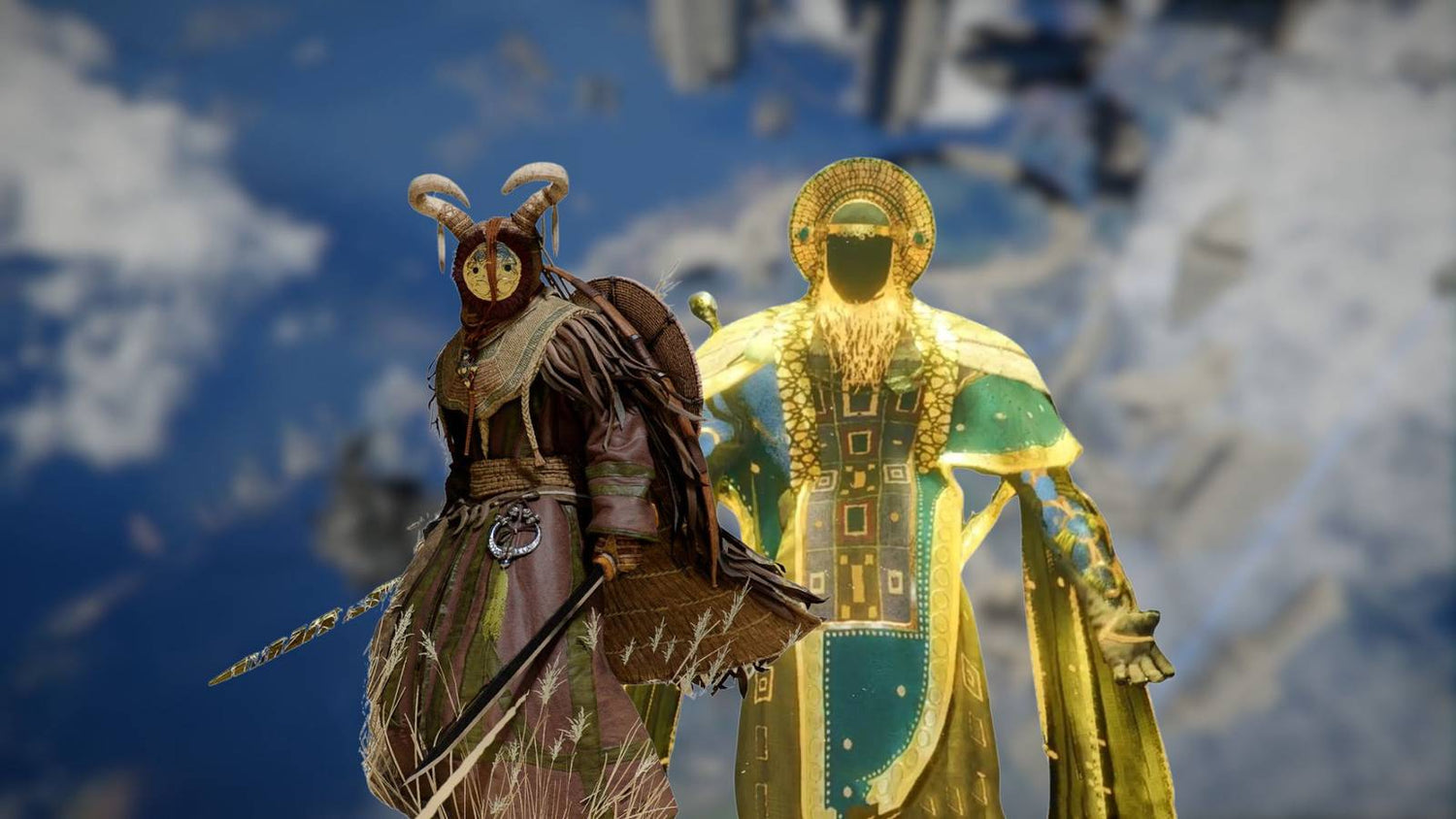
Recent coverage of Crimson Desert focused on the game’s hardest bosses, ranking fights such as Hexe Marie, Myurdin, Reed Devil, Kearush the Slayer, One Armed Ludvig, The Forgotten General, Ator, and Beloth the Darksworn. The article was about boss difficulty, not PC hardware, but the takeaway for PC buyers is powerful: demanding games are becoming more intense, more reactive, and more visually dense. When a game expects fast dodges, careful timing, and constant awareness, smooth performance becomes part of the experience.
Does a stronger PC automatically make a hard boss easy? No. You still need skill, patience, and timing. But a well-built custom gaming PC can reduce stutter, improve frame pacing, shorten load times, support higher refresh rates, and make the difference between a fight feeling responsive or frustrating. If you are planning to play big AAA open-world games, stream your attempts, record gameplay, edit clips, or build content around trending releases, your next PC should be chosen with more than minimum specs in mind.
So, what do you want your next PC to do for you? Do you want a budget system that handles 1080p gaming smoothly? A 1440p gaming PC Canada buyers can rely on for new releases? A premium 4K gaming PC Canada setup with ray tracing? A gaming and streaming PC Canada creators can use for OBS, YouTube, and TikTok clips? Or do you need a custom creator PC that can handle video editing, photo editing, graphic design, and 3D rendering after the game session ends?
That is where Groovy Computers comes in. As Canadian custom PC builders, Groovy Computers helps match the build to the workload instead of forcing every customer into the same generic prebuilt box. Whether you are preparing for Crimson Desert, other new AAA games, competitive esports, streaming, editing, content creation, or workstation use, the right PC should be built around how you actually play and work.
Why Crimson Desert’s Hardest Bosses Matter When Choosing a Gaming PC for New Games
Crimson Desert is described as a massive open-world action adventure with fast-paced combat, large environments, dangerous bosses, mounts, exploration systems, and visually intense encounters. The ranked boss list highlights a clear pattern: many of the toughest fights overwhelm the player with speed, summons, area-of-effect attacks, phase changes, environmental hazards, tight arenas, and high damage output.
For players, that means boss fights are not just visual set pieces. They are stress tests for your reaction time. For your PC, they can also become stress tests for your CPU, GPU, RAM, storage, cooling, and system stability.
Think about the kinds of moments described in the boss ranking:
- Hexe Marie summons extra enemies and teleports around the arena, creating visual clutter and constant target switching.
- Myurdin, Avatar of Umbra uses multiple phases, weapon summons, aerial attacks, claw strikes, and heavy damage windows.
- Reed Devil relies on extreme speed, rapid combos, and decoys that force quick camera movement and accurate response.
- Kearush the Slayer pressures the player with huge damage and surprising speed for a large boss.
- One Armed Ludvig demands precise dodging while players adjust to a different character playstyle.
- The Forgotten General fills the arena with an illusionary army, high health, and limited movement space.
- Ator, Archon of Antumbra combines speed with magic projectiles and area attacks that leave little room for error.
- Beloth the Darksworn adds freezing environmental effects, stamina pressure, halberd attacks, storms, and a complex moveset.
Now ask yourself: when a boss fight is already hard, do you also want to fight inconsistent frame rates, slow loading, overheating, random crashes, or input delay?
For a modern gaming PC for new games, responsiveness is not a luxury. It is part of the reason people upgrade. A smoother system helps you read attacks more clearly, react with more confidence, and enjoy the game the way it was meant to be experienced.
What the Boss Ranking Gets Right: New Games Are Built Around Pressure, Scale, and Visual Density
The original boss ranking correctly points out that Crimson Desert is not technically a Soulslike, but it borrows some of the same design pressure: learn the moveset, stay patient, read the timing, and punish openings. That is the kind of combat loop that benefits from stable performance.
Modern open-world games are not only larger than older titles; they are also more layered. A fight can involve physics, destructible elements, dense animations, real-time lighting, weather effects, particle-heavy magic, AI companions, summoned enemies, and fast camera movement all at once. Even if a game is well-optimized, those scenes can be more demanding than quiet exploration.
This is why minimum requirements rarely tell the full story. A game might be technically playable on a modest system, but what happens when you enter the hardest boss arena? What happens when you turn up texture quality? What happens when you stream to Twitch or record footage in the background? What happens when you connect a high-refresh 1440p monitor and expect smooth combat?
If your real goal is to enjoy new games without constantly lowering settings, your buying decision should focus on the experience you want, not just the lowest hardware that can run the game.
What Gaming PC Do I Need If I Want Smooth Boss Fights, Open-World Exploration, and Future-Proof Performance?
The phrase what gaming PC do I need depends on your target resolution, refresh rate, visual settings, and how long you want the system to stay relevant. A good answer starts with your actual gaming habits.
Are you playing at 1080p on a standard monitor? Are you moving to 1440p because you want sharper image quality and higher FPS? Are you building around a 4K display? Do you care about ray tracing? Do you want to stream? Do you use Discord, browser tabs, music, capture software, RGB control apps, and game launchers all at the same time?
Here is a practical way to think about performance tiers for a gaming PC for new games in Canada.
Entry Performance: Is a Budget Gaming PC Enough for New AAA Games?
A budget gaming PC Canada buyer is usually looking for strong value, not maximum settings. This tier makes sense if you want smooth 1080p gaming, esports titles, older AAA games, and new releases with sensible settings adjustments. It is often the right fit for students, first-time PC gamers, families, and players upgrading from an older console or outdated desktop.
But here is the key question: are you comfortable lowering settings as games become more demanding, or do you want to avoid upgrading too soon?
For games with large open worlds and intense boss fights, an entry-level system should still be built with balance in mind. A weak CPU can hold back performance in crowded areas. Too little RAM can cause hitching. A slow or cramped SSD can make the system feel older than it is. A lower-tier GPU may be fine at 1080p, but it may struggle if you later buy a 1440p monitor.
If your budget is tight, Groovy Computers can help you prioritize the components that matter most: a capable GPU, a modern CPU, enough RAM, reliable storage, and airflow that keeps the system stable during long sessions.
Mid-Range Performance: What PC Do I Need for 1440p Gaming?
For many Canadian gamers, 1440p is the sweet spot. A 1440p Gaming PC Canada build offers noticeably sharper visuals than 1080p while remaining more affordable and easier to drive than 4K. If you want new open-world games to look great without needing the most expensive components available, this is often the most balanced choice.
Ask yourself: do you want high settings, strong FPS, and enough GPU headroom for upcoming games? Do you want a system that can handle boss-heavy action games, multiplayer titles, and occasional streaming without feeling stretched?
A strong 1440p build usually benefits from a higher-performance graphics card, a modern multi-core CPU, 32GB of RAM for comfortable multitasking, and a fast NVMe SSD. This tier is especially attractive if you want your PC to last several years without feeling entry-level after the next wave of demanding releases.
If you are unsure whether to choose 1080p or 1440p, consider your monitor. A high-refresh 1440p display can transform gaming, but only if the PC behind it can feed frames consistently. Buying a cheap system and pairing it with a demanding monitor can lead to disappointment.
Premium Performance: Do You Need a 4K Gaming PC Canada Build?
A 4K Gaming PC Canada build is for players who want maximum visual clarity, ultra settings, premium monitors, and stronger long-term headroom. This tier is also attractive for gamers who want ray tracing, high-resolution texture packs, immersive open-world graphics, and enough power to stream or record without compromising the experience.
But do you truly need 4K, or would a strong 1440p system make more sense for your budget?
That is an important question because 4K gaming demands far more from the GPU. It also increases the value of choosing the right cooling, power supply, case airflow, and system testing. A high-end graphics card can produce amazing results, but only when the rest of the system supports it properly.
For premium buyers, Groovy Computers can help plan a system around the full setup: monitor resolution, refresh rate, game library, streaming needs, editing workload, storage capacity, and upgrade path. A premium PC should feel premium every day, not just look powerful on a spec sheet.
Ray Tracing and Ultra Settings: Is a Ray Tracing Gaming PC Canada Build Worth It?
Ray tracing can make lighting, shadows, and reflections look far more realistic, but it also increases GPU demand. If you want to play cinematic open-world games with ray tracing enabled, you should plan for a stronger graphics card than you would need for standard rasterized performance alone.
Do you care more about maximum FPS or maximum visual quality? Are you playing competitive games where every frame matters, or cinematic single-player games where lighting and immersion matter more?
A Ray Tracing Gaming PC Canada build should be chosen around that answer. Some players prefer high FPS at 1440p with selective ray tracing. Others want 4K visuals with premium settings. The right answer is personal, and that is exactly why a custom PC conversation is more useful than a one-size-fits-all prebuilt recommendation.
What Do You Want Your Next PC to Do for You?
Before buying or financing a new system, pause and ask the most important question: what do you want your next PC to do for you?
Do you want it to run Crimson Desert and other open-world games smoothly? Do you want to stream boss attempts live? Do you want to record gameplay for YouTube? Do you want to edit 4K clips in Adobe Premiere Pro or DaVinci Resolve? Do you want to make thumbnails in Photoshop, design overlays in Illustrator, create social media graphics in Canva, or build 3D scenes in Blender or Unreal Engine?
Your answer changes the build.
- If you mainly game, the GPU and gaming-focused CPU balance should come first.
- If you game and stream, you need enough CPU, GPU encoding support, RAM, and storage for OBS and background apps.
- If you edit video, you need strong CPU performance, GPU acceleration, fast storage, and enough RAM for smooth timelines.
- If you edit photos, you need strong single-core performance, fast SSD storage, generous RAM, and reliable colour workflow support.
- If you do graphic design, you need a responsive Adobe Creative Cloud PC with enough RAM and storage for large files and multi-monitor work.
- If you do 3D modeling or rendering, you may need a more serious GPU, more VRAM, more RAM, and workstation-level stability.
- If you do all of the above, you need a custom creator PC that balances gaming power with productivity performance.
This is why Groovy Computers focuses on matching the PC to the customer. A system built for high-FPS esports is not always the same as a system built for 4K editing. A budget gaming computer is not the same as a rendering workstation. A premium gaming PC is not automatically the best workstation unless the components are selected for that workload.
Gaming and Streaming PC Canada: Do You Want to Share Your Boss Fights Live?
Hard boss fights create great content. A close victory, a failed dodge, a dramatic final hit, or a funny rage moment can all become clips for TikTok, YouTube Shorts, Twitch, Instagram Reels, or long-form YouTube videos. If you want to share those moments, you should think beyond gaming performance alone.
A Gaming and Streaming PC Canada build needs to handle the game, OBS or Streamlabs, browser sources, chat, alerts, audio software, capture tools, and possibly recording at the same time. That is a different workload than simply playing offline.
What PC do I need for streaming? The answer depends on whether you stream at 1080p or 1440p, whether you record locally, whether you use a webcam, whether you use animated overlays, and whether you edit the content afterward.
For many streamers, a modern RTX-based system can be especially useful because GPU encoding can help maintain stream quality while reducing the performance burden on the CPU. But the rest of the build still matters. RAM, SSD speed, cooling, and system stability all influence whether your stream feels professional or constantly interrupted.
If your goal is to become more consistent with content, a stronger PC is not just a gaming purchase. It becomes part of your creative workflow.
Creator PC Canada: Are You Gaming, Editing, Designing, and Posting Content?
Many gamers are no longer just players. They are creators. They capture gameplay, edit clips, design thumbnails, manage social platforms, create overlays, record voiceovers, and sometimes build full video essays or tutorial content. If that sounds like you, a Creator PC Canada build may be smarter than a gaming-only configuration.
Is a gaming PC good for content creation? It can be, but only if it has the right balance. A powerful gaming GPU helps in many creative apps, but video editing and design workloads can also demand strong CPU performance, plenty of RAM, fast SSD storage, and reliable multitasking.
For a custom creator PC, consider the software you actually use:
- Adobe Premiere Pro benefits from CPU strength, GPU acceleration, RAM, and fast scratch storage.
- DaVinci Resolve can be heavily GPU-dependent, especially for colour work and effects.
- After Effects can benefit from high RAM capacity and strong CPU performance.
- Photoshop and Lightroom need responsive CPU performance, fast storage, and enough memory for large files and batch work.
- Illustrator, InDesign, Canva, and design tools benefit from fast system response, memory headroom, and multi-monitor comfort.
- Blender and Unreal Engine may require much more GPU power, VRAM, CPU performance, and RAM depending on scene complexity.
Ask yourself: are you buying a PC only for the next game, or are you buying the machine that supports your next three years of gaming, editing, posting, client work, school projects, or business growth?
If your computer helps you save time, produce better content, and avoid workflow frustration, the value of a stronger build becomes much easier to justify.
Video Editing, Photo Editing, Graphic Design, and 3D Modeling: When a Gaming PC Needs Workstation Thinking
A modern custom PC can be built to handle gaming and professional workloads, but the part selection should be intentional. If you are a Canadian buyer who wants one machine for gaming at night and creative work during the day, you should not shop only by gaming FPS.
What PC Do I Need for Video Editing?
For video editing, especially 4K content, you need more than a decent GPU. A proper video editing PC Canada build should consider CPU cores, GPU acceleration, RAM capacity, NVMe storage, project drive organization, and export performance.
Are you editing 1080p social clips, 4K YouTube videos, multi-camera footage, colour-graded projects, or effects-heavy timelines? Do you use Premiere Pro, DaVinci Resolve, After Effects, CapCut, or a mix of tools?
A gamer who occasionally trims clips may not need the same PC as a full-time editor. But if editing speed matters, a custom video editing PC can save real time every week.
What PC Do I Need for Photo Editing?
Photographers often need a different kind of performance. A photo editing PC Canada build should feel fast when opening large RAW files, switching between images, running AI tools, exporting batches, and working with Lightroom Classic, Photoshop, Capture One, or similar software.
How much RAM do you need for Lightroom? It depends on file sizes, catalogue size, multitasking habits, and whether you use AI-based tools. Many serious photographers benefit from more RAM and fast storage long before they need a flagship gaming GPU.
If you are also gaming, the system can be balanced for both. The key is not overspending in the wrong place while underspending on the parts that affect your daily workflow.
What PC Do I Need for Graphic Design?
A graphic design PC Canada build should prioritize responsiveness, multitasking, fast storage, and enough memory for Adobe Creative Cloud, Illustrator, Photoshop, InDesign, Canva, Affinity tools, and large project files.
Do graphic designers need a dedicated GPU? Many do not need the most extreme GPU available, but a dedicated graphics card can help with acceleration, multi-monitor setups, and mixed creative workloads. If you also game, stream, or edit video, the GPU becomes more important.
A custom build helps you avoid paying for the wrong priorities. A designer who handles brand kits, mockups, social graphics, and print layouts may need a different system than a 3D artist or high-FPS gamer.
What PC Do I Need for Blender, Unreal Engine, or 3D Rendering?
3D modeling and rendering can quickly move beyond normal gaming PC territory. A 3D Modeling PC Canada or 3D Rendering PC Canada build may need strong GPU performance, high VRAM, a powerful CPU, 64GB or more of RAM depending on project complexity, and excellent cooling for long render sessions.
Is a gaming PC good for Blender? Sometimes, yes. But if you are rendering professionally, building game assets, working in Unreal Engine, designing products, or handling architectural visualization, workstation thinking becomes more important.
Long rendering sessions stress hardware differently than short gaming bursts. That is why testing, cooling, power delivery, and component quality matter. Groovy Computers can help configure a custom 3D workstation Canada buyers can rely on for both creative performance and stability.
Why Canadian Buyers Should Think Differently About PC Timing
PC buying in Canada has its own realities: Canadian dollar movement, component availability, shipping costs, regional supply differences, GPU demand, memory pricing changes, storage pricing pressure, and seasonal sales cycles. A system that looks affordable today may become harder to match later if parts move in the wrong direction.
Is it better to buy a gaming PC now or wait? The honest answer depends on your current computer, your target games, and your budget. But waiting is not automatically the safe move. If you already know your current PC struggles with new games, editing, streaming, or school and work tasks, waiting can cost you time, performance, and sometimes money.
Major game releases can increase demand for gaming desktops. New creator software features can increase hardware expectations. GPU inventory can tighten. RAM and SSD prices can shift. A sale period can help, but it can also create limited stock on the exact configuration you want.
Ask yourself: are you buying before a major game release, before a semester starts, before a client workload increases, before a content push, or before your current PC becomes a bottleneck?
If the answer is yes, planning early is smart. It gives you more control over parts, budget, financing, and delivery timing.
Should I Finance a Better PC Instead of Buying a Cheaper One?
This is one of the most practical questions Canadian buyers can ask. If you can afford a lower-tier PC today but know you will outgrow it quickly, financing may help you secure a stronger system now instead of paying twice through early upgrades.
Should I finance a gaming PC? Financing is worth considering when it helps you choose the right performance tier without draining your full budget upfront. Groovy Computers offers financing options up to 4 years, which can make a stronger gaming, streaming, creator, or workstation build more accessible.
That does not mean everyone should buy the most expensive PC. It means you should compare the real cost of buying too little against the monthly affordability of buying what you actually need.
For example, if you buy an entry-level system but soon decide you want 1440p gaming, streaming, and editing, you may end up replacing the GPU, adding RAM, upgrading storage, and possibly changing the power supply. Those upgrades can add up. A better-planned system from the start may be more cost-effective over the life of the PC.
Could financing help you secure a stronger system before replacement costs rise? Could it help you move from a short-term budget build to a more future-proof gaming PC Canada configuration? Could it help you choose a creator PC that saves hours on exports and edits?
If those questions are relevant to you, it is worth exploring your options at GroovyComputers.ca.
Custom PC vs Generic Prebuilt PC Canada: Why Build Quality Matters More in Demanding Games
A generic prebuilt PC can look appealing when the price is simple and the specs sound impressive. But the spec list does not always tell you the full story. Two systems with similar CPU and GPU names can perform differently depending on cooling, power supply quality, motherboard selection, case airflow, RAM configuration, storage speed, BIOS setup, and testing.
When you are buying a gaming PC for new games, those details matter. A demanding boss fight, long gaming session, stream, or render can expose weak cooling or unstable parts. A poorly balanced PC may hit high temperatures, throttle performance, create fan noise, or limit future upgrades.
Why buy a custom gaming PC? Because the system can be designed around your goals rather than around a warehouse configuration. Groovy Computers can help choose parts that make sense together, test the completed system, and provide support after the sale.
Groovy Computers builds custom PCs in Canada with careful component matching, rigorous testing, and a 1-year warranty. That confidence matters when you are investing in a system for gaming, school, work, content creation, or professional projects.
Which Performance Tier Fits You Best?
If you are unsure where you fit, use these customer-focused profiles as a starting point.
The 1080p Value Gamer
You want a reliable budget gaming computer Canada option for popular games, esports, and new titles at reasonable settings. You care about value, smooth gameplay, and avoiding unnecessary overspending. You may be buying your first gaming desktop or replacing an older machine.
Your key question: how much should I spend on a gaming PC if I mostly play at 1080p?
Focus on a balanced CPU and GPU, 16GB to 32GB of RAM depending on multitasking, a fast SSD, and a case with proper cooling. If you plan to keep the system for years, consider stretching slightly for more GPU headroom.
The 1440p Sweet-Spot Gamer
You want sharper visuals, strong frame rates, and a system that feels ready for big new releases. You may play open-world games, action RPGs, shooters, survival games, and cinematic single-player titles. You want high settings without stepping into ultra-premium pricing.
Your key question: what PC do I need for 1440p gaming?
Focus on a strong modern GPU, a capable gaming CPU, 32GB of RAM, fast NVMe storage, and reliable cooling. This is one of the best tiers for many Canadian gamers because it balances performance, image quality, and long-term value.
The 4K and Ray Tracing Enthusiast
You want premium visuals, high-end hardware, ray tracing, ultra settings, and a system that feels powerful for years. You may use a 4K monitor or premium OLED display. You care about immersion and want new games to look their best.
Your key question: what PC do I need for 4K gaming and ultra settings?
Focus on a high-end GPU, strong CPU pairing, 32GB or more of RAM, premium airflow, a quality power supply, and enough storage for large game libraries. If you also edit or render, adjust the build for creator performance too.
The Streamer and Gameplay Creator
You want to play, stream, record, clip, edit, and post. You may use OBS, Streamlabs, YouTube Live, Twitch, Discord, audio tools, browser sources, and editing software. You need stability because crashes can ruin streams and recordings.
Your key question: best specs for gaming and streaming?
Focus on GPU encoding, CPU headroom, 32GB of RAM or more depending on workload, fast storage, and quiet cooling. If you edit video after streaming, treat the system as both a gaming PC and a creator PC.
The Hybrid Creator
You game, edit videos, design graphics, manage social content, and possibly work with clients. You use Adobe Creative Cloud, DaVinci Resolve, Photoshop, Lightroom, Illustrator, Canva, CapCut, or similar tools.
Your key question: what PC do content creators need?
Focus on a balanced custom creator PC with strong CPU performance, GPU acceleration, 32GB to 64GB of RAM depending on workload, fast SSD storage, and enough capacity for projects. If your content is 4K or effects-heavy, plan for more headroom.
The 3D Artist or Workstation User
You use Blender, Unreal Engine, Unity, Maya, 3ds Max, Cinema 4D, SketchUp, ZBrush, AutoCAD, Revit, SolidWorks, or other workstation software. You care about render time, viewport performance, stability, and multitasking.
Your key question: workstation PC vs gaming PC for 3D modeling?
Focus on GPU power, VRAM, CPU cores, RAM capacity, storage speed, cooling, and reliability. This is where a custom workstation PC Canada build can be far more effective than a generic gaming prebuilt.
Why Frame Pacing, Cooling, and Storage Matter More Than Many Buyers Realize
Many shoppers focus almost entirely on the graphics card. The GPU is important, especially for 1440p, 4K, ray tracing, and rendering, but the full system determines the final experience.
Frame pacing affects how smooth the game feels. A high average FPS can still feel bad if the system stutters during combat. Boss fights with rapid attacks and camera movement make inconsistent frame delivery more noticeable.
Cooling affects sustained performance. A PC that looks powerful on paper can throttle if airflow is poor. Long gaming sessions, streaming, rendering, and exporting all generate heat. Better cooling helps protect performance and component lifespan.
Storage affects load times, asset streaming, project responsiveness, and day-to-day system feel. Modern games are large. Creator projects can be larger. A fast NVMe SSD with enough capacity can make the whole computer feel more premium.
RAM affects multitasking. If you game with Discord, Chrome, OBS, Spotify, capture software, and RGB apps open, 16GB can become limiting sooner than expected. For many new gaming and creator builds, 32GB is a comfortable modern target. For heavier editing, 3D work, or workstation tasks, 64GB or more may be justified.
Power supply quality affects stability and upgrade options. A cheap or undersized PSU can limit future GPU upgrades and create reliability concerns. A custom build should plan for the hardware inside it today and the upgrades you may want later.
Buying Before the Next Demand Spike: Are You Waiting for the Wrong Reason?
Many customers wait because they hope prices will drop. Sometimes patience pays off. But waiting can also backfire if demand rises, inventory tightens, or your current PC becomes unusable for the games and software you care about.
Are you waiting for a specific new game? Waiting for a sale period? Waiting until your current system completely fails? Waiting until school or work deadlines force a rushed decision?
Rushed PC buying often leads to compromise. You may settle for whatever is in stock, accept a weaker GPU, choose less RAM, or buy a system that does not really match your goals. Planning earlier gives you time to choose the right performance tier, consider financing, ask questions, and avoid panic-buying.
For Canadian buyers, this matters even more because replacement costs can shift with component pricing, shipping conditions, and exchange-rate pressure. If you know you need a stronger system soon, it may be smarter to build while the right parts and financing options are available.
Questions to Ask Before Buying or Financing a Custom Gaming PC in Canada
Before you buy, ask yourself these practical questions. They will help you choose a system that fits your real needs instead of simply chasing the biggest number on a product page.
- What games do I want to play over the next two to three years?
- Do I want 1080p, 1440p, or 4K gaming?
- Do I care about ray tracing, ultra settings, or high refresh rates?
- Will I stream to Twitch, YouTube, TikTok Live, or other platforms?
- Will I record gameplay and edit videos afterward?
- Do I use Adobe Premiere Pro, DaVinci Resolve, After Effects, Photoshop, Lightroom, Illustrator, Canva, Blender, Unreal Engine, or CAD software?
- How much storage do I need for games, footage, photos, and projects?
- Do I need 32GB, 64GB, or more RAM for my workload?
- Am I buying before a major game release, school term, client project, software upgrade, or possible price increase?
- Would financing help me choose a stronger system instead of replacing a weaker one too soon?
- Do I want a ready-to-ship gaming PC, a custom build, a creator PC, or a workstation?
- Do I want Canadian support, warranty confidence, and a tested system?
If you do not know the answers yet, that is normal. The point of working with a custom PC builder is to translate your goals into the right hardware.
Why Groovy Computers Is Built for Canadian Gamers, Creators, and Workstation Buyers
Groovy Computers is a Canadian custom PC building company focused on helping customers choose the right system for their needs. Whether you are shopping for a Custom Gaming PC Canada build, a gaming and streaming computer, a custom creator PC, or a professional workstation, the goal is the same: build a computer that makes sense for the way you use it.
Canadian buyers from Nova Scotia, Atlantic Canada, and across the country often need more than a generic checkout page. They need guidance. They need to know whether a budget gaming PC is enough, whether a 1440p build is the right sweet spot, whether financing a higher-performance system makes sense, and whether the parts inside the PC are properly matched.
Groovy Computers offers custom builds, rigorous testing, financing options up to 4 years, and a 1-year warranty. That combination gives buyers more confidence when investing in a gaming desktop, creator system, or workstation PC.
Do you want help choosing a build instead of guessing? Do you want a PC that is ready for new games, streaming, editing, and future upgrades? Visit GroovyComputers.ca to explore custom gaming PCs, creator PCs, workstation options, and financing.
What Crimson Desert’s Bosses Reveal About the Future of PC Gaming
The hardest bosses in Crimson Desert are more than a ranking list. They are a reminder of where games are going. Players want bigger worlds, faster combat, more dramatic effects, smarter enemies, better animations, richer lighting, and more cinematic encounters. Developers are building experiences that reward skill, but they also place more demand on hardware.
That does not mean every player needs the most expensive system. It means buyers should be honest about expectations. If you want a smooth, responsive experience in new AAA games, you should choose a PC that matches your resolution, settings, and future plans.
If you only need 1080p gaming, a smart value build may be perfect. If you want 1440p high settings, invest in the right GPU and balanced platform. If you want 4K, ray tracing, streaming, and editing, plan for a premium configuration. If you work with video, design, photos, 3D modeling, or CAD, build around your software instead of treating productivity as an afterthought.
The best PC is not always the most expensive. It is the one that fits your goals, avoids obvious bottlenecks, and gives you room to grow.
Ready to Choose a Gaming PC for New Games Without Guessing?
If Crimson Desert and other demanding titles are on your radar, now is the time to think carefully about your next system. A gaming PC for new games should be responsive, balanced, upgrade-aware, and built for the way you actually play. It should also be able to support your streaming, editing, design, or workstation needs if those are part of your life.
Are you trying to decide between a budget gaming computer, a 1440p sweet-spot build, a premium RTX gaming PC, a custom creator PC, or a 3D modeling workstation? Are you wondering whether financing could help you secure a stronger build before parts, replacement costs, or demand shift again?
Groovy Computers can help you turn those questions into a clear build plan. Browse, customize, or start your next PC conversation at GroovyComputers.ca.
#GamingPCForNewGames #CustomGamingPCCanada #GamingPCCanada #1440pGamingPCCanada #4KGamingPCCanada #CreatorPCCanada #StreamingPCCanada #CanadianCustomPCBuilders #GroovyComputers
Groovy Computers | All Rights Reserved



Leave a comment
This site is protected by hCaptcha and the hCaptcha Privacy Policy and Terms of Service apply.