






















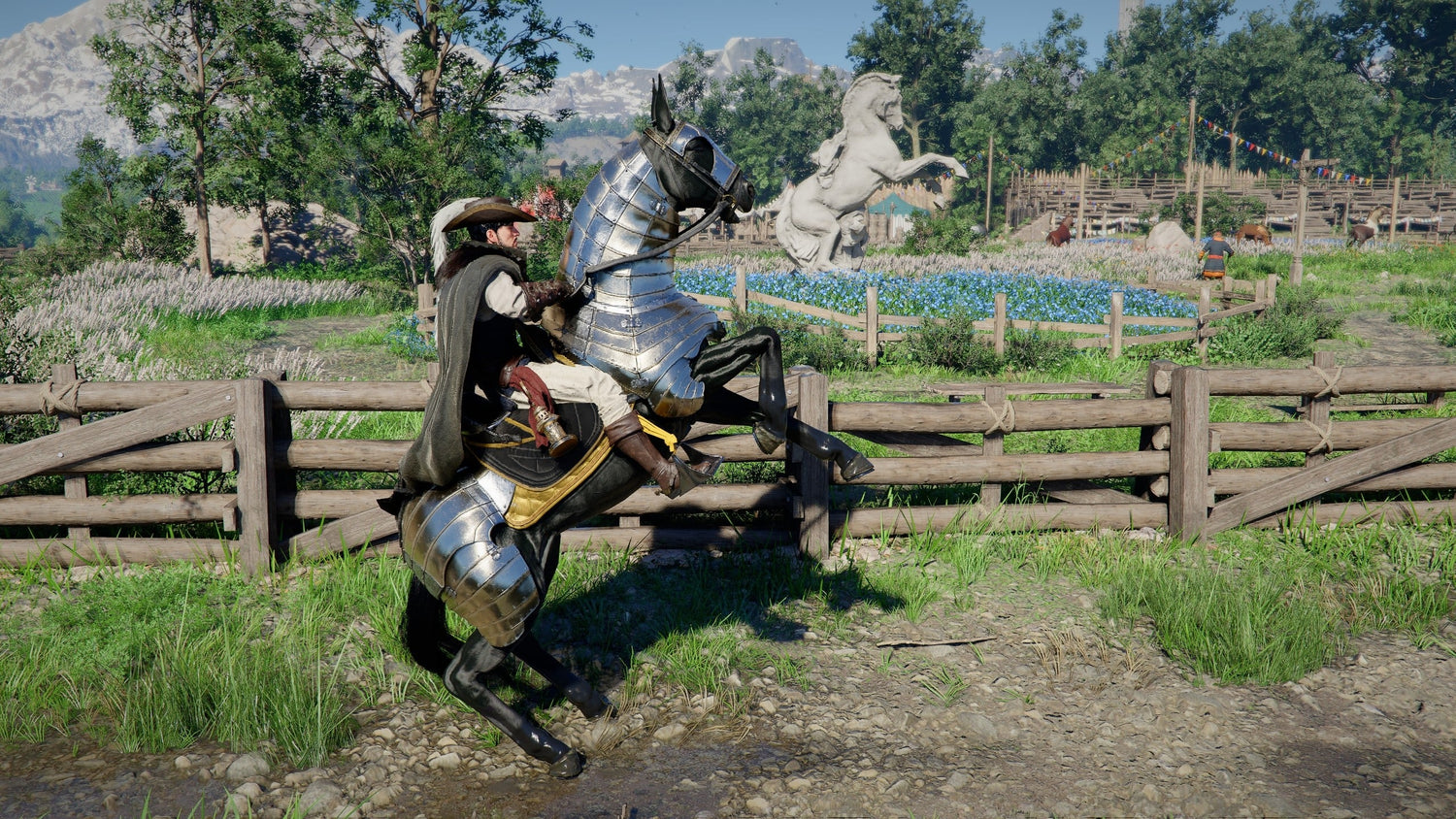
Gaming PC for New Games: What Crimson Desert’s Harmonious Hooves Challenges Reveal About Open-World Performance
A Gaming PC for New Games is no longer just about launching the latest title and hoping it runs. Modern open-world games like Crimson Desert are built around huge maps, fast traversal, timed objectives, dense forests, long-distance routes, combat encounters, physics, animation systems, and visually rich environments that can expose weak points in an older or underpowered computer very quickly.
The Harmonious Hooves horse challenges in Crimson Desert are a perfect example. On paper, they are simple: tame horses, ride across regions, defeat enemies while mounted, hunt wildlife from horseback, complete long-distance timed routes, and track down legendary steeds. In practice, these challenges highlight what today’s open-world PC gaming increasingly demands: smooth frame rates, fast asset streaming, reliable controls, good input response, stable performance during traversal, and enough graphics power to make large landscapes feel fluid instead of choppy.
For Canadian gamers, that makes the topic bigger than one set of in-game challenges. It raises an important buying question: what gaming PC do I need if I want new open-world games to feel smooth, sharp, and ready for the next few years?
At Groovy Computers, we build custom gaming PCs, creator PCs, streaming PCs, and workstation systems for Canadian customers who want more than a generic box. Whether you are preparing for Crimson Desert, other upcoming AAA games, 1440p gaming, 4K gaming, ray tracing, streaming, video editing, graphic design, 3D modeling, or content creation, the right system should match what you actually do.
Why Crimson Desert’s Harmonious Hooves Challenges Matter for PC Buyers
The Harmonious Hooves challenges focus on horse mastery, but they also show why open-world games can be demanding on PC hardware. These challenges send players across multiple regions, often under time pressure, while riding at speed through roads, forests, settlements, bridges, mountain passes, uneven terrain, enemy zones, and nighttime routes.
That kind of gameplay depends on much more than raw graphics settings. A smooth experience requires the system to constantly load textures, terrain, NPCs, enemies, foliage, lighting, animation data, and environmental detail while the player is moving quickly. If your storage is slow, the game may stutter. If your CPU is weak, crowded areas and AI-heavy scenes can become inconsistent. If your GPU is underpowered, visual settings may need to be turned down sharply. If your memory is limited, background apps, launchers, browsers, Discord, OBS, or recording tools can make performance feel worse.
Have you ever played an open-world game where riding, driving, flying, or fast-travelling felt worse than standing still? That is often where a budget or aging PC begins to show its limits.
The challenge design in Crimson Desert also rewards consistency. A timed ride from one region to another is not enjoyable if the frame rate keeps dipping. A mounted combat challenge is harder when input response feels delayed. A night route through difficult terrain is more frustrating if visual clarity suffers because the PC cannot handle higher settings. A legendary horse chase or taming sequence can feel less immersive if performance drops at the exact moment you need precision.
What the Harmonious Hooves Guide Gets Right
The original gameplay guidance around Harmonious Hooves is valuable because it breaks the challenge chain into practical steps. It identifies the different sealed artifact locations, explains each horse challenge, and gives useful completion tips such as choosing normal horses for early taming, using a bow while mounted, staying on main roads during long routes, avoiding risky shortcuts, and using stronger legendary horses for more difficult mounted combat objectives.
Those tips are helpful because the challenges are not only about knowing where to go. They are about execution. For example, hunting animals from horseback requires enough responsiveness to aim and fire while moving. Defeating enemies while mounted requires stable control under pressure. Travelling from one region to another before sunrise or within a tight timer requires reliable traversal and good environmental awareness.
From a PC buyer’s perspective, the hidden lesson is clear: new games are increasingly designed around motion, density, and seamless world streaming. If your computer is only built for older esports titles or low settings, it may not deliver the experience you expect in large cinematic worlds.
That does not mean everyone needs the most expensive build available. It means the smartest choice is the system that fits your target resolution, refresh rate, games, creative software, and upgrade expectations.
Gaming PC for New Games: What Should Canadian Buyers Prioritize?
When shopping for a Gaming PC for New Games, Canadian buyers should think in terms of total experience, not just one specification. The graphics card matters, but so do the processor, RAM, SSD, cooling, power supply, airflow, motherboard quality, and the way the system is assembled and tested.
Ask yourself this first: are you buying for one game, or are you buying for the next three to five years of gaming?
If you are excited for open-world games, RPGs, action adventure titles, ray tracing games, competitive shooters, and future AAA releases, then the goal should be stability and headroom. A PC that barely meets today’s needs may feel outdated much sooner than expected. A slightly stronger custom build can give you more time before your next upgrade, especially if you plan to move from 1080p to 1440p or from 1440p to 4K.
For open-world games like Crimson Desert, the most important performance areas are:
- GPU performance for visual settings, resolution, ray tracing, textures, effects, shadows, and high frame rates.
- CPU performance for simulation, AI, physics, NPC density, background processes, and frame pacing.
- Fast SSD storage for loading screens, asset streaming, large worlds, and fewer traversal stutters.
- Enough RAM for the game, Windows, launchers, voice chat, browsers, recording software, and multitasking.
- Good cooling so performance stays stable during long sessions instead of dropping under heat.
- Reliable power delivery so the system can support the GPU and future upgrades safely.
Do you want your next PC to simply run the game, or do you want it to make the game feel like the trailer?
What Do You Want Your Next PC To Do For You?
Before choosing parts, financing a system, or buying a ready-to-ship gaming desktop, the most useful question is simple: what do you want your next PC to do for you?
Do you want a budget gaming computer for 1080p play? Do you want a premium RTX gaming PC for 1440p ultra settings? Do you want a 4K Gaming PC Canada build for a large monitor or TV setup? Do you want a gaming and streaming PC Canada setup that can run OBS, Discord, a webcam, alerts, and gameplay at the same time? Or are you also editing YouTube videos, working in Photoshop, designing graphics, rendering in Blender, or using Unreal Engine?
Your answer changes the build.
A gamer who plays esports titles at 1080p does not need the same PC as someone who wants cinematic open-world games at 4K. A streamer needs more multitasking headroom than someone who only plays offline. A video editor needs storage, RAM, CPU strength, and GPU acceleration in a different balance than a pure gaming buyer. A 3D artist may need far more VRAM and memory than a casual gamer.
If you are not sure which category you fall into, Groovy Computers can help you narrow it down based on the games, software, monitor, budget, and upgrade timeline you care about most.
Which Performance Tier Fits You?
Not every Canadian buyer needs the same gaming PC. The right tier depends on resolution, refresh rate, settings, workload, and how long you want the computer to remain useful before a major upgrade.
Entry-Level and Budget Gaming PC Canada Builds: Is 1080p Enough?
A budget gaming PC is ideal if you mainly play at 1080p, want good settings in popular games, and do not need maximum ray tracing or 4K visuals. This type of system is often the best fit for students, first-time PC gamers, casual players, and anyone who wants strong value without overspending.
But here is the key question: can a budget gaming PC play new games the way you expect?
It can, if the build is chosen carefully. A well-balanced affordable gaming PC should still have a modern CPU, a capable GPU, enough RAM, and an SSD. Where budget buyers get into trouble is buying a cheap system with weak graphics, poor airflow, limited upgrade paths, or older storage. That may look affordable at checkout but become expensive if you need to replace major parts too soon.
If your goal is 1080p gaming with smooth performance in new games, Groovy Computers can help you choose a value-focused build that avoids the most common bottlenecks.
Mid-Range 1440p Gaming PC Canada Builds: The Sweet Spot for Open-World Games?
For many gamers, 1440p is the modern sweet spot. It looks much sharper than 1080p, does not demand as much GPU power as 4K, and pairs beautifully with high refresh rate monitors. If you are asking, what PC do I need for 1440p gaming?, you are probably looking for a system that can handle AAA games, open-world titles, competitive games, and multitasking without feeling stretched.
A good 1440p gaming PC should prioritize a strong GPU, a modern multi-core CPU, 32GB of RAM for extra headroom, and fast NVMe SSD storage. This is the tier where custom building becomes especially valuable because part balance matters. Overspending on one component while underspending on cooling, power supply, or storage can create a system that looks impressive on paper but feels uneven in real life.
If you want Crimson Desert-style open-world traversal, mounted combat, cinematic visuals, and smoother performance without jumping all the way to a premium 4K budget, a 1440p build may be the smartest long-term choice.
Premium and 4K Gaming PC Canada Builds: Do You Want Ultra Settings and Headroom?
A premium gaming PC is for buyers who want high frame rates, ultra settings, ray tracing, high-resolution texture packs, large monitors, 4K displays, content creation, or long-term performance headroom. This is where high-end GPUs, stronger CPUs, more memory, higher-capacity SSDs, premium cooling, and better power supplies make a major difference.
Ask yourself: what PC do I need for 4K gaming, and how long do I want it to feel powerful?
4K gaming is demanding because it pushes far more pixels than 1080p or 1440p. If you also want ray tracing, high settings, recording, streaming, or mods, the system needs serious graphics power and enough thermal headroom to sustain performance. A high-end gaming PC Canada build is not just about bragging rights; it is about reducing compromise.
For Canadian buyers who want to avoid upgrading too soon, a premium build can be more cost-effective over time than buying a weaker PC now and replacing it earlier.
Open-World Gaming Is a Stress Test: What Crimson Desert Shows About Real Performance
The Harmonious Hooves challenges are not standard benchmark scenes, but they represent real gameplay stress. You are moving quickly across the world, switching regions, entering combat, aiming from horseback, dealing with terrain, and relying on instant input feedback. That is exactly where players notice whether a system feels smooth or strained.
Many PC buyers focus only on average FPS. Average FPS matters, but real comfort often comes from frame pacing and minimum frame rates. A system that averages high numbers but drops hard during traversal can still feel bad. A better-balanced PC may deliver a smoother experience even if the headline number is not the only thing being optimized.
Do you care more about the biggest benchmark number, or do you care about a PC that feels consistently smooth during actual gameplay?
For open-world games, we recommend thinking about:
- Resolution target: 1080p, 1440p, ultrawide, or 4K.
- Refresh rate: 60Hz, 144Hz, 165Hz, 240Hz, or higher.
- Settings preference: medium, high, ultra, or ray tracing.
- Game type: esports, open-world RPGs, survival games, simulation, racing, or cinematic AAA titles.
- Background workload: Discord, browsers, OBS, recording, music, chat, capture cards, or editing software.
- Upgrade plan: keep for two years, three years, five years, or longer.
Do You Also Stream, Record, or Edit Gameplay?
Many gamers are not just playing anymore. They are streaming to Twitch, posting clips to TikTok, recording YouTube videos, editing highlights, managing Discord communities, and running multiple monitors. If that sounds like you, then your ideal system may be a Streaming and Editing PC Canada build rather than a gaming-only desktop.
What PC do I need for streaming? The answer depends on your stream quality, game choice, encoding settings, and whether you edit afterward. A gaming PC for streaming Canada setup should have enough GPU power for gameplay, enough CPU and RAM for multitasking, and ideally hardware encoding support for smoother livestreaming and recording.
If you want to play Crimson Desert, record mounted routes, stream boss fights, edit challenge guides, and upload clips, your PC needs to handle several tasks at once. That usually means moving beyond the lowest budget tier.
Do you want your stream to stay smooth when the game gets busy? Do you want your recording to avoid dropped frames? Do you want your editing timeline to feel responsive after the session ends? These are the questions that separate a basic gaming PC from a true creator-ready system.
Is a Gaming PC Good for Video Editing, Photo Editing, and Graphic Design?
A gaming PC can be excellent for creative work if it is configured properly. The GPU power that helps with games can also help with video effects, GPU-accelerated exports, AI tools, and creative software. But a gaming-focused build may still need adjustments if you use Adobe Premiere Pro, DaVinci Resolve, After Effects, Photoshop, Lightroom, Illustrator, Canva, Blender, or Unreal Engine.
If you are asking, what PC do I need for video editing?, the answer usually includes a strong CPU, a capable GPU, 32GB to 64GB of RAM depending on workload, and fast SSD storage for footage and cache files. For 4K editing, storage speed and memory become much more important. For heavier effects or colour grading, GPU power matters more.
If you are asking, what PC do I need for photo editing?, you may care more about fast single-core CPU response, enough RAM for large RAW files, fast SSDs, and a smooth workflow in Lightroom Classic, Photoshop, Capture One, or similar tools. A dedicated GPU can help with modern AI features and acceleration, but balance matters.
If you are asking, what PC do I need for graphic design?, the right system should be responsive in Illustrator, Photoshop, InDesign, Canva, and multi-monitor workflows. Designers often benefit from fast storage, strong memory capacity, colour-focused monitor planning, and a quiet, reliable system that does not interrupt work.
This is where a custom PC builder makes a difference. A generic gaming desktop may be fine for games, but Groovy Computers can help tune the system toward the mix of gaming, streaming, editing, design, and business work you actually do.
What About 3D Modeling, Rendering, Blender, Unreal Engine, and Workstation Use?
If your workload includes 3D modeling, rendering, animation, CAD, architectural visualization, game development, product design, or Unreal Engine projects, you should think beyond a standard gaming desktop. A 3D Modeling PC Canada or custom workstation PC Canada build may need more VRAM, more RAM, stronger multi-core CPU performance, and better cooling than a typical gaming tower.
What PC do I need for Blender? That depends on whether you are modeling, sculpting, animating, rendering on the GPU, rendering on the CPU, or using large scenes. What PC do I need for Unreal Engine? That depends on project size, lighting workflow, shader compilation, asset complexity, and whether you are also recording, streaming, or editing.
Gaming and 3D workloads overlap, but they are not identical. A fast gaming GPU can be excellent for GPU rendering, but workstation users also need stability, memory capacity, storage planning, and dependable thermals. If your PC earns money for you, saves time on exports, or keeps client work moving, reliability becomes part of the return on investment.
Do you need a gaming PC, a creator PC, or a workstation? If your answer is “all three,” Groovy Computers can build a hybrid system that balances play, production, and professional use.
Is It Better To Buy a Gaming PC Now or Wait?
One of the most common questions Canadian buyers ask is: is it better to buy a gaming PC now or wait?
The honest answer is that waiting can help if you are not in a hurry and your current system still meets your needs. But waiting can also work against you when demand spikes, new game releases increase pressure, GPU availability tightens, memory pricing changes, SSD costs shift, or exchange-rate conditions affect Canadian pricing. PC component prices can move quickly, and full-system replacement costs are not always predictable.
If you are planning to buy before a major game release, a new school term, a creator software upgrade, a business workload increase, a holiday sale period, or a likely demand spike, timing matters. The best value is not always the cheapest sticker price. Sometimes it is securing the right balanced system before the parts you need become harder to get or more expensive to replace.
Ask yourself: if your current PC struggles today, what will happen when the next wave of games and software updates arrives?
For players waiting on major open-world releases, the risk is buying too late and settling for whatever is available. For creators, the risk is losing time every day to slow renders, laggy timelines, or unreliable multitasking. For students and professionals, the risk is needing a computer urgently when prices or availability are less favourable.
Should You Finance a Better PC Instead of Buying a Cheaper One?
Financing can make sense when it helps you buy the right system instead of compromising into a PC you will outgrow too quickly. If you are asking, should I finance a better PC instead of buying a cheaper one?, the answer depends on your budget, workload, income, timing, and how long you expect the PC to last.
A cheaper build may be the correct choice if your needs are light and your budget is strict. But if you are choosing between a low-end system that barely meets your needs and a stronger custom build that supports 1440p gaming, streaming, editing, or workstation tasks for longer, financing can be a practical tool.
Groovy Computers offers financing options up to 4 years where available, helping Canadian customers secure stronger systems without needing to pay the full amount upfront. That can be especially useful when component costs are volatile or when you need a PC before a game release, school term, business project, content schedule, or software upgrade.
Can I finance a gaming PC in Canada? With Groovy Computers, you can explore financing options while choosing a build that actually fits your goals. The key is not financing for the sake of spending more. The key is using financing responsibly to avoid buying twice.
If a stronger PC saves you from replacing parts sooner, reduces work delays, improves stream quality, or lets you enjoy new games at the settings you actually want, the monthly payment approach may be worth considering.
Why Custom Builds Matter More Than Generic Prebuilts
There is a major difference between a carefully planned custom gaming PC Canada build and a generic prebuilt with flashy marketing. A balanced system is not just a list of parts. It is the way those parts work together under real load.
Custom builds matter because:
- The GPU and CPU are matched to your resolution and workload.
- The power supply is chosen for reliability, not just minimum wattage.
- The case and cooling are selected for airflow and thermal control.
- The RAM capacity is based on your games, software, and multitasking.
- The SSD setup supports fast loading, game libraries, footage, projects, and exports.
- The upgrade path is considered before you run into limitations.
- The system is tested before it reaches you.
Why testing matters in a gaming PC is simple: problems are easier to solve before the computer ships than after it is on your desk. Stress testing helps confirm stability, thermals, and performance under load. For gamers, that means fewer surprises during long sessions. For creators, it means more confidence when deadlines matter.
Groovy Computers builds systems in Canada with rigorous testing and a 1-year warranty, giving buyers more confidence than random marketplace PCs or unknown configurations. If you are investing in a gaming desktop, creator PC, or workstation, support and accountability matter.
Canadian Buying Context: Why Local Expertise Helps
Canadian PC buyers face different buying conditions than shoppers in larger markets. Pricing can be affected by exchange rates, shipping costs, regional stock, availability, seasonal demand, and component supply. A deal that looks great at first glance may not be the best value once you consider warranty, build quality, support, shipping, taxes, and upgrade limitations.
Groovy Computers serves Canadian customers who want expert guidance, custom build planning, and systems shipped Canada wide. Whether you are in Nova Scotia, Atlantic Canada, Ontario, Alberta, British Columbia, or elsewhere in the country, buying from a Canadian custom PC builder can make the process simpler and more relevant to your actual market.
If you are near Trenton, New Glasgow, Halifax, or elsewhere in Nova Scotia, Groovy Computers brings local trust into a category where many buyers feel overwhelmed. If you are ordering from another province, you still benefit from Canadian support, Canadian pricing context, and build recommendations tailored to how people actually shop for gaming computers in Canada.
What Questions Should You Ask Before Buying?
Before you buy or finance a custom PC, slow down and ask the questions that actually affect performance and long-term value.
- What games do I want to play most? Open-world AAA games, esports titles, simulators, survival games, racing games, or modded games all stress a PC differently.
- What resolution do I want? 1080p, 1440p, ultrawide, and 4K require different GPU tiers.
- Do I care about ray tracing? If yes, you should plan for stronger graphics performance.
- Do I want high FPS? Competitive players may value frame rate more than ultra settings.
- Will I stream or record? OBS, Discord, webcams, overlays, and recording software add workload.
- Will I edit videos or photos? Premiere Pro, DaVinci Resolve, Photoshop, and Lightroom benefit from the right CPU, GPU, RAM, and SSD balance.
- Will I do graphic design or 3D modeling? Illustrator, Blender, Unreal Engine, AutoCAD, Revit, and similar tools may need workstation-grade planning.
- How long do I want to avoid upgrading? Spending slightly more now may reduce replacement pressure later.
- Would financing help me choose the right build instead of the cheapest one? Monthly payments can make a stronger system more realistic.
- Do I want expert help choosing parts? If yes, a custom PC builder can save time and reduce costly mistakes.
These questions are not just technical. They protect your budget. The wrong PC can cost more over time if it forces early upgrades, limits your monitor choice, struggles with new games, or slows down paid creative work.
How Groovy Computers Helps You Choose the Right Build
Groovy Computers is not here to push every buyer into the same system. The right build depends on your goals. Some customers need a budget gaming PC Canada build for school and 1080p gaming. Some need a 1440p gaming PC Canada system for open-world games and high refresh monitors. Some want a premium RTX gaming PC for 4K, ray tracing, and long-term headroom. Others need a content creation PC Canada build that can game, stream, edit, design, and render.
What makes Groovy Computers different is the focus on matching the PC to the person. We look at what you play, what you create, what software you use, what monitor you own, what upgrade path you want, and what budget or financing option makes sense.
If you are wondering, what gaming PC do I need, the answer should not be copied from a random spec list. It should be built around your real use case.
Are you buying before a major release? Are you replacing a slow old desktop? Are you moving from console to PC? Are you building a streaming setup? Are you starting a YouTube channel? Are you upgrading for college, photography, design, CAD, or 3D rendering? Each path points toward a different ideal system.
When you are ready to compare builds, explore financing, or ask for help choosing the right configuration, visit GroovyComputers.ca.
CTA: Need a Gaming PC for New Games Without Guessing?
If you need a Gaming PC for New Games, do you want to gamble on a generic configuration, or would you rather have a Canadian custom PC builder help you choose the right balance of GPU, CPU, RAM, SSD storage, cooling, warranty, and upgrade room?
Groovy Computers can help you choose a custom gaming PC, premium RTX gaming PC, budget gaming computer, creator PC, streaming PC, video editing PC, graphic design PC, 3D modeling workstation, or professional workstation based on what you actually want to do. You can also explore financing up to 4 years where available, which may help you secure a stronger system before prices, demand, or replacement costs shift again.
The goal is simple: buy the PC that fits your next chapter, not the one you will regret six months from now.
Final Takeaway: Crimson Desert Is a Reminder That New Games Reward Better PCs
The Harmonious Hooves challenges in Crimson Desert are about horse mastery, but they also remind us how modern games are evolving. Fast traversal, huge regions, mounted combat, dense terrain, timed objectives, and cinematic worlds all benefit from a stronger, better-balanced gaming computer.
A Gaming PC for New Games should be chosen around your resolution, refresh rate, favourite genres, streaming plans, editing workload, creative software, and upgrade expectations. For some buyers, that means a smart budget 1080p build. For others, it means a 1440p sweet-spot gaming PC. For premium players and creators, it may mean a 4K-ready RTX build, a custom creator PC, or a workstation with serious rendering power.
If you are buying in Canada, timing and support matter. Component pricing can change, demand can rise around major releases, and waiting too long can force compromises. Groovy Computers gives Canadian customers a better path: custom builds, expert guidance, rigorous testing, financing options, Canada-wide availability, and a 1-year warranty for confidence after purchase.
So the real question is not just whether your current PC can run one game. The better question is: is your next PC ready for the games, streams, edits, designs, renders, and upgrades you actually want?
#GamingPCForNewGames #GamingPCCanada #CustomGamingPCCanada #1440pGamingPC #4KGamingPC #StreamingPCCanada #CreatorPCCanada #GroovyComputers
Groovy Computers | All Rights Reserved


Leave a comment
This site is protected by hCaptcha and the hCaptcha Privacy Policy and Terms of Service apply.