






















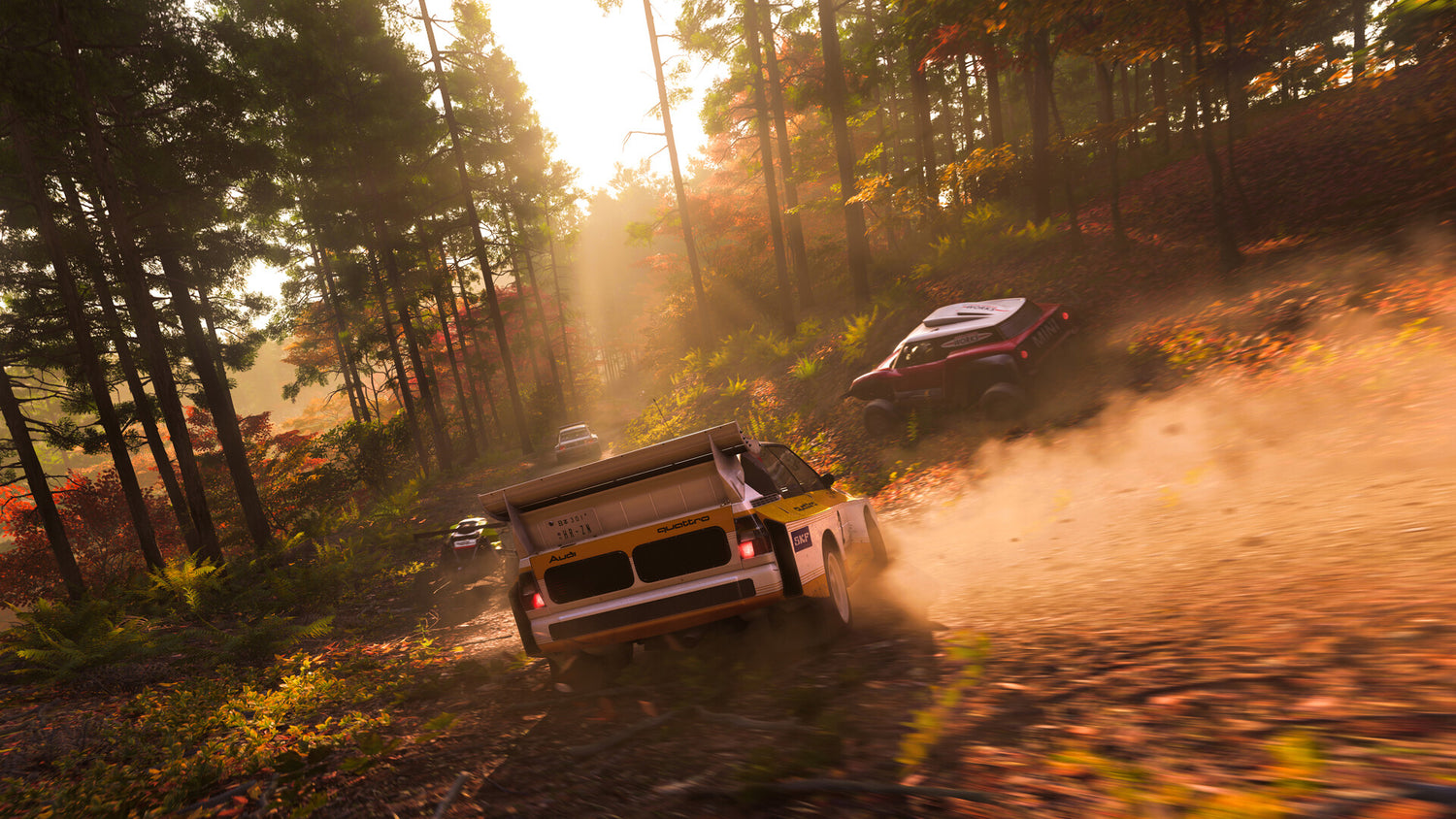
Forza Horizon 6 Car Damage Settings Guide: What Kind of PC Do You Need for the Best Driving Experience?
Forza Horizon 6 car damage settings are a small menu option that can have a surprisingly big effect on how the game feels, how aggressively you drive, and what kind of PC experience you actually want. The source coverage gets the core point right: players can switch between Damage Off, Cosmetic Damage, and Simulation Damage in just a few seconds. But for Canadian buyers looking at a new system, that simple setting raises a bigger question. Do you want a PC built for relaxed open-world cruising, competitive racing, high-FPS gameplay, streaming, or a full content creation setup that lets you record, edit, and publish your best runs without needing another upgrade too soon?
At Groovy Computers, that is where the conversation becomes much more useful. A driving game like Forza Horizon 6 is not only about whether your virtual car gets scratched. It is about whether your real-world hardware can deliver smooth frame rates, fast load times, reliable multitasking, and enough performance headroom for what you plan to do next.
Why do Forza Horizon 6 car damage settings matter more than they seem?
On the surface, changing wear and tear looks like a gameplay preference. Turn damage off and you can crash through signs, fences, bamboo, and roadside clutter without caring about realism. Leave cosmetic damage on and the car looks battered, but still performs the same. Switch to simulation damage and every collision can affect handling, alignment, tire wear, and drivability.
That sounds like a gameplay-only decision, but it also reveals the kind of player you are. Are you chasing Skill Chains in free roam? Do you want the cleanest, smoothest racing feel possible? Are you trying to run high refresh rates at 1080p or 1440p? Or are you planning to capture footage, stream on OBS, and edit clips for YouTube or TikTok after your session ends?
Those questions matter because the best PC for Forza is not always the same as the best PC for gaming and streaming, or the best system for editing race footage and thumbnails afterward.
How do you change damage and tire wear in Forza Horizon 6?
Based on the source material, players can change the setting by pausing the game, opening Settings, navigating to the Difficulty tab, scrolling to Damage & Tire Wear, and switching the option left until it reaches the preferred mode.
The available choices are straightforward:
- Off for no cosmetic or mechanical damage
- Cosmetic Damage for visible wear only
- Simulation Damage for realistic mechanical penalties
That ease of switching is important. You are not locking yourself into one style forever. You can set damage off for Skill Score farming, then switch to simulation when you want a more serious racing challenge. A good gaming PC should support both without stutter, hitching, or compromise.
What does each damage setting say about the kind of player you are?
Damage Off: do you want freedom, speed, and chaos?
If your favourite part of Horizon is exploration, smashing through objects, building multipliers, and moving fast without consequences, Damage Off is the obvious pick. This is ideal for casual fun and for event grinding where realism is less important than momentum.
If that sounds like you, ask yourself something practical: are you also the type of player who wants a high FPS gaming PC so every drift, correction, and environmental smash feels responsive? If so, your PC choice matters far more than the in-game damage option.
Cosmetic Damage: do you want realism without punishment?
Cosmetic damage is often the sweet spot. The car looks like it has been through a race, but performance remains intact. It keeps visual immersion without making every mistake frustrating.
This setting usually appeals to players who want Horizon to stay stylish and fun. If that is your lane, a balanced Custom Gaming PC Canada build is often the right answer: enough GPU power for excellent visual quality, enough CPU strength for stable frame pacing, and enough storage to keep a growing game library moving quickly.
Simulation Damage: do you want a more serious racing experience?
Simulation damage is for players who want collisions to matter. Engine output, steering, suspension, and tire wear can all become part of the challenge. This changes the tone of the game dramatically.
If you are choosing simulation because you care about precision, consistency, and realism, it is fair to ask another question: do you also care about input responsiveness, stronger minimum frame rates, and cleaner overall system performance? That is where a better CPU, more RAM, and the right GPU tier start making a clear difference.
What kind of PC do you need for Forza Horizon 6?
This is the real buying question, and it depends on how you play.
If you are only looking for a fun open-world racing setup at 1080p, you do not need to jump straight to a flagship build. But if you want 1440p ultra settings, high refresh gameplay, ray tracing support in newer titles, and room for future AAA releases, going too cheap can lead to regret fast.
Before you buy, ask yourself:
- Do you want smooth 1080p performance, or are you aiming for 1440p or 4K?
- Are you playing only Forza, or also other demanding open-world and racing titles?
- Do you want to stream while gaming?
- Will you edit clips, thumbnails, or long-form videos later?
- Do you want a budget-friendly build now, or a stronger system that lasts longer?
Those answers decide whether you need a budget gaming computer, a premium RTX gaming PC, or a more flexible creator-ready system.
What performance tier fits your playstyle best?
Entry-level: best for 1080p casual Horizon players
If your main goal is to enjoy Forza Horizon 6 smoothly at 1080p with strong settings and fast SSD load times, an entry-level or lower mid-range build can be enough. This makes sense for players focused on casual racing, free roam, and a broader mix of lighter titles.
But here is the key question: are you buying only for today, or do you want your next PC to still feel capable when the next wave of larger open-world games arrives? If you buy too close to the minimum, you may be upgrading sooner than expected.
Mid-range: best for 1440p gaming and better long-term value
For many buyers, mid-range is the smartest category. This is where a Gaming PC Canada build starts to feel meaningfully more future-ready. You get stronger 1440p performance, better headroom for modern game engines, and a smoother overall experience when you have multiple apps open in the background.
This tier is often ideal if you want Forza Horizon 6 to look excellent, stay responsive, and leave room for other newer games without immediately worrying about another upgrade cycle.
High-end: best for ultra settings, streaming, and premium longevity
If you want a Gaming PC for Forza that also handles high refresh 1440p, some 4K gaming scenarios, recording, livestreaming, and demanding multitasking, a premium build is where the experience changes. This is also the better fit for customers who dislike replacing hardware frequently.
Do you want your system to feel strong for years rather than months? Do you want to avoid compromising once the next big game release lands? A higher-performance custom build can make more sense than buying a weaker tower and replacing major parts later.
What if you also want to stream Forza Horizon 6?
A lot of racing players are not just playing anymore. They are streaming league races, posting drift clips, building social channels, or recording challenge runs. If that sounds familiar, then your buying decision has already moved beyond a basic gaming desktop.
A Streaming PC Canada or gaming-and-streaming system should be selected around more than average in-game performance. You need enough CPU and GPU resources to keep gameplay smooth while handling encoding, browser tabs, chat apps, capture tools, overlays, and background tasks.
Ask yourself:
- Are you planning to stream at 1080p?
- Do you want stable gameplay while OBS runs in the background?
- Will you game and record at the same time?
- Are you using one monitor now but planning on dual monitors later?
If the answer is yes, then buying a stronger system now can be more cost-effective than buying twice.
What if Forza Horizon 6 is only part of your content creation workflow?
This is where many customers underestimate what they really need. Maybe Forza gets you through the door, but your actual workflow includes editing race clips, producing shorts, designing thumbnails, touching up screenshots, or creating sponsor graphics. Suddenly the conversation is not just about a gaming desktop. It is about whether you need a Creator PC Canada.
If you use Adobe Premiere Pro, DaVinci Resolve, Photoshop, Lightroom, Illustrator, or Canva for your gaming-related content, your system should be planned around your full workflow, not just the game itself.
What do you want your next PC to do for you?
Only run games? Run games and stream? Run games, stream, edit 4K footage, manage layered Photoshop files, and keep dozens of tabs open without slowing down?
The more honest you are about that answer, the better your build decision will be.
Could a gaming PC also work for video editing, photo editing, and graphic design?
Yes, but not all gaming PCs are equally well suited for creator work. A properly balanced custom system can do both very well, especially if it is built with enough RAM, fast storage, a capable CPU, and a GPU that helps in both games and creative software.
If you are asking questions like these, you are likely not shopping for the same machine as a pure esports player:
- What PC do I need for video editing?
- Is a gaming PC good for video editing?
- How much RAM do I need for Photoshop and Lightroom?
- Should I buy a gaming PC or a creator PC?
That is why Groovy Computers builds are useful in the real world. Instead of forcing you into a generic box, you can choose a system that fits mixed use properly, whether that means gaming plus streaming, or gaming plus editing and design work.
Why should Canadian buyers think differently about timing?
In Canada, system value is not only about the sticker price. It is also about exchange pressure, component demand, replacement cost, and how quickly a cheap build can become expensive once you start upgrading it piece by piece. Even when a game-specific article focuses on one setting like damage and tire wear, the buying lesson underneath it is still important: the right time to buy is often before your current PC becomes the bottleneck.
Are you waiting for a major game release? Planning around a sale period? Hoping current hardware will hold on through another year of larger installs, heavier patches, and more demanding graphics features?
If so, it is worth thinking beyond today’s menu settings and asking whether your present machine is already limiting what you want to do.
Should you buy now or wait for prices to change?
That depends on your tolerance for risk and compromise. Waiting can work if your current system still comfortably handles your games, your creative apps, and your multitasking needs. But waiting can also backfire if your target build becomes more expensive, harder to replace, or less available when demand rises.
This matters especially if you already know you want stronger 1440p performance, better recording capability, or more reliable creator horsepower. If you know you are going to need a better machine soon, the question becomes sharper: would you rather secure a better-performing custom build now, or gamble on future pricing and settle later?
Should you finance a stronger PC instead of buying a weaker one?
For many buyers, this is one of the most practical questions on the page. A weaker system may look cheaper upfront, but it can cost more in frustration, lost time, and earlier replacement. If financing helps you move into a performance tier that actually fits your needs, that can be the smarter long-term decision.
Would a monthly payment make it easier to choose the build you really want instead of the one you will outgrow? Would a better GPU, more RAM, or a stronger CPU save you from upgrading too soon? Would a system that handles gaming, streaming, and editing together make more sense than buying one machine for now and another later?
Groovy Computers helps Canadian customers explore systems that are both performance-focused and realistic to buy. If financing up to 4 years helps you secure a stronger custom PC before replacement costs rise, that is worth serious consideration.
What should you look for in a custom gaming PC for racing games and beyond?
When shopping for a racing-focused build, many customers focus only on the graphics card. That matters, but it is not the whole story. A smooth Horizon experience depends on a balanced system.
- CPU for frame consistency, world simulation, and multitasking
- GPU for visual settings, resolution targets, and future game support
- RAM for smooth gameplay alongside background apps and creator tools
- SSD storage for fast boot times, rapid loading, and general responsiveness
- Cooling and case airflow for stable long-session performance
Do you just want Forza to run well today, or do you want a Future Proof Gaming PC Canada buyers can feel confident using for a wider range of upcoming games? That is where custom planning matters.
What if you need more than gaming performance?
Some readers come in looking for a Custom Gaming PC Canada solution and realize they actually need a broader productivity machine. If you also work in Blender, Unreal Engine, CAD apps, Adobe Creative Cloud, or high-resolution editing tools, your ideal system may sit closer to a workstation-leaning creator build than a pure gaming rig.
Ask yourself:
- Will you use this machine for school or business as well as gaming?
- Do you render, export, or batch process media files?
- Are you building 3D assets, editing product photos, or working in design software?
- Do you need reliability for paid client work, not just personal play?
If yes, then choosing the right workstation or creator category now can save money and downtime later.
Why do custom builds, testing, and warranty matter?
Not every PC purchase offers the same confidence. A custom build from a Canadian builder should give you more than a list of parts. It should give you a system designed around your actual goals, assembled with compatible components, properly cooled, and rigorously tested before it reaches your desk.
That matters when you are buying for current games, future releases, streaming workloads, or creative software that cannot afford random instability. It also matters when you want support you can trust from a Canadian custom PC company, not a mystery seller with unclear standards.
Groovy Computers builds systems with real-world use in mind, backed by rigorous testing and a 1-year warranty. That matters whether you are shopping from Nova Scotia or ordering a custom PC shipped elsewhere in Canada.
Are you a budget buyer, a mid-range upgrader, or a premium long-term shopper?
Budget buyer
If you are trying to stay controlled on price, the best move is not always the absolute cheapest option. The smarter move is the build that covers your actual games and leaves reasonable upgrade room. A budget gaming computer can absolutely make sense, but only if it does not force immediate compromises you already know you will hate.
Mid-range upgrader
This is often the strongest value category. If you want a system that handles modern games well, gives you better 1440p flexibility, and feels more comfortable for multitasking, mid-range is where many customers find the sweet spot.
Premium long-term shopper
If you want strong longevity, cleaner support for demanding titles, and room for gaming plus creation workloads, premium is worth considering. This is especially true if you would rather finance a stronger machine once than replace a weak one sooner.
What questions should you ask before buying your next PC?
Before choosing any build, ask yourself these practical questions:
- What games do I actually play most?
- Do I care more about 1080p value, 1440p smoothness, or 4K visual quality?
- Will I stream, record, or edit content?
- Do I need a system for school, work, or creative software too?
- How long do I want this PC to stay relevant before major upgrades?
- Would financing help me buy the right machine now instead of settling?
- Do I want help choosing a Groovy Computers build that matches my real workload?
Those are better buying questions than simply asking whether damage is on or off in one game.
Why does Groovy Computers make sense for Canadian buyers?
Because the best PC purchase is not just about raw specs. It is about buying from a builder that understands how gaming, streaming, editing, and workstation use overlap in the real world. It is about getting a machine that fits your goals, your budget, and your upgrade timeline.
Groovy Computers serves Canadian customers who want expert guidance, custom performance, rigorous testing, and support they can actually trust. Whether you are shopping for a budget gaming desktop, a premium RTX-ready tower, a content creation system, or a stronger all-purpose setup before prices shift, the goal is the same: buy smarter once.
Ready to choose a PC that fits more than one game setting?
If reading about Forza Horizon 6 car damage settings has you thinking about smoother gameplay, better frame rates, stronger multitasking, or a system that can also handle streaming and editing, now is the right time to act. What do you want your next PC to do for you, and how long do you want it to stay capable? If you want help choosing the right custom build, visit GroovyComputers.ca and explore a system built for how you actually game, create, and work in Canada.
Forza Horizon 6 shows how small settings can change the entire driving experience. The same is true of your hardware. The right custom build can turn a good racing game into a smoother, faster, more flexible experience across gaming, streaming, and content creation. If you are deciding between a basic tower and a system that truly matches your needs, choose the build that keeps you from upgrading too soon and gives you confidence for the road ahead.
#ForzaHorizon6 #ForzaHorizon6CarDamageSettings #GamingPCCanada #CustomGamingPCCanada #GamingPCBuilderCanada #CreatorPCCanada #StreamingPCCanada #CanadianCustomPCBuilders #NovaScotiaGamingPC #GroovyComputers
Groovy Computers | All Rights Reserved


Leave a comment
This site is protected by hCaptcha and the hCaptcha Privacy Policy and Terms of Service apply.