




















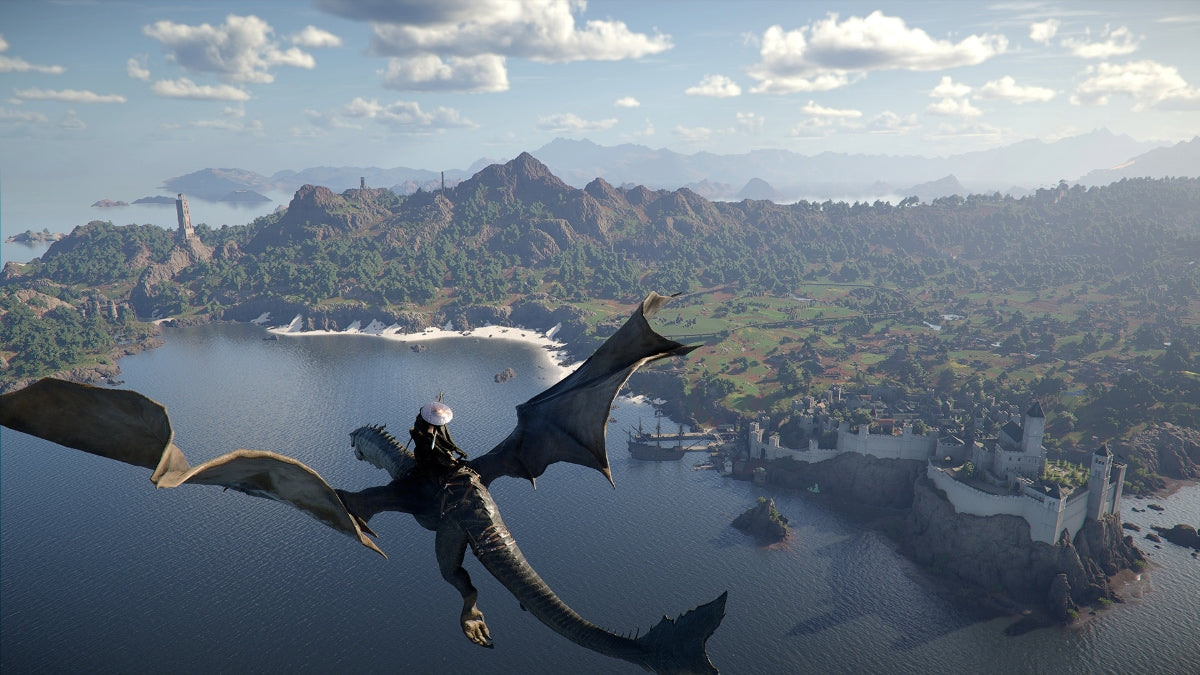
Crimson Desert Browser Demo Is a Wake-Up Call: How to Choose a Gaming PC for New Games in Canada
The new Crimson Desert playable browser demo is more than a neat tech headline. For Canadian gamers, streamers, creators, and PC buyers, it is a timely reminder that a Gaming PC for New Games is no longer just about “Can it launch?” It is about whether your system can deliver smooth frame rates, clean visuals, fast load times, stable streaming, responsive editing, and enough upgrade room to avoid replacing your computer too soon.
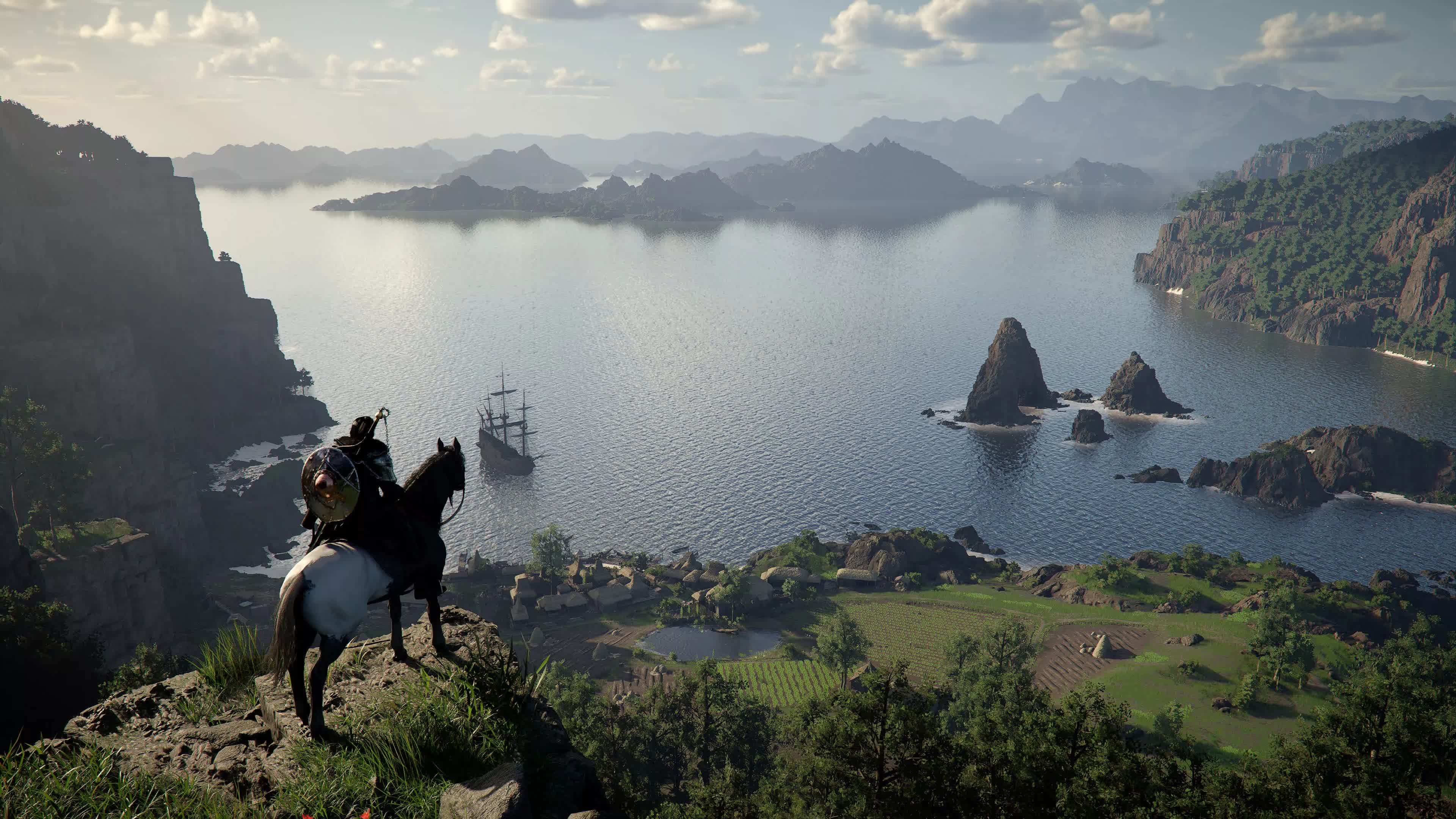
According to the source report, Crimson Desert now has a 20-minute playable PC demo that can be streamed directly through a desktop browser with no game download required. The demo is powered by cloud streaming technology and is designed to let players jump into the game quickly, with performance depending on region and internet speed. That is a major shift in how publishers can get players into large games faster. But it also raises the real question many gamers are asking: if a browser demo looks exciting, what kind of PC do you actually need for the full experience?
At Groovy Computers, we look at stories like this from the buyer’s side. A short cloud-streamed demo can help you decide whether a game is worth your attention, but your own gaming desktop still determines how well you play, stream, record, edit, mod, multitask, and enjoy demanding open-world titles over the long term. If Crimson Desert, upcoming AAA releases, ray tracing games, competitive shooters, content creation, or 3D software are part of your future, the bigger decision is not just whether to try the demo. It is whether your current PC is ready for what comes next.
Why the Crimson Desert Demo Matters for Canadian PC Buyers
Crimson Desert is an action-adventure RPG from Pearl Abyss, and the source article reports that the new demo lets players explore part of the game world for 20 minutes directly from a desktop browser. It also notes that the full game launched on PC, Mac, PlayStation 5, and Xbox Series S/X, has received multiple updates, and has sold millions of copies. The browser demo is important because it lowers the barrier to entry: no large download, no installation wait, no immediate hardware commitment just to get a first impression.
But here is the catch: cloud streaming is not the same as owning performance. When you stream a demo, the game is running somewhere else. Your browser, internet connection, monitor, and input latency all influence how it feels. When you install and play a game locally on your own system, your CPU, GPU, RAM, SSD, cooling, power supply, and monitor resolution become the foundation of your experience.
That is why Canadian buyers should look at the Crimson Desert demo as a useful preview, not a replacement for a proper gaming desktop. If you try the demo and think, “I want to play this properly,” the next question becomes: what gaming PC do I need for new games at the settings I actually care about?
What Do You Want Your Next PC to Do for You?
Before comparing graphics cards, processors, or payment options, ask yourself a more practical question: what do you want your next PC to do for you every week?
Are you buying a system mainly for Crimson Desert and other open-world RPGs? Do you want high FPS in competitive titles like shooters and esports games? Are you planning to stream on Twitch or YouTube while gaming? Do you edit videos for TikTok, YouTube, or client work? Do you use Adobe Premiere Pro, DaVinci Resolve, Photoshop, Lightroom, Blender, Unreal Engine, AutoCAD, Revit, or other demanding software? Do you need a quiet, reliable workstation during the day and a strong gaming PC at night?
The best custom PC is not always the most expensive one. It is the one that matches your games, software, resolution, monitor refresh rate, storage needs, and upgrade timeline. A buyer who wants smooth 1080p gaming does not need the same build as someone chasing 4K ultra settings, ray tracing, streaming, and 4K video editing. A creator working with 6K footage or Blender renders needs a different balance of CPU, GPU, memory, and storage than a student buying their first gaming desktop.
So ask yourself: are you trying to buy the cheapest PC that works today, or the right PC that still feels powerful two, three, or four years from now?
Gaming PC for New Games: Why Modern Titles Are Raising the Bar
A modern Gaming PC for New Games needs more than a recognizable GPU name. New titles are increasingly built around large worlds, higher-resolution textures, advanced lighting, physics systems, complex AI, fast traversal, and large amounts of background streaming from storage. Open-world games like Crimson Desert can be especially demanding because they combine exploration, combat, dense environments, animation, effects, and cinematic presentation.
That does not mean every gamer needs a flagship build. It does mean that choosing a PC by minimum requirements alone can lead to disappointment. Minimum specs often mean the game can run, not that it will feel smooth, look sharp, stream well, or hold stable frame rates during heavy scenes. Recommended specs are more useful, but even those may not account for your monitor resolution, livestreaming, background apps, mods, future updates, or how long you want the system to last.
If you are researching a Gaming PC for New Games, think beyond one title. Ask: will this PC handle the games I want next year, or am I buying into another upgrade cycle almost immediately?
What Performance Tier Fits You Best?
Choosing the right tier is one of the most important steps in buying a custom gaming PC in Canada. Instead of starting with random parts, start with your target experience.
Entry-Level and Budget Gaming: Is 1080p Enough for You?
A budget gaming computer can be a smart choice if you play esports titles, older games, lighter RPGs, or new games at tuned settings. A good 1080p gaming PC in Canada should focus on balanced parts: a capable modern CPU, a GPU strong enough for your monitor, 16GB to 32GB of RAM depending on use, and a fast SSD. If your main goal is smooth gameplay at 1080p without overspending, this tier can make sense.
But ask yourself: do you only want to play, or do you also want to stream, record, edit, and keep the PC longer? If you plan to do more than gaming, stepping up from the lowest-cost configuration can save frustration later.
1440p Gaming: The Sweet Spot for Many Canadian Gamers
For many buyers, a 1440p Gaming PC Canada build is the best balance of sharp visuals, strong frame rates, and long-term value. 1440p gaming looks significantly cleaner than 1080p, especially on 27-inch monitors, but it does not demand as much GPU power as 4K. This is often the tier we recommend for gamers who want new AAA titles to look impressive while still maintaining smooth performance.
If you are excited by cinematic games like Crimson Desert but also play competitive titles, 1440p is often the practical upgrade path. The right GPU and CPU combination can give you strong visuals in open-world games and high refresh rates in esports games.
Ask yourself: what PC do I need for 1440p gaming if I want high settings now and fewer upgrades later? That is exactly where a custom build matters, because cooling, case airflow, power supply quality, RAM speed, and SSD choice all affect the real-world experience.
4K and Ultra Settings: Do You Want Premium Visuals Without Compromise?
A 4K Gaming PC Canada build is for buyers who want maximum image quality, large monitors, premium displays, and high-end visual settings. If you care about cinematic immersion, ray tracing, ultra textures, and keeping a system powerful for longer, this tier makes sense. It is also the tier where component balance becomes critical.
At 4K, the GPU carries a heavy load. But that does not mean the CPU, RAM, SSD, cooling, and power supply are secondary. A high-end graphics card in a poorly balanced system can still deliver a disappointing experience if it is bottlenecked, undercooled, or paired with weak supporting hardware.
Before choosing a premium system, ask: do I want 4K gaming because I already have a 4K monitor, because I plan to upgrade my display, or because I want the longest useful lifespan from my PC? Your answer changes the best configuration.
Ray Tracing and High FPS: Which Matters More to You?
Some buyers want the most realistic lighting and reflections possible. Others want the highest frame rate possible. Both are valid, but they do not always lead to the same build recommendation. A Ray Tracing Gaming PC Canada configuration should prioritize a GPU with strong ray tracing and upscaling performance. A high FPS gaming PC should focus on CPU strength, GPU headroom, memory performance, thermals, and a monitor that can actually display the frames you are generating.
So which matters more to you: cinematic quality, competitive responsiveness, or a balanced mix of both?
Why a Browser Demo Does Not Replace a Proper Gaming Desktop
Cloud-streamed demos are exciting because they reduce friction. You can try a game quickly, especially if you do not want to download a massive file just to test the concept. But a browser demo depends heavily on internet quality, server location, streaming compression, input latency, and session limits. It is a preview window, not the full ownership experience.
A proper gaming desktop gives you control. You can choose your settings, resolution, frame rate target, mods, recording software, streaming setup, storage layout, peripherals, and upgrades. You are not limited to a short session or a streamed video feed. You are also not relying on whether a cloud demo is available in your region or whether the service performs well during peak demand.
For Canadian gamers, especially those outside major urban internet hubs, this distinction matters. A cloud demo may feel different in Halifax, Trenton, New Glasgow, rural Nova Scotia, Northern Ontario, Calgary, Vancouver, or a smaller community with inconsistent high-speed internet. A strong local PC gives you more consistent control over performance once the game is installed.
Canadian Buying Context: Why Timing Matters More Than Many Buyers Think
PC buying is not just about what parts exist today. It is also about pricing cycles, component availability, demand spikes, exchange rates, shipping costs, memory pricing, SSD pricing, GPU availability, and major game releases that suddenly push more people into the market.
When a major game gains attention, demo access expands, or a large update improves the player experience, demand can move quickly. Gamers who were waiting suddenly start shopping. Creators upgrading for new software features do the same. Businesses planning workstation replacements may accelerate purchases when hardware pricing starts trending upward.
That leads to a practical question: is it better to buy a gaming PC now or wait?
The answer depends on your current system and your goals. If your current PC already handles your games and software comfortably, waiting may be fine. But if you are already lowering settings, dealing with stutters, running out of storage, waiting too long on exports, or skipping games because your system cannot keep up, waiting can cost you time, enjoyment, and potentially more money if replacement costs rise.
Should You Buy Before a Major Game Release, Hardware Shortage, Sale Period, or Price Spike?
Many customers wait for a perfect moment that never arrives. They wait for the next GPU. Then they wait for the next sale. Then a major game launches, demand jumps, certain parts become harder to find, and the system they wanted costs more or takes longer to build.
If you know you want to play demanding new games, stream, edit, or work in 3D this year, the smarter approach is to define your performance target now. Ask yourself:
- What games do I want to play at launch or after major updates?
- Do I want 1080p, 1440p, or 4K performance?
- Do I care about ray tracing, ultra settings, or high refresh rate gaming?
- Will I stream, record, or edit gameplay?
- Do I need the PC for school, business, design, CAD, or 3D work?
- Am I buying once for the next several years, or am I comfortable upgrading sooner?
- Would financing help me secure a stronger system before prices shift?
Those questions matter because a custom PC is not a one-size-fits-all product. A good build should reflect your next several years of use, not just the minimum specs for one game demo.
Gaming, Streaming, and Editing: Are You Building for One Job or Many?
Today’s PC buyers rarely use their computers for one task. A gaming PC often becomes a streaming PC, editing PC, school PC, business PC, design PC, and entertainment hub. If you are watching Crimson Desert gameplay, trying a browser demo, and thinking about creating content around your experience, you may need more than a basic gaming build.
Do You Want to Stream on Twitch or YouTube?
If streaming is part of your plan, a Streaming PC Canada build should be designed for gaming and encoding at the same time. OBS Studio, Streamlabs, browser sources, chat tools, overlays, cameras, microphones, and background apps all add load. The right GPU can help with hardware encoding, while the right CPU and RAM keep the rest of your system responsive.
Ask: what PC do I need for streaming if I want the game to stay smooth and the stream to look clean? A system that is “good enough” for offline gaming may not feel good enough once you add live encoding, recording, and multitasking.
Will You Record Gameplay and Edit Videos?
If you plan to turn gameplay into YouTube videos, TikToks, tutorials, reviews, or highlight reels, consider a build that supports both gaming and video editing. A Video Editing PC Canada configuration benefits from a strong CPU, capable GPU, 32GB or more of RAM for many workloads, and fast SSD storage for project files and cache.
For Adobe Premiere Pro, DaVinci Resolve, After Effects, and CapCut editing, a balanced creator PC can reduce export times, improve timeline responsiveness, and make multitasking less painful. The question becomes: is a gaming PC good for video editing? It can be, if it is configured properly. A random gaming desktop may focus too heavily on one part while neglecting RAM, storage, cooling, or workflow reliability.
Are You Also Doing Photo Editing, Graphic Design, or Adobe Creative Cloud Work?
Many gamers are also photographers, designers, social media managers, students, business owners, or freelancers. If you use Photoshop, Lightroom, Illustrator, InDesign, Canva, Capture One, or other creative tools, a Creator PC Canada build may be a better fit than a gaming-only system.
Photo editing and graphic design often benefit from fast single-core CPU performance, enough RAM for large files, fast SSD storage, and a GPU that supports modern acceleration features. If you work with high-resolution RAW photos, layered Photoshop files, brand assets, or multi-monitor layouts, your PC should be built for smooth creative workflow, not just average FPS.
Ask yourself: what PC do I need for content creation if I want to game at night and work efficiently during the day?
3D Modeling, Rendering, and Game Development: When a Gaming PC Needs Workstation Thinking
Crimson Desert is a reminder of how visually ambitious modern games have become. Behind those worlds are artists, animators, technical designers, environment builders, and rendering pipelines. If you are not just playing games but also creating 3D assets, building scenes, rendering animations, using Blender, Unreal Engine, Unity, Maya, 3ds Max, Cinema 4D, SketchUp, ZBrush, AutoCAD, Revit, or SolidWorks, you need to think carefully about workstation performance.
A 3D Modeling PC Canada or 3D Rendering PC Canada build may look similar to a high-end gaming PC, but the priorities can differ. GPU rendering, CPU rendering, viewport performance, VRAM, RAM capacity, storage speed, and thermal stability all matter. Some users need a powerful GPU for real-time rendering and viewport work. Others need more CPU cores for rendering, simulation, compiling, or multitasking.
Ask: what PC do I need for Blender or Unreal Engine if I also want excellent gaming performance? That is where custom configuration becomes valuable. Groovy Computers can help balance gaming performance with professional workload needs so you are not forced into a system that is great at one task and weak at another.
Budget Gaming PC or Premium RTX Gaming PC: Which Direction Makes Sense?
One of the most common buying questions is: how much should I spend on a gaming PC? The honest answer depends on what you expect the system to do and how soon you want to upgrade again.
A budget system can be a strong option for 1080p gaming, students, casual players, esports, and buyers who want to control costs. A mid-range system is often better for 1440p gaming, streaming, and longer-lasting performance. A premium system is better for 4K, ray tracing, ultra settings, heavy content creation, 3D workloads, and customers who want more headroom.
Choose a Budget Gaming Computer If...
- You mainly play esports, lighter games, or optimized titles.
- You are comfortable adjusting settings in demanding new games.
- You use a 1080p monitor and do not need ultra settings.
- You want a first gaming PC or student gaming PC.
- You want strong value and a sensible upgrade path.
Choose a Mid-Range Custom Gaming PC If...
- You want 1440p gaming to feel smooth and visually sharp.
- You play new AAA games and want better-than-console flexibility.
- You may stream, record, or edit content occasionally.
- You want the system to stay useful longer.
- You want a balanced build without overspending on unnecessary parts.
Choose a High-End Gaming PC If...
- You want 4K gaming, ray tracing, ultra settings, or high refresh rate performance.
- You use demanding creator software or 3D rendering tools.
- You want a premium PC that can handle gaming, streaming, editing, and workstation tasks.
- You already own or plan to buy a high-end monitor.
- You want to avoid upgrading too soon.
The real decision is not “cheap versus expensive.” It is which performance tier fits your actual life?
Should You Finance a Better PC Instead of Buying a Cheaper One?
Financing can make sense when it helps you buy the right system instead of settling for a computer that will feel outdated too quickly. Groovy Computers offers financing options up to 4 years, which can help Canadian buyers spread out payments while securing a stronger custom build now.
This is especially relevant when component pricing is uncertain or when you are buying ahead of major gaming and creator workload demands. If you know you need a stronger GPU, more RAM, more SSD storage, or a better CPU for the way you actually use your PC, financing may help you avoid the false economy of buying too low and upgrading again sooner.
Ask yourself: should I finance a better PC instead of buying a cheaper one that barely meets my needs? For many gamers, streamers, editors, and workstation users, the cost of weak performance is not just lower FPS. It can mean lost productivity, wasted time, missed content opportunities, and a system that feels old before it should.
Financing is not about buying more than you need. It is about matching the monthly payment to the build that actually fits your performance goals. If a stronger system saves you from replacing major parts too soon, it may be the smarter long-term choice.
Why Custom Builds Matter More Than Generic Prebuilts
A generic prebuilt gaming PC may look attractive because it lists a familiar GPU or CPU. But a strong gaming desktop is more than two headline parts. The motherboard, RAM configuration, SSD quality, case airflow, cooling solution, power supply, cable management, BIOS setup, stress testing, and upgrade room all affect reliability and performance.
That is why working with a Canadian custom PC builder matters. Groovy Computers focuses on matching the build to the buyer. A system for 1080p esports does not need the same configuration as a 4K editing and streaming rig. A Blender workstation does not need the same priorities as a budget gaming desktop. A family PC for school, gaming, and content creation should be stable, upgradeable, and easy to support.
Ask: custom PC vs prebuilt PC Canada — which one gives you more confidence? If you know exactly what you need and the prebuilt is balanced, it may work. But if you want a system configured around your games, software, monitor, budget, and future upgrades, a custom-built PC gives you a better path.
Testing, Warranty, and Support: The Parts You Do Not See Matter
When you buy a gaming PC, you are not just buying a box of components. You are buying trust. You want the system assembled properly, configured carefully, tested under load, and backed by support if something goes wrong.
Groovy Computers builds custom gaming PCs, creator PCs, and workstation PCs with reliability in mind. Rigorous testing helps catch problems before the system reaches the customer. A 1-year warranty adds confidence. Canadian support matters when you have questions, need guidance, or want help choosing upgrades later.
That matters even more when you are buying a higher-performance system. More powerful parts generate more heat, draw more power, and require better cooling and case airflow. A premium GPU in a poorly ventilated case can run louder and hotter than it should. A workstation with insufficient RAM can struggle under real workloads. A gaming PC with slow or limited storage can feel cramped quickly.
So ask before buying: has this PC been stress tested, is it built with quality supporting parts, and does the builder stand behind it?
How Component Pricing Pressure Can Affect Your Buying Decision
Canadian PC pricing can be affected by many factors: GPU demand, CPU availability, RAM and SSD pricing, exchange rates, shipping costs, new product cycles, and seasonal demand. Buyers often focus only on sale prices, but replacement costs can shift quickly when popular parts become harder to source.
GPUs are especially sensitive to demand because they serve gamers, streamers, editors, AI users, 3D artists, and workstation buyers. RAM and SSD pricing can also move when supply tightens or demand rises. If a major game wave, creator software upgrade cycle, or back-to-school and holiday shopping period hits at the same time, the best-value configurations can become harder to secure.
That does not mean you should panic buy. It means you should plan. If you are already close to buying, waiting without a reason can be risky. If you need a custom build for new games, streaming, editing, or professional work, getting a quote now can help you understand your options before pricing changes.
What Questions Should You Ask Before Buying a Gaming PC for New Games?
If Crimson Desert or another major title has you thinking about upgrading, use these questions to narrow your decision:
- What games do I want to play most? Open-world AAA games, esports titles, simulation games, and modded games can have very different hardware needs.
- What resolution do I want? 1080p, 1440p, and 4K each require different GPU performance.
- Do I want ray tracing? If yes, GPU choice becomes more important.
- Do I stream or record? If yes, you need extra headroom for encoding and multitasking.
- Do I edit videos or photos? If yes, RAM, CPU, GPU acceleration, and SSD capacity matter more.
- Do I use 3D or workstation software? If yes, VRAM, CPU cores, RAM capacity, and stability become major priorities.
- How long do I want this PC to feel strong? Buying too close to the minimum can shorten the system’s useful lifespan.
- Would financing help me choose the right build now? Monthly payments may make a better-balanced system more realistic.
- Do I want expert help choosing parts? A custom PC builder can prevent mismatched components and avoid common buying mistakes.
What If You Are Not Sure Which Build You Need?
Many buyers know they want a better PC, but they do not know how to translate that into parts. That is normal. You should not need to memorize GPU tiers, CPU benchmarks, motherboard chipsets, RAM timings, SSD endurance, or power supply standards to buy a reliable gaming computer.
Instead, start with your real use case. Tell Groovy Computers what games you play, what monitor you use, what software you run, what budget range you are considering, and whether financing would help. From there, the build can be shaped around your goals.
Do you want a budget gaming computer for 1080p? A premium RTX gaming PC for 4K? A custom creator PC for editing and design? A streaming and editing PC for content creation? A 3D modeling workstation for Blender or Unreal Engine? A business workstation that can also game after hours?
The right answer depends on you. The wrong answer is buying a random system because the listing looked impressive.
Why Groovy Computers Is a Strong Fit for Canadian Buyers
Groovy Computers is a Canadian custom PC builder focused on helping customers choose systems that make sense for their games, software, budget, and upgrade plans. Whether you are in Nova Scotia, Atlantic Canada, or ordering online from elsewhere in Canada, the goal is the same: help you get a reliable, well-balanced PC without the confusion of guessing alone.
Canadian customers need more than flashy part names. They need honest guidance, practical configurations, financing options, proper testing, and warranty support. Groovy Computers can help with custom gaming PCs, ready-to-ship style configurations when available, creator desktops, streaming PCs, video editing workstations, photo editing PCs, graphic design desktops, 3D modeling systems, and professional workstation builds.
If you are comparing options and wondering, what gaming PC do I need for new games?, Groovy Computers can help turn that question into a build plan. If you are wondering whether to buy now, wait, or finance a stronger system, that conversation is worth having before pricing or availability changes.
CTA: Want Help Choosing the Right Gaming PC for New Games?
If the Crimson Desert demo made you think about upgrading, the next step is simple: decide what you want your next PC to handle, then let Groovy Computers help match the system to the job. Do you want smooth 1080p value, 1440p high settings, 4K ultra visuals, ray tracing, streaming, video editing, photo editing, graphic design, Blender, Unreal Engine, or a workstation that can do all of the above?
Visit GroovyComputers.ca to explore custom gaming PCs, creator PCs, workstation options, and financing. If you are not sure which tier fits, ask for guidance before you buy. The right custom PC should feel exciting on day one and still feel capable long after the newest game headlines move on.
Final Takeaway: A Demo Can Spark the Upgrade, But the Right PC Delivers the Experience
Crimson Desert’s browser-based playable demo is an exciting example of how game discovery is changing. It lets players sample a major title quickly and conveniently. But for Canadian gamers and creators, the bigger lesson is clear: a short streamed demo may introduce you to a world, but a well-built gaming PC determines how you truly experience it.
A Gaming PC for New Games should be chosen around your resolution, frame rate goals, streaming plans, editing needs, creative software, 3D workloads, and upgrade timeline. If you buy too low, you may save money today but pay for it in lower settings, shorter lifespan, and earlier upgrades. If you buy the right system, especially with financing options that make a stronger build more accessible, you can enjoy better performance and more confidence as games and software continue to demand more.
Whether you need a budget gaming computer, a 1440p gaming PC, a 4K gaming PC, a custom creator PC, a video editing workstation, or a 3D rendering system, Groovy Computers is here to help Canadian buyers make a smarter choice.
#GamingPCForNewGames #GamingPCCanada #CustomGamingPCCanada #1440pGamingPC #4KGamingPC #StreamingPCCanada #CreatorPCCanada #VideoEditingPCCanada #3DModelingPCCanada #GroovyComputers
Groovy Computers | All Rights Reserved


Leave a comment
This site is protected by hCaptcha and the hCaptcha Privacy Policy and Terms of Service apply.