




















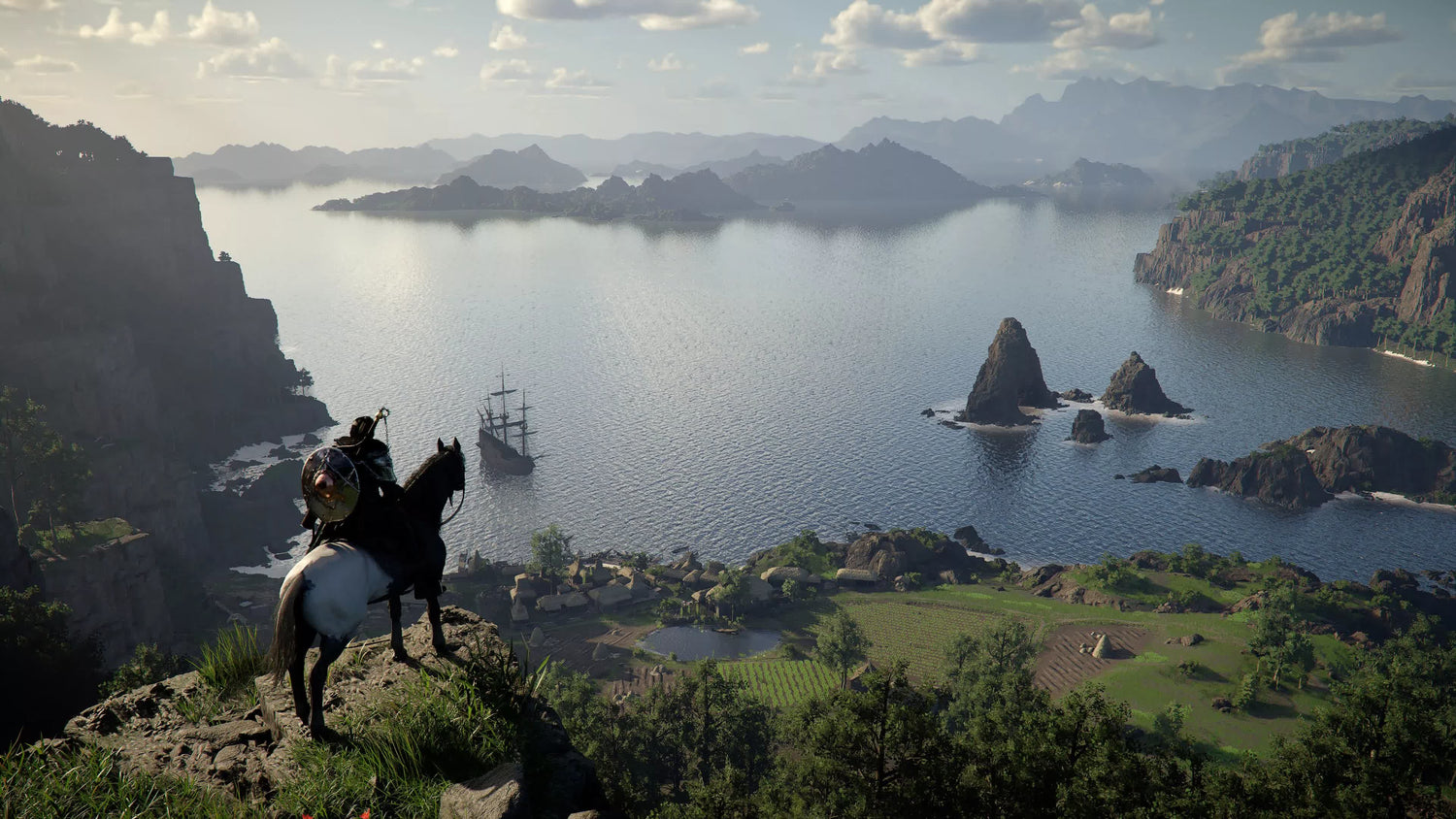
Gaming PC for New Games: What Crimson Desert’s Twitch Demo Reveals About Cloud Gaming, PC Performance, and Buying at the Right Time
The idea of a gaming PC for new games is changing fast. A recent industry report highlighted that Crimson Desert, one of the most ambitious open-world games of 2026, is offering a free 20-minute playable demo through Twitch cloud streaming with no download or local installation required. On the surface, that sounds like a simple convenience feature. In reality, it says a lot about where gaming is going, why hardware still matters, and how Canadian buyers should think about their next custom gaming PC.
For players, a browser-based demo is useful because it removes the friction of downloading a massive game just to test it. For publishers, it opens the door to instant sampling. For PC buyers, it raises a bigger question: if cloud streaming can let you try a game quickly, what kind of system do you actually need when you want to play the full version properly, at high settings, with smooth frame rates, low latency, streaming tools, mods, capture software, Discord, and maybe even video editing on the side?
That is where the conversation moves from cloud convenience to real-world PC performance. A short streamed demo can help you decide whether a game interests you. It cannot replace the responsiveness, visual quality, upgrade path, storage control, ownership confidence, and multitasking power of a well-built gaming desktop. If you are in Canada and planning around upcoming AAA games, open-world releases, ray tracing titles, creator software, or streaming ambitions, now is the time to ask the right questions before choosing your next build.
At Groovy Computers, we build custom gaming PCs, creator PCs, and workstation systems for Canadian customers who want performance matched to their real needs, not a generic one-size-fits-all box. So let’s break down what the Crimson Desert cloud demo trend really means, why it matters for gamers and creators, and how to decide what kind of PC will actually serve you best.
Why a 20-Minute Twitch Cloud Demo Matters More Than It Sounds
The Crimson Desert demo is notable because it uses cloud gaming in one of the most practical ways we have seen: letting players test a game instantly without committing storage space, download time, or installation effort. Instead of replacing traditional PC gaming, this kind of cloud demo works as a preview window. You can sample the gameplay, get a feel for combat, movement, world design, and presentation, then decide whether the full game deserves your time and hardware.
That is a sensible use case. Cloud gaming has long faced criticism because many players do not like the idea of games being locked to remote servers instead of owned and run locally. A limited-time demo is different. You are not being asked to replace your PC. You are being given a fast trial before deciding whether you want to buy, install, and play the full experience on your own system.
But here is the important part: a cloud demo is not the same as a high-quality local gaming experience. If you are playing a large open-world game for real, your PC still determines the details that matter most:
- How sharp the game looks at 1080p, 1440p, or 4K
- Whether you can use high or ultra settings without stutter
- How stable your frame rate feels during heavy combat, dense cities, physics, and weather effects
- Whether ray tracing is realistic for your build
- How quickly the game loads from your SSD
- Whether you can stream or record gameplay while playing
- How well your PC handles Discord, browser tabs, overlays, and background apps
- How long your system stays relevant as game requirements rise
So the cloud demo trend should not make buyers ask, “Do I still need a gaming PC?” It should make them ask a better question: what gaming PC do I need for the full experience after the demo convinces me to play?
Gaming PC for New Games: What Should Your Next System Actually Do?
Before choosing a CPU, GPU, RAM capacity, or storage size, start with the most practical question: what do you want your next PC to do for you?
Are you buying mainly for Crimson Desert, GTA-style open-world games, RPGs, shooters, survival games, racing titles, or competitive esports? Do you want a budget gaming computer that handles new games at 1080p, or are you aiming for a premium RTX gaming PC that can push 1440p or 4K with high visual settings? Are you planning to stream on Twitch, record gameplay for YouTube, edit clips in Adobe Premiere Pro or DaVinci Resolve, design thumbnails in Photoshop, or experiment with Blender and Unreal Engine?
Those answers matter because a gaming PC for new games is no longer just about “can it launch the game?” Modern buyers care about smooth gameplay, content creation, multitasking, upgrade room, and long-term value. A PC that is barely good enough today may feel restrictive once you add streaming, higher-resolution monitors, big texture packs, mods, or creator tools.
Ask yourself these questions before buying:
- Do I want 1080p gaming, 1440p gaming, or 4K gaming?
- Do I care about ray tracing, ultra settings, or maximum FPS?
- Will I stream to Twitch, YouTube Live, TikTok Live, or record through OBS?
- Will I edit video, photos, graphics, podcasts, or social media content?
- Do I use Adobe Creative Cloud, DaVinci Resolve, CapCut, Blender, Unreal Engine, AutoCAD, Revit, or SolidWorks?
- Do I want a PC that lasts several years before major upgrades?
- Am I buying before a major game release, a sale period, a hardware shortage, or a possible component price increase?
- Would financing help me secure a stronger system now instead of settling for a weaker one that needs replacing sooner?
These are the questions that separate a rushed purchase from a smart custom build.
Cloud Gaming Is Convenient, But Local PC Gaming Still Wins Where It Counts
Streaming a demo through a browser is convenient. Playing the full game locally on a properly built gaming desktop is still the premium experience. Why? Because local hardware gives you more control, lower input delay, better image quality, better consistency, and full access to your software ecosystem.
Cloud gaming depends on server availability, internet stability, network latency, compression quality, and platform rules. Even when it works well, the video feed is still compressed. Fast camera movement, dark scenes, foliage, particle effects, and high-speed action can reveal softness or artifacts that you do not get from a strong local GPU rendering the game directly.
If you are just testing a demo, that may be fine. If you are putting 60, 100, or 200 hours into a major open-world game, do you really want your experience limited by network conditions?
A well-built gaming desktop lets you:
- Play without relying on remote servers
- Use your own graphics settings and monitor refresh rate
- Install mods, reshade tools, overlays, launchers, and utilities where supported
- Record high-quality footage locally
- Stream through OBS with better control
- Upgrade your GPU, RAM, storage, or cooling later
- Use the same system for school, business, creative work, and production
For Canadian gamers who care about ownership, responsiveness, visual fidelity, and long-term usefulness, cloud demos are best seen as a preview tool. The main event still belongs on a powerful local PC.
What Performance Tier Fits You: Budget, 1440p, 4K, Streaming, Creator, or Workstation?
One of the biggest mistakes buyers make is shopping by price first and workload second. A better approach is to choose the performance tier that matches how you actually use your PC. Do you want an entry-level system for casual gaming, a balanced 1440p machine, a high-end 4K gaming PC, or a hybrid gaming and creator PC?
Budget Gaming PC Canada: Is 1080p Enough for You?
A budget gaming PC in Canada can still make sense if your goal is 1080p gaming, esports, schoolwork, general use, and a reasonable path into modern titles. If you mainly play games like Fortnite, Valorant, Minecraft, Roblox, Counter-Strike 2, Rocket League, indie games, and less demanding AAA titles, a value-focused build can be an excellent starting point.
But ask yourself: are you buying for the games you play today, or the games you will want to play over the next two to four years? If a new open-world RPG, demanding shooter, or ray tracing-heavy title is the reason you are shopping, going too cheap can backfire. A low-cost PC that struggles within a year may not be a value purchase at all.
A smart budget gaming computer should prioritize:
- A capable modern CPU with enough cores for gaming and multitasking
- A GPU suited for 1080p performance in current games
- At least a practical RAM configuration for modern game loads
- Fast NVMe SSD storage so large games do not feel painfully slow
- A quality power supply and airflow-focused case for reliability
- An upgrade path that does not trap you later
1440p Gaming PC Canada: The Sweet Spot for Many Gamers?
For many Canadian gamers, a 1440p gaming PC is the ideal balance. You get a sharper image than 1080p, a more immersive experience in open-world games, and a smoother path to high-refresh monitors without the extreme GPU demands of 4K.
If you are asking, “what PC do I need for 1440p gaming?” the answer depends on your frame-rate target and settings. Do you want high settings at 60 FPS, or are you aiming for 120 FPS, 144 FPS, or higher? Do you want ray tracing enabled, or would you rather maximize native performance?
A well-chosen 1440p build is often the best fit for players who want:
- Open-world games with richer detail
- Better visual clarity for RPGs, racing games, and shooters
- High refresh rates without jumping to the cost of premium 4K hardware
- A system that also handles streaming, editing, and everyday productivity
- A more future-proof gaming PC without overspending unnecessarily
4K Gaming PC Canada: Do You Want the Premium Experience?
A 4K gaming PC is for buyers who want maximum visual impact, high-end GPUs, stronger cooling, and a system built to handle demanding games at ultra settings where possible. This is where premium builds matter. You are not just paying for higher average FPS; you are paying for headroom, stability, cooling, noise control, and longevity.
If you are asking, “what PC do I need for 4K gaming?” think carefully about your expectations. 4K is demanding. Ray tracing is demanding. High-refresh 4K is even more demanding. If your goal is cinematic open-world gaming, high-resolution texture quality, and a premium monitor experience, your GPU choice becomes one of the most important decisions in the entire build.
A premium gaming PC Canada buyer should prioritize:
- A high-performance graphics card matched to the monitor
- A strong CPU that avoids bottlenecks in open-world and simulation-heavy games
- Enough RAM for modern game engines and background apps
- High-speed NVMe storage for large game libraries
- Excellent airflow and cooling under sustained load
- A quality power supply with future upgrade room
Streaming PC Canada: Will You Game, Stream, and Record at the Same Time?
The Crimson Desert Twitch demo is also a reminder that streaming platforms are deeply tied to gaming culture. Many players are not just consuming games; they are broadcasting, clipping, editing, and building communities around them. If you plan to stream on Twitch or YouTube, your PC needs more than basic gaming power.
What PC do you need for streaming? Start by asking whether you want to stream casually, record high-quality gameplay, run multiple monitors, manage chat, use overlays, and edit clips afterward. A gaming PC for Twitch in Canada should be built around smooth gameplay first, then streaming efficiency, then storage and workflow.
For a strong gaming and streaming PC Canada setup, consider:
- A GPU with strong hardware encoding support for OBS and streaming apps
- A CPU with enough cores for gaming, background apps, and production tasks
- 32GB of RAM as a practical target for many serious streamers
- Fast SSD storage for recordings, clips, and editing projects
- Reliable cooling for long livestream sessions
- Enough USB and display connectivity for cameras, microphones, capture devices, and dual monitors
Do you need a separate streaming PC? Most people do not. A properly configured custom streaming PC can handle gaming and broadcasting in one tower, especially when the parts are selected intelligently.
Creator PC Canada: Are You Editing, Designing, and Posting Content Too?
Many gamers are also creators. If you play a game, stream it, clip it, edit it, design thumbnails, post short-form content, and manage social media, you are not just buying a gaming PC. You are buying a content creation PC.
A custom creator PC Canada buyer should consider software-specific needs. Adobe Premiere Pro, DaVinci Resolve, After Effects, Photoshop, Lightroom, Illustrator, Canva, Blender, and Unreal Engine do not all stress hardware in the same way. Some workloads lean heavily on the CPU. Others benefit from GPU acceleration. Some need large amounts of RAM. Others depend on fast SSDs and scratch disk performance.
Ask yourself:
- What PC do content creators need if they edit 4K video every week?
- How much RAM do creators need if they keep multiple Adobe apps open?
- Is a gaming PC good for content creation, or do you need a more balanced creator build?
- Do you want to save minutes or hours on exports, renders, and batch processing?
- Will your PC earn money for you through client work, YouTube, streaming, design, or business content?
If your PC is part of your work, a stronger build can pay you back through saved time, smoother deadlines, and fewer bottlenecks.
3D Modeling and Workstation Use: Are You Building Worlds, Not Just Playing Them?
Games like Crimson Desert showcase huge environments, complex animation, cinematic scenes, and ambitious mechanics. For players, that is entertainment. For 3D artists, designers, and developers, it is also inspiration. If you are working in Blender, Unreal Engine, Unity, Maya, 3ds Max, Cinema 4D, ZBrush, AutoCAD, Revit, or SolidWorks, you may need a custom 3D workstation rather than a standard gaming desktop.
What PC do you need for Blender or 3D rendering? The answer depends on whether your workload is CPU-rendered, GPU-rendered, simulation-heavy, animation-heavy, or viewport-heavy. A gaming GPU may be excellent for many 3D tasks, but professional workloads often need more RAM, more storage, stronger cooling, and different reliability priorities.
A 3D modeling PC Canada buyer should think about:
- GPU performance for rendering and viewport acceleration
- CPU core count for simulation, compiling, baking, and CPU rendering
- 64GB or more RAM for complex scenes and multitasking where needed
- Large, fast SSD storage for project files, caches, and asset libraries
- Cooling that can handle long render sessions
- A stable platform that can be upgraded as workloads grow
Why Canadian Buyers Should Think Differently About Timing
When a major game becomes easier to try, more people may decide to play it. When more people decide to play a demanding game, more people start looking at GPUs, RAM, SSDs, and complete gaming PCs. That is not a guarantee of a shortage, but it is a reminder of how quickly demand can shift in the PC market.
Canadian buyers also have to think about exchange rates, import costs, component availability, shipping timelines, and replacement pricing. If GPU prices rise, memory pricing changes, SSD costs move, or supply tightens around a major release window, the cost of a full system can change quickly. Waiting is not always cheaper.
So ask yourself: is it better to buy a gaming PC now or wait? If your current PC is still performing well and your target games are months away, waiting may be reasonable. But if your system already struggles, if you are planning around a major release, if you need a PC for school or work, or if you want to avoid being forced into a rushed purchase later, buying sooner can be the smarter move.
Timing matters most when:
- You are buying before a major AAA game release
- You need a PC for a school term, work project, editing contract, or content schedule
- You see sale pricing on a build that matches your needs
- You are worried about GPU, RAM, or SSD price changes
- You want a custom build tested and ready before a busy season
- You want financing approval before prices or availability shift
Could Financing Help You Secure a Stronger PC Before Prices Change?
Financing is not about buying recklessly. It is about matching your payment plan to the system you actually need. For some customers, paying less upfront for a weaker PC can be more expensive in the long run if it leads to early upgrades, lower resale value, or frustration with demanding games and software.
If you are asking, “should I finance a better PC instead of buying a cheaper one?” consider the total ownership experience. A stronger GPU, more RAM, better cooling, and a higher-quality power supply can extend the useful life of your system. If financing helps you move from “bare minimum” to “proper fit,” it may be worth exploring.
Groovy Computers offers financing options up to 4 years where available, which can help Canadian buyers access a better-balanced gaming PC, streaming PC, creator PC, or workstation without paying the full amount upfront. The goal is not to overspend. The goal is to avoid underbuying when your workloads clearly demand more.
Financing may make sense if:
- You want a 1440p or 4K gaming PC but do not want to drain your savings at once
- You need a custom video editing PC or creator workstation for income-producing work
- You are buying before a major game release or software upgrade
- You want a system that lasts longer before needing major upgrades
- You prefer predictable monthly payments over a large one-time purchase
- You want to secure a build before component replacement costs rise
Is financing a gaming PC worth it? It depends on your budget, your workload, and how long you plan to keep the system. For many gamers, streamers, students, creators, and professionals, financing can be the difference between buying a PC that merely works today and buying one that still feels strong tomorrow.
Custom PC vs Generic Prebuilt: Why Build Quality Matters More With Demanding Games
A cloud demo may run the same for everyone because the hardware is remote. A local gaming PC does not. Your experience depends on the quality of the actual parts, how they are matched, how the system is cooled, how the cables are managed, how the BIOS and drivers are configured, and whether the PC is properly stress tested before it reaches you.
This is where a custom PC builder in Canada can provide real value. A generic prebuilt might advertise an impressive CPU or GPU, but the rest of the system can still limit performance. Weak cooling, low-quality power supplies, poor airflow, insufficient RAM, and limited storage can turn a promising spec sheet into an underwhelming daily experience.
Why buy a custom gaming PC? Because the full system matters:
- The CPU and GPU should match your resolution and workload
- The motherboard should support your upgrade path
- The power supply should be reliable and properly sized
- The case should move air efficiently
- The cooler should handle sustained gaming, streaming, and rendering loads
- The SSD should be fast enough and large enough for modern game libraries
- The RAM should suit your actual software, not just the minimum requirement
- The build should be tested before it ships
At Groovy Computers, every custom system is built with performance balance in mind. We focus on practical part selection, clean assembly, rigorous testing, and 1-year warranty support so customers can buy with confidence.
What Games, Software, and Workloads Are You Building Around?
This is the section every buyer should pause on: what do you want your next PC to handle without excuses?
If the answer is “I just want to play new games,” then your build should be tuned around resolution, FPS, and graphics settings. If the answer is “I want to play, stream, edit, and post content,” your build should include enough CPU power, GPU encoding support, RAM, and fast storage. If the answer is “I need to render, model, edit, and work professionally,” you may need a workstation PC Canada build that prioritizes stability and heavy multitasking.
Use these buyer profiles to narrow your direction:
- The casual gamer: Plays at 1080p, wants good value, does not need ultra settings in every AAA game.
- The competitive gamer: Wants high FPS, low latency, strong CPU performance, and a high-refresh monitor experience.
- The open-world gamer: Wants smooth performance in large maps, strong GPU power, fast SSD storage, and enough RAM for modern engines.
- The 1440p enthusiast: Wants a sharper image, high settings, strong frame rates, and a balanced long-term build.
- The 4K premium buyer: Wants high-end visuals, ray tracing where practical, strong cooling, and premium GPU performance.
- The streamer: Needs gaming performance plus encoding, multitasking, multiple monitors, and stable long sessions.
- The video editor: Needs strong CPU and GPU acceleration, lots of RAM, fast storage, and export performance.
- The photo editor or designer: Needs fast app responsiveness, colour workflow support, RAM headroom, and strong single-core performance.
- The 3D artist: Needs GPU rendering or CPU rendering power, large memory capacity, and workstation stability.
- The business power user: Needs reliability, multitasking, fast storage, and a system that will not slow down under pressure.
How Much Should You Spend on a Gaming PC?
How much should you spend on a gaming PC? The honest answer is: enough to meet your resolution, performance expectations, and lifespan goals without wasting money on parts you will not use.
A budget gaming PC may be the right choice if you are playing lighter games or stepping into PC gaming for the first time. A mid-range system may be ideal if you want a strong 1080p or 1440p experience. A high-end gaming PC Canada build makes more sense if you want 4K, ray tracing, premium monitors, VR, content creation, streaming, or a longer upgrade cycle.
The mistake is not buying a budget PC. The mistake is buying a budget PC when your expectations are premium. Likewise, the mistake is not buying a high-end PC. The mistake is buying premium hardware without a clear use case. A good custom PC builder helps you avoid both problems.
Before setting your budget, ask:
- What monitor do I use now, and will I upgrade it?
- Do I care more about FPS, image quality, or both?
- How many years do I want this PC to feel strong?
- Will I add streaming, editing, or design work later?
- Do I want to upgrade gradually or buy a stronger system now?
- Would monthly payments help me choose the right tier instead of the cheapest tier?
Why Storage and RAM Matter More Than Many Buyers Realize
Modern games are large. Open-world titles, high-resolution textures, patches, DLC, and multiple launchers can fill a drive quickly. A system with a weak or undersized SSD may technically run a game, but it can feel cramped almost immediately.
For gamers, a fast NVMe SSD improves load times and system responsiveness. For creators, fast storage can affect editing timelines, cache files, previews, exports, and project management. For 3D artists, storage speed and capacity matter when working with asset libraries, simulations, textures, and renders.
RAM matters too. While many entry-level systems can function with modest memory, gaming plus streaming plus browser tabs plus Discord plus editing tools can push memory usage higher than buyers expect. If you are building for a few years of use, choosing the right RAM capacity now can prevent frustration later.
Ask yourself: do you want your PC to do one thing at a time, or do you want it to handle real life? Real life means the game is open, Discord is running, Chrome has tabs open, OBS is recording, Spotify is playing, and maybe an editor is exporting in the background.
What the Crimson Desert Demo Trend Means for Future Game Releases
If more publishers use cloud streaming for playable demos, players may discover demanding games faster. That could be great for gamers, but it may also increase the number of people suddenly realizing their current PCs are not ready for the full experience.
Imagine trying a 20-minute demo instantly, loving the combat and world design, then downloading the full game only to discover your PC struggles at your preferred settings. That is the gap between access and experience. Cloud demos improve access. A strong custom gaming PC improves the experience.
This matters for upcoming AAA games because requirements rarely move downward. Game worlds are becoming larger, visual settings are becoming more complex, and background software demands continue to grow. Even when upscaling and optimization help, hardware headroom still matters.
So if you are researching a gaming PC for upcoming games, do not only ask whether your PC meets a minimum spec. Ask whether it meets your expectation. Minimum settings may launch the game. Recommended settings may provide a decent experience. A well-planned custom build aims for the experience you actually want.
Should You Upgrade Your Current PC or Buy a New Custom Build?
Upgrading can make sense if your current system has a strong foundation. If your power supply, case airflow, motherboard, CPU, and storage are still suitable, a GPU or RAM upgrade may extend its life. But if several parts are outdated at once, upgrading piece by piece can become expensive and inefficient.
Ask these questions:
- Is my CPU holding back my GPU?
- Is my power supply strong enough for a modern graphics card?
- Does my case have enough airflow for newer hardware?
- Is my motherboard limiting RAM, storage, or CPU upgrade options?
- Am I spending hundreds of dollars just to keep an aging platform alive?
- Would a new custom build give me better warranty confidence and a longer path forward?
If you are unsure, Groovy Computers can help you think through the decision. Sometimes an upgrade is sensible. Sometimes a new custom gaming PC is the cleaner, more reliable, and better long-term choice.
Why Groovy Computers Is a Strong Choice for Canadian Gamers and Creators
Groovy Computers is built around the idea that your PC should match your life. We serve Canadian customers who want more than a random spec list. Whether you are shopping for a gaming desktop in Nova Scotia, a custom creator PC in Atlantic Canada, or a gaming PC shipped Canada wide, the goal is the same: build the right system for the job.
As Canadian custom PC builders, we understand that buyers care about performance, trust, support, timing, and value. You want a system that arrives ready to use. You want parts that make sense together. You want testing before delivery. You want warranty support if something goes wrong. You want guidance when you are unsure whether to choose a budget gaming PC, a 1440p gaming PC, a 4K gaming PC, a streaming PC, or a custom workstation.
Groovy Computers focuses on:
- Custom gaming PCs for 1080p, 1440p, 4K, esports, open-world games, and AAA releases
- Streaming PCs for Twitch, YouTube, OBS, recording, and dual-monitor setups
- Creator PCs for video editing, photo editing, graphic design, and social media workflows
- Workstation PCs for 3D modeling, rendering, CAD, Unreal Engine, Blender, and productivity
- Balanced part selection instead of flashy but mismatched specs
- Rigorous testing before systems reach customers
- 1-year warranty support for added confidence
- Financing options up to 4 years where available
- Canadian service with local roots and Canada-wide relevance
Ready to Choose a Gaming PC for New Games?
If the latest cloud gaming demo trend has you excited for what is coming next, now is the time to plan your hardware. A streamed demo can help you discover a game. A custom PC determines how well you actually experience it.
Do you want a budget system for 1080p, a smooth 1440p build, a premium 4K gaming PC, a Twitch streaming setup, a creator workstation, or a powerful desktop that can handle gaming, editing, and 3D work without slowing you down? If you are not sure, that is exactly where Groovy Computers can help.
If you are asking, “what gaming PC do I need?” or “should I buy a gaming PC before prices go up?” start with your games, software, monitor, budget, and timeline. Then choose a system built around those answers. The right gaming PC for new games is not always the most expensive one. It is the one that fits your performance target, upgrade expectations, and real workload.
Want help choosing the right build before demand spikes, sale pricing changes, or component costs move again? Visit GroovyComputers.ca to explore custom gaming PCs, creator PCs, workstation options, and financing solutions built for Canadian buyers.
The Bottom Line: Cloud Demos Are the Preview, Your PC Is the Experience
The Crimson Desert Twitch demo shows that cloud gaming may have found a practical role: instant access to limited game trials. That is exciting. It lowers the barrier to trying new games and could help players make smarter purchasing decisions.
But when it is time to play seriously, local PC performance still matters. Your GPU, CPU, RAM, SSD, cooling, monitor, and build quality decide whether a demanding new game feels smooth, sharp, responsive, and worth the hype. They also decide whether your system can handle streaming, editing, graphic design, 3D modeling, and workstation tasks after the game is closed.
For Canadian buyers, the smartest move is to choose a PC based on what you actually want to do next. If that means a budget gaming PC, buy the right one. If it means a premium RTX gaming PC, build it properly. If it means a custom creator PC or workstation, do not settle for a gaming-only configuration that ignores your software. And if financing helps you secure a stronger system before replacement costs rise, it may be worth considering.
A gaming PC for new games should be more than a reaction to one release. It should be a carefully chosen system that supports the way you play, create, stream, work, and upgrade for years to come.
#GamingPCForNewGames #GamingPCCanada #CustomGamingPCCanada #StreamingPCCanada #CreatorPCCanada #4KGamingPCCanada #GamingPCFinancingCanada #GroovyComputers
Groovy Computers | All Rights Reserved


Leave a comment
This site is protected by hCaptcha and the hCaptcha Privacy Policy and Terms of Service apply.