



































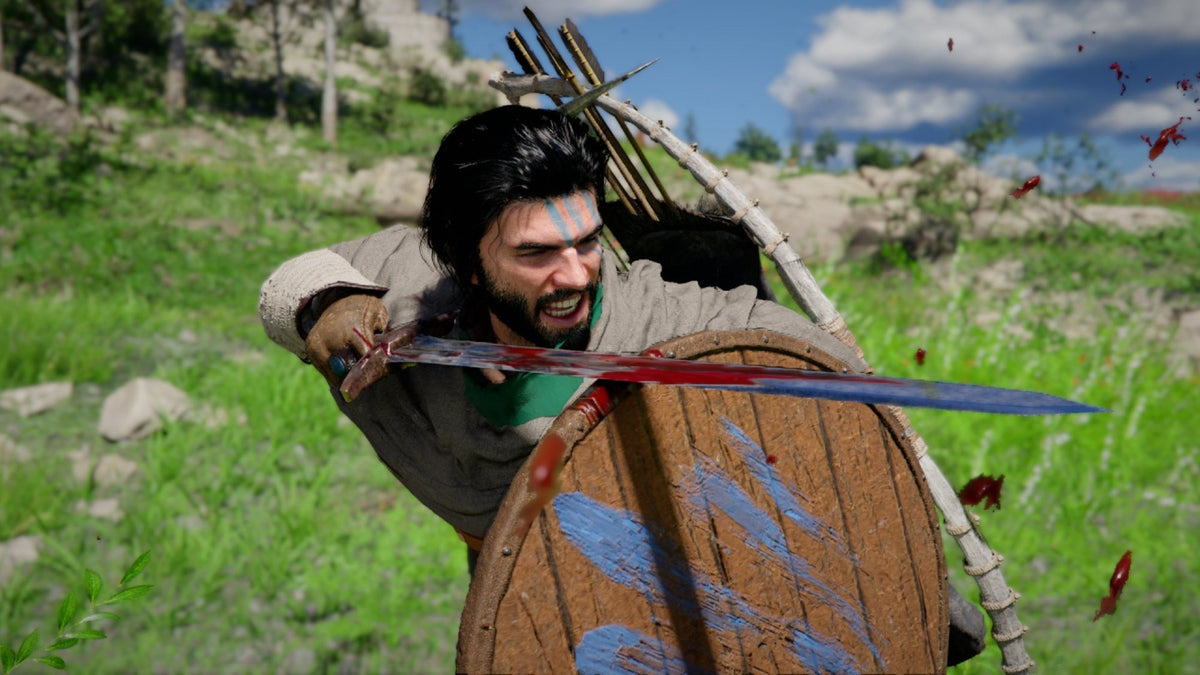
Gaming PC for New Games: What Crimson Desert’s Possible Switch 2 Expansion Means for Canadian PC Buyers
A gaming PC for new games is becoming more important as massive open-world titles continue to push hardware, expectations, and player demand higher. The latest example is Crimson Desert, the action RPG from Pearl Abyss that launched earlier this year on PC, PS5, and Xbox Series consoles. According to recent shareholder comments from Pearl Abyss leadership, the studio is already reviewing a Nintendo Switch 2 version, with early gameplay reportedly functional but still requiring optimization, technical verification, and quality checks before any release schedule can be confirmed.
That detail matters because it shows how modern games are being stretched across more platforms than ever. Developers want to reach console players, handheld players, living-room players, and PC players. But the big question for Canadian gamers is more practical: what system should you actually buy if you want the best experience in demanding new games?
If you are reading about Crimson Desert because you are excited by open-world action, cinematic combat, high visual detail, and next-generation RPG performance, you are probably asking a bigger question than “Will it come to Switch 2?” You may really be asking: what gaming PC do I need for modern AAA games, and how do I buy the right one without upgrading too soon?
That is where Groovy Computers comes in. As a Canadian custom PC builder, Groovy Computers helps buyers choose the right gaming desktop, creator PC, streaming PC, or workstation based on what they actually want to do. Whether you are preparing for Crimson Desert on PC, future open-world games, 1440p high-refresh gaming, 4K visuals, ray tracing, live streaming, YouTube editing, 3D modeling, or financing a stronger system before hardware costs shift, the right build starts with the right questions.
Why Crimson Desert’s Platform Expansion News Matters
The key takeaway from the latest Crimson Desert update is not that a Nintendo Switch 2 version is confirmed. It is not. The studio has only indicated that it is reviewing the platform and that basic gameplay is possible in early development. The important part is the challenge behind the statement: Pearl Abyss still needs to determine whether the graphics, action, and open-world experience can be maintained on that device.
That phrase tells you a lot about where gaming is headed. Open-world games are no longer simple software launches. They are huge performance tests involving CPU simulation, GPU rendering, memory bandwidth, storage speed, input responsiveness, visual effects, animation systems, and optimization across different hardware targets.
For PC buyers, this is a reminder that not all platforms deliver the same experience. A handheld or hybrid console may offer convenience. A console may offer simplicity. But a properly selected gaming desktop can offer higher frame rates, better image quality, wider upgrade paths, stronger cooling, faster storage, better streaming options, and more room to handle future games as requirements increase.
So the real question becomes: do you want to play new games wherever they happen to run, or do you want a system built to run them well?
What the Source Story Gets Right: Optimization Is Everything
The most important part of Pearl Abyss’s comments is the emphasis on quality. A game like Crimson Desert cannot simply be pushed onto another platform and expected to feel the same. Developers have to optimize the visuals, combat responsiveness, open-world loading, texture streaming, frame pacing, and interface to match the hardware.
That same principle applies to buying a PC. A gaming desktop is not just a box with a graphics card. A great custom gaming PC depends on balance. The CPU, GPU, RAM, SSD, power supply, motherboard, airflow, case design, and cooling solution all need to work together.
Have you ever seen a computer with a powerful GPU but weak airflow? Or a gaming PC with a strong processor but not enough RAM for modern multitasking? Or a system sold as “gaming ready” that struggles when you turn on ray tracing, Discord, OBS, browser tabs, and a second monitor at the same time?
That is why Groovy Computers focuses on complete system design instead of random part lists. The goal is not only to make a system boot. The goal is to build a stable, tested, warranty-backed Canadian gaming PC that matches the buyer’s target resolution, games, software, and budget.
Gaming PC for New Games: Why PC Still Sets the Performance Standard
A gaming PC for new games gives players control. That control matters more as new titles become larger, more cinematic, and more demanding. With a custom PC, you can choose whether your priority is high FPS, 1440p sharpness, 4K detail, ray tracing, streaming, recording, editing, or long-term upgrade flexibility.
Crimson Desert is exactly the kind of game that makes buyers think carefully about hardware. Open-world action RPGs typically benefit from strong graphics performance, modern multi-core CPUs, fast NVMe storage, and enough RAM to support dense environments and background tasks. Even if a game is well optimized, players who want smooth performance at higher resolutions need more than a basic entry-level desktop.
What do you want from your next PC? Do you want to simply launch the game, or do you want to enjoy smooth combat, detailed landscapes, fast loading, high settings, and room for the next wave of releases?
If you are buying for new games, you should think beyond one title. Crimson Desert may be the headline today, but your next system may also need to handle competitive shooters, survival games, racing games, RPGs, strategy titles, mod-heavy games, Unreal Engine releases, and future AAA games with heavier visual features.
What Do You Want Your Next PC to Do for You?
Before choosing a custom build, ask yourself what you actually want your computer to do. This sounds simple, but it is the most important buying step.
Are you buying a gaming desktop mainly for open-world games like Crimson Desert? Are you chasing high FPS in esports titles? Are you planning to stream on Twitch or YouTube? Do you edit videos for TikTok, YouTube, or client work? Do you use Photoshop, Lightroom, Illustrator, Blender, Unreal Engine, AutoCAD, Revit, or DaVinci Resolve? Do you need a machine for school, work, gaming, and creative projects all at once?
Your answers change the build. A pure gaming PC may prioritize GPU performance and gaming-focused CPU choices. A streaming PC may need stronger encoding support and more memory. A video editing PC may need a better CPU, more RAM, faster storage, and GPU acceleration. A 3D rendering workstation may need significantly more VRAM, higher memory capacity, and a cooling setup designed for long render sessions.
That is why a one-size-fits-all computer often becomes expensive in the wrong way. You might overspend on parts you do not need while underspending on the parts that actually affect your workload.
At Groovy Computers, the better question is not “What is the best PC?” It is: What is the best PC for you?
Which Performance Tier Fits You?
Choosing a gaming PC is easier when you think in performance tiers. You do not need to memorize every component model to make a smart decision. You need to know your target resolution, refresh rate, visual settings, and workload.
Entry-Level and Budget Gaming: Is a Budget Gaming PC Enough?
A budget gaming PC in Canada can make sense if you mostly play esports titles, lighter multiplayer games, older AAA games, or newer games at reasonable settings. If you are playing at 1080p and you do not need ultra settings, ray tracing, or heavy multitasking, a value-focused build can be a smart first gaming PC.
But ask yourself this: are you buying for the games you play today, or the games you expect to play over the next three to five years?
Many buyers start with a cheaper system and then realize they want better performance after a major game release. If you already know you are interested in demanding open-world titles, streaming, editing, or 1440p gaming, it may be smarter to step up now instead of upgrading too soon.
1080p Gaming PC Canada: Who Should Choose It?
A 1080p gaming PC is ideal for players who want strong value, smooth frame rates, and reliable performance without paying for unnecessary 4K capability. It is especially practical for competitive games, first-time gaming PC buyers, students, and customers who want a balanced system for everyday use.
For new AAA games, 1080p still matters. It reduces GPU strain, helps maintain smoother performance, and can give players a better experience on a mid-range build. If you care more about responsiveness than maximum visual detail, 1080p can be the sweet spot.
Questions to ask: Do you already own a 1080p monitor? Do you want high FPS more than ultra graphics? Are you trying to stay within a tighter Canadian budget? If yes, a carefully selected 1080p gaming PC from Groovy Computers may fit perfectly.
1440p Gaming PC Canada: The Modern Sweet Spot
For many Canadian gamers, a 1440p gaming PC is the best balance between visual quality and performance. It looks noticeably sharper than 1080p, works beautifully with high-refresh monitors, and does not require the same level of GPU investment as 4K.
If you are excited about Crimson Desert because of its open-world visuals, this is the tier many buyers should consider. A good 1440p custom gaming PC can deliver a premium feel without jumping all the way to flagship pricing.
Ask yourself: what PC do I need for 1440p gaming if I want high settings and a smooth experience in new games? The answer usually involves a strong modern GPU, a capable multi-core CPU, 32GB of RAM for comfort, fast NVMe storage, and a power supply and cooling setup that leave room for stability.
4K Gaming PC Canada: Do You Want Maximum Visual Impact?
A 4K gaming PC is for buyers who want the sharpest visuals, large displays, immersive single-player games, and premium image quality. If you play cinematic RPGs, open-world adventures, racing titles, flight simulators, or graphically intense games, 4K can be stunning.
But 4K also changes the budget. It places much heavier demand on the GPU. If you want high settings, smooth frame rates, ray tracing, and future readiness, you need to choose your components carefully.
Before buying, ask: Do you already own a 4K monitor or TV? Are you comfortable investing in a higher-end GPU? Do you want ultra settings in new games? How long do you expect the system to last before another major upgrade?
If your answer is “I want the best experience and I do not want to replace this PC too soon,” a premium gaming PC may be the better long-term choice.
Ray Tracing Gaming PC Canada: Is Visual Realism a Priority?
Ray tracing can make lighting, reflections, shadows, and atmosphere more realistic, but it is demanding. Not every buyer needs it. Some players prefer higher frame rates with ray tracing off. Others want the most cinematic experience possible and are willing to invest in stronger GPU performance.
If you are buying a gaming PC for new games, consider whether ray tracing is a must-have feature or a nice-to-have option. That answer affects your GPU tier, your resolution target, and your budget.
Do you want a PC that can handle ray tracing today and still feel strong when future titles become more demanding? If yes, Groovy Computers can help you choose a system that balances GPU strength, CPU performance, cooling, and price.
Crimson Desert, Switch 2, and the Bigger Question: Should You Wait?
When a game is being explored for another platform, it is tempting to wait. Maybe a Switch 2 version arrives later. Maybe it is portable. Maybe it is good enough. But if there is no confirmed release date, waiting becomes a gamble.
If you already want to play Crimson Desert on PC, stream it, record gameplay, or experience it at higher visual settings, a custom gaming PC gives you control now. You are not waiting on platform approval, optimization decisions, or release timing.
So ask yourself: is it better to buy a gaming PC now or wait for an uncertain version on another platform?
The answer depends on your priorities. If portability is the only thing that matters, waiting may make sense. But if performance, flexibility, streaming, content creation, and long-term value matter, a gaming desktop is still the stronger platform for serious players.
Why Canadian Buyers Should Think Differently About Timing
Canadian PC buyers face a different buying environment than gamers in larger markets. Component pricing, exchange rates, shipping costs, supply availability, and demand spikes can all affect final system pricing. When a major game creates fresh demand, buyers often start looking for GPUs, faster SSDs, more RAM, and upgraded systems at the same time.
That demand can put pressure on prices. GPU availability can tighten. Memory and SSD pricing can move. Replacement costs can shift. Even if one part stays stable, a full system can become more expensive when several parts rise at once.
Are you buying before a major game release, a hardware shortage, a sale period, a software upgrade, or a possible price spike? If so, timing matters. Waiting does not always mean saving money. Sometimes waiting means paying more for the same level of performance.
This is one reason many customers consider financing. If you know you need a stronger PC, financing can help you secure the right system sooner instead of settling for a weaker build today and replacing it earlier than planned.
Gaming PC Financing Canada: Could Financing Help You Buy the Right Tier?
Financing is not about buying more computer than you need. It is about avoiding the mistake of buying too little computer because the upfront price feels easier in the moment. A lower-cost system can become more expensive if it fails to meet your needs after the next major game, creator software update, or workflow change.
Groovy Computers offers financing options up to 4 years where available, helping Canadian customers choose a stronger custom gaming PC, creator PC, or workstation PC without needing to pay the full amount upfront. For buyers who want better performance now, this can be a practical way to secure the build they actually want before replacement costs rise.
Should you finance a gaming PC instead of buying a cheaper one? Ask yourself these questions:
- Will a cheaper system struggle with the games or software I care about?
- Am I planning to move from 1080p to 1440p or 4K soon?
- Do I want to stream, record, edit, or multitask while gaming?
- Would a better GPU or more RAM extend the useful life of my PC?
- Am I buying before a major game release or possible component price increase?
- Would predictable monthly payments help me avoid settling for a system I will outgrow?
If the answer to several of those questions is yes, financing may be worth considering. The key is to finance the right build, not simply the most expensive one.
Gaming, Streaming, and Editing: Do You Need One PC That Does Everything?
Many modern buyers are not just gamers. They are also creators. They play games, stream them, record clips, edit short-form videos, manage Discord, run browser tabs, and maybe use design software for thumbnails, branding, or social media.
If that sounds like you, a basic gaming desktop may not be enough. You may need a gaming and streaming PC Canada buyers can rely on for real multitasking. You may need extra RAM, a stronger CPU, a better GPU encoder, multiple fast SSDs, and enough cooling to keep the system stable while gaming and recording at the same time.
What PC do you need for streaming? If you are using OBS Studio, Streamlabs, Twitch, YouTube Live, or TikTok Live, your PC needs to handle both the game and the broadcast workload. If you are recording high-quality footage for later editing, storage speed and capacity matter too.
A good streaming PC should be designed around your actual content plan. Are you streaming at 1080p? Recording at 1440p? Editing in 4K? Running a dual-monitor setup? Using a webcam, capture card, microphone software, browser sources, alerts, and chat tools?
Those details matter. Groovy Computers can help you choose a build that supports gaming, streaming, and editing without creating bottlenecks that ruin the experience.
Is a Gaming PC Good for Video Editing?
Yes, a gaming PC can be good for video editing, but only if it is configured properly. A gaming-focused system with a strong GPU is a great starting point, but video editing often needs more RAM, faster storage, and CPU power for timeline performance, effects, and exports.
If you use Adobe Premiere Pro, DaVinci Resolve, After Effects, CapCut, or other editing software, your ideal PC may be different from a pure gaming build. A Video Editing PC Canada buyer should think about footage resolution, codec type, effects, colour grading, export frequency, and project size.
What PC do you need for video editing? Start with these questions:
- Are you editing 1080p, 4K, 6K, or 8K footage?
- Do you use heavy colour grading or effects?
- Do you edit long YouTube videos, short-form clips, client projects, or social media content?
- How much RAM do you need for video editing based on your project size?
- Do you need multiple SSDs for active projects, cache files, and exports?
- Are you gaming and editing on the same machine?
A custom creator PC from Groovy Computers can be built to handle both gaming and production work, helping you avoid the common mistake of buying a system that is great for FPS but frustrating for exports.
Photo Editing, Graphic Design, and Creative Work: Do You Need More Than a Gaming Desktop?
Photographers and designers often underestimate how much a properly built desktop can improve daily workflow. If you work with Lightroom Classic, Photoshop, Capture One, Illustrator, InDesign, Canva, Affinity Designer, or Adobe Creative Cloud, you may not need the same build as a competitive gamer, but you do need responsiveness.
A good photo editing PC benefits from a strong CPU, enough RAM for large RAW files, fast SSD storage, and a stable system for batch exports. A graphic design PC may need high memory capacity, reliable multitasking, strong display support, and smooth performance across multiple creative applications.
Ask yourself: Are you editing hundreds of RAW images from weddings, sports, real estate, or commercial shoots? Are you creating branding assets, packaging mockups, social media graphics, or print layouts? Are AI-powered tools becoming part of your workflow?
If yes, a custom creator PC can save time every day. Faster previews, smoother brushing, quicker exports, and better multitasking may not sound as exciting as higher FPS, but for working creatives, time saved is money saved.
3D Modeling and Rendering: Is a Gaming PC Enough for Blender or Unreal Engine?
For 3D artists, architects, product designers, game developers, and students, the answer depends on the workload. A gaming PC can be a strong foundation for Blender, Unreal Engine, Unity, Maya, Cinema 4D, SketchUp, ZBrush, AutoCAD, Revit, or SolidWorks, but serious 3D work often needs workstation-level planning.
A 3D Modeling PC Canada buyer should think about GPU VRAM, CPU rendering needs, RAM capacity, storage layout, cooling, and long-session stability. A high-FPS gaming build may not be ideal for massive scenes, complex simulations, architectural visualization, or GPU rendering.
What PC do you need for Blender? How much RAM do you need for 3D rendering? Is GPU rendering more important than CPU rendering for your workflow? Are you building game assets, rendering animations, previewing environments in Unreal Engine, or working with CAD assemblies?
These questions change the build dramatically. Groovy Computers can help separate “gaming powerful” from “workstation reliable,” which is especially important when your computer is part of your income, education, or professional output.
Custom PC vs Generic Prebuilt: Why the Build Quality Matters
A custom PC is not automatically better just because it is custom. It is better when the parts are selected intelligently, assembled properly, cooled correctly, tested thoroughly, and supported after purchase.
Generic prebuilts can look attractive because they advertise a familiar GPU or processor, but they may compromise on power supplies, motherboards, RAM configuration, airflow, storage quality, or upgrade flexibility. Those compromises can affect performance, noise, thermals, stability, and long-term reliability.
With Groovy Computers, Canadian buyers can choose a system built around their actual use case. That means gaming PCs for 1080p, 1440p, 4K, or ray tracing. It also means custom creator PCs for editing, streaming, design, and content creation. It means workstation PCs for rendering, 3D modeling, CAD, and productivity.
Why does testing matter in a gaming PC? Because a computer can turn on and still fail under real load. A properly tested system should be checked under stress so problems can be caught before the PC reaches the customer. Groovy Computers emphasizes rigorous testing, custom build quality, and a 1-year warranty for confidence after purchase.
What Specs Should You Think About for Crimson Desert and Future Open-World Games?
Without inventing official requirements beyond the source information, it is still possible to talk about smart buying logic. Crimson Desert is a visually ambitious open-world action RPG. Games in this category commonly benefit from strong GPU performance, capable CPU performance, fast storage, and enough RAM to support large environments and background tasks.
When shopping for a gaming PC for new games, focus on these categories:
- GPU: The graphics card has the biggest impact on resolution, visual settings, ray tracing, and high-refresh gameplay.
- CPU: The processor affects frame pacing, simulation, open-world performance, streaming, editing, and multitasking.
- RAM: 16GB can still work for some gaming, but 32GB is increasingly comfortable for modern gaming plus Discord, browsers, launchers, and streaming tools.
- Storage: A fast NVMe SSD improves loading, responsiveness, and game library management. Large modern games can fill drives quickly.
- Cooling: Better airflow helps maintain performance under long sessions, especially in demanding games and workloads.
- Power supply: A quality PSU supports stability and future upgrade options.
- Monitor pairing: A PC should match your display. A 4K system is wasted on a basic 1080p monitor, while an entry build may struggle on a demanding 4K panel.
Do you want to avoid upgrading too soon? Then build for the experience you want next year, not only the minimum you can tolerate today.
Buying Before a Major Game Release: Why Timing Can Save Frustration
Major game launches often create buying waves. Players check requirements, realize their current PC is aging, and start shopping at the same time. That can increase demand for the same mid-range and high-end components. In Canada, those demand spikes can feel stronger because pricing and availability are also affected by shipping, exchange rates, and supply timing.
If you are waiting until the week a major game launches, you may face limited options, longer build times, or less favourable pricing. Buying earlier gives you more time to choose the right system, set up your monitor, install your games, transfer files, test performance, and adjust settings before release-day hype hits.
Ask yourself: Are you buying before a major game release because you want to be ready on day one? Are you waiting for a sale period but risking component price changes? Would financing help you secure a stronger system now instead of compromising later?
There is no single perfect buying date. But if you know your current PC is already struggling, waiting for one more demanding title may only make the decision more urgent.
Gaming Laptop vs Gaming Desktop: What Should Canadian Buyers Choose?
A gaming laptop can be convenient, but a gaming desktop usually offers better cooling, easier upgrades, stronger sustained performance, more customization, and better long-term value for serious gaming. If your priority is portability, a laptop can make sense. If your priority is performance, reliability, and upgrade flexibility, a desktop is often the smarter choice.
This is especially true for demanding open-world games, streaming, editing, and workstation use. Desktops have more room for airflow, larger graphics cards, higher power limits, more storage, and easier maintenance. Over several years, those advantages can matter more than the initial convenience of portability.
Do you play mainly at a desk? Do you use a full monitor, keyboard, mouse, microphone, webcam, speakers, or external drives? If so, a custom gaming desktop from Groovy Computers may fit your real habits better than a portable system.
Who Should Choose a Budget Gaming Computer?
A budget gaming computer is a good fit if you want strong value, are buying your first gaming PC, play at 1080p, or mostly enjoy esports and moderately demanding titles. It can also be a good option for students who need one machine for school, gaming, and everyday use.
However, budget should not mean random. A well-built budget gaming PC still needs a reliable power supply, proper airflow, quality storage, and a smart CPU-GPU match. Cutting the wrong corners can turn an affordable PC into a frustrating one.
How much should you spend on a gaming PC? The answer depends on your monitor, games, settings, and how long you want the system to remain useful. If you are unsure, Groovy Computers can help you compare value tiers and avoid overspending or underspending.
Who Should Choose a Premium RTX Gaming PC?
A premium RTX gaming PC makes sense for buyers who want high-end 1440p, 4K gaming, ray tracing, high-refresh displays, streaming, editing, and longer-term performance headroom. It is also ideal for gamers who do not want to lower settings every time a demanding new title arrives.
If you are asking whether a high-end gaming PC is worth it, think in years, not days. A stronger build can stay satisfying longer, handle heavier software, and support monitor upgrades. It can also reduce the chances that you will need to replace major parts sooner than expected.
Should you finance a high-end gaming PC? If the alternative is buying a cheaper PC that will not meet your goals, financing may be a practical option. The right payment plan can help you secure the performance tier you actually need while keeping your cash flow more manageable.
Who Should Choose a Custom Creator PC?
A custom creator PC is ideal if your computer is used for more than gaming. If you edit videos, stream, create thumbnails, manage social media, record podcasts, design graphics, edit photos, or work with Adobe Creative Cloud, you should consider a creator-focused build.
Creator PCs are often built differently from pure gaming PCs. They may need more RAM, more storage, stronger CPU performance, better multi-monitor support, and quieter cooling. For many Canadian creators, the best system is a hybrid: powerful enough for gaming, but tuned for content production.
What PC do content creators need? A good answer starts with your workflow. Are you making YouTube videos, TikToks, client edits, podcasts, livestreams, product renders, or social media campaigns? The more specific you are, the better your custom build can be.
Who Should Choose a 3D Modeling Workstation?
A 3D modeling workstation is the right choice when your projects are too important or too heavy for a generic gaming desktop. If you are working with Blender, Unreal Engine, Maya, 3ds Max, Cinema 4D, Revit, AutoCAD, SolidWorks, SketchUp, ZBrush, or similar tools, your PC should be designed for the software, not just the game library.
Workstation buyers should consider VRAM, RAM capacity, CPU core count, storage layout, cooling, stability, and upgrade paths. A render that runs overnight should not be trusted to a poorly cooled, poorly tested system.
What workstation PC do you need? If your computer helps you earn income, complete school projects, deliver client work, or produce professional assets, reliability matters as much as benchmark scores.
Why Groovy Computers Is Built for Canadian Buyers
Groovy Computers is focused on Canadian customers who want more than a generic shelf system. Whether you are in Nova Scotia, Atlantic Canada, Ontario, Alberta, British Columbia, or anywhere else ordering online, the goal is to help you get a system matched to your needs and built with care.
Canadian buyers need confidence. They need clear guidance, strong part selection, tested systems, warranty support, and a builder who understands real-world gaming and creator workloads. Groovy Computers offers custom gaming PCs, creator PCs, workstation PCs, and financing options designed to help buyers choose smarter.
If you are looking for a Canada built gaming PC, a custom gaming PC shipped Canada wide, a creator desktop, or a workstation PC with support after purchase, Groovy Computers is built around that exact need.
Want help choosing? Visit GroovyComputers.ca to browse systems, explore options, and start matching your next PC to the games, software, and workloads you actually care about.
Questions to Ask Before You Buy Your Next Gaming PC
Before you commit to a system, slow down and answer the questions that matter. The right answers can prevent expensive mistakes.
- What games do I want to play over the next few years?
- Do I want 1080p, 1440p, or 4K gaming?
- Do I care about ray tracing, ultra settings, or high FPS?
- Am I planning to stream, record, or edit gameplay?
- Do I use Adobe Premiere Pro, DaVinci Resolve, Photoshop, Lightroom, Illustrator, Blender, Unreal Engine, CAD, or other demanding software?
- Do I need a budget gaming computer, premium RTX gaming PC, custom creator PC, editing workstation, or 3D modeling workstation?
- How long do I want this computer to last before a major upgrade?
- Am I buying before a major game release, software upgrade, component shortage, or price spike?
- Would financing help me secure a better build before replacement costs rise?
- Do I want help from Canadian custom PC builders instead of guessing on parts myself?
These are the questions Groovy Computers helps customers work through every day. A better PC buying decision starts with clarity.
What If You Are Unsure Between Two Builds?
If you are stuck between a lower-priced build and a stronger build, compare them based on outcomes instead of just specs. What will the stronger system let you do that the cheaper one will not? Will it support your next monitor? Will it handle streaming? Will it reduce export times? Will it stay relevant longer?
Sometimes the cheaper PC is the right answer. Sometimes it is a short-term compromise that leads to another purchase sooner than expected. The best choice depends on your games, software, budget, and timeline.
If you want help deciding, ask a practical question: what would annoy me first about the cheaper PC? If the answer is lower FPS, poor 1440p performance, limited storage, weak streaming performance, slow editing, or no upgrade headroom, then stepping up may be the smarter move.
CTA: What Should Your Next PC Be Ready For?
What should your next PC be ready for: Crimson Desert, future open-world games, 1440p high-refresh gaming, 4K visuals, ray tracing, streaming, video editing, photo editing, graphic design, Blender, Unreal Engine, or professional workstation use?
If you know the answer, Groovy Computers can help you choose the right build. If you do not know the answer yet, Groovy Computers can help you figure it out. Visit GroovyComputers.ca to explore custom gaming PCs, creator PCs, workstation PCs, and financing options for Canadian buyers.
A gaming PC for new games should not be a guess. It should be selected around your monitor, your games, your software, your budget, and your upgrade timeline.
Final Takeaway: Crimson Desert Is a Reminder to Buy for the Experience You Want
Crimson Desert’s possible expansion to Nintendo Switch 2 is interesting because it shows how much demand there is for major games across more platforms. But the developer’s own comments also highlight the challenge: maintaining graphics, action, and open-world quality on different hardware is not simple.
For Canadian PC buyers, the lesson is clear. If you want the strongest, most flexible, most upgradeable way to experience demanding new games, a custom gaming desktop remains one of the best choices. If you also stream, edit, design, render, or work professionally, the case for a properly built PC becomes even stronger.
Do not buy based only on today’s minimum requirement or tomorrow’s rumour. Buy based on the experience you want, the work you need to finish, and the performance tier that will keep you happy longer.
When you are ready to choose a gaming PC for new games, Groovy Computers is ready to help Canadian buyers build smarter, finance confidently, and avoid upgrading too soon.
#GamingPCForNewGames #CustomGamingPCCanada #GamingPCCanada #1440pGamingPC #4KGamingPC #StreamingPCCanada #CreatorPCCanada #GroovyComputers
Groovy Computers | All Rights Reserved


Leave a comment
This site is protected by hCaptcha and the hCaptcha Privacy Policy and Terms of Service apply.