




















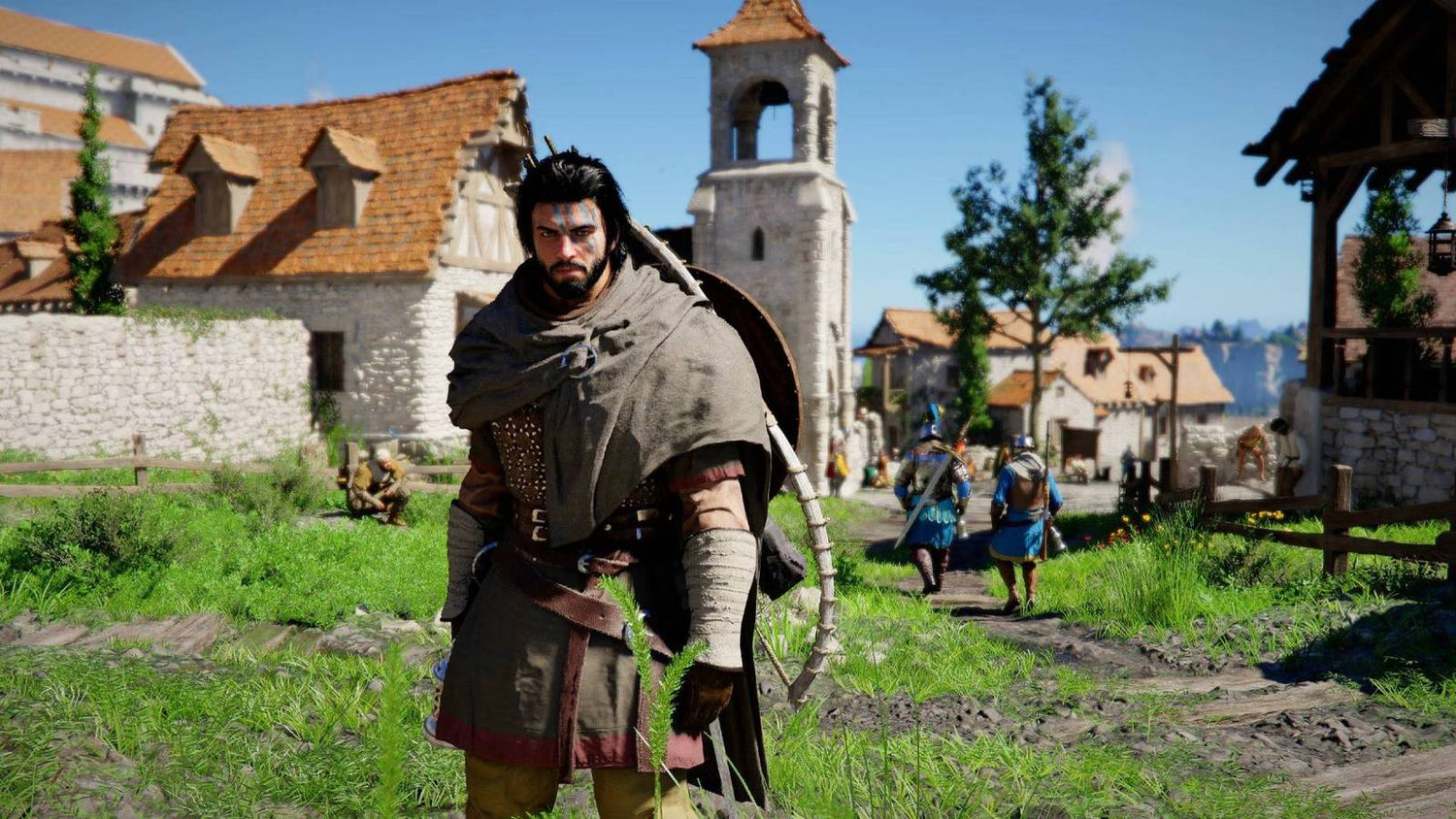
Gaming PC for New Games: What Crimson Desert’s Free Limited-Time Demo Means for Canadian PC Buyers
Crimson Desert is suddenly back in the spotlight because players can try it for free for a limited time through a streamed demo experience, and that makes one question more relevant than ever: what kind of gaming PC for new games should Canadian players be looking at if they want open-world performance that feels smooth, cinematic, and ready for the next wave of demanding releases?
The news matters because Crimson Desert is not just another game people are casually testing for a few minutes. It is an ambitious open-world action adventure with large environments, fast traversal, heavy combat, detailed visuals, and the kind of modern PC workload that exposes weak spots in an older system quickly. A streamed demo is a convenient way to sample the game without downloading a massive file or worrying about your current PC specs, but it also raises a bigger buying question: if you enjoy the demo, will your own computer deliver the same kind of experience when you want to play the full game locally?
For Canadian gamers, creators, streamers, students, and professionals, this is exactly the kind of moment where a smart PC decision can save frustration later. If you are already thinking about upgrading before a major game launch, a busy sale period, a creator software update, a hardware shortage, or another component price spike, Crimson Desert’s free access window is a useful reminder to ask what your next system actually needs to do.
At Groovy Computers, we build custom gaming PCs, creator PCs, and workstation PCs for Canadian buyers who want the right performance tier without guessing. Whether you are in Nova Scotia, elsewhere in Atlantic Canada, or ordering online across Canada, the goal is the same: build a reliable system around your real games, real software, real resolution target, and real budget.
Crimson Desert’s Free Demo Is Convenient, But It Does Not Replace Owning the Right Gaming PC for New Games
The source story highlights an important detail: Crimson Desert’s free access is not a traditional downloadable demo that lives on your PC. Instead, the demo is streamed, giving players a limited amount of time to explore part of the game world without needing a high-end machine or a huge storage download. That is excellent for accessibility, but it also creates a performance illusion.
When a game is streamed, much of the heavy processing happens somewhere else. Your current PC may only need a stable internet connection and a device capable of decoding the stream. That means you can test the feel, pacing, art direction, combat style, and world design without knowing how the game would actually run on your desktop.
But what happens when you want the full game installed? What happens when you want higher resolution, better latency, smoother camera movement, ray tracing, high refresh rates, mods, recording, Discord, OBS, browser tabs, and a second monitor running at the same time?
That is where a properly selected gaming PC becomes the difference between “I can technically run it” and “this is the experience I was hoping for.” For a large open-world game like Crimson Desert, the right build should be chosen around more than the minimum requirements. It should be chosen around the way you want to play.
What Does Crimson Desert Tell Us About Modern Open-World PC Gaming?
Modern open-world games place stress on several parts of a computer at once. The GPU handles the visual load, the CPU manages simulation, world streaming, physics, AI, and frame pacing, RAM keeps large workloads responsive, and the SSD helps load assets quickly as you move through the map. When one component is too weak, the whole experience can feel uneven.
Crimson Desert’s demo structure reportedly drops players into the world after the opening and lets them roam, fight, explore, and experience large-scale movement. That kind of design is exactly why Canadian buyers searching for a gaming PC for new games should think carefully about balance. A powerful GPU matters, but it is not the only part that matters.
Ask yourself: do you want to simply run the game, or do you want to enjoy it at high settings without stutter? Are you trying to play at 1080p, 1440p, or 4K? Do you want high FPS for responsive combat, or are you prioritizing ultra settings and cinematic visuals? Will you be streaming your first playthrough, recording clips, or editing highlights afterward?
Those answers change the recommended PC category completely. A budget gaming computer can be excellent for 1080p gaming. A stronger 1440p gaming PC in Canada can provide the sweet spot for modern AAA titles. A premium 4K gaming PC in Canada is built for players who want high-end visuals, longer upgrade cycles, and the confidence to handle demanding releases as they arrive.
What Do You Want Your Next PC to Do for You?
Before choosing parts or comparing price tags, the most useful question is simple: what do you want your next PC to do for you?
Do you want a gaming desktop mainly for Crimson Desert, GTA-style open worlds, fantasy RPGs, shooters, survival games, and upcoming AAA releases? Do you want a system that can also stream to Twitch or YouTube? Are you planning to edit 4K video, make thumbnails in Photoshop, design graphics in Illustrator or Canva, work in Blender, or run CAD and rendering software?
The best PC is not always the most expensive PC. It is the system that is matched to your workload, your monitor, your expectations, and your upgrade timeline. A customer who plays esports at 1080p and wants maximum FPS needs a different build than a customer who wants cinematic 4K open-world gaming. A YouTube creator who records gameplay and edits footage needs different storage, RAM, and CPU considerations than someone who only games after work.
If you are not sure where you fit, that is exactly where Groovy Computers can help. Instead of forcing every buyer into the same generic prebuilt system, we help match the build to the user: gaming, streaming, video editing, photo editing, graphic design, content creation, 3D modeling, or workstation use.
Which Performance Tier Fits You Best?
Crimson Desert’s free demo may help you decide whether you like the game, but your monitor and expectations decide what PC tier makes sense. Here is a practical way to think about it.
Should You Choose a Budget Gaming PC for 1080p?
A budget gaming PC in Canada is ideal if you want strong value, smooth 1080p gameplay, and a sensible entry point into modern PC gaming. This tier is often the right choice for students, first-time PC gamers, families buying a gaming computer for a younger player, or anyone moving up from an older console or aging desktop.
At 1080p, you can still enjoy beautiful games, fast frame rates, and a major upgrade over older hardware. The key is choosing a balanced system with a capable CPU, a modern graphics card, enough RAM, and fast SSD storage. Going too cheap can create a short upgrade cycle, especially if upcoming games keep pushing visual quality and open-world complexity.
Ask yourself: are you okay lowering a few settings for demanding titles, or do you want a PC that stays comfortable for longer? If the answer is longer-lasting performance, it may be smarter to step up one tier or consider financing a stronger system instead of buying the cheapest possible option today.
Is a 1440p Gaming PC the Sweet Spot for Crimson Desert and Other New Games?
For many Canadian gamers, a 1440p Gaming PC Canada build is the best balance of performance, visual sharpness, and long-term value. 1440p looks noticeably cleaner than 1080p, especially on 27-inch monitors, while being less demanding than 4K. That makes it a strong target for open-world RPGs, action games, shooters, racing games, and visually rich single-player titles.
If Crimson Desert gets you excited because of its landscapes, combat, towns, traversal, and cinematic presentation, 1440p is likely where many players will want to land. This tier can also be excellent for streaming, recording gameplay, editing short-form clips, and running a dual-monitor setup.
Do you want your next PC to feel like a real generational upgrade? Do you want high settings without constantly checking performance overlays? Do you want room for future games without replacing major parts too soon? If so, a custom 1440p system may be the most practical choice.
Do You Need a 4K Gaming PC for Ultra Settings?
A 4K Gaming PC Canada build is for players who want premium visuals, high-resolution texture detail, and a more cinematic experience. This category is especially appealing if you are using a 4K monitor or a large 4K display and want your PC to remain powerful through upcoming AAA releases.
4K gaming demands far more from the GPU than 1080p or 1440p. If you also want ray tracing, high refresh rates, streaming, and background apps running at the same time, the build needs to be planned carefully. This is where premium graphics cards, stronger CPUs, larger RAM capacity, high-quality cooling, and reliable power delivery become more important.
So, what PC do you need for 4K gaming? The answer depends on your tolerance for settings adjustments. Some players are happy with optimized high settings, while others want ultra settings, ray tracing, and maximum image quality. A custom high-end gaming PC lets you choose the right balance instead of paying for parts you do not need or underbuying and regretting it later.
What If You Want to Stream Crimson Desert or Create Content Around It?
The fact that Crimson Desert’s free demo is delivered through a streaming platform also makes the game part of a larger creator conversation. Many players are not just playing games anymore; they are sharing them. They are streaming boss fights, recording first impressions, editing short clips, posting reaction videos, building guides, and creating content for TikTok, YouTube, Twitch, Instagram, and Discord communities.
If you are planning to stream or record gameplay, a normal gaming PC may not be enough. You should be thinking about a Gaming PC for Streaming Canada or a multi-purpose creator system. Streaming adds extra workload, especially if you are running OBS Studio, browser sources, alerts, chat, audio tools, overlays, a webcam, and a second monitor while gaming.
What PC do you need for streaming? For many creators, GPU encoding is a major advantage because it allows high-quality streaming while reducing the burden on the CPU. More RAM helps with multitasking. A fast SSD helps with recording and editing. A strong CPU improves responsiveness when multiple apps are open.
If you want to play Crimson Desert, stream it, record it, and edit highlights afterward, tell Groovy Computers that from the beginning. The right build for gaming only may be different from the right build for gaming, streaming, and editing together.
Is a Gaming PC Good for Video Editing, Photo Editing, and Graphic Design?
Many customers ask whether a gaming PC can also work as a creator PC. The honest answer is: often yes, if it is configured correctly. A powerful gaming desktop already includes many of the parts that creative software benefits from, such as a strong GPU, fast CPU, high-speed memory, and SSD storage. But creator workflows have their own priorities.
For video editing in Adobe Premiere Pro, DaVinci Resolve, CapCut, or After Effects, you may want more RAM, additional SSD storage, a stronger CPU, and a GPU that accelerates timeline effects, colour work, exports, and AI-assisted features. For photo editing in Photoshop, Lightroom Classic, Capture One, or AI photo tools, you may want strong single-core CPU performance, fast storage, reliable RAM, and colour-conscious monitor support.
For graphic design in Photoshop, Illustrator, InDesign, Canva, Affinity Designer, or CorelDRAW, a responsive system can save hours over the life of the computer. Large files, brand kits, mockups, multi-monitor workflows, and browser-heavy design work can all benefit from a better-balanced desktop.
So ask yourself: is your next PC only for gaming, or is it also part of your income, schoolwork, business, or creative routine? If it is part of how you create, edit, design, or earn, a custom creator PC may be the smarter long-term investment.
What About 3D Modeling, Rendering, Blender, Unreal Engine, and Workstation Use?
Open-world games like Crimson Desert also overlap with the world of 3D art, game development, animation, architectural visualization, and rendering. The same type of buyer who is excited by massive fantasy environments may also be learning Blender, Unreal Engine, Unity, Maya, 3ds Max, Cinema 4D, SketchUp, AutoCAD, Revit, SolidWorks, or ZBrush.
A gaming PC can be a good starting point for 3D work, but professional 3D workloads can demand more from the system. GPU rendering benefits from strong graphics performance and enough VRAM. CPU rendering can benefit from more cores. Large scenes benefit from more RAM. Unreal Engine work can benefit from strong GPU performance, fast storage, and generous memory capacity.
What PC do you need for Blender or 3D rendering? That depends on whether you are modeling simple assets, rendering product visuals, building game environments, animating scenes, or working with architectural files. A 3D Modeling PC Canada or custom workstation should be built around the software first, not just the game you are currently excited to play.
If you are a student, freelancer, studio owner, engineer, designer, or 3D artist, a custom workstation PC can be more valuable than a flashy generic gaming tower. Groovy Computers can help you choose a system that handles both after-hours gaming and serious professional work.
Why Canadian PC Buyers Should Think Differently About Timing
When a high-profile game becomes playable, even through a limited-time demo, it often triggers a familiar pattern: players test the game, interest rises, videos and streams spread, and more people start asking whether their current PC is good enough. That demand can collide with seasonal sales, new hardware launches, supply constraints, exchange-rate pressure, and changing component costs.
Canadian buyers have additional realities to consider. Component prices are affected by global supply, currency movement, shipping costs, availability, and demand spikes. GPUs, RAM, SSDs, power supplies, and cases can all shift in price over time. Waiting can sometimes pay off, but waiting can also mean losing access to a better configuration, a sale price, or the chance to secure a stronger system before replacement costs rise.
Is it better to buy a gaming PC now or wait? The answer depends on your urgency, your current system, the games you want to play, and whether you are already running into performance limits. If your current PC struggles with recent titles, crashes during editing, runs out of storage, or forces you to play at low settings, waiting may cost you more in frustration than it saves in dollars.
If a major game release, school term, work project, content schedule, or software upgrade is coming, timing matters. Buying before demand rises can be the difference between choosing the PC you want and settling for whatever is available later.
Could Financing Help You Secure a Stronger System Before Prices Change?
For many buyers, the real question is not whether they want a better PC. It is whether they should compromise today or spread out the cost of a stronger build. This is where Gaming PC Financing Canada becomes useful as a supporting option rather than a gimmick.
Groovy Computers offers financing options up to 4 years, which can help Canadian customers move into a better performance tier without paying the full amount upfront. That can matter if you are deciding between a budget system that barely meets your needs and a stronger custom gaming PC that will stay relevant longer.
Should you finance a better PC instead of buying a cheaper one? In many cases, it depends on the gap between “good enough today” and “still good two or three years from now.” If financing allows you to choose a better GPU, more RAM, a larger SSD, stronger cooling, or a more appropriate CPU for your workload, it may reduce the need for an early upgrade.
Financing can be especially practical for gamers preparing for new AAA releases, streamers who need reliable performance, creators who rely on their PC for income, students entering demanding programs, and professionals who cannot afford slow exports, laggy timelines, or unstable workstation performance.
If you are wondering whether a monthly payment gaming PC makes more sense than delaying your upgrade, visit GroovyComputers.ca and compare options with your actual workload in mind.
Custom PC vs Generic Prebuilt: Why the Difference Matters More for New Games
A generic prebuilt gaming PC may look appealing because it has a recognizable GPU name or a discount sticker, but the full build quality matters. New games do not only test the graphics card. They test cooling, airflow, power stability, SSD speed, RAM capacity, CPU performance, and how well the parts work together.
A poorly balanced system might include a decent GPU but weak cooling. It might have enough storage for a few games but not enough for a growing library. It might ship with minimal RAM or a power supply that limits upgrade options. It might look like a bargain until you discover it is loud, hot, difficult to upgrade, or not ideal for your monitor.
That is why custom PC building matters. A Gaming PC Builder Canada approach allows the system to be designed around your actual goals. If you want 1080p esports, the build should prioritize high FPS and value. If you want 1440p open-world gaming, the GPU and CPU balance changes. If you want 4K ray tracing, the graphics card and cooling become more important. If you want streaming and editing, RAM, storage, and encoding support matter more.
At Groovy Computers, systems are built with care, tested before delivery, and backed by a 1-year warranty. That testing matters because a gaming PC is not just a list of parts. It is a complete system that should perform reliably when you finally sit down to play, stream, edit, render, or work.
What Specs Should You Think About for Crimson Desert and Similar AAA Games?
Without turning this into a one-size-fits-all spec sheet, there are several component categories Canadian buyers should pay attention to when shopping for a gaming PC for new games.
- Graphics card: The GPU has the biggest impact on resolution, visual settings, ray tracing, and high-FPS gaming. Choose based on your monitor and performance target, not just the lowest advertised price.
- Processor: A strong CPU helps with frame pacing, simulation-heavy games, background apps, streaming, editing, and productivity.
- RAM: Modern gaming is more comfortable with enough memory, and creators may need more for video editing, design, 3D work, and multitasking.
- SSD storage: Large games, recorded footage, project files, and creative assets can fill a small drive quickly. Fast SSD storage improves responsiveness and load times.
- Cooling and airflow: A powerful PC needs proper thermal design to maintain performance under long gaming or rendering sessions.
- Power supply quality: A reliable power supply supports stability, protects your investment, and leaves room for sensible upgrades.
- Upgrade path: A smart build should consider future storage, RAM, GPU, and cooling needs so you are not boxed in too soon.
What PC specs do you need? Start with the games and software you actually use. A system for Crimson Desert at 1080p is not the same as a system for Crimson Desert at 4K while streaming and recording. A system for gaming after work is not the same as a creator workstation that must handle client deadlines.
Should You Build Around 1080p, 1440p, 4K, Ray Tracing, or High FPS?
Resolution is one of the most important buying decisions because it determines how hard your PC has to work. A 1080p monitor is easier to drive and can be excellent for competitive gaming. A 1440p monitor offers sharper visuals and is often the best upgrade for players who want modern games to look noticeably better. A 4K monitor is beautiful but requires a much stronger GPU for smooth performance.
Ray tracing adds another layer. A Ray Tracing Gaming PC Canada build should be planned with a graphics card that can handle advanced lighting features while still keeping frame rates playable. If you care more about high FPS than maximum visual effects, the build may be tuned differently.
Which matters more to you: competitive responsiveness or cinematic quality? Do you want to turn every visual setting up, or would you rather maintain smoother performance? Are you using a 60Hz display, a 144Hz monitor, or an ultrawide screen? These details matter because a well-matched PC can feel better than a more expensive system paired with the wrong display or workload.
How Much Should You Spend on a Gaming PC?
There is no single correct budget for every buyer, but there is a wrong way to shop: choosing only by the lowest price. A cheap gaming PC can become expensive if it needs upgrades immediately, struggles with the games you bought it for, or lacks the power and cooling to grow with you.
For a first gaming PC, value matters. For a serious gaming setup, consistency matters. For a streamer or creator, reliability matters. For a professional workstation, time saved matters. The right budget should reflect how often you use the system, what you use it for, and how soon you are willing to upgrade again.
Ask yourself: if spending a bit more now helps you avoid replacing the GPU, adding RAM, or upgrading storage within a year, is that better value? If financing lets you move into the build you actually need, is it smarter than buying a weaker system and upgrading piece by piece?
Groovy Computers can help you compare the real-world difference between a budget gaming computer, a 1440p custom gaming PC, a premium RTX gaming PC, a custom creator PC, or a workstation PC based on your goals.
Why Waiting Too Long Can Lead to a Worse Buying Position
PC buyers often wait for the “perfect time,” but the perfect time rarely announces itself. Game launches, back-to-school demand, holiday demand, GPU supply pressure, memory pricing changes, SSD demand, and exchange-rate movement can all affect what systems cost in Canada.
Waiting can make sense if you do not need a PC soon and your current system still performs well. But if your current PC is already holding you back, waiting can create a different kind of cost: missed gaming experiences, lower-quality streams, slower exports, delayed schoolwork, client project bottlenecks, or a rushed purchase when you finally run out of patience.
Is now a good time to buy a gaming PC? If you are already planning around upcoming games, creator work, school, business, or a major software upgrade, it may be a good time to start the conversation. You do not need to panic-buy, but you also should not wait until every new release is out, every streamer is upgrading, and the exact parts you want are harder to secure.
Questions to Ask Before Buying or Financing a Custom PC
Before you buy or finance a system, take a few minutes to answer the questions that actually shape the build.
- What games do you want to play most: Crimson Desert, open-world RPGs, shooters, survival games, esports titles, racing games, or upcoming AAA releases?
- What resolution do you want: 1080p, 1440p, 4K, ultrawide, or high-refresh competitive gaming?
- Do you care about ray tracing, ultra settings, high FPS, or quiet operation?
- Will you stream to Twitch or YouTube, record gameplay, or edit videos?
- Do you use Adobe Premiere Pro, DaVinci Resolve, Photoshop, Lightroom, Illustrator, Blender, Unreal Engine, CAD, or other creative software?
- How much RAM and storage will you need for games, footage, projects, and future updates?
- Do you want a system that lasts longer before needing upgrades?
- Are you buying before a major game release, school term, work project, software upgrade, sale period, or expected price increase?
- Would financing help you secure the stronger system you actually need?
- Do you want help from a Canadian custom PC builder instead of guessing alone?
If these questions make you realize your needs are more complex than “just get a gaming PC,” that is a good thing. It means you are thinking like a smart buyer.
Why Groovy Computers Is a Strong Fit for Canadian Gaming and Creator PC Buyers
Groovy Computers is built around helping Canadian customers choose the right system with confidence. We understand that a PC is not only a purchase; it is your gaming platform, creative tool, school machine, work system, entertainment centre, and sometimes your business engine.
We build custom gaming PCs for players who want strong performance in new games. We build creator PCs for video editing, photo editing, graphic design, streaming, and content creation. We build workstation PCs for demanding professional software, 3D modeling, rendering, and productivity. We also offer financing up to 4 years for customers who want to secure a stronger build before prices, availability, or workload demands move against them.
For local trust, Groovy Computers is proudly Canadian with roots in Nova Scotia, serving customers in Trenton, New Glasgow, Halifax, Atlantic Canada, and beyond through online ordering. For buyers searching for gaming computers in Canada or a custom PC builder in Nova Scotia, that local Canadian focus matters. You get guidance from a builder that understands Canadian pricing, shipping, support expectations, and the reality of buying performance hardware in this market.
Every serious PC purchase should come with confidence. That is why rigorous testing, careful part matching, clean building, and a 1-year warranty are part of the value. A gaming PC should not just look powerful on a product page. It should arrive ready to perform.
Gaming PC for New Games: Should Crimson Desert Be Your Upgrade Signal?
Crimson Desert’s limited-time free demo is a chance to test whether the game grabs you, but it is also a reminder that modern games are moving quickly. If you try the demo and immediately imagine yourself exploring the world at higher resolution, smoother frame rates, and better settings, your next question should not be “Can my old PC survive?” It should be “What system will give me the experience I actually want?”
A gaming PC for new games should be selected for the next several years, not just the next download. It should match your monitor, your favourite genres, your creative workloads, your storage needs, and your upgrade expectations. It should be strong enough for the games you are excited about and flexible enough for the work or content you may create along the way.
If you are unsure whether you need a budget gaming computer, premium RTX gaming PC, custom creator PC, editing workstation, or 3D modeling workstation, Groovy Computers can help you narrow it down. The right build is not about chasing every headline. It is about making the headline relevant to your own setup.
Ready to Choose a Gaming PC for New Games Without Guessing?
If Crimson Desert’s free demo has you thinking about upgrading, this is the right time to plan your next move. Do you want 1080p value, 1440p smoothness, 4K visuals, ray tracing, high-FPS performance, streaming capability, editing power, or workstation-grade reliability?
Visit GroovyComputers.ca to explore custom gaming PCs, creator PCs, workstation builds, and financing options designed for Canadian buyers. Whether you want to buy a gaming PC online in Canada, finance a stronger build, or get help choosing the right parts before prices shift, Groovy Computers is ready to help you build smarter.
The free demo may be temporary, but the PC you choose next should be built to last.
#GamingPCForNewGames #GamingPCCanada #CustomGamingPCCanada #1440pGamingPC #4KGamingPC #StreamingPC #CreatorPC #GamingPCFinancingCanada #GroovyComputers #CanadianCustomPCBuilder
Groovy Computers | All Rights Reserved


Leave a comment
This site is protected by hCaptcha and the hCaptcha Privacy Policy and Terms of Service apply.