



















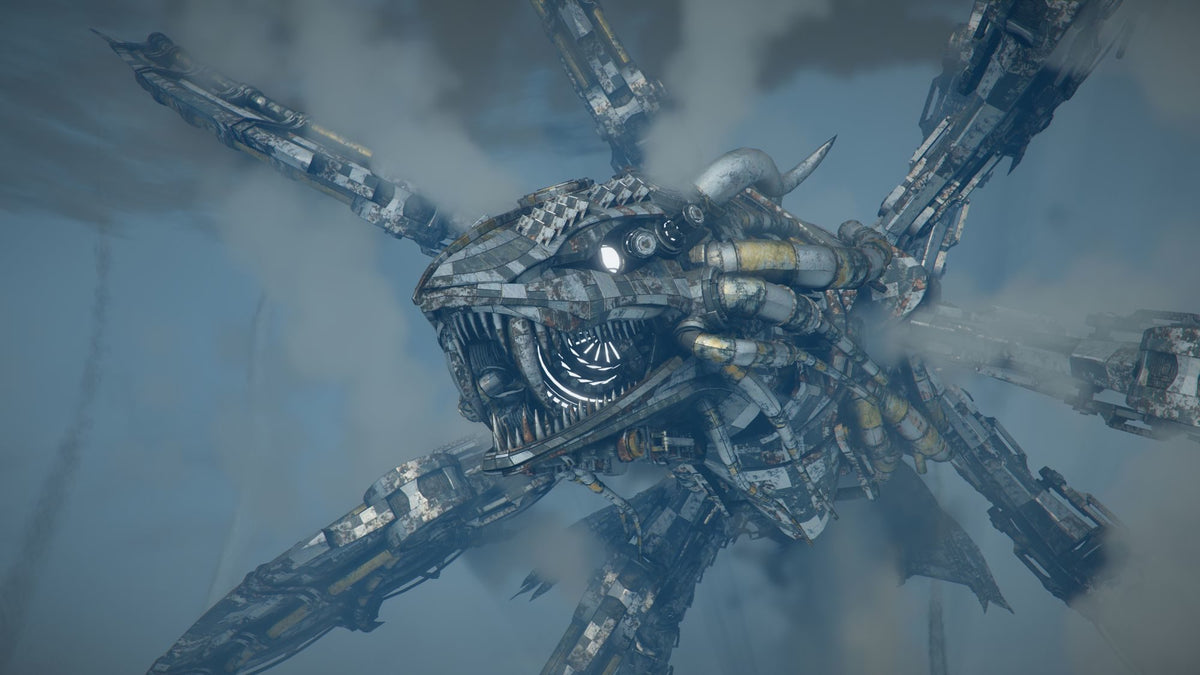
Crimson Desert: Charting the Unknown Is Coming October 15 — What Gaming PC for New Games Should Canadian Players Buy Now?
Pearl Abyss has confirmed that Crimson Desert: Charting the Unknown launches on October 15, bringing a major new DLC adventure with ocean exploration, uncharted islands, underwater treasure, sunken ruins, tougher land and sea enemies, upgraded housing, rentable facilities, and new storylines across Pywel. For Canadian gamers, that announcement is more than just another release date on the calendar. It is a reminder that modern open-world action games are getting larger, richer, more cinematic, and more demanding. If you are asking what Gaming PC for New Games makes sense before big releases and expansions arrive, now is the right time to think seriously about resolution, frame rate, GPU power, storage space, streaming goals, and whether financing a stronger system could help you avoid upgrading too soon.
At Groovy Computers, we look at announcements like this from two angles. First, the game itself sounds ambitious: ships, ocean travel, underwater discovery, land battles, settlement-style systems, and story-driven progression. Second, that kind of scope usually points toward the kind of PC experience where a weak system can quickly become frustrating. Do you want to explore a massive world smoothly, record gameplay, stream boss fights, edit clips for YouTube or TikTok, and still keep your system reliable for years? Or are you trying to squeeze one more big game out of an older desktop that is already struggling?
This guide breaks down what the Crimson Desert DLC news means for Canadian PC buyers, how to choose between a budget gaming computer, a premium RTX gaming PC, a streaming and editing setup, or a workstation-grade build, and why a custom gaming PC from Groovy Computers can make more sense than guessing your way through generic specs.
Why Crimson Desert: Charting the Unknown Matters for PC Buyers
The source announcement highlights a major expansion for Crimson Desert called Charting the Unknown, scheduled for October 15. The DLC is expected to move players beyond Pywel’s familiar shores and into new territory, including ocean travel, uncharted islands, underwater areas, hidden mysteries, and more dangerous enemies. It also expands lifestyle systems with upgraded housing, facility management, and deeper everyday interactions across Pywel.
Why should that matter if you are shopping for a Gaming PC Canada build? Because game design is shifting toward dense, multi-system worlds. It is not just about running down a hallway anymore. A modern open-world game can ask your PC to handle wide terrain, weather, water rendering, crowds, physics, animation systems, combat effects, high-resolution textures, fast asset streaming from storage, and complex lighting all at once.
Are you buying a gaming desktop just for one game, or are you buying for the next wave of AAA games, expansions, and creator workflows? That difference matters. A system that barely meets today’s minimum expectations may feel outdated when a major DLC, next-gen patch, or new game launch raises the performance bar.
What Gaming PC for New Games Makes Sense in Canada?
The best Gaming PC for New Games is not one universal build. It depends on how you play, what display you use, and how long you want the computer to stay relevant. A casual 1080p player, a high-refresh competitive gamer, a 1440p open-world player, a 4K ultra-settings enthusiast, and a streamer all need different system priorities.
Before buying, ask yourself a simple question: what do you want your next PC to do for you? Do you want smoother gameplay? Higher graphics settings? Faster load times? Better multitasking? More reliable streaming? Quicker video exports? Or a system that feels premium now and still strong after several years of new releases?
For Crimson Desert-style gameplay, the most important buying categories are likely to be GPU performance, CPU balance, memory capacity, SSD speed, cooling, and overall build quality. A beautiful open-world game can punish weak graphics cards. Large maps can punish slow storage. Streaming and recording can punish low RAM or unbalanced CPU choices. Poor airflow can turn great parts into an inconsistent experience.
Do You Want 1080p, 1440p, 4K, Ray Tracing, or High FPS?
Resolution is one of the biggest decisions when choosing a custom gaming PC. Many buyers say they want “a good gaming computer,” but the real question is: good at what resolution?
Is a 1080p Gaming PC Canada Build Enough?
A 1080p gaming PC is still the right choice for many players. If you use a standard 1080p monitor and want strong performance without overspending, a value-focused build can make sense. This is especially true if you mostly play esports titles, older games, lighter RPGs, indie games, or new AAA games at balanced settings.
But ask yourself: are you buying for today’s monitor only, or do you plan to upgrade to 1440p soon? A budget system can be a smart move, but if you already know you want higher resolution, smoother frame rates, and better visual settings, it may be more cost-effective to buy the right system now instead of replacing parts later.
Should You Choose a 1440p Gaming PC Canada Build?
For many Canadian gamers, 1440p is the sweet spot. It offers a sharper image than 1080p without the extreme GPU demands of 4K. If you want Crimson Desert, open-world RPGs, action games, survival games, shooters, and future AAA releases to look modern while still feeling smooth, a 1440p Gaming PC Canada build is often the best balance of price, performance, and longevity.
Do you want a system that feels meaningfully better than a console experience? Do you want higher frame rates, better textures, smoother camera movement, and the option to stream or record? If yes, 1440p should be on your shortlist.
Is a 4K Gaming PC Canada Build Worth It?
A 4K gaming PC is for players who want a premium visual experience. Big open worlds, cinematic lighting, distant landscapes, and detailed character models benefit from higher resolution. If you use a 4K monitor or high-end TV, a weaker PC can force you to lower settings until the whole point of 4K starts to disappear.
The question is not only “can this PC run 4K?” The better question is: can it run 4K at the settings and frame rates you actually want? If your goal is ultra settings, ray tracing, high textures, and long-term performance, you should be looking at a high-end gaming PC rather than an entry-level desktop.
Do You Need a Ray Tracing Gaming PC Canada Build?
Ray tracing can improve lighting, reflections, shadows, and atmosphere, especially in cinematic games. It can also be demanding. If you care about modern visual features and want to keep them enabled in future titles, GPU selection matters a lot.
Do you want the game to simply run, or do you want it to look like the trailers that got you excited in the first place? That is where a custom RTX gaming PC can become the difference between compromise and confidence.
What Crimson Desert’s New DLC Suggests About Future Game Demands
Charting the Unknown is described as a significant expansion with new regions, sea travel, underwater exploration, sunken ruins, stronger enemies, and expanded lifestyle systems. Even without relying on unconfirmed system requirements, those features point toward a trend we see across modern PC gaming: worlds are becoming more layered.
Instead of one performance challenge, modern games often stack several together:
- Large environments require consistent CPU and GPU performance.
- High-resolution textures benefit from stronger GPUs and enough VRAM.
- Fast traversal and open-world loading benefit from fast NVMe SSD storage.
- Water, particles, weather, and lighting can increase GPU demand.
- Combat with multiple enemies can put pressure on both CPU and GPU.
- Streaming, recording, and Discord multitasking require extra system headroom.
- Future DLC and patches may raise the practical performance expectations over time.
So the real buying question becomes: are you building only for the minimum experience, or are you building for the way you actually want to play?
Which Performance Tier Fits You Best?
Choosing a custom gaming PC gets easier when you match the system tier to your real use case. At Groovy Computers, we often guide Canadian buyers by asking what they play, what monitor they use, what software they run, and how soon they want to upgrade again.
Entry-Level and Budget Gaming Computer Canada Buyers
A budget gaming PC is ideal if you want strong value, 1080p gaming, school use, everyday productivity, and access to modern titles without chasing ultra settings. This tier can be excellent for students, first-time PC gamers, families, and players moving from an older computer.
Ask yourself: do you want the lowest upfront price, or the best long-term value? There is a difference. A cheap system that needs upgrades quickly may cost more over time than a better-balanced build with a stronger GPU, better power supply, more RAM, and a faster SSD.
Mid-Range 1440p Gaming PC Canada Buyers
This is the tier many gamers should consider for a game like Crimson Desert and other new open-world releases. A strong mid-range gaming desktop can deliver a smooth 1440p experience, good settings, fast load times, and enough headroom for streaming, recording, and multitasking.
If you are asking “what PC do I need for 1440p gaming?” the answer usually starts with a balanced modern CPU, a capable RTX-class or equivalent GPU, 32GB of RAM for comfortable multitasking, and fast NVMe storage. Exact parts depend on budget and availability, which is why working with a custom PC builder can help you avoid mismatched components.
Premium and High-End Gaming PC Canada Buyers
A high-end gaming PC is for players who want 4K, ultra settings, ray tracing, high refresh rates, content creation, and longer upgrade cycles. If you want your PC to feel powerful not just at purchase but years later, this category is where premium components, stronger cooling, and careful build planning matter most.
Should you finance a high-end gaming PC instead of buying a cheaper one today? For some customers, yes. If a better system helps you avoid a near-term GPU upgrade, gives you the performance you actually want, and spreads payments over time, financing can be a practical way to secure a stronger computer before part costs rise or availability tightens.
Gaming, Streaming, and Editing PC Canada Buyers
If you plan to stream Crimson Desert gameplay, record guides, edit clips, post shorts, or run OBS while gaming, your needs are different from a gamer who only plays offline. You need extra CPU and GPU headroom, sufficient RAM, and storage that can handle large video files.
What PC do you need for streaming? A gaming and streaming PC should be built for stable frame rates while encoding, recording, monitoring chat, running browser sources, and possibly using multiple monitors. If you want Twitch Streaming PC Canada or YouTube Streaming PC Canada performance, do not treat streaming as an afterthought.
Creator PC Canada Buyers
Many gamers are also creators. If you capture gameplay, edit in Adobe Premiere Pro, create thumbnails in Photoshop, design overlays in Canva or Illustrator, colour grade footage in DaVinci Resolve, or manage a content channel, a creator PC can save time every day.
Is a gaming PC good for content creation? Often, yes, if it is configured properly. But a generic gaming computer may not include the RAM, storage layout, CPU strength, or GPU acceleration you need for smooth editing. A Custom Creator PC Canada build can be tuned for both high FPS gaming and fast creative workflows.
3D Modeling and Workstation PC Canada Buyers
Open-world games also inspire modders, artists, designers, 3D modelers, and game development students. If Crimson Desert-style worlds make you want to build environments, render assets, use Blender, learn Unreal Engine, or work in CAD software, your PC should be planned differently.
What PC do you need for Blender or 3D rendering? A 3D Modeling PC Canada build may need more RAM, more VRAM, stronger cooling, a higher-core CPU, and a GPU selected for rendering acceleration. A workstation PC is not only about gaming frame rates; it is about stability, workload speed, and not losing hours to crashes or bottlenecks.
What Should Your Next PC Actually Do for You?
Before choosing a build, pause and answer this honestly: what do you want your next PC to do for you over the next three to five years?
- Do you want to play Crimson Desert and future AAA games at 1080p without overspending?
- Do you want a 1440p gaming PC that feels smooth, sharp, and modern?
- Do you want 4K gaming, ray tracing, and ultra settings?
- Do you want to stream on Twitch, YouTube, or TikTok while gaming?
- Do you want to edit 4K video in Premiere Pro, DaVinci Resolve, CapCut, or After Effects?
- Do you want faster photo editing in Photoshop, Lightroom, Capture One, or AI photo tools?
- Do you need graphic design performance for Illustrator, Canva, InDesign, CorelDRAW, or Affinity Designer?
- Do you want a PC for Blender, Unreal Engine, Unity, AutoCAD, Revit, SolidWorks, Maya, 3ds Max, or Cinema 4D?
- Do you want to avoid upgrading too soon?
- Do you want the confidence of a custom-built, tested system with warranty support in Canada?
Your answers will point toward the right category: budget gaming computer, 1440p gaming desktop, premium RTX gaming PC, custom creator PC, video editing workstation, 3D modeling workstation, or professional desktop workstation.
Why Canadian Buyers Should Think Differently Before Big Releases
Canadian PC buyers deal with a different reality than shoppers in larger U.S. markets. Component prices in Canada can shift quickly because of exchange rates, supply constraints, shipping costs, distribution changes, seasonal demand, and global part availability. A GPU price change, memory shortage, SSD pricing increase, or demand spike around a major game release can affect the final cost of a full system.
Is it better to buy a gaming PC now or wait? There is no one-size-fits-all answer, but waiting is not automatically safer. If you already know your current computer is struggling, waiting until the exact week a major release lands can mean tighter availability, fewer ideal part choices, longer build queues, and less time to test your system before launch day.
That does not mean panic-buying. It means planning. If you want to be ready for October releases, holiday gaming, winter creator projects, school workloads, or a new monitor upgrade, buying early gives you more control.
Why Financing Can Make Sense Before Prices Shift
Financing is not just about buying something you cannot afford upfront. For many customers, it is about choosing the right system instead of under-buying. Groovy Computers offers financing options up to 4 years where available, which can help Canadian buyers secure a stronger gaming PC, creator PC, or workstation PC while keeping payments more manageable.
Should you finance a better PC instead of buying a cheaper one? Consider the total cost of ownership. If a lower-end system forces you to upgrade the GPU, add RAM, replace storage, or swap the power supply within a short period, the “cheaper” purchase may not be cheaper in practice.
Financing may be worth considering if:
- You want a 1440p or 4K gaming experience instead of settling for minimum settings.
- You need a system before a major game release, school term, work contract, or creator project.
- You want a stronger GPU before demand increases.
- You plan to stream, edit, render, or multitask and need more than a basic gaming build.
- You would rather secure a balanced custom PC now than gamble on future component pricing.
- You want to avoid replacing the computer too soon.
Can you finance a gaming PC in Canada? With Groovy Computers, Canadian customers can explore payment options while choosing a system built around actual performance goals. If you are unsure whether financing is right for you, start with the workload: what will the PC earn, save, or unlock for you?
Custom PC vs Generic Prebuilt PC Canada: Why the Difference Matters
A generic prebuilt gaming PC may look attractive when the spec sheet shows a familiar GPU or CPU. But a computer is more than one part. The real experience depends on how all components work together: motherboard, cooling, case airflow, power supply, RAM speed, storage configuration, cable management, BIOS settings, driver setup, thermal testing, and warranty support.
Custom PC vs prebuilt PC Canada is not just a debate for enthusiasts. It affects everyday buyers. A poor-quality power supply can limit upgrade options. Weak cooling can reduce performance. Low RAM can hurt new games and editing software. Small storage can fill up after only a few AAA installs and recorded videos. A mismatched CPU and GPU can leave performance on the table.
At Groovy Computers, the advantage is guidance. Instead of pushing every customer into the same box, a custom build can be matched to your monitor, games, software, budget, and upgrade timeline. Are you a 1080p gamer who needs value? A 1440p player who wants smooth open-world performance? A creator who edits every week? A 3D artist who renders overnight? Those are different PCs.
What Specs Should You Prioritize for Crimson Desert-Style Open-World Gaming?
Because exact performance requirements can vary by settings, patch, driver, and resolution, the safest approach is to focus on the parts that matter most for modern open-world games.
GPU: The Heart of Visual Performance
The graphics card is usually the most important part for AAA gaming. It determines how comfortably your system handles resolution, texture quality, lighting, ray tracing, and high frame rates. If you want 1440p, 4K, or ray tracing, do not treat the GPU as an afterthought.
Ask yourself: do you want “playable,” or do you want smooth, sharp, and visually impressive? A stronger GPU can also help with video editing, streaming encoders, AI tools, Blender rendering, and creative acceleration.
CPU: Smooth Gameplay and Multitasking
The CPU matters for game logic, open-world simulation, enemy behaviour, background tasks, streaming, recording, and productivity. A balanced gaming PC should not pair a powerful GPU with a weak processor if the goal is long-term performance.
If you plan to edit video, stream, render, or keep many applications open, CPU selection becomes even more important. How much multitasking do you actually do while gaming?
RAM: 16GB, 32GB, 64GB, or More?
For many modern gaming builds, 32GB of RAM is becoming a comfortable target, especially for players who multitask. While 16GB can still work for some lighter scenarios, new games, browsers, Discord, launchers, RGB software, recording tools, and creative apps can add up quickly.
How much RAM do creators need? If you edit 4K footage, work with large Photoshop files, use After Effects, run virtual instruments, or handle 3D scenes, 64GB may be a smarter choice. For heavy rendering, simulation, or workstation tasks, 128GB can be relevant.
Storage: Fast SSDs Matter More Than Ever
Modern games are large, and open-world titles benefit from fast asset streaming. A fast NVMe SSD helps with load times, responsiveness, project files, captured gameplay, and general system feel.
Do you install several AAA games at once? Do you record long gameplay sessions? Do you edit video? If yes, storage planning matters. A tiny drive can become frustrating fast, and adding storage later is easier when the build is planned correctly from the beginning.
Cooling and Power: The Parts Buyers Often Ignore
Cooling and power delivery are not glamorous, but they are critical. High-performance parts need stable power and airflow. A system that overheats or runs near its limits can become noisy, inconsistent, or harder to upgrade later.
Why testing matters in a gaming PC is simple: you want problems found before the system arrives at your desk. Groovy Computers builds, configures, and tests systems so customers can spend more time gaming, creating, and working instead of troubleshooting.
Are You Also Streaming, Editing, or Creating Content?
Crimson Desert’s new DLC sounds tailor-made for content: exploration clips, boss fights, discovery videos, build guides, lore breakdowns, scenic screenshots, and livestreams. If you plan to turn gameplay into content, your PC should be more than a gaming machine.
A gaming and creator PC may need:
- A GPU with strong gaming and encoding performance.
- A CPU capable of gaming while handling background workloads.
- 32GB to 64GB of RAM depending on editing complexity.
- Fast NVMe storage for games, footage, cache files, and project exports.
- A quiet, cool case for long recording sessions.
- Multiple display support for gameplay, chat, OBS, editing timelines, and reference material.
What PC do content creators need? If you only post occasional clips, a strong gaming PC may be enough. If you edit weekly, stream regularly, work with 4K footage, design thumbnails, and manage multiple apps at once, a Custom Creator PC Canada build is the smarter category.
Is a Gaming PC Good for Video Editing, Photo Editing, Graphic Design, and 3D Work?
A well-built gaming PC can be excellent for creative work, but only when the configuration matches the software. Creative applications do not all use hardware the same way.
For Adobe Premiere Pro and DaVinci Resolve, GPU acceleration, CPU power, RAM, and fast storage all matter. For After Effects, RAM and CPU strength can become major factors. For Photoshop and Lightroom, single-core performance, memory, fast storage, and colour workflow can be more important than chasing the biggest GPU. For Illustrator, InDesign, Canva, and graphic design, responsiveness and multi-monitor productivity matter. For Blender, Unreal Engine, Maya, Cinema 4D, or CAD software, GPU power, VRAM, CPU cores, and RAM can all be critical depending on workload.
So ask yourself: are you buying a gaming PC that might occasionally edit a clip, or are you buying a daily work machine that also needs to game beautifully? That one question can change the entire build recommendation.
How Much Should You Spend on a Gaming PC?
The right budget depends on your performance target. Instead of starting with a random price, start with your expectations.
- Value 1080p gaming: Best for entry-level buyers, students, families, and gamers who want solid performance at practical settings.
- Strong 1440p gaming: Best for most serious players who want a sharper, smoother, more future-ready gaming experience.
- Premium 4K and ray tracing: Best for enthusiasts who want top-tier visuals, stronger longevity, and fewer compromises.
- Gaming plus streaming: Best for creators who want to play, broadcast, record, and multitask smoothly.
- Gaming plus video editing and design: Best for YouTubers, TikTok creators, photographers, designers, and business owners creating media.
- Gaming plus 3D rendering or workstation use: Best for artists, students, engineers, CAD users, game developers, and professionals.
How much should you spend on a gaming PC? Spend enough to meet the experience you actually want, not just the minimum that technically launches the game. A carefully selected system can feel better every day, while an underpowered system can make every new release a settings menu negotiation.
Should You Buy Before a Major Game Release, Sale Period, or Price Spike?
Timing matters. Big games and expansions can increase demand for GPUs and gaming desktops. Holiday shopping periods can strain inventory. Creator software updates can make older systems feel slower. Currency shifts can affect Canadian component costs. Memory and storage markets can move quickly.
If you are planning for Crimson Desert: Charting the Unknown, upcoming AAA games, a new semester, a creator channel launch, or professional project work, ask yourself: do you want your PC tested and ready before the deadline, or do you want to start shopping when everyone else is rushing?
Buying earlier can give you more time to compare builds, choose the right GPU tier, secure financing if needed, transfer files, install games, test your monitor settings, set up OBS, and tune your creative workflow.
Why Groovy Computers Is a Strong Fit for Canadian Gaming PC Buyers
Groovy Computers is a Canadian custom PC builder focused on systems that match real customer needs. Whether you are shopping from Nova Scotia, Atlantic Canada, Ontario, Alberta, British Columbia, or anywhere else in Canada, the goal is the same: help you choose a reliable, performance-focused desktop that fits your games, software, budget, and upgrade plans.
Groovy Computers can help with:
- Custom gaming PCs for 1080p, 1440p, 4K, high FPS, and ray tracing.
- Budget gaming computers for value-focused buyers.
- Premium RTX gaming PCs for enthusiasts and long-term performance.
- Streaming PCs for OBS, Twitch, YouTube, TikTok Live, and recording.
- Video editing PCs for Premiere Pro, DaVinci Resolve, After Effects, and CapCut.
- Photo editing PCs for Photoshop, Lightroom, Capture One, and RAW workflows.
- Graphic design PCs for Illustrator, Canva, InDesign, CorelDRAW, and Adobe Creative Cloud.
- Content creation PCs for gaming, editing, streaming, and social media production.
- 3D modeling and rendering workstations for Blender, Unreal Engine, Unity, CAD, and professional visualization.
- Workstation PCs for productivity, business, rendering, multitasking, and demanding software.
Every serious PC buyer should care about more than the headline GPU. Groovy Computers emphasizes custom builds, component balance, rigorous testing, and a 1-year warranty, giving customers confidence that their system is built for real use, not just a flashy product listing.
What Questions Should You Ask Before Choosing a Custom Gaming PC?
If you are not sure which system fits you, use these questions to narrow the decision:
- What games do I want to play over the next two to three years?
- Do I want 1080p, 1440p, or 4K gaming?
- Do I care about ray tracing, ultra settings, or high refresh rates?
- Will I stream, record, or edit gameplay?
- Do I use Adobe Premiere Pro, DaVinci Resolve, Photoshop, Lightroom, Illustrator, Blender, Unreal Engine, CAD, or other creative software?
- How much storage do I need for games, footage, photos, and projects?
- Do I want a budget gaming computer, a premium RTX gaming PC, a custom creator PC, or a workstation?
- How soon do I want to upgrade again?
- Would financing help me secure a stronger system now instead of settling for less?
- Do I want expert help choosing the right build from Groovy Computers?
If you can answer these questions, you are already ahead of most buyers. If you cannot, that is exactly where a custom PC builder can help.
Ready for Crimson Desert and the Next Wave of AAA Games?
Crimson Desert: Charting the Unknown is another sign that large-scale PC games are becoming more ambitious. Sailing beyond familiar shores, diving into underwater ruins, fighting tougher enemies, building a home, managing facilities, and following new storylines all sound exciting. But the best version of that experience will come from a PC that is ready for modern gaming demands.
If your current system already struggles with open-world games, long loading times, noisy fans, low storage, stuttering, or poor multitasking, waiting may not solve the problem. It may simply move the decision closer to the next price shift, supply crunch, or launch-day rush.
Do you want help choosing the right Gaming PC for New Games before your next big release lands? Visit GroovyComputers.ca to browse custom gaming PCs, explore financing options, or start planning a build that fits your resolution, games, software, and budget.
Final Takeaway: Buy for the Experience You Actually Want
The smartest PC purchase is not always the cheapest system or the most expensive one. It is the build that matches your real goals. If you want smooth 1080p gaming, buy for that. If you want 1440p open-world performance, choose a GPU and CPU combination that makes sense. If you want 4K, ray tracing, streaming, editing, or 3D rendering, plan for the extra workload from the start.
A strong Gaming PC for New Games should make upcoming releases feel exciting, not stressful. With Groovy Computers, Canadian buyers can get expert guidance, custom build quality, rigorous testing, warranty confidence, and financing options that make it easier to choose the right system before prices or availability change.
#GamingPCForNewGames #GamingPCCanada #CustomGamingPCCanada #CrimsonDesert #1440pGamingPC #4KGamingPC #StreamingPCCanada #CreatorPCCanada #GroovyComputers
Groovy Computers | All Rights Reserved


Leave a comment
This site is protected by hCaptcha and the hCaptcha Privacy Policy and Terms of Service apply.