






















Gaming PC for New Games: What Crimson Desert Update 1.13.0 Tells Canadian Players About Buying the Right Custom PC
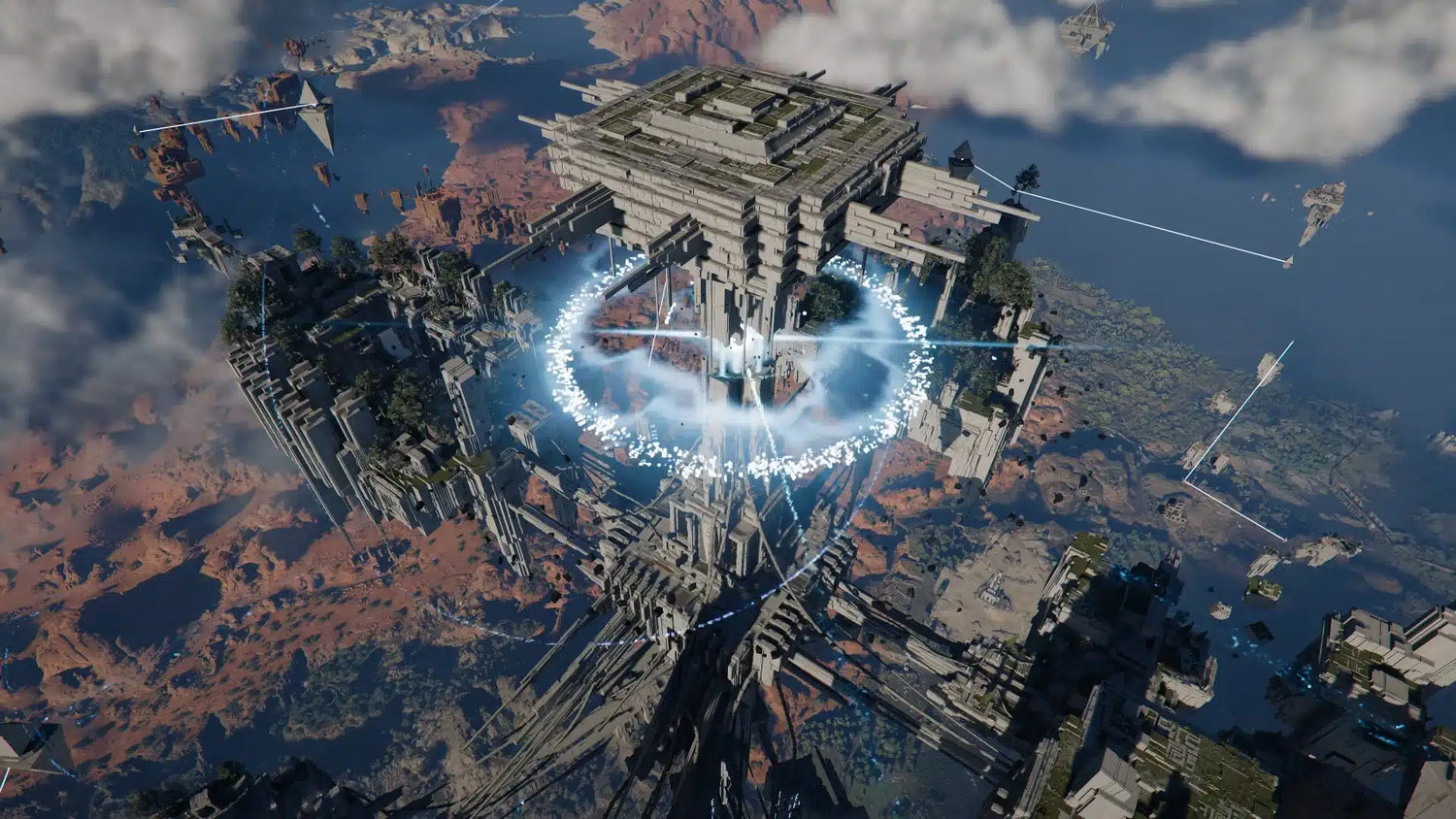
Crimson Desert update 1.13.0, known on consoles as update 1.000.379, is exactly the kind of major game patch that reminds players why a strong gaming PC for new games matters. Pearl Abyss has rolled out a sizeable update that allows Oongka and Damiane to enter the Abyss, adds new equipment and outfits, introduces quality-of-life options, improves combat interactions, adjusts UI behaviour, and fixes a long list of crashes, stutters, animation problems, loading issues, quest problems, and performance-related bugs.
For Canadian gamers, this is more than a patch note story. It is a buying signal. Modern open-world action RPGs are not static games anymore. They grow. They add characters. They expand systems. They patch in new mechanics, new cosmetics, new boss interactions, new traversal features, and new visual effects. If you are buying a PC today, are you choosing a system only for the game as it launched, or are you choosing a build that can handle where games are going over the next few years?
That is the practical question Groovy Computers wants Canadian buyers to think about. Whether you are planning to play Crimson Desert, Grand Theft Auto 6 when it arrives, Call of Duty, Warzone, Fortnite, Cyberpunk-style ray tracing games, survival games, MMORPGs, or the next wave of open-world AAA releases, the right custom gaming PC should be built around your real resolution, your real frame-rate expectations, and your future upgrade timeline.
If you are asking, “What gaming PC do I need?” this guide uses the Crimson Desert update as a timely example of how game updates, creator workloads, streaming demands, and component pricing pressure should influence your next PC purchase in Canada.
Why Crimson Desert Update 1.13.0 Matters for PC Buyers
The latest Crimson Desert update is packed with changes that affect how players interact with the game. Oongka and Damiane can now enter the Abyss. Memory Fragment locations for certain rematchable bosses have changed. Pets now rest with characters when resting in a bed. A new option lets players hide the minimap and status HUD. A new Hunter’s Sigil item lets bird pets retrieve prey and gatherable items suited to their specialties.
On top of that, the update adds a large set of equipment options for Kliff, Oongka, and Damiane, including boss equipment, armour, headgear, outfit compatibility changes, Kuku equipment support, new carpet crafting recipes, new special attacks for enemy groups, and new crafting recipes for elemental plate armour.
That may sound like purely gameplay-focused news, but every layer of content matters to PC hardware. More characters, more equipment, more traversal systems, more combat interactions, more animation fixes, more rematchable bosses, and more UI toggles all contribute to the real-world complexity of modern games. A PC that feels acceptable at launch may begin to feel less comfortable after updates, expansions, higher-resolution texture packs, ray tracing options, background launchers, recording software, overlays, and streaming tools enter the picture.
Ask yourself this: do you want a PC that can simply run today’s version of a game, or do you want a system that still feels smooth after several major updates, DLC drops, and visual upgrades?
What the Update Gets Right: More Content, More Fixes, More Reasons to Care About Performance
One of the biggest takeaways from the Crimson Desert patch is that Pearl Abyss is actively improving the experience across content, controls, combat, UI, graphics, settings, localization, and general stability. That is good news for players. It also reinforces an important point for PC buyers: games are living platforms now.
The update includes improvements such as dye support for more disguise outfits, broader dye support for weapons and secondary weapons, better firefly gathering, puzzle improvements for Oongka, corrected quest tracking, fixed rowboat behaviour, fewer abnormal quest outcomes, improved teleport device usability, better contribution handling, and quest progression fixes.
The combat and action section is especially relevant for gaming PC performance. Muskets and pistols can now be fired while sliding. Jump attack freezing issues have been improved. Sliding attack issues have been fixed. Oongka receives fixes for flying, grappling, charging, targeting, and finishing blows. Damiane receives fixes for spear proficiency, Lightning Strike motion, Smiting Strike timing, and abnormal movement speed after quick swapping. Wyvern flight animations have also been improved.
These kinds of changes matter because animation systems, traversal mechanics, combat physics, enemy behaviour, and camera systems can all influence how demanding a game feels. Smooth gameplay is not only about average FPS. It is also about frame pacing, input response, shader compilation behaviour, loading consistency, CPU scheduling, memory capacity, SSD speed, and GPU overhead.
If a game update fixes stutter on one platform, improves loading, addresses crashes when opening the map, and improves boss rematch stability, what does that tell us? It tells us that modern games are technically dense. Your PC should be built with enough headroom to handle that density comfortably.
Gaming PC for New Games: What Should Canadian Players Prioritize?
A strong gaming PC for new games should be built around the way you actually play. Not every buyer needs a flagship GPU. Not every buyer should choose the cheapest possible system either. The smartest build is the one that matches your resolution, refresh rate, game library, creative needs, and upgrade comfort.
Before choosing parts, ask a few direct questions:
- What games do you play most? Open-world RPGs, competitive shooters, survival games, strategy titles, simulators, and esports games all stress hardware differently.
- Do you want 1080p, 1440p, or 4K gaming? Resolution changes GPU demand dramatically.
- Do you care about ray tracing? Ray tracing can transform visuals, but it requires a stronger GPU and often benefits from modern upscaling technologies.
- Are you streaming or recording? OBS, YouTube, Twitch, TikTok clips, and gameplay capture add workload beyond the game itself.
- Do you edit videos or create content? A gaming PC can be a powerful creator machine when configured properly.
- Do you want to avoid upgrading too soon? Spending slightly more now can sometimes prevent a costly early replacement later.
This is where Groovy Computers focuses on practical build matching. A Canadian buyer looking for a 1080p esports machine should not be pushed into the same configuration as someone who wants 4K ultra settings with ray tracing, streaming, and 4K video editing. The system should fit the goal.
What Do You Want Your Next PC to Do for You?
Before looking at a spec sheet, ask yourself a better question: what do you want your next PC to do for you?
Do you want to load into open-world games faster? Do you want higher FPS in combat-heavy scenes? Do you want smoother boss rematches, fewer stutters, better multitasking, quieter cooling, or a cleaner upgrade path? Do you want to play at 1440p now and move to 4K later? Do you want a system that can game at night and edit YouTube videos the next morning?
The Crimson Desert update is a perfect reminder that game performance is not only about launch-day requirements. Players are dealing with larger patches, more assets, more character systems, more UI features, more animation states, and more content over time. A well-planned custom PC gives you room to breathe as your games and software evolve.
Which Performance Tier Fits You Best?
Choosing the right gaming PC in Canada becomes easier when you think in performance tiers. Instead of chasing random parts, match your budget and expectations to a clear use case.
Entry-Level and Budget Gaming PC: Is 1080p Enough for You?
A budget gaming PC is the right fit if you mainly play at 1080p, prefer strong value, and want dependable performance in popular titles without overspending. This tier is ideal for students, first-time PC gamers, families buying a gaming computer, and players focused on esports or mainstream games.
If you are asking, “Can a budget gaming PC play new games?” the answer depends on settings and expectations. A well-built budget system can absolutely play many new games, but you may need to use optimized settings rather than ultra presets. The key is avoiding weak component combinations that look good in a product title but struggle under real gaming loads.
For a 1080p Gaming PC Canada buyers should pay attention to GPU choice, CPU balance, 16GB to 32GB of RAM depending on the workload, and a fast SSD. If you also want to stream, edit, or multitask heavily, the build should be adjusted accordingly.
Mid-Range 1440p Gaming PC: Is This the Sweet Spot?
For many Canadian gamers, 1440p is the modern sweet spot. A 1440p Gaming PC Canada build offers a major visual upgrade over 1080p without demanding the same GPU power as 4K. It is a smart choice for open-world games, action RPGs, shooters, racing games, and single-player AAA releases.
If you are wondering, “What PC do I need for 1440p gaming?” you should look for a system with a strong modern GPU, a fast gaming CPU, 32GB of RAM if you want extra headroom, and an NVMe SSD with enough capacity for today’s huge game installs. This tier is also excellent for players who want high refresh-rate monitors, better texture settings, and smoother gameplay in demanding scenes.
For games like Crimson Desert, where movement, combat, traversal, boss rematches, and visual presentation all matter, 1440p can deliver an impressive balance of sharpness and performance.
High-End 4K Gaming PC: Do You Want Ultra Settings, Ray Tracing, and Long-Term Headroom?
A 4K Gaming PC Canada build is for buyers who want premium image quality, stronger ray tracing performance, higher-end GPUs, more memory headroom, and a system that can stay relevant longer. This is the tier for players who want ultra settings, cinematic open-world visuals, high-end monitors, and fewer compromises.
If you are asking, “What PC do I need for 4K gaming?” the GPU becomes the centrepiece of the build. CPU performance still matters, especially in large worlds and high-FPS scenarios, but 4K gaming places heavy pressure on graphics hardware. Cooling, airflow, power supply quality, and case design also become more important because premium systems produce more heat and draw more power.
This is where a custom build matters. A high-end gaming PC is not just a powerful GPU in a case. It is a complete system where the CPU, motherboard, RAM, SSD, power supply, cooling, and airflow are matched properly. Groovy Computers builds with that whole-system approach.
Should You Buy a Gaming PC Now or Wait?
One of the most common questions Canadian buyers ask is: “Is it better to buy a gaming PC now or wait?”
The honest answer depends on your current system, your budget, and what you want to play next. However, waiting is not always the safer move. When major games, big seasonal sales, new GPU launches, memory price changes, SSD demand shifts, and global supply constraints all collide, the cost of a well-balanced PC can move quickly.
If your current computer already struggles with new games, waiting can mean months of lower settings, stutters, slow load times, and missed experiences. If you are buying before a major release, building earlier can give you time to choose properly, set up your system, test your games, move your files, configure your monitor, and avoid panic buying when demand spikes.
The better question may be this: are you waiting because there is a specific, realistic reason to wait, or are you waiting until your current PC becomes so frustrating that you have to rush the decision?
How Game Updates Create Real Hardware Pressure
The Crimson Desert update includes fixes for loading time, map crashes, boss rematch crashes, cutscene stutter on PS5, animation issues, abnormal camera behaviour, UI problems, controller input display issues, and several quest and world-state bugs. While many of those fixes are game-side improvements, they highlight the growing complexity of modern game engines.
On PC, performance can be affected by several layers at once:
- GPU load: Higher resolutions, texture quality, ray tracing, shadows, lighting, effects, and upscaling settings all affect graphics performance.
- CPU load: Open-world AI, physics, NPC behaviour, simulation, streaming assets, and background tasks can stress the processor.
- RAM capacity: Games, launchers, browsers, Discord, recording tools, and creative apps can consume memory quickly.
- SSD speed and capacity: New games are large, and fast storage helps with loading, asset streaming, and general responsiveness.
- Cooling and airflow: Sustained gaming performance depends on keeping components cool under long sessions.
- Power delivery: A stable, quality power supply is critical for reliable performance, especially in high-end builds.
If you want a gaming PC for new games, the best build is not always the cheapest build with the biggest advertised GPU. It is the build that stays stable, cool, balanced, and responsive under the way you actually use it.
Is a Gaming PC Also Good for Streaming and Content Creation?
Many Groovy Computers customers are not only gamers. They stream, record, edit, design thumbnails, manage social media, run Discord communities, create short-form clips, and upload to YouTube or TikTok. If that sounds like you, your next PC should be planned as more than a gaming machine.
A Gaming and Streaming PC Canada build needs enough GPU performance for the game, enough CPU performance for multitasking, enough RAM for OBS and background apps, and enough storage for recordings. Modern GPUs with strong hardware encoding are especially useful for streamers because they can help reduce the performance hit while broadcasting or recording.
Ask yourself: do you want to stream Crimson Desert-style open-world gameplay while using OBS, Discord, browser tabs, alerts, chat tools, and a second monitor? If yes, your system should be built with that in mind from the start.
For a Streaming PC Canada setup, Groovy Computers can help match the system to your platform and workflow, whether you are streaming on Twitch, YouTube Live, TikTok Live, or recording long gameplay sessions for editing later.
What If You Need Video Editing, Photo Editing, or Graphic Design Performance Too?
A modern custom gaming PC can also be an excellent creator PC when the parts are selected properly. The difference is that creator workloads often reward more RAM, more CPU cores, faster storage, stronger GPU acceleration, and better long-term stability.
If you use Adobe Premiere Pro, DaVinci Resolve, After Effects, CapCut, Photoshop, Lightroom, Illustrator, Canva, InDesign, or other creative tools, you should think carefully about your workflow. Do you edit 1080p clips, 4K footage, 6K files, RAW photos, layered Photoshop documents, or motion graphics? Do you export daily? Do you batch process images? Do you work with AI tools or heavy effects?
If you are asking, “Is a gaming PC good for video editing?” the answer is yes, if it is configured correctly. A PC that is great for gaming may still need more RAM, more storage, or a stronger CPU to become a truly comfortable Video Editing PC Canada build. For 4K editing, 32GB of RAM is often a practical starting point, while heavier workflows may benefit from 64GB or more. Fast NVMe SSD storage is also important because large media files can quickly overwhelm slower drives.
For photographers, a Photo Editing PC Canada build should prioritize fast single-core performance, enough RAM for large RAW files, fast SSD storage, and support for colour-accurate monitor workflows. For designers, a Graphic Design PC Canada setup should feel fast in Adobe Creative Cloud, handle multitasking smoothly, and support multiple displays without slowing down.
What does your PC need to do after the game closes? If the answer includes editing, streaming, designing, rendering, or client work, your build should be planned as a Gaming and Creator PC Canada system rather than a basic gaming tower.
Do 3D Artists, Modders, and Game Developers Need a Different PC?
Crimson Desert-style games are also exciting to players who love world design, character models, animation, lighting, rendering, and game development. If you are inspired by open-world games and you work in Blender, Unreal Engine, Unity, Maya, 3ds Max, Cinema 4D, SketchUp, ZBrush, AutoCAD, Revit, or SolidWorks, your hardware needs may be more workstation-focused.
A 3D Modeling PC Canada build is different from a basic gaming PC because rendering, viewport performance, simulation, sculpting, and large project files can require more memory and more sustained compute power. A 3D Rendering PC Canada configuration may need a stronger GPU, more VRAM, more RAM, and larger high-speed storage than a pure gaming build.
If you are asking, “What PC do I need for Blender?” or “Workstation PC vs gaming PC for 3D modeling: which is better?” the answer depends on your render engine, project size, and whether you prioritize viewport smoothness, GPU rendering, CPU rendering, or game-engine development.
Groovy Computers can help Canadian buyers choose between a gaming-focused system, a creator-focused system, or a Custom 3D Workstation Canada build that supports both play and production.
Why Custom Builds Matter More Than Generic Prebuilts
A custom gaming PC is not just about choosing flashy parts. It is about avoiding weak links. Many generic prebuilts look attractive because they advertise a recognizable CPU or GPU, but the supporting components may be less impressive. Cooling may be limited. Power supplies may be lower quality. RAM may be slower or too limited. Storage may be undersized. Upgrade paths may be restricted. Cable management and airflow may not be optimized.
When you buy from a Canadian custom PC builder like Groovy Computers, the goal is different. The build is matched to your use case, assembled carefully, tested properly, and supported with real guidance. Groovy Computers focuses on custom builds, rigorous testing, and a 1-year warranty so customers can buy with confidence.
Why does testing matter in a gaming PC? Because stability is not optional. A system can boot to Windows and still fail under a long gaming session, a heavy render, a livestream, or a combined gaming and recording workload. Stress testing helps confirm that the computer behaves properly under pressure before it becomes your daily machine.
What Questions Should You Ask Before Buying a Custom Gaming PC in Canada?
Before buying, financing, or upgrading, take a few minutes to answer these questions. They will help you avoid buying too little PC, too much PC, or the wrong kind of PC.
- What are your top five games? Include the games you play now and the games you want to play over the next two years.
- What monitor do you use? A 1080p 75Hz monitor needs a very different system than a 1440p 165Hz or 4K 144Hz display.
- Do you want ray tracing? If yes, budget for a stronger GPU tier.
- Do you stream or record? Plan for extra CPU, GPU encoding, RAM, and storage capacity.
- Do you edit video or photos? Consider a creator-focused configuration with more memory and fast SSDs.
- Do you use 3D software or CAD? Workstation needs can change the entire build recommendation.
- How long do you want to keep the PC? If you want to avoid upgrading too soon, choose more headroom now.
- Would financing help you buy the right system instead of settling? Monthly payments can make a stronger, longer-lasting build more accessible.
These questions are not just technical. They are financial and practical. The right PC should fit your life, your workload, and your budget.
Should You Finance a Better PC Instead of Buying a Cheaper One?
For many Canadian buyers, the real choice is not simply “buy or do not buy.” It is often: should I buy a cheaper PC today, or finance a stronger PC that lasts longer?
Gaming PC Financing Canada can make sense when the better system prevents an early upgrade, improves your day-to-day experience, and lets you secure parts before pricing changes. Groovy Computers offers financing options up to 4 years, making it easier for eligible customers to choose a better-balanced system without paying the full amount upfront.
Is financing a gaming PC worth it? It can be, especially if you are buying for both gaming and productivity. A stronger PC may help you game at higher settings, stream more smoothly, edit faster, reduce export times, handle client work, and avoid replacing the system too soon. For students, creators, streamers, and professionals, the value of a better PC may be measured not only in FPS, but in time saved and frustration avoided.
If component prices rise, if demand spikes around major game releases, or if your current system fails at the wrong time, waiting can become expensive. Financing can help you lock in a stronger configuration earlier, especially when you know you need the upgrade.
Canadian Buying Context: Why Timing, Shipping, and Support Matter
Buying a gaming PC in Canada comes with its own realities. Exchange rates, component availability, shipping costs, regional demand, and replacement pricing can all affect what you pay. A deal that looks attractive one week may not be available the next. GPUs, RAM, SSDs, and power supplies can move in price depending on demand and supply conditions.
That is why Canadian buyers should think beyond the headline price. Does the system have the right parts? Is it tested? Is it supported? Is it built in Canada? Can it be shipped safely? Can you get help if you are unsure which build fits your games and software?
Groovy Computers serves Canadian customers looking for gaming PCs, creator PCs, and workstation PCs with Canada-wide relevance, including buyers in Nova Scotia, Atlantic Canada, and beyond. Whether you are near Trenton, New Glasgow, Halifax, Toronto, Calgary, Vancouver, Ottawa, Montreal, or a smaller community, buying from a Canadian custom PC company gives you a more relevant purchasing experience than guessing through a generic listing.
What Kind of Buyer Are You?
The best PC recommendation depends on the buyer. Use these categories as a starting point.
The 1080p Value Gamer
You want a reliable, affordable gaming PC that plays popular titles smoothly. You care about value, not bragging rights. A Budget Gaming PC Canada build may be ideal if you are focused on 1080p gaming, schoolwork, and everyday use.
The 1440p Mainstream Enthusiast
You want a sharper image, higher FPS, and better settings in modern games. You may play open-world RPGs, shooters, racing games, and competitive titles. A 1440p gaming PC is often the best balance of cost and performance.
The 4K and Ray Tracing Player
You want premium visuals, ultra settings, ray tracing, and more long-term headroom. A High End Gaming PC Canada build or Premium Gaming PC Canada configuration is the better fit, especially if you use a high-end monitor.
The Streamer and YouTube Creator
You game, record, stream, edit, and multitask. You need a Gaming and Streaming PC Canada setup with strong encoding support, plenty of memory, and fast storage.
The Editor, Designer, or Photographer
You need a custom creator PC for Adobe Creative Cloud, DaVinci Resolve, Photoshop, Lightroom, Illustrator, Canva, or client work. Your build should prioritize workflow speed, memory, storage, and stability.
The 3D Artist or Workstation User
You use Blender, Unreal Engine, CAD, rendering tools, animation software, or visualization workflows. You may need a Custom Workstation PC Canada system with higher RAM capacity, stronger GPU compute, and careful thermal planning.
How Crimson Desert Highlights the Future-Proofing Question
Future-proofing does not mean buying the most expensive PC possible. It means buying smart headroom. The Crimson Desert patch shows how major games can evolve quickly through new characters, new systems, new equipment, new boss interactions, graphics fixes, control improvements, and stability updates. Over time, your PC has to handle the game, the patches, the drivers, the background software, the recording tools, and whatever else you add to your setup.
If you want to avoid upgrading too soon, prioritize the components that are hardest or most expensive to replace later. That often means choosing a stronger GPU for your target resolution, enough RAM for modern multitasking, a quality power supply, a motherboard with reasonable expansion options, a fast and spacious SSD, and a case with proper airflow.
Should you buy the absolute top-tier system? Not always. Should you buy the cheapest system that barely meets your needs? Also not always. The best answer is usually a balanced custom build that gives you comfort today and flexibility tomorrow.
Why Groovy Computers Is Built for This Buying Moment
Groovy Computers is a Canadian custom PC builder focused on helping customers choose systems that match their real needs. If you want a gaming PC for new games, a streaming PC, a video editing PC, a photo editing PC, a graphic design PC, a content creation PC, a 3D modeling workstation, or a high-performance desktop for professional work, the right configuration matters.
Instead of forcing every buyer into the same box, Groovy Computers helps match the build to the workload. That means considering your games, monitor, software, budget, upgrade plans, and whether financing could help you step into a better system before prices change.
Every serious PC buyer should care about the details: cooling, airflow, CPU and GPU pairing, RAM capacity, SSD speed, power supply quality, build cleanliness, stress testing, and warranty support. Groovy Computers combines custom build expertise with rigorous testing and a 1-year warranty so customers can buy with more confidence.
If you are wondering which system is right for you, visit GroovyComputers.ca to browse gaming PCs, creator PCs, workstation options, and financing-friendly builds made for Canadian buyers.
CTA: What Should Your Next PC Be Ready For?
What should your next PC be ready for: Crimson Desert-style open-world action, 1440p high-FPS gaming, 4K ray tracing, Twitch streaming, YouTube editing, Photoshop and Lightroom, Blender rendering, Unreal Engine development, or all of the above?
If you are not sure, that is exactly where Groovy Computers can help. A custom PC should not be a guessing game. It should be a clear match between your goals and your hardware. Whether you need a budget gaming computer, a premium RTX gaming PC, a custom creator PC, an editing workstation, or a 3D modeling workstation, Groovy Computers can help you choose a build that makes sense in Canada’s real market conditions.
If financing would help you secure a stronger system now instead of settling for a weaker build, explore your options before component prices, demand spikes, or replacement costs change the equation. A better PC today can mean smoother gaming, faster work, and fewer upgrade regrets tomorrow.
Final Takeaway: Buy for the Games and Workloads You Are Actually Moving Toward
The Crimson Desert 1.13.0 update is a strong example of where modern gaming is headed: bigger systems, more content, more fixes, more character support, deeper customization, and ongoing performance refinement. For Canadian buyers, that means your next gaming PC should be chosen with future updates, new releases, streaming, editing, and multitasking in mind.
A gaming PC for new games should not only run today’s title. It should give you the confidence to play tomorrow’s patches, record your best moments, edit your clips, create content, and handle the software you rely on. Whether you are buying your first gaming desktop or upgrading to a high-end custom build, Groovy Computers is ready to help you make the right choice.
#GamingPCForNewGames #GamingPCCanada #CustomGamingPCCanada #1440pGamingPC #4KGamingPC #StreamingPCCanada #CreatorPCCanada #GroovyComputers
Groovy Computers | All Rights Reserved


Leave a comment
This site is protected by hCaptcha and the hCaptcha Privacy Policy and Terms of Service apply.