






















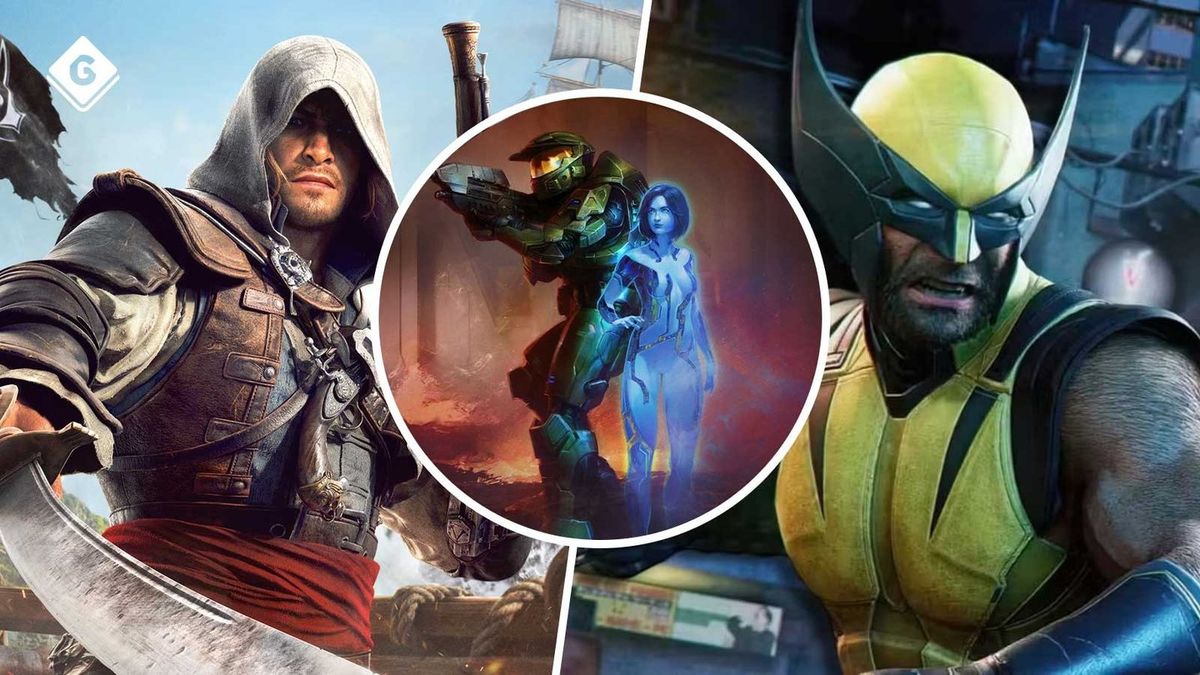
GTA 6 Physical Copies Won’t Come With a Disc, But These Games Will: Why Canadian Buyers Should Still Care About Physical Media and Their Next Gaming PC
The news that GTA 6 physical copies won’t come with a disc has sparked a bigger conversation than many expected. For some players, it is about collecting. For others, it is about ownership, resale value, shelf appeal, or simply the frustration of buying a boxed game that still functions like a download code. But for Canadian gamers, this story matters for another reason too: blockbuster release cycles often trigger hardware demand, upgrade pressure, and a rush to secure the right system before everyone else does.
If you are already thinking about GTA 6, Marvel’s Wolverine, Halo: Campaign Evolved, Gears of War: E-Day, Assassin’s Creed Black Flag Resynced, or other major releases mentioned in the source coverage, the bigger question is no longer just whether a game ships with a disc. The real question is this: what do you want your next PC to do for you when these games finally land?
Do you want smooth 1080p play without overspending? Are you aiming for a 1440p setup with high settings and stronger longevity? Do you want a 4K gaming experience with ray tracing turned on? Or are you also planning to stream, edit videos, create thumbnails, work in Photoshop, cut YouTube content, or build a system that can handle Blender and workstation-class tasks after your gaming session ends?
For buyers across Canada, this is where a headline about physical media becomes a useful buying moment. When big games dominate the conversation, smart PC buyers start planning ahead instead of waiting until hype, demand, and pricing pressure all hit at once.
Why the “disc or no disc” debate matters more than it seems
The source article highlighted several major titles expected to include actual discs in their boxed versions, unlike GTA 6. That list included games tied to some of the biggest publishers and franchises in the industry. On the surface, that sounds like a collector issue. In practice, it reflects something deeper: gamers still care about control, permanence, and getting full value when they spend premium money.
That same logic applies to hardware.
If you are going to invest in a new gaming desktop, do you want the cheapest possible machine that barely reaches the starting line, or do you want a properly balanced system that still feels strong when the next wave of AAA releases arrives? Do you want to replace your computer again too soon, or would you rather buy smarter once?
Physical media fans are really talking about long-term value. Canadian PC buyers should be thinking the same way.
Which upcoming games are pushing gamers to upgrade?
Based on the source material, several titles are helping fuel renewed interest in physical editions and high-performance hardware. Marvel’s Wolverine stands out as a cinematic, action-heavy release likely to drive demand for stronger GPUs and fast storage. Halo: Campaign Evolved and Gears of War: E-Day appeal to players who want modern visuals in established franchises. Assassin’s Creed Black Flag Resynced points toward open-world scale, dense environmental detail, and likely heavier system demands for high settings. Even games with very different design goals, like Star Wars Galactic Racer or Godzilla: Destroy All Monsters Remastered, contribute to the same market effect: players start asking whether their current PC is still enough.
That is a fair question.
Can your current system run the next generation of AAA games comfortably? Or are you already lowering settings, managing storage too often, or avoiding newer titles because your hardware is aging out?
What gaming PC do you need for new games?
This is where the conversation shifts from headlines to buying decisions. A lot of gamers searching for a Gaming PC Canada solution are not starting with benchmark charts. They are starting with a practical question: What PC do I need for new games?
The answer depends on how you play.
If you want a budget-friendly entry point
A Budget Gaming PC Canada buyer usually wants reliable 1080p performance, good responsiveness in popular multiplayer games, and enough GPU strength to enjoy new releases without constant compromise. This tier makes sense if you mainly play competitive titles, lighter AAA games, indie games, or if you are entering PC gaming for the first time.
Ask yourself: are you happy with 1080p high settings and practical value, or are you already the kind of player who notices frame drops, texture compromises, and the difference between “playable” and “great”?
If your answer is that you want your system to stay relevant longer, the cheapest option is not always the most affordable option in the long run.
If you want the sweet spot for modern AAA gaming
For many Canadian buyers, 1440p is the real target. A 1440p Gaming PC Canada build gives you a much stronger visual experience while still being sensible on budget compared with top-end 4K rigs. This is often the best performance tier for players excited about GTA 6-era releases, open-world games, cinematic action games, and demanding cross-platform launches.
This category is ideal if you want high settings, strong frame rates, fast SSD loading, and room for future releases without feeling forced into another upgrade too quickly.
Are you buying a PC just for today’s library, or do you want a Gaming PC for New Games that still feels capable next year?
If you want premium performance and visual headroom
If your goal is maxed-out visuals, ray tracing, ultra settings, and higher-resolution play, then you are looking at the 4K Gaming PC Canada or premium performance tier. This category makes sense for enthusiasts, high-refresh display users, multi-monitor setups, and gamers who want serious longevity from a high-end custom build.
It also makes sense if you know your habits. If you always end up chasing better settings, smoother frame pacing, better capture quality, and stronger multitasking, you are usually happier buying into the right tier now than upgrading piece by piece under pressure later.
What do you want your next PC to do for you?
This is the question more buyers should ask before they shop.
Do you want your next system to play upcoming games at 1080p, 1440p, or 4K?
Do you want ray tracing, high FPS, and faster load times?
Do you want to stream to Twitch or YouTube while gaming?
Do you want to record gameplay clips and edit them for TikTok, YouTube Shorts, or long-form content?
Do you also need a machine for Adobe Photoshop, Lightroom, Illustrator, Premiere Pro, DaVinci Resolve, After Effects, Blender, Unreal Engine, or CAD-style workloads?
Do you want one computer that handles gaming at night and creator work during the day?
The best buying decisions happen when you stop shopping by hype alone and start shopping by workload.
Are you only gaming, or do you also need a creator PC?
Many customers reading gaming news are not just gamers anymore. They are streamers, editors, social creators, graphic designers, or aspiring creators who want one machine that does more. That changes what build makes sense.
If you need a Content Creation PC Canada solution, your ideal system may need more RAM, more storage, better sustained cooling, and different CPU-GPU balance than a pure gaming build. If you plan to cut 4K footage, render in DaVinci Resolve, work in Adobe Creative Cloud, or run multiple creator apps while gaming, you should not buy as if frame rate is the only metric that matters.
Gaming and streaming
If you want to game and stream at the same time, a Streaming PC Canada or gaming-and-streaming build is often the right fit. Here, CPU efficiency, GPU encoder support, RAM capacity, and thermal stability matter a lot. A machine that games well is not automatically optimized for streaming well.
What PC do you need for streaming? If you are using OBS, capturing gameplay, running Discord, browser sources, music apps, and maybe recording locally while streaming, you will want stronger overhead than a basic gaming-only system.
This is especially true if you want 1080p streaming with stable performance, or if you are aiming at high-FPS gameplay while encoding in the background.
Video editing and YouTube creation
If gaming is only half of the plan, then a Video Editing PC Canada or Custom Creator PC Canada may be the smarter route. Editing workloads reward fast CPUs, strong GPUs, plenty of RAM, and fast NVMe storage. If you use Premiere Pro, DaVinci Resolve, CapCut, or After Effects, your waiting time during exports, playback, and cache-heavy workflows becomes part of the cost of a weak machine.
What PC do you need for video editing? If you are working with 4K footage, layered timelines, motion graphics, or colour work, the answer is usually more system than a typical entry gaming desktop provides.
That does not mean you need to overspend. It means you should match the build to the work.
Photo editing and graphic design
If your day-to-day tools include Photoshop, Lightroom, Illustrator, InDesign, or Canva-heavy business work, a balanced creator system may serve you better than a gaming-first machine. A proper Photo Editing PC Canada or Graphic Design PC Canada build should focus on responsiveness, storage speed, RAM, and long-session stability.
Are you editing RAW photo libraries? Batch exporting client work? Running multiple Adobe apps at once? Working with large canvases or AI-assisted tools? If so, a custom build with the right memory and storage plan can save real time every week.
3D modeling and workstation tasks
If your interests extend into Blender, Unreal Engine, animation, rendering, CAD, or advanced productivity workloads, then the conversation shifts toward 3D Modeling PC Canada and Workstation PC Canada territory. These buyers often need more RAM, stronger GPUs for viewport and render acceleration, and cooling that supports sustained heavy workloads rather than short gaming bursts.
What PC do you need for Blender? What workstation PC do you need? If those are your real questions, a one-size-fits-all gaming box is usually not the best answer.
Why Canadian buyers should think about timing now
Major game releases do not just sell games. They influence hardware demand, monitor upgrades, SSD purchases, peripheral spending, and full system replacements. When blockbuster hype builds, more buyers jump into the market at once. That can tighten availability on popular configurations and put pressure on full-system pricing.
Canadian buyers also have to think about exchange-rate sensitivity, shipping realities, and regional availability. Waiting until the exact moment you need a new PC can leave you with fewer options, more compromises, or replacement costs that have moved in the wrong direction.
Is it better to buy a gaming PC now or wait? That depends on your current system, your game list, and whether you are already near the edge of what your machine can handle. If your PC is struggling today, waiting for the busiest demand cycle of the year rarely improves your position.
How pricing pressure affects the full PC, not just the GPU
When buyers think about price volatility, they usually focus on graphics cards. That is important, but it is not the whole story. Full-system pricing can also shift because of memory costs, SSD demand, cooler availability, motherboard pricing, power supply tiers, and case inventory. A well-built custom desktop is a complete ecosystem, not just a GPU attached to a wish list.
If you wait until a major release window, ask yourself: will you still get the exact balanced build you want, or will you be forced into what happens to be available at that moment?
This is one reason custom planning matters. A properly designed system can prioritize the performance that matters most to you while keeping room for future upgrades where it actually makes sense.
Which performance tier fits you best?
Not every buyer needs the same machine. The smartest path is choosing the tier that fits your real usage rather than buying too low out of fear or too high out of confusion.
Entry/value tier
- Best for 1080p gaming, esports, indie titles, and lighter multitasking
- Good for first-time PC gamers and practical budgets
- Ideal if you want solid performance without chasing ultra settings
This is a strong fit if your main concern is value. But ask yourself honestly: can a budget gaming PC play new games the way you actually want to play them? If not, going one tier higher may protect you from an early replacement.
Mainstream performance tier
- Best for 1440p gaming, stronger AAA performance, and better long-term value
- Great for gamers who also want some streaming or light editing ability
- Often the sweet spot for buyers who want a future-proof gaming PC without jumping to flagship pricing
If you are wondering how much should I spend on a gaming PC, this tier is often the answer for gamers who want a meaningful upgrade rather than the cheapest possible one.
High-end gaming tier
- Best for 1440p ultra, 4K gaming, ray tracing, and enthusiast-level performance
- Ideal for premium displays, visual-first gaming, and longer upgrade cycles
- Great for buyers who want top-tier smoothness and stronger overhead for tomorrow’s games
If you already know you care about visual quality and longevity, this is where a High End Gaming PC Canada build starts to make sense.
Gaming plus creator tier
- Best for users who game, stream, edit, and multitask heavily
- Ideal for YouTube, Twitch, Adobe workflows, and media-heavy storage needs
- A smart choice if you want one machine to support both entertainment and income-producing work
This tier is often overlooked by buyers who think they only need “a gaming PC,” then later realize they also want to stream, edit, record, design, or render. If that sounds like you, buying for your next phase now can be the more efficient move.
Workstation and 3D tier
- Best for Blender, Unreal Engine, CAD, rendering, simulation, and advanced productivity
- Ideal for professionals, students in demanding programs, and creators with sustained heavy workloads
- Built for stability, thermal control, and stronger memory/storage planning
If your real work starts after the game is closed, this is not an area to guess on. The wrong build costs more in lost time than it saves on day one.
Should you finance a stronger PC instead of buying too low?
For many buyers, this is the most important question in the entire decision process.
If you can afford a lower-tier system today, but you know it may feel outdated faster, is that really the smarter move? Or would a better-balanced build with more longevity serve you better if monthly payments make it manageable?
That is why many shoppers look at Gaming PC financing Canada options when major game cycles approach. Financing can help you secure a stronger system before pricing changes again, especially if your current computer is already holding you back.
Should you finance a gaming PC? If financing allows you to move from “barely enough” to “comfortably right,” the long-term value can be much better. The same logic applies to creator systems, editing workstations, and gaming-plus-streaming builds.
At Groovy Computers, that matters because a stronger custom system is not just about luxury. It can mean fewer compromises, better frame rates, smoother editing, faster exports, and a longer useful lifespan before your next upgrade cycle.
What questions should you ask before buying your next custom PC?
Before you commit, here are the questions that actually matter.
-
What am I playing or running most often?
AAA games, esports, Adobe apps, Blender, OBS, or all of the above? -
What resolution am I targeting?
1080p, 1440p, or 4K changes the build dramatically. -
Do I care about ray tracing and ultra settings?
If yes, GPU planning becomes more important. -
Do I also need streaming or editing performance?
If yes, a pure gaming build may not be ideal. -
How long do I want this system to last before I feel upgrade pressure again?
This often determines whether a budget or mainstream build is truly best. -
Will I need more storage sooner than I think?
Modern games and creator files both grow fast. - Would financing help me buy the right system once instead of the cheapest system twice?
Those questions lead to smarter builds and better satisfaction.
Why custom PC builds matter more during high-demand gaming cycles
When the market gets noisy, generic systems often look easier than they really are. You may find flashy marketing, but not always balanced components, airflow, upgrade paths, or the kind of testing that gives you confidence when you are spending serious money.
A Custom Gaming PC Canada build gives you a better chance of matching the system to the actual job. That means the right CPU-GPU pairing, enough RAM for your use case, appropriate SSD capacity, cooling that supports sustained loads, and a cleaner upgrade path later.
Custom PC vs prebuilt PC Canada is not just a style debate. It is a reliability and value question.
Would you rather own a machine built around your real needs, or one built around whatever a mass listing needed to clear from inventory?
Why Groovy Computers is a strong fit for Canadian gamers and creators
Groovy Computers is built around what many buyers actually want: properly planned custom systems, Canadian service, and configurations that make sense for gaming, streaming, editing, design, and workstation use. Instead of forcing one generic answer, the goal is to help you match the build to the workload.
That is especially important if you are shopping from anywhere in Canada and want confidence that your machine is being built with care. A serious gaming or creator desktop should not feel like a gamble.
Groovy Computers offers custom build expertise, rigorous testing, and a 1-year warranty, all of which matter when you are investing in a system meant to carry you through demanding new games and evolving software workloads. If you are trying to buy before the next demand surge, that extra confidence matters even more.
For buyers who want a stronger machine without paying everything upfront, financing up to 4 years can also change the conversation. A better PC is often easier to justify when the payment structure aligns with how long you plan to use it.
Are you buying for the next headline, or for the next few years?
That is the real takeaway from the GTA 6 disc story.
Gamers are reacting because they care about value, ownership, and making smart purchases in a changing market. The same thinking should apply to your next desktop. Whether you are excited for GTA 6, Marvel’s Wolverine, Halo: Campaign Evolved, Gears of War: E-Day, or a whole slate of new AAA releases, your system choice today shapes how enjoyable those launches feel tomorrow.
Do you want a PC that can just run the game, or one that lets you enjoy it properly? Do you want to stream it, edit clips from it, and still have room for your next creative project? Do you want to buy based on panic later, or plan with clarity now?
Ready to choose the right build for your workload?
If you are asking yourself what gaming PC do I need, whether a creator build makes more sense, or whether financing a stronger system now could help you avoid upgrading too soon, this is the right time to get guidance. Explore custom gaming desktops, creator PCs, and workstation options at GroovyComputers.ca and choose a build that fits how you actually play, work, and create.
As the industry shifts from discs to downloads and from simple launches to full ecosystem events, one thing stays the same: buying the right PC early is usually better than scrambling later. For Canadian buyers who want performance, flexibility, and confidence, Groovy Computers remains a smart place to start.
#GamingPCCanada #CustomGamingPCCanada #GamingPCForNewGames #CanadianCustomPCBuilders #ContentCreationPCCanada #VideoEditingPCCanada #StreamingPCCanada #WorkstationPCCanada #GamingPCNovaScotia #BuyGamingPCOnlineCanada
Groovy Computers | All Rights Reserved


Leave a comment
This site is protected by hCaptcha and the hCaptcha Privacy Policy and Terms of Service apply.