



































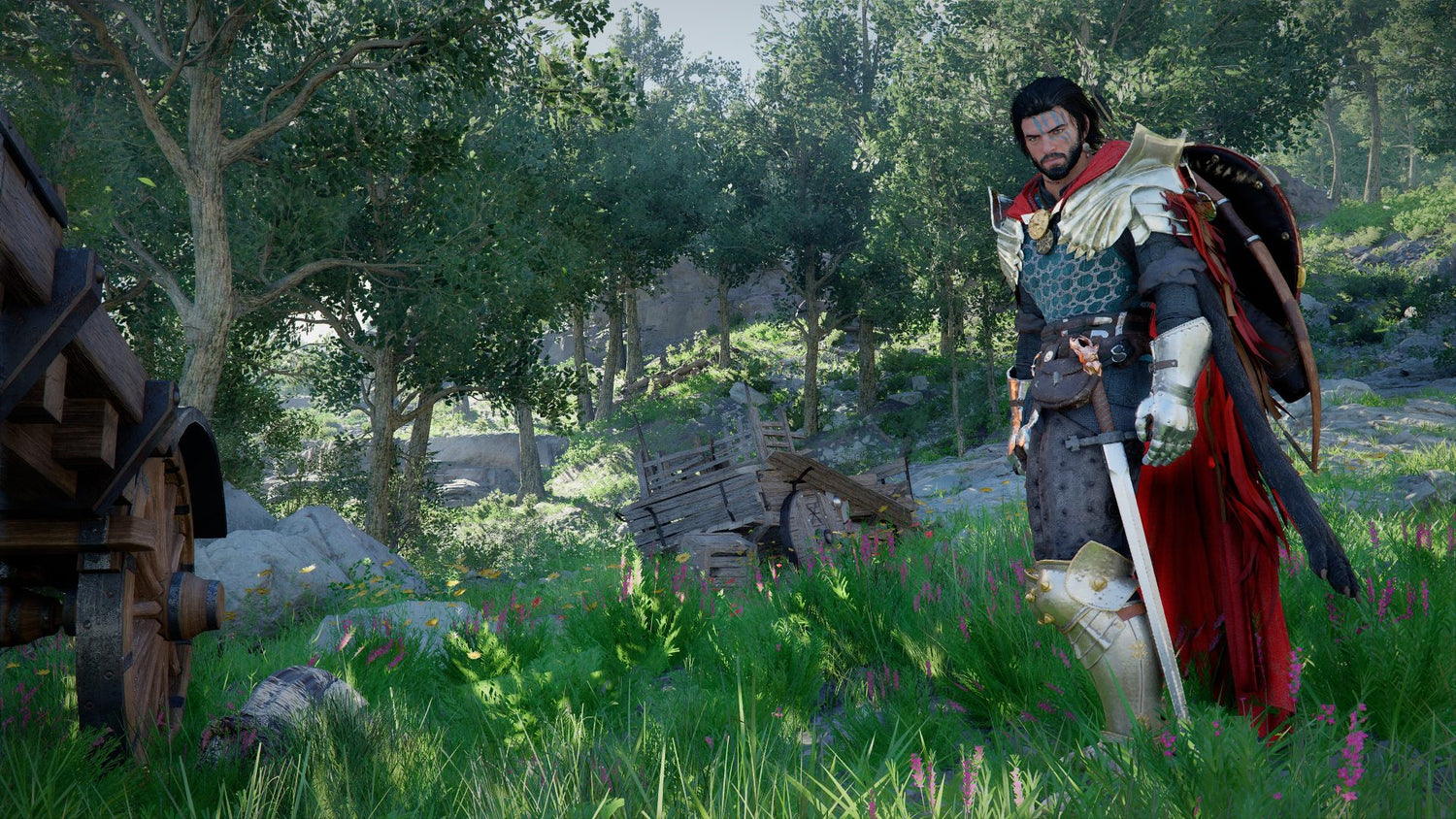
Gaming PC for New Games: What Crimson Desert’s Story Updates Reveal About Buying the Right Custom PC in Canada
The conversation around Crimson Desert has shifted from pure spectacle to something more practical for players: if a massive open-world action-adventure game keeps growing after launch, what kind of gaming PC for new games should Canadian buyers actually choose today? Pearl Abyss has reportedly acknowledged that Crimson Desert’s storytelling needs improvement, with future updates expected to clarify character motivation, strengthen early onboarding, and potentially flesh out side characters Damiane and Oongka after the game’s rapid sales momentum. For gamers, streamers, and creators, that news is bigger than a simple narrative patch. It is a reminder that modern AAA games are not static anymore. They evolve, get heavier, receive visual upgrades, add systems, and often become more demanding over time.
At Groovy Computers, we look at gaming news through a practical Canadian PC-buying lens. When a game like Crimson Desert launches big, sells fast, receives weekly patches, and continues to expand, it raises the question many buyers are already asking: what gaming PC do I need if I want to enjoy new releases now and still feel confident a few years from today?
That question matters whether you are buying your first desktop, replacing an aging system, upgrading from a console, building a streaming setup, editing gameplay footage, or financing a stronger custom PC before component prices move again. A game’s story improvements may sound unrelated to hardware at first, but they are part of the same modern gaming reality: big games change, player expectations rise, and your PC needs enough headroom to keep up.
Why Crimson Desert’s Updates Matter Beyond the Story
The source discussion around Crimson Desert focused on Pearl Abyss saying that future storytelling changes are expected to be additive rather than a full rewrite. In plain terms, that means the developer is not necessarily throwing away the existing game, but trying to improve clarity, cutscenes, continuity, and early player onboarding. The studio also appears to be considering deeper backstories for Damiane and Oongka, two playable side characters that many players felt lacked motivation compared with the game’s main character, Kliff.
Why should a Canadian PC buyer care about that? Because this is exactly how large modern games behave. They launch, they patch, they improve, they add content, they rebalance systems, and sometimes they become better after the first wave of players has already invested dozens of hours. If you buy a system only for the minimum experience on day one, you may not be buying for the game as it will exist six months or two years later.
Do you want a gaming desktop that simply launches a game, or do you want a system that can handle the richer, patched, expanded version of that game at the settings you actually care about?
For open-world games, that distinction is important. Titles like Crimson Desert lean heavily on large environments, fast traversal, combat effects, physics, cinematic cutscenes, dense textures, and smooth frame pacing. Even when the headline update is about story, the long-term experience is still tied to performance. A better opening chapter is more enjoyable when your PC is not stuttering through it. A more developed side character is more compelling when the game runs smoothly during combat, exploration, and cinematic transitions.
What Does a Gaming PC for New Games Need in 2026-Style AAA Releases?
A strong gaming PC for new games is not just about buying the most expensive graphics card. It is about balancing the CPU, GPU, RAM, SSD, cooling, power supply, case airflow, and upgrade path so that your system feels fast in real gameplay, not just impressive on a parts list. New open-world games can stress different parts of your PC at different moments. Exploration can lean on storage streaming and CPU scheduling. Combat can hit the GPU with effects and lighting. Cutscenes can demand stable frame pacing. Streaming or recording adds another layer on top.
Before choosing a build, ask yourself: what do you want your next PC to do for you?
- Do you want smooth 1080p gaming at high settings without overspending?
- Do you want a 1440p gaming PC Canada buyers can rely on for modern open-world games?
- Are you aiming for 4K gaming, ray tracing, ultra textures, and long-term headroom?
- Will you stream Crimson Desert, Fortnite, Call of Duty, Valorant, GTA-style open-world games, or other AAA releases?
- Will you record gameplay and edit videos for YouTube, TikTok, or client work?
- Do you also use Adobe Premiere Pro, DaVinci Resolve, Photoshop, Blender, Unreal Engine, or CAD software?
- Do you want to avoid upgrading too soon because you bought too low for your actual workload?
These questions matter because two customers can say “I need a gaming PC” and mean completely different things. One person may need a value-focused 1080p machine. Another may need a premium RTX-powered desktop for 4K gaming, OBS streaming, editing, and 3D rendering. A custom build from Groovy Computers is designed around the real use case, not a generic label.
What the Crimson Desert Situation Gets Right About Modern Game Buying
The most interesting part of the Crimson Desert update discussion is not only that the story may improve. It is that the developer appears to be responding to player feedback while continuing to patch the game. That is now the pattern for many major games. Community feedback shapes post-launch improvements. Features change. Performance patches arrive. New content expands the scope. Characters, missions, cutscenes, and systems may be adjusted after launch.
For buyers, that means timing and system choice are connected. If you are buying a PC because a major game caught your attention, you are not only buying for one launch build. You are buying for the live, changing, patched, updated version of that game.
Have you ever bought hardware for one game, only to realize the next update, expansion, texture pack, or streaming goal pushed your system harder than expected?
That is why Groovy Computers often recommends thinking one performance tier ahead when your budget allows. Not everyone needs a flagship system, but many buyers regret choosing the absolute minimum. The cheaper system may feel attractive on day one, but the better-balanced system can save you from a frustrating early upgrade.
Canadian Buyers Should Think Differently About Timing, Pricing, and Availability
Canadian PC buyers face a different buying environment than shoppers in larger markets. Component pricing can move quickly. GPUs, RAM, SSDs, power supplies, and motherboards can all be affected by supply pressure, exchange rates, demand spikes, and new hardware cycles. When a major game gains popularity, when back-to-school demand rises, when holiday sales hit, or when new software updates increase system requirements, desirable parts can become harder to secure at the right price.
Is it better to buy a gaming PC now or wait? The honest answer depends on your current system, your target games, your budget, and how soon you need performance. But waiting is not always the safer option. If you already know your current computer struggles, and you already know you want to play demanding new games, stream, edit, or create, delaying can leave you exposed to higher replacement costs or limited part selection later.
This is where financing can become a practical tool rather than an impulse purchase. If financing helps you move from a short-lived entry-level system to a stronger, better-balanced custom PC, it may reduce the risk of needing another upgrade too soon. Groovy Computers offers financing options up to 4 years, giving Canadian customers a way to secure a more capable build without paying the full amount upfront.
Should you finance a better PC instead of buying a cheaper one today? If the cheaper system will not handle the games or software you actually want to use, financing may be worth considering. The goal is not to overspend. The goal is to avoid underbuying.
Which Performance Tier Fits You?
Choosing the right tier is one of the most important decisions in any custom PC purchase. A good gaming computer is not one-size-fits-all. The right build depends on your monitor resolution, target FPS, visual settings, streaming plans, software workload, storage needs, and upgrade expectations.
Entry-Level and Budget Gaming: Is a Budget Gaming PC Worth It?
A budget gaming PC Canada buyer typically wants dependable 1080p performance, fast everyday use, and enough power for esports titles, popular multiplayer games, and many newer releases at sensible settings. This tier is ideal if you are moving from an older laptop, buying a first gaming desktop, shopping for a student, or prioritizing value over ultra settings.
Can a budget gaming PC play new games? Yes, but expectations matter. You may need to use medium to high settings instead of ultra, rely on upscaling features where supported, and accept that future AAA releases may require settings adjustments. For many players, that is perfectly fine. A well-built budget system can still feel dramatically better than an outdated machine or a basic office computer.
The danger is buying too low. If you want to play open-world AAA games like Crimson Desert at high settings, run Discord, keep multiple browser tabs open, and maybe record clips, an extremely cheap system can become frustrating quickly. Groovy Computers can help you identify where value makes sense and where cutting costs will hurt the experience.
1440p Gaming: The Sweet Spot for Many Canadian Players
For many buyers, 1440p is the modern sweet spot. A 1440p Gaming PC Canada setup can deliver sharper visuals than 1080p while avoiding some of the cost and GPU pressure of native 4K. This is a strong target for open-world games, RPGs, action-adventure titles, shooters, and mixed gaming workloads.
If you are asking, “What PC do I need for 1440p gaming?” the answer usually includes a strong midrange to upper-midrange GPU, a modern multi-core CPU, 32GB of RAM for longevity, fast NVMe storage, and quality cooling. This tier is especially attractive if you want high settings, smoother frame rates, and a system that feels relevant for upcoming games.
Do you care more about cinematic visuals, competitive FPS, or a balance of both? That answer changes the build. A competitive player may prioritize high refresh rates and CPU/GPU frame consistency. An open-world player may prioritize GPU horsepower, VRAM, and storage speed. A custom build lets you optimize for the way you actually play.
4K and Premium Gaming: Do You Want Ultra Settings Without Compromise?
A 4K Gaming PC Canada buyer is usually looking for premium performance, long-term headroom, and high visual settings in demanding titles. This category is for players who want the strongest experience in cinematic AAA games, ray tracing where available, high-resolution texture packs, and smoother gameplay on premium monitors.
What PC do I need for 4K gaming? In most cases, you should be looking at a high-end GPU, a high-performance CPU, 32GB to 64GB of RAM depending on multitasking needs, fast NVMe SSD storage, a quality power supply, and carefully planned airflow. Premium gaming systems also benefit from stronger cooling and a case layout that supports long-term reliability.
Is a high-end gaming PC worth it? It can be, especially if you want to avoid upgrading too soon, play new AAA games at high settings, stream or record, and keep the system for several years. The key is matching the build to your monitor and your expectations. Buying a flagship GPU for a 1080p monitor may not be the smartest use of budget. Buying too little GPU for a 4K monitor can be equally frustrating.
What If You Want to Stream Crimson Desert or Other New Games?
Streaming adds a new layer to the PC decision. A game may run well when you are playing privately, but performance can change once you add OBS Studio, overlays, alerts, browser sources, Discord, a webcam, a microphone, and recording. A Streaming PC Canada customer needs more than just average gaming FPS. They need stable frame pacing, encoding performance, enough RAM, and enough CPU/GPU headroom to avoid stream drops.
What PC do I need for streaming? If you plan to stream modern games, look for a system with a strong GPU that supports modern hardware encoding, a capable multi-core CPU, 32GB of RAM as a smart baseline, and fast storage for recordings. If you plan to stream and edit content on the same system, you should think more like a creator, not just a gamer.
Do you need a separate streaming PC? Most customers do not. A well-designed gaming and streaming PC can handle gameplay, OBS, chat, and recording on one machine when the parts are selected correctly. However, if you are running a professional broadcast setup, multiple cameras, heavy production tools, or simultaneous editing and encoding, a more advanced configuration may be worth discussing.
Groovy Computers can help you choose a gaming and streaming PC that fits Twitch, YouTube Live, TikTok Live, OBS Studio, Streamlabs, and recording workflows without wasting money on parts that do not improve your actual stream quality.
Is a Gaming PC Good for Video Editing, Photo Editing, and Content Creation?
Many gamers are also creators now. You may play Crimson Desert at night, edit gameplay clips the next morning, design thumbnails in Photoshop, post short-form videos to social media, and stream on weekends. That means your PC has to do more than render game frames.
Is a gaming PC good for content creation? A properly configured gaming PC can be excellent for content creation, but a generic gaming build is not always optimized for editing, design, or rendering. Creator workflows often need more RAM, more storage, stronger CPU performance, and sometimes a GPU selected for acceleration in specific software.
If you use Adobe Premiere Pro, DaVinci Resolve, After Effects, CapCut, Photoshop, Lightroom, Illustrator, Canva, Blender, Unreal Engine, or other creative tools, your build should reflect that. A Content Creation PC Canada buyer may need a different balance than someone who only plays esports titles.
Video Editing PC Needs: How Much RAM Do You Need?
A video editor working with 1080p footage can often do well with 32GB of RAM, but 4K editing, effects-heavy timelines, multicam projects, and high-bitrate footage can benefit from 64GB or more. A Video Editing PC Canada build should also include fast NVMe storage for active projects, enough archive storage for footage, and a CPU/GPU combination that supports smooth timeline playback and faster exports.
What PC do I need for video editing? Start with your footage. Are you editing 1080p gameplay clips, 4K YouTube videos, 6K camera footage, or motion graphics in After Effects? Do you need fast exports because client deadlines matter? Do you edit while streaming, gaming, or running multiple apps? The answers determine whether you need a gaming-first system, a balanced gaming and creator PC, or a dedicated editing workstation.
Photo Editing and Graphic Design: Do You Need a Dedicated GPU?
Photo editors and designers often underestimate how much system responsiveness matters. Lightroom catalogs, Photoshop layers, AI tools, batch exports, high-resolution RAW files, Illustrator documents, and multi-monitor setups all benefit from a responsive custom desktop. A Photo Editing PC Canada or Graphic Design PC Canada build should emphasize fast storage, enough RAM, a strong CPU, and a GPU that supports acceleration where useful.
Do graphic designers need a dedicated GPU? Not always at the same level as a 4K gaming PC, but a dedicated GPU can help with Adobe Creative Cloud workflows, GPU-accelerated effects, AI tools, multiple displays, and smoother overall performance. If you design by day and game by night, a custom gaming and creator PC can be a smarter investment than buying separate machines.
What About Blender, Unreal Engine, 3D Modeling, and Workstation Use?
Crimson Desert’s large environments and cinematic presentation are also a reminder of how demanding modern 3D pipelines have become. If you are inspired by games and want to create your own models, environments, animations, game assets, or rendered scenes, your PC needs shift again. A 3D Modeling PC Canada or 3D Rendering PC Canada build may prioritize GPU rendering power, CPU cores, RAM capacity, and large fast storage more heavily than a typical gaming desktop.
What PC do I need for Blender? For modeling, you want strong single-core responsiveness, enough RAM, and a capable GPU for viewport performance. For rendering, you may need more GPU horsepower, more VRAM, and better cooling for long sustained workloads. For Unreal Engine, Unity, Maya, 3ds Max, Cinema 4D, SketchUp, ZBrush, AutoCAD, Revit, or SolidWorks, the right build depends on whether you are modeling, simulating, rendering, compiling, or multitasking across several programs.
Workstation PC vs gaming PC for 3D modeling: which is better? The answer depends on your workload. A gaming PC can be excellent for many 3D artists if it has the right GPU, RAM, and cooling. But professional workloads may require workstation-style planning, especially when project files are large, render times are expensive, and reliability matters.
Groovy Computers builds custom workstation PCs for Canadian customers who need performance for gaming, 3D modeling, rendering, content creation, productivity, and hybrid workflows. The difference is not just the parts. It is the planning, testing, and support behind the system.
Why Custom Builds Matter More Than Generic Prebuilt PCs
A generic prebuilt can look attractive because the headline specs are easy to understand: CPU name, GPU name, RAM amount, storage size. But the real ownership experience depends on the full system. What motherboard is used? Is the power supply reliable? Does the case have enough airflow? Is the CPU cooler appropriate? Is the RAM configured properly? Is the SSD fast enough? Has the system been stress tested? Is the cable management clean? Is there an upgrade path?
This is where a custom PC builder matters. Groovy Computers is a Canadian custom PC company focused on matching the build to the customer’s real use case. Instead of pushing a one-size-fits-all desktop, we help buyers think through the games, software, resolution, budget, and future needs that actually matter.
Custom PC vs prebuilt PC Canada: which should you choose? If you want the lowest possible effort and do not care about part selection, a basic prebuilt may seem simple. But if you care about performance balance, thermal design, upgrade options, aesthetics, long-term reliability, and support, a custom build is often the better route.
Every Groovy Computers system is built with care, tested for stability, and backed by a 1-year warranty. For customers buying a gaming PC online in Canada, that confidence matters. You are not just buying parts in a box. You are buying a system that needs to arrive ready for real use.
Should You Buy Before a Major Game Release, Sale Period, or Price Spike?
Major game launches can change buying behaviour quickly. When a game gets attention, players start checking requirements, comparing GPUs, upgrading monitors, and shopping for complete systems. Creator software updates can do the same thing. So can back-to-school demand, tax refund season, holiday shopping, new GPU launches, or sudden component shortages.
Should you buy a gaming PC before prices go up? If your current system is already underpowered and you know you need an upgrade, buying earlier can protect you from worse availability or higher replacement costs. That does not mean panic-buying. It means making a clear plan before demand forces your decision.
Ask yourself these practical questions:
- Is there a major game release you want to play at launch?
- Are you waiting for a patch, expansion, or content update before jumping into a game?
- Will you need your new PC for school, work, streaming, editing, or client projects soon?
- Are GPU, RAM, or SSD prices already affecting the build tier you want?
- Would financing let you secure the right system now instead of settling for a weaker one?
- Will waiting actually improve your situation, or simply delay the upgrade you already need?
A timely purchase can be especially important if you want a premium RTX gaming PC, a 4K gaming setup, a creator PC, or a workstation with higher RAM and storage requirements. Higher-end parts can be more sensitive to supply shifts because fewer customers are cross-shopping true equivalents.
When Does Financing Make Sense for a Gaming or Creator PC?
Financing is not about buying more computer than you need. It is about helping you buy the right computer when paying the full amount upfront would push you toward a weaker choice. For Canadian buyers, Gaming PC Financing Canada options can make sense when the system will be used for both entertainment and productivity, or when delaying the purchase could mean higher costs later.
Can I finance a gaming PC in Canada? With Groovy Computers, customers can explore financing options up to 4 years, depending on approval and available terms. That can help buyers move into a stronger build for gaming, streaming, video editing, content creation, or workstation use without compromising the parts that matter most.
Should I finance a gaming PC? Consider financing if:
- You need a reliable system now for gaming, school, work, or creative projects.
- You are choosing between a short-lived cheap PC and a stronger custom build.
- You want to avoid upgrading again in a year because you underbought.
- You expect component prices or availability to become less favourable.
- You use your PC to create income through editing, design, streaming, 3D work, or client projects.
- You want predictable payments instead of a large upfront purchase.
The important question is not “Can I get the most expensive PC?” The better question is: what level of performance will let me do what I want without regret?
What Do You Want Your Next PC to Do for You?
This is the most important section of any gaming PC buying guide Canada readers can use. Before choosing a system, pause and define the outcome. Your PC should match your life, not just a spec sheet.
Do you want your next PC to:
- Play Crimson Desert and other open-world AAA games smoothly?
- Handle 1080p esports gaming with high FPS?
- Deliver a sharper 1440p experience for modern titles?
- Push 4K visuals, ray tracing, and ultra settings?
- Stream to Twitch or YouTube while gaming?
- Record gameplay without frame drops?
- Edit videos for YouTube, TikTok, or client projects?
- Run Photoshop, Lightroom, Illustrator, Canva, and Adobe Creative Cloud?
- Model and render in Blender, Unreal Engine, or CAD software?
- Support school, work, business productivity, and multitasking?
- Last several years without feeling outdated too quickly?
If you answer “yes” to more than one of these, you may not need a basic gaming PC. You may need a balanced custom gaming and creator PC, a streaming and editing PC, or a workstation-style build with stronger RAM, storage, and cooling.
Recommended Build Direction by Buyer Type
The Value Gamer
You want strong 1080p performance, good settings, reliable components, and a fair price. You may play esports titles, popular multiplayer games, and some AAA releases. You care about value and do not want to overpay for features you will not use. Groovy Computers can help you choose an affordable gaming PC Canada buyers can trust without cutting corners on the parts that protect stability.
The 1440p Open-World Player
You want Crimson Desert-style environments, RPGs, action games, shooters, and new AAA releases to look sharp and run smoothly. You likely want a strong GPU, modern CPU, 32GB of RAM, and fast NVMe storage. This is one of the best categories for buyers who want performance that feels premium without jumping all the way to a flagship 4K build.
The 4K and Ray Tracing Enthusiast
You want high-end visuals, premium settings, and long-term power. You may be using a 4K monitor or planning to upgrade soon. This buyer should prioritize GPU strength, cooling, power delivery, and a balanced high-performance platform. If you are asking whether to finance a high-end gaming PC, the answer depends on whether the monthly plan helps you secure the performance tier you will actually use for years.
The Streamer and Gameplay Creator
You want gaming performance plus OBS, recording, overlays, chat, and editing. A custom streaming gaming PC should be designed for stability under multitasking. If you plan to upload clips, edit highlight reels, or stream regularly, do not treat streaming as an afterthought. Build for it from the start.
The Video Editor and Content Creator
You use Premiere Pro, DaVinci Resolve, After Effects, CapCut, Photoshop, or other creative tools. You need smooth timelines, fast exports, enough RAM, and reliable storage. A custom creator PC Canada buyers can use for both work and gaming may be the smartest option if your computer supports income, school, business, or personal brand growth.
The 3D Artist, Designer, or Workstation User
You use Blender, Unreal Engine, Unity, CAD, architectural tools, animation software, or rendering applications. You need a carefully balanced workstation PC, not just a gaming desktop with a big GPU. RAM capacity, VRAM, cooling, CPU performance, and storage planning all matter. Groovy Computers can help you build for the software you actually use.
Why Groovy Computers Is a Strong Fit for Canadian PC Buyers
Groovy Computers serves Canadian customers who want more confidence than a random off-the-shelf system can provide. Whether you are shopping from Nova Scotia, Atlantic Canada, Ontario, Alberta, British Columbia, or anywhere else in Canada, buying a custom PC online should feel clear, guided, and reliable.
As a Canadian custom PC builder, Groovy Computers focuses on real-world performance, careful part selection, clean builds, rigorous testing, and support after the sale. That matters when you are spending serious money on a gaming PC, creator PC, or workstation. It matters even more when component pricing is volatile and you want your purchase to last.
Are you unsure whether you need a budget gaming computer, a premium RTX gaming PC, a custom creator PC, an editing workstation, or a 3D modeling workstation? That is exactly where expert guidance helps. A good build should not be guessed. It should be matched to your monitor, games, software, budget, upgrade timeline, and financing needs.
If you are ready to compare options, ask the most important question now: what do you want your next PC to handle on day one, and what do you want it to still handle two years from now? Then visit GroovyComputers.ca to explore custom builds, gaming desktops, creator systems, workstation options, and financing paths built for Canadian buyers.
Final Take: Crimson Desert Is a Reminder to Buy for the Games and Workloads Ahead
Crimson Desert’s expected storytelling improvements show how modern games continue to evolve after release. Better character motivation, stronger onboarding, improved cutscenes, and expanded side character backstories may make the game more compelling for new players and early adopters alike. But for PC buyers, the larger message is clear: the games you care about are getting bigger, more cinematic, more frequently updated, and more demanding of your hardware ecosystem.
A gaming PC for new games should be chosen with more than minimum specs in mind. Think about your resolution, FPS target, streaming goals, editing needs, creative software, storage demands, and how long you want the system to feel strong. Think about whether buying now helps you avoid worse pricing later. Think about whether financing a better-balanced build is smarter than settling for a cheaper system that may need replacing too soon.
Groovy Computers is here to help Canadian gamers, streamers, creators, designers, editors, students, professionals, and workstation users choose the right custom PC with confidence. Whether you need a value-focused gaming desktop, a 1440p powerhouse, a 4K premium system, a streaming PC, a video editing PC, a content creation PC, or a rendering workstation, the best time to plan your build is before your current system becomes the bottleneck.
#GamingPCForNewGames #GamingPCCanada #CustomGamingPCCanada #1440pGamingPC #4KGamingPC #StreamingPCCanada #ContentCreationPCCanada #VideoEditingPCCanada #3DRenderingPCCanada #GroovyComputers
Groovy Computers | All Rights Reserved



Leave a comment
This site is protected by hCaptcha and the hCaptcha Privacy Policy and Terms of Service apply.