




















Crimson Desert on Switch 2 Shows Why a Gaming PC for New Games Still Matters in Canada
The latest update on Crimson Desert has given open-world RPG fans a reason to pay attention: Pearl Abyss says the Nintendo Switch 2 version has reached a “playable baseline” and is being targeted for the first half of 2027. That is exciting news for handheld and console players, but it also highlights a much bigger buying question for Canadian gamers: if a massive, graphically ambitious open-world game needs serious optimization just to reach a foundational playable state on mobile-style hardware, what kind of Gaming PC for New Games should you be planning for if you want the best possible experience?
For Groovy Computers customers across Canada, this is exactly the kind of news that should trigger a practical conversation about performance. Do you want to simply run upcoming AAA games, or do you want to play them at high settings, high frame rates, smooth streaming quality, and with enough headroom to avoid upgrading again too soon? Are you aiming for 1080p value, 1440p sharpness, 4K immersion, ray tracing, content creation, or a workstation-class setup that can handle gaming after hours and professional software during the day?
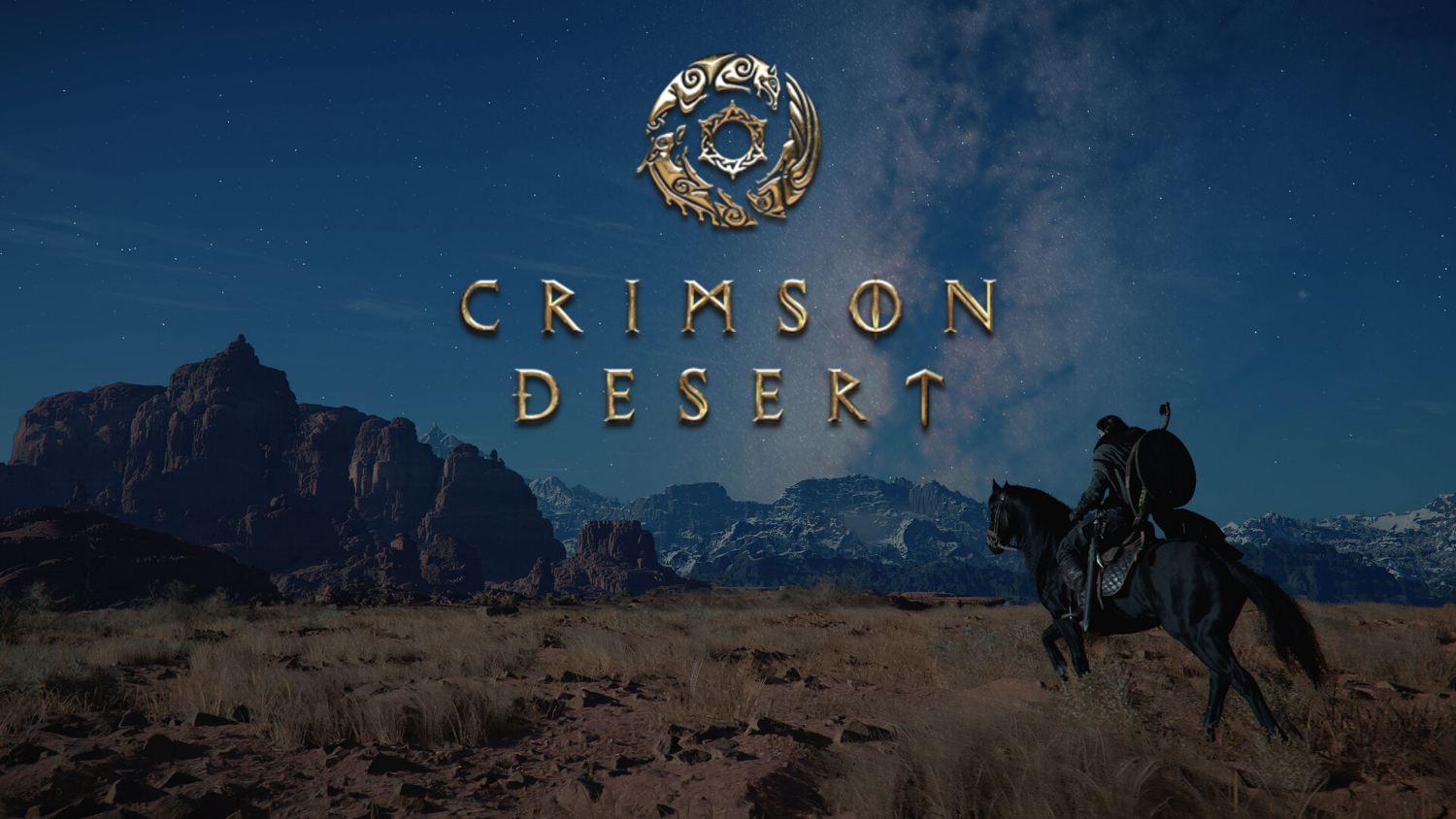
Crimson Desert is not just another game headline. It is a useful reminder of where modern game development is going. Huge open worlds, dense combat systems, seamless traversal, advanced lighting, high-resolution assets, and console-to-PC scalability all put pressure on hardware. When developers talk about preserving graphics, combat action, and seamless open-world design across platforms, PC buyers should hear the hidden message: performance targets matter, hardware choices matter, and buying the wrong system can shorten the life of your setup.
At Groovy Computers, we build Canadian custom PCs for gamers, streamers, editors, designers, 3D artists, creators, and professionals who do not want to guess. Whether you are preparing for Crimson Desert, the next wave of open-world AAA games, competitive shooters, streaming on OBS, editing YouTube videos, working in Adobe Creative Cloud, or rendering in Blender, the right build depends on what you actually want your computer to do.
What Happened With the Crimson Desert Switch 2 Port?
According to the source report, Pearl Abyss confirmed in a shareholder earnings update that the Nintendo Switch 2 version of Crimson Desert has reached a “playable baseline.” The studio is now working toward a release in the first half of 2027, though it has not locked in a definitive launch date. Pearl Abyss also emphasized that optimization is still required and that technical evaluations are underway to ensure performance and quality standards are met.
In plain terms, the game is running on Switch 2 in a foundational state, but the studio still needs to prove that the experience can meet its internal quality bar before confirming a final release schedule.
That wording is important. A “playable baseline” does not mean a finished port. It means the technology is functioning at a basic level, and now the difficult work begins: performance tuning, visual compromises, frame pacing, memory management, resolution scaling, compliance testing, and quality control. For a game built around a large open world, cinematic combat, and seamless movement, that is a major engineering challenge.
For Canadian players, the takeaway is not that the Switch 2 version will be bad. It may become an impressive portable version if Pearl Abyss executes well. The bigger point is that games like Crimson Desert are designed around ambitious visual and systemic goals. If you want the premium version of that kind of game, especially at 1440p or 4K, you should be thinking carefully about your next gaming desktop.
Why Does a Switch 2 Optimization Story Matter to PC Buyers?
It matters because every optimization story tells us something about the real weight of a game. When a developer says a port is playable but still needs work to preserve graphics, combat, and seamless open-world experience, it signals that the game is not lightweight. It also signals that platform differences are becoming more visible as games scale across handheld hardware, consoles, and high-performance PCs.
Are you comfortable with a version of a game that is built around compromise, or do you want the settings, frame rate, resolution, and upgrade flexibility that a strong desktop can deliver? That question is especially relevant if you are buying a Gaming PC for New Games in Canada and want the system to last beyond one release cycle.
Modern games are increasingly built with multiple performance targets in mind. A handheld version may use lower resolution, reduced draw distance, lower texture quality, pared-back effects, aggressive dynamic scaling, and tighter frame-rate targets. A high-end PC version can move in the opposite direction: higher resolution textures, faster loading, smoother frame rates, ultrawide support where available, better shadows, stronger reflections, higher crowd or object density, and more advanced GPU effects.
If you are buying a custom gaming PC now, you are not just buying for one game. You are buying for the next few years of Unreal Engine projects, proprietary engine showcases, ray tracing-heavy titles, massive RPGs, competitive shooters, creator tools, AI-assisted workflows, and software updates that continue to raise expectations.
What Do You Want Your Next PC to Do for You?
Before picking parts, ask a more useful question: what do you want your next PC to do for you every week?
Do you want to play Crimson Desert-style open-world games at smooth 1440p? Do you want a 4K Gaming PC Canada buyers can rely on for cinematic single-player experiences? Do you want to stream gameplay to Twitch or YouTube while keeping your frame rate high? Do you edit videos in Premiere Pro, DaVinci Resolve, or CapCut after gaming? Do you work with RAW photos in Lightroom or Photoshop? Do you design logos, marketing assets, or social graphics in Illustrator, Canva, InDesign, or Adobe Creative Cloud? Do you use Blender, Unreal Engine, Unity, SketchUp, Revit, SolidWorks, or other workstation software?
The best build changes depending on your answer. A budget gamer does not need the same component balance as a 3D artist. A streamer does not need the exact same system as someone who only plays esports titles. A video editor needs storage speed, RAM, CPU strength, and GPU acceleration in a different balance than someone chasing maximum frames in competitive shooters.
That is why Groovy Computers approaches custom PCs as complete systems, not random parts lists. The right CPU, GPU, RAM, storage, cooling, power supply, case airflow, and upgrade path should all match your real workload. If your next PC needs to be a gaming rig, streaming station, editing workstation, and everyday productivity machine, it should be built that way from the start.
Gaming PC for New Games: What Performance Tier Actually Fits You?
A Gaming PC for New Games should be chosen by resolution, frame-rate target, game type, and future expectations. It should not be chosen only by the cheapest price or the biggest-looking GPU name. Here is how to think about the major tiers.
Should You Choose a 1080p Gaming PC Canada Buyers Can Afford?
A 1080p gaming PC is the value-focused choice for players who want smooth gameplay without paying for 4K-class hardware. If you mostly play esports titles, survival games, indie games, older AAA games, or newer games on balanced settings, this tier can make a lot of sense. It is also a strong option for students, first-time PC buyers, and anyone moving up from console without overspending.
But ask yourself this: are you buying for today only, or do you want to avoid upgrading too soon? A low-cost build can be great when it is configured properly, but a system that is too close to the minimum spec line may start feeling dated as soon as the next wave of demanding releases arrives. If you want a Budget Gaming PC Canada shoppers can trust, it still needs a quality power supply, enough RAM, fast SSD storage, and a sensible upgrade path.
For many buyers, 1080p remains the smartest entry point. It keeps cost controlled while still giving you access to PC advantages: high frame rates, better input responsiveness, mod support where available, multitasking, Discord, OBS, browser tools, and upgrade flexibility. Groovy Computers can help you decide whether a value 1080p system is enough or whether financing a stronger system may save you from replacing parts earlier than planned.
Is a 1440p Gaming PC Canada’s Sweet Spot for Modern Open-World Games?
For many Canadian gamers, 1440p is the best balance of sharp visuals, high frame rates, and long-term value. A 1440p Gaming PC Canada customers choose today can feel noticeably better than 1080p without demanding the same GPU budget as 4K. It is often the practical sweet spot for open-world RPGs, action games, racing games, shooters, and high-refresh displays.
If Crimson Desert-style games are on your radar, 1440p should be high on your list. These games benefit from better image clarity, stronger GPU performance, faster storage, and enough CPU power to keep open-world systems moving smoothly. If you also want to stream or record gameplay, you will want extra headroom so your system is not constantly maxed out.
Ask yourself: do you want high settings now and playable settings later, or do you want a system that still feels strong after future game patches, expansions, and engine upgrades? A properly configured custom 1440p build gives you a more durable middle ground than many off-the-shelf systems that cut corners on cooling, RAM speed, motherboard quality, or power delivery.
Do You Need a 4K Gaming PC Canada Gamers Can Keep for Years?
A 4K gaming PC is for players who want premium image quality, cinematic detail, and the strongest possible visual experience. If you are building around a 4K monitor or a large display, or if you care about ultra settings, high-resolution textures, and ray tracing, this is where GPU choice becomes critical.
But 4K is not only about the graphics card. A strong 4K system also needs a capable CPU, adequate RAM, fast NVMe storage, quality cooling, and a power supply that supports the GPU safely. When people ask, “What PC do I need for 4K gaming?” the real answer is a balanced system, not one expensive part surrounded by weak supporting components.
If you are considering a premium build, ask yourself how long you want it to last. Do you want to play upcoming AAA games at high settings for several years? Do you want ray tracing where available? Do you want to stream, edit, and multitask on the same machine? If yes, a High End Gaming PC Canada buyers can finance or custom configure may be more sensible than buying a cheaper PC that needs major upgrades sooner.
Is Crimson Desert the Kind of Game That Rewards Strong PC Hardware?
Based on the source information, Crimson Desert is built around a large continent, dense combat, seamless traversal, and an advanced proprietary engine. That combination generally rewards stronger hardware because open-world games often stress several parts of a PC at once. The GPU handles resolution, texture quality, lighting, effects, and visual features. The CPU helps with world simulation, AI, physics, background systems, and frame consistency. RAM and VRAM affect asset loading and smoothness. SSD speed helps reduce loading interruptions and supports modern asset streaming.
So, what PC do you need for this game? Until final PC requirements and benchmarks are available, no responsible builder should pretend to know exact settings. But we can say this with confidence: if you are excited by visually ambitious open-world games, you should avoid building too close to yesterday’s minimum spec. A Gaming PC for Open World Games should be designed with margin.
That margin matters because launch-day performance is only part of the story. Patches, DLC, texture packs, driver updates, mods, background software, recording tools, and future games can all increase what you expect from your machine. Buying a slightly stronger system today can prevent the frustrating feeling of needing a major upgrade right when the game you were waiting for finally arrives.
Custom PC vs Generic Prebuilt: Why the Difference Matters More for AAA Gaming
When a game pushes hardware, weak build decisions show up quickly. A generic prebuilt may list a recognizable GPU or CPU but hide compromises in cooling, power supply quality, airflow, storage configuration, RAM capacity, motherboard features, or upgrade room. Those details matter when you are trying to maintain smooth frame rates in demanding games.
Is a custom gaming PC worth it? For buyers who care about performance consistency, long-term reliability, and upgrade flexibility, the answer is often yes. A Custom Gaming PC Canada customer should expect more than a parts list. They should expect component matching, stress testing, sensible airflow, clean assembly, and guidance based on what they actually play or create.
At Groovy Computers, custom builds are designed to fit the customer, not the other way around. A competitive esports player may prioritize high FPS and low latency. An open-world RPG player may prioritize GPU strength, storage, and visual quality. A streamer may need an RTX-focused setup with strong encoding performance. A creator may need more RAM, more storage, and a CPU/GPU balance built around editing or rendering software.
Why testing matters in a gaming PC is simple: a system that looks good on paper still needs to perform under load. Stress testing helps catch thermal issues, instability, memory problems, and configuration weaknesses before the PC reaches the customer. For Canadian buyers ordering online, that confidence matters. Groovy Computers backs builds with a 1-year warranty, giving customers an extra layer of trust when investing in a system for gaming, content creation, or professional work.
What If You Also Stream, Record, or Edit Gameplay?
Crimson Desert-style games are not only played; they are watched, clipped, reviewed, streamed, and edited. If you are planning to share your gameplay, your PC needs more than basic gaming performance. A Gaming and Streaming PC Canada buyers can rely on should be built for the combined load of game performance, encoding, overlays, chat, browser tabs, alerts, recording, and sometimes a second monitor.
What PC do you need for streaming? If you use OBS Studio, Streamlabs, Twitch, YouTube Live, or TikTok Live, you should think about GPU encoding, CPU headroom, RAM, and storage. An RTX Streaming PC Canada customers configure with Groovy Computers can use modern GPU encoding to reduce the pressure on the CPU while maintaining strong in-game performance. That is especially helpful when playing demanding AAA games while streaming at 1080p or higher.
Do you need a separate streaming PC? Not always. Many modern custom PCs can handle gaming and streaming together if they are built correctly. But if you are chasing high-refresh 1440p gameplay, recording locally, running animated overlays, and editing the footage afterward, you may want a stronger CPU, more RAM, and additional SSD storage. The goal is not just to go live; it is to go live without stutters, dropped frames, loud fans, or constant performance anxiety.
Is a Gaming PC Good for Video Editing and Content Creation?
A well-built gaming PC can be a strong content creation machine, but only if the parts are chosen properly. Many gamers now also edit videos, manage social channels, create thumbnails, stream, design graphics, produce podcasts, or render 3D scenes. That means the line between gaming PC and Creator PC Canada buyers need is getting thinner.
If you use Adobe Premiere Pro, DaVinci Resolve, After Effects, CapCut, Photoshop, Lightroom, Illustrator, Canva, or Blender, you should tell your builder before buying. The best PC for gaming is not always the best PC for editing, and the best editing PC is not always optimized for high-FPS gaming. A smart custom build can do both, but it needs the right balance.
What PC do content creators need? For YouTube editing and streaming, you may want a strong CPU, RTX GPU acceleration, 32GB or 64GB of RAM depending on project complexity, and fast NVMe storage for footage and cache files. For 4K video editing, you should avoid underbuilding memory and storage. For Photoshop and Lightroom, fast single-core performance, sufficient RAM, and quick SSDs can make a large difference in daily responsiveness. For Blender or Unreal Engine, GPU strength and VRAM become far more important.
Ask yourself: will your next PC earn you time back? If a stronger system cuts export times, reduces crashes, keeps timelines responsive, and lets you game after work, financing or upgrading into a better tier can be a practical business decision, not just a luxury.
What PC Do You Need for 3D Modeling, Rendering, and Game Development?
Games like Crimson Desert also interest 3D artists, animators, modders, asset creators, and aspiring developers. If you are inspired by massive open worlds and want to build your own environments, characters, scenes, or prototypes, a regular entry-level gaming PC may not be enough.
A 3D Modeling PC Canada customers choose for Blender, Unreal Engine, Unity, Maya, 3ds Max, Cinema 4D, ZBrush, SketchUp, AutoCAD, Revit, or SolidWorks should be configured around the exact software and project size. GPU rendering needs different priorities than CPU rendering. Game development can demand lots of RAM, fast storage, strong graphics performance, and excellent cooling. Architectural visualization may need large memory capacity and workstation reliability. Product rendering may need GPU horsepower and VRAM.
What PC do you need for Blender? If you are modeling casually, a mid-range custom gaming PC may be enough. If you are rendering large scenes, using complex materials, or doing animation, you may need a much stronger GPU, more RAM, and faster storage. Is a gaming PC good for Blender? It can be, but only if it is built with rendering in mind rather than chosen from a generic retail spec sheet.
Groovy Computers can help Canadian customers choose between a gaming-first system, a creator-focused desktop, or a Custom 3D Workstation Canada professionals can depend on. The right answer depends on whether your PC is for hobby work, school, freelance projects, studio pipelines, or daily production.
Should You Buy Before a Major Game Release, Sale Period, or Price Spike?
Timing matters. If you are waiting for Crimson Desert, GTA-style open-world releases, major shooter updates, new expansion launches, or holiday gaming season, you may be tempted to delay your PC purchase until the exact game arrives. Sometimes waiting makes sense. But waiting can also backfire if demand spikes, component pricing changes, or the parts you want become harder to source.
Is it better to buy a gaming PC now or wait? The answer depends on your current system, your target performance, and your tolerance for risk. If your current PC already struggles with modern games, waiting until launch week can leave you competing with a wave of other buyers who suddenly need upgrades. If memory, SSD, GPU, or power supply pricing shifts upward, a system that fits your budget today may cost more later.
Canadian buyers also need to think about currency, shipping, availability, and seasonal demand. Component prices can move quickly, and full-system replacement costs can rise when several categories tighten at once. GPUs attract attention first, but RAM, SSDs, cases, cooling, motherboards, and power supplies can all affect the final price of a custom build.
If you already know you want a stronger gaming desktop before a major release window, it may be smarter to plan early. That gives you time to choose the right tier, arrange financing if needed, test the system, transfer files, set up your monitor, install your software, and be ready when the game lands.
Could Financing Help You Secure a Stronger System Before Costs Rise?
Financing is not about buying more than you need. Used responsibly, it can help you avoid the trap of buying too little. Many customers start with a strict upfront budget, choose a cheaper system, and then discover that it does not meet their performance expectations for new games, streaming, editing, or workstation tasks. That can lead to earlier upgrades, wasted money, and frustration.
Should you finance a better PC instead of buying a cheaper one? If the stronger system meaningfully improves your gaming performance, creator workflow, or professional productivity, financing may be worth considering. Groovy Computers offers financing options up to 4 years, which can help Canadian buyers move into a more capable build while spreading out payments over time.
Can you finance a gaming PC in Canada? Yes, and for the right customer, it can make sense. If you are choosing between a low-end system that barely meets your needs and a properly configured custom PC that can handle 1440p gaming, streaming, editing, or 3D work, monthly payments may be more practical than compromising too heavily upfront.
The key question is simple: will a stronger PC help you avoid upgrading too soon? If the answer is yes, financing can be part of a smarter long-term buying strategy. It can also help you secure the parts and build tier you want before a major game release, component shortage, sale rush, or price spike changes the buying landscape.
How Much Should You Spend on a Gaming PC for New Games?
There is no single correct number because different buyers have different goals. Instead of asking only “How much should I spend on a gaming PC?” ask what performance level you expect and how long you want the system to stay useful.
- Entry-level and budget gaming: Best for 1080p gaming, esports, lighter AAA settings, students, and first-time PC buyers who want value without unnecessary extras.
- Mid-range 1440p gaming: Best for players who want sharper visuals, stronger frame rates, modern AAA performance, and better long-term comfort without jumping into premium pricing.
- High-end 1440p and 4K gaming: Best for ultra settings, ray tracing, demanding open-world games, high-refresh monitors, streaming, and longer upgrade cycles.
- Gaming and creator hybrid: Best for players who also edit videos, stream, design graphics, produce content, or work across Adobe Creative Cloud and social media platforms.
- Workstation and rendering builds: Best for Blender, Unreal Engine, CAD, 3D rendering, architecture, engineering, animation, and professional production workloads.
If you only play competitive games at 1080p, you may not need a premium GPU. If you want 4K ray tracing and content creation, you should not buy an entry-level system and hope it behaves like a flagship. The right budget is the one that matches your monitor, games, software, workload, and expected lifespan.
Which Buyer Are You?
If you are unsure where you fit, start with your real habits. Do you mainly play one or two esports titles? Do you jump into every major AAA release? Do you keep games installed for years with mods and expansions? Do you stream twice a week? Do you edit short-form videos daily? Do you run Photoshop, Lightroom, Premiere Pro, Discord, Chrome, and a game at the same time?
The Budget Gamer
You want a reliable, affordable gaming desktop that plays popular titles well and gets you into PC gaming without overpaying. You should focus on a balanced Budget Gaming PC Canada customers can upgrade later. Do not ignore power supply quality, storage, or RAM just to chase a slightly bigger GPU name.
The 1440p Enthusiast
You want smooth modern gaming, better visuals, and a build that feels strong for upcoming releases. You are likely the perfect candidate for a custom 1440p system. This tier is ideal if you are excited for Crimson Desert-style open-world games but do not necessarily need 4K.
The Premium 4K Player
You want the best visual experience and are willing to invest in a high-end system. You care about ultra settings, ray tracing, large displays, and long-term performance. A Premium Gaming PC Canada buyers configure through Groovy Computers can be built around cooling, power, and upgrade headroom instead of just headline specs.
The Streamer and Creator
You game, record, stream, edit, and post. You need a Gaming Streaming Editing PC Canada creators can rely on. Your system should be built for multitasking, GPU encoding, fast storage, enough RAM, and quiet performance under load.
The Professional Workstation User
You use demanding software for work or serious creative production. You may still game, but your PC also needs to handle rendering, CAD, design, editing, or development. A Custom Workstation PC Canada customer should choose based on software requirements, project size, reliability, and time saved.
What Questions Should You Ask Before Buying or Financing a Custom PC?
Before you buy, slow down and ask the questions that actually shape the build.
- What games do I want to play over the next two to three years? If the answer includes demanding open-world AAA games, avoid underpowered builds.
- What resolution do I want: 1080p, 1440p, or 4K? Your monitor choice should guide your GPU tier.
- Do I care about ray tracing or ultra settings? If yes, you need more graphics headroom.
- Will I stream, record, or edit gameplay? If yes, plan for encoding, RAM, storage, and multitasking.
- Do I use creative software? Adobe Premiere Pro, DaVinci Resolve, Photoshop, Lightroom, Illustrator, Blender, Unreal Engine, and CAD tools all change the ideal build.
- How long do I want to avoid upgrading? Spending slightly more now can reduce upgrade pressure later.
- Would financing help me buy the right system instead of settling? Monthly payments can make a stronger, longer-lasting build more accessible.
- Do I want a tested system with warranty support? A stress-tested custom PC with a 1-year warranty is safer than a mystery configuration.
These questions are not just technical. They protect your money. A PC that matches your real needs is more likely to feel fast, stable, and useful for longer.
Why Canadian Buyers Should Think Differently About PC Timing
Buying a gaming PC in Canada is not always the same as buying in larger markets. Canadian pricing can be affected by exchange rates, shipping costs, distributor stock, seasonal demand, and regional availability. A GPU price change or memory supply issue can show up quickly in the final cost of a full build. That is why Canadian buyers should pay attention to timing, especially before major game launches and holiday demand periods.
Groovy Computers serves Canadian customers who want custom gaming PCs, creator PCs, and workstation PCs built with care. Whether you are in Nova Scotia, Atlantic Canada, Ontario, Alberta, British Columbia, or elsewhere in the country, the value of a Canada-built system is not only the parts. It is the guidance, assembly, testing, warranty support, and confidence that the computer was configured for your goals.
If you are searching for Gaming PCs Shipped Canada Wide, a custom approach can be especially helpful. You can avoid the uncertainty of generic store systems, questionable marketplace listings, and builds that look powerful but cut corners where beginners may not notice. Groovy Computers helps connect the system to the customer’s use case before the order is complete.
Why Groovy Computers Is Built for This Moment
The Crimson Desert Switch 2 update is a gaming headline, but it is also a buying signal. Ambitious games are getting heavier. Creator software is getting more GPU-aware. Streaming standards are rising. Storage needs are growing. RAM demands are increasing. Workstation users expect faster renders and smoother multitasking. In that environment, buying the cheapest desktop with a flashy label is risky.
Groovy Computers is a Canadian custom PC builder focused on matching real customers with real performance. That means helping you choose the right system for 1080p gaming, 1440p gaming, 4K gaming, ray tracing, streaming, editing, photo work, graphic design, content creation, 3D modeling, and professional workstation use.
Every serious gaming or creator PC should be treated as a complete platform. Cooling should match the CPU and GPU. The power supply should be appropriate for the build. RAM capacity should match your games and software. Storage should support your library, projects, exports, and scratch files. The case should breathe properly. The upgrade path should make sense. The system should be tested before it is handed to the customer.
That is the difference between simply buying a computer and buying a tool that fits your life.
Should You Build Around Console Convenience or PC Flexibility?
There is nothing wrong with console gaming. The Switch 2 version of Crimson Desert, if Pearl Abyss reaches its goals, could be an exciting way to play on Nintendo hardware. But a console is a fixed platform. A custom PC is flexible. You can upgrade storage, add memory, replace a GPU, connect multiple monitors, stream, edit, render, work, mod, and adapt over time.
So ask yourself: do you want the simplest way to play, or the most flexible machine for everything you do? If you only want handheld convenience, a console may fit. If you want the best mix of gaming, productivity, creativity, streaming, and long-term upgrade potential, a custom desktop is hard to beat.
For many Canadian households, the smarter move is not choosing between gaming and work. It is buying one strong desktop that can handle both. A well-planned custom PC can serve as a gaming station, school computer, streaming rig, editing machine, design desktop, and home workstation.
What If You Want Help Choosing the Right Build?
If you are asking, “What gaming PC do I need?” you are not alone. Most buyers know what they want to do, but not which CPU, GPU, RAM, SSD, cooling, or power supply combination gets them there. That is exactly where Groovy Computers can help.
Do you want a budget-friendly gaming PC that is still reliable? A 1440p performance build for upcoming AAA games? A premium RTX gaming PC for 4K and ray tracing? A custom creator PC for editing and streaming? A 3D modeling workstation for Blender or Unreal Engine? A finance-friendly setup that lets you secure a stronger system before prices shift?
If the answer is yes, visit GroovyComputers.ca and explore a custom build that fits your games, software, budget, and timeline. A Gaming PC for New Games should not be a guess. It should be planned around how you actually play, create, and work.
Conclusion: A Gaming PC for New Games Is About More Than One Release
Crimson Desert reaching a playable baseline on Switch 2 is promising news for Nintendo fans, but it also underlines how demanding modern games have become. If a major studio is taking extra time to preserve graphics, combat, and seamless open-world design on portable-style hardware, PC buyers should take performance planning seriously.
A Gaming PC for New Games is not just about one title. It is about being ready for the next wave of open-world games, competitive updates, creator workloads, streaming goals, editing projects, and software upgrades. It is about choosing the right tier for 1080p, 1440p, or 4K. It is about deciding whether ray tracing, streaming, video editing, graphic design, 3D modeling, or workstation performance belongs in your build. It is about avoiding the mistake of buying too little and upgrading too soon.
For Canadian buyers, Groovy Computers offers the guidance, custom build quality, stress testing, financing options up to 4 years, and 1-year warranty support that make a serious PC purchase feel more confident. Whether you are preparing for Crimson Desert, building for upcoming AAA games, launching a streaming channel, upgrading your editing workflow, or replacing an aging workstation, the right time to plan is before demand, prices, or your workload force a rushed decision.
#GamingPCForNewGames #CustomGamingPCCanada #GamingPCCanada #1440pGamingPC #4KGamingPC #CreatorPCCanada #GamingPCFinancingCanada #GroovyComputers
Groovy Computers | All Rights Reserved


Leave a comment
This site is protected by hCaptcha and the hCaptcha Privacy Policy and Terms of Service apply.