




















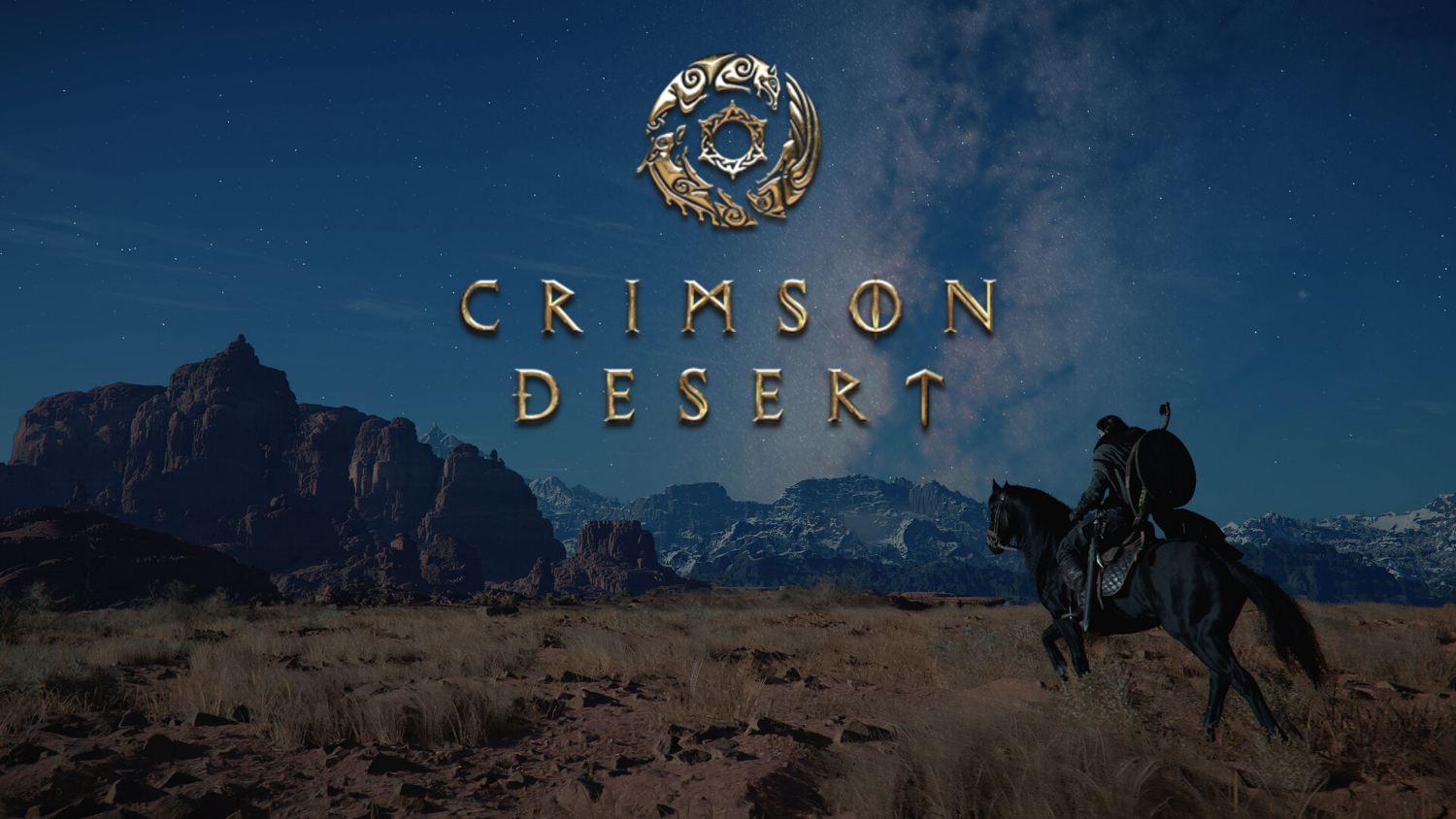
Crimson Desert on Switch 2 Shows Why a Gaming PC for New Games Still Matters in Canada
Crimson Desert is becoming one of the most important open-world action RPG stories to watch, and Pearl Abyss has now indicated that a Nintendo Switch 2 version is planned for the first half of 2027. For console players, that is big news. For Canadian PC gamers, streamers, video editors, creators, and workstation buyers, it points to something even bigger: modern games are getting more demanding, more platform-flexible, and more performance-sensitive than ever.
If you are already asking, what gaming PC do I need for upcoming open-world games like Crimson Desert, GTA 6-style large-scale releases, ray-traced AAA titles, streaming, editing, and long-term performance, this is the right moment to think carefully. A handheld or console port can be impressive, but a well-built gaming desktop still gives you the most control over resolution, frame rate, graphics settings, storage, streaming quality, upgrades, and future-proofing.
For Canadian buyers, the question is not just “Can I run the game?” It is “Do I want to play new games at 1080p, 1440p, or 4K? Do I want to stream at the same time? Do I want to edit gameplay footage? Do I want a system that still feels strong when the next wave of demanding games arrives?” That is where a carefully matched custom gaming PC from Groovy Computers becomes more than a purchase. It becomes a performance plan.
What Pearl Abyss Revealed About Crimson Desert and Why PC Buyers Should Pay Attention
According to Pearl Abyss financial reporting referenced in the source material, the company is preparing multiple long-term initiatives for Crimson Desert, including DLC, strategic pricing, promotional planning, and platform expansion. The most eye-catching detail is that the Switch 2 version has reportedly reached a playable baseline, with Pearl Abyss now reviewing performance optimization and quality standards while targeting a release in the first half of 2027.
That detail matters because Pearl Abyss is not describing the Switch 2 version as a simple port. The company specifically emphasized preserving Crimson Desert’s signature graphics, action, and open-world experience. In other words, the goal is not just to make the game technically launch on another device. The goal is to keep the feel of the game intact.
That is a major clue about the modern gaming landscape. Players expect big worlds, fast combat, high visual quality, smooth animation, and consistent frame rates across platforms. Developers are trying to stretch massive games across consoles, handheld-style systems, and PCs. But the best experience often comes down to the hardware you actually own.
So ask yourself: when a developer says a game needs careful optimization just to preserve the intended experience on a portable platform, what kind of desktop hardware do you want at home? Are you comfortable with low settings and compromises, or do you want a system built to handle ambitious new games with room to spare?
Why a Gaming PC for New Games Is Still the Most Flexible Choice
A gaming PC for new games gives Canadian players one major advantage that consoles and handheld systems cannot fully match: choice. You choose the performance target. You choose the monitor resolution. You choose whether frame rate matters more than visual fidelity. You choose whether you want to stream, record, edit, multitask, mod, or upgrade later.
With a console or portable system, you generally accept the version that is delivered to you. With a custom gaming desktop, you can build around your priorities. If you mostly play esports games, you may care about high FPS at 1080p or 1440p. If you love cinematic open-world games, you may care about ultra settings, ray tracing, and smooth 4K visuals. If you stream on Twitch or YouTube, you may care about GPU encoding, RAM, storage, and background app performance. If you edit content, you may need a machine that is both a gaming system and a creator workstation.
Crimson Desert is a useful example because it sits in the type of category that pushes hardware: open-world exploration, action combat, high-fidelity visuals, and large environments. Even before thinking about exact final PC requirements, the direction is clear. Big games reward stronger GPUs, modern CPUs, fast SSDs, enough RAM, good cooling, and stable power delivery.
Are you buying a PC only for today’s games, or are you buying for the next three to five years of releases? That one question changes the build completely.
What Do You Want Your Next PC to Do for You?
Before choosing a graphics card, processor, RAM amount, or financing option, start with the most important question: what do you want your next PC to do for you?
Do you want to play Crimson Desert and other open-world games at high settings? Do you want a smooth 1440p gaming experience with a high-refresh monitor? Do you want 4K visuals on a big display? Do you want ray tracing? Do you want to stream your gameplay while keeping frame rates stable? Do you want to record long sessions, edit highlight reels, produce YouTube videos, or create short-form content for TikTok, Instagram, and YouTube Shorts?
For many Canadian buyers, the answer is no longer just “gaming.” A modern PC often needs to handle gaming, streaming, editing, school, business, design, photo work, Discord, browser tabs, recording software, and maybe even 3D tools. That is why Groovy Computers focuses on matching the build to the real workload, not just throwing random parts into a case and calling it powerful.
If your next PC needs to do more than launch a game, your buying decision should reflect that from the beginning.
What Performance Tier Fits You Best?
Choosing the right Gaming PC Canada build is easier when you think in performance tiers instead of random part names. A good custom PC should be balanced around the way you actually play and work.
Entry-Level and Budget Gaming: Is 1080p Enough for You?
A budget gaming computer can still make sense if your main target is 1080p gaming, esports titles, lighter AAA games, school use, and everyday productivity. If you are playing games like Fortnite, Minecraft, Roblox, Valorant, Counter-Strike 2, Rocket League, and older open-world games, you may not need a premium build right away.
But here is the key question: can a budget gaming PC play new games the way you want? If your expectation is medium to high settings at 1080p, a value-focused gaming desktop can be a smart choice. If you expect ultra settings, ray tracing, heavy mods, streaming, and long-term performance for upcoming AAA releases, you may quickly outgrow an entry-level system.
Budget buyers should think carefully about upgrade paths. A cheaper system that needs a new GPU, power supply, storage upgrade, and RAM upgrade within a short period may not be cheaper in the long run. Sometimes the better value is a stronger custom build from the start.
Mid-Range Sweet Spot: What PC Do I Need for 1440p Gaming?
For many players, a 1440p Gaming PC Canada build is the best balance of visual quality, frame rate, and long-term value. 1440p looks significantly sharper than 1080p, but it is usually easier to drive than 4K. That makes it a strong target for open-world games, RPGs, shooters, racing games, survival games, and future AAA releases.
If you are asking, what PC do I need for 1440p gaming, focus on a strong modern GPU, a capable multi-core CPU, 32GB of RAM for a smoother modern experience, fast NVMe SSD storage, and cooling that keeps the system stable under long gaming sessions. This is the tier where many Canadian gamers find the best mix of performance and price.
Do you want high settings now and enough headroom for the next wave of games? If yes, 1440p is often the smartest target. It gives you more visual detail than 1080p without requiring the same GPU investment as uncompromised 4K.
Premium and High-End Gaming: Do You Want 4K, Ray Tracing, and Ultra Settings?
If your goal is cinematic gaming, high-end visuals, ray tracing, and maximum longevity, then a 4K Gaming PC Canada or premium RTX gaming PC becomes the better fit. This is the tier for players who want the best possible experience in demanding open-world games, racing titles, action RPGs, visually rich single-player games, and future releases that are likely to raise hardware expectations.
A premium build is not only about today’s frame rates. It is about avoiding regret. If you buy too low now, you may be forced into compromises when the games you are most excited about finally arrive. If you already know you want ultra settings, ray tracing, 4K textures, high-refresh gameplay, and years of stronger performance, a high-end custom gaming PC is the more confident choice.
Ask yourself: what PC do I need for 4K gaming if I do not want to upgrade too soon? The answer usually involves a higher-tier GPU, a strong gaming CPU, excellent airflow, a quality power supply, fast storage, and enough memory to handle modern games and background apps without stuttering.
Crimson Desert, Open-World Games, and the Hardware Demands Behind the Hype
Open-world games are uniquely demanding because they combine several workload types at once. They need CPU power for simulation, AI, physics, world streaming, and background systems. They need GPU power for resolution, lighting, shadows, textures, post-processing, ray tracing, and high frame rates. They need fast storage to load assets smoothly. They need enough RAM and VRAM to keep large environments responsive.
That is why a game like Crimson Desert is a useful buying signal even if you are also interested in other releases. The bigger trend is clear: visually ambitious games are not getting lighter. Worlds are larger. Assets are more detailed. Players expect smoother performance. Streaming and recording are more common. Monitors are sharper. And many buyers now want one machine that can handle both entertainment and productivity.
If you are buying a gaming PC for upcoming games, you should not only compare average FPS numbers. You should think about consistency. Does the system stay smooth during heavy scenes? Does it handle background apps? Does it have enough storage for large game installs? Can the power supply support a future GPU upgrade? Is the cooling designed for long sessions?
A strong gaming desktop is not just about peak performance. It is about stable performance.
Is a Gaming PC Better Than Waiting for a Console or Handheld Version?
The Switch 2 news is exciting because it suggests Crimson Desert may reach more players. But if you are a performance-focused gamer, waiting for a later platform version may not be the best match for your goals.
Do you want portability, or do you want the strongest visual experience? Do you want a fixed platform, or do you want upgrade flexibility? Do you want one device for gaming only, or one desktop that can also stream, edit, design, render, and handle productivity?
A handheld-style version can be convenient, but a custom gaming PC can be tuned for your preferred resolution, FPS target, and workload. For many Canadian players, the best setup is not about choosing one platform forever. It is about having a powerful desktop at home for serious gaming and creative work, then using other devices when portability matters.
If the game you are excited about is designed to be visually impressive, why limit yourself to the most constrained version if your main goal is performance?
Do You Also Stream, Record, or Edit Gameplay?
Modern gamers are often creators, even if they do not call themselves that yet. Maybe you record clips. Maybe you stream to friends. Maybe you upload boss fights, guides, reactions, benchmarks, tutorials, or short-form highlights. If that sounds like you, a standard gaming PC may not be enough. You may need a Gaming and Streaming PC Canada build or a hybrid creator system.
Streaming and recording add extra pressure. OBS, Streamlabs, Discord, browser sources, overlays, capture tools, chat windows, and editing software can all run alongside the game. If your PC is not balanced properly, you may see dropped frames, stutters, poor stream quality, loud fans, or slow exports after the session.
What PC do you need for streaming? In most cases, you want a strong GPU with excellent encoding support, a capable CPU, 32GB or more of RAM depending on workload, fast SSD storage, and enough cooling to keep the system quiet and stable. If you also edit footage in Adobe Premiere Pro, DaVinci Resolve, CapCut, or After Effects, the build should be selected with creator performance in mind as well.
Do you want to play the game, stream the game, and edit the footage on the same computer? If yes, tell Groovy Computers that from the beginning. The right build for gaming only is not always the same as the right build for gaming, streaming, and editing.
Is a Gaming PC Good for Video Editing, Photo Editing, and Graphic Design?
One of the best things about a custom desktop is that it can be built for multiple purposes. A well-configured gaming PC can also be an excellent content creation PC, but only if the parts are chosen properly.
If you edit video, you may need a Video Editing PC Canada configuration with a stronger CPU, more RAM, fast scratch storage, and a GPU that accelerates effects, colour work, and exports. If you work in Photoshop, Lightroom, Capture One, Illustrator, InDesign, Canva, or other creative software, you may need strong single-core CPU performance, enough memory for large files, fast SSDs, and support for multiple monitors.
Ask yourself: do you only game, or do you also create? Do you edit 1080p videos, 4K footage, 6K camera files, RAW photos, layered Photoshop projects, brand graphics, thumbnails, product images, or social media content? Do you need your PC to save time every day, or only entertain you after work?
A Custom Creator PC Canada build can be designed around both gaming and creative software. That matters because time is money for creators, freelancers, students, marketers, photographers, designers, and small business owners. A faster export, smoother timeline, or more responsive editing session can add up quickly.
What If You Need 3D Modeling, Rendering, CAD, or Unreal Engine Performance?
Crimson Desert also highlights another major trend: game worlds are becoming more complex, and the tools used to create them are becoming more accessible. More customers are now using Blender, Unreal Engine, Unity, SketchUp, AutoCAD, Revit, SolidWorks, Maya, 3ds Max, Cinema 4D, and similar software for school, work, game development, product design, architecture, animation, and 3D art.
If you are building assets, rendering scenes, working in CAD, designing products, or experimenting with Unreal Engine, you may need more than a gaming desktop. You may need a 3D Modeling PC Canada, a rendering workstation, or a hybrid gaming and workstation PC.
What PC do you need for Blender or 3D rendering? The answer depends on whether your workflow is CPU-heavy, GPU-heavy, memory-heavy, or storage-heavy. Some rendering tasks benefit massively from a powerful GPU. Some simulation, CAD, and modeling tasks need strong CPU performance. Large scenes may require 64GB or even 128GB of RAM. Project files and asset libraries benefit from fast, spacious SSD storage.
This is where custom building matters. A random prebuilt gaming desktop may look powerful on paper, but if it is not balanced for your exact software, you could pay for performance in the wrong place. Groovy Computers can help Canadian buyers choose a workstation configuration that makes sense for gaming, rendering, modeling, editing, or all of the above.
Is It Better to Buy a Gaming PC Now or Wait?
One of the most common questions from buyers is simple: is it better to buy a gaming PC now or wait? The honest answer depends on your budget, your current system, your performance goals, and what you plan to play or create over the next year.
However, waiting is not always safer. PC component pricing can shift because of GPU demand, memory market pressure, storage pricing, new hardware launches, supply constraints, currency movement, seasonal demand, and major game releases that suddenly push more people to upgrade. Canadian buyers also have to consider exchange rates, shipping realities, and availability across the Canadian market.
If your current PC is already struggling, waiting may cost you months of poor performance. If you need a system for school, business, editing, content creation, or paid client work, waiting may also cost productivity. If you are planning to buy before a major game release, a holiday sale period, a software upgrade, or a hardware shortage, timing matters.
Ask yourself: will waiting actually get you a better system, or will it push you into a rushed purchase when demand is higher and parts are more expensive?
Should You Finance a Better PC Instead of Buying a Cheaper One?
Financing can make sense when it helps you avoid buying too little performance today and paying more to fix it later. If you are choosing between a lower-end system that barely meets your needs and a stronger custom gaming PC that fits your real workload, financing may help you secure the better build sooner.
Groovy Computers offers financing options up to 4 years, which can help Canadian buyers spread out the cost of a stronger gaming PC, creator PC, or workstation instead of settling for a system that may feel outdated too quickly.
So, should you finance a better PC instead of buying a cheaper one? If the cheaper system forces you to compromise on the games, resolution, streaming quality, editing workflow, or software performance you actually care about, financing a more capable build may be the smarter long-term move.
This is especially relevant when pricing conditions are uncertain. If GPUs, RAM, SSDs, or full-system replacement costs rise, locking in a well-matched build earlier can be more practical than waiting until your old PC fails or a new release creates a rush of upgrades.
If you are considering Finance Gaming PC Canada options, the goal should not be to overspend. The goal should be to buy the right system once, with enough performance headroom to avoid an early replacement.
Why Custom Builds Matter More When Games and Prices Are Moving Fast
When gaming demand rises, it becomes tempting to grab any prebuilt computer that appears to have a good GPU or a flashy spec line. But a gaming PC is a complete system, not a single part. The GPU matters, but so do the CPU, motherboard, RAM speed and capacity, SSD quality, power supply, case airflow, cooling, cable management, BIOS configuration, Windows setup, and stress testing.
A poorly balanced PC can bottleneck itself. A hot-running system can throttle. A weak power supply can limit upgrade options. A small SSD can fill up quickly with modern game installs. Too little RAM can hurt multitasking. A low-quality case can make premium parts run louder and hotter than they should.
That is why Canadian Custom PC Builders like Groovy Computers matter. A proper custom build is designed around the customer’s use case. Are you playing at 1080p or 1440p? Are you moving to 4K? Do you need Wi-Fi? Do you need multiple monitors? Do you stream? Do you edit? Do you need extra storage? Do you care about quiet operation? Do you want upgrade room?
Those questions are not extras. They are the difference between a PC that looks good in a listing and a PC that feels right every day.
How Groovy Computers Helps Canadian Buyers Choose the Right PC
Groovy Computers builds custom gaming PCs, creator PCs, and workstation PCs for Canadian customers who want performance without guesswork. Whether you are in Nova Scotia, Atlantic Canada, Ontario, Western Canada, or shopping online from anywhere in the country, the goal is the same: match the system to what you actually need.
For local buyers looking for Custom Gaming PC Nova Scotia support, Groovy Computers brings a Canadian, customer-focused approach to performance builds. For Canada-wide buyers, Groovy makes it easier to browse, compare, finance, and choose a system built with purpose.
Every serious gaming or creator build should be configured with stability in mind. That means component matching, airflow planning, installation quality, stress testing, and warranty confidence. Groovy Computers backs systems with a 1-year warranty, giving buyers more peace of mind than a random marketplace purchase or a mystery parts list.
If you are not sure which build fits, that is exactly when expert guidance matters most. You do not need to memorize every GPU benchmark or CPU model. You need to know what you want your PC to do, and Groovy Computers can help translate that into the right configuration.
Which Groovy Computers Build Category Should You Consider?
The best PC category depends on your actual workload. Use the guide below as a practical starting point before browsing or requesting help.
Choose a Budget Gaming Computer If...
- You mostly play esports, indie games, lighter titles, or older AAA games.
- You are targeting 1080p gaming rather than 1440p or 4K.
- You want a first gaming PC for a student, casual gamer, or family setup.
- You care about value and do not need ultra settings in the newest releases.
- You want an affordable starting point with a sensible upgrade path.
Choose a 1440p Gaming PC If...
- You want a strong balance of performance, image quality, and price.
- You play open-world games, shooters, RPGs, survival games, and new AAA titles.
- You want high settings without jumping to the cost of a full 4K build.
- You use a high-refresh 1440p monitor or plan to upgrade to one.
- You want a system that feels modern for more than just one release cycle.
Choose a Premium RTX Gaming PC If...
- You want 4K gaming, ray tracing, ultra settings, or maximum visual quality.
- You are buying for demanding upcoming games and want more long-term headroom.
- You want high FPS and high settings at the same time.
- You want a quieter, better-cooled, more premium desktop experience.
- You would rather buy strong once than upgrade too soon.
Choose a Gaming and Streaming PC If...
- You stream to Twitch, YouTube, TikTok Live, or other platforms.
- You use OBS Studio, Streamlabs, Discord, overlays, and capture tools.
- You want to game and record without major frame drops.
- You edit your streams or clips after recording.
- You need strong GPU encoding, enough RAM, and fast storage.
Choose a Custom Creator PC If...
- You edit video in Premiere Pro, DaVinci Resolve, CapCut, or After Effects.
- You work with Photoshop, Lightroom, Illustrator, Canva, or Adobe Creative Cloud.
- You create YouTube videos, social media content, podcasts, thumbnails, graphics, or ads.
- You need faster exports, smoother timelines, and better multitasking.
- You want one desktop for gaming and creative work.
Choose a 3D Modeling or Workstation PC If...
- You use Blender, Unreal Engine, Unity, AutoCAD, Revit, SolidWorks, Maya, 3ds Max, or Cinema 4D.
- You render scenes, model assets, design products, or work with architectural visualization.
- You need large RAM capacity, strong CPU or GPU rendering power, and reliable cooling.
- You use your PC for professional workloads where downtime is costly.
- You want a system designed for stability, not just gaming benchmarks.
Questions to Ask Before Buying or Financing Your Next PC
Before you buy, take a few minutes to answer these questions. They can save you from underbuying, overspending, or choosing a system that does not match your real needs.
- What games do I want to play over the next two to three years?
- Am I targeting 1080p, 1440p, or 4K gaming?
- Do I care about ray tracing, ultra settings, or high FPS competitive performance?
- Will I stream, record, or edit gameplay footage?
- Do I use Adobe Premiere Pro, DaVinci Resolve, Photoshop, Lightroom, Illustrator, Blender, Unreal Engine, CAD software, or other demanding applications?
- How much storage do I need for games, project files, media, and backups?
- Do I want a budget gaming PC now, or would financing help me secure a stronger system that lasts longer?
- Am I buying before a major game release, school term, business project, content schedule, sale period, or possible price increase?
- Do I want a PC that can be upgraded later without replacing everything?
- Do I want help choosing a build instead of guessing based on random specs?
If you do not know the answer to every question, that is normal. Most buyers do not. The point is to identify your priorities so your PC can be built around them.
Why Waiting Too Long Can Lead to a Worse Upgrade Experience
PC buying often becomes stressful when people wait until their system is already failing. Maybe the GPU can no longer handle new games. Maybe the SSD is full. Maybe editing projects take too long. Maybe the computer is overheating, crashing, or making too much noise. By the time the need becomes urgent, the buyer has less flexibility.
That is when people make rushed decisions. They buy the first available system. They settle for weak specs. They overspend on the wrong parts. They ignore cooling or warranty. They finance a system without understanding whether it fits their workload.
A better approach is to plan before the pressure hits. If you know you want to play upcoming open-world games, stream, edit, or take on heavier creative work, start comparing systems now. If you know your current PC is already struggling, waiting for one more demanding release may not help.
Are you buying because you are excited, or because your current system is forcing your hand? The earlier you plan, the more control you have.
What the Crimson Desert Switch 2 News Means for Canadian Gamers
The Switch 2 release window reported by Pearl Abyss is not just platform news. It is a reminder that major games now live across many devices, but not every device delivers the same experience. Developers can optimize, scale, and adapt, but hardware still matters.
For Canadian PC gamers, the smart move is to think beyond one game. Crimson Desert, future open-world RPGs, competitive shooters, survival games, racing sims, ray-traced titles, and creator software all point toward the same reality: a stronger, better-balanced PC gives you more freedom.
If you want portability, a handheld or console can be fun. If you want performance, upgrades, streaming, editing, multitasking, and long-term flexibility, a custom desktop remains the powerhouse option.
And if you are already thinking about a new build, the best question is not “What is the cheapest PC I can get?” It is “What system will actually keep up with the games, software, and creative work I care about?”
Ready to Choose a Gaming PC for New Games?
If Crimson Desert has you thinking about your next upgrade, this is a strong time to look at a gaming PC for new games that fits your real performance target. Do you want 1080p value, 1440p balance, 4K power, ray tracing, streaming, video editing, 3D modeling, or a workstation-level setup that can handle both gaming and professional workloads?
Groovy Computers can help you choose a custom gaming PC, creator PC, or workstation PC built for your goals, your budget, and your upgrade plans. If financing would help you step into the right system sooner, Groovy Computers offers options up to 4 years so you can avoid settling for a weaker build that may need replacing too soon.
Want help deciding before prices shift, demand spikes, or your current PC falls behind? Visit GroovyComputers.ca to browse gaming computers, explore custom options, and find a build that is ready for the next generation of games and creative workloads.
The Bottom Line: Build for the Experience You Actually Want
Pearl Abyss planning a Crimson Desert Switch 2 release for the first half of 2027 is exciting for the gaming world, but it also reinforces an important buying lesson: ambitious games require thoughtful hardware decisions. If you care about resolution, frame rate, graphics quality, streaming, editing, storage, and long-term flexibility, a custom gaming PC remains one of the best investments you can make.
For Canadian buyers, Groovy Computers offers a smarter path than guessing. Whether you need a budget gaming computer, a 1440p gaming PC, a premium 4K system, a gaming and streaming PC, a custom creator PC, or a 3D modeling workstation, the right build starts with your actual goals.
Do not buy for the minimum. Buy for the experience you want. A well-built gaming PC for new games can help you enjoy the next wave of releases with confidence, create without constant slowdowns, and avoid upgrading sooner than necessary.
#GamingPCForNewGames #GamingPCCanada #CustomGamingPCCanada #1440pGamingPC #4KGamingPC #GamingAndStreamingPC #CustomCreatorPC #GroovyComputers #CanadianCustomPCBuilders
Groovy Computers | All Rights Reserved

Leave a comment
This site is protected by hCaptcha and the hCaptcha Privacy Policy and Terms of Service apply.