




















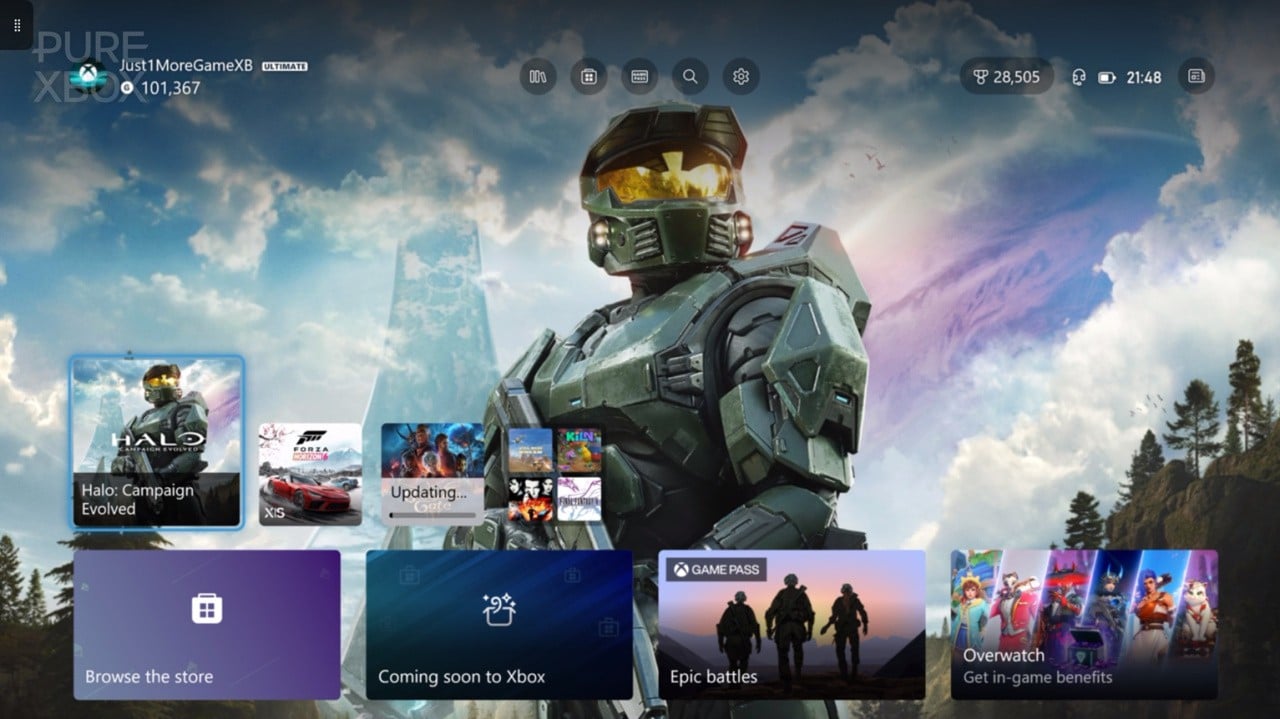
Xbox August Update Shows Why More Canadian Players Are Thinking About a Gaming PC Canada Upgrade
The latest Xbox August update adds six meaningful quality-of-life changes, and while these updates are clearly aimed at improving the console experience, they also highlight a bigger question for Canadian gamers: when platform features keep expanding, are you still happy with your current setup, or is it time to move toward a more flexible Gaming PC Canada solution? For many players, this kind of update is not just news. It is a reminder to think carefully about performance, game access, streaming options, storage, save security, content creation, and whether their next system should do more than a console alone can offer.
From improved Xbox 360 game hubs and upgraded achievement visibility to cloud-play convenience, older cloud save restoration, larger wishlists, and better subscription badges, the update is built around usability. That matters. Players want less friction, faster access, and more control. But it also raises a natural follow-up question: if convenience matters this much, what happens when you want even more control over graphics settings, frame rates, streaming tools, editing software, multitasking, or long-term upgrade options?
That is where the conversation starts to shift from console updates to custom PCs. At Groovy Computers, we see this often across Canada. A player reads gaming news, gets excited about ecosystem improvements, and then starts asking the next practical question: what do I actually want my next system to do for me?
What the Xbox August update gets right
The update focuses on six features that make daily use better rather than simply louder on a marketing sheet. That is important because mature buyers usually care more about real usability than flashy claims.
- Xbox 360 games now support game hubs, making older titles easier to manage and track.
- Xbox 360 and Windows Phone achievement upgrades improve legacy achievement visibility.
- Queue updates and play via the cloud instead reduces waiting when a title needs an update.
- Restore older cloud saves adds a valuable protection feature, beginning with supported titles.
- Add more games to your wishlist expands tracking up to 1,000 games.
- New subscription badges make entitlement visibility clearer on the manage installation page.
These are thoughtful improvements. They acknowledge something modern gamers and creators already know: convenience is part of performance. A machine that wastes less of your time feels better to use. But now ask yourself something important. Do you only want convenience inside one closed ecosystem, or do you want convenience plus flexibility, upgradeability, and broader performance options?
Why this matters to Canadian buyers looking at their next setup
For buyers in Canada, the issue is rarely just “console versus PC” in a simplistic way. The better question is usually: what workloads do you need your machine to handle over the next few years? If you only play casually on a living room screen, a console may still fit well. But if you are also thinking about higher refresh rate gaming, Discord, mods, creator software, game capture, streaming, YouTube editing, school work, graphic design, or 3D workloads, the value equation changes quickly.
That is especially true when a lot of people are trying to avoid buying twice. Nobody wants to buy one system now, outgrow it quickly, and then spend again sooner than expected. So when you see platform updates adding more convenience, it is a good time to step back and ask a smarter buying question: should your next machine simply keep up, or should it open up more possibilities?
What do you want your next PC to do for you?
This is the most important question in the entire buying process, and it is the one many people skip.
Do you want a system mainly for playing new games at 1080p? Are you aiming for 1440p with high settings and better frame rates? Do you care about 4K, ray tracing, and premium visual quality? Do you want to stream to Twitch or YouTube while gaming? Are you also editing clips in Adobe Premiere Pro or DaVinci Resolve? Maybe you are a student handling Photoshop, Illustrator, Blender, or CAD software during the day and gaming at night.
If that sounds like you, then your buying decision is no longer just about “can it run games?” It becomes about balance. You need the right CPU, GPU, RAM, storage, cooling, and upgrade path for your actual life, not just for one headline feature.
Are you still shopping like a console buyer when you actually need a custom gaming PC Canada build?
Console buyers often think in fixed tiers. PC buyers should think in use cases. That difference matters.
If you are moving toward a Custom Gaming PC Canada build, the real advantage is not only raw speed. It is that the system can be tailored to the way you play and work. A good custom PC can be built around esports performance, cinematic single-player gaming, streaming, editing, productivity, or a hybrid of all of them.
That means you do not need to overpay for the wrong parts, and you do not need to settle for an underpowered machine that will feel old too soon.
What performance tier actually fits you?
One of the biggest mistakes buyers make is choosing a system tier emotionally instead of practically. Here is a cleaner way to think about it.
Entry-level and budget-focused: who should choose this?
If you mainly play lighter competitive titles, older games, indie releases, or you are just getting into PC gaming, a Budget Gaming PC Canada option may be the right move. This tier usually makes sense if you want solid 1080p performance, reasonable settings, fast boot times, and a better overall desktop experience without jumping straight into a premium build.
Ask yourself: are you buying for Fortnite, Minecraft, Roblox, Valorant, Counter-Strike 2, or general everyday gaming? Do you want a first gaming PC for a student or younger player? Are you trying to maximize value while leaving room to upgrade later?
If yes, budget-focused systems can be very smart. But they should still be chosen carefully. Cheap, poorly balanced systems can become expensive mistakes if they need replacement too early.
Mid-range gaming: the sweet spot for many buyers
For a huge portion of Canadian gamers, the sweet spot is a well-balanced 1080p-to-1440p build. This is where many buyers find the best mix of visual quality, responsiveness, storage capacity, and long-term value.
Do you want high settings in modern games without stepping into ultra-premium pricing? Do you want a machine that can also handle Discord, browser tabs, mods, game launchers, school tasks, and light editing without feeling strained? Do you want to avoid the regret of buying too low, but also avoid overspending on performance you may not use every day?
This is often where a well-designed Gaming Desktop Canada configuration makes the most sense.
High-end and premium: when should you step up?
If you are aiming for 1440p at very high refresh rates, stronger ray tracing, 4K gaming, heavier multitasking, demanding new releases, or longer-term future-proofing, then a High End Gaming PC Canada build becomes easier to justify.
This tier is also attractive for buyers who know they will stream, record gameplay, use multiple monitors, or combine gaming with creator software. The extra headroom is not just about today. It is about reducing how quickly your system feels limited.
So ask yourself honestly: are you the kind of user who upgrades every few years, or would you rather buy stronger now and stay happy longer?
Why Xbox cloud convenience can push people toward a gaming and streaming PC Canada setup
One of the most interesting features in the update is the ability to queue an update and play through cloud gaming instead when supported. It reduces downtime, which is great. But it also reminds users how valuable instant access has become.
On PC, that convenience can expand even further. You are not just deciding whether to launch a game. You are deciding whether to run OBS, capture gameplay, edit footage, multitask across multiple displays, mod your games, tweak graphics settings, join communities, use keyboard and mouse where preferred, and move between play and productivity on the same machine.
If you are asking what PC do I need for streaming or do I need a separate streaming PC, the answer for many people today is no. A properly configured modern system can handle gaming and streaming together very well. A Streaming PC Canada or Gaming and Streaming PC Canada build can be tailored around the level of stream quality, game complexity, and editing work you plan to do.
Do you just game, or do you also create?
This is another buying question that changes everything.
Many people start shopping for a gaming PC and then realize they also need a machine for video editing, thumbnails, Photoshop work, short-form content, graphic design, podcast editing, or even 3D software. If that sounds familiar, a pure gaming-first approach may not be enough.
A balanced Content Creation PC Canada or Creator PC Canada build is often the better long-term investment if your workflow includes both entertainment and production. That is because creator workloads benefit from more than just gaming horsepower. CPU performance, RAM capacity, storage speed, thermal behaviour, and software stability all matter.
Thinking about editing clips from your Xbox or PC sessions?
If this Xbox update has you spending more time in game hubs, achievements, captures, and your broader library, it is reasonable to ask whether you also want to turn those gaming moments into content.
Do you want to cut YouTube videos? Edit TikToks or Shorts? Export gameplay montages faster? Work in Adobe Premiere Pro, DaVinci Resolve, After Effects, CapCut, Photoshop, or Lightroom without constant lag?
If yes, then a Video Editing PC Canada or Custom Video Editing PC Canada setup may fit you better than a standard gaming-only machine. And if your work leans more toward Photoshop, Lightroom, or graphic assets, then a Photo Editing PC Canada or Graphic Design PC Canada build becomes the smarter path.
The practical question is simple: are you only consuming content, or are you starting to create it too?
What if you need Blender, CAD, Unreal Engine, or 3D rendering?
Not every buyer reading gaming news is only a gamer. Some are students, freelancers, designers, or technical users who enjoy games but also need serious performance for work. If your machine needs to handle Blender, Unreal Engine, Unity, AutoCAD, Revit, SolidWorks, Maya, or other demanding 3D and productivity software, then you may be shopping in workstation territory even if gaming is still part of the plan.
In that case, a 3D Modeling PC Canada, 3D Rendering PC Canada, or Workstation PC Canada approach makes more sense than a generic mass-market system. The wrong build can cost you time every day through slower renders, poor multitasking, thermal throttling, and weak upgrade paths.
So ask yourself: is your next machine for fun only, or does it also need to help you earn, study, design, render, or build?
Why save recovery features and storage management should matter to PC buyers too
One of the strongest additions in the Xbox update is the ability to restore older cloud saves in supported games. That feature matters because lost progress is frustrating, and players want better control over their data.
For PC buyers, this points to a broader issue: system planning matters. Fast, reliable storage matters. Good file organization matters. Backup habits matter. A quality build should not only run well in games; it should also support a smoother day-to-day experience with enough SSD space, sensible drive layouts, and components chosen for consistent use rather than marketing hype alone.
If you are constantly juggling game installs, recording files, editing projects, and software libraries, are you choosing enough storage now, or setting yourself up for an upgrade headache later?
Is now a good time to buy a gaming PC now or wait?
This is one of the most common questions in Canada, and it is always worth asking carefully.
Waiting sometimes sounds smart in theory, but many buyers forget what can shift while they wait: GPU demand can change, SSD and memory prices can move, software requirements can rise, new game releases can increase urgency, and last-minute buying usually leads to rushed decisions.
If you already know your current setup is limiting you, delaying too long can mean you spend months compromising on frame rates, stream quality, render times, or overall responsiveness. It can also mean buying during a more stressful demand period.
So the better question is often not just should I wait? It is what am I losing by waiting if I already know I need more performance?
Should you finance a stronger PC instead of buying too weak and upgrading too soon?
This is where many smart buyers reframe the purchase.
If your budget only covers a lower-tier build today, but you know you really need more headroom for new games, streaming, creator software, or workstation tasks, then financing can make sense. Rather than settling for a system that may feel outdated too quickly, some buyers prefer to secure a stronger machine now and spread the cost over time.
At Groovy Computers, this matters because a properly chosen build can stay useful much longer than a rushed bargain purchase. If financing up to 4 years helps you move from “barely enough” to “comfortably capable,” that may be the smarter financial decision in the real world.
Ask yourself: would you rather save a little today and feel the limitations constantly, or invest in a build that better matches your actual use over the next several years?
Custom PC vs prebuilt PC Canada: why this question matters more when your needs are changing
As your gaming and software needs evolve, the difference between a random off-the-shelf machine and a carefully matched custom build becomes much more important.
A proper Custom PC Builder Canada approach allows the system to be designed around your priorities. Maybe you need stronger GPU performance for new AAA games. Maybe your streaming setup demands extra headroom. Maybe your editing timeline performance depends on the right CPU, RAM, and storage mix. Maybe your workstation software needs specific reliability and cooling considerations.
That is why custom builds matter. They reduce compromise. They improve upgrade planning. They help ensure that your budget goes toward performance you will actually use.
Why Canadian buyers choose Groovy Computers
Groovy Computers is built around exactly the kind of decision this article is really about: choosing the right system before you overspend, underspec, or wait too long.
Whether you need a gaming-focused rig, a content creation machine, a video editing workstation, or a hybrid gaming-and-productivity build, Groovy Computers helps Canadian buyers match hardware to real use cases. That means better part selection, better balance, and more confidence than guessing your way through generic options.
It also means trust. A custom system should not just look good on a product page. It should be tested, built with care, and backed by support. That is why rigorous testing and a 1-year warranty matter. When you are investing in a system for gaming, streaming, editing, or workstation use, reliability is part of the value.
For buyers in Nova Scotia and across Canada, that combination of custom build logic, testing, and support is a major advantage. Whether you are shopping locally in Atlantic Canada or ordering from elsewhere in the country, confidence matters.
What kind of buyer should choose which Groovy Computers category?
- Choose a budget gaming build if you want solid 1080p gaming, strong everyday value, and a good first step into PC gaming.
- Choose a mid-range gaming system if you want the best balance for 1080p and 1440p gaming, better longevity, and smoother multitasking.
- Choose a premium RTX gaming PC if you want stronger ray tracing, higher frame rates, better 1440p or 4K performance, and more future headroom.
- Choose a streaming and creator PC if you game, stream, record, and edit on the same machine.
- Choose a video or photo editing system if your workflow includes Premiere Pro, DaVinci Resolve, Photoshop, Lightroom, or Creative Cloud tools.
- Choose a 3D or workstation build if you use Blender, Unreal Engine, CAD, rendering software, or professional multitasking tools.
Still unsure? That is normal. The best next question is not “what is the most powerful PC?” It is “what is the right PC for me?”
Before you buy, ask yourself these practical questions
- What games or software will I realistically use every week?
- Do I want 1080p, 1440p, or 4K performance?
- Do I care about ray tracing or high refresh rates?
- Will I be streaming, recording, or editing content?
- Do I need my system for Photoshop, Illustrator, Premiere Pro, DaVinci Resolve, Blender, or CAD?
- How long do I want this system to feel current before I upgrade again?
- Would financing help me buy the right machine instead of the cheapest one?
- Do I want a tested custom build with warranty support from a Canadian PC builder?
Ready for more than a console-style experience?
The Xbox August update shows that players care about convenience, better access, clearer information, and less downtime. Those are good goals. But if you are now thinking beyond one device ecosystem and toward a machine that can game, stream, edit, create, multitask, and grow with you, this may be the moment to step into a better PC buying decision.
If you are asking yourself what your next system should really handle, whether a Gaming PC Canada build is enough, or whether you should move into a creator or workstation category, Groovy Computers can help. Explore systems, compare performance tiers, or start a custom build conversation at GroovyComputers.ca.
For Canadian buyers trying to avoid weak specs, rushed upgrades, and uncertain marketplace quality, a custom system from Groovy Computers offers a clearer path. Whether you need a budget gaming computer, a premium RTX gaming PC, a custom creator PC, an editing workstation, or a 3D modeling workstation, the smartest move is to choose the right build before your needs and replacement costs rise further.
#GamingPCCanada #CustomGamingPCCanada #GamingDesktopCanada #StreamingPCCanada #VideoEditingPCCanada #CreatorPCCanada #3DModelingPCCanada #WorkstationPCCanada #CanadianCustomPCBuilders #NovaScotiaComputers
Groovy Computers | All Rights Reserved


Leave a comment
This site is protected by hCaptcha and the hCaptcha Privacy Policy and Terms of Service apply.